

Turn recordings into transcripts and summaries in minutes
Upload audio or video for multilingual transcription, AI notes, and action items
2026 Comparison of 3 Audio-to-Text Tools: 3 Things to Know Before Using Notta
Nine out of ten people searching for 'Notta tutorial' get the first step wrong—including me last semester.
At that time, I had just started my graduation project, and our group met once a week. I thought 'recording means peace of mind,' so I opened the app, pressed record, and let it run for the whole meeting. Afterward, it generated a transcript of over 10,000 words. I read from the first line to the last, spending more time than the meeting itself; after closing the window, I still wasn't sure what the meeting concluded or who was responsible for which task.
The problem was never 'not knowing how to press record.' The real problem is treating the transcript as the end goal.
Three Common Pitfalls That Waste More Time Than Not Knowing How to Use the Tool
Pitfall 1: Record first, think about purpose later. If you don't clarify before recording what you want to get from the recording, the resulting text is just another file no one will open.
Pitfall 2: Assuming a transcript equals notes. A transcript is raw material; summaries, chapters, and action items are the finished product. Reading raw material directly is like rereading the entire textbook every time you review.
Pitfall 3: Only looking at free minutes, ignoring per-recording limits. Some tools' free quotas seem barely enough, but the maximum length per recording is very short—a 100-minute class can't be transcribed in one go; by the time you realize, you have to split the lecture recording into several parts.
A more reasonable approach involves only three steps: first decide the output (summary, action items, or specific quotes) → then choose the tool → finally stick to a consistent workflow: record → transcribe → summarize and extract action items → export to your own note repository. I now run this entire workflow on Tinrec, and I'll use it as an example below.
What Can Audio-to-Text Do for You? 4 Scenarios That Resonate Most with Students
Scenario 1: The professor speaks too fast, and you can't take notes fast enough. I used to listen and write simultaneously, but by the second page I started missing key points. Now, before class, I open Tinrec's real-time recording on my phone, and text appears synchronously on the screen. I just mark key sentences, and after class, I don't need to borrow notes from classmates.
Scenario 2: Group meetings end, and no one remembers the conclusions. The most common situation in graduation projects is 'heated discussion, blank afterward.' Now, as the meeting ends, Tinrec has already listed summaries and action items. Who is responsible for what and what to submit next time—just paste it into the group chat.
Scenario 3: Want to review internship interviews and conversations. After an interview, you only remember 'I think I answered poorly,' but forget exactly what you said. Throw the recording into Tinrec to transcribe, and you can even ask it 'which part of my answer was least focused,' making review much more specific.
Scenario 4: Before finals, you only want the key points. You've recorded a whole semester of classes, and it's impossible to re-listen to everything before exams. Tinrec automatically splits long recordings into chapters and organizes key points, so I can pick just those segments without starting from minute one.
What Core Capabilities Do These Tools Have? Tinrec as an Example
Real-time audio-to-text. Text appears while recording, not processed afterward. During class or in-person interviews, you can listen and confirm in real-time whether important sentences are missed.
Bot-free recording of online meetings. This has had the biggest impact on me. Tinrec's desktop version directly captures the computer's system audio. When handling meetings on Zoom, Google Meet, Microsoft Teams, Webex, etc., there's no need to invite an extra bot to join; other participants won't see an additional account, and you don't need to wait for host approval.
AI summaries, chapters, and action items. It doesn't just condense the transcript into a paragraph; it breaks it down into meeting topics, discussion highlights, and action items. For long meetings, it automatically splits into chapters, so you can jump directly to sections when searching for information.
AI Q&A. After transcription, you can ask questions directly about the content, such as 'What time points were mentioned in this meeting?' or 'What were the senior's suggestions for the literature review?'—no need to spend ages using Ctrl+F.
Export and data retention. Organized results can be exported and taken to Notion, Google Docs, OneNote, Dropbox for further use. If it's a funded lab or department team, the team version can also centralize meeting data in a team space, managing members, roles, and seats.
Practical Application Scenarios: My Complete Workflow This Semester
Class notes: Before class, start Tinrec's real-time recording and just place your phone on the desk. After class, spend 3 minutes reviewing the summary, paste key points into Notion, and notes are done. The whole process takes less than half the time compared to my previous note-taking and catching up.
Stop organizing recordings by hand
Upload audio or video and automatically get a transcript, summary, and action items
Group meetings: For online discussions, use the desktop version to record system audio—no need to ask in the group 'Should we let a bot in?' After the meeting, paste the summary directly into the group chat and sync action items to a shared list.
Project interviews: Upload interview recordings, transcribe them, then use AI Q&A to extract keywords the interviewee repeatedly mentioned, and cite them directly when writing the paper.
General education courses and lectures: For a two-hour lecture, before the exam you only want the 10-minute key points. Using chapter navigation is much faster than dragging the timeline.
Three Pitfalls I Encountered with Notta Tutorials
I actually started with Notta and switched after using it for a while. Is it bad? Its features are actually quite complete, but I encountered three very practical issues at the time.
First, the free version offers 120 minutes per month with a maximum of 3 minutes per recording. Trying to test with a full 100-minute class simply doesn't reveal the actual recognition quality.
Second, recording online meetings requires a bot to join, which may need host approval, and other participants will see a stranger account entering—a bit awkward during group discussions.
Third, the desktop version's bot-free recording is still labeled Beta officially, and the documentation is mainly for Mac; I use Windows, so I was less confident.
Later, my approach was: when I need extensive batch processing of long documents, I find specialized tools; but for anything related to 'post-meeting organization,' I use Tinrec, because after the transcript is done, summaries, action items, Q&A, and export all happen in one place. Prices and benefits may change; please refer to the official page of the tool for actual plans.
5 Things to Note When Choosing an Audio-to-Text Tool
1. Recognition of Chinese and mixed Chinese-English. Classes in Taiwan almost always mix Chinese with English technical terms. It's most accurate to test with a segment of your own recording first. Tinrec's handling of Chinese and mixed content is one of its key strengths, and the team version has a custom vocabulary feature for terminology.
2. Beyond free quota, look at 'per-recording limit.' 120 minutes per month sounds enough, but if each recording can only process a few minutes, it's not worth testing. Tinrec's free version provides a basic quota, enough for you to run through one or two complete workflows before deciding whether to pay.
3. Can it help you organize after transcription? This is the most easily overlooked point. Tinrec's value isn't in transcription itself, but in the summaries, chapters, action items, and AI Q&A after transcription.
4. How online meetings are recorded. Currently, there are roughly three approaches: bot joins the meeting, desktop version captures system audio, or pure audio upload. Tinrec takes the second approach, suitable for situations where you don't want to alert participants.
5. Can data be taken away, and how is the team managed? Transcripts must be exportable so you're not locked into a single tool. Tinrec supports export in multiple formats and to third-party tools; the team version is a separate team space with members, roles, and seats managed separately. Active members can read data even without a seat, but need a seat to record, upload, and edit. The team version offers a 7-day free trial with 1 free seat and 300 minutes of shared import quota. Afterwards, it's USD 29.80 per paid seat per month, or USD 199 per paid seat per year (about USD 16.58 per month), with each paid seat getting 2,000 minutes of shared import quota per month. Real-time recording is currently not deducted by minutes. For student groups, monthly payment is on the expensive side; the personal version is usually sufficient. If it's a lab or department with funding, then consider the team version.
FAQ
Q1: Is Notta's free version enough for students? It depends on how you use it. Its free version offers 120 minutes per month with a 3-minute per-recording limit, suitable for very short segment tests, but not enough to validate a full class. To first confirm whether you need such a tool, running through a complete 'record → summarize → export' workflow with Tinrec's free version will be clearer.
Q2: How accurate can transcripts be expected to be? No tool can guarantee a fixed accuracy rate; sound quality, accent, background noise, multiple people speaking simultaneously, and technical terms all affect results. A more practical approach: test with your own recordings and cross-check important content against the original recording.
Q3: Do I have to let a bot join to record online meetings? Not necessarily. Tinrec's desktop version captures computer system audio and doesn't require an extra account to join the meeting; you need to start recording yourself before the meeting.
Q4: Is the team version suitable for group projects? If you're just a student group of 3 to 5 people, the personal version with shared notes is sufficient. The team version's value lies in situations with many members, centralized data management, and tracking usage and operation logs—more suitable for labs, department teams, or internship units.
Q5: What should I pay attention to before recording? Besides the tool, also pay attention to courtesy and legal considerations. Inform and obtain consent before recording, especially for interviews, job interviews, and client communications; if the company or school has cloud and data policies, confirm before uploading.
Conclusion
Looking back, what I really wanted to learn when searching for 'Notta tutorial' wasn't how to press the record button, but 'how to turn recordings into something I can understand, find, and use.' Tools will change, but the workflow won't: decide the output before recording, let AI organize after recording, and finally put the results back into your own note repository.
If you're still stuck at 'recorded a lot but didn't organize,' my advice is don't rush to pay. Pick the toughest class or your next group meeting, run through a complete workflow with Tinrec's free version, see if the summaries and action items really save you time, and then decide whether to upgrade.
References
- Notta | Learn AI
- What is Notta? Free Version Limits, Pricing, and Traditional Chinese Transcript Tutorial | Mason AI Lab
- [Tutorial] 2026 Notta: Audio-to-Text + AI Summary and Multilingual Support - Tinrec Blog
- [Tutorial] 2026 Notta Free Vocal Remover: Upload to Separate Vocals and Instrumental + No Registration - Tinrec Blog
- Henry Chu Weekly: No.57 | 🎤 Tool Sharing - Notta Audio-to-Text, High Recognition Rate + Highlighting Key Points in Transcripts
Turn every recording into actionable outcomes
Get 60 free transcription minutes when you sign in. No credit card required.
Related Reading
You might also like

5 AI Transcription Tools Tested for 2026: Which Offers the Best Free Tier, Chinese Accuracy, and Post-Meeting Organization?
Two-hour meeting recording, but three more hours to organize? This article starts from real-world usage scenarios to explain what AI transcription can do for you and what core capabilities to look for. Using Tinrec as an example, it demonstrates the complete workflow of real-time transcription, bot-free online meeting recording, AI summaries, and action item extraction. It also compiles 6 purchase checkpoints and differences between personal and team plans.

Tinrec vs Yating Transcription 2026: 5-Dimension Comparison, Which Transcription Tutorial Should You Choose?
There are many transcription tutorials, but the real decision isn't 'how to convert audio to text'—it's 'whether the transcribed text can be used directly.' This article compares Tinrec and Yating Transcription across 5 dimensions: ease of use, input sources, post-transcription processing, cross-platform export, and team collaboration, helping you decide which workflow to learn.

4 Speech-to-Text Tools Tested in 2026: Notta Review, Usage Limits, and Alternatives
We break down Notta's pros and cons, free tier limits, and pricing based on real-world usage and public reviews, and compare it with Tinrec, Otter.ai, TurboScribe, and Fireflies.ai to help you decide which tool to use for Chinese meetings.

2026 Audio-to-Text Tools Compared: Notta Tutorial, Free Limits, and How Tinrec Differs
Starting from a meeting that ended with no one organizing the notes, this guide walks through Notta's actual workflow, its free plan limits of 120 minutes per month and 3 minutes per recording, and the differences between Pro and Business plans. It also compares Tinrec, Otter.ai, and TurboScribe on Chinese transcription, post-meeting AI Q&A, and team data management to help you pick the tool that truly saves time.

Arsenal vs Nottingham Forest 2026: 5 Key Comparisons — Stats, Lineups & Match Preview
Arsenal travel to the City Ground to face Nottingham Forest on October 18, 2026. This preview breaks down the kick-off time, league position gap, recent form, head-to-head record, and the 62% implied probability using verifiable data, and highlights the three things most often misread before kick-off plus a scoreline assessment.
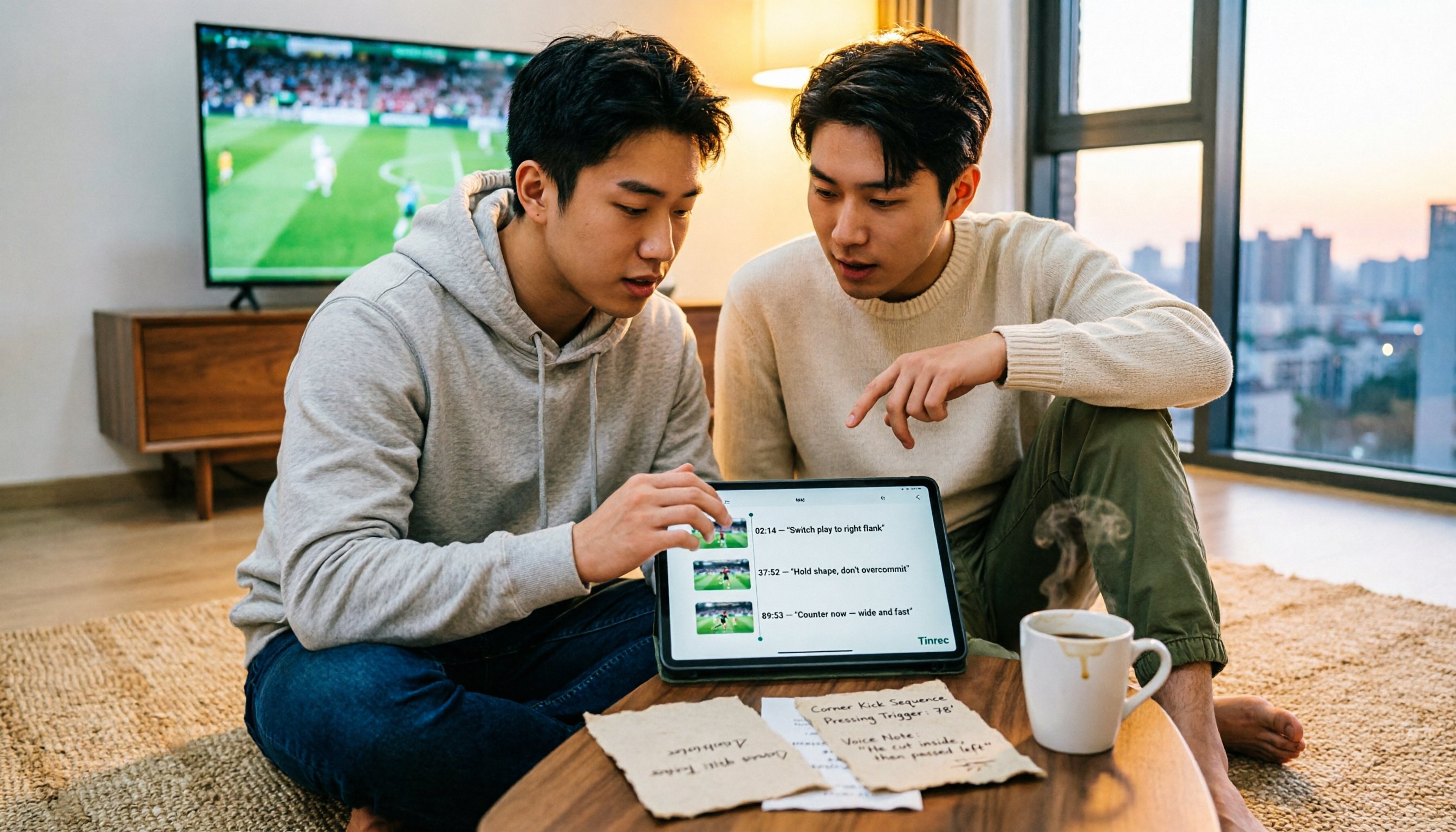
4 Match Review Tools Tested in 2026: How to Record Man City vs Nottm Without Missing Key Details
Starting from the key takeaways of the 2-2 draw between Man City and Nottm, this article addresses a commonly overlooked problem: why after watching a match, a week later all you remember is the score. Based on hands-on testing, it compares Tinrec, Granola, Notta, and PLAUD NotePin in organizing match content, and provides a ready-to-follow post-match review workflow and a pitfall-avoidance checklist.

Notta vs Granola 2026: Which AI Meeting Tool to Choose for Bot-Free Recording & Team Knowledge Base
Notta and Granola are both popular AI meeting note tools, but one focuses on all-around transcription and the other on note enhancement. This article compares them from five angles—meeting capture, audio retention, post-meeting Q&A, team knowledge retention, and pricing—to help you decide which workflow suits you, and explains the practical differences of Tinrec in bot-free recording and team data management.

2026 AI Meeting Recorder Comparison: Notta Platform Review & Chinese Meeting Tool Picks
A complete Notta platform overview: core features, 58-language support, free plan limits of 120 minutes per month and 3 minutes per session, Pro and Business pricing, plus a comparison with Tinrec's bot-free meeting recording, AI Q&A, and team workspace to help you choose the right tool for your meeting needs.
2026 AI Recording Tool Buying Guide: Notta Showcase and 3 Meeting Transcription Tools Tested
A process document took three days to revise, and meeting minutes took two hours to produce—the problem is often not the tool but the method. This article starts from the gap between "recording" and "data," first explains four key buying criteria, then tests Tinrec's bot-free recording, AI Q&A, and team knowledge retention, and explains who Notta Showcase, a flowchart and document tool, is for. It ends with a pitfalls guide and scenario-based selection advice.