
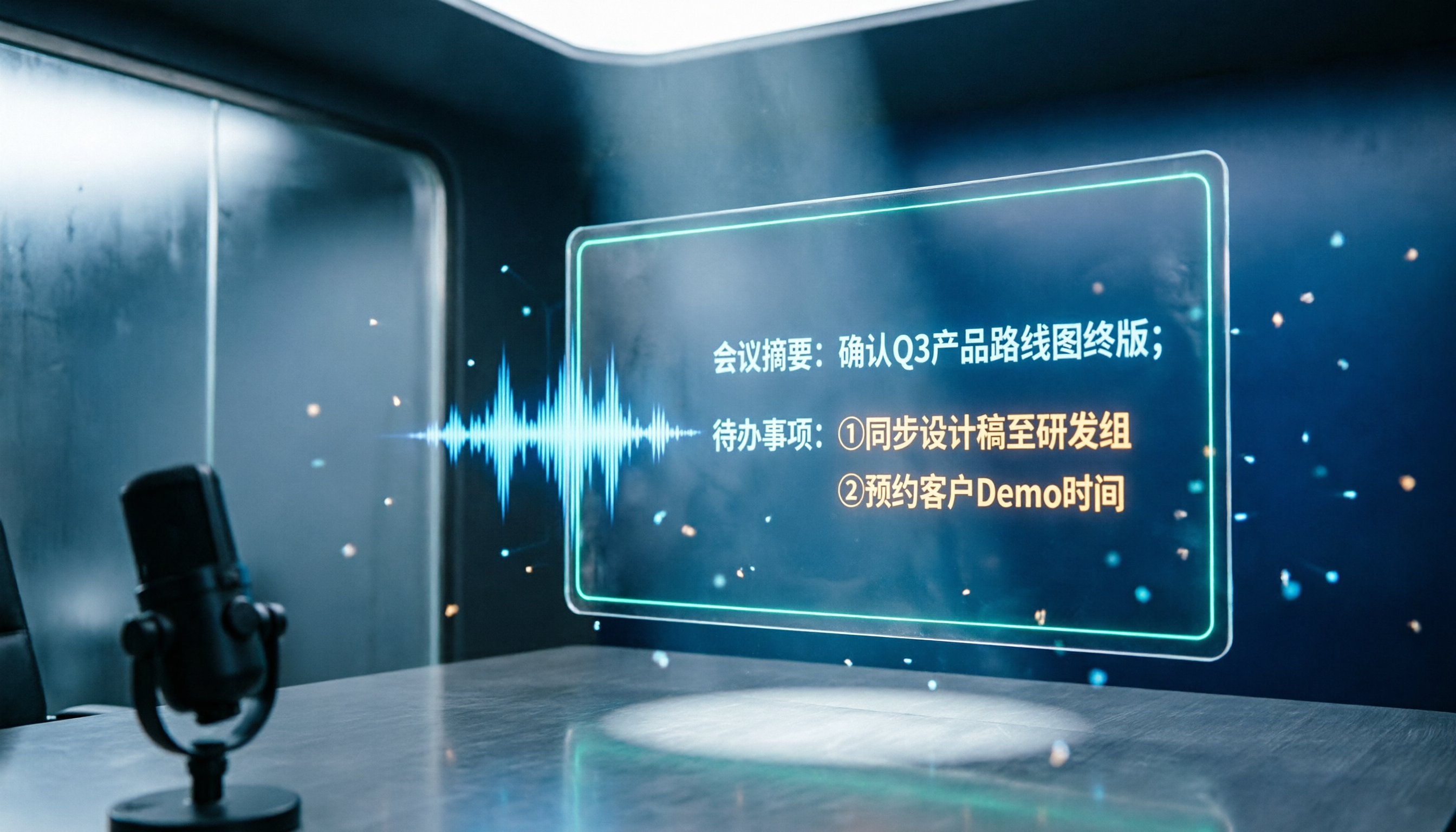
Turn recordings into transcripts and summaries in minutes
Upload audio or video for multilingual transcription, AI notes, and action items
2026 Notta and Free Audio Transcription Plans Compared: 5 Options at a Glance
Why Do You Need a Free Audio Transcription Plan?
Many people searching for Notta tutorials and pricing see the free plan's 120 minutes per month and think they can throw an entire meeting into it. In practice, they discover a 3-minute limit per recording, forcing them to process the full meeting in segments—which actually takes more time.
This is a common first mistake: looking only at total minutes without considering per-recording limits, export needs, and post-meeting organization capabilities.
A more reasonable approach is to first test a 3-minute sample containing technical terms and two speakers, evaluate transcription and summarization quality, and then decide whether to pay. Below is a review of 5 audio transcription and meeting notes solutions, with Notta's tutorial and pricing covered under the second option.
Tinrec — An AI Assistant That Turns Meetings into Collaborative Data
Tinrec is an AI meeting notes and collaboration tool for individuals and teams. It doesn't just convert audio to text—it organizes meetings into searchable, summarizable, and queryable data.
The first difference is bot-free recording of online meetings: the desktop version directly captures computer system audio, so when handling Zoom, Google Meet, Microsoft Teams, or Webex, no additional bot needs to join the meeting. After transcription, it automatically generates summaries, chapters, key points, and action items, and also supports AI Q&A about meeting content, real-time translation, multi-format export, and using an Agent to generate reports, tables, and documents.
The team version centralizes meeting data in a team space, where administrators can manage roles, seats, usage, audit logs, and recycle bin, as well as maintain team hotwords. The personal version offers a free plan, weekly pass, Pro monthly, and Pro annual, suitable for choosing based on usage frequency. Team monthly is USD 29.80 per paid seat per month, annual is USD 199 per paid seat per year (about USD 16.58/month), with 2,000 minutes of shared team import quota per seat per month; real-time recording is currently not deducted by minutes under active plans and seats. The first eligible team trial is 7 days, 1 free seat, and 300 minutes of shared import quota.
Ideal for Chinese-language meetings, those who don't want to invite a meeting bot, and users who need post-meeting organization and team knowledge retention.
Notta — A Popular Choice for Multilingual Transcription, Tutorial and Pricing at a Glance
Notta supports 58 monolingual transcription languages, including Traditional Chinese, and can translate transcriptions into 42 languages. Bilingual transcription supports 23 languages, and you can also customize vocabulary and summary templates.
For the tutorial: first go to the Notta website and sign up with a Google account or email—no credit card required for the free plan. It's recommended to first cut a 3-minute recording containing technical terms and two speakers, check recognition and summary quality, then upload the full meeting or record content from platforms like Zoom, Google Meet, or Teams.
On pricing: the free plan offers 120 minutes per month with a 3-minute limit per recording; Pro annual works out to about USD 8.17/month with 1,800 minutes per month; Business annual works out to about USD 16.67 per seat per month, offering unlimited transcription, role permissions, and usage reports. Actual prices and taxes are subject to the official pricing page. Suitable for those who need multilingual transcription, translation, and are already familiar with Notta's workflow.
Otter.ai — A Mature Choice for English Business Meetings
Otter.ai is a mature AI meeting assistant. The Basic free plan offers 300 minutes per month; Pro annual works out to about USD 8.49 per user per month, including 1,200 minutes of in-app recording per month and 10 file imports; Business offers unlimited meetings and more management capabilities.
Stop organizing recordings by hand
Upload audio or video and automatically get a transcript, summary, and action items
It's suitable for teams primarily conducting English business meetings, especially those already using Otter to organize meeting notes. If your meetings are mainly in Chinese or mixed Chinese-English, it's worth comparing Chinese transcription and post-meeting organization workflows first.
TurboScribe — An Affordable Choice for Long Audio Files and Batch Transcription
TurboScribe is more of a cost-effective file transcription tool. Free allows 3 files per day, up to 30 minutes per file; Unlimited annual is USD 120, working out to about USD 10/month, with up to 10 hours or 5 GB per file and the ability to upload 50 files at once.
If you have a large number of long audio files, lecture recordings, or need batch subtitles, TurboScribe is a better fit than real-time meeting tools. It doesn't focus on in-meeting real-time collaboration but makes file transcription and translation simple.
Granola — Bot-Free Meeting Notes, Great for Writing Key Points During Meetings
Granola is a bot-free AI meeting notes tool that transcribes in real time through the desktop device's system audio and microphone, and combines with the user's handwritten notes to generate meeting content. Basic is free, Business is USD 14 per user per month, and Enterprise is USD 35 per user per month.
It supports real-time transcript viewing, copying, and searching, but does not support uploading pre-recorded audio files and does not save meeting audio. Suitable for those who like to listen and take notes simultaneously, with meetings primarily in English.
With So Many Options, How Should You Choose?
- Want Chinese meetings, mixed Chinese-English content, and post-meeting summaries, action items, and AI Q&A → Tinrec
- Don't want a meeting bot joining Zoom, Meet, or Teams → Tinrec desktop version
- Team needs to share meeting data and manage roles, seats, and usage → Tinrec team version
- Need real-time translation, bilingual viewing, and multi-format export → Tinrec
- Just occasionally transcribing a 3-minute recording with zero budget → Try Notta free or TurboScribe free first
- Primarily English business meetings, team already using Otter → Otter.ai
- Large volume of long audio files, batch subtitle needs → TurboScribe
- Like to take notes during meetings, no bots → Granola
Simply put, if your focus is "being able to keep using it after the meeting," Tinrec's summaries, Q&A, action items, and team space will save you more effort; if it's just one-off transcription, start by testing free tools.
4 Things to Know Before Using Audio Transcription
First, don't just look at total minutes for free quotas. Notta's free plan offers 120 minutes per month, but each recording is limited to 3 minutes—suitable for testing, not for directly processing a full meeting.
Second, annual billing looks cheaper but charges the full year upfront. For example, Notta Pro annual works out to about USD 8.17/month, but it's still recommended to test with your own recordings for keywords and summaries before committing to annual payment.
Third, transcription accuracy is not a fixed value. Audio quality, noise, accents, overlapping speakers, and technical terminology all affect results. For important content, it's recommended to cross-check with transcript timestamps and audio playback.
Fourth, a team plan is not multiple people sharing one personal account. Take Tinrec's team version as an example: roles determine management permissions, seats determine whether one can record, upload, edit, and export; members without seats can still view, play, and read team data. Before recording, you should also comply with local regulations and obtain participant consent when necessary.
Conclusion
Notta's free plan is good for testing a 3-minute sample first, while Pro suits those with steady multilingual transcription needs each month. Rather than just looking at price, consider per-recording limits, export, summaries, Q&A, and team collaboration together.
If you want Chinese meetings, bot-free recording, post-meeting AI Q&A, and team knowledge retention, Tinrec is the more effortless choice on the list. When budget is limited, start with the free plan or a short-term option, and upgrade once you've confirmed it fits your workflow.
Tools are aids—important meeting notes still need a few minutes of quick verification to ensure AI hasn't misunderstood your content.
References
- What is Notta? Free Plan Limits, Pricing, and Traditional Chinese Transcript Tutorial | Mason AI Lab
- Notta | Learn AI
- 5 AI Meeting Notes Tools Compared: Otter, Notta, and More Features and Pricing
- [Tutorial] 2026 Notta: Audio Transcription + AI Summaries and Multilingual Support - Tinrec Blog
- Notta.ai Pricing | Speechify
Turn every recording into actionable outcomes
Get 60 free transcription minutes when you sign in. No credit card required.
Related Reading
You might also like

How to Use Notta in Chinese (2026): Traditional Chinese Settings + Tinrec 5-Step Walkthrough
The key to using Notta in Chinese comes down to three settings: choose Traditional Chinese for monolingual transcription, switch to bilingual transcription for mixed Chinese-English audio, and translate after transcription. This guide first explains Notta's Chinese settings and free plan limits, then walks through the same workflow with Tinrec across five steps—recording, transcription, proofreading, summarization, and export—plus troubleshooting tips and advanced techniques.

The Complete Guide to Chinese Subtitles in 2026: From Speech-to-Text to Bilingual Subtitles
Many people think they can just drop an audio file into a tool and get Chinese subtitles, but the real challenges are misrecognized names, missing timestamps, and misaligned bilingual text. This guide addresses common misconceptions and breaks down the 6 core capabilities needed for Chinese subtitles, 4 practical use cases, and 5 key considerations when choosing a tool. It also demonstrates a complete workflow using Tinrec, from recording to Chinese transcript to bilingual comparison.

Tinrec vs Notta 2026: 5-Dimension Comparison — Which Is Better for Chinese Meetings and Team Knowledge Retention?
Notta reviews on PTT are mixed, mostly due to different plans and use cases. This article compares Tinrec and Notta across 5 dimensions: post-transcription usability, Chinese and multilingual handling, team governance, quota and pricing structure, and data ownership. It honestly explains who each is suitable for and who it is not.

2026 Audio-to-Text Tool Comparison: Why Tinrec Is a Better Fit for Taiwanese Teams Than Notta
PTT discussions about Notta mostly focus on free quota, Chinese recognition, and export workflow. This article starts from real-world usage scenarios and puts Notta and Tinrec side by side: how to record online meetings, what you can do after transcription, and how to retain team data. It also honestly points out scenarios where Tinrec is not suitable, helping you make the right decision before spending time on trials.

Notta Tutorial & Pricing Guide 2026: How to Choose from 6 Speech-to-Text Tools
Finished the Notta tutorial but still unsure about paying? This decision-focused guide breaks down the differences between Notta's free, Pro, and Business plans, how to validate with a small sample before paying, and compares Tinrec, Otter, TurboScribe, Granola, PLAUD, and built-in platform transcription—so you spend money only where you'll actually use it.

2026 Recording-to-Text Tools Compared: Beyond Notta, Why Tinrec Fits Chinese Meetings Better
Many people choose recording-to-text tools based only on free quota, then find they can't record online meetings or locate key points afterward. This article compares Notta, Tinrec, and similar tools from a mid-level manager's practical perspective—covering meeting recording methods, Chinese-language experience, post-meeting organization, and team knowledge retention—and explains when upgrading to a paid plan makes sense.
How to Use Notta AI in 2026: 5-Step Traditional Chinese Transcript Tutorial
Complete Notta AI tutorial: from sign-up, recording or importing audio, proofreading Traditional Chinese transcripts, AI summaries, to translation and export—5 steps in one go. Also covers the free plan's 3-minute limit, differences between Pro and Business plans, and real-world issues you'll encounter.

2026 Comparison of 2 Transcription Tools: Which AI Saves More Time on Meeting Notes?
Transcription is more than typing. This article compares Yating Transcription and Tinrec from a mid-level manager's meeting perspective, covering transcript readability, online meeting recording, post-meeting organization, team collaboration, and free quotas to help you decide when to use AI tools and when to hire human transcribers.

Tinrec vs Otter.ai 2026: Zoom Meeting Notes 5-Dimension Showdown — Which Is Better for Chinese-Language Scenarios?
Ending a Zoom meeting with only a meeting ID and no transcript is a daily reality for many office workers. This article compares Tinrec and Otter.ai across five dimensions—recording permissions, post-meeting organization, Chinese recognition, data ownership, and quota pricing—to evaluate their differences in Zoom meeting notes. It also covers Notta and Zoom's built-in recording to help you choose the tool that truly saves time.