
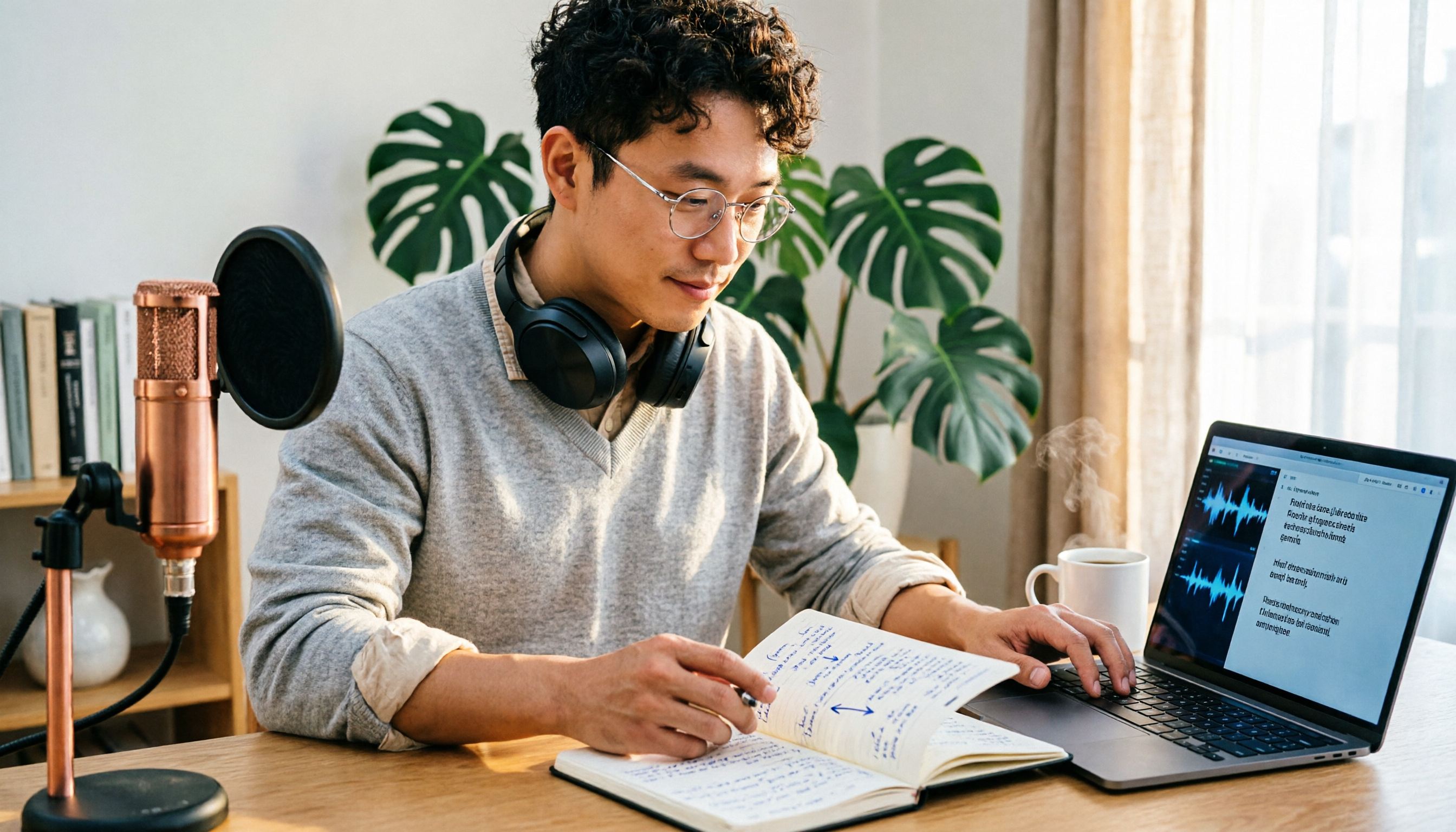
Turn recordings into transcripts and summaries in minutes
Upload audio or video for multilingual transcription, AI notes, and action items
It's 11 PM, and you've just finished a 90-minute online interview. Your headphones are still around your neck, and you remember every word the interviewee said—but turning that into a citable transcript will probably take another three to four hours at your desk.
It's not that you're inexperienced; manual transcription is just inefficient by nature.
Finishing the recording is when the pain begins—you don't need a recording app, you need a workflow
Scenario one: interviews. A 90-minute recording takes 3 hours to type out and another hour to proofread, leaving minimal time for actual thinking and writing.
Scenario two: multi-person meetings. Three people talk over each other, and on playback you can only hear voices without knowing who said what. Your meeting notes end up as "lively discussion ensued."
Scenario three: foreign-language content. The interviewee speaks English or Japanese. You understand 70% but don't dare quote directly, so you keep rewinding to confirm.
These three problems all point to the same thing: what you're missing isn't a recording tool, but the process that turns audio into text you can edit, search, and cite. With the right tool, that process can shrink from four hours to twenty minutes.
Before choosing a transcription tool, understand these 4 key points
Language support and Chinese performance: Most tools handle English well; Chinese is the differentiator. Don't just look at "how many languages supported"—check how it handles Chinese and mixed Chinese-English meetings.
Output formats and timecodes: If you need to turn transcripts into subtitles or quote interviewees verbatim, timecodes and .srt format are essential. Tools that only export plain text still require manual time alignment later.
Data storage location and retention period: Meeting recordings often contain client information and internal decisions. Before uploading, find out which country the files are stored in and how long they're retained if you don't register an account.
What you can do after transcription: A tool that only gives you a transcript does half the job. Whether it can automatically generate summaries, action items, and answer questions about the content determines how much time you'll spend afterward.
Let's start with Good Tape, walk through the actual process, and then compare other options.
What is Good Tape? 2025 positioning and strengths
Good Tape is an AI automatic transcription service created by Danish online news outlet Zetland. In December 2022, it spun off from its parent company into a standalone company of about 7 people. It uses OpenAI's Whisper model under the hood, and its original goal was clear: solve journalists' pain of organizing interview recordings.
For anyone who needs to "turn recordings into citable text," its design is genuinely thoughtful.
- Supports over 40 languages including English, Chinese, Japanese, Korean, German, French, and Danish.
- Can output timecoded text files or directly generate .srt subtitle files.
- Transcript font, size, color, spacing, and alignment are all customizable.
- Option to show or hide timecodes, highlights, and keywords.
- Besides .txt and .srt, reports mention conversion to PDF, Word, Excel, etc., for easy printing or export.
- Official mobile app Good Tape Recorder lets you record and automatically upload to your account for transcription, skipping the file transfer step.
- Automatically identifies different speakers—especially useful for multi-person interviews or meetings.
In short, Good Tape's strengths are output quality and format flexibility. It doesn't just give you text; it lets you organize that text into a document you can deliver directly.
How to use Good Tape: 5 steps to transcribe audio to text
Step 1: Decide whether you're handling a file or live recording
If the recording already exists on your phone or computer, use the "upload file" route. If it's an in-person interview that hasn't started yet, record directly with the Good Tape Recorder mobile app—it will automatically upload to your account for transcription when done.
(Screenshot location: file upload section on the homepage and mobile recording button)
Step 2: Upload the audio file and manually select the correct language
After clicking upload, select the primary language of the recording in the language field. If the content is in Chinese, select Chinese—don't leave it to auto-detection. Choosing wrong here will noticeably reduce accuracy later.
(Screenshot location: language dropdown in the upload window)
Step 3: Wait for cloud transcription to complete
After uploading, the file is processed in the cloud. Time depends on recording length. You can do other things during this time—no need to sit at your computer.
Step 4: Proofread online, enable timecodes and speaker identification
Once transcription is complete, you enter the editing screen. Turn on timecodes so you can click a sentence during proofreading to jump back to the corresponding audio segment—much faster than dragging the progress bar repeatedly. For one-on-one interviews, speaker identification helps you quickly distinguish questions from answers.
(Screenshot location: display settings and player at the top of the editing page)
Step 5: Choose export format and integrate into your workflow
Download .txt for archiving, choose .srt for video subtitles, or convert to PDF or Word for your manager or client. Decide where this transcript will ultimately be used before choosing the format—this saves you from redoing work.
Stop organizing recordings by hand
Upload audio or video and automatically get a transcript, summary, and action items
Bottom line: if your output is "a document or subtitle file to deliver," Good Tape's workflow is quite smooth.
Good Tape pricing and data security: things to note
Data security is an area where Good Tape is relatively reassuring. Transmission is fully encrypted, data doesn't leave the EU and is protected by GDPR; without a registered account, files are retained for only 3 days. For those handling sensitive interview content, this boundary is important to know.
On pricing, Taiwan channels show a "Pro 30-day" plan at about NT$550 (list price NT$600), with account activation within 24 hours of payment. Actual plan details, currency, and prices may change—check the official page before ordering.
One honest caveat: current public information doesn't mention team seats, member permissions, or usage management features for Good Tape. If you need "a shared meeting database for the whole department," confirm with the official source first—don't assume it exists.
Beyond Good Tape: what other options are there?
Tinrec—for post-meeting organization and team collaboration
Tinrec is an AI meeting notes and collaboration tool for individuals and teams, available on web, desktop, and mobile. Its biggest difference from pure transcription tools is that it also handles everything after "turning speech into text."
During meetings, use the desktop version to capture computer system audio directly—it can record Zoom, Google Meet, Microsoft Teams, and Webex online meetings without sending a meeting bot into the room. It transcribes while recording, and for cross-language situations you can enable real-time translation and view in original, translated, or bilingual mode.
After the meeting is where it really saves time. The system automatically generates summaries, chapters, and action items, breaking a 60-minute discussion into a quickly scannable structure. Even better is AI Q&A—you can ask "who mentioned the budget adjustment in the last meeting?" and it will answer based on the meeting content instead of dumping keywords for you to search. When you need to submit a report, you can further generate documents, tables, or export to Notion, Google Docs, OneNote, Dropbox, etc. for further processing.
Limitations to be clear about: the free version offers basic quota, suitable for trial; importing documents and web links consumes team-shared import minutes, and heavy use requires payment.
If you're a team, Tinrec's team version is a separate collaboration space, not multiple people sharing one account. First-time eligible teams can try 7 days, 1 free seat, 300 minutes of team-shared import quota; monthly billing is USD 29.80 per paid seat, annual billing is USD 199 per paid seat (about USD 16.58/month), with each paid seat providing 2,000 minutes of team-shared import quota per month. Under an active team plan and active seats, real-time recording currently doesn't deduct minutes. The team version also includes role and seat management, team hotwords, usage analytics, audit logs, and an audio recycle bin (30-day retention). Note that members without seats can still view, play, and read team data, but need a seat to upload, edit, and export.
Simply put, if you need "meeting minutes and action items right after the meeting, with data staying in the team space," that's the part Good Tape doesn't cover.
Notta
Notta overlaps significantly with Tinrec, covering multi-platform transcription, meeting notes, file import, and translation. The official free version offers 120 minutes per month, max 3 minutes per item; Pro annual billing is about USD 8.17/month for 1,800 minutes per month. Its multilingual transcription has a good reputation, suitable for those mainly doing file transcription. However, for bot-free online meeting recording, AI follow-up questions, and team data retention, Tinrec goes deeper.
TurboScribe
TurboScribe takes the high-value file transcription route, focusing on long files and batch uploads: paid version supports up to 10 hours or 5 GB per file, 50 files at once, USD 120 annually. If you have a batch of course recordings or archived videos to process, it's very efficient. That said, it doesn't focus on real-time meetings and post-meeting follow-up questions—those are Tinrec's territory.
Pitfall guide: 4 most common mistakes in transcription
Pitfall 1: Leaving language to auto-detection. Many people upload and hit start without checking the language field. Chinese content gets processed as another language, and the error rate rises noticeably. Manually selecting the language takes just three extra seconds.
Pitfall 2: Stopping once you have the transcript. A transcript is raw material, not a finished product. If you don't summarize, extract key points, and organize action items, you've just traded typing time for reading time—not much saved overall. That's why more people are switching to tools with post-meeting organization features.
Pitfall 3: Ignoring data retention period and storage location. Files uploaded without an account are kept for only 3 days; if you don't download within that window, you'll need to re-upload. Before handling client interviews or internal meetings, confirm which region the data stays in and how long it's retained.
Pitfall 4: Buying a plan you won't use. If you only transcribe one recording a week, a monthly plan often goes half-used. Run your own real recording through the free quota first, then decide whether to pay—that's more accurate than looking at plan tables.
Conclusion: which one should you choose?
One-sentence conclusion: for the goal of "turning recordings into a citable document," Good Tape is a solid and mature choice; but if you need post-meeting organization and team collaboration, Tinrec covers a broader scope.
- Journalists, researchers, podcasters turning interviews into timecoded transcripts and .srt subtitles → Good Tape (most flexible output formats)
- Chinese meetings needing post-meeting summaries and action items → Tinrec (generates minutes and action items directly after transcription)
- Don't want a bot joining Zoom, Meet, Teams meetings → Tinrec (desktop version captures system audio)
- Department-shared meeting data, needing seat and usage management → Tinrec team version (team space, role seats, audit logs)
- Processing many long files at once, batch transcription of course recordings → TurboScribe (advantage in per-file hours and batch quantity)
I'd suggest running a segment of your own recording through the free quota first—don't use someone else's clean demo audio. Real meetings have air conditioning noise, keyboard sounds, and people talking over each other—that's the real test of a tool's capability. Once the workflow feels smooth, then consider paying. No need to spend budget from the start.
References
- Good Tape: Audio file to transcript software recommendation! The tool that best understands journalists' needs | Comprehensive AI Tool Introduction - Future Commerce
- Good Tape AI Automatic Transcription Software - Pro 30 days
- Good Tape - Google Play App
- Overtaking Yating, journalists cry tears of joy—what's so amazing about Good Tape? | CommonWealth Magazine
- Good Tape tutorial | Audio to transcript tool, supports Chinese and 40 other languages | Manager Today
Turn every recording into actionable outcomes
Get 60 free transcription minutes when you sign in. No credit card required.
Related Reading
You might also like

Otter.ai Chinese Review 2026: Traditional Chinese Limitations & Alternative Tools
Is Otter.ai Chinese version actually usable? This article examines three common misconceptions, explains that Otter officially lists only Simplified Chinese and that Otter Chat translation is not the same as transcription, and outlines four key factors for choosing a Chinese meeting tool, testing advice, pitfalls to avoid, and actual pricing. It also compares Tinrec, Otter.ai, Notta, and Granola for different use cases.

4 Meeting Transcription Tools Tested for 2026: Otter Means an Animal, But Which Tool Handles Chinese Meetings?
Otter means a water-loving mammal, but most people searching for it actually want Otter.ai, the meeting transcription tool. This article first clarifies the meaning and pronunciation of 'otter,' then compares Tinrec, Otter.ai, Notta, and TurboScribe for Chinese and Cantonese meetings—covering capture methods, post-meeting organization, and team collaboration—and highlights common pitfalls when choosing a tool.

2026 Comparison of 2 Meeting Transcription Tools: Otter Chinese Version vs. Tinrec — Which Is Better for Chinese Meetings?
Many people search for "Otter Chinese version," but what they really want to know is whether it can produce Chinese transcripts and whether the interface can be localized into Chinese. This article compares Otter.ai and Tinrec side by side across Chinese transcription, meeting recording methods, real-time translation, post-meeting organization, team collaboration, and pricing quotas to help you determine which one better fits the Chinese meeting needs of teams in Taiwan.

4 Otter Chinese Tools Tested for 2026: How to Download and Which Handles Traditional Chinese Best
People searching for "how to download Otter Chinese" often fall into three traps: assuming there's a separate Chinese app, downloading APKs from third-party sites, and thinking Chinese works perfectly once installed. This article clarifies Otter.ai's official download channels and Simplified Chinese limitations, then compares Tinrec, Otter.ai, Notta, and TurboScribe across four buying criteria to help you find a solution that truly handles Traditional Chinese meeting notes.
2026 Tapes Buying Guide: Reel-to-Reel, Cassette, and Live Recordings Compared
People searching for '2026 good tapes' fall into three groups: audiophiles looking for reel-to-reel tapes, music fans seeking cassette releases, and collectors hunting for live bootleg recordings. This guide breaks down the buying criteria for each type, then covers the most overlooked step—how to turn recordings into searchable, queryable data—and compares Tinrec, Granola, TurboScribe, and Otter.ai.

3 Meeting Transcription Tools Tested: How to Use Otter in Chinese and Which Understands Chinese Meetings Best?
People searching for 'otter Chinese' have two different needs: the literal meaning of the animal, and whether Otter.ai can handle Chinese meetings. This article clarifies common misconceptions and compares Otter.ai, Notta, TurboScribe, and Tinrec across four dimensions: Chinese recognition, meeting capture methods, post-meeting outputs, and team governance, to help you decide which tool truly suits Chinese meetings.
Otter in Chinese: Translation Guide, Meanings & 3 Practical Use Cases (2026)
Searching for 'otter in Chinese' returns multiple meanings: otter (水獺), sea otter (海獺), otter fur (水獺皮), and even the brand name Otter.ai. This guide clarifies the translations first, then explains what Chinese-speaking users should know if they're looking for the meeting tool Otter, and how Tinrec performs for Chinese meetings, bot-free recording, and team knowledge retention.

3 Meeting Transcription Apps Tested in 2026: Otter's Chinese Support and Download Options Explained
People searching for 'Otter Chinese how to download' often hit the same wall: the app downloads fine, but it can't produce usable Chinese meeting transcripts. This article first clarifies Otter.ai's download channels and official language support, then compares Tinrec, Otter.ai, Notta, and Granola using 4 key buying criteria, and finally gives clear recommendations based on different scenarios.

2026 Comparison of 3 Audio-to-Text Tools: Good Tape vs. Tinrec — Which Saves More Time on Chinese Transcripts?
People searching for Good Tape usually want more than just converting audio to text. This article compares two approaches—file transcription and meeting organization—and contrasts Good Tape, Tinrec, and Notta on Chinese transcripts, post-meeting summaries, action items, and team collaboration. It also covers quotas, pricing, and data storage considerations to help you choose the tool that fits your workflow.