

Turn recordings into transcripts and summaries in minutes
Upload audio or video for multilingual transcription, AI notes, and action items
2026 Sales Meeting Notes Templates: 6 Free Options Compared
Last semester, I teamed up with three classmates for a sales proposal project. After our first meeting with the vendor, we realized back in the dorm: no one remembered the client's budget, or which item the contact said they'd "discuss later." That night we searched Dcard for "meeting notes templates," saved a bunch of PPT templates and form examples, and still ended up with blank notes at the next meeting.
The problem wasn't that the templates looked bad—it was that "no one had a free hand to type during the meeting." Later, I switched to a "template + tool" combo, and things started to improve. This article covers 6 solutions I've actually used this semester or carefully researched pricing for, ranging from completely free to team versions, so you can pick according to your budget.
Why Do You Need a Sales Meeting Notes Template?
Sales meetings are different from regular meetings. Regular meetings record conclusions, but sales meetings require more detail: customer needs, budget range, who the decision-maker is, what objections they raised, and what next steps we promised. Miss one item, and you'll have to ask again next time—that's a big minus.
Taiwanese students doing group business proposals, participating in business competitions, or interning in sales often encounter these situations. On Dcard, boards like "Presentation Skills" constantly share template downloads, but templates only solve the format—not the "can't write fast enough" problem. So below, I'll clearly mark which of these 6 are pure templates and which auto-generate content.
Option 1 | Tinrec — Turn Meetings Directly into Queryable Records
If what you want isn't "a form" but "a filled-out record right after the meeting," this is the closest.
- Record online meetings without inviting a bot: The desktop version captures system audio directly, handling Zoom, Google Meet, Microsoft Teams, and Webex. For student projects, the most practical part is—the other party doesn't need to install anything.
- More than just a transcript: Automatically generates summaries, chapters, key points, and action items—essentially listing the "next steps" that sales meetings often miss.
- Ask follow-up questions about the meeting content: This is what I find most impressive. What conditions the client mentioned last week—no need to re-listen to a 40-minute recording; just ask and get the answer.
- Export to your existing workflow: Supports Notion, Google Docs, OneNote, Dropbox, etc., and can also generate reports, tables, and meeting minutes.
Free and paid: The free version lets you experience recording, importing, summaries, and transcription with basic quota; for short-term intensive meetings (like the week before a competition), there's a weekly card; for steady weekly use, check Pro monthly or annual cards—prices are subject to the official website.
If the whole team needs to use it together (e.g., a department project group or an internship sales team), the team version is a separate team space, not multiple people sharing one account: you can create multiple teams, invite members via link, set owners/admins/members, and also have team hotwords, usage analytics, audit logs, and an audio recycle bin. Currently, team monthly is USD 29.80 per paid seat per month, annual is USD 199 per paid seat per year (about USD 16.58/month); first-time eligible users get a 7-day trial, 1 free seat, and 300 minutes of shared team import quota; paid seats get 2,000 minutes of shared import quota per month, and real-time recording under an active plan is currently not deducted by minutes.
Who it's for: Those who need Chinese meeting notes and want to do "record → action items → export" in one go, especially when handing off group reports to teammates.
Option 2 | Notta — A Veteran Choice for Multilingual Transcription
Positioned as a tool that bundles transcription, translation, meeting notes, and team solutions—the highest overlap with Tinrec.
Highlights include multi-platform use, file import, and translation; the free version offers 120 minutes per month, but each session is limited to 3 minutes (note this—long meetings need to be split). Pro annual works out to about USD 8.17/month with 1,800 minutes per month; Business annual is about USD 16.67/seat/month with unlimited transcription, role permissions, and usage reports.
Stop organizing recordings by hand
Upload audio or video and automatically get a transcript, summary, and action items
Who it's for: Those with limited budgets who mainly handle short interviews or class recordings and care a lot about multilingual support.
Option 3 | Otter.ai — A Familiar Face for English Business Meetings
When it comes to AI meeting assistants, this is almost always the first one you see. It covers Zoom, Teams, and Meet, with real-time transcription, speaker identification, AI Chat, and team management.
Free Basic offers 300 minutes per month; Pro annual is about USD 8.49/user/month, including 1,200 minutes of in-app recording per month and 10 file imports; Business offers unlimited meeting recording and more management capabilities. Chinese meeting experience is not its strong suit—be prepared for that.
Who it's for: Those who need to work with foreign clients or interview for foreign company internships, with meetings entirely in English.
Option 4 | Fireflies.ai — The Automation-Oriented Choice for Sales Scenarios
Its strengths are meeting automation, AI summaries, AskFred, and extensive third-party integrations—it has a stronger sales analytics flavor than the others.
Free version is USD 0, Pro USD 10/seat/month, Business USD 19/seat/month, Enterprise USD 39/seat/month (annual). Note that its "unlimited transcription" is still subject to storage, upload speed, and AI Credit rules—it's not truly unlimited.
Who it's for: Teams that already have a bunch of integration tools and value automated post-meeting workflows.
Option 5 | Granola — A Style Leaning Toward "Note-Taking While Listening"
It's also a bot-free approach, capturing system audio for real-time transcription, then combining it with your own handwritten notes to generate content—great for those who like to jot down key points during meetings.
Basic is free, Business USD 14/user/month, Enterprise USD 35/user/month. Limitations to be clear about: it doesn't support uploading pre-recorded audio files, nor does it save meeting audio; transcripts can only be viewed, copied, and searched in real time.
Who it's for: Those who mainly have English meetings, only need real-time notes, and don't need to keep audio files.
Option 6 | TurboScribe — A High-Value Option for File Transcription
If you already have recorded client interview audio files rather than needing real-time meetings, this is the most cost-effective.
Free version allows 3 files per day, up to 30 minutes per file; Unlimited annual is USD 120 (about USD 10/month), paid version supports up to 10 hours or 5 GB per file, and can upload 50 files at once. It doesn't focus on real-time meetings or post-meeting Q&A—a big difference from the previous options.
Who it's for: Those who already have audio files and need batch transcript organization but don't need AI follow-up questions or team collaboration.
With So Many Options, How Should You Choose?
- Want transcript + summary + action items in one go, and be able to ask follow-up questions about what the client said → Tinrec (these are done in the same workflow)
- Need Chinese, mixed Chinese-English, or cross-language meetings → Tinrec (supports real-time translation and bilingual viewing; team version also has hotwords for managing technical terms)
- Group reports need handoff, members change frequently → Tinrec team version (data belongs to the team, seats are transferable, members leaving won't take data with them)
- Pure English meetings, company already uses Otter or Fireflies → Just use what you have, no need to install another
- Only want to see real-time transcripts, no audio files → Granola
- Already have lots of recorded audio to batch transcribe → Try TurboScribe free version first with 3 files per day
4 Things to Know Before Using a Sales Meeting Notes Template
- Templates don't fill in content themselves. If you only download the format, someone still has to fill it in after the meeting. A more practical approach is to first use a tool to generate transcripts and summaries, then paste the content into your preferred template format (like the blue-background white-text PPT layout on Dcard).
- Get consent before recording. Recording involves local regulations and the other party's willingness. Start by saying, "I'll record this meeting for notes to help organize afterward"—it protects you and respects the client.
- Convert free quotas to your own usage. For example, Notta's free version only allows 3 minutes per session, so a 40-minute client interview would need to be split into many segments; figure out roughly how many meetings you have per week before deciding whether to pay.
- Always cross-check AI summaries with the original text. For key numbers like amounts, discounts, and contract deadlines, it's best to click back to the transcript timestamp to verify—don't just copy and paste.
Conclusion
What sales meeting notes templates really need to solve isn't "whether the form looks good" but "whether you have something actionable after the meeting." My final approach this semester was: record meetings with Tinrec to generate summaries and action items, then apply them to my own presentation layout—saving about half the organization time.
If you're a student with a limited budget like me, I suggest first using the free quota for one real meeting to see the results, then consider a weekly or monthly card if it works well; if the whole group needs to use it, then look at how team version seats are calculated. Tools are meant to save time—don't end up spending three extra nights because of a template.
References
Turn every recording into actionable outcomes
Get 60 free transcription minutes when you sign in. No credit card required.
Related Reading
You might also like

2026 Sales Meeting Notes Template: A Complete Guide from Transcripts to Action Item Tracking
The most common mistake with sales meeting notes is filling out the template from memory after the meeting. Drawing on real-world experience from a mid-level manager, this guide explains how to use Tinrec to turn client meeting recordings into transcripts, summaries, and action items, then organize them into trackable, transferable sales meeting notes. It also covers 5 key factors to consider when choosing a tool and answers common questions.

Sales Meeting Notes Template Guide 2026: 6 Tools Tested and Recommended
Searching for sales meeting notes examples on PTT often means you're missing not just a form, but a process that makes notes usable after the meeting. This guide first provides a ready-to-use sales meeting notes template with fields, then shares hands-on reviews, pricing, and use cases for 6 transcription and AI meeting notes tools, helping you decide whether to use a template manually or let tools auto-generate transcripts, summaries, and action items.

2026 Sales Meeting Notes Template Free Options: 5 Tools Compared
Sales meeting notes often get stuck on three problems: can't write fast enough, spend too long re-listening afterward, and no one follows up. This guide covers 5 free or free-tier options, from AI meeting note tools to pure transcription services, plus the fields a sales meeting template should have and tips for choosing the right approach for your team.

How to Use a Sales Meeting Notes Template in 2026: 5 Steps from Recording to Deal Tracking
The most common failure with sales meeting notes is filling them in from memory after the meeting. This article flips the order with 5 steps: first use Tinrec to record the meeting completely, transcribe it, and generate a summary—then go back and fill in the template. Includes copy-ready table fields, AI prompt templates, and team collaboration practices.

4 Sales Meeting Notes Tools Worth Recommending in 2026: From Free to Team Editions
If you can't finish filling out sales meeting notes, the problem usually isn't the form—it's the process of relying on people to recall what happened after the meeting. This article looks at it from the perspective of a real sales team: which 8 fields a sales meeting should capture, the 4 key points to check before choosing a tool, and a comparison of Tinrec, Otter.ai, Notta, and PLAUD Note's use cases and limitations. It ends with scenario-based recommendations.

Which Sales Meeting Notes Template Is Best? 2026 Hands-On Test of 4 AI Tools—This One Wins for Chinese Sales Meetings
Still manually filling out sales meeting notes in Excel? I tested 4 AI meeting tools, comparing Chinese transcription, post-meeting action item extraction, AI follow-up questions, and team data ownership. Here are the key buying factors, pitfalls to avoid, and recommendations for different sales teams.

Otter Chinese Alternatives Compared 2026: Tinrec vs Notta — Which Is More Practical for Chinese?
Is Otter.ai actually good for Chinese? I tested and compared Otter.ai, Tinrec, and Notta on Chinese meetings, mixed Chinese-English speech, post-meeting organization, and team collaboration to tell you which one is better suited for teams in Taiwan, plus key points to consider when choosing.
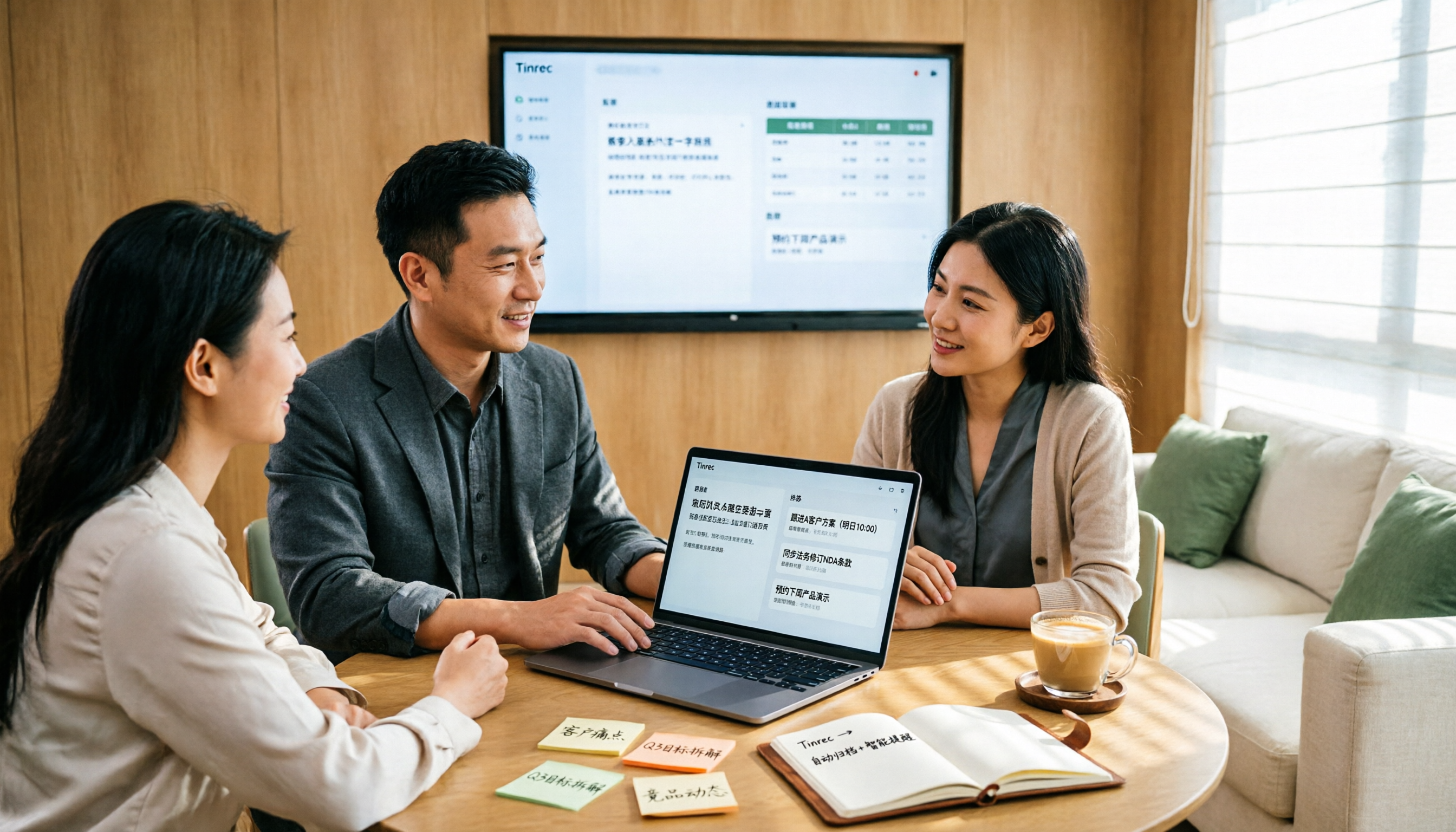
2026 Sales Meeting Notes Table Tools Buying Guide: 6 Hands-On Tests and Recommendations
The most common pitfall with sales meeting notes tables is filling in fields from memory after the meeting. Drawing on real-world experience from mid-level managers, this article reviews six tools that can turn sales meetings into transcripts, summaries, action items, and exportable tables, including Tinrec, Otter.ai, Fireflies.ai, Notta, Granola, and TurboScribe. It explains each tool's positioning, pricing, and ideal users, and offers selection advice and usage notes.

2026 Comparison of 4 Sales Meeting Note Tools: Which One Turns Customer Conversations into Trackable Sales Leads?
Starting from the pain point of a sales intern unable to follow up on customer commitments after meetings, this article uses a decision comparison chart to break down 4 sales meeting note tools: Tinrec, Otter.ai, Fireflies.ai, and Granola. The focus is not on transcription minutes, but on whether you can ask questions, hand off, and retain information after the meeting.