

Turn recordings into transcripts and summaries in minutes
Upload audio or video for multilingual transcription, AI notes, and action items
2026 Comparison of 3 Transcription Apps: Is Yating Transcriber Free Version Enough?
It's 10 PM on a Wednesday. You've just finished a two-hour online meeting, and the discussion is still ringing in your ears. Your manager asks in the group chat: "Who said they'd submit the report next week?" You open the recording file, drag the progress bar from the beginning, listen for 15 minutes, and still can't find that sentence.
At this point, what you need isn't another voice recorder, but a transcription app that turns speech into searchable text.
This article will first answer "Is Yating Transcriber free? Is the free version enough?" and then compare Yating Transcriber, Tinrec, and Notta from four perspectives: free quota, Chinese recognition, post-meeting organization, and team collaboration. You can jump straight to the conclusion or choose based on your own usage scenario.
Meeting notes take time—the problem isn't typing speed
Many people's meeting notes process goes like this: record first, listen again after the meeting, pause and type the transcript while listening. A one-hour meeting often takes another 60 to 90 minutes to organize.
What's more troublesome is that a transcript isn't the same as meeting minutes. You get a large block of text, but you still have to find conclusions, action items, and who agreed to what.
If the meeting includes mixed Chinese and English, Taiwanese, or technical terms, manual organization takes even longer.
Instead of spending time re-listening, it's better to choose the right tool first: a transcription app that can convert speech to text, highlight key points, and let you search or ask questions afterward will save you more trouble than a simple recording app.
Before choosing a transcription app, understand these 4 key points
1. How the free quota is calculated
Don't just look at the word "free." Some apps are free to use but have limited features; some give a fixed number of minutes; others only allow exporting short audio files in the free version. You need to estimate how many hours of meetings or interviews you have per month, then see if the free quota is enough. For example, Yating Transcriber's App Store user reviews often mention "free to use," but third-party summaries indicate that free registration gives a certain transcription time, and paid plans are purchased by duration. Actual rules and quotas may change, so check the official announcement before downloading.
2. Recognition of Chinese and mixed Chinese-English
In Taiwanese workplaces, it's common to hear "this campaign needs to launch next week" or "send the spec to RD first"—this kind of Chinglish. If a tool only supports standard Chinese, the transcript will be hard to read. When choosing, it's best to test with a real meeting recording of your own, not just look at the official accuracy claims.
3. What you can do after transcription
If you only convert speech to text, you still have to organize it yourself. Better tools automatically generate summaries, chapters, action items, and even let you ask questions about the meeting content. This is where free versions are most often crippled, so pay special attention during trials.
4. Cross-platform and team use
If you only record on your phone, a mobile app is enough. But if you use Zoom, Google Meet, or Teams on your computer, or need to share meeting materials with colleagues, check whether it has a desktop version, web version, and team workspace. This determines whether you organize alone or the team uses it together.
Tinrec — Our top choice for testing this time
Tinrec is an AI meeting notes and collaboration tool for individuals and teams. It supports real-time recording, audio/video file transcription, and has a desktop version for online meetings. Its positioning isn't just recording-to-text, but turning meetings into searchable, summarizable, queryable, and exportable data.
In actual use, the most impressive part is "no need to re-listen after the meeting." When the meeting starts, open Tinrec for real-time recording, and the transcript appears as you record; after the meeting, the system generates summaries, chapters, and action items. You don't need to drag the progress bar from the beginning; instead, look at the summary to grasp the direction, then click back to the transcript to confirm the original words. For those who have regular weekly meetings, client interviews, or project discussions, this saves a lot of organization time compared to simple transcription.
Another difference is recording online meetings without a bot. Tinrec's desktop version directly captures computer system audio, so when handling Zoom, Google Meet, Microsoft Teams, Webex, etc., you don't need to pull a meeting bot into the meeting room. For situations where you don't want a bot appearing in the participant list or client meetings where adding a bot is inconvenient, this method is more natural. Note that this doesn't mean "automatically join all meetings"—you still need to actively open Tinrec to start recording.
Stop organizing recordings by hand
Upload audio or video and automatically get a transcript, summary, and action items
Post-meeting Q&A is also a feature Tinrec emphasizes. You can ask questions about single or multiple meeting materials, such as "Who mentioned the budget in the last meeting?" or "What were the client's concerns about the delivery date?" It answers based on the meeting content, not just keyword search results. For those with many meetings who need to trace decision context, this feature is very practical.
For output, Tinrec supports summaries, chapters, action items, mind maps, AI Q&A, and can export to Notion, Google Docs, OneNote, Dropbox, etc. for further processing. The team version provides independent team spaces, members and roles, seat management, usage analytics, audit logs, and audio recycle bin, so meeting data belongs to the team rather than staying in someone's account.
Limitations should also be clear: Tinrec's free version is a basic quota experience; heavy use requires payment; file and web import consume quota; real-time recording currently does not deduct minutes under valid team plans and active seats. Also, I didn't get publicly available lab accuracy data this time, so I won't write misleading numbers like "98% accuracy." Actual recognition is affected by recording quality, accent, noise, overlapping speakers, and technical terms. It's recommended to test with your own meeting recording.
Regarding pricing, the team version currently costs USD 29.80 per paid seat per month, or USD 199 per year (equivalent to about USD 16.58/month). The first eligible team trial is 7 days, 1 free seat, 300 minutes shared import quota; the personal version has a free version, weekly card, Pro monthly card, and annual card. Actual prices and benefits are subject to the official purchase page.
Who is it for: If you need Chinese meeting transcripts, post-meeting summaries and action items, bot-free recording of online meetings, or want to store meeting data in a team space, Tinrec is the priority choice this time.
Besides Tinrec, what other options are there?
Yating Transcriber: A Taiwan-based AI speech-to-text service that supports Taiwanese Mandarin, Taiwanese, Cantonese, Japanese, and mixed Chinese-English Chinglish. App Store user reviews mention "free to use, accuracy about 80%"; third-party summaries mention free registration gives fixed hours, and paid plans are purchased by duration—actual terms subject to official. It's suitable for those who want Taiwanese accent recognition and mainly personal transcript organization. In the information found this time, Yating Transcriber focuses on personal recording-to-transcript and doesn't seem to have team spaces, role seats, or audit management capabilities; if you want to turn meetings into a team database, Tinrec's post-meeting workflow is more complete.
Notta: A multi-platform transcription and translation tool. Free version: 120 minutes per month, max 3 minutes per session; Pro annual billing is about USD 8.17/month, 1,800 minutes per month. It's suitable for those who need multilingual transcription and subtitles. However, the free version's 3-minute limit per session is not friendly for long meetings; if you want bot-free recording of online meetings and post-meeting AI Q&A, Tinrec is closer to meeting scenarios in these two aspects.
Otter.ai: A mature choice for English meetings. Basic free: 300 minutes per month; Pro annual billing is about USD 8.49/user/month, 1,200 minutes of in-app recording per month and 10 file imports. If you mainly record English meetings, Otter's free quota is generous. But its strength is English business meeting mindset; Chinese meetings, mixed Chinese-English, and team data storage are not its main scenarios. If you need to directly generate summaries, action items, and use AI Q&A in Chinese meetings, Tinrec is more suitable.
Pitfall guide: 3 most common mistakes when choosing a transcription app
Pitfall 1: Only looking at the word "free" without checking how the quota is deducted
Some tools allow recording in the free version, but exporting or AI summaries require extra payment; some give fixed minutes and stop when used up. Before downloading, check clearly whether the free quota is "monthly reset" or "one-time gift," so you don't find out mid-meeting that it's unusable.
Pitfall 2: Using official accuracy claims as the sole criterion
Official numbers are usually measured in quiet environments. Real meetings have air conditioning noise, keyboard sounds, people talking over each other, and Taiwan's unique mixed Chinese-English. It's recommended to test with a segment of your own meeting recording—this is more accurate than looking at ads.
Pitfall 3: Treating transcription tools as "only converting text"
If you only use it for transcription, you're using only one-third of its capabilities. Post-meeting summaries, chapters, action items, and AI Q&A are the key to saving time. During trials, remember to test "can it directly answer what the meeting conclusion was," not just check for typos.
Conclusion: Which one should you choose?
In one sentence: If you want personal transcripts with Taiwanese accent, try Yating Transcriber first; if you want post-meeting organization and team collaboration, Tinrec is the more complete choice this time.
Scenario breakdown:
- Want to confirm if Yating Transcriber free version is enough → Download Yating Transcriber first, test the free quota and recognition with a real meeting.
- Need Chinese meeting transcripts + post-meeting summaries + action items → Tinrec (try the free version first, then consider paid based on usage).
- Want bot-free recording of Zoom, Meet, Teams → Tinrec desktop version (no need to pull a bot into the meeting).
- Need to directly ask AI questions about meeting content → Tinrec (this comparison emphasizes post-meeting Q&A and Agent post-processing more).
- Mainly record English meetings, free quota priority → Otter.ai (Basic 300 minutes per month, mature English scenarios).
- Need multilingual subtitles and batch file transcription → Notta or TurboScribe (choose based on file length and budget).
If your keyword is "Yating Transcriber free," I suggest you first run your own recording through Yating Transcriber to confirm the free quota and recognition results meet expectations; also open a Tinrec free version to compare the summary, action items, and Q&A experience for the same meeting. Tools have no absolute good or bad; the one that saves you one or two hours of post-meeting organization is the right one for you.
References
Turn every recording into actionable outcomes
Get 60 free transcription minutes when you sign in. No credit card required.
Related Reading
You might also like

Tinrec vs Yating Transcript in 2026: 5-Dimension Comparison — Which Is Better for Post-Meeting Organization?
Yating Transcript pricing is not a fixed monthly fee; instead, you purchase hours based on audio length. The billing logic differs between real-time recording and uploaded audio files. This article compares Tinrec and Yating Transcript across 5 dimensions—cost, free quota, post-meeting organization, online meeting recording, and team collaboration—to help you decide which one better suits your use case.

4 Transcription Tools Tested in 2026: Which One Finds Its Features Fastest When the Toolbar Disappears?
After recording, the toolbar is gone—export button, playback bar, all missing. This article first helps you recover the toolbar in Yating Transcriber (5 troubleshooting steps), then compares Yating Transcriber, Tinrec, Otter.ai, and Notta from four angles: interface stability, feature discoverability, post-transcription capabilities, and pricing, to tell you which one is least likely to get you lost.

Yating Transcript Pricing Guide 2026: How It Works, Free Minutes, and How to Choose
Is Yating Transcript free or paid? This guide breaks down the cost structure, free-tier limits, post-meeting organization, accent recognition, and team collaboration, with a side-by-side comparison to Tinrec, so you can decide which pricing model fits your meeting frequency.

2026 Comparison of 3 Transcription Tools: Yating, Built-in Platforms, and Tinrec — Which to Choose?
A breakdown of Yating transcription costs and common billing misconceptions, plus an explanation of which use cases Tinrec suits from the perspectives of meeting notes, AI summaries, action item extraction, and team collaboration.

How Much Does Yating Transcription Cost in 2026? 5 Steps to Understand Online Pricing and Alternatives
How is Yating Transcription's online pricing calculated? This article breaks down the actual cost of hourly pricing in 5 steps, from free real-time recording and uploading audio files at NT$100 per hour to monthly usage estimates and team collaboration needs. It also shares a mid-level manager's real experience with Tinrec, explaining its differences in post-meeting summaries, action items, and AI Q&A, helping you choose the tool that fits your meeting volume.

2026 Comparison of 4 Transcription Software Costs: Is Yating Transcription Worth It?
How is Yating Transcription priced? This article breaks down the difference between pay-per-duration and free trial credits, and compares the pricing structures and post-meeting workflows of Tinrec, Otter.ai, and Notta to help you determine which pricing model saves the most.

How to Use Yating Transcript Toolbar in 2026: 5-Step Tutorial and Hands-On Comparison
How exactly do you use the Yating Transcript toolbar? This guide walks you through 5 steps, from recording in the app, dealing with the 99% progress bar stuck, to exporting from the top right corner, and also covers a practical limitation: one account cannot be used on multiple devices simultaneously. At the end, we compare Tinrec's differences in Chinese meetings, bot-free recording, and post-meeting AI Q&A to help you decide which one fits your meeting workflow.

2026 iPhone Recording Management Tools Compared: Where Recordings Are Stored and How to Turn Them into Transcripts
Where do iPhone recordings actually live? Without exporting, they stay in the Voice Memos app; they sync only if iCloud is enabled, and they appear in the Files app only after export. This guide first explains the three storage locations and export steps, then compares Tinrec, Notta, Otter.ai, and PLAUD for recording organization to help you choose the right tool.
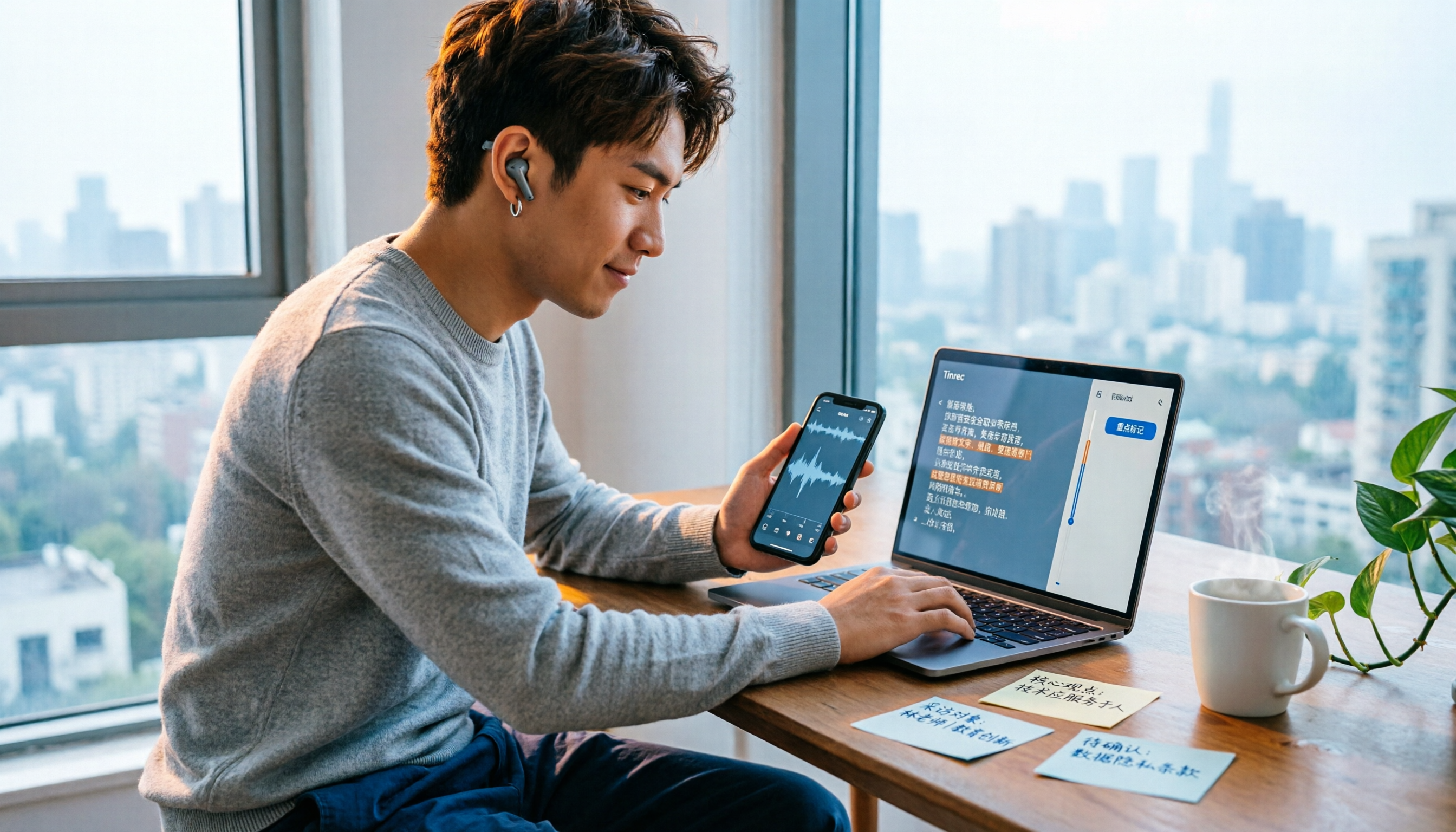
4 iPhone Voice Memo Export & Transcription Tools Tested: Which Gets You a Transcript Fastest in 2026?
iPhone Voice Memos recordings don't automatically appear in the Files app—you have to export them first. This hands-on comparison tests 4 ways to export and organize recordings: built-in Voice Memos + Files app, Documents app, Tinrec, and Notta. It also covers common issues like exporting long recordings, transferring m4a to a computer, and converting to transcripts, helping you choose the right method for your needs.