

Turn recordings into transcripts and summaries in minutes
Upload audio or video for multilingual transcription, AI notes, and action items
2026 Comparison of 4 Transcription Software Costs: Is Yating Transcription Worth It?
First, Ask Yourself: Are You Buying "Hours" or "No Post-Meeting Cleanup"?
Most people searching for "Yating Transcription cost" are thinking, "How much will it cost per month?" But what really determines total spending isn't the unit price—it's three things: how many hours of recordings you have per month, how much time you still need to spend organizing after transcription, and whether this data is for you alone or for the whole team.
If you only occasionally transcribe an interview, pay-per-duration pricing makes sense. But if you're an office worker with two or three regular meetings every week, your hours will be steadily consumed, and what really eats up time is often not "typing" but turning the transcript into minutes, action items, and conclusions for your boss after the meeting.
That's the focus of this comparison: not just how much it costs per hour, but "how much usable output you get from one hour of recording." This article uses each tool's officially published plan details and actual operation flow as the basis for comparison, and does not conduct lab-grade accuracy tests; all prices and benefits are subject to the official pages, as plans may change.
How to Evaluate Transcription Software Costs: 5 Key Criteria
1. Is the pricing unit minutes, hours, or seats? Personal tools mostly sell by "duration"—buy 1 hour, 3 hours, 10 hours, etc. Team tools price by "seat/month" because the value is in multi-person sharing and management. These two models suit completely different users; comparing them directly would be misleading.
2. Is the free tier a "trial" or "enough to use"? Some tools offer one-time trial hours that require payment once used up; others offer monthly reset credits. The former is good for verifying recognition quality first, while the latter can sustain long-term use. The way to tell is simple: check whether the credits come back every month.
3. What do you need to do after transcription? Just a transcript versus needing summaries, chapters, action items, and a queryable meeting database are two different price tiers. Pure transcription tools are cheap, but they won't condense a 40-page transcript into 5 conclusions for you.
4. Who owns the team data? If your meeting data is a department asset, you need to ask: will files disappear when a member leaves? Are there roles, seats, usage, and audit logs for management? You usually won't find answers to this in personal plans.
5. Multi-device usage restrictions. Some services don't allow simultaneous use of one account on multiple devices, which greatly affects the "record on phone, organize on computer" workflow. Confirm this before purchasing.
Tinrec: The Top Choice for "Ready to Use After the Meeting" When You Calculate the Cost
Tinrec is an AI meeting notes and collaboration tool for individuals and teams, available on web, desktop, and mobile. Its positioning is not just "recording to text" but turning meetings into searchable, collaborative, actionable data—this statement determines how its cost should be calculated.
During the meeting, it first solves "who records." The desktop version directly captures computer system audio, so when handling online meetings like Zoom, Google Meet, Microsoft Teams, and Webex, no additional meeting bot needs to join as a participant. The transcript is generated as the meeting progresses; for cross-language meetings, you can view the original, translation, or bilingual content in real time. For the host, this means you no longer need to assign someone to type.
After the meeting, it solves "how to use the data." After recording, it automatically generates summaries, chapters, and key points, extracts action items from the discussion, and can even produce mind maps when needed. More importantly, AI Q&A: you can ask questions directly about the meeting content, such as "Who mentioned the budget in the last meeting?" or "What were the client's concerns about the delivery date?" It searches for answers at the semantic level rather than giving you a bunch of keyword search results. This is exactly the step that most pure transcription tools cannot cross.
Put into the workflow, it solves "portability." Transcripts and minutes can be exported in common formats or taken to Notion, Google Docs, OneNote, Dropbox for further processing; you can also use Agent post-processing to generate reports, tables, and documents. Audio and video files can also be uploaded for transcription, so historical meetings won't be stuck in recording files.
Stop organizing recordings by hand
Upload audio or video and automatically get a transcript, summary, and action items
Limitations should also be clarified. The personal version is divided by usage frequency into free, weekly, monthly, and annual plans; the free version provides basic credits to verify the workflow, and heavy use requires payment. The team version is priced per paid seat: monthly USD 29.80 per paid seat per month, annual USD 199 per paid seat per year (equivalent to about USD 16.58 per month), each paid seat provides 2,000 minutes of team shared import credits per month; eligible teams also get a 7-day trial with 1 free seat and 300 minutes of shared import credits for the first time. Under an active team plan and active seats, real-time recording currently does not deduct minutes; file and web imports consume team shared credits. In addition, accuracy can be affected by recording quality, noise, accents, and multiple people talking over each other; for important content, it is recommended to cross-check with timeline playback.
Who is it for? Those who have regular meetings every week, need to organize Chinese and mixed Chinese-English content, want to use AI to find key points directly after meetings, or want to accumulate meeting data as team assets. The team version also offers team spaces, member and seat management, usage analytics, audit logs, team hotwords, and an audio recycle bin; when a member leaves or loses a seat, resources can be handed over to other active members, so data doesn't follow the individual.
Besides Tinrec, These 3 Are Also Often Compared
Yating Transcription — Cost Structure Breakdown
Developed by a local Taiwanese team, its strength is recognizing Taiwanese Mandarin, Taiwanese Hokkien, and mixed Chinese-English, with automatic punctuation, line breaks, speaker identification, and machine translation. In terms of cost, it follows "buy by duration": paid plans are in units of 1 hour, 3 hours, 10 hours, stackable; for larger hour needs, contact sales for longer durations; new registrations get one-time free trial hours (different sources mention 120 minutes and about 300 minutes; actual credits subject to official announcement), and basic use of real-time recording is usually not charged separately. Note that one account cannot be used on multiple devices simultaneously; and its positioning is a transcription engine—post-meeting summaries, queryable meeting databases, and team collaboration require additional tools.
Otter.ai
A mature choice for English meetings; the free version's 300 minutes per month is relatively generous in the market. Pro annual billing is about USD 8.49 per user per month, including 1,200 minutes per month and 10 file imports. If your meetings are entirely in English and you only need transcripts and basic summaries, it offers good value. But its main strength is in English business scenarios; if meetings are mainly in Chinese, Taiwanese Hokkien, or mixed Chinese-English, the experience gap will be obvious; it also lacks a Chinese workflow that connects recording retention, export, and team data accumulation.
Notta
A multilingual transcription tool with high overlap with Tinrec: free version 120 minutes per month, max 3 minutes per item; Pro annual billing about USD 8.17 per month, 1,800 minutes per month; Business annual billing about USD 16.67 per seat per month, offering unlimited transcription and usage reports. It's handy for subtitles, translation, and file transcription. The difference is at the meeting scene: Tinrec's desktop version can record online meetings without a bot joining, and puts roles, seats, usage, and auditing in the same team space.
Pitfall Guide: 4 Most Common Mistakes When Calculating Transcription Software Costs
Pitfall 1: Treating "has free tier" as "can use free forever." One-time trial hours and monthly reset credits are two different things. The former is good for testing recognition quality first, the latter can sustain daily use. Before buying, confirm whether credits come back.
Pitfall 2: Only buying hours without accounting for post-meeting organization time. One hour of recording becomes a transcript of over 10,000 words; if you still have to extract key points, write action items, and create three conclusions for your boss, that two or three hours of labor cost is often higher than the software fee. Include "organization work hours per hour of recording" to see the true cost.
Pitfall 3: Multiple people sharing one account. This is the most common and most expensive way to save money. Personal services usually limit simultaneous device logins; sharing an account causes transcription queues and data overwrites; what teams really need is a team space plus seats, not a shared password.
Pitfall 4: Ignoring data ownership and handover. When a member leaves or a seat is reclaimed, does the meeting data still exist? Is anyone managing usage and audit logs? Asking this clearly at purchase is more important than saving a few hundred dollars.
(Compliance reminder: Recording and transcription involve others' privacy; please comply with local regulations and obtain participant consent when necessary.)
Conclusion: Which One Should You Choose for Your Situation?
- Occasionally transcribe an interview, value Taiwanese Hokkien and Taiwanese terminology recognition → Yating Transcription, buy hours in 1/3/10-hour units, stack as needed, best cost control.
- Weekly meetings, need Chinese transcripts plus post-meeting summaries and action items → Tinrec, connecting transcription, summaries, AI Q&A, and export into one flow.
- Need to ask "who said what" about meeting content → Tinrec, AI Q&A is the biggest differentiator from pure transcription tools.
- Team sharing meeting data, need seat and usage management → Tinrec team version, priced per paid seat, data owned by the team.
- Meetings entirely in English, budget priority → Otter.ai, start with 300 free minutes per month.
Recommended validation order: first use a real meeting recording you have (preferably with background noise and people talking over each other), run through the four steps "upload or record → transcript → summary → ask a question," then decide whether to pay. Tool costs are temporary; the two or three hours saved after meetings are the long-term return.
References
- Yating Transcription: Online Speech-to-Text Service, Cost Introduction at a Glance! | Comprehensive AI Tool Introduction - Future Commerce
- Yating Transcription Complete Guide: Free Version, Cost, and Alternatives at a Glance
- Yating Transcription
- Is Yating Transcription Free? How Yating Transcription Costs Are Calculated, Is Buying Hours Worth It
- Is Yating Transcription Free? 2026 Complete Comparison of Recording-to-Text Tool Costs and Performance - Tinrec Blog
Turn every recording into actionable outcomes
Get 60 free transcription minutes when you sign in. No credit card required.
Related Reading
You might also like

Tinrec vs Yating Transcript in 2026: 5-Dimension Comparison — Which Is Better for Post-Meeting Organization?
Yating Transcript pricing is not a fixed monthly fee; instead, you purchase hours based on audio length. The billing logic differs between real-time recording and uploaded audio files. This article compares Tinrec and Yating Transcript across 5 dimensions—cost, free quota, post-meeting organization, online meeting recording, and team collaboration—to help you decide which one better suits your use case.

4 Transcription Tools Tested in 2026: Which One Finds Its Features Fastest When the Toolbar Disappears?
After recording, the toolbar is gone—export button, playback bar, all missing. This article first helps you recover the toolbar in Yating Transcriber (5 troubleshooting steps), then compares Yating Transcriber, Tinrec, Otter.ai, and Notta from four angles: interface stability, feature discoverability, post-transcription capabilities, and pricing, to tell you which one is least likely to get you lost.

Yating Transcript Pricing Guide 2026: How It Works, Free Minutes, and How to Choose
Is Yating Transcript free or paid? This guide breaks down the cost structure, free-tier limits, post-meeting organization, accent recognition, and team collaboration, with a side-by-side comparison to Tinrec, so you can decide which pricing model fits your meeting frequency.

2026 Comparison of 3 Transcription Apps: Is Yating Transcriber Free Version Enough?
Is Yating Transcriber free? Is the free version sufficient? This article compares Yating Transcriber, Tinrec, and Notta from four perspectives: free quota, Chinese recognition, post-meeting organization, and team collaboration, to help you decide which one suits your meeting and interview scenarios.

2026 Comparison of 3 Transcription Tools: Yating, Built-in Platforms, and Tinrec — Which to Choose?
A breakdown of Yating transcription costs and common billing misconceptions, plus an explanation of which use cases Tinrec suits from the perspectives of meeting notes, AI summaries, action item extraction, and team collaboration.

How Much Does Yating Transcription Cost in 2026? 5 Steps to Understand Online Pricing and Alternatives
How is Yating Transcription's online pricing calculated? This article breaks down the actual cost of hourly pricing in 5 steps, from free real-time recording and uploading audio files at NT$100 per hour to monthly usage estimates and team collaboration needs. It also shares a mid-level manager's real experience with Tinrec, explaining its differences in post-meeting summaries, action items, and AI Q&A, helping you choose the tool that fits your meeting volume.

How to Use Yating Transcript Toolbar in 2026: 5-Step Tutorial and Hands-On Comparison
How exactly do you use the Yating Transcript toolbar? This guide walks you through 5 steps, from recording in the app, dealing with the 99% progress bar stuck, to exporting from the top right corner, and also covers a practical limitation: one account cannot be used on multiple devices simultaneously. At the end, we compare Tinrec's differences in Chinese meetings, bot-free recording, and post-meeting AI Q&A to help you decide which one fits your meeting workflow.

2026 iPhone Recording Management Tools Compared: Where Recordings Are Stored and How to Turn Them into Transcripts
Where do iPhone recordings actually live? Without exporting, they stay in the Voice Memos app; they sync only if iCloud is enabled, and they appear in the Files app only after export. This guide first explains the three storage locations and export steps, then compares Tinrec, Notta, Otter.ai, and PLAUD for recording organization to help you choose the right tool.
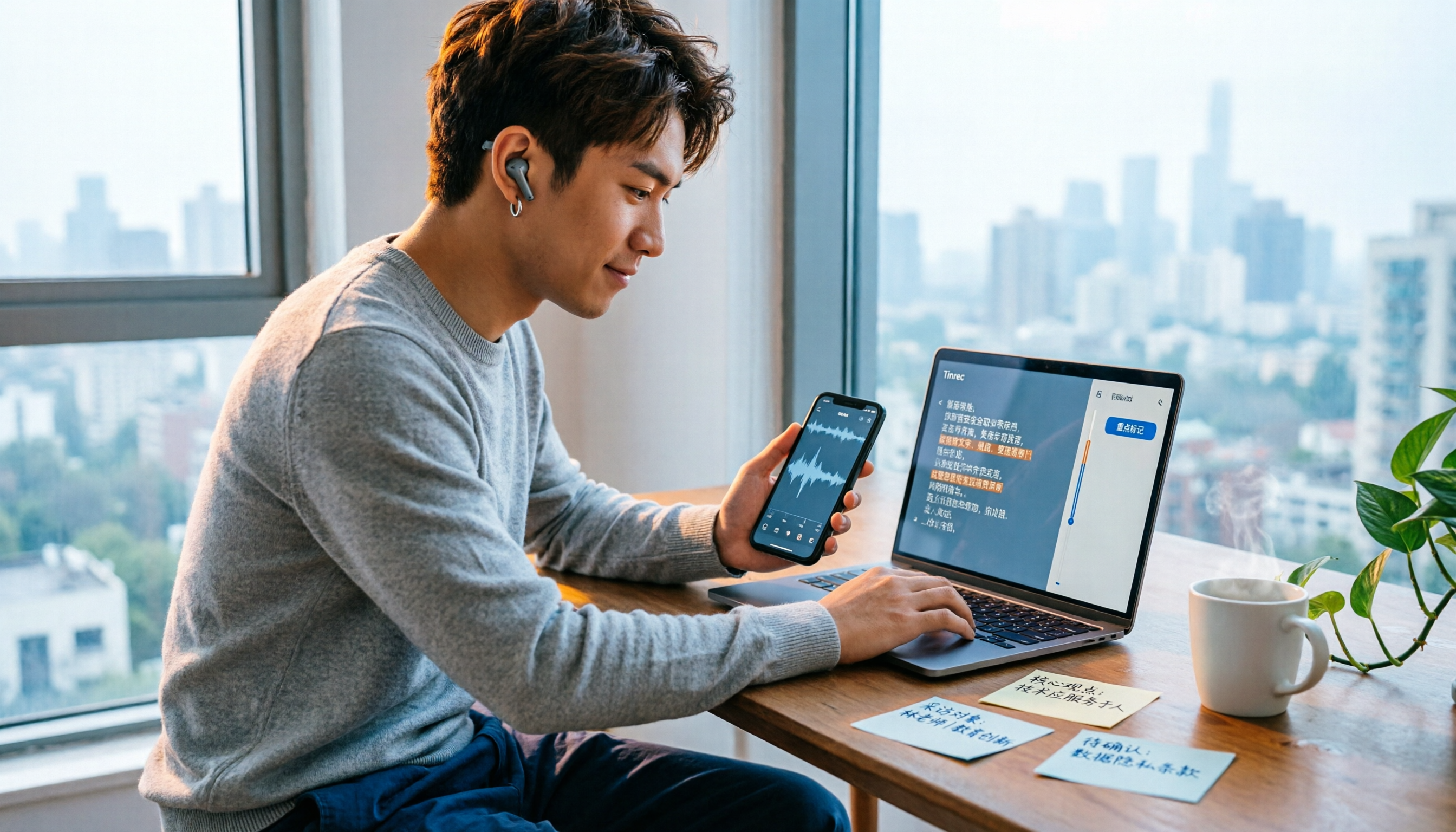
4 iPhone Voice Memo Export & Transcription Tools Tested: Which Gets You a Transcript Fastest in 2026?
iPhone Voice Memos recordings don't automatically appear in the Files app—you have to export them first. This hands-on comparison tests 4 ways to export and organize recordings: built-in Voice Memos + Files app, Documents app, Tinrec, and Notta. It also covers common issues like exporting long recordings, transferring m4a to a computer, and converting to transcripts, helping you choose the right method for your needs.