

Turn recordings into transcripts and summaries in minutes
Upload audio or video for multilingual transcription, AI notes, and action items
2026 Comparison of 3 Transcription Tools: Yating, Built-in Platforms, and Tinrec — Which to Choose?
Many people search for "Yating transcription cost" and think the answer ends at NT$100 per hour. Honestly, that calculation is only half right. The total cost of transcription isn't just the conversion fee; it also includes the time you spend afterward organizing summaries, finding action items, fixing formatting, and going back and forth with your team to confirm.
Based on third-party data, Yating transcription typically gives 20 minutes free upon registration, charges by audio length at about NT$100 per hour, roughly NT$270 for 3 hours; there are also 10-hour and commercial inquiry plans, and purchased hours can be used for 3 years. Some sources say real-time recording is free, but others treat it as a limited trial—actual benefits and prices are subject to the official page. Note that one account cannot be used on multiple devices simultaneously.
So, if you only occasionally convert a recording to text, paying by duration is intuitive; but if you have meetings and interviews every week and also need post-meeting summaries and team sharing, comparing only the hourly rate underestimates the real cost. That's why I include Tinrec in the comparison: it focuses on what happens after transcription—organization and collaboration.
What Can Transcription Tools Do for You?
Scenario 1: Quickly capture key points after a meeting In the past, after a one-hour meeting, you might spend another half hour replaying the recording and filling in notes. With Tinrec, for example, meetings can be transcribed in real time, and after the meeting, summaries, chapters, and action items are automatically generated, making it easier to see who is responsible for what and what the next steps are at a glance.
Scenario 2: Turn historical audio into searchable data When you have interviews, courses, or old meeting recordings on hand, you can upload audio and video files for transcription. Tinrec also supports AI Q&A around the content—for example, asking "Which feature does the client care about most?" or "Who mentioned the budget in the meeting?"—without scrubbing through the timeline from the beginning.
Scenario 3: Let teams share meeting assets Personal transcription tools solve individual efficiency; teams need data to be retained. Tinrec's team plan puts meeting recordings, transcripts, summaries, and action items into a team space where members can view, play, and read, and administrators can manage roles, seats, usage, and audits.
What Are the Core Capabilities of Transcription Tools?
Real-time recording and bot-free meeting recording Tinrec's desktop version can capture computer system audio to handle online meetings on Zoom, Google Meet, Microsoft Teams, Webex, etc., without an extra meeting bot joining. Note that this is not automatic joining of all calendar meetings; users must actively open Tinrec to start recording.
Audio/video transcription and multilingual meetings In addition to real-time recording, Tinrec also supports uploading audio and video files, suitable for organizing historical meetings, interviews, and courses. Chinese, Traditional Chinese, and multilingual meetings can be transcribed, and during recording you can view the original text, translation, or bilingual content—very helpful for cross-language communication.
AI summaries, chapters, and action item extraction Tinrec doesn't just condense the transcript into a paragraph; it separately organizes meeting topics, discussion points, chapter structure, and action items. Long meetings are the worst to read from start to finish—having chapters and action items makes handoff easier.
AI Q&A and post-meeting follow-up questions After transcription is complete, you can ask questions directly about the meeting content. This is especially useful for organizing client interviews, research data, or project decisions, because you don't need to re-listen to the entire recording—you find answers by asking questions.
Export, Agent post-processing, and team knowledge retention Tinrec can export results to common formats and tools like Notion, Google Docs, OneNote, and Dropbox, and can further generate reports, tables, and documents. The team plan centralizes these materials, turning them into searchable, collaborative, and traceable meeting assets.
Practical Use Cases
Weekly stand-ups and project meetings Use Tinrec's desktop version to record online meetings, then directly view summaries, chapters, and action items afterward. Rather than spending time organizing after the meeting, let transcription and organization happen simultaneously.
Client interviews and sales conversations Client needs, objections, and commitments are often scattered throughout the conversation. Tinrec can transcribe interviews and then use AI Q&A to find key points, finally exporting them as follow-up materials.
Stop organizing recordings by hand
Upload audio or video and automatically get a transcript, summary, and action items
Courses, lectures, and research interviews Long content needs structure. Tinrec's chapters, key points, and mind maps help you quickly review, and bilingual content is also suitable for courses that mix Chinese and English.
Team handover and knowledge base When team members change, meeting data shouldn't leave with individuals. Tinrec's team plan resources belong to the team; when a member exits, is removed, or loses their seat, their team resources can be handed over to other active members.
5 Things to Note When Choosing a Transcription Tool
1. Billing model: by duration, subscription, or seat-based Yating transcription leans toward purchasing by audio duration, suitable for low-frequency users with clear budgets. Tinrec's personal plan has a free version, weekly card, Pro monthly, and annual; the team plan is priced per paid seat. Don't just compare unit prices—look at your usage frequency and post-meeting organization needs.
2. Is the free quota enough? A common claim for Yating transcription is 20 minutes free upon registration; Tinrec's free version provides basic quota to experience recording, import, summaries, and transcription. Free quotas are good for trials, but for high-frequency meetings you should evaluate paid plans.
3. Chinese, Taiwanese accents, and mixed Chinese-English If your meetings often include mixed Chinese-English, technical terms, or Taiwanese expressions, it's best to try with your own recordings. Tinrec covers Chinese, Traditional Chinese, and multilingual meetings, and supports team hotwords; actual performance is still affected by recording quality, noise, accents, and overlapping speakers—we do not recommend promising a fixed accuracy rate.
4. Can it help you organize after transcription? Getting only a transcript usually means you still need to manually write summaries and find action items. Tinrec puts summaries, chapters, action items, Q&A, translation, and export into one workflow, suitable for those who need to further process meeting content.
5. Team permissions and data ownership Tinrec's team plan distinguishes roles and seats: roles determine who can manage the team, members, audits, and settings; seats determine whether members can record, upload, edit, import, and export. Active members without seats can still view, play, and read team data but cannot perform resource usage operations. Also note that the team plan is primarily team-level sharing, not fine-grained per-file permissions.
Frequently Asked Questions
Q1: Is Yating transcription free? Third-party sources mostly indicate 20 minutes free upon registration, with uploaded audio charged by duration; whether real-time recording is completely free varies across sources—refer to the official page. If you have multiple meetings each month, the free quota is usually not enough.
Q2: How is Yating transcription priced? The common understanding is billing by audio length at about NT$100 per hour, roughly NT$270 for 3 hours; there is also a 10-hour plan that can be purchased additively, and for large needs you can inquire about commercial plans. Purchased hours can typically be used within 3 years, and one account cannot be used on multiple devices simultaneously.
Q3: How is Tinrec priced? Tinrec's personal plan has a free version, weekly card, Pro monthly, and annual; actual prices are subject to the official website. The team plan currently is USD 29.80 per paid seat per month for monthly billing, and USD 199 per paid seat per year for annual billing, about USD 16.58 per month; the first eligible team trial is 7 days, 1 free seat, and 300 minutes of team shared import quota. Paid seats provide 2,000 minutes of team shared import quota per month; under an active team package and seat, real-time recording is currently not deducted by minutes.
Q4: Can Tinrec replace Yating transcription? It depends on your needs. If you only want low-cost, duration-based audio-to-text conversion, Yating transcription is worth considering; if you need bot-free online meeting recording, AI summaries, Q&A, action items, translation, export, and team data retention, Tinrec's workflow is more complete.
Q5: Which online meetings does Tinrec support? Tinrec's desktop version can handle audio played on a computer from meetings on Zoom, Google Meet, Microsoft Teams, Webex, etc. This does not mean official partnerships with these platforms, nor automatic joining of all meetings; you need to actively open Tinrec to start recording.
Q6: Can team members without seats see data? Yes. Active members without seats can view, play, and read team data; only when recording, uploading, editing, importing, or exporting is needed do they require a seat. If team audio is accidentally deleted, it can currently be restored from the recycle bin with a 30-day retention period; after permanent deletion, it cannot be recovered.
Conclusion
Transcription cost isn't just about the hourly rate. For low-frequency users, purchasing by duration is simple; but for those who meet weekly and need post-meeting organization and team sharing, time cost is often higher than the conversion fee.
If you only occasionally organize a recording, you can start by comparing duration-based plans; if you want to turn meetings into searchable, queryable, and collaborative data, Tinrec is a choice closer to the post-meeting workflow. We recommend trying the free version first to confirm that transcription quality, summary format, and export process match your habits before deciding whether to upgrade.
References
- Yating Transcription: Online Speech-to-Text Service, Cost Introduction at a Glance! | All-Around AI Tools Introduction – Future Commerce
- Yating Transcription Complete Guide: Free Version, Costs, and Alternatives at a Glance
- Is Yating Transcription Free? 2026 Complete Comparison of Recording-to-Text Tool Costs and Performance - Miaoting Recording Blog
- Yating Transcription Introduction, Features, Pricing, Pros and Cons Review | TheAI Academy
- Is Yating Transcription Free? How Yating Transcription Costs Are Calculated and Whether Buying Hours Is Worth It
Turn every recording into actionable outcomes
Get 60 free transcription minutes when you sign in. No credit card required.
Related Reading
You might also like

Tinrec vs Yating Transcript in 2026: 5-Dimension Comparison — Which Is Better for Post-Meeting Organization?
Yating Transcript pricing is not a fixed monthly fee; instead, you purchase hours based on audio length. The billing logic differs between real-time recording and uploaded audio files. This article compares Tinrec and Yating Transcript across 5 dimensions—cost, free quota, post-meeting organization, online meeting recording, and team collaboration—to help you decide which one better suits your use case.

4 Transcription Tools Tested in 2026: Which One Finds Its Features Fastest When the Toolbar Disappears?
After recording, the toolbar is gone—export button, playback bar, all missing. This article first helps you recover the toolbar in Yating Transcriber (5 troubleshooting steps), then compares Yating Transcriber, Tinrec, Otter.ai, and Notta from four angles: interface stability, feature discoverability, post-transcription capabilities, and pricing, to tell you which one is least likely to get you lost.

Yating Transcript Pricing Guide 2026: How It Works, Free Minutes, and How to Choose
Is Yating Transcript free or paid? This guide breaks down the cost structure, free-tier limits, post-meeting organization, accent recognition, and team collaboration, with a side-by-side comparison to Tinrec, so you can decide which pricing model fits your meeting frequency.

2026 Comparison of 3 Transcription Apps: Is Yating Transcriber Free Version Enough?
Is Yating Transcriber free? Is the free version sufficient? This article compares Yating Transcriber, Tinrec, and Notta from four perspectives: free quota, Chinese recognition, post-meeting organization, and team collaboration, to help you decide which one suits your meeting and interview scenarios.

How Much Does Yating Transcription Cost in 2026? 5 Steps to Understand Online Pricing and Alternatives
How is Yating Transcription's online pricing calculated? This article breaks down the actual cost of hourly pricing in 5 steps, from free real-time recording and uploading audio files at NT$100 per hour to monthly usage estimates and team collaboration needs. It also shares a mid-level manager's real experience with Tinrec, explaining its differences in post-meeting summaries, action items, and AI Q&A, helping you choose the tool that fits your meeting volume.

2026 Comparison of 4 Transcription Software Costs: Is Yating Transcription Worth It?
How is Yating Transcription priced? This article breaks down the difference between pay-per-duration and free trial credits, and compares the pricing structures and post-meeting workflows of Tinrec, Otter.ai, and Notta to help you determine which pricing model saves the most.

How to Use Yating Transcript Toolbar in 2026: 5-Step Tutorial and Hands-On Comparison
How exactly do you use the Yating Transcript toolbar? This guide walks you through 5 steps, from recording in the app, dealing with the 99% progress bar stuck, to exporting from the top right corner, and also covers a practical limitation: one account cannot be used on multiple devices simultaneously. At the end, we compare Tinrec's differences in Chinese meetings, bot-free recording, and post-meeting AI Q&A to help you decide which one fits your meeting workflow.

2026 iPhone Recording Management Tools Compared: Where Recordings Are Stored and How to Turn Them into Transcripts
Where do iPhone recordings actually live? Without exporting, they stay in the Voice Memos app; they sync only if iCloud is enabled, and they appear in the Files app only after export. This guide first explains the three storage locations and export steps, then compares Tinrec, Notta, Otter.ai, and PLAUD for recording organization to help you choose the right tool.
4 iPhone Voice Memo Export & Transcription Tools Tested: Which Gets You a Transcript Fastest in 2026?
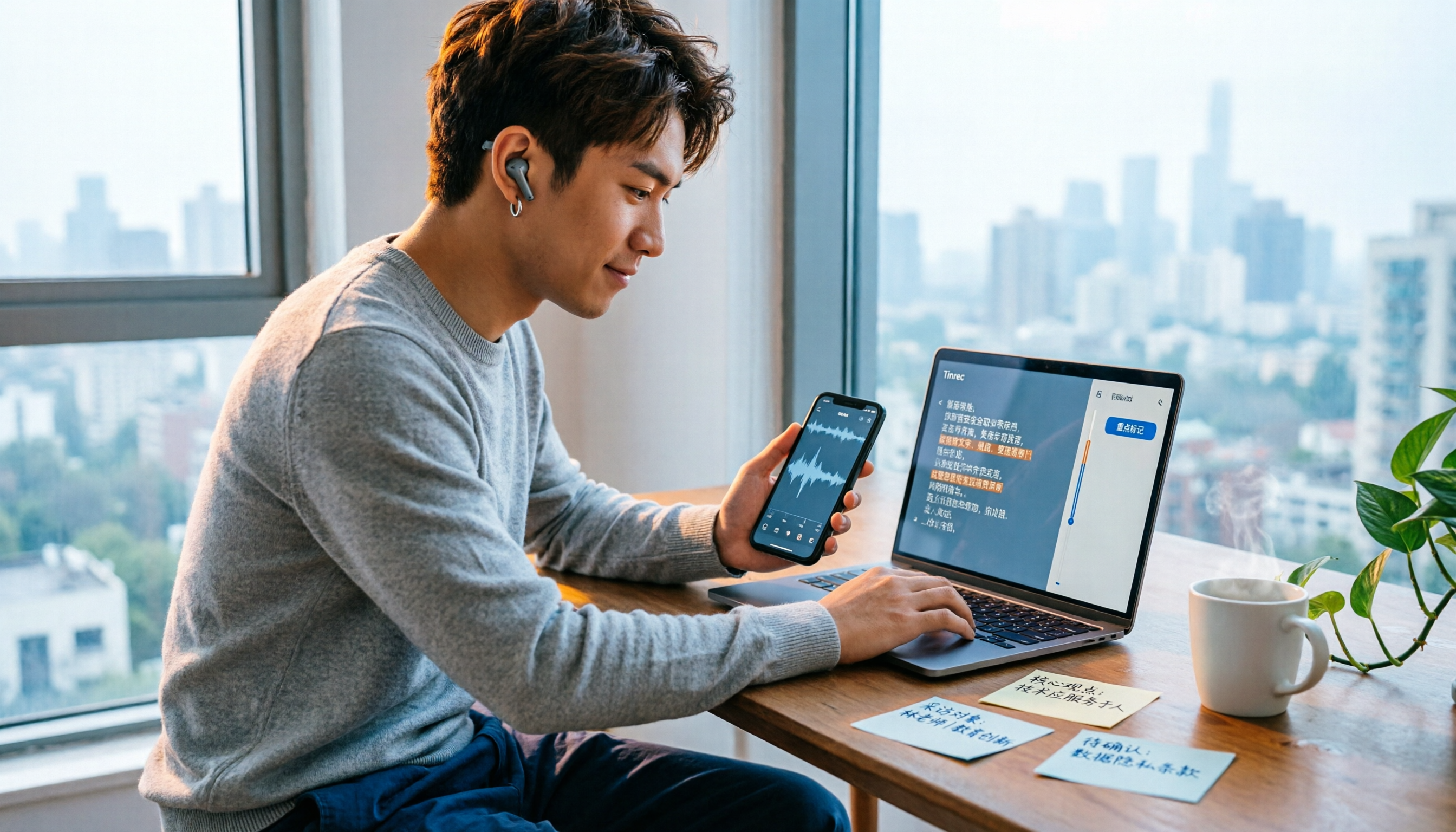
iPhone Voice Memos recordings don't automatically appear in the Files app—you have to export them first. This hands-on comparison tests 4 ways to export and organize recordings: built-in Voice Memos + Files app, Documents app, Tinrec, and Notta. It also covers common issues like exporting long recordings, transferring m4a to a computer, and converting to transcripts, helping you choose the right method for your needs.