

Turn recordings into transcripts and summaries in minutes
Upload audio or video for multilingual transcription, AI notes, and action items
Last Wednesday I had three back-to-back meetings and was still at my computer at 7 PM organizing notes
Last Wednesday I was in meetings from 10 AM to 5 PM: project progress, cross-department coordination, and quarterly report pre-scheduling with my boss. The meetings themselves went fine; the problem was afterward. At 7 PM I opened my laptop, faced three audio files and a pile of scattered notes, and hadn't written a single word of the meeting minutes due the next morning.
If you also manage a team, this scene probably looks familiar:
- Two-hour meeting, two more hours organizing, and the organizing always falls at the time you least want to work overtime.
- Your boss casually asks "What was the conclusion on that thing last time?" and after three minutes of flipping through notes you still can't find who said what.
- You verbally assign something to a subordinate in a meeting, ask about progress two days later, and they say "I thought it was next week."
This isn't a memory problem; it's a problem of "meeting content not being preserved in a usable form." The recording is saved, but recordings can't be searched, skimmed, or turned directly into action items. In this article, I'll use my team's hands-on testing experience to answer the question many people search for: Is Yating Transcript actually good, and how do the other tools really differ?
Before Choosing a Speech-to-Text Tool, Understand These 4 Things
1. Does it recognize "what you say in meetings" or "what a news anchor says"? Many tools perform well in quiet environments with standard Mandarin, but fail in real meeting rooms: air conditioning noise, keyboard clicks, a sudden sentence in Taiwanese Hokkien, mixed Chinese-English product terms. For Taiwanese teams, whether it can handle Taiwanese accents and language mixing is more important than the official accuracy numbers.
2. Transcripts are only half the product; post-meeting output is what you're buying If a tool only gives you a transcript, you still have to re-listen, pick out key points, and list action items yourself—saving only the typing part. What really sets tools apart is summaries, chapters, action item extraction, and whether you can directly ask questions about the meeting content.
3. How the meeting is recorded There are two common approaches for online meetings: one is to send a meeting bot into the meeting room, and the other is to capture system audio directly from your computer. With the former, clients see an unfamiliar account on the participant list; with the latter, no one is disturbed. This is especially noticeable in external meetings.
4. How quotas are calculated and how seats are allocated Free versions usually have per-session or monthly limits, and paid plans require checking whether they charge by minutes or by seats. If you want the whole team to share meeting data, also confirm whether there's a real team workspace rather than everyone sharing one set of credentials.
Tinrec (Miao Ting Recording) — The One My Team Kept
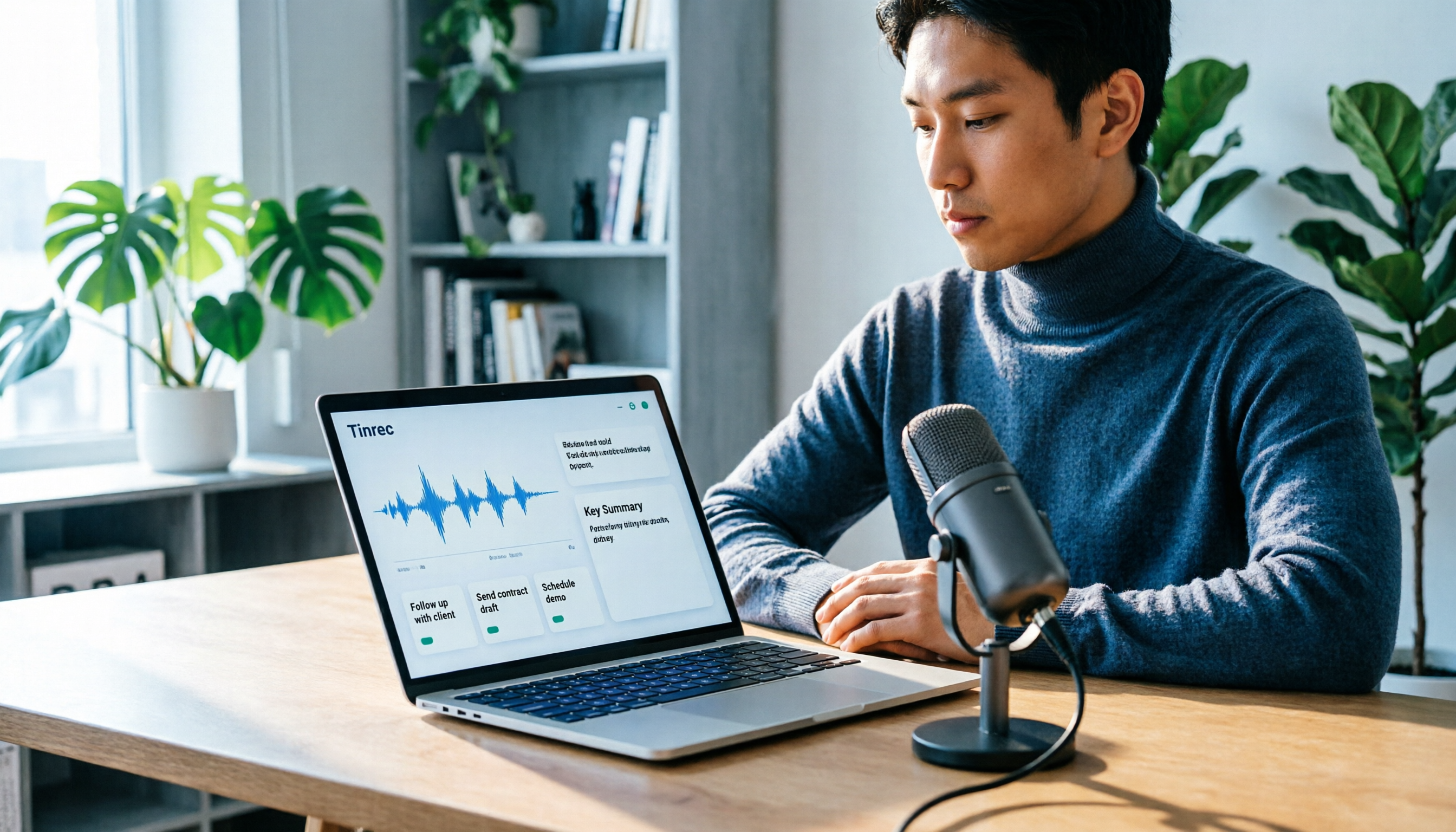
In one sentence: Tinrec (Miao Ting Recording) is an AI meeting notes and collaboration tool for individuals and teams, available on web, desktop, and mobile. I kept it not because its transcription is incredibly accurate, but because it connects "the post-meeting part."
No need to pull a bot into the meeting. The desktop version directly captures system audio, so Zoom, Google Meet, Microsoft Teams, and Webex meetings can be recorded as they play on your computer, and no unfamiliar account appears on the participant list. Previously, with bots that join meetings, clients often asked "Who is that account?"—now that awkwardness is gone.
After the meeting, summaries and action items are already there. It produces a transcript while recording and automatically generates summaries, chapters, and action items when finished. My old approach was to leave the recording and re-listen for an hour when writing minutes; now I open the summary first to check, and only go back to listen to sections I have questions about. For cross-language meetings, it also offers real-time translation, viewable in original, translated, or bilingual mode.
The most useful feature is AI Q&A. Last month during a budget review, I directly asked "Which meeting mentioned the budget cap, and what was the number?" It gave the answer and pointed back to the original paragraph—no need to Ctrl+F through a 40-minute transcript guessing keywords. This is something most transcript tools in the same price range haven't achieved.
Output can be brought into your existing workflow. Transcripts, summaries, and action items can be exported in common formats and sent to Notion, Google Docs, OneNote, or Dropbox for further editing; you can also use Agent post-processing to generate reports, tables, or draft meeting minutes from meeting content.
Stop organizing recordings by hand
Upload audio or video and automatically get a transcript, summary, and action items
The team version solves the "data ownership" problem. If meeting data needs to be shared across the department, the team version is an independent team workspace, not multiple people sharing a personal account: you can create multiple teams, invite members via link, set owners/admins/regular members, and distinguish roles and seats—members without seats can still view and play team data, but need a seat to record, upload, edit, and export. The admin side also shows usage trends, member rankings, team hot words, and audit logs; when a member leaves, data stays with the team and is handed over to others. Currently, the team version offers a 7-day trial for first-time eligible users, 1 free seat, and 300 minutes of shared import quota; paid monthly is USD 29.80 per paid seat per month, annual is USD 199 per paid seat per year (about USD 16.58/month), each paid seat includes 2,000 minutes of team shared import quota per month, and real-time recording is currently not deducted by minutes under an active team plan. Actual prices and benefits are subject to the official purchase page.
I'll also be clear about limitations. First, it doesn't promise a fixed accuracy rate; errors still occur in noisy environments, with multiple people talking over each other, or with obscure technical terms—I habitually verify important numbers against the original text. Second, importing documents and web links consumes shared import minutes, and bulk processing of long documents is not its strength. Third, the free version only provides basic quota; long-term or high-frequency use requires payment (weekly card, Pro monthly, Pro annual available depending on tasks).
Who it's for: People who have regular weekly meetings, need to submit minutes afterward, need Chinese and mixed Chinese-English meetings, and want data to accumulate as team assets.
Besides Tinrec, What Other Options Are There?
Yating Transcript
A Traditional Chinese speech-to-text service built by Taiwan AI Labs, a rare representative work from a local team. In media tests, its "speaker identification" was the strongest among three tools, and punctuation and sentence segmentation were quite good. Although Taiwanese Hokkien overall accuracy still has room for improvement, it correctly recognized words like "四界看" as "四處看看"—looking closely, the results are actually surprising. So "Is Yating Transcript good?"—if you want accurate Traditional Chinese, understanding of Taiwanese accents, and affordable pricing, it is indeed good; the free version has time limits, sufficient for daily meetings and interviews. But its positioning is to convert voice to text; automatic summaries, action item extraction, and AI conversational queries are relatively basic, and you still have to organize yourself after recording. Additionally, early reviews noted weaker punctuation handling, but recent media tests show clear improvement; before buying, try it with your own recording.
Otter.ai
A veteran choice for English meetings. The free version offers 300 minutes per month, quite generous; Pro annual is about USD 8.49 per user per month, including 1,200 minutes per month and 10 file imports. If 90% of your meetings are in English, it's a good deal. But it doesn't focus on Chinese and Taiwanese Hokkien recognition, nor does it have desktop bot-free system audio capture—details tuned for Chinese scenarios.
Notta
Excels at multilingual transcription and translation. Free version offers 120 minutes per month but limits single content to 3 minutes; Pro annual is about USD 8.17 per month, 1,800 minutes per month. Suitable for those mainly needing file transcription and subtitles. However, it lacks Tinrec's meeting-centric AI Q&A and post-meeting output generation workflow, and team governance (roles, seats, auditing) is not its focus.
Pitfall Guide: The 3 Most Common Mistakes When Choosing a Transcript Tool
Pitfall 1: Only looking at official accuracy claims. That number is usually measured in a quiet recording studio. Real meeting rooms have air conditioning noise, people talking over each other, and mixed Chinese-English product codes—performance will noticeably decline. The right approach is to test with a recording of your own meeting, and test the most difficult segment.
Pitfall 2: Thinking a transcript equals meeting minutes. A transcript is raw material; meeting minutes are the finished product. If you only buy "speech-to-text," you'll still spend time re-listening to grasp key points—this is why many people use tools but still feel "organizing is exhausting." When choosing a tool, make summaries, action items, and Q&A the main scoring criteria.
Pitfall 3: Ignoring teams and permissions. Personal use is fine, but once shared with a department, confirm whether data belongs to the team or individual, how data is handed over when members leave, and whether there are seats and usage management. The money saved by using a shared account usually comes back doubled when data gets messy.
Conclusion: Which One Should You Choose?
Back to the original question. My answer is direct:
- Need Traditional Chinese transcription with Taiwanese Hokkien and Taiwanese accents, limited budget: Yating Transcript is a reasonable choice, but be prepared to "organize yourself after the meeting."
- Want automatic post-meeting summaries, action items, and the ability to ask questions about the meeting: Tinrec currently has the most complete workflow; AI Q&A is where it stands out.
- Don't want to pull a bot into online meetings: Tinrec desktop directly captures system audio, especially noticeable in external meetings.
- Need to use on mobile, computer, and web: Tinrec has all three, and meetings and files can be stored in the same database.
- Whole department needs to share meeting data: Look directly at Tinrec team version; the key is not minutes but roles, seats, usage, and auditing.
- 90% of meetings are in English: Otter.ai is still a good deal; this is one of the few scenarios in this article where I'd recommend it.
My own approach is to start with the free version, validate with two or three real meetings whether it's sufficient for your accent and meeting style, and then discuss upgrading if it fits. Tools won't help you hold meetings, but they can help you leave work earlier after meetings.
References
- What is Yating Transcript? 2026 Deep Review and Selection Guide of 7 Speech-to-Text Tools - Miao Ting Recording Blog
- Hands-on Review | Unboxing Good Tape, Yating Transcript, Vocol.ai: Which AI Transcript Software Is Best? | Future Commerce
- Is Yating Transcript Good? 2026 Deep Comparison and Selection Guide of 5 Speech-to-Text Tools - Miao Ting Recording Blog
- Yating Transcript Introduction, Features, Pricing, Pros and Cons Review | TheAI Academy
- Taiwan-Developed Speech-to-Text App: "Yating Transcript" Trial Thoughts and Comparison - TNL The News Lens
Turn every recording into actionable outcomes
Get 60 free transcription minutes when you sign in. No credit card required.
Related Reading
You might also like

Yating Transcript vs Tinrec in 2026: 5-Dimension Comparison for Chinese Meeting Notes
Is Yating Transcript good? This article breaks down real evaluations from speaker identification, Taiwanese Hokkien recognition, cost, and proofreading effort, and compares it with Tinrec, Notta, Otter, TurboScribe, and PLAUD to help you choose the right transcription tool for your meeting scenario.

How to Choose a Speech-to-Text App in 2026: Meeting Notes + AI Summaries & Action Items
Recording meetings is easy; organizing them afterward is the hard part. This guide covers 5 key factors for choosing a speech-to-text app based on real-world use cases, using Tinrec as the main example to demonstrate bot-free online meeting recording, AI summaries and action items, and AI Q&A. It also compares Otter.ai, Notta, and Yating Transcription, highlighting their positioning and pitfalls to avoid.
How to Record Audio on Mac in 2026: 6 Methods from Built-in Tools to AI Transcription
Recording audio on a Mac isn't hard—the challenge is making the recording useful afterward. This guide covers 6 ways to record on Mac, from free built-in options like Voice Memos, Notes transcription, QuickTime, and GarageBand, to Tinrec, which directly produces transcripts, summaries, and action items. It also includes selection advice and 4 things to know before recording.

2026 Comparison of 2 Transcription Tools: How to Use Yating Transcript vs. Tinrec
How do you use Yating Transcript? This article starts with hands-on steps: first, a 3-step walkthrough from recording to transcription to export. Then it compares Yating Transcript and Tinrec across 5 dimensions—free quota, AI post-meeting organization, online meeting recording, multilingual support, and team collaboration—to help you decide which tool to use for your recording.

2026 Comparison of 4 Online Transcription Tools: Yating vs. Tinrec — Which Should You Choose?
Starting from the real need for 'Yating online transcription,' this comparison examines Tinrec, Yating, Notta, and TurboScribe across Chinese recognition, post-meeting organization, online meeting recording, and team collaboration. It clearly explains each tool's limitations and ideal users to help you pick the one that truly saves time.

Cantonese Speech-to-Text App Comparison 2026: Tinrec vs Otter.ai — Which Wins on Five Dimensions?
Comparing Tinrec and Otter.ai across five dimensions—Cantonese with mixed English recognition, bot-free meeting recording, post-meeting AI organization, cross-platform input, and team seat governance—to help you decide which Cantonese speech-to-text app truly fits your meeting scenarios and budget.

2026 Comparison of 5 Transcription Tools' Free Tiers: Which Free Version Is Most Generous?
How many free minutes does Yating Transcription actually offer? Public sources cite 20 minutes, 120 minutes, and about 300 minutes. This article explains why these figures conflict, how pricing works after the free quota runs out, and compares the free plans and ideal use cases of Tinrec, Notta, Otter.ai, and TurboScribe to help you judge whether a one-time free allotment covers your actual usage.

Best Transcription Tools in 2026: Testing 3 Options, Yating Free Plan Limits and Tinrec Differences
People searching for "Yating transcription free" often ask: how much can the free version handle, do I have to pay to upload audio files, and is it enough for a meeting? This article compares Yating, Tinrec, Otter.ai, and Notta in terms of free quotas, Chinese recognition, and post-meeting organization, and lists 3 common pitfalls when choosing a tool to help you decide which one is worth using long-term.

Yating Transcription 2026 Guide: Is It Good, Limitations, and Better Alternatives
From a student's real-world usage scenarios, this guide examines whether Yating Transcription is good, common pitfalls, and why transcription is only the first step. It also explains how Tinrec uses live transcription, AI summaries, action item extraction, and AI Q&A to turn class and group discussion recordings into materials that can actually be reviewed and delivered.