

Turn recordings into transcripts and summaries in minutes
Upload audio or video for multilingual transcription, AI notes, and action items
Yating Transcript vs Tinrec in 2026: 5-Dimension Comparison for Chinese Meeting Notes
Why do you need a transcription tool?
Re-listening to a 40-minute interview takes another 40 minutes; typing while listening often takes 2 to 3 times as long.
Taiwanese teams face an extra hurdle: Mandarin, Taiwanese Hokkien, and mixed Chinese-English speech all come together, and the recognition results from Western tools often require retyping entire sections.
This article organizes 6 practical solutions and clearly presents both the pros and cons of "Yating Transcript reviews," so you don't have to try every tool before deciding.
Option 1 | Tinrec (MiaoTing Recording) — The most complete AI meeting notes and team collaboration
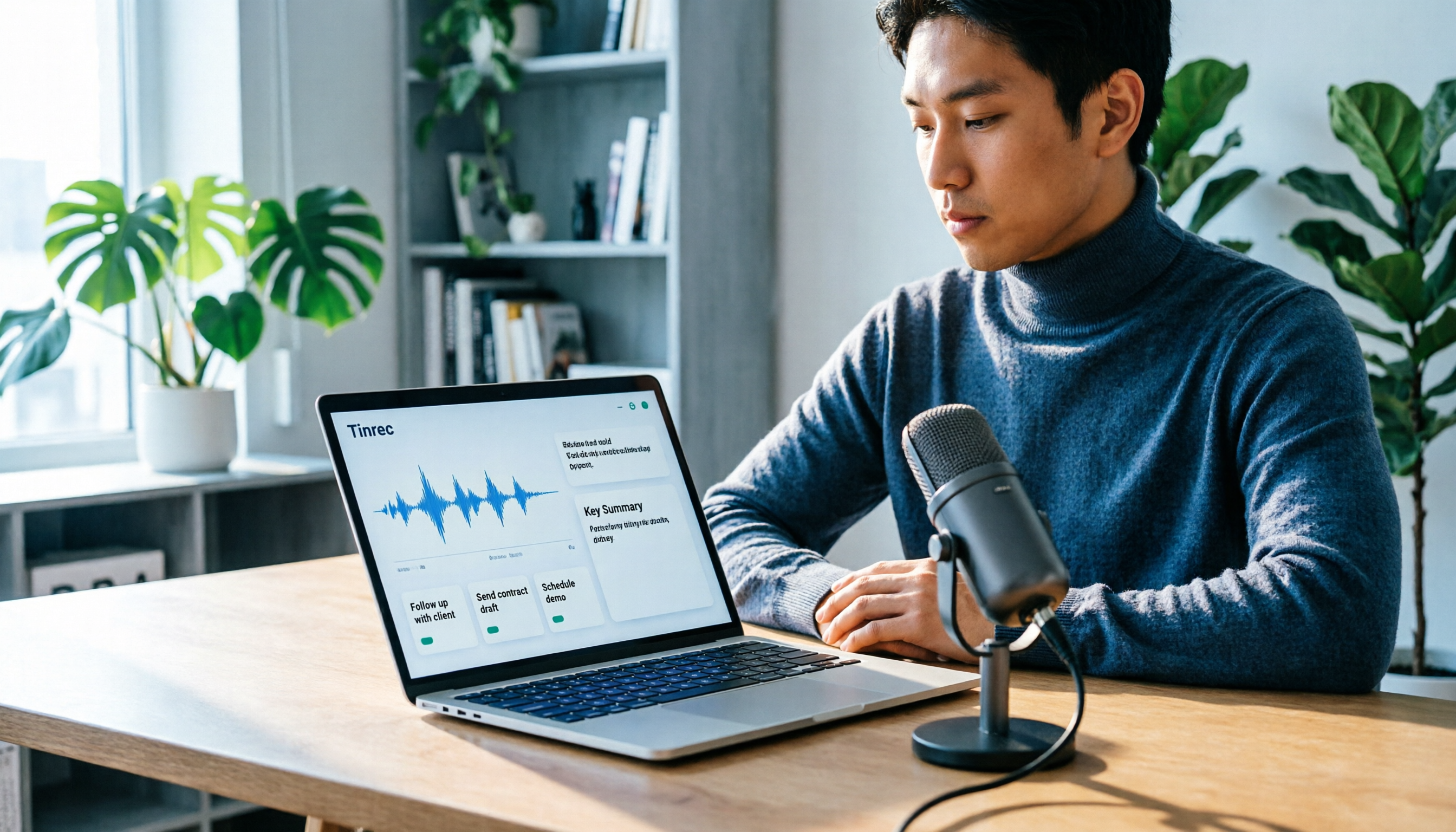
Tinrec is an AI meeting notes and collaboration tool for individuals and teams, putting recording, transcription, summaries, to-dos, and a team database in one place.
No need to invite a meeting bot. The desktop version directly captures computer system audio, handling meetings played on Zoom, Google Meet, Microsoft Teams, and Webex without adding an extra participant to the screen.
The transcribed text is ready to use. The system generates summaries, chapters, key points, and to-dos, and you can continue asking questions about the meeting or turn the content into reports, tables, and documents.
Those with many meetings care more about "whether they can find it later." Tinrec's team version centralizes transcripts and to-dos in a team space, where members can share and view, and administrators can manage roles, seats, usage, and audit logs.
For pricing, the personal version offers a free version, weekly card, Pro monthly card, and Pro annual card; the team version is USD 29.80 per paid seat per month, or USD 199 per paid seat per year (about USD 16.58 per month) for annual payment. Eligible teams can try 7 days, 1 free seat, and 300 minutes of shared import quota for the first time. Actual amounts are subject to the official purchase page.
Who it's for: People who have meetings every week, need summaries and to-dos, or want to turn meeting data into team assets.
Option 2 | Yating Transcript — Chinese transcription that best understands Taiwanese accents
Yating Transcript is a speech-to-text service launched in 2018 by Taiwan AI Labs, a rare "local" option among Western tools.
Its most practical advantage is friendliness to Traditional Chinese and Taiwanese accents; it can handle recordings in Mandarin, Taiwanese Hokkien, and mixed Mandarin-Hokkien. In a real test, the example "四界看" was recognized by other tools as "四個看," but Yating could recognize it as "四處看看."
It offers two modes: real-time recording and audio file upload. It automatically adds punctuation, intelligently segments, labels speakers, allows transcript playback with audio timeline, and exports to Word, TXT, PDF, and SRT, usable on both web and app.
Reviews should be viewed separately. In recent horizontal tests, Yating performed best among contemporary tools in "speaker identification" and "punctuation and sentence segmentation"; however, early reviews also mentioned that mixed Chinese-English and automatic punctuation were not adequate, and such reviews mostly come from older versions.
Note that it only does "conversion to text." Summaries, key point organization, and to-do extraction must be done yourself or with another tool, and proofreading cannot be skipped.
Pricing uses a free-plus-paid model, with time limits on the free version; paid plans are sold by recording duration, divided into 1 hour, 3 hours, and 10 hours, which can be stacked. Also, one account cannot be used on multiple devices simultaneously.
Who it's for: People whose recordings are mainly in Chinese and Taiwanese Hokkien, who only need high-quality transcripts, and who are used to proofreading themselves.
Option 3 | Notta — Multilingual transcription and team solutions
Notta overlaps significantly with the previous two, offering multi-platform transcription, meeting notes, file import, and translation.
The difference lies in languages and team solutions: Notta has broader multilingual support, and the Business plan provides role permissions and usage reports, suitable for companies with cross-language teams.
The free version offers 120 minutes per month, with a maximum of 3 minutes per session; Pro annual payment is about USD 8.17 per month, with 1,800 minutes per month; Business annual payment is about USD 16.67 per seat per month, offering unlimited transcription. Prices are subject to the official page.
Who it's for: Teams that need multilingual transcription and also want basic team permission management.
Option 4 | Otter.ai — A mature assistant for English business meetings
Otter is a veteran AI meeting assistant for English business meetings, supporting Zoom, Microsoft Teams, and Google Meet, providing real-time transcription, speaker identification, AI Chat, and team management.
Basic is free, 300 minutes per month; Pro annual payment is about USD 8.49 per user per month, including 1,200 minutes of in-app recording per month and 10 file imports; Business offers unlimited meetings and more management capabilities.
Stop organizing recordings by hand
Upload audio or video and automatically get a transcript, summary, and action items
If 90% of your team meetings are in English, Otter's maturity is still worth considering; if you have more Chinese meetings, it's recommended to test it yourself before deciding.
Option 5 | TurboScribe — An affordable choice for long documents and batch transcription
TurboScribe is positioned more as a cost-effective file transcription tool, focusing on long files, batch uploads, subtitles, and translation.
The free version allows 3 files per day, up to 30 minutes per file; Unlimited annual payment is USD 120 (about USD 10 per month), and the paid version supports up to 10 hours or 5 GB per file, with up to 50 files uploaded at once.
It does not handle real-time meeting processes, nor does it have meeting summaries, to-dos, or team spaces, but if you have a batch of pre-recorded long audio files, its unit price is hard to beat.
Option 6 | PLAUD NotePin — The hardware approach for portable recording
PLAUD takes the hardware route, selling an independent recording device, portable recording, and phone call recording experience.
The US official website shows NotePin at USD 159 and Note Pro at USD 189; membership Starter is 300 minutes per month, Pro is USD 99.99 per year with 1,200 minutes per month, and Unlimited is USD 239.99 per year.
Suitable for people who frequently visit clients and need a physical device for quick recording; if meetings are mainly on the computer, software solutions are more convenient.
With so many options, how should you choose?
- Want to get summaries, chapters, and to-dos directly after transcription → Tinrec (complete in one workflow, no need to piece together tools)
- Need to record Zoom, Meet, Teams without inviting a bot → Tinrec (desktop version captures system audio)
- Meetings are mainly in Chinese or mixed Chinese-English, need bilingual comparison → Tinrec (supports real-time translation and bilingual viewing)
- Need to keep meeting data for the whole team and manage members and usage → Tinrec team version (roles, seats, usage, and audit managed separately)
- Recordings are almost entirely in Taiwanese Hokkien, only need the most accurate transcript → Yating Transcript (Taiwanese Hokkien vocabulary recognition is its strength)
- Have a batch of pre-recorded long audio files, budget priority → TurboScribe
- Want to try at zero cost first → Yating free version or TurboScribe free version, evaluate after quota is used up
4 things to know before using a transcription tool
1. Include proofreading time. Even the best tools can make mistakes, especially with names, company names, and proper nouns. When choosing a tool, look at "how easy it is to correct mistakes," not just the recognition rate numbers.
2. Free quotas usually have per-session limits. Yating free version has time limits, TurboScribe free version has a 30-minute per-file limit. To record a two-hour meeting, first confirm whether the quota is sufficient.
3. For multi-person meetings, confirm speaker identification first. Interviews and cross-department meetings often have multiple speakers, and incorrect speaker labels make the entire transcript hard to use; this is where differences are most obvious in real tests.
4. Handle authorization before recording. Recording and transcription involve personal data, and local regulations may require prior notice and consent; teams should have clear guidelines.
One more note for teams: if multiple people need to share the same batch of meeting data, choosing a solution with team space and seat management is much safer than "everyone sharing one account," and data ownership is clearer.
Conclusion
Yating Transcript reviews can be summarized as follows: it is one of the Chinese transcription tools that best understands Taiwanese accents, with outstanding performance in speaker identification and punctuation among contemporary tools, at the cost of no summaries and requiring self-proofreading.
If what you need is not just a transcript but "meeting data that can be used directly after transcription," Tinrec connects summaries, to-dos, Q&A, export, and team space in one workflow, saving considerable time switching between tools.
Both free versions can be tried first; running one real meeting through them will tell you which suits you faster than reading ten reviews.
FAQ
How long can the Yating Transcript free version be used? The official model is free plus paid, with time limits on the free version. Actual free quotas and hours may be adjusted; please refer to the official page announcement. When longer use is needed, purchase additional time by duration.
How is Yating Transcript priced? Paid plans are sold by recording duration, divided into 1 hour, 3 hours, and 10 hours, which can be stacked; for longer durations, contact sales for a one-time purchase. Amounts are subject to the official website.
Does Yating Transcript automatically generate summaries? No. Its main function is converting speech to text; summaries, key points, and to-dos need to be organized yourself or by using a tool with post-processing features.
How is the recognition performance for Taiwanese Hokkien and mixed Chinese-English? Recognition of Taiwanese Hokkien vocabulary has shown impressive results in real tests, but overall accuracy is still affected by recording quality and accent; for mixed Chinese-English, early reviews considered it inadequate, and for recent versions it is recommended to test a segment yourself.
Can one account be used on multiple devices simultaneously? Yating Transcript currently does not support using one account on multiple devices simultaneously. If the team needs multiple people working at the same time, choose a solution with team space and seats.
Can I use cracked versions found online? Not recommended. Such methods involve infringement and account security risks; using the free version or paid plans is the safer approach.
References
- Yating Transcript Introduction, Features, Pricing, Pros and Cons Review | TheAI Academy
- Yating Transcript Complete Guide: Free Version, Pricing, and Alternatives at a Glance
- Taiwan-developed Speech-to-Text App: "Yating Transcript" Trial Thoughts and Comparison - TNL The News Lens
- Yating Transcript
- Hands-on Review: Unboxing Good Tape, Yating Transcript, Vocol.ai — Which AI Transcription Software Is Best?
Turn every recording into actionable outcomes
Get 60 free transcription minutes when you sign in. No credit card required.
Related Reading
You might also like

How to Choose a Speech-to-Text App in 2026: Meeting Notes + AI Summaries & Action Items
Recording meetings is easy; organizing them afterward is the hard part. This guide covers 5 key factors for choosing a speech-to-text app based on real-world use cases, using Tinrec as the main example to demonstrate bot-free online meeting recording, AI summaries and action items, and AI Q&A. It also compares Otter.ai, Notta, and Yating Transcription, highlighting their positioning and pitfalls to avoid.
How to Record Audio on Mac in 2026: 6 Methods from Built-in Tools to AI Transcription
Recording audio on a Mac isn't hard—the challenge is making the recording useful afterward. This guide covers 6 ways to record on Mac, from free built-in options like Voice Memos, Notes transcription, QuickTime, and GarageBand, to Tinrec, which directly produces transcripts, summaries, and action items. It also includes selection advice and 4 things to know before recording.

4 Speech-to-Text Tools Tested for 2026: Is Yating Transcript Good? Which Saves the Most Time After Meetings?
Is Yating Transcript good? From the perspective of a mid-level manager who holds 15 meetings a week, I tested four speech-to-text tools: Yating Transcript, Tinrec, Otter.ai, and Notta. I compared them on Traditional Chinese and Taiwanese Hokkien recognition, post-meeting summaries and action items, AI Q&A, team collaboration, and pricing. I also compiled selection criteria and 3 common pitfalls to help you decide which one truly saves time on post-meeting organization.

2026 Comparison of 2 Transcription Tools: How to Use Yating Transcript vs. Tinrec
How do you use Yating Transcript? This article starts with hands-on steps: first, a 3-step walkthrough from recording to transcription to export. Then it compares Yating Transcript and Tinrec across 5 dimensions—free quota, AI post-meeting organization, online meeting recording, multilingual support, and team collaboration—to help you decide which tool to use for your recording.

2026 Comparison of 4 Online Transcription Tools: Yating vs. Tinrec — Which Should You Choose?
Starting from the real need for 'Yating online transcription,' this comparison examines Tinrec, Yating, Notta, and TurboScribe across Chinese recognition, post-meeting organization, online meeting recording, and team collaboration. It clearly explains each tool's limitations and ideal users to help you pick the one that truly saves time.

Cantonese Speech-to-Text App Comparison 2026: Tinrec vs Otter.ai — Which Wins on Five Dimensions?
Comparing Tinrec and Otter.ai across five dimensions—Cantonese with mixed English recognition, bot-free meeting recording, post-meeting AI organization, cross-platform input, and team seat governance—to help you decide which Cantonese speech-to-text app truly fits your meeting scenarios and budget.

2026 Comparison of 5 Transcription Tools' Free Tiers: Which Free Version Is Most Generous?
How many free minutes does Yating Transcription actually offer? Public sources cite 20 minutes, 120 minutes, and about 300 minutes. This article explains why these figures conflict, how pricing works after the free quota runs out, and compares the free plans and ideal use cases of Tinrec, Notta, Otter.ai, and TurboScribe to help you judge whether a one-time free allotment covers your actual usage.

Best Transcription Tools in 2026: Testing 3 Options, Yating Free Plan Limits and Tinrec Differences
People searching for "Yating transcription free" often ask: how much can the free version handle, do I have to pay to upload audio files, and is it enough for a meeting? This article compares Yating, Tinrec, Otter.ai, and Notta in terms of free quotas, Chinese recognition, and post-meeting organization, and lists 3 common pitfalls when choosing a tool to help you decide which one is worth using long-term.

Yating Transcription 2026 Guide: Is It Good, Limitations, and Better Alternatives
From a student's real-world usage scenarios, this guide examines whether Yating Transcription is good, common pitfalls, and why transcription is only the first step. It also explains how Tinrec uses live transcription, AI summaries, action item extraction, and AI Q&A to turn class and group discussion recordings into materials that can actually be reviewed and delivered.