

Turn recordings into transcripts and summaries in minutes
Upload audio or video for multilingual transcription, AI notes, and action items
Let me ask you a question: In last week's cross-department meeting, who was responsible for the conclusion, and when was it due?
If you had to dig through two apps and three chat threads to piece it together—then the problem isn't the meeting, it's what happens after.
I have about 15 meetings a week: weekly meetings, project progress meetings, one-on-ones, cross-department coordination. What used to annoy me most wasn't the meeting itself, but the aftermath. When my boss asked "What was that decision from last time?", I could flip through notes for 3 minutes and still not find it; when I asked a subordinate about something I'd assigned, two days later they'd say they forgot—because I only said it verbally, no record.
So this year I officially incorporated speech-to-text tools into our team workflow. After researching, two finalists remained: Vocol and Tinrec.
These two are not the same kind of thing. Vocol's design starting point is "organize a recording into a transcript, summary, and topics"; Tinrec's starting point is "turn a meeting into team data that can be queried, handed over, and accumulated." Which one you choose depends on whether you need to solve "me organizing recordings alone" or "the whole team's meeting data is unmanaged."
Below is a comparison of 5 dimensions after testing with my team.
Meeting notes pain points: What you lack is never the transcript
Here are three scenarios—see how many you relate to.
Scenario 1: The meeting ends, but the work begins. A two-hour meeting, then another hour to organize minutes. If it was cross-department coordination, you also have to retype the conclusions and send them to three other departments.
Scenario 2: Cross-language meetings. Half the team is overseas, meetings mix Chinese and English. You want to confirm whether a number was "15%" or "50%", and you spend ten minutes dragging the timeline to re-listen.
Scenario 3: People leave, and so does the data. The colleague responsible for a project resigns, and their meeting notes are in their personal account. The new person has to start from scratch.
The common thread in these three: What you need is not "turn voice into text", but "usable directly after the meeting." The transcript is just material; summaries, action items, queryable Q&A, and a shared team database are the finished product.
Before choosing a meeting notes tool, understand these 5 key points
1. How is the meeting recorded? There are two ways to record online meetings: one is to send a "meeting bot" to join as a participant, the other is to capture system audio directly from your computer. The former is convenient but adds a member to the meeting room, which some people mind; the latter doesn't require inviting anyone, but you have to press start yourself before the meeting. There's no absolute good or bad—only what your team can accept.
2. Chinese performance: don't just look at the number of languages. Many tools list a long list of supported languages, but the difficulty with Chinese meetings isn't "understanding Chinese"—it's mixed Chinese-English, technical terms, and multiple people talking over each other. Actual performance is affected by recording quality, accents, noise, and overlapping speech. Any claim of a fixed accuracy rate should be taken with a grain of salt.
3. Are the post-meeting outputs enough for you? Having only a transcript is like doing only one-third of the job. You need to see if it has summaries, chapters, action item extraction, and most importantly—whether you can ask questions directly about the meeting content.
4. How are team permissions managed? If the team is "multiple people sharing one account", that's not a team edition—that's just saving money. A real team edition should allow role assignment, seat allocation, and usage tracking.
5. How is the quota calculated? Some charge by minutes, some by credits, and some even deduct extra for "generating summaries". This is the item most likely to surprise you on your monthly bill.
Tinrec (Miao Ting Lu Yin) — Our team's primary tool after testing
Tinrec is an AI meeting notes and collaboration tool for individuals and teams, available on web, desktop, and mobile.
The first thing that struck us was that it doesn't need a meeting bot. The desktop version directly captures system audio, handling meeting content played on platforms like Zoom, Google Meet, Microsoft Teams, and Webex, without adding an extra participant to the meeting room. For a team like ours that often meets with external clients, this is very practical—no need to explain to clients "that account joining the meeting is an AI."
The second point is that it connects the entire "post-meeting" line. After the meeting, the transcript is already there; AI summaries and chapters break a one-hour meeting into an understandable structure; action items are pulled directly from the discussion; if you have a question about a certain part, you can ask directly about the meeting content, for example, "What was the budget cap the client mentioned?" It will give you an answer based on semantics, rather than throwing a bunch of keywords for you to search yourself. This helps us with project tracking much more than the transcript itself.
Stop organizing recordings by hand
Upload audio or video and automatically get a transcript, summary, and action items
The third point is team spaces. This was the key reason we finally decided to use it. The team edition is not "multiple people sharing one account", but an independent space: you can create multiple teams, invite members via link, set owners/admins/regular members, and allocate, reclaim, or transfer seats. Meeting data belongs to the team and won't disappear when someone leaves—when a member exits or loses their seat, their team resources must be handed over to others. Admins can also see team usage trends, member rankings, details, and query and export operation audit logs. There are also team hotwords to maintain common terminology, which makes a difference in our industry with lots of product names.
Limitations should also be clear. The free version has a basic quota, enough to run a few meetings to test the waters, but if you have meetings every day, you will definitely hit the limit; the team edition is a paid seat system, monthly USD 29.80 per paid seat per month, annual USD 199 per paid seat per year (about USD 16.58 per month), each paid seat gets 2,000 minutes of team shared import quota per month, and real-time recording under active plans and active seats is currently not deducted by minutes. Also, the team edition currently focuses on team-level sharing, all active members can read team data, not file-level granular permissions; members without seats can view, play, and read, but cannot upload, edit, or export. Accuracy should not be expected to be 100%; I still pull back the recording to verify important numbers.
Who it's for: Those who need Chinese meeting notes, don't want to add a bot to the meeting, need action items and Q&A after the meeting, and whose meeting data needs to be accumulated as team assets.
Besides Tinrec, what other options are there?
Vocol.ai
Vocol is a highly visible AI voice collaboration tool in the Taiwan market, with a Traditional Chinese interface, supporting speech-to-text in Chinese, English, and Japanese, and some sources mention support for Taiwanese Hokkien; transcripts can be translated into over 25 languages, and it has speaker identification, transcription revision, and integration with common third-party meeting software. It has a good reputation in education and interview scenarios, such as students recording and comparing transcripts to correct pronunciation, and teachers tracking progress. Billing uses V-Point, and note that "generating summaries" itself consumes quota, so remember to turn it off when you don't need a summary.
Its strength lies in the transcript, summary, and topic organization line. If what you want is "organize a recording or interview into usable text", Vocol is fully sufficient. But if your scenario is a team jointly managing historical meetings, continuously tracking action items, and needing personnel seats and usage audits—that's the part Tinrec's team edition currently does more of.
Notta
Notta overlaps more with Tinrec, offering multi-platform transcription, meeting notes, document import, translation, and team plans. Its free version has 120 minutes per month, but single content is limited to 3 minutes, often getting cut off in actual testing. If your main need is pure transcription and translation, you can include it in the comparison; but bot-free online meeting recording and team data governance are still more complete in Tinrec.
Otter.ai
A mature choice for English meetings, with a generous free version of 300 minutes per month, and mature team and workflow capabilities. But it mainly targets English business meeting scenarios; Chinese meetings are not its strong suit. If 90% of your meetings are in English, Otter is a reasonable option; if mixed Chinese-English is the norm, try Chinese performance first before deciding.
Pitfall guide: The 4 most common mistakes when choosing a meeting notes tool
Pitfall 1: Treating "number of supported languages" as Chinese capability. A long language list doesn't mean your mixed Chinese-English meetings will transcribe smoothly. Correct approach: take a real meeting recording of your own with noise and multiple people talking over each other, and test it—don't just try the official sample audio.
Pitfall 2: Not understanding how quota is deducted. Some tools count "generating summaries" as a consumption, some by minutes, some by credits. Before trial, read the billing logic clearly, or you'll find your quota exhausted at the end of the month.
Pitfall 3: Thinking the transcript is the end goal. Using the tool only as "speech-to-text" means you're only using one-third of its capability. After recording, directly ask it "What were the conclusions and action items of this meeting?"—much faster than flipping through a 30-minute transcript yourself.
Pitfall 4: Team sharing a personal account. This is the most common situation we see. You save a little money, but there's no seat management, no usage statistics, and when a colleague leaves, the data is cut off. If meeting data is an asset for you, use a team plan with roles and seat design.
Conclusion: Which one should you choose?
In one sentence: For organizing recordings, both work; for managing team meeting data, Tinrec is currently more complete.
Recommendations by scenario:
- Solo work, mainly interview and course recordings, need multilingual translation → Vocol, the transcript plus summary workflow is smooth.
- Multiple meetings per week, need summaries + action items + queryable → Tinrec, the post-meeting line is most complete.
- Don't want an extra bot in the meeting → Tinrec, desktop version directly captures system audio.
- Team of 5+, data needs handover, need to see usage → Tinrec team edition, seats, audits, recycle bin are designed for this.
- 90% of meetings are in English → Otter.ai, this is the only exception I would recommend.
Practical advice: First use the free quota to run two or three of your own real meetings, especially pick the messiest one (multiple people talking over each other, accents, background noise). If it can transcribe and capture action items accurately, then talk about paying. Tools are meant to save time, not to add another system to manage.
References
- Solutions for Teachers and Students | vocol.ai Note Tool & Speech-to-Text
- No more typing transcripts! A powerful speech-to-text AI tool that frees up your time - Vocol.ai – Mingchun Says
- Home | Vocol.ai Voice Collaboration Platform
- Uncover insights in voice, beyond ordinary transcript software: AI online voice collaboration tool Vocol.ai - INSIDE
- AI Speech-to-Text Software Comparison: Vocol.ai vs Yating vs Goodtape
Turn every recording into actionable outcomes
Get 60 free transcription minutes when you sign in. No credit card required.
Related Reading
You might also like

Best AI Meeting Notes Tools in 2026: Testing 2 Options for Chinese Meetings
AI meeting notes aren't just about feeding recordings to AI. This article covers three common pitfalls, compares Tinrec and Otter.ai across multiple dimensions, and breaks down the pre-meeting, in-meeting, and post-meeting workflow that actually works for Chinese meetings—helping you decide which tool to choose.

2026 AI Meeting Recorder Comparison: Tinrec vs Vocol.ai — Which Should You Choose?
Tinrec and Vocol.ai have similar positioning but different approaches. This article addresses three common misconceptions, explains how meeting audio gets into each tool, what you get after transcription, and who owns team data. It also covers third-party observations of Vocol.ai, Tinrec's bot-free recording and AI Q&A workflow, and provides scenario-based guidance on which tool to choose.

2026 Voice Collaboration Platform Comparison: Why Tinrec Is the Top Vocol.ai Alternative
Vocol.ai has gained traction in Taiwan, but when use cases shift from personal recording to weekly department meetings, bottlenecks often appear in online meeting recording, post-meeting action items, team seats, and data handover. This article compares Tinrec and Vocol.ai across four dimensions, breaking down Tinrec's bot-free recording, AI Q&A, Agent post-processing, and team governance capabilities to help you make a clear case in procurement meetings.

Tinrec vs Vocol 2026: 5-Factor Comparison for Chinese Meeting Notes
People searching for "vocol 2026 annual report" often encounter two completely different results: one is the annual financial report of Veken Technology, and the other is the voice collaboration platform Vocol AI. This article first clarifies this confusion, then compares Tinrec and Vocol across 5 dimensions: transcription output, meeting capture method, audio retention, Chinese language experience, and team governance, so you know what you're choosing.

How to Generate AI Meeting Notes in 2026: Bot-Free Recording + Automatic Summaries & Action Items
How do you generate AI meeting notes in 2026? This guide breaks down the process from scratch: recording online meetings without a bot, real-time transcription, AI summaries, and action item extraction. It includes 5 key buying criteria and FAQs, with Tinrec as a demo to help you wrap up within half an hour after the meeting.
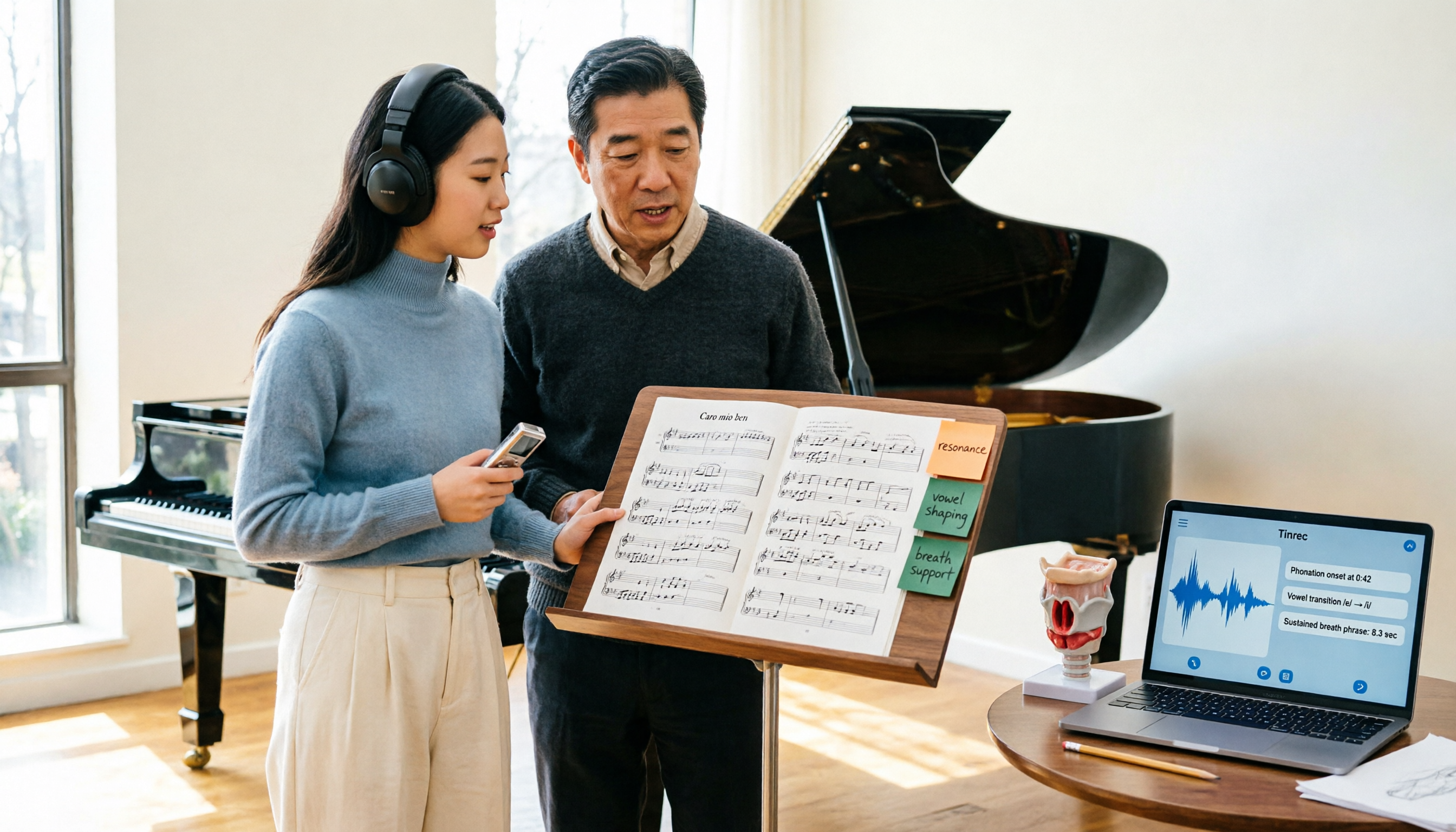
2026 Vocologia Master's Degree Complete Guide: 5 Real-World Learning Scenarios Tested, How to Organize Class Recordings Most Efficiently
Admissions for the 2025-2026 academic year in Vocologia Artistica (vocalogy) master's programs are gradually opening, but the courses are entirely in Italian and span voice medicine and singing pedagogy—handwritten notes alone won't capture it. This article breaks down what the master's covers, who it suits, and tests 5 real learning scenarios, demonstrating how to use Tinrec to turn lectures, clinical discussions, and thesis interviews into searchable, queryable data.

VOCOlinc vs Atuvos: Price Comparison Logic and Why Tinrec Is Better for Meeting Notes
VOCOlinc and Atuvos are Apple Find My-compatible trackers with nearly identical specs, so comparing them is straightforward. But for mid-level managers, the real time drain is post-meeting organization and follow-up. This article explains in 3 minutes how to compare VOCOlinc vs Atuvos, then applies the same 'specs don't equal experience' logic to show how Tinrec turns meetings into searchable, actionable team data.

2026 AI Voice Collaboration Tools Comparison: Vocol.ai, Tinrec, and Otter.ai Features and Team Collaboration
This article starts with common misconceptions and compares three AI voice collaboration tools: Vocol.ai, Tinrec, and Otter.ai. It explains selection criteria, feature differences, team collaboration, and pricing limitations to help you decide which one suits Chinese meetings and team knowledge retention.

2026 AI Meeting Transcription Tools Cost Comparison: How Does Vocol Pricing Work?
How does Vocol pricing work? The official stance is billing by transcript minutes and file storage, with v-point redemption also available in the market. This article breaks down Vocol's three payment methods, the hidden costs of usage-based pricing, and compares the billing logic and use cases of Tinrec, Otter.ai, Notta, and TurboScribe, plus 4 common budgeting mistakes.