
Turn recordings into transcripts and summaries in minutes
Upload audio or video for multilingual transcription, AI notes, and action items
2026 Vocologia Master's Degree Complete Guide: 5 Real-World Learning Scenarios Tested, How to Organize Class Recordings Most Efficiently
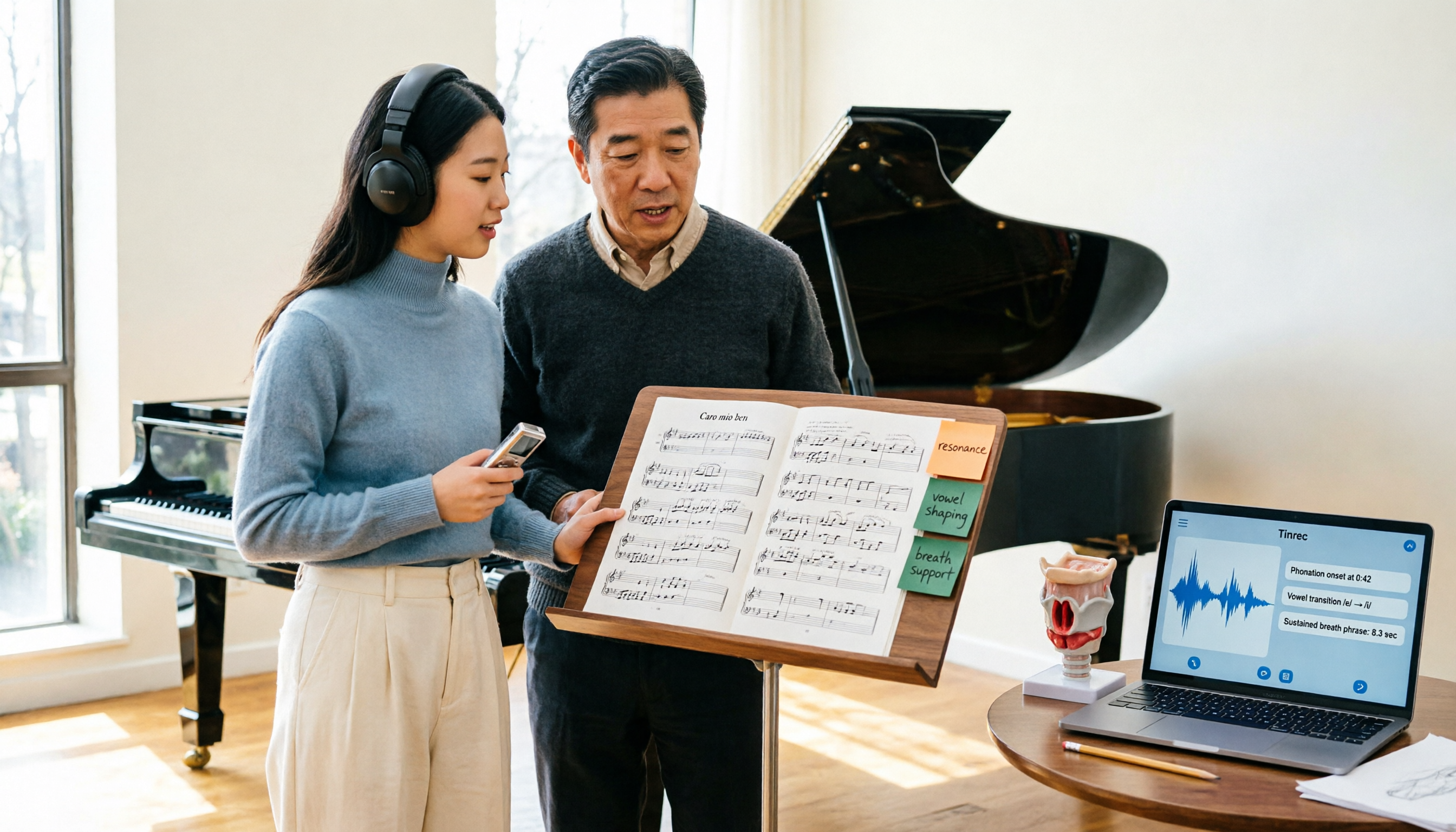
The application page says "Admissions for the 2025-2026 academic year are open," but you're stuck on the same thing: in a three-hour Italian class, you took four pages of notes, and when you open them back at your place, you can't even recognize your own handwriting. What's worse, the vocal demonstrations the teacher gave and the reasoning behind several clinical case judgments exist only in the air.
This article doesn't beat around the bush. First, it clearly explains what the Vocologia Artistica master's actually covers, then discusses how to use tools to capture spoken content during your studies—using Tinrec as an example, its real-time transcription, AI summaries, and AI Q&A are perfectly suited to this type of learning scenario with "lots of spoken language, lots of technical terms, lots of cross-language."
What Can a Vocologia Master's Do for You?
Let's start with positioning. Vocologia Artistica is the discipline that studies "professional voice use," dealing with voice function, health, and training methods in speaking and singing contexts. Based on the course objectives publicly stated by Fondazione Flaminia, this type of first-level university master's mainly trains two types of people: healthcare professionals (such as speech-language pathologists) and degreed singing teachers, enabling them to handle occupational voice issues within a function-oriented framework.
In other words, this degree is not simply a "singing improvement class." You'll study the physiology and pathology of the voice, the characteristics of voice use in different performance fields, and comparisons of teaching methods and methodologies. This also means you'll encounter three types of high-density oral information during your studies:
- Lectures: Two to three hours of continuous Italian professional content.
- Case and supervision discussions: Teachers and students going back and forth on individual cases, with the focus often on counter-questions and corrections, not standard answers.
- Demonstrations and interviews: Live vocal demonstrations, peer interviews, expert dialogues.
For all three, the retention rate of handwritten notes is very low. Using Tinrec as an example, what it does is turn these sounds into text in real time, then organize them into summaries, chapters, and a queryable database, so you don't have to re-listen to three hours of recordings to find that one segment after class.
What Core Skills Are Needed for the Course and Learning Environment?
Real-Time Audio Transcription, Process While You Learn
Tinrec supports real-time audio transcription, with text appearing as the microphone picks up sound. For international students sitting in the classroom, the benefit is you don't have to choose between "understanding" and "writing it down"—let the text settle first, and keep your attention on the teacher's tone, demonstrations, and board work.
Real-Time Translation and Bilingual Viewing
Tinrec's real-time translation lets you view the original text, translation, or bilingual comparison during recording. This is a real help for non-native Italian speakers: when a technical term appears for the first time, you can see the corresponding content simultaneously, rather than giving up after looking it up in the dictionary after class. However, note that machine translation may still make errors with specialized terms in voice medicine; for important definitions, it's recommended to check back against the original text and recording.
AI Summaries and Chapters, Breaking Long Classes into Readable Structure
Tinrec automatically generates summaries and chapters, dividing a two-hour class into several thematic sections. When reviewing, you don't have to listen from the beginning—just jump to the section on "breath support" or "vocal fold load assessment." This is much more practical than just getting a verbatim transcript.
To-Dos and Key Point Extraction
Readings assigned by the teacher, cases to bring next time, demonstration pieces to prepare—Tinrec organizes these from the discussion into to-do items. The most common mishap in study abroad life isn't not understanding, it's forgetting to do things.
AI Q&A, Turning the Course into Queryable Data
After transcription is complete, you can directly ask Tinrec: "What was the teacher's evaluation of a certain vocal technique in this class?" "What are the steps in the assessment sequence mentioned in the case?" It answers based on content semantics and can cross-reference the transcript timestamps for verification.
Practical Application Scenarios: 4 Situations You'll Definitely Encounter in This Master's Program
Scenario 1: Three-Hour Continuous Italian Theory Class
The approach is simple: before entering the classroom, open Tinrec on desktop or mobile and start recording; by the end of class, the transcript is already there. You'll get a summary with chapters plus the complete transcript. Recommended review order: first look at the summary to grasp the structure, then use keywords to search the transcript for the teacher's original wording.
Stop organizing recordings by hand
Upload audio or video and automatically get a transcript, summary, and action items
Scenario 2: Clinical Cases and Supervision Discussions
The value of these discussions lies in the "reasoning process," and the reasoning process is what notes most easily miss. Record the entire discussion with Tinrec, then use AI Q&A to ask "how did the teacher correct the second hypothesis proposed by a classmate"—more reliable than flipping through notes. When sharing with a team or group, you can also put the data into a team space for group members to access individually.
Scenario 3: Thesis Interviews and Expert Dialogues
Master's programs usually require interviews or practical reports. Tinrec supports uploading existing audio and video files for transcription; interviewee recordings can be directly imported and organized; transcripts can be exported to Notion, Google Docs, OneNote, and other tools for continued writing. The time saved here is usually more than for class notes.
Scenario 4: International Online Masterclasses and Distance Courses
For online classes on Zoom, Google Meet, Microsoft Teams, or Webex, Tinrec's desktop version directly captures computer system audio without needing to bring a meeting bot into the class—for formal courses, the absence of that "extra participant" is a plus in many situations. Note that this requires you to actively open Tinrec to initiate recording, not automatically join all schedules.
5 Things to Consider When Preparing for This Master's and Choosing a Recording Tool
- Language and Terminology Coverage: Don't just look at official copy. Vocologia content is full of technical terms; it's recommended to test with a segment of your own class recording. Tinrec covers Chinese, Traditional Chinese, and multilingual meeting scenarios, and provides real-time translation and team hotword management, which can be used to maintain commonly used technical terms.
- Accuracy Depends on Conditions: No tool should promise a fixed accuracy rate. Recording quality, environmental noise, accents, and overlapping speakers all affect results. Tinrec provides high-quality transcription under clear audio and common scenarios, but for important content, it's still recommended to verify against transcript timestamps and recordings.
- Organization After Transcription Is Key: Getting only a transcript means only half the job is done. Tinrec provides summaries, chapters, to-dos, mind maps, and AI Q&A—these are what turn the class into reviewable material.
- Cross-Device and Post-Meeting Workflow: Confirm the tool works on your commonly used devices. Tinrec has iOS, Android, and web versions; the desktop version can also handle online meeting audio; the output end supports multi-format export and can generate reports, tables, and documents through Agent post-processing.
- Data Ownership and Team Governance: If you form a study group or research group with classmates, pay attention to the difference between personal and team versions. Tinrec's team version is an independent team space where data belongs to the team, and provides roles, seats, usage analytics, audit logs, and an audio recycle bin; members who are active but have no seat can view, play, and read team data, but must obtain a seat to upload, edit, and export.
Frequently Asked Questions
Q: Who is the Vocologia Artistica master's actually suitable for? A: It mainly corresponds to two groups—healthcare professionals (such as speech-language pathologists) and degreed singing teachers. If your goal is purely to improve singing technique, the medical and methodological components of such courses will be higher than you might expect.
Q: Where can I find admissions information for the 2025-2026 academic year? A: Keep an eye on announcements from GIVA (Gruppo Italiano Vocologi Artistici, Italian Artistic Vocology Group) and the official pages of the hosting institutions; for example, Polo Nazionale Artistico is located in Verona (Stradone San Fermo 28), with office hours Monday to Friday 9:00-13:00. Actual deadlines, credits, and fees are subject to official announcements.
Q: What if my Italian isn't good enough for class? A: The practical approach is dual-track: use Tinrec's real-time translation and bilingual comparison to keep up with the main thread of the course, while keeping the transcript for checking the original text. Machine translation can help you grasp the context, but professional definitions still need to be verified against the teacher's original wording.
Q: Is Tinrec's free version enough? A: If you only occasionally organize a class recording, you can start with the free version to experience it, confirm the transcription quality and interface usability, then decide whether to upgrade based on actual frequency. For short intensive courses or thesis interview periods, consider corresponding short-term or monthly plans.
Q: What's the difference between the team version and the personal version? A: Personal version data is managed by the individual account; the team version provides an independent collaboration space where meeting and course data belong to the team, and additionally includes member and seat management, sharing permissions, usage analytics, and audit logs. The team's first trial is 7 days, 1 free seat, 300 minutes shared quota; paid plans are USD 29.80 per paid seat per month, or USD 199 per paid seat per year, with each paid seat providing 2,000 minutes of team shared import quota per month. Actual prices and benefits are subject to the official purchase page.
Conclusion
The threshold of the Vocologia master's is half language, half data volume. Understanding the class is just the starting point; the real difference lies in whether you can turn the oral content from class into data you can actually find when writing reports, conducting interviews, and reviewing later.
Rather than fast-forwarding through three hours of recordings after every class, change your workflow: use Tinrec for real-time transcription and enable bilingual comparison during class, look at summaries and chapters to grasp the structure after class, and when you need details, use AI Q&A to ask and then check back against transcript timestamps. You can try this workflow with the free version—pick the class you find most difficult, record it once, see what the retained data looks like, and then decide whether to use it long-term.
References
Turn every recording into actionable outcomes
Get 60 free transcription minutes when you sign in. No credit card required.
Related Reading
You might also like

Best AI Meeting Notes Tools in 2026: Testing 2 Options for Chinese Meetings
AI meeting notes aren't just about feeding recordings to AI. This article covers three common pitfalls, compares Tinrec and Otter.ai across multiple dimensions, and breaks down the pre-meeting, in-meeting, and post-meeting workflow that actually works for Chinese meetings—helping you decide which tool to choose.

2026 AI Meeting Recorder Comparison: Tinrec vs Vocol.ai — Which Should You Choose?
Tinrec and Vocol.ai have similar positioning but different approaches. This article addresses three common misconceptions, explains how meeting audio gets into each tool, what you get after transcription, and who owns team data. It also covers third-party observations of Vocol.ai, Tinrec's bot-free recording and AI Q&A workflow, and provides scenario-based guidance on which tool to choose.

2026 Voice Collaboration Platform Comparison: Why Tinrec Is the Top Vocol.ai Alternative
Vocol.ai has gained traction in Taiwan, but when use cases shift from personal recording to weekly department meetings, bottlenecks often appear in online meeting recording, post-meeting action items, team seats, and data handover. This article compares Tinrec and Vocol.ai across four dimensions, breaking down Tinrec's bot-free recording, AI Q&A, Agent post-processing, and team governance capabilities to help you make a clear case in procurement meetings.

Tinrec vs Vocol 2026: 5-Factor Comparison for Chinese Meeting Notes
People searching for "vocol 2026 annual report" often encounter two completely different results: one is the annual financial report of Veken Technology, and the other is the voice collaboration platform Vocol AI. This article first clarifies this confusion, then compares Tinrec and Vocol across 5 dimensions: transcription output, meeting capture method, audio retention, Chinese language experience, and team governance, so you know what you're choosing.

How to Generate AI Meeting Notes in 2026: Bot-Free Recording + Automatic Summaries & Action Items
How do you generate AI meeting notes in 2026? This guide breaks down the process from scratch: recording online meetings without a bot, real-time transcription, AI summaries, and action item extraction. It includes 5 key buying criteria and FAQs, with Tinrec as a demo to help you wrap up within half an hour after the meeting.

VOCOlinc vs Atuvos: Price Comparison Logic and Why Tinrec Is Better for Meeting Notes
VOCOlinc and Atuvos are Apple Find My-compatible trackers with nearly identical specs, so comparing them is straightforward. But for mid-level managers, the real time drain is post-meeting organization and follow-up. This article explains in 3 minutes how to compare VOCOlinc vs Atuvos, then applies the same 'specs don't equal experience' logic to show how Tinrec turns meetings into searchable, actionable team data.

Vocol vs Tinrec 2026: 5-Dimension Comparison for Chinese Meeting Notes and Team Collaboration
Vocol and Tinrec are both practical tools for Chinese meeting notes, but one focuses on recording organization and the other on team meeting assets. This article compares them across 5 dimensions: capture method, Chinese performance, post-meeting outputs, team governance, and quota billing, to help you decide which suits your team.

2026 AI Voice Collaboration Tools Comparison: Vocol.ai, Tinrec, and Otter.ai Features and Team Collaboration
This article starts with common misconceptions and compares three AI voice collaboration tools: Vocol.ai, Tinrec, and Otter.ai. It explains selection criteria, feature differences, team collaboration, and pricing limitations to help you decide which one suits Chinese meetings and team knowledge retention.

2026 AI Meeting Transcription Tools Cost Comparison: How Does Vocol Pricing Work?
How does Vocol pricing work? The official stance is billing by transcript minutes and file storage, with v-point redemption also available in the market. This article breaks down Vocol's three payment methods, the hidden costs of usage-based pricing, and compares the billing logic and use cases of Tinrec, Otter.ai, Notta, and TurboScribe, plus 4 common budgeting mistakes.