
Turn recordings into transcripts and summaries in minutes
Upload audio or video for multilingual transcription, AI notes, and action items
Every time the Fed finishes a meeting, are you also waiting for that "three weeks later"?
Last month after the FOMC meeting, I stared at the screen until 2 a.m., only to realize after the decision was announced—the meeting minutes hadn't even come out yet.
Honestly, the first time I looked up "Fed meeting minutes release time," I was totally confused by the time zones. News said 2 p.m. Eastern Time—what time is that in Taiwan? And there's a one-hour difference between daylight saving and standard time.
What's more annoying is all the content after the minutes are released. A dozen pages of English PDF, summaries from various media, analyst interpretations... by the time you finish reading everything, the market is already open the next day.
This article is my compilation of the pitfalls I've encountered: how to calculate the time, how to grasp the key points, and what tools can save you those few hours.
Before Understanding the Fed Meeting Minutes Release Time, Understand These 4 Key Points
First, the decision day and the minutes day are not the same day.
The FOMC holds 8 regular meetings a year. The decision is announced on the second day of the meeting at 2:00 p.m. Eastern Time, with the Chair's press conference at 2:30 p.m. The meeting minutes are released "about three weeks later," also at 2:00 p.m. Eastern Time.
Second, time zone conversion depends on daylight saving time.
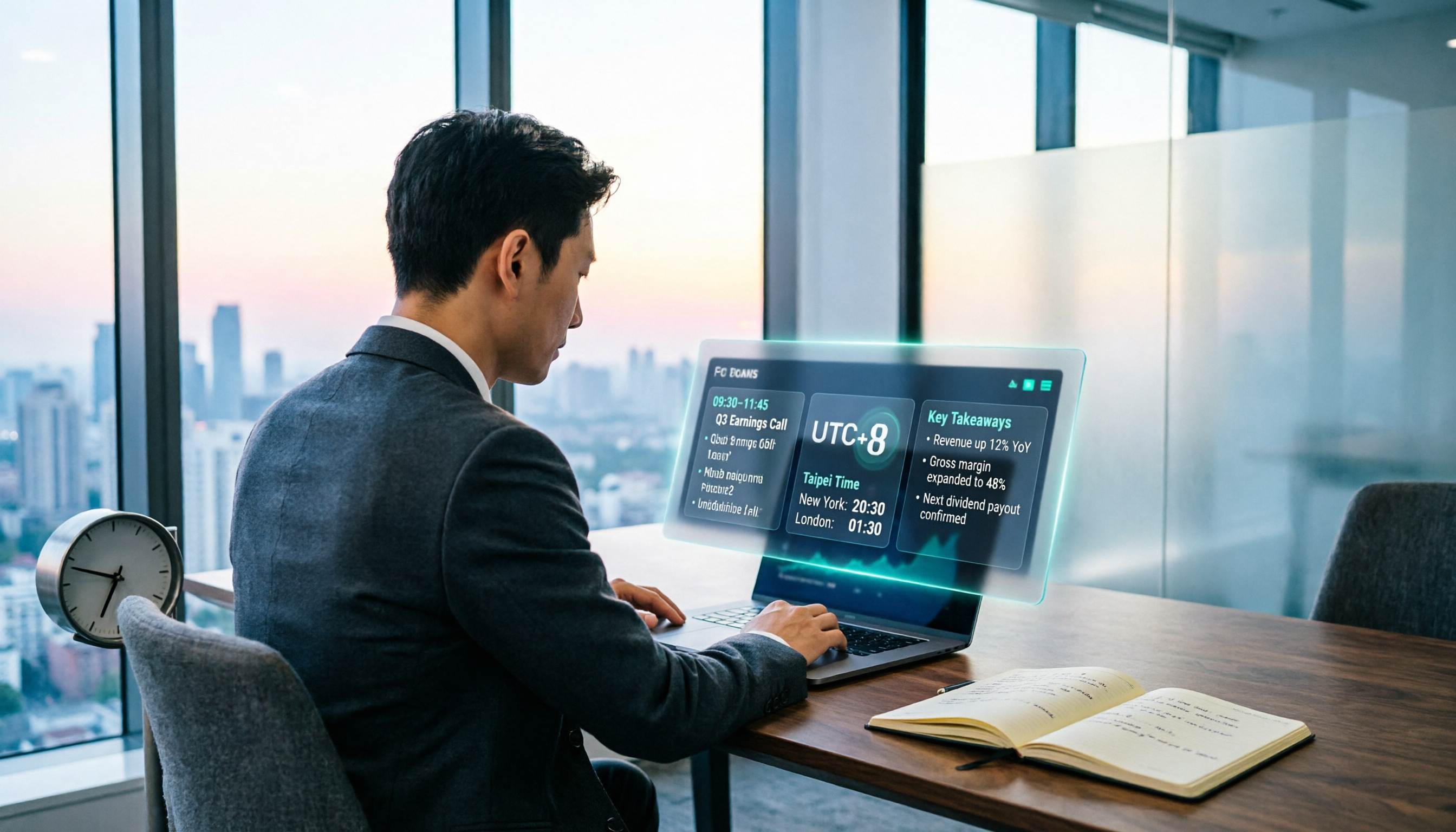
From the second Sunday in March to the first Sunday in November is daylight saving time (EDT). Taipei is 12 hours ahead of New York, so 2:00 p.m. Eastern Time equals 2:00 a.m. the next day in Taipei.
The rest of the year is standard time (EST). Taipei is 13 hours ahead, making it 3:00 a.m. the next day.
Because of that one hour, I once stayed up an extra hour only to find out it hadn't been released yet.
Third, the minutes describe "the meeting from three weeks ago."
This is important. The minutes record the discussion at the time of the meeting, not the latest stance today. Taking the September meeting mentioned in the source as an example, the minutes were released at 2:00 a.m. Taipei time on October 8, but they discuss information from September 15–16, and economic data released in between may have already changed the picture.
Fourth, the decision includes the SEP and dot plot; the minutes do not.
The four meetings in March, June, September, and December additionally provide economic projections (SEP) and the dot plot. The minutes are just minutes—they won't include these again.
How I Turn a Press Conference into Searchable Key Points
Honestly, my initial idea was simple: since I have to listen anyway, why not let it turn itself into text.
Tinrec (秒聽錄音) is an AI meeting notes and collaboration tool for individuals and teams, supporting iOS, Android, and web versions. The desktop version can directly capture computer system audio.
Here's how it works in practice:
Play the press conference livestream on your computer and open Tinrec desktop to record directly. No need to invite any meeting bot—a press conference isn't a video conference, and a bot can't get in anyway.
While you watch, the transcript grows on the right side. When the meeting ends, the summary, chapters, key points, and action items are already automatically generated.
The most useful feature is AI Q&A. After recording, you can directly ask it: "What did the minutes say about the future interest rate path?" "Where do the committee members disagree?" It gives you answers based on semantics, not a bunch of keyword search results. Transcription tools at the same price point almost never have this feature.
Honestly, it recognizes financial terminology like FOMC, dot plot, and core PCE fairly well. But names and institution abbreviations occasionally have errors, so for important numbers I still go back to check the original text and recording timestamps.
Three reasons I think it's worth it:
One, no hardware to buy, no bot to invite. Web, desktop, and mobile all work—handles both online meetings and offline interviews.
Stop organizing recordings by hand
Upload audio or video and automatically get a transcript, summary, and action items
Two, it saves those two hours after the meeting. Transcript, summary, chapters, and action items come out at once, and you can export directly to Notion or Google Docs for further processing.
Three, it supports real-time translation. When watching English livestreams, you can turn on bilingual display without constantly switching windows to look up words.
Limitations should also be clear:
The free version only has a basic quota. If you're recording every day, you'll still need to pay. Also, its strength is Chinese and mixed Chinese-English; for long meetings entirely in English, I wouldn't say it's better than Otter.ai.
Who it's for:
People who often listen to financial livestreams, press conferences, investment podcasts, or who regularly need to organize meeting notes every week. If you only occasionally check the release time, you really don't need to install it.
Besides Tinrec, What Other Options Are There?
Otter.ai: A veteran choice for English meeting assistants, with a generous free tier of 300 minutes per month. But Chinese meetings aren't its strong suit, and it doesn't have team hotwords. If everything you record is in English, it's a reasonable choice; for Chinese financial content, Tinrec's experience is still more fitting.
Notta: Multilingual transcription, free version 120 minutes per month with a 3-minute limit per session. Suitable for pure document transcription and subtitles. But Tinrec does more complete work in AI Q&A and post-meeting report and table generation; Notta is relatively basic in this area.
Granola: Also a bot-free note-taking tool with a beautiful interface. But it doesn't support uploading pre-recorded audio files and doesn't retain meeting audio. Tinrec can import historical recordings and also retains the original audio for later verification—this makes a big difference for people who need to verify numbers.
Pitfall Guide: The 3 Most Common Mistakes When Checking Fed Meeting Minutes
Pitfall 1: Only remembering the date, not the time zone.
Many people note "October 8" and start waiting at 8 p.m. that day. Actually, you need to convert to 2:00 p.m. Eastern Time and check whether it's daylight saving or standard time. My approach is to set two reminders directly in the calendar: one hour before release and ten minutes after release.
Pitfall 2: Treating the minutes as "the current policy direction."
The minutes reflect the meeting from three weeks ago. The market often says a certain minutes release was "hawkish," but that hawkishness may already be outdated. When reading the minutes, always look at them together with data released after the meeting.
Pitfall 3: Only skimming news headlines, not reading the original text.
Media summaries always carry a stance. The truly useful information is hidden in the differences in what committee members said.
My own approach is to record the press conference or financial program and convert it to a transcript, then directly ask the AI "Who mentioned inflation? What did they say?"—much faster than manually flipping through a 30-minute transcript. Whether or not you use a tool for this step really makes a big difference.
Summary: How Should You Arrange It?
In one sentence: About three weeks after the decision, 2:00 p.m. Eastern Time, Taipei 2:00 a.m. the next day in summer, 3:00 a.m. the next day in winter.
Choose your scenario:
- Just want to know the release time on time → Save that line above in your phone notes
- Want to understand the minutes content → Read the summary chapters first, then go back to the original text; don't start from page one
- Often listen to press conferences and financial livestreams → Tinrec, desktop bot-free recording plus AI Q&A, this combination is currently the smoothest
- All recordings are English meetings → Otter.ai, large free quota
- Mass document batch transcription → Notta or TurboScribe are more suitable
I suggest downloading the Tinrec free version first and trying it out. Test it with the length of one press conference to see if the transcript and AI summary suit your taste. If you find it useful, then consider upgrading—there's no need to pay right away.
One final reminder: recording and transcription involve others' speech. Before use, please confirm compliance with local regulations and obtain participants' consent when necessary.
References
- Latest September FOMC Meeting Minutes? What Is FOMC? Recent FOMC Meeting Minutes? - StockFeel
- Federal Open Market Committee (FOMC) Meeting Minutes
- Fed Interest Rate Meeting Schedule_Meeting Minutes_Fed Chair_Federal Reserve (FED)-FX678
- 2026 Fed Interest Rate Decision Meeting Schedule Overview [Latest Update]|Latest Data, Release Timeline, Taiwan Time Full Compilation - Shin Pak Wang Securities
- 2026 FOMC Meeting Schedule: Interest Rate Decisions, Dot Plot, Meeting Minutes Taipei Time | Yuanta Futures TOP
Turn every recording into actionable outcomes
Get 60 free transcription minutes when you sign in. No credit card required.
Related Reading
You might also like

iPhone Voice Memos vs Tinrec in 2026: 5-Factor Comparison — Which Is Better for Transcribing Meetings?
From the built-in iPhone Voice Memos app to Tinrec, we compare 5 practical factors to help you decide which iPhone transcription solution best fits your meetings, interviews, and team collaboration.

4 AI Meeting Notes Tools Tested for 2026: Which Saves the Most Time for Cantonese Meetings?
Cantonese meetings with mixed Chinese and English, then having to listen to recordings and type up minutes yourself? This article breaks down 4 key factors for choosing an AI meeting notes tool and compares Tinrec, Subanana, Notta, and PLAUD to clarify which suits Hong Kong teams and which are traps.

2026 Comparison of 3 Meeting Minutes Templates: Tinrec Auto-Generates Chinese Minutes Fastest
When searching for meeting minutes Chinese templates, most people want a format they can directly apply. This article provides 3 Chinese meeting minutes templates for enterprise project meetings, client interviews, and school club meetings, and compares Tinrec and Notta on bot-free recording, Chinese transcription, post-meeting outputs, and team data retention, helping you decide whether to write manually or use a tool.

2026 Mac Transcription Software Guide: Tinrec's Bot-Free Recording + AI Q&A for Meeting Notes
The real difference between Mac transcription apps isn't how fast they transcribe—it's how much time you spend organizing afterward. This guide compares MacWhisper and Tinrec across five dimensions: how meetings are captured, post-meeting output, AI follow-up questions, cross-language handling, and team data ownership. Includes a ready-to-use starter checklist.

Tinrec vs Notta 2026: 5-Dimension Comparison for iPad Meeting Notes
Many people think recording a meeting on an iPad is enough, but they still have to listen to the 90-minute audio afterward. This article debunks two common myths about iPad meeting note apps and compares Tinrec and Notta across five dimensions: transcription, AI summaries, action item extraction, team knowledge retention, and governance. It also covers practical use cases and buying tips.

6 Meeting Minutes Tools Compared for 2026: From MoM Abbreviation to AI-Generated Summaries
Meeting minutes are abbreviated as MoM (Minutes of Meeting), but 'minutes' here doesn't mean time. This article first breaks down common abbreviations and terms like take the minutes, minutes taker, resolution, and action items, then compares six meeting minutes solutions—Tinrec, Otter.ai, Notta, Granola, TurboScribe, and PLAUD—from the decision-making perspective of whether to organize minutes yourself or let a tool do it, helping you choose the right workflow for your meeting style.

2026 Voice-to-Transcript Tools Compared: NotebookLM vs. Tinrec — Which Saves More Time?
No more manual typing for meeting transcripts. This hands-on comparison of NotebookLM, Tinrec, EchoScript, and Otter.ai covers Chinese transcription, post-meeting organization, online meeting audio capture, and team collaboration, plus 4 key buying factors and common pitfalls to help you pick the one that truly saves time.

2026 Comparison of 4 Meeting Minutes Tools: Which Saves the Most Time After Using a Template?
Most people looking for meeting minutes templates get stuck not on the format, but on filling them out after the meeting. Starting from a 12-field meeting minutes template skeleton, this article explains 5 key points to consider before choosing a tool, and compares Tinrec, Notta, Otter.ai, and Granola in terms of efficiency, limitations, and suitable users for filling out templates.

2026 Comparison of 5 iPhone Recording-to-Meeting-Notes Tools: Is the Free Version Enough?
What's the most time-saving way to turn iPhone recordings into meeting notes? This article starts with common misconceptions and compares 5 approaches: built-in Voice Memos, Notes app, third-party transcription apps, meeting bot tools, and Tinrec desktop bot-free recording. It uses Tinrec to demonstrate the complete workflow from recording, transcription, AI summary to to-dos and team collaboration, with buying tips and FAQs.