

Turn recordings into transcripts and summaries in minutes
Upload audio or video for multilingual transcription, AI notes, and action items
During a meeting, when a foreign colleague says "Please take the minutes," many people's first reaction is "Minutes? What minutes?"
But the real question you should be asking is: Do you want to type up these meeting minutes yourself, piece by piece, or let a tool organize them for you?
When I lead teams in optimizing workflows, I've seen the same scenario too many times—a two-hour meeting, followed by another two hours of organizing, with constant backtracking to check abbreviations and confirm who said what.
The tools themselves aren't the problem; the problem usually lies in the approach: treating "meeting minutes" as a typing task rather than as information that needs to be judged and tracked.
This article first helps you understand the abbreviations for meeting minutes, then compares six meeting minutes solutions side by side, so you know what to use in which situation.
Why do meeting minutes abbreviations always trip people up?
The English term for meeting minutes is meeting minutes, also written as minutes of meeting, abbreviated as MoM.
Here's the key: minutes doesn't mean "minutes" (time); it means "meeting minutes." So when a foreign colleague says take the minutes, they mean please take the meeting minutes, not check your watch.
Here are a few practical phrases you'll actually use—just remember these:
- take minutes or keep minutes: to take meeting minutes; both are acceptable.
- minutes taker: the person taking minutes; you can also say note taker. Don't say recorder—recorder means a recording device or a person who records audio.
- present: attendees; you can also write members in attendance or attendees.
- apologies: those unable to attend or who have asked for leave; you can also say regrets, but don't say take leave.
- agenda: the agenda.
- resolution: an adopted decision; always use this word, not conclusion or decision.
- action items: to-dos, usually with an owner and deadline.
- approval of previous meeting minutes: confirming the previous meeting's minutes.
- The second M in MoM must be capitalized; otherwise, it becomes Mom, which can be a bit awkward.
You'll also often hear this at the start of a meeting: To begin, let's quickly go over the minutes from our last meeting.
No matter how well you memorize these abbreviations, you still won't be able to keep up in a fast-paced meeting. So the real decision point is: Do you want to practice shorthand, or let a tool generate the transcript and summary first, so you only need to judge?
I eventually chose the latter. Once you change your approach, meeting minutes go from a chore to a piece of data you can continue to work with.
Tinrec — The Most Complete AI Meeting Minutes Assistant
One-sentence positioning: Turn meetings into searchable, collaborative, actionable team data.
This is the solution I'd put first on the list because it connects "recording" and "what comes after recording" into a single workflow.
The first highlight is that it doesn't require a meeting bot. The desktop version directly captures your computer's system audio, so it can record meetings played through Zoom, Google Meet, Microsoft Teams, and Webex without adding another bot to the meeting room.
The second highlight is that transcription is just the starting point. After the transcript, it automatically generates summaries, chapters, key points, and to-dos, and you can even ask AI questions about the meeting content—like "Who proposed that decision last week?"—directly, without re-listening to a two-hour recording.
The third highlight is Chinese meetings and mixed Chinese-English. It supports multilingual transcription and real-time translation, allowing you to view the original text, translation, or bilingual comparison; teams can also maintain custom vocabulary to improve recognition of product names and proper nouns.
The fourth highlight is team knowledge retention. Team spaces centrally store meeting data; administrators can manage roles, seats, usage, and audits; when members leave or lose their seats, the data still belongs to the team and doesn't leave with the person.
Plans and pricing: The personal version includes a free version, weekly pass, Pro monthly, and Pro annual—choose based on usage frequency; if you only organize occasionally, start with the free version. The team version is USD 29.80 per paid seat per month, or USD 199 per paid seat per year (about USD 16.58 per month), with each paid seat providing 2,000 minutes of team shared import quota per month; first-time eligible teams can try 7 days with 1 free seat and 300 minutes. Under an active team plan and active seats, real-time recording currently does not deduct minutes; file imports use the team shared quota. Prices and benefits are subject to the official purchase page.
Who it's for: Those who need Chinese meetings, don't want to put a bot into meetings, and want post-meeting data to stay within the team for continued use.
Otter.ai — A Mature Assistant for English Business Meetings
Positioning: An AI meeting assistant with a strong presence in English business meetings.
Stop organizing recordings by hand
Upload audio or video and automatically get a transcript, summary, and action items
Otter covers Zoom, Microsoft Teams, and Google Meet, with real-time transcription, speaker identification, AI Chat, and team management—its meeting automation workflow is quite complete. In terms of pricing, Basic is free with 300 minutes per month; Pro annual billing is about USD 8.49 per user per month, including 1,200 minutes of in-app recording and 10 file imports per month; Business offers more import and management capabilities; actual prices are subject to the official page.
Who it's for: Teams that mainly hold meetings in English and already have a mature meeting automation workflow.
Notta — Multilingual Transcription and File Processing
Positioning: A solution covering multi-platform transcription, meeting minutes, file import, and translation.
Notta overlaps significantly with Tinrec, both covering multi-platform and team plans. The free version offers 120 minutes per month, with a maximum of 3 minutes per item; Pro annual billing is about USD 8.17 per month with 1,800 minutes per month; Business annual billing is about USD 16.67 per seat per month, offering unlimited transcription, role permissions, and usage reports.
Who it's for: Teams that need multilingual transcription and translation and also frequently process existing audio files.
Granola — Bot-Free Notes Centered on Your Own Notes
Positioning: A bot-free AI meeting notes tool that combines handwritten notes.
It also uses desktop system audio for real-time transcription, and its feature is combining your own typed notes with AI-generated content, providing a good cross-meeting context experience. Basic is free, Business is USD 14 per user per month, Enterprise is USD 35 per user per month. Note that it supports viewing and copying real-time transcripts but does not support uploading pre-recorded audio files and does not save meeting audio files.
Who it's for: People who are used to taking notes during meetings and don't need to listen back to recordings afterward.
TurboScribe — Cost-Effective Transcription for Long Files
Positioning: A tool centered on file transcription, subtitles, and translation.
The free version allows 3 files per day, with a maximum of 30 minutes per file; Unlimited annual billing is USD 120, about USD 10 per month; after payment, the maximum length per file is 10 hours or 5 GB, and you can upload 50 files at once. It has advantages in long files and batch processing, but it's not meant for real-time meeting recording.
Who it's for: People who have a large batch of audio files to transcribe into text.
PLAUD Note / NotePin — Portable AI Recording Hardware
Positioning: A solution that turns recording into a standalone device.
PLAUD NotePin is priced at USD 159, Note Pro at USD 189; membership Starter is 300 minutes per month, Pro is USD 99.99 per year including 1,200 minutes per month, Unlimited is USD 239.99 per year.
Who it's for: Scenarios where you're often on the go and need phone call recording or portable recording.
With So Many Options, How Should You Choose?
Rather than comparing specs, first look at what your meetings are like:
- Want to complete "transcription + summary + to-dos + follow-up questions" in one go → Tinrec, one of the few on the list that completes the post-meeting workflow.
- Meetings are in Chinese or mixed Chinese-English → Tinrec, supports multilingual transcription and real-time translation, and teams can use custom vocabulary to correct proper nouns.
- Don't want a bot to join the meeting → Tinrec desktop version or Granola both work; but if you want to keep audio files and import existing recordings, Tinrec is more suitable.
- Meeting data should stay with the team, and members may change → Tinrec team version, with roles, seats, usage, audit, and recycle bin all in one space.
- Only want to transcribe a recording occasionally → Start with Tinrec free version or TurboScribe's free quota (3 files per day).
- Mainly English meetings and the workflow is already mature → Otter.ai is worth evaluating.
- Need portable recording or phone call recording → Hardware solutions like PLAUD.
4 Things to Know Before Using Meeting Minutes Tools
First, understanding abbreviations doesn't mean you can remember them quickly. Just recognize words like MoM, resolution, and action items; don't spend time practicing shorthand—save time for post-meeting judgment.
Second, the transcript is not the end goal. What really saves time is the summary, chapters, and to-dos—look at the summary first to grasp the key points, then go back to check the transcript; reversing the order will make reading painful.
Third, pay attention to regulations and consent for recording. Before recording and transcribing, please confirm local regulations and obtain participants' consent when necessary—this is a step you can't skip.
Fourth, don't treat accuracy as a spec. Audio quality, noise, accents, and multiple people speaking at the same time all affect results; for important decisions, it's recommended to cross-check with transcript timestamps and audio playback—this is also my consistent practice within teams.
Conclusion
MoM stands for Minutes of Meeting, and minutes doesn't mean minutes—this is the starting point for understanding meeting minutes, not the end.
What really makes the difference is those two hours after the meeting: Are you typing the transcript by hand, or letting a tool generate summaries and to-dos, and then using AI Q&A to clarify the details?
If you want a workflow that covers recording, transcription, summary, Q&A, and team knowledge retention, Tinrec is the option I'd put first on the list.
5 quick steps to get started:
- Pick a meeting, don't change your process yet, just record it once.
- After the meeting, do only one thing: look at the AI summary and confirm the key points are correct.
- Open the to-dos and fill in the owners and deadlines.
- Use AI Q&A to follow up on a question you would have otherwise re-listened to the recording for.
- Put this record into the team space so you can review it at the start of the next meeting.
Test step by step, and you too can gradually turn meeting minutes from a burden into an asset.
References
- [Tutorial] 2026 Meeting Minutes English Abbreviations: MoM/minutes Explained + Tinrec Audio-to-Text Automatic Organization - Tinrec Blog
- Easily Write English Meeting Minutes and Improve Your English! | Womany
- Super Practical Guide: How to Write English Meeting Minutes | CommonWealth Magazine
- When a Foreign Manager Says 'Can you take minutes?' Don't Think They Want to Grab Minutes | World Citizens Cultural Center | Storm Life - Storm Media
- 18 Office English Abbreviations You (Maybe Probably Should) Need to Know. Do your colleagues like mixing Chinese and English? If so, you might have received confusing messages like these... | by Fei Fan | UX & Product Design | Medium
Turn every recording into actionable outcomes
Get 60 free transcription minutes when you sign in. No credit card required.
Related Reading
You might also like

iPhone Voice Memos vs Tinrec in 2026: 5-Factor Comparison — Which Is Better for Transcribing Meetings?
From the built-in iPhone Voice Memos app to Tinrec, we compare 5 practical factors to help you decide which iPhone transcription solution best fits your meetings, interviews, and team collaboration.

4 AI Meeting Notes Tools Tested for 2026: Which Saves the Most Time for Cantonese Meetings?
Cantonese meetings with mixed Chinese and English, then having to listen to recordings and type up minutes yourself? This article breaks down 4 key factors for choosing an AI meeting notes tool and compares Tinrec, Subanana, Notta, and PLAUD to clarify which suits Hong Kong teams and which are traps.

2026 Comparison of 3 Meeting Minutes Templates: Tinrec Auto-Generates Chinese Minutes Fastest
When searching for meeting minutes Chinese templates, most people want a format they can directly apply. This article provides 3 Chinese meeting minutes templates for enterprise project meetings, client interviews, and school club meetings, and compares Tinrec and Notta on bot-free recording, Chinese transcription, post-meeting outputs, and team data retention, helping you decide whether to write manually or use a tool.

2026 Mac Transcription Software Guide: Tinrec's Bot-Free Recording + AI Q&A for Meeting Notes
The real difference between Mac transcription apps isn't how fast they transcribe—it's how much time you spend organizing afterward. This guide compares MacWhisper and Tinrec across five dimensions: how meetings are captured, post-meeting output, AI follow-up questions, cross-language handling, and team data ownership. Includes a ready-to-use starter checklist.

Tinrec vs Notta 2026: 5-Dimension Comparison for iPad Meeting Notes
Many people think recording a meeting on an iPad is enough, but they still have to listen to the 90-minute audio afterward. This article debunks two common myths about iPad meeting note apps and compares Tinrec and Notta across five dimensions: transcription, AI summaries, action item extraction, team knowledge retention, and governance. It also covers practical use cases and buying tips.

2026 Voice-to-Transcript Tools Compared: NotebookLM vs. Tinrec — Which Saves More Time?
No more manual typing for meeting transcripts. This hands-on comparison of NotebookLM, Tinrec, EchoScript, and Otter.ai covers Chinese transcription, post-meeting organization, online meeting audio capture, and team collaboration, plus 4 key buying factors and common pitfalls to help you pick the one that truly saves time.

2026 Comparison of 4 Meeting Minutes Tools: Which Saves the Most Time After Using a Template?
Most people looking for meeting minutes templates get stuck not on the format, but on filling them out after the meeting. Starting from a 12-field meeting minutes template skeleton, this article explains 5 key points to consider before choosing a tool, and compares Tinrec, Notta, Otter.ai, and Granola in terms of efficiency, limitations, and suitable users for filling out templates.

2026 Comparison of 5 iPhone Recording-to-Meeting-Notes Tools: Is the Free Version Enough?
What's the most time-saving way to turn iPhone recordings into meeting notes? This article starts with common misconceptions and compares 5 approaches: built-in Voice Memos, Notes app, third-party transcription apps, meeting bot tools, and Tinrec desktop bot-free recording. It uses Tinrec to demonstrate the complete workflow from recording, transcription, AI summary to to-dos and team collaboration, with buying tips and FAQs.
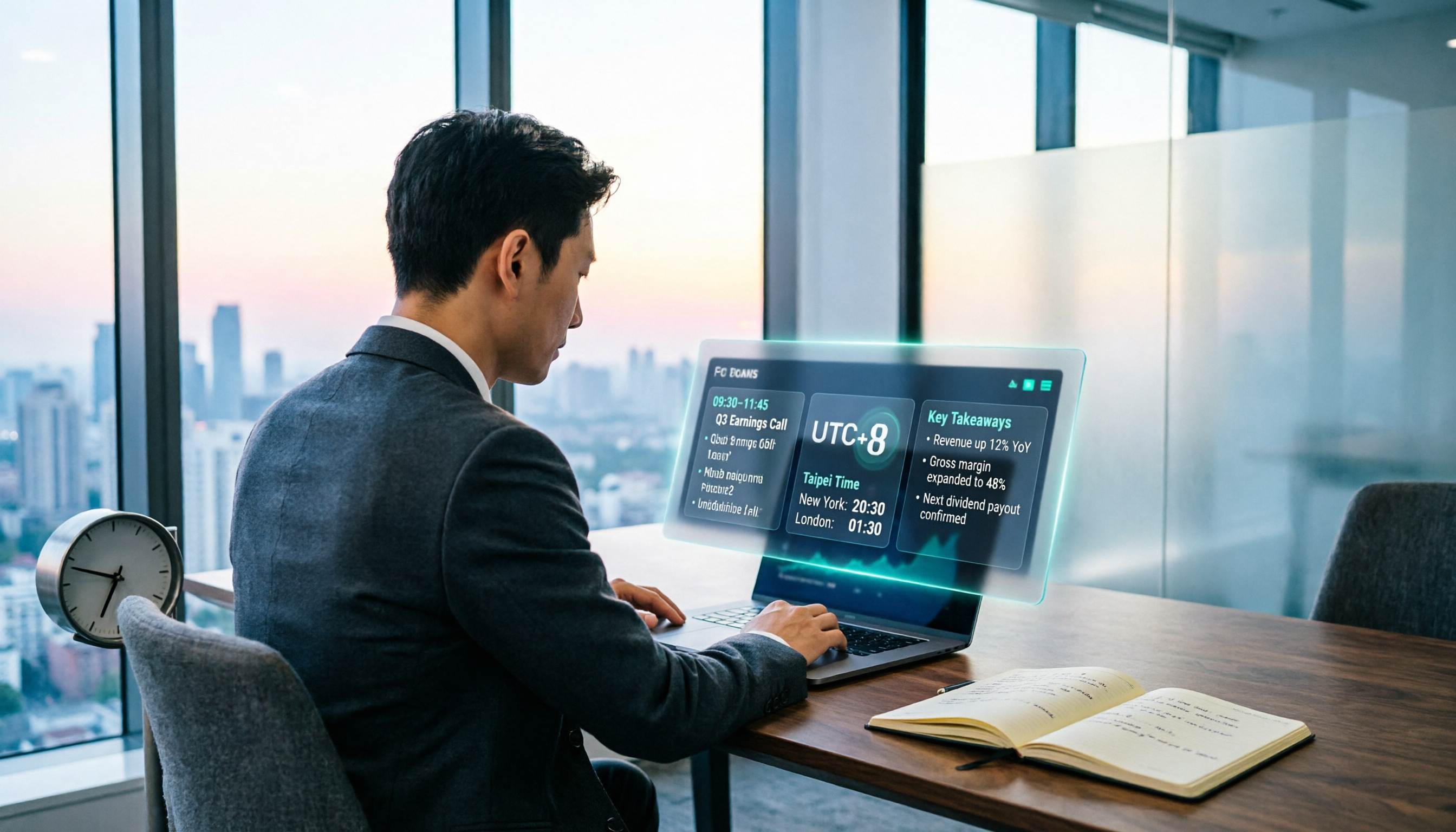
When Are the 2026 Fed Meeting Minutes Released? 5 Steps to Understand Time Conversion and Key Takeaways
When exactly are FOMC meeting minutes released? How do you convert to Taiwan time? This article breaks down the release pattern of Fed meeting minutes in 5 steps, the difference between daylight saving and standard time, and how to quickly grasp the key points after release. It also tests using an AI meeting notes tool to organize press conferences and financial content, saving you from staying up late reading the original text word by word.