

Turn recordings into transcripts and summaries in minutes
Upload audio or video for multilingual transcription, AI notes, and action items
Best Taiwanese Hokkien Input Methods in 2026: 5 Tested, Speaking Beats Typing for Meeting Notes
Getting Stuck Typing Taiwanese: It's Usually Not the Software
Many people who want to type in Taiwanese for the first time think, "I'll just install a Taiwanese Hokkien input method and that solves it." After installing, they realize the real barrier is themselves.
With Tâi-lô romanization, tones, tone sandhi, and Pe̍h-ōe-jī spelling, if you're not familiar with any one of these, the cursor just sits there. Want to type "下雨" (raining)? Three things run through your mind: which tone is it, how does the tone change when combined, and which character does the Ministry of Education recommend for this word?
The usual result: the input method stays installed, but the person goes back to typing Mandarin. When a Taiwanese writing report is due, they scramble, or just give up.
This article covers two things: how these Taiwanese Hokkien input methods differ and who each is for; and if you just want to capture Taiwanese content, there's actually a less labor-intensive approach than typing every syllable.
4 Key Points to Understand Before Choosing a Taiwanese Hokkien Input Method
1. Do you need to output Hanzi or romanization?
Taiwanese Hokkien input methods aren't just for Hanzi. Most options provide both Hanzi and Tâi-lô (or Pe̍h-ōe-jī) notation. You need to decide first whether you're "writing articles" or "annotating pronunciation." This answer directly determines which one to install.
2. Is the romanization system Tâi-lô or Pe̍h-ōe-jī?
Taiwan's official standard is the "Taiwanese Hokkien Romanization System" (Tâi-lô). The Ministry of Education version, PhahTaigi, and Gboard are all based on it. But Pe̍h-ōe-jī (POJ) has been in circulation longer, and many textbooks and documents still use it. The two alphabets are similar but tone marking differs. Beginners should stick to one system and not jump between them.
3. Do you mainly use a computer or a phone?
Computer and mobile options are almost two separate lists. The Ministry of Education version is mainly for Windows, Mac, and Linux; on mobile, PhahTaigi, Gboard, and SwiftKey are the main players. If you want the same set across devices, options are actually limited.
4. Does the dictionary use recommended characters?
Choosing the wrong character after typing is more troublesome than not being able to type at all. The Ministry of Education version's dictionary directly uses the "Taiwanese Hokkien Commonly Used Word Dictionary" and officially recommended characters, which helps you avoid made-up characters. This is especially critical when writing formal articles.
Once you've thought through these four points, you can filter out most unsuitable options. What's left to decide is how much time you're willing to spend learning romanization.
Tinrec (秒聽錄音) — If You Don't Want to Spell Every Syllable, Just Speak First
First, positioning: Tinrec is an AI meeting notes and collaboration tool available on web, desktop, and mobile. It converts live recordings, online meetings, and audio/video files into transcripts, and automatically generates summaries, chapters, key points, and action items.
It handles "what you've already said," not "sounds you've spelled out character by character."
This approach is especially suited for three types of people who get stuck.
The first type: people who understand and speak Taiwanese but can't spell in Tâi-lô. Instead of spending weeks memorizing tones, speak the content you need to record and record it, let the tool transcribe it first, then go back and correct proper nouns with the Ministry of Education input method. The workload is vastly different.
The second type: interviews and oral history recording. For content like elders telling stories or field interviews, typing while listening is nearly impossible and easily misses details. Recording completely first, then producing transcripts and summaries afterward, is closer to a practical workflow.
The third type: online meetings. Tinrec's desktop version directly captures computer system audio. When handling meetings on Zoom, Google Meet, Microsoft Teams, Webex, etc., you don't need to invite a bot to join the meeting. When the meeting ends, the transcript and summary are already there.
After recording, you can also ask questions directly about the content, such as "What was the budget cap the client mentioned?" without having to scroll through a 30-minute transcript yourself.
In our testing, we used a roughly five-minute Chinese meeting recording (indoor, single microphone, no noticeable background noise). The transcript readability was good, and the summary and action items were almost directly usable. With a live recording of multiple people talking over each other with air conditioning noise, manual proofreading is needed. This is a common limitation of all voice tools.
Stop organizing recordings by hand
Upload audio or video and automatically get a transcript, summary, and action items
Special note: Tinrec currently focuses on Chinese and multilingual meeting scenarios. Taiwanese content recognition will be affected by accent, speaking speed, and proper nouns. We recommend running your own recording through the free quota first to confirm actual performance before deciding. I won't guarantee results for you.
Advantages:
- No need to learn a romanization system first—just speak to record.
- Output is usable data: transcripts, summaries, chapters, action items—not an audio file waiting to be organized.
- The team version centralizes meeting data in a team space, so data doesn't leave with individual members when they leave, and you can see usage and activity logs.
Limitations to be clear about: The free version has a basic quota limit; heavy recording users should consider a paid plan. Taiwanese is not its primary language scenario, so allow time for proofreading when encountering large amounts of Taiwanese vocabulary.
Who is it for? If your need is to "capture and organize meetings, interviews, and course content into usable data," recording first and organizing later is much faster than typing every character.
Besides Tinrec, What Other Taiwanese Hokkien Input Methods Are Available?
Ministry of Education Taiwanese Hokkien Hanzi Input Method
Commissioned by the Ministry of Education and developed by Hsin Yi Co., Ltd. (the developer of Boshiamy), it uses Tâi-lô romanization input. The dictionary uses the "Taiwanese Hokkien Commonly Used Word Dictionary" and recommended characters. Windows, Mac, and Linux versions are free to download. It includes a "Tâi-lô mode," so one set covers two needs, and supports using *, ?, and 0 to look up unknown romanization and tones. Note that installation processes Unicode character sets and may overwrite the original system character area—confirm before installing. It focuses on getting characters right, with no summaries, action items, or team sharing; post-meeting organization is still up to you.
PhahTaigi Taiwanese Input Method
Available on Android and iOS, mainly for Tâi-lô (TL) and Pe̍h-ōe-jī (POJ) input. It can output all-Hanzi, Hanzi-Romanization mixed, or all-romanization, and integrates the ChhoeTaigi dictionary to assist character selection. Free to use. Suitable for instant messaging and short sentences on mobile. It also only solves "input" and doesn't handle recording or post-meeting organization.
RIME Input Method Engine
An open-source input method framework. The community has accumulated dozens of Taiwanese dialect schemes, supporting smart dictionaries, automatic character selection, and continuous typing. Works on both computer and mobile. Most flexible, but also requires the most self-configuration. Free.
Built-in Mobile: Gboard and SwiftKey
Gboard has built-in Taiwanese input with both Tâi-lô and Pe̍h-ōe-jī options; SwiftKey mainly uses Tâi-lô romanization. The advantage is no extra installation; the disadvantage is relatively basic features, no custom dictionary, and no post-meeting organization capability.
Pitfall Guide: 3 Most Common Mistakes When Choosing a Taiwanese Hokkien Input Method
Pitfall 1: Thinking installing means you can type. An input method is just a keyboard; romanization skill is the barrier. A more practical approach is to start with "word lookup," using wildcards to find characters you can't spell, learning while looking up—more effective than rote memorizing tone tables.
Pitfall 2: Installing only one set but needing both Hanzi and romanization. Many people install a Hanzi input method, then install a second one for romanization, and end up not using either due to switching. The Ministry of Education version has built-in Tâi-lô mode, so one set can switch.
Pitfall 3: Treating the input method as an organization tool. Input methods handle typing, not organizing. Typing the transcript for meetings and interviews is just the beginning; summaries, action items, and archiving come after. If your real need is the latter, recording first and using a tool like Tinrec will be much faster than typing all the way through.
Conclusion: Which One Should You Choose?
In one sentence: Choosing a Taiwanese Hokkien input method depends on whether you know romanization; if you don't, don't force yourself to solve recording needs with typing.
- For Taiwanese writing assignments, all-Hanzi articles, and emphasis on correct characters → Ministry of Education Taiwanese Hokkien Hanzi Input Method
- For typing Taiwanese anytime on mobile, replying to messages → PhahTaigi, or Gboard built-in
- For customizing dictionaries and cross-device use → RIME
- For meetings, interviews, and courses that need records → Tinrec, record first and organize later
- For occasionally typing a few Taiwanese words → built-in mobile is enough, no need to install anything special
If your situation is "I can say it but can't spell it," we recommend running one or two of your own recordings through Tinrec's free version first to confirm transcript quality meets expectations, then decide whether to upgrade. The free quota is enough for a real test; no need to pay from the start.
Final reminder: Recording and transcription involve others' conversations. Please comply with local regulations and obtain consent when necessary.
References
- Taiwanese Hokkien Input Method - Wikipedia, the free encyclopedia
- Ministry of Education Taiwanese Hokkien Hanzi Input Method free download - To solve the problem of writing Taiwanese Hokkien in Hanzi, the Ministry of Education launched the "Taiwanese Hokkien Hanzi Input Method" for all citizens free of charge
- Taiwanese Hokkien Hanzi Input Method Windows version Linux version Mac version FAQ Q1: What is the "Taiwanese Hokkien Hanzi Input Method"?
- Taiwanese Hokkien Input Method - Wikiwand
- Taiwanese Hokkien Hanzi Input Method 2.0: Let's learn Taiwanese writing together
Turn every recording into actionable outcomes
Get 60 free transcription minutes when you sign in. No credit card required.
Related Reading
You might also like

2026 English Speech-to-Text Tools Tested: Which One Turns Transcripts Into Usable Data?
How do you choose an English speech-to-text tool? Starting from common pitfalls, this hands-on comparison tests Tinrec, Otter.ai, Notta, and TurboScribe, covering five key buying factors: audio sources, post-meeting organization, mixed Chinese-English speech, free quotas, and team data ownership, plus a pitfalls guide and scenario-based recommendations.

4 Phone Recording-to-Text Solutions Tested for 2026: Which Offers the Most Free Minutes and Best Post-Meeting Organization?
Starting from the three most common mistakes students make, this hands-on comparison tests four phone recording-to-text solutions and explains how Tinrec turns classroom and group meeting recordings into searchable, queryable, exportable transcripts and action items. It also covers free quotas, pricing, and what students should consider when choosing a tool.
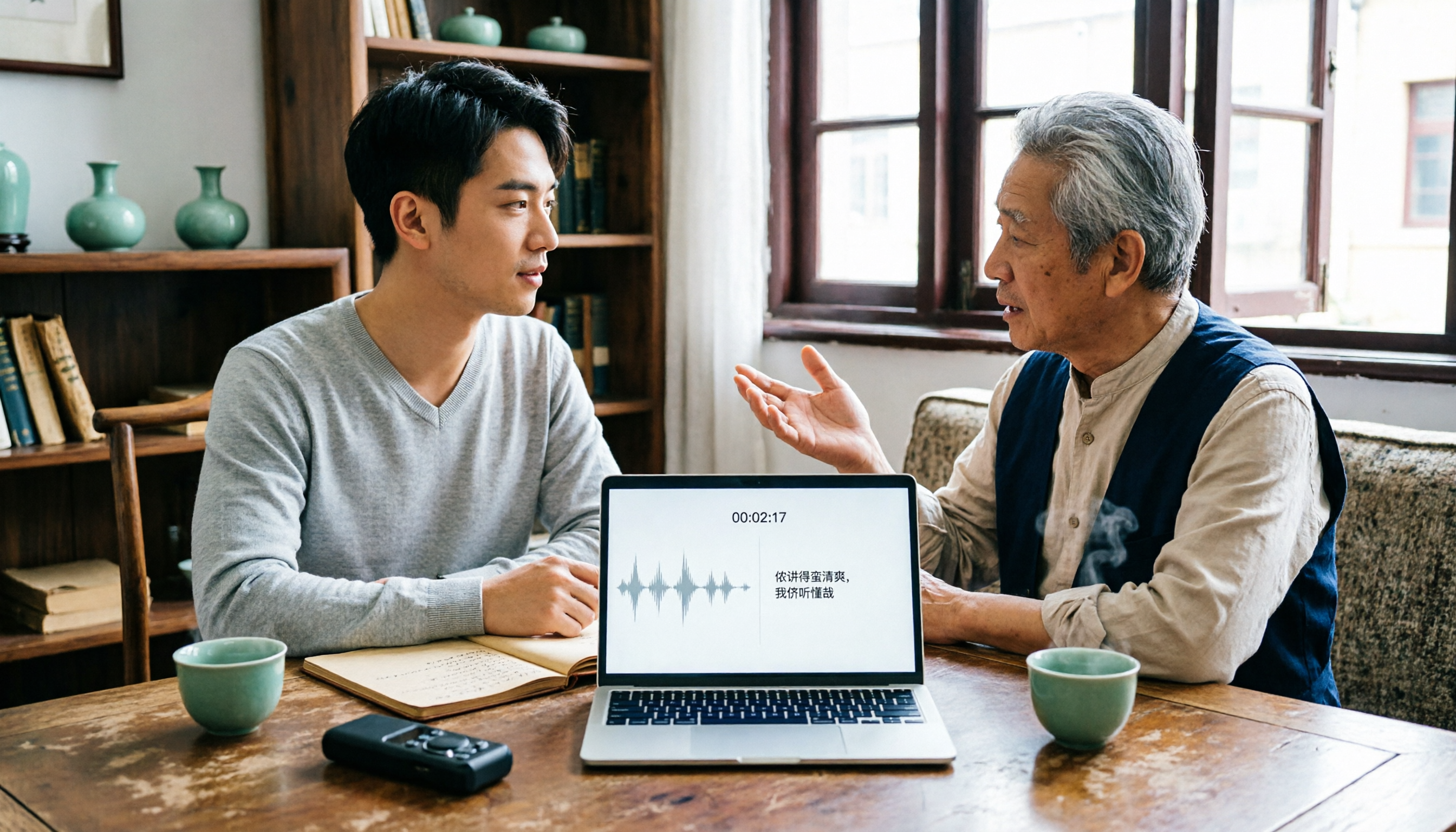
2026 Tested: 3 Shanghainese Speech-to-Text Tools Compared — The Least Painful Way to Process Dialect Interviews
There's no one-size-fits-all answer for transcribing Shanghainese. Instead of hunting for a tool that "supports dialects," change your workflow. This article covers four key points — assessing your recording's language mix, checking timestamps, post-meeting follow-up questions, and preserving team data — and tests Tinrec, Notta, Granola, and Otter.ai on mixed-language interviews, plus the 4 most common buying mistakes.

5 Best Korean Speech-to-Text Tools in 2026: Free vs Paid Comparison
After a one-hour Korean meeting, do you spend three hours organizing the transcript? This article compares five Korean speech-to-text tools: Tinrec, Musely, UniScribe, TurboScribe, and Notta. It breaks down honorific level handling, post-meeting summaries and action items, input sources, team collaboration, and free tier limits, with a guide to avoid pitfalls and scenario-based recommendations to help you find the one that truly saves time.

4 Desktop Speech-to-Text Tools Tested: Which Is Fastest for Chinese Meeting Transcripts in 2026?
Spending two or three hours after a meeting to clean up transcripts often comes down to choosing the wrong tool version. This article reviews four desktop speech-to-text solutions, comparing whether the desktop version can directly capture system audio, Chinese and mixed Chinese-English recognition, post-meeting summary Q&A, team seats, and quotas. We tested Tinrec, Otter.ai, Granola, and TurboScribe to help you pick the one that best fits your workflow.

Best Multilingual Speech-to-Text Tools in 2026: 4 Tested, This One Handles Chinese + Mixed Chinese-English Best
How to choose a multilingual speech-to-text tool? This article starts from the real pain point of mixed-language meetings, explains 4 key points to consider before buying, and tests Tinrec, Otter.ai, Notta, and TurboScribe on Chinese, mixed Chinese-English, and cross-language meeting performance. It honestly lists each tool's free quota, paid pricing, and feature limitations to help you decide which fits your meeting scenario, not just how many languages it supports.

4 Audio-to-Text Tools Tested: Which Offers the Best Free Tier in 2026?
How to choose a meeting transcription tool? This article covers four real-world scenarios—Chinese meetings, mixed Chinese-English, online meeting recording, and post-meeting organization—and outlines 4 key buying factors and 4 common pitfalls. It also tests and compares Tinrec, Otter.ai, Notta, and Granola on free tier limits, Chinese performance, and post-meeting workflows, with final recommendations by use case.

Best Free Audio-to-Text Tools in 2026: 6 Real-Time Transcription Apps Compared
How to choose a real-time audio-to-text tool? This guide compares 6 free and paid options—from online meeting recording without a bot, bilingual live transcription, to post-meeting summaries, action items, and team knowledge retention—with free quotas and pricing details to help you decide which one is worth your time.

Free Audio-to-Text Solutions in 2026: 6 Tools Compared + AI-Generated Meeting Minutes
Tired of replaying recordings and typing every word after a meeting? This guide reviews six free audio-to-text solutions in 2026—Tinrec, MyEdit, Monica, Notta, TurboScribe, and Granola—covering free quotas, supported languages, pricing, and ideal users to help you pick the right tool and avoid overtime transcription.