
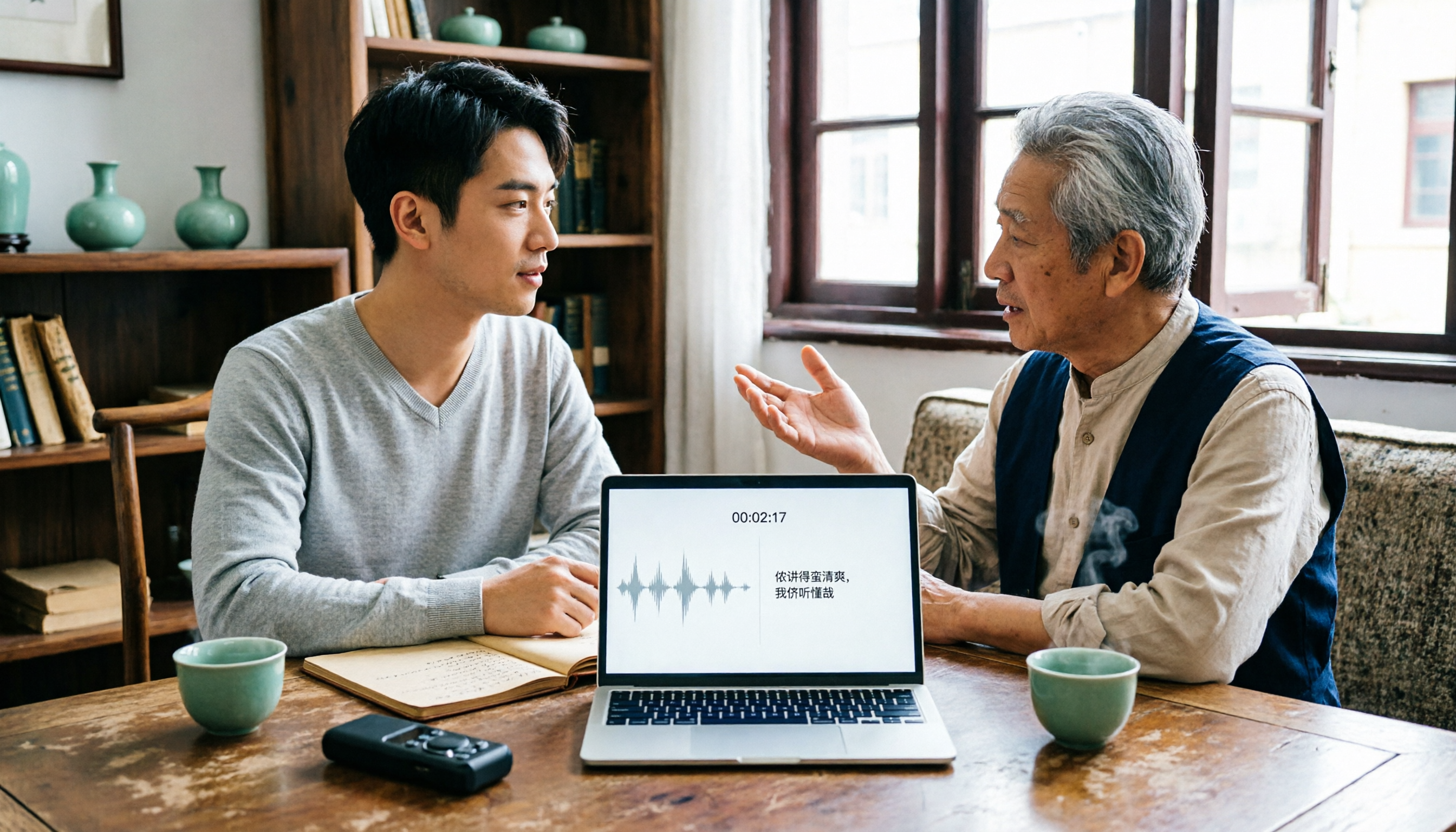
Turn recordings into transcripts and summaries in minutes
Upload audio or video for multilingual transcription, AI notes, and action items
2026 Tested: 3 Shanghainese Speech-to-Text Tools Compared — The Least Painful Way to Process Dialect Interviews
Recording It Doesn't Mean You Can Use It — You Don't Need a Tool, You Need a Solution
You have a Shanghainese recording.
Maybe it's an interview with an elder, maybe a conversation with a local client, or maybe a field recording from a longtang alley.
You open a transcription tool, upload, and wait a few minutes.
The output: the Mandarin sentences are readable, but the Shanghainese sections turn into a string of things you can't recognize.
It's not that the tool is being lazy.
Shanghainese is a Wu language. It has a full set of contrasts between voiced stops, unaspirated voiceless stops, and aspirated voiceless stops; its tones merged from 8 down to 5; and it has extensive literary-colloquial double readings plus a large number of early loanwords. (Screenshot here: an interview audio file alternating between Shanghainese and Mandarin, with the language switch points marked on the waveform)
Apply a Mandarin speech model directly, and of course it slips.
So this article is not going to tell you "which one perfectly supports Shanghainese."
No tool today dares guarantee every dialect, and I won't make one up for you.
What I want to talk about is something else: now that dialect transcription has no standard answer, how do you use the tools you have to turn a Shanghainese recording into data you can actually use?
Before Choosing a Shanghainese Speech-to-Text Tool, Understand These 4 Key Points
First, figure out what's in your recording.
Real Shanghainese situations rarely consist of pure Shanghainese for a full thirty minutes.
More common is Shanghainese mixed with Mandarin: an elder tells a story in Shanghainese, then switches back to Mandarin for job titles, place names, and proper nouns.
With this kind of mixed-language recording, the Chinese model can catch the Mandarin half; the dialect half you'll have to verify yourself.
Figure out the ratio first, so you don't buy a tool only to find it solves just 30% of your problem.
Second, check whether it preserves the recording and timestamps.
Dialect transcription will always have errors — that's reality.
So the real question isn't "how many errors," but "how fast can you find them again."
If it keeps the original audio and the transcript maps to timestamps, you click once and go back to that sentence to re-listen.
If it doesn't keep the audio, or exports plain text with no timestamps, you're stuck re-listening to the whole thing.
Third, look at what you can do after transcription.
You spend time producing a transcript in order to write reports, interview notes, and client requirements.
If the tool just gives you a blob of text, you still have to read it all and organize it yourself.
One that can auto-generate summaries, chapters, and to-dos — and lets you directly ask "what are the three difficulties this interviewee mentioned?" — saves more than just typing time.
Fourth, look at how the team takes over.
Interview research usually involves more than one person.
If data is scattered across each person's own account, when a member leaves, the recordings and transcripts disappear with them.
This is why I've come to care more and more about team spaces, roles, and seats.
Tinrec — My Main Workflow After Testing
Tinrec is an AI meeting notes and collaboration tool for individuals and teams, available on iOS, Android, desktop, and web.
I started using it not because it can transcribe Shanghainese, but because it handles "what happens after recording" especially smoothly.
The first scenario: online meetings without a bot.
In the past, to record a Zoom, Meet, or Teams meeting, the most common approach was to send a meeting bot in.
But in some interviews or internal meetings, an extra bot on the attendee list makes the interviewee uncomfortable.
Tinrec's desktop version directly captures your computer's system audio — no extra participant needed. Open it and start recording, and the transcript grows in sync. (Screenshot here: desktop recording interface, with an arrow pointing to the system audio source option)
The second scenario: organizing mixed-language recordings.
I drop in an interview that mixes Shanghainese and Mandarin; the Mandarin sections are basically readable as-is.
For the Shanghainese sections, I replay against the transcript timestamps, listening and filling in as I go.
This process still takes time, of course, but compared to the old pause-play-type-repeat cycle, the rhythm is far smoother.
I won't promise it understands every Shanghainese sentence — no tool can — but keeping the recording and matching timestamps make "verification" feasible.
Also, names, places, and industry terms that recur in interviews can go into team hotwords, reducing the hassle of mis-transcribing the same word every time.
The third scenario: follow-up questions after recording.
This is my most-used feature.
I don't re-read a thirty-minute transcript; I just ask: "What specific difficulties did this interviewee mention?" "Is his account of the budget consistent?"
It answers based on semantics, rather than throwing a string of keywords at me to click through one by one.
Among tools at the same price point, not many have this capability.
An honest note on test conditions.
My test recording was an interview of about ten minutes: indoors, with air-conditioner background noise, two speakers, Shanghainese and Mandarin alternating.
Stop organizing recordings by hand
Upload audio or video and automatically get a transcript, summary, and action items
Under these conditions, the Chinese transcription lets me grasp the general thread; dialect sections still need manual verification.
If your recording is pure Shanghainese, multiple people talking over each other, or recorded outdoors, performance will certainly be worse. I need to make that clear upfront.
Who it's for.
If you need to keep recordings, need transcript timestamps to go back and verify, need post-meeting summaries and follow-up questions, and need the team to share the same data — Tinrec is currently my smoothest choice.
The limitations, too.
The free version offers a basic quota to try; heavy use requires payment.
Also, it has no separate "Shanghainese mode" — it relies on Chinese and multilingual transcription capabilities, plus your own manual verification.
If your requirement is "not a single Shanghainese sentence can be wrong," then no tool can catch that today; you'll need to set your expectations back to human transcription.
If it's for a team to use together.
The team version is a separate collaboration space, not several people sharing one personal account. Inside, you can create and switch between multiple team spaces, invite members via join links, set owners and admins, assign or revoke seats, and centrally store meeting data, view usage trends, manage hotwords, and query and export audit logs.
Current internal product configuration: first eligible team trial is 7 days, 1 free seat, 300 minutes of team shared import quota; team monthly billing is USD 29.80 per paid seat per month, annual billing is USD 199 per paid seat per year (about USD 16.58 per month), each paid seat provides 2,000 minutes of team shared import quota per month, and real-time recording is currently not deducted by minutes under a valid plan and valid seat.
Prices and benefits may change; please refer to the official page before making a formal purchase.
Besides Tinrec, What Else Is There?
Notta: Multilingual transcription and file import are well done. Free version is 120 minutes per month with a 3-minute per-file limit; Pro annual billing works out to about USD 8.17 per month. Its language list is long, but it doesn't have a desktop version that directly captures system audio. If you mainly upload existing audio files after the fact and don't need a transcript in sync during the meeting, it's worth evaluating; if you want "a transcript while recording, and follow-up questions right after," that's where Tinrec wins.
Granola: Also takes the no-bot route, using desktop system audio and microphone for real-time transcription. Basic is free; Business is USD 14 per person per month. The difference is that it doesn't support uploading pre-recorded audio files and doesn't save meeting audio — for you, needing to go back and verify dialect sections, this is critical. Tinrec keeps recordings and supports file import, which is the most practical dividing line between the two.
Otter.ai: A veteran choice for English meetings; Basic is free with 300 minutes per month. If most of what you record is English content, its value is hard to beat. But it doesn't focus on Chinese and dialect scenarios, and its post-transcript output is mainly meeting summaries. For interviews that are mainly Chinese with occasional dialect, I wouldn't recommend starting with it.
Pitfall Guide: The 4 Most Common Mistakes When Choosing a Dialect Transcription Tool
Pitfall 1: Assuming that being able to select a dialect in settings means accurate transcription.
Many tools have long language lists that look like they support everything.
But an option on a list and "transcribing correctly in a real recording" are two different things.
The right approach: test with your own recording, not the official demo audio. Your air-conditioner noise, your accent, your multiple people talking over each other — those are the real conditions.
Pitfall 2: Ignoring recording preservation and timestamps.
Dialect transcription always requires manual review.
If the tool doesn't keep the audio, or exports plain text with no timestamps, you've lost the path back to verify.
This should be confirmed with higher priority than accuracy.
Pitfall 3: Treating the transcript as the finish line.
If you only use a transcription tool as "audio to text," you're using only a third of its capability.
Summaries, chapters, to-dos, AI follow-up questions, export to work documents — these are where you actually save time.
Pitfall 4: Forcing a team scenario onto personal accounts.
Several people sharing one set of credentials looks like saving money.
But data ownership, member departures, usage attribution, who can edit and who can only view — it all gets messy.
The reason the team version separates "roles" and "seats" is to solve exactly this: members without seats can still view and play team data, but actual recording, uploading, and editing require a seat.
Conclusion: Which One Should You Actually Choose?
Need to keep recordings, transcript timestamps, post-meeting summaries and follow-up questions, and mainly Chinese → Tinrec.
Recording interviews that mix Shanghainese and Mandarin, need manual verification → Tinrec (keeps audio + timestamps, lowest verification cost).
Team needs to share the same batch of interview data, needs permissions and usage management → Tinrec team version (separate space, roles, seats, audit).
Only recording English meetings, zero budget → Otter.ai (better value for this scenario).
Pure Shanghainese, requiring zero errors → no tool can catch that today; arrange human transcription, or treat AI as an assistant.
Benefits this method brings:
- No need to type the transcript from scratch — start with a readable draft.
- Dialect sections have timestamps to locate, so verification becomes "skip-listen" instead of "re-listen to everything."
- No need to re-read the whole text after the meeting — use questions to grab the key points.
- Data stays in the team space; member changes don't take assets away.
Five-step starter:
- Pick a ten-minute, representative recording; don't organize the whole session first.
- Run it once with the free quota, and mark the ratio of "Mandarin readable" to "dialect needs verification."
- Add recurring names, places, and terms to hotwords.
- Verify with AI questions: does the key points it catches match what you think?
- After confirming the team will use it, then discuss seats and quota — don't buy at the start.
Test step by step, and you'll gradually figure out your own dialect organization workflow.
(One reminder: before recording and transcribing, please comply with local regulations and obtain participants' consent when necessary.)
References
- Can't understand Shanghainese? A Shanghainese translator turns it into text so you get it instantly! - Yidu
- Shanghainese - Wikipedia, the free encyclopedia
- AI speech-to-text quickly converts recording files to text online, transcripts and video subtitles - free trial - cSubtitle
- Shanghainese - Wiktionary, the free multilingual dictionary - Wiktionary
- Online AI automatically converts speech, video, and recording files to text - free trial - cSubtitle
Turn every recording into actionable outcomes
Get 60 free transcription minutes when you sign in. No credit card required.
Related Reading
You might also like

2026 English Speech-to-Text Tools Tested: Which One Turns Transcripts Into Usable Data?
How do you choose an English speech-to-text tool? Starting from common pitfalls, this hands-on comparison tests Tinrec, Otter.ai, Notta, and TurboScribe, covering five key buying factors: audio sources, post-meeting organization, mixed Chinese-English speech, free quotas, and team data ownership, plus a pitfalls guide and scenario-based recommendations.

4 Phone Recording-to-Text Solutions Tested for 2026: Which Offers the Most Free Minutes and Best Post-Meeting Organization?
Starting from the three most common mistakes students make, this hands-on comparison tests four phone recording-to-text solutions and explains how Tinrec turns classroom and group meeting recordings into searchable, queryable, exportable transcripts and action items. It also covers free quotas, pricing, and what students should consider when choosing a tool.

5 Best Korean Speech-to-Text Tools in 2026: Free vs Paid Comparison
After a one-hour Korean meeting, do you spend three hours organizing the transcript? This article compares five Korean speech-to-text tools: Tinrec, Musely, UniScribe, TurboScribe, and Notta. It breaks down honorific level handling, post-meeting summaries and action items, input sources, team collaboration, and free tier limits, with a guide to avoid pitfalls and scenario-based recommendations to help you find the one that truly saves time.
4 Desktop Speech-to-Text Tools Tested: Which Is Fastest for Chinese Meeting Transcripts in 2026?
Spending two or three hours after a meeting to clean up transcripts often comes down to choosing the wrong tool version. This article reviews four desktop speech-to-text solutions, comparing whether the desktop version can directly capture system audio, Chinese and mixed Chinese-English recognition, post-meeting summary Q&A, team seats, and quotas. We tested Tinrec, Otter.ai, Granola, and TurboScribe to help you pick the one that best fits your workflow.

Best Multilingual Speech-to-Text Tools in 2026: 4 Tested, This One Handles Chinese + Mixed Chinese-English Best
How to choose a multilingual speech-to-text tool? This article starts from the real pain point of mixed-language meetings, explains 4 key points to consider before buying, and tests Tinrec, Otter.ai, Notta, and TurboScribe on Chinese, mixed Chinese-English, and cross-language meeting performance. It honestly lists each tool's free quota, paid pricing, and feature limitations to help you decide which fits your meeting scenario, not just how many languages it supports.

4 Audio-to-Text Tools Tested: Which Offers the Best Free Tier in 2026?
How to choose a meeting transcription tool? This article covers four real-world scenarios—Chinese meetings, mixed Chinese-English, online meeting recording, and post-meeting organization—and outlines 4 key buying factors and 4 common pitfalls. It also tests and compares Tinrec, Otter.ai, Notta, and Granola on free tier limits, Chinese performance, and post-meeting workflows, with final recommendations by use case.
Best Taiwanese Hokkien Input Methods in 2026: 5 Tested, Speaking Beats Typing for Meeting Notes
Most people get stuck on Tâi-lô romanization and tones, so they install a Taiwanese Hokkien input method but end up typing Mandarin instead. This article tests the Ministry of Education Taiwanese Hokkien Hanzi input method, PhahTaigi, RIME, and built-in mobile keyboards, covering 4 key buying factors and 3 common pitfalls. It also explains how using Tinrec to record first and organize later can save effort in meetings and interviews.

Best Free Audio-to-Text Tools in 2026: 6 Real-Time Transcription Apps Compared
How to choose a real-time audio-to-text tool? This guide compares 6 free and paid options—from online meeting recording without a bot, bilingual live transcription, to post-meeting summaries, action items, and team knowledge retention—with free quotas and pricing details to help you decide which one is worth your time.

Free Audio-to-Text Solutions in 2026: 6 Tools Compared + AI-Generated Meeting Minutes
Tired of replaying recordings and typing every word after a meeting? This guide reviews six free audio-to-text solutions in 2026—Tinrec, MyEdit, Monica, Notta, TurboScribe, and Granola—covering free quotas, supported languages, pricing, and ideal users to help you pick the right tool and avoid overtime transcription.