

Turn recordings into transcripts and summaries in minutes
Upload audio or video for multilingual transcription, AI notes, and action items
2026 AI Meeting Notes Tools Compared: Notta Showcase Pricing vs. Tinrec — Which to Choose?
If you're searching for Notta Showcase pricing, it's usually not because you want a feature list—it's because you have a more specific question: How much does this tool cost per month? Is the free version enough? And compared with the meeting notes tool I'm considering, where should I put my budget?
Bottom line first: these two tools solve different problems. One focuses on turning operational workflows into tutorial documents; the other focuses on turning meetings into trackable records. First clarify whether you need to deliver a guide or meeting notes—then pricing becomes a meaningful comparison.
Notta Showcase vs. Tinrec | Quick Overview
Notta Showcase is an AI document tool that automatically turns your screen actions into step-by-step tutorial guides. Content can include text, video, and screenshots, and it also supports screen recording and translated subtitles.
Tinrec is an AI meeting notes and collaboration tool that converts meeting recordings, online meetings, and audio/video files into transcripts, summaries, and action items, and continuously accumulates them in team spaces.
| Item | Notta Showcase | Tinrec |
|---|---|---|
| Core positioning | How-to tutorials, SOP guides, video translation | Meeting notes, post-meeting organization, team collaboration |
| Pricing model | Free tier + paid upgrade; amounts per official pricing page | Personal: free / weekly pass / Pro monthly / annual; Team: USD 29.80 per paid seat per month, USD 199 per paid seat per year |
| Best for | People creating product tutorials, process docs, multilingual videos | People creating meeting records, action tracking, team knowledge accumulation |
Here's a breakdown across five dimensions: positioning, pricing structure, recording workflow, team governance, and post-meeting output.
Dimension 1 | Positioning and Use Cases
Notta Showcase's focus is clear: record "how to do something." The official page mentions it can record screen actions, automatically generate step-by-step guides, and add subtitles to translated videos. For people who need to write SOPs and product tutorials, what it saves is really screenshot and formatting time.
Tinrec handles a different kind of content: what was said in a meeting, what was decided, who needs to do what. It supports live recording, desktop online meeting recording, audio/video file import, and outputs summaries, chapters, and action items.
So there's no absolute winner in this dimension.
If what you need to deliver is "an operational guide for new hires" or "multilingual tutorial videos," Notta Showcase is a better fit.
If what you need to deliver is "the record of this meeting and follow-up actions," Tinrec is the tool on that track.
→ This dimension: different purposes, tie.
Dimension 2 | Free Plans and Pricing Structure
This is what most people really care about—and where information goes stale fastest.
Notta Showcase has a separate official pricing page. Third-party reviews also mention a free tier, paid upgrades for advanced features, and a free trial. However, public summaries don't consistently list specific amounts, minutes, or seat counts. Honestly, these numbers change frequently, so I usually don't quote prices from review sites directly—I ask readers to check the official page for current plan details.
Tinrec's pricing structure is more detailed on the team side:
- First eligible team trial: 7 days, 1 free seat, 300 minutes of shared team import quota.
- Team monthly: USD 29.80 per paid seat per month.
- Team annual: USD 199 per paid seat per year, roughly USD 16.58 per month.
- Paid seat benefits: 2,000 minutes of shared team import quota per seat per month.
- Live recording under an active team plan and active seat is currently not deducted by minute; file and web imports use the shared team quota.
The personal version offers a free plan, weekly pass, Pro monthly, and Pro annual. Actual amounts and quotas are also subject to the official website.
Note that the "minutes" on each side are not the same kind of minutes. Notta Showcase's plans revolve around guide creation and video processing, while Tinrec's team minutes refer to shared import quota—live recording isn't counted. Comparing numbers directly would be misleading.
→ This dimension: if you want to see at a glance what a team will spend per year, Tinrec's team plan has more complete public information; for Notta Showcase, refer to the official pricing page.
Dimension 3 | Recording and Transcription Workflow
Notta Showcase's workflow is "record while you operate." After recording, it automatically breaks out steps with screenshots and descriptions. It also handles video translation, supports 15+ languages, and uses AI voiceover to preserve the original speaker's tone. For multinational teams publishing tutorial videos, this part is very practical.
Tinrec's workflow is "record when the meeting starts, organize when it ends." The desktop version captures system audio directly, so for online meetings like Zoom, Google Meet, Microsoft Teams, and Webex, you don't need to pull an extra meeting bot into the call. During recording, you can view the original text, translation, or bilingual content, and after the meeting it generates summaries and chapters.
Both involve transcription, but one is operational voice and narration, and the other is multi-person meeting speech.
Stop organizing recordings by hand
Upload audio or video and automatically get a transcript, summary, and action items
→ This dimension: for screen recording of operations, choose Notta Showcase; for recording meetings and cross-language discussions, choose Tinrec. Different scenarios, tie.
Dimension 4 | Team Collaboration and Governance
When multiple people use a tool together, the question shifts from "does it have the feature" to "who can do what."
Notta Showcase's team authorization details aren't fully listed in public summaries. It's best to check the official plan description directly to confirm seat counts, member permissions, and usage rules.
Tinrec's team plan divides governance into three layers, which is relatively clear:
- Roles: determine who can manage the team, members, audit logs, and team settings.
- Seats: determine whether members can record, upload, edit, import, export, and use team resources.
- Member relationship: determines whether a user belongs to the team.
In other words, active members without a seat can still view, play, and read team data, but cannot upload, edit, or import/export. Team data belongs to the team; when a member leaves or is removed, their responsible resources need to be handed over to other active members. There are also team hotwords, usage analytics, audit logs, and an audio recycle bin (currently retained for 30 days).
Also note: this is team-level sharing plus role and seat management, not file-level granular permission settings.
→ This dimension: if your team needs to manage seats, usage, and activity logs, Tinrec has more complete information; for Notta Showcase, confirm with the official source.
Dimension 5 | Post-Meeting Output and Follow-Up Workflow
Notta Showcase's output is "documents": step-by-step guides, screenshots, subtitled videos, translated voiceover versions. These are for external communication and training.
Tinrec's output is "meeting materials": transcripts, AI summaries, chapters, highlights, action items, mind maps. You can also continue asking questions about the meeting content, or generate reports, tables, and documents, and export to Notion, Google Docs, OneNote, Dropbox, and other tools for further processing.
One makes the process clear; the other keeps the discussion.
→ This dimension: depends on who you hand off to after the meeting. For customer and new-hire tutorials, use Notta Showcase; for team and manager meeting records, use Tinrec.
What Are Each Tool's Unique Strengths?
Tinrec's unique strengths:
- Bot-free recording: desktop version captures system audio, so you don't need to add another account to the meeting.
- Post-meeting Q&A: not just transcripts—you can ask questions and find key points within a single meeting or across meetings.
- Complete team governance: roles, seats, shared quota, usage analytics, audit logs, and audio recycle bin all in one place.
- Chinese and multilingual scenarios: supports Chinese, mixed Chinese-English, and multilingual meetings, with team hotwords for maintaining terminology.
Notta Showcase's unique strengths:
- Automatic how-to guide generation: screen recording directly produces step documents, saving significant screenshot and formatting time.
- Video translation and voiceover: supports 15+ languages, adds subtitles to translated videos, and preserves the original speaker's tone.
Conclusion: Which Should You Choose?
- If you need to write product tutorials, SOPs, or customer how-to guides → Notta Showcase. Remember to check the official pricing page for current plans and free-tier limits.
- If you need to record meetings, capture action items, and ask follow-up questions afterward → Tinrec.
- If meetings are in Chinese or mixed Chinese-English and you need bilingual comparison → Tinrec.
- If your team needs to manage seats, view usage, and activity logs → Tinrec Team plan.
- If you only occasionally create a how-to tutorial and don't need video translation → try Notta Showcase's free tier first; no need to rush into paying.
In one sentence: Notta Showcase sells "turning processes into documents"; Tinrec sells "turning meetings into usable team data." For most office workers and teams focused on meeting notes, Tinrec is closer to daily needs; but if your task is tutorial documents and multilingual videos, Notta Showcase is the right tool.
Pricing is always the last thing to confirm. Plans and quotas on both sides may change, so check the official pages for current amounts before purchasing.
FAQ
Q1: What exactly is Notta Showcase's price?
The official site has a separate pricing page listing free tier and paid upgrade plans. Public summaries don't include fixed amounts, and third-party review numbers may be outdated. It's best to open the official page to confirm current plans, quotas, and currency.
Q2: Does Notta Showcase have a free version?
Yes, there is a free tier; advanced features require a paid upgrade, and a free trial is also mentioned. Free tiers usually limit features or usage—check the official page for actual boundaries.
Q3: Is Tinrec's free version enough?
For occasional recording organization or trying out transcription and summaries, the free version works. If you have regular weekly meetings, Pro monthly or annual is less likely to hit limits mid-way; for short bursts of intensive meetings, consider the weekly pass.
Q4: How is Tinrec's team plan priced?
Team monthly is USD 29.80 per paid seat per month; annual is USD 199 per paid seat per year, roughly USD 16.58 per month. Each paid seat provides 2,000 minutes of shared team import quota per month; live recording is currently not deducted by minute. First eligible teams get a 7-day trial with 1 free seat and 300 minutes of shared import.
Q5: Can members without a seat see team data?
They can view, play, and read team data, but cannot record, upload, edit, or import/export. Teams share at the team level, not file-level permissions—make this clear to members before onboarding.
Q6: What should I watch out for when transcribing meeting recordings?
First, confirm local regulations and participant consent—that's basic. Also, AI transcription and summaries may still miss or misinterpret details; for important decisions, cross-check with transcript timestamps and recording playback.
References:
- Notta Showcase official pricing page: https://app.notta.ai/showcase/pricing
- Notta Showcase official features page: https://www.notta.ai/en/showcase
- Notta Showcase review and plan description (TryAnAI): https://tryanai.com/tool/notta-showcase
- Notta Showcase tool introduction (GenAI Works): https://genai.works/applications/nottashowcase
- Notta Showcase video translation feature introduction (AIVideoToolsPro): https://www.aivideotoolspro.com/detail/notta
Sources
Turn every recording into actionable outcomes
Get 60 free transcription minutes when you sign in. No credit card required.
Related Reading
You might also like

2026 AI Meeting Recorder Pricing Comparison: Notta Showcase Cost and 5 Alternatives
Notta Showcase offers a free tier and paid upgrades, but its public page doesn't list specific prices. This article gathers Notta Showcase pricing clues and compares actual plan prices and use cases for Tinrec, Otter.ai, Fireflies.ai, Granola, and TurboScribe to help you choose the right tool within your budget.

2026 AI Meeting Recorder Comparison: How to Use Notta & Which Handles Chinese Meetings Best
We ran a real mixed Chinese-English meeting through Notta's full setup—from sign-up to web and desktop use—and compared it with Tinrec, Otter.ai, and TurboScribe on Chinese recognition, meeting capture, post-meeting organization, and team collaboration. Free tiers and paid pricing are listed so you can judge which tool actually saves time before you try.

2026 AI Meeting Recorder Comparison: Notta Reviews, Complaints, and a Faster Alternative
We break down common Notta complaints and compare Tinrec, Notta, Otter.ai, and TurboScribe on Chinese transcription, bot-free recording, post-meeting AI Q&A, and team collaboration—so you can avoid trial-to-annual billing traps and inaccurate transcripts.

4 Best Notta Alternatives in 2026: Chinese Meeting Notes & AI Q&A Compared
Notta's free plan offers 120 minutes per month with a 3-minute limit per recording—often insufficient for full meetings. This comparison evaluates Tinrec, Otter.ai, Fireflies.ai, and TurboScribe as Notta alternatives across Chinese transcription, bot-free recording, post-meeting AI Q&A, and team data, helping professionals and teams choose the right solution.

Nottaa Collection 1/12 Figures Compared: Which to Buy First?
Nottaa Collection 1/12 figures range from HK$230 bodies to HK$650 Enveloped Yaomo, nearly triple the price. This guide uses 'display or play' as the decision start, breaks down the differences between the body line, Enveloped Yaomo, licensed IP, and Xtreme lines, and provides 4 key buying criteria and 4 common pitfalls, ending with recommendations based on your needs.

2026 AI Meeting Recorder Comparison: Is Notta Pricing Worth It?
Notta's pricing page shows US$8.17, US$15, and US$16.67—which one will you actually pay? This article breaks down the real costs and hidden add-ons of Notta's Free, Pro, Business, and Enterprise plans, and compares Tinrec, Otter.ai, Granola, and TurboScribe across four key buying factors to help Hong Kong office workers find the most time-saving solution.

Notta Transcription Review 2026: 58 Languages + AI Summaries, 3 Limitations to Know First
Is Notta worth using? This review breaks down Notta's 58-language transcription, AI summaries, and AI chat features from three decision points: recording length per session, language mix, and post-meeting output. It also covers practical limits like the free plan's 3-minute cap per recording, mixed reviews on transcription quality, and data usage terms, then compares Tinrec, Otter.ai, and TurboScribe to help you decide before paying.
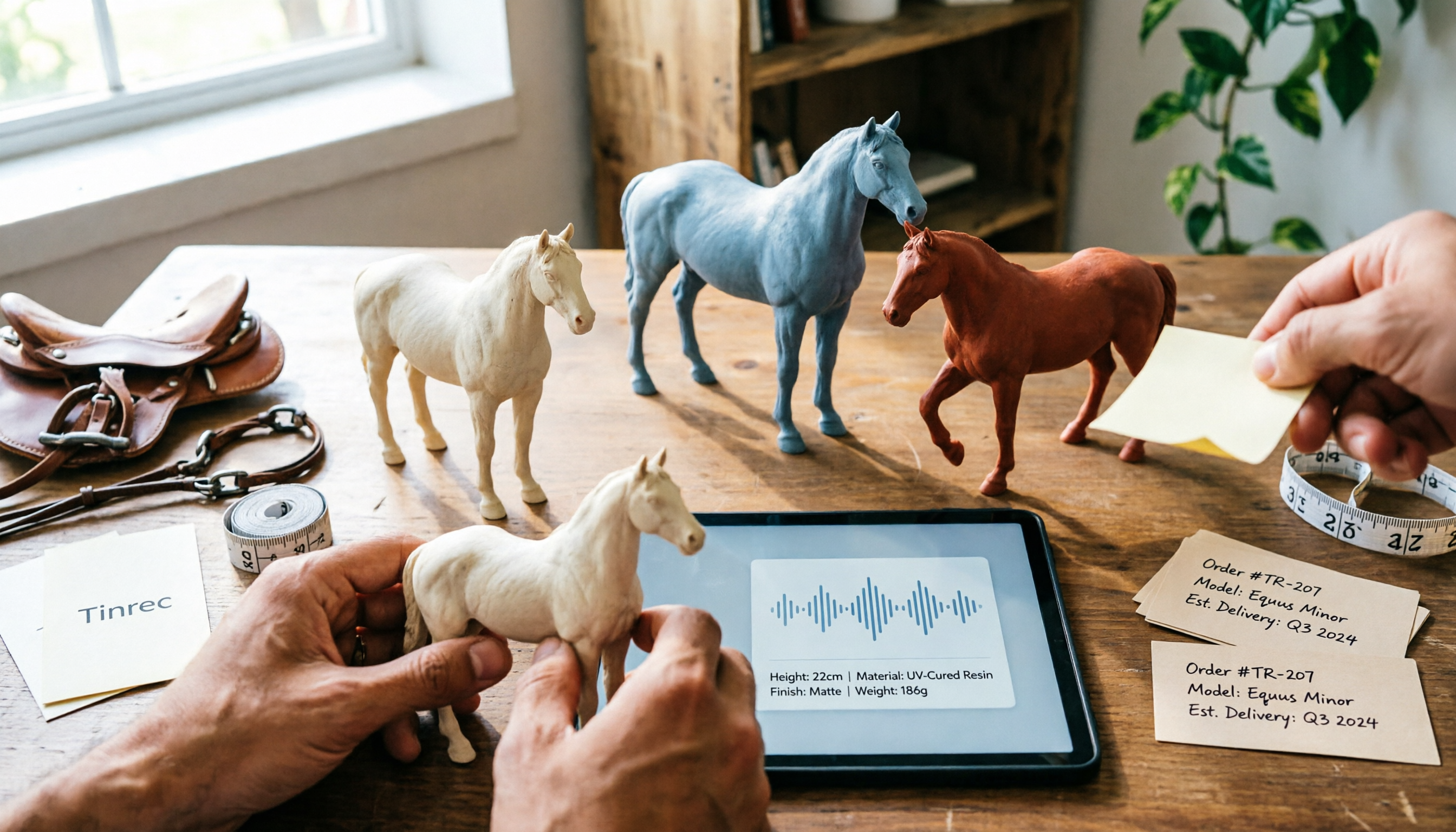
Nottaa Collection 1/12 Horse Figure Review: 3 Colorways & Pre-Order Bonus Breakdown
The Nottaa Collection 1/12 horse figure stands 22cm tall and comes in two styles with three colorways, plus a pre-order bonus saddle and reins. This article compares scale, styling, accessories, material listings, and pricing, and notes a Hong Kong retailer's HK$350 price tag, stock shortages, and pre-order deposit details to help you distinguish versions and bonuses before ordering.

2026 AI Meeting Notes Pricing Compared: Discounts, Free Tiers, and Team Plans
Most promo codes for meeting tools found online have expiration dates, plan restrictions, and can't be combined—so pasting them often doesn't work. This article addresses three common pitfalls and uses Tinrec as an example to show how to calculate costs: free quota, weekly pass, Pro, and team seats. It breaks down 'saving money' into verifiable steps and lists 5 things to watch for when choosing a tool, plus FAQs.