

Turn recordings into transcripts and summaries in minutes
Upload audio or video for multilingual transcription, AI notes, and action items
2026 AI Meeting Recorder Comparison: Is Notta Pricing Worth It?
Behind the Keyword "Notta Pricing," You Really Need to Answer Three Questions
If you searched this term, you've probably already tried the free version and are about to pay. But when you open the pricing page, the numbers line up: US$8.17, US$15, US$16.67, followed by "AI Credits," "Add-on," and "Enterprise—contact us."
Which one will you actually pay?
Don't look at the price tag yet. Answer three questions:
- How many minutes of recording do you actually need to process per month? Not "how many meetings," but the actual number of minutes.
- Do you want "audio to text," or "meeting minutes and to-dos right after the meeting"? The price can differ greatly between the two.
- Are you using it alone, or do you need to share the same database with colleagues? Personal plans are per account; team plans are per seat.
Once you answer these, you'll realize: most tools on the market price by "transcription minutes," but what you really want to buy is "not having to work overtime on meeting notes." These two numbers are not necessarily proportional.
All prices below are based on official pages checked in August 2026; HKD values are approximate conversions at 1 USD ≈ 7.8 HKD, and actual amounts are subject to the checkout page.
Before Looking at the Price Tag, Understand These 4 Key Points
1. Is the quota "monthly minutes" or "per-session minutes" Some plans offer 120 minutes per month, which sounds like a lot, but the per-recording limit is only 3 minutes—you can't record a 45-minute meeting at all. This limitation is usually written in fine print; you have to find it yourself.
2. Annual and monthly pricing are two different worlds The promotional page may boldly say "US$8.17 per month," but that's the average when you pay for 12 months upfront annually. If you actually pay monthly, the same plan can be US$15. Before comparing, confirm which billing method you're looking at.
3. Are there add-ons? Real-time translation, bilingual transcripts, and extra AI credits are often not included in the base monthly fee. You think you've bought it, but you actually need to pay again. Before buying, check the "included" and "sold separately" columns carefully.
4. Personal vs. team use For team plans, besides the number of seats, you also need to ask: can colleagues without seats view the data? Can they view but not edit? These directly affect how many seats you need to buy.
In one sentence: don't just compare "how much per month," compare "how much your entire workflow costs."
Notta Pricing Breakdown: Four Plans, Which Tier Is Right for You?
The main plans listed on Notta's official page are as follows (USD, excluding tax):
| Plan | Official Price | Approximate Quota | Who It's For |
|---|---|---|---|
| Free | US$0 | 120 minutes per month, 3 minutes per session | Those who want to test the waters and don't mind recording in segments |
| Pro | Annual billing equivalent to US$8.17/month (approx. HK$64); monthly billing US$15/month (approx. HK$117) | 1,800 transcription minutes per month | Individual users with regular weekly meetings |
| Business | Annual billing equivalent to US$16.67/seat/month (approx. HK$130) | Unlimited transcription, role permissions, usage reports | Small to medium teams managing multiple people |
| Enterprise | Contact sales | Unlimited usage | Large organizations |
Several details not prominently displayed on the price tag:
- Operation limits: The official page states that some operations in Pro/Business are limited to 200 times per account per month, while Enterprise is unlimited. Heavy users should take note.
- AI Credits: Notta Brain's AI features are counted in Credits, with the principle of "deducted only after successful output." That means your base monthly fee and the actual number of AI uses available are two separate numbers.
- Translation is an add-on: Real-time translation and bilingual transcripts are not fully included in the base plan; according to third-party reviews, annual billing starts at US$6/month. If you're choosing Notta specifically for multilingual meetings, budget for this extra cost.
- In-app purchase prices may differ: Subscribing through the App Store or Google Play may result in a final price different from the web version; always check the confirmation screen before paying.
- Hardware sold separately: Notta also offers a card-sized recorder, Notta Memo, priced at US$149.
- Don't trust third-party numbers: Some comparison sites list Pro at US$13.99 and Business at US$27.99, which do not match the official figures—most likely monthly prices or outdated data.
- Read the subscription terms: Some users have reported in third-party reviews that auto-renewal and refund processes take time; cancellations or changes generally need to be handled before the next billing date. It's advisable to take screenshots before paying.
Who is Notta for? If you mainly handle document transcription, subtitles, multilingual translation, or need to process a large number of existing audio files at once, Notta's ecosystem is fairly complete. But if what you want is "meeting minutes, to-dos, and the ability to ask follow-up questions right after a meeting," read on.
Tinrec (秒聽錄音) — Our Top Choice After Hands-On Testing
Tinrec (秒聽錄音) is an AI meeting recording and collaboration tool for individuals and teams, available on web, desktop, and mobile. We tested it with a mixed Chinese-English meeting recording, and the most direct difference is: it doesn't just turn audio into text; it turns the meeting into data you can continue to work with.
Stop organizing recordings by hand
Upload audio or video and automatically get a transcript, summary, and action items
First scenario: No bot needs to join the meeting. The desktop version directly captures computer system audio, handling online meetings on Zoom, Google Meet, Microsoft Teams, Webex, etc., without inviting an extra "participant." This is very practical when meeting with clients and you don't want an extra bot appearing on the list.
Second scenario: The meeting ends, and the minutes are already there. It transcribes while recording, and after the meeting automatically generates summaries, chapters, key points, and to-dos. Who's responsible and when to pay—all clear at a glance, no need to scroll through a 45-minute transcript to find that one sentence.
Third scenario: Ask the meeting directly. After recording, you can ask follow-up questions about the meeting content, such as "Who mentioned the budget cap last time?" It answers based on semantics, not just keyword search. Among tools at the same price point, this is the most obvious differentiator. You can also export to Notion, Google Docs, OneNote, Dropbox, etc., for further use, or use the Agent for post-processing to generate reports, tables, and documents.
Pros: First, it covers three input types—live recording, online meetings, and audio/video files—so you don't need separate tools. Second, it offers real-time translation, viewable in original, translated, or bilingual mode, so mixed Chinese-English meetings won't have gaps. Third, the team version is an independent space, not "several people sharing one account"—it has roles, seats, usage analytics, audit logs, and a 30-day audio recycle bin, so data won't disappear when a colleague leaves.
Limitations to be clear about: The team version is US$29.80 per paid seat per month (approx. HK$232), or US$199 per paid seat per year, equivalent to about US$16.58/month (approx. HK$129), with each paid seat getting 2,000 shared import minutes per month; under an active plan and active seats, live recording currently does not deduct minutes, but file imports consume shared team minutes. Also, transcription quality can be affected by recording quality, ambient noise, accents, and multiple people speaking over each other; for important content, it's recommended to verify against the recording timestamps.
Who is it for? If you have several meetings every week, with mixed Chinese and English, and need to deliver minutes and to-dos afterward, or if you're the one on the team responsible for "cleaning up"—Tinrec will save you more hassle than a pure transcription tool.
Besides Notta and Tinrec, What Other Options Are There?
Otter.ai: A veteran choice for English business meetings. The free version offers 300 minutes per month; Pro annual billing is equivalent to US$8.49/user/month and includes 1,200 minutes per month and 10 file imports. If 90% of your meetings are in English, it's cost-effective; but it doesn't support Cantonese, and its post-meeting multi-format export and team data retention are not as complete as Tinrec's.
Granola: Also takes the no-bot approach, relying on desktop system audio plus your own handwritten notes to generate meeting content. Business is US$14/user/month. Its strength is "understanding your notes better," but it doesn't save meeting audio and doesn't support uploading pre-recorded files—so if you want to listen back to the original audio or organize old recordings, it can't do that.
TurboScribe: A cost-effective file transcription tool. The free version allows 3 files per day with a 30-minute limit per file; Unlimited annual billing is US$120 (equivalent to about US$10/month), and the paid version supports files up to 10 hours and uploading 50 files at once. For long-file batch transcription, it beats Tinrec; but if you need real-time meetings, post-meeting Q&A, and team collaboration, it won't help.
Pitfall Guide: The 4 Most Common Traps When Looking at AI Meeting Tool Pricing
Pitfall 1: Mistaking the annual-billing average monthly fee for the monthly fee. Seeing "US$8.17/month" and thinking you'll be charged US$8.17 each month, but then getting charged for the full year at once. Before paying, check the total amount and billing cycle on the checkout page.
Pitfall 2: Ignoring the per-session duration limit. The free version says "120 minutes per month," which sounds sufficient, but with a 3-minute per-session limit, you can only record voice memos, not a meeting. This aspect affects the actual experience the most—more critical than total minutes.
Pitfall 3: Assuming translation is included in the monthly fee. Many tools' real-time translation and bilingual transcripts are add-ons. If the reason you're choosing a tool is its multilingual capability, remember to add the add-on price to the total cost before comparing.
Pitfall 4: Buying only the transcript, not the results. This is the most common trap. A transcript is just a block of text; you still have to read through the entire meeting yourself. What truly saves time is summaries, chapters, to-dos, and askable Q&A features—for example, directly asking "What was the conclusion of this meeting?" is much faster than Ctrl+F searching paragraph by paragraph. When choosing a tool, put "post-meeting output" on equal footing with "transcription minutes."
Conclusion: How Should You Choose?
Let's go back to the original question: when you search "Notta pricing," what you really want to know isn't a number, but "if I pay this, can I avoid working overtime on meeting notes?"
By scenario:
- Individual, several meetings per week, need minutes and to-dos → Tinrec: live recording doesn't deduct minutes, and summaries and to-dos are generated right after the meeting.
- Mixed Chinese-English meetings, need bilingual comparison → Tinrec: real-time translation viewable in original/translated/bilingual; Notta's translation is an add-on, so include it in the budget.
- Team sharing meeting data, need handover when someone leaves → Tinrec team version: managed by roles and seats, data belongs to the team, not individuals.
- 90% of meetings in English → Otter.ai: generous free quota, mature for English scenarios.
- Mainly organizing existing long audio files, need batch subtitles → TurboScribe or Notta: long files and batch processing are their strengths.
- Only occasionally transcribing a recording → Start with the free version; no rush to pay.
Final thought: the price tag only tells you the cost, not the return. What you really need to compare is "how much you pay per month" versus "how many hours you save per month." If you save more than two or three hours a month, any paid plan has already paid for itself; if not, even US$8.17 is expensive.
(Price data in this article was obtained from official pages checked in August 2026; plan contents and fees are subject to change, so please refer to the official checkout page before purchasing. Recording and transcription involve others' privacy; please comply with local regulations and obtain participants' consent when necessary.)
References
Turn every recording into actionable outcomes
Get 60 free transcription minutes when you sign in. No credit card required.
Related Reading
You might also like

2026 AI Meeting Recorder Pricing Comparison: Notta Showcase Cost and 5 Alternatives
Notta Showcase offers a free tier and paid upgrades, but its public page doesn't list specific prices. This article gathers Notta Showcase pricing clues and compares actual plan prices and use cases for Tinrec, Otter.ai, Fireflies.ai, Granola, and TurboScribe to help you choose the right tool within your budget.

2026 AI Meeting Recorder Comparison: How to Use Notta & Which Handles Chinese Meetings Best
We ran a real mixed Chinese-English meeting through Notta's full setup—from sign-up to web and desktop use—and compared it with Tinrec, Otter.ai, and TurboScribe on Chinese recognition, meeting capture, post-meeting organization, and team collaboration. Free tiers and paid pricing are listed so you can judge which tool actually saves time before you try.

2026 AI Meeting Recorder Comparison: Notta Reviews, Complaints, and a Faster Alternative
We break down common Notta complaints and compare Tinrec, Notta, Otter.ai, and TurboScribe on Chinese transcription, bot-free recording, post-meeting AI Q&A, and team collaboration—so you can avoid trial-to-annual billing traps and inaccurate transcripts.

4 Best Notta Alternatives in 2026: Chinese Meeting Notes & AI Q&A Compared
Notta's free plan offers 120 minutes per month with a 3-minute limit per recording—often insufficient for full meetings. This comparison evaluates Tinrec, Otter.ai, Fireflies.ai, and TurboScribe as Notta alternatives across Chinese transcription, bot-free recording, post-meeting AI Q&A, and team data, helping professionals and teams choose the right solution.

Nottaa Collection 1/12 Figures Compared: Which to Buy First?
Nottaa Collection 1/12 figures range from HK$230 bodies to HK$650 Enveloped Yaomo, nearly triple the price. This guide uses 'display or play' as the decision start, breaks down the differences between the body line, Enveloped Yaomo, licensed IP, and Xtreme lines, and provides 4 key buying criteria and 4 common pitfalls, ending with recommendations based on your needs.

Notta Transcription Review 2026: 58 Languages + AI Summaries, 3 Limitations to Know First
Is Notta worth using? This review breaks down Notta's 58-language transcription, AI summaries, and AI chat features from three decision points: recording length per session, language mix, and post-meeting output. It also covers practical limits like the free plan's 3-minute cap per recording, mixed reviews on transcription quality, and data usage terms, then compares Tinrec, Otter.ai, and TurboScribe to help you decide before paying.
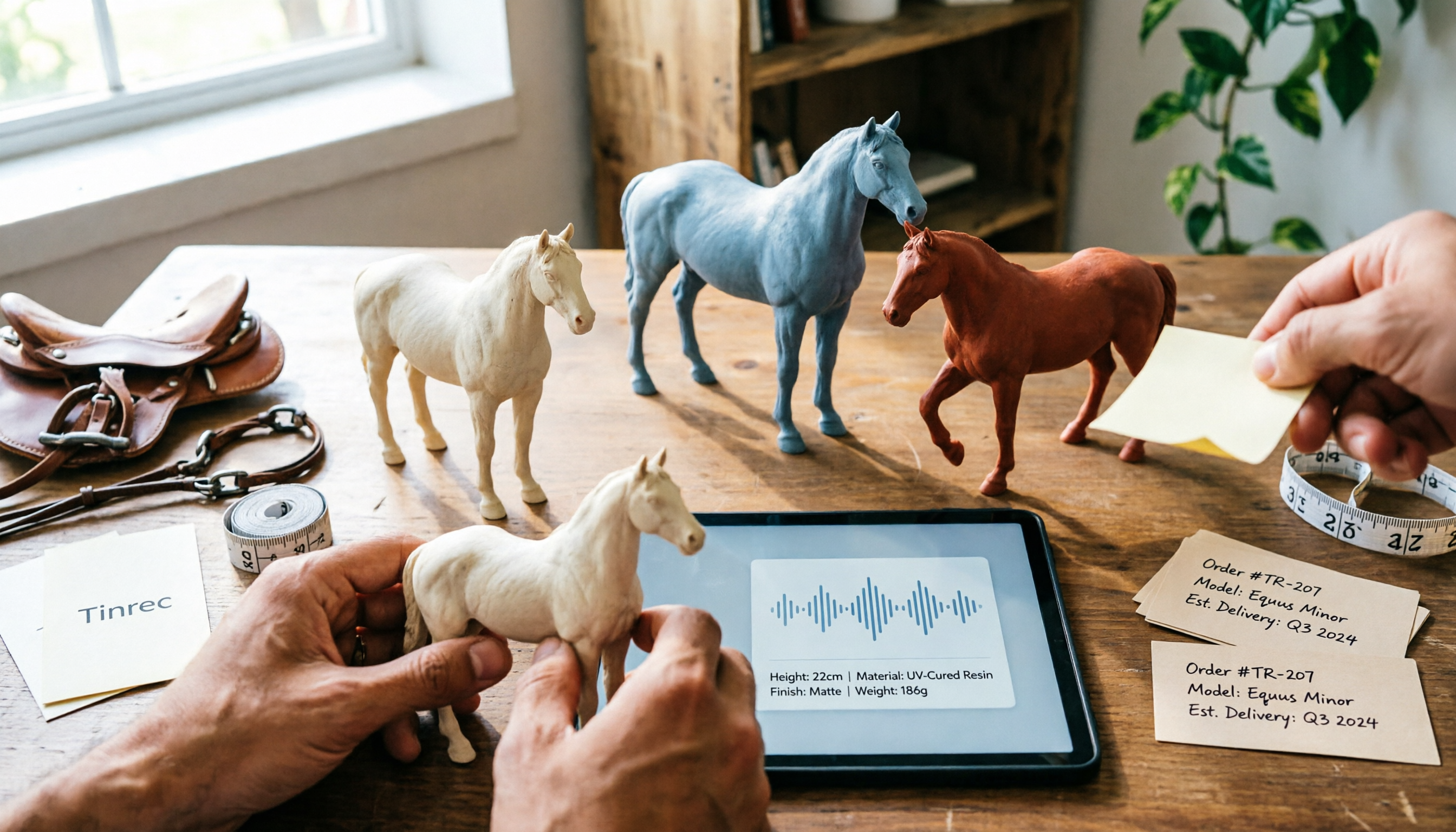
Nottaa Collection 1/12 Horse Figure Review: 3 Colorways & Pre-Order Bonus Breakdown
The Nottaa Collection 1/12 horse figure stands 22cm tall and comes in two styles with three colorways, plus a pre-order bonus saddle and reins. This article compares scale, styling, accessories, material listings, and pricing, and notes a Hong Kong retailer's HK$350 price tag, stock shortages, and pre-order deposit details to help you distinguish versions and bonuses before ordering.

2026 AI Meeting Notes Pricing Compared: Discounts, Free Tiers, and Team Plans
Most promo codes for meeting tools found online have expiration dates, plan restrictions, and can't be combined—so pasting them often doesn't work. This article addresses three common pitfalls and uses Tinrec as an example to show how to calculate costs: free quota, weekly pass, Pro, and team seats. It breaks down 'saving money' into verifiable steps and lists 5 things to watch for when choosing a tool, plus FAQs.

2026 AI Meeting Notes Tools Compared: Notta Showcase Pricing vs. Tinrec — Which to Choose?
People searching for Notta Showcase pricing are often torn between paying for a tutorial documentation tool or putting budget toward meeting notes. This article compares Notta Showcase and Tinrec across five dimensions—positioning, pricing structure, recording workflow, team governance, and post-meeting output—and honestly notes which pricing details must be confirmed on the official page.