

Turn recordings into transcripts and summaries in minutes
Upload audio or video for multilingual transcription, AI notes, and action items
2026 AI Meeting Notes Pricing Compared: Discounts, Free Tiers, and Team Plans
Most people start trying to save money on AI meeting tools by searching for 'promo codes.'
They copy a few strings that look like passwords, paste them into the checkout page, and get 'invalid code.' Half an hour wasted, not a penny saved.
Honestly, the problem isn't that you didn't search hard enough—it's that these codes aren't designed for everyone. Here are three pitfalls I've seen too many people fall into.
Why Discount Codes Often Don't Work: Three Common Pitfalls
Pitfall 1: The campaign ended long ago. Many promo codes circulating online come from limited-time campaigns that have already ended. For example, Notta ran a New Life Support submission lottery in 2025, but such large-scale campaigns are over. Most codes you find now are blogger-compiled discounts without official guarantees.
Pitfall 2: Only valid for specific plans. Some 10% off codes only apply to individual paid plans; they fail at checkout for enterprise or business plans. If you buy the wrong version, even a new code won't help.
Pitfall 3: Discounts can't be stacked. Most tools follow the rule of 'take the highest discount rate.' Annual discount, referral rewards, and promo codes are mutually exclusive. You might think you can save 40% plus 10%, but only one will apply.
So instead of spending time hunting for codes, try a different order: first figure out how many minutes you'll use in a year and whether you need team collaboration, then choose a billing method. Below, I'll use Tinrec as an example and lay out the numbers I'd calculate myself.
What Can Tinrec Do for You?
In three sentences: record audio, convert to text, and organize into data you can use directly.
Scenario 1: Get meeting notes 5 minutes after the meeting. Previously, a two-hour meeting required another hour to organize. Tinrec generates a transcript while the meeting is in progress, and after the meeting gives you a summary, chapters, and action items—who's responsible for what and when it's due, listed as a checklist.
Scenario 2: No need to invite a bot into the meeting room. The desktop version directly captures your computer's system audio, handling meetings on Zoom, Google Meet, Microsoft Teams, and Webex without adding an extra 'participant' to the list.
Scenario 3: Rescue historical recordings. If you have a bunch of old interview recordings or course audio files, upload them and they'll be transcribed, then let AI extract key points.
What Are the Core Capabilities?
Real-time transcription. Transcribes as it records, so during the meeting you can follow the text to confirm nothing important is missed—no need to wait until the meeting ends to start processing.
Bot-free recording of online meetings. Tinrec desktop captures the device's system audio and starts recording only when the user actively enables it. Note that this does not mean 'automatically join every meeting on your calendar'—you need to press start yourself.
AI summaries, chapters, and action items. Long meetings are automatically segmented. The summary isn't just condensing the transcript into a paragraph of fluff; it separates topics, conclusions, action items, and owners.
AI Q&A. After transcription, you can directly ask: 'What was the budget cap the client mentioned?' 'What unresolved issues were discussed?' It answers semantically, so you don't have to manually search through the transcript.
Real-time translation and bilingual view. For cross-language meetings, you can view the original text, translation, or bilingual side-by-side.
Multi-format export. Supports exporting to Notion, Google Docs, OneNote, Dropbox, and other tools for continued use, and can further generate reports, tables, and meeting minutes.
Team space. Meeting data belongs to the team, centralized in one space, so new members can browse historical records.
How to Choose Among 4 Plans: Spend Money Where It Counts
Here's the part I find more practical than hunting for discount codes.
1. Try the free version first. Light users can use the basic quota to go through recording, importing, summarizing, and transcribing. First confirm whether the Chinese quality meets your standards, then talk about paying.
2. Use a weekly pass for short sprints. If you just have three interviews this week or a project with intensive meetings, a weekly pass is more practical than a monthly pass—it ends when used up, with no auto-renewal.
3. Choose Pro for regular use. If you have regular meetings, courses, or content organization needs every month, the Pro monthly plan is more reasonable; if you want to store recordings as long-term assets, the annual plan has a lower monthly equivalent.
Stop organizing recordings by hand
Upload audio or video and automatically get a transcript, summary, and action items
4. Team plans are priced per seat. Tinrec's team plan is an independent collaboration space, not multiple people sharing one account. Current terms: eligible teams get a 7-day trial, 1 free seat, and 300 minutes of shared team import quota; afterwards, USD 29.80 per paid seat per month, or USD 199 per paid seat per year (about USD 16.58 per month). Each paid seat provides 2,000 minutes of shared team import quota per month.
One easily overlooked point: under an active team plan and seats, real-time recording currently does not deduct minutes; only file and web imports consume the team's shared quota. So 'recording meetings' and 'uploading files' consume quota differently—estimate them separately.
Prices, currencies, and any campaign details are subject to the official purchase page.
Practical Use Cases
Weekly meetings. Regular weekly meetings are where decisions are most easily missed. Record the entire meeting with Tinrec, paste the summary directly into the group chat, assign action items to people, and check progress before the next meeting.
Client interviews and requirement confirmation. The pain points clients mention, promises made, and budgets cut are all in the transcript. Use AI Q&A to follow up on details afterwards—much more reliable than writing meeting notes from memory.
Courses and lectures. Reviewing a two-hour class is painful. Tinrec breaks content into chapters, so you can jump back to a specific section instead of listening from the beginning.
Team handover. The biggest fear when a member leaves is data getting stuck on their computer. Team plan meeting data belongs to the team; when a member leaves, is removed, or loses their seat, resources are handed over to other active members and won't disappear with the person.
5 Things to Watch for When Choosing a Tool
1. Free quota is about 'enough to try a full cycle.' Don't just look at the number—see if it can run through your real workflow completely. Tinrec's free version lets you go through the full process of recording, importing, and summarizing.
2. Confirm the scope of discount codes first. Whichever provider's code it is, before ordering, confirm: which plan it applies to, whether it has an expiration date, and whether it can be combined with annual discounts. The principle is that the highest discount rate applies, and the rest are void.
3. Does it retain audio files? Few people ask this, but it's important. Some AI meeting note tools only keep transcripts and don't save audio, so you can't verify a specific quote afterwards. Tinrec retains audio and provides an audio recycle bin, so accidentally deleted files can be restored before permanent cleanup.
4. Chinese and multilingual performance. Mixed Chinese-English meetings are the norm in Taiwan offices. Tinrec covers Chinese, Traditional Chinese, and multilingual scenarios; the team plan also allows maintaining common terminology with hotwords. Actual accuracy is affected by recording quality, accents, noise, and overlapping speakers; for important content, it's recommended to replay with timestamps for verification.
5. Team permissions involve two things: 'roles' and 'seats.' Roles determine who can manage the team and members; seats determine who can record, upload, edit, and export. In Tinrec's team plan, active members without a seat can still view, play, and read data, but cannot edit or export. These two are often conflated—ask clearly when purchasing.
FAQ
Q: Are the Notta promo codes circulating online still valid? A: The validity and scope of such codes change quickly. Common restrictions include being limited to specific plans, only usable on the web checkout page, and not combinable with annual discounts. This article does not guarantee the validity of any third-party codes. We recommend testing directly on your own account's checkout page, or comparing the billing cycles of the plans themselves.
Q: Does Tinrec have promo codes? A: Currently, the publicly communicated ways to save money are mainly the billing cycles of the plans themselves (weekly, monthly, annual) and the seat design of the team plan. For actual prices and any campaign details, please refer to the checkout page on the official website.
Q: Is the free version enough? A: If you just want to confirm the quality of the Chinese transcription, the free version's basic quota is enough for one or two runs. If you have regular weekly meetings, you'll usually need a paid plan.
Q: Can multiple people share one account on the team plan? A: Not recommended, and not the design intent. The team plan is an independent space; members join via invitation links, then roles and seats are assigned, and data belongs to the team.
Q: Can members without a seat see meeting data? A: They can view, play, and read, but cannot upload, edit, or export. To perform actions, they need a seat.
Q: Can transcribed content be taken to other tools? A: Yes, it supports export to Notion, Google Docs, OneNote, Dropbox, and other common tools, and can further generate reports, tables, or meeting minutes.
Conclusion
When it comes to saving money, order matters: first calculate how much quota you need and whether you need team collaboration, then decide the billing cycle, and finally look for discounts.
Discount codes typically save around 10% and often have expiration dates and plan restrictions; but choosing the right cycle and number of seats saves you money all year.
If you just want to confirm 'can AI really help me organize meetings,' start by running a real meeting with Tinrec's free version. Whether the Chinese transcription is smooth and whether the summary captures key points—you'll know after one try, which is more practical than agonizing over discount codes.
References
- [Latest October 2026] Notta 10% off coupon here! Promo codes, student discounts, and sale summary
- [Latest 2026] Notta promo code? How to start at the lowest price
- Notta promo code/discount | Cheapest contract method [2026] | GeneAI - Generative AI Experience Room
- [Latest 2026] 9 Notta promo codes, coupons, and discount campaigns | Cheapest registration method
- How to get Notta promo codes! Discount campaigns and application steps explained [2026 edition] - Skill Up University
Turn every recording into actionable outcomes
Get 60 free transcription minutes when you sign in. No credit card required.
Related Reading
You might also like

2026 AI Meeting Recorder Pricing Comparison: Notta Showcase Cost and 5 Alternatives
Notta Showcase offers a free tier and paid upgrades, but its public page doesn't list specific prices. This article gathers Notta Showcase pricing clues and compares actual plan prices and use cases for Tinrec, Otter.ai, Fireflies.ai, Granola, and TurboScribe to help you choose the right tool within your budget.

2026 AI Meeting Recorder Comparison: How to Use Notta & Which Handles Chinese Meetings Best
We ran a real mixed Chinese-English meeting through Notta's full setup—from sign-up to web and desktop use—and compared it with Tinrec, Otter.ai, and TurboScribe on Chinese recognition, meeting capture, post-meeting organization, and team collaboration. Free tiers and paid pricing are listed so you can judge which tool actually saves time before you try.

2026 AI Meeting Recorder Comparison: Notta Reviews, Complaints, and a Faster Alternative
We break down common Notta complaints and compare Tinrec, Notta, Otter.ai, and TurboScribe on Chinese transcription, bot-free recording, post-meeting AI Q&A, and team collaboration—so you can avoid trial-to-annual billing traps and inaccurate transcripts.

4 Best Notta Alternatives in 2026: Chinese Meeting Notes & AI Q&A Compared
Notta's free plan offers 120 minutes per month with a 3-minute limit per recording—often insufficient for full meetings. This comparison evaluates Tinrec, Otter.ai, Fireflies.ai, and TurboScribe as Notta alternatives across Chinese transcription, bot-free recording, post-meeting AI Q&A, and team data, helping professionals and teams choose the right solution.

Nottaa Collection 1/12 Figures Compared: Which to Buy First?
Nottaa Collection 1/12 figures range from HK$230 bodies to HK$650 Enveloped Yaomo, nearly triple the price. This guide uses 'display or play' as the decision start, breaks down the differences between the body line, Enveloped Yaomo, licensed IP, and Xtreme lines, and provides 4 key buying criteria and 4 common pitfalls, ending with recommendations based on your needs.

2026 AI Meeting Recorder Comparison: Is Notta Pricing Worth It?
Notta's pricing page shows US$8.17, US$15, and US$16.67—which one will you actually pay? This article breaks down the real costs and hidden add-ons of Notta's Free, Pro, Business, and Enterprise plans, and compares Tinrec, Otter.ai, Granola, and TurboScribe across four key buying factors to help Hong Kong office workers find the most time-saving solution.

Notta Transcription Review 2026: 58 Languages + AI Summaries, 3 Limitations to Know First
Is Notta worth using? This review breaks down Notta's 58-language transcription, AI summaries, and AI chat features from three decision points: recording length per session, language mix, and post-meeting output. It also covers practical limits like the free plan's 3-minute cap per recording, mixed reviews on transcription quality, and data usage terms, then compares Tinrec, Otter.ai, and TurboScribe to help you decide before paying.
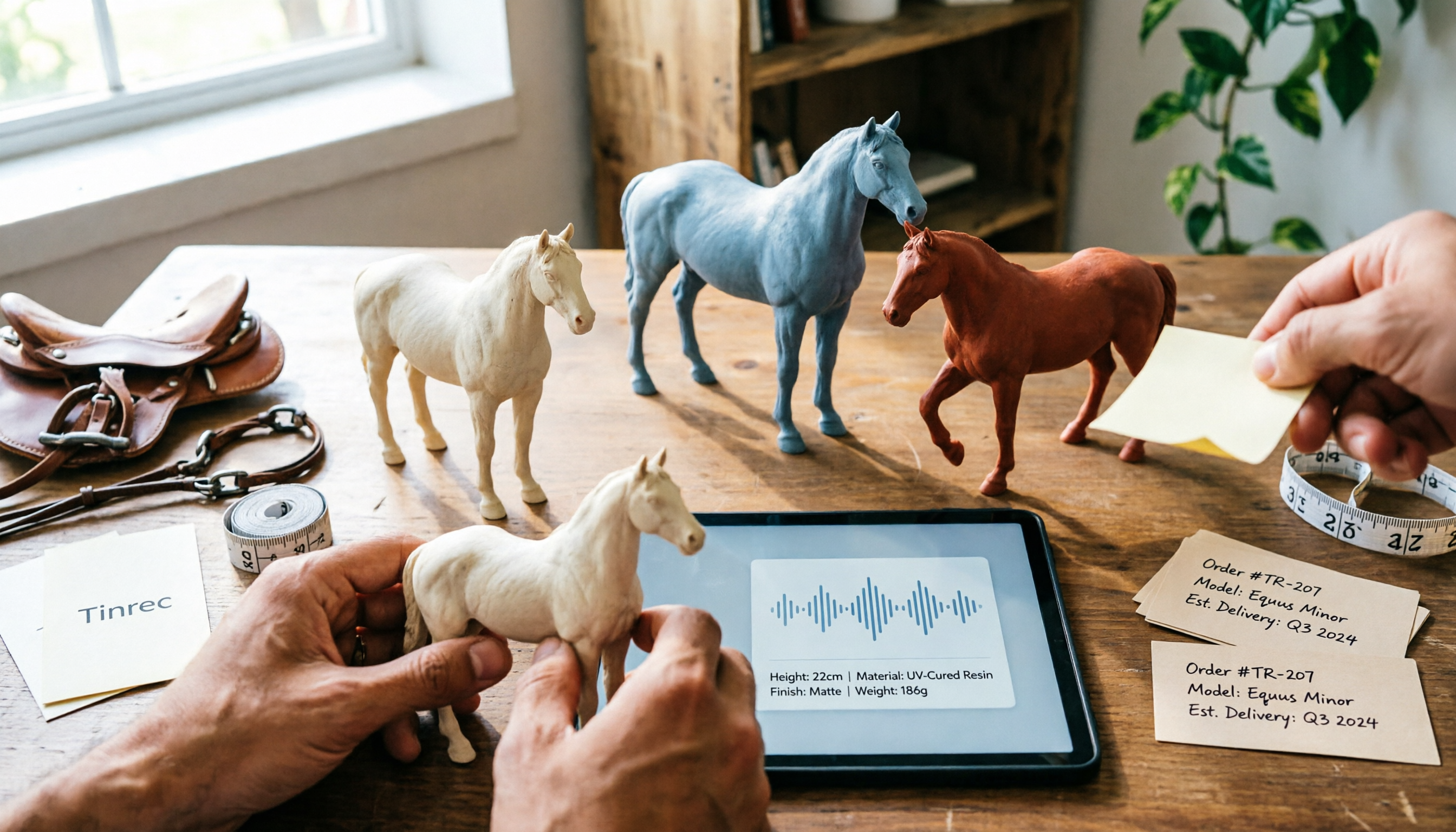
Nottaa Collection 1/12 Horse Figure Review: 3 Colorways & Pre-Order Bonus Breakdown
The Nottaa Collection 1/12 horse figure stands 22cm tall and comes in two styles with three colorways, plus a pre-order bonus saddle and reins. This article compares scale, styling, accessories, material listings, and pricing, and notes a Hong Kong retailer's HK$350 price tag, stock shortages, and pre-order deposit details to help you distinguish versions and bonuses before ordering.

2026 AI Meeting Notes Tools Compared: Notta Showcase Pricing vs. Tinrec — Which to Choose?
People searching for Notta Showcase pricing are often torn between paying for a tutorial documentation tool or putting budget toward meeting notes. This article compares Notta Showcase and Tinrec across five dimensions—positioning, pricing structure, recording workflow, team governance, and post-meeting output—and honestly notes which pricing details must be confirmed on the official page.