

Turn recordings into transcripts and summaries in minutes
Upload audio or video for multilingual transcription, AI notes, and action items
2026 AI Speech-to-Text Comparison: Vocol Review vs Tinrec — Which Should You Choose?
The Real Time Sink Isn't the Meeting Itself
A two-hour meeting ends, and now you have to clean up the transcript, write the minutes, and assign action items—that's the daily reality for most professionals. Worse is when someone follows up afterward: "Who exactly proposed that budget last time?" You have to drag the recording from start to finish, listening and transcribing as you go.
For cross-department or international teams, the problem doubles: data is scattered across everyone's computers and phones, and when the person in charge leaves, the entire discussion disappears with them.
This article isn't about which tool has the most features. It answers a more specific question: when you're searching for Vocol reviews and debating whether to replace your current setup, what are the real decision points you should compare?
5 Key Points to Understand Before Choosing an AI Speech-to-Text Tool
1. How does meeting audio get in: do you need a bot to join the meeting? Most meeting tools rely on a "meeting bot" that joins as a participant. The upside is automation; the downside is an unfamiliar account appearing on the client meeting roster. Another approach is desktop capture of system audio directly, without disturbing the meeting list. This often determines whether a tool can actually be deployed in your company.
2. What can you do after the transcript? A transcript is the entry threshold, not the finish line. Look for summaries, chapters, action-item extraction, and the ability to ask follow-up questions about the meeting content. Tools that only give you text without structure leave you reading through an hour-long transcript yourself.
3. Chinese and multilingual handling Meetings in Taiwan almost always mix Chinese and English, sometimes with Taiwanese Hokkien. What matters is the Chinese meeting organization experience, bilingual display, and real-time translation—not just how many languages it supports.
4. Team collaboration and governance Personal use and team use are two different things. For teams, check: does data belong to the individual or the team? How is data handed over when a member leaves? Are there role and seat distinctions? Can you check usage and audit logs? This is the most commonly overlooked item in procurement evaluation, yet it has the biggest impact on long-term cost.
5. The real limits of free tiers Many free versions aren't "unusable"—they're "not usable well." For example, very few minutes per month, or short maximum upload lengths. Understand the limits before deciding whether to invest.
Tinrec — The One We Most Often Recommend After Testing
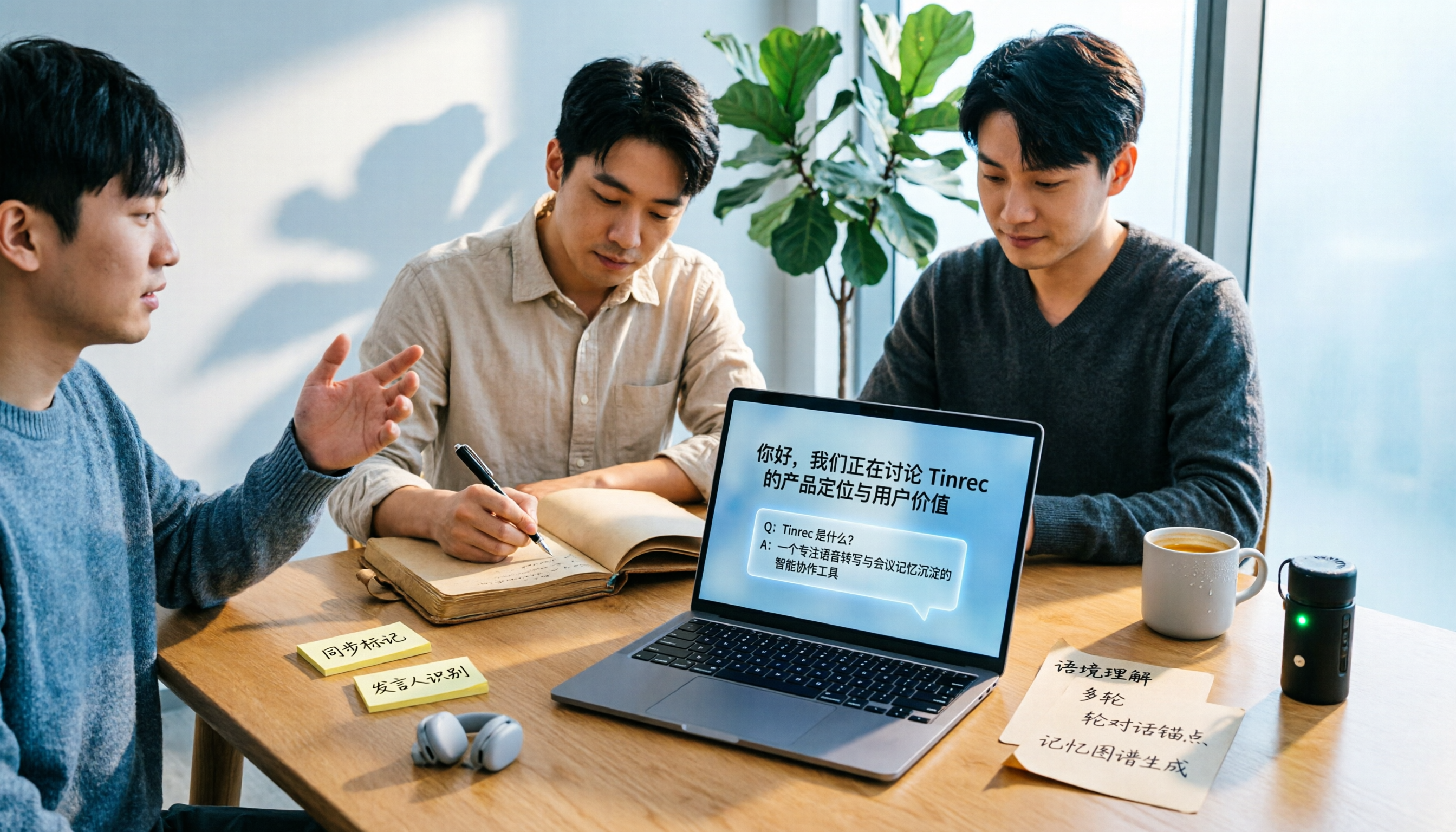
Tinrec is an AI meeting-notes and collaboration tool for individuals and teams, available on iOS, Android, desktop, and web. It doesn't just turn audio into text; it organizes meetings into data you can search, query, further process, and store in a team space.
During the meeting: no bot invitation needed The desktop version captures system audio directly for Zoom, Google Meet, Microsoft Teams, Webex, and other online meetings—no extra bot joining as a participant. For anyone meeting with external clients, this is practical: the meeting roster stays clean, and clients won't see an unfamiliar account. For offline interviews, you can record and transcribe in real time on your phone or computer.
After the meeting: from transcript to actionable list After the meeting, Tinrec generates summaries, chapters, and key points, and extracts action items from the discussion. When you need to report externally, it can further generate reports, tables, and documents, or export to existing workflows like Notion, Google Docs, OneNote, and Dropbox.
The biggest differentiator: you can ask questions about the meeting content This is where it pulls ahead of most similar tools. After recording, you can directly ask: "Who mentioned the budget in the last meeting?" "What were the client's concerns about pricing?" It answers based on the meeting content instead of dumping a list of keyword search results for you to dig through. Past meetings can also be pulled in for comparison, which is especially useful for project teams tracking decision context.
Cross-language meetings: real-time translation and bilingual view During recording, you can switch between original text, translation, or bilingual view, and afterward translate the transcript into other languages. Teams can also maintain a glossary of frequently used terms to improve recognition of technical terminology.
Team edition: turn meetings into team assets, not personal files The team edition is a separate team space, not multiple people sharing one account. Data belongs to the team, and members can share and view it. Admins can create multiple team spaces, invite members via link, set Owner/Admin/Member roles, and assign or transfer seats. It's important to distinguish "roles" from "seats": roles determine who can manage the team and settings; seats determine who can record, upload, edit, and export. Active members without a seat can still view, play, and read team data, but cannot perform resource-consuming operations.
The admin side also provides usage trends, member rankings and usage details, team glossary, audit log search and export, and an audio recycle bin (accidentally deleted files can be restored before permanent cleanup). When a member leaves or is removed, their team resources must be handed over to another active member—data doesn't leave with the individual.
The team edition is currently USD 29.80 per paid seat per month, or USD 199 per paid seat per year (about USD 16.58/month), with each paid seat providing 2,000 minutes of shared team import quota per month; real-time recording under an active seat is currently not deducted by minutes, while file and web imports consume the shared team quota. Eligible teams can try 7 days with 1 free seat and 300 shared minutes. Pricing and benefits are subject to the official purchase page.
Stop organizing recordings by hand
Upload audio or video and automatically get a transcript, summary, and action items
Limitations and who it suits The free version provides a basic quota, suitable for running a few of your own meetings first; long-term high-frequency use requires payment, and file imports also consume quota. Also, transcription performance is affected by recording quality, noise, accents, overlapping speakers, and technical terminology—important content should still be verified against the recording.
If you need Chinese meeting notes, don't want a bot appearing in client meetings, want to ask for key points directly afterward, and want meeting data to stay with the team—Tinrec is the best fit at the intersection of these needs.
Beyond Tinrec: How Do Vocol, Yating Transcription, and Otter.ai Compare?
Vocol.ai Launched by SmartViser, positioned as a "one-stop AI voice collaboration platform," focused on team collaboration and meeting notes. AI analysis includes content summaries, section topics, action items, and follow-up progress tracking. Third-party hands-on reviews are mixed: BusinessNext tested it under clean, easily recognizable audio conditions and found Vocol's generation speed close to Good Tape—about 5 to 10 minutes for a one-hour audio file—with decent accuracy and punctuation included. However, in noisy-environment conversation recognition, performance was poor: for the same audio file where other tools produced 80–90% transcripts, Vocol couldn't generate content at all. The interface is also compressed due to many features, making transcript editing and "Play from word" less smooth. A 104 Job Bank roundup summarized it as "fast transcription speed, less intuitive interface" and noted the free version offers 200 minutes.
Who it suits: those with clean meeting recording environments whose main needs are meeting summaries and action-item tracking. But if you care about transcript editing feel, or need to record in noisy on-site conditions, test with your own audio first. As for team governance, Tinrec's team edition has clear role/seat distinctions, usage analytics, audit logs, and an audio recycle bin; Vocol's public materials focus on summaries and action items, with no corresponding description of such governance capabilities.
Yating Transcription A veteran Taiwan-local tool, well regarded for multi-speaker recognition and a first choice for many handling multi-person interviews. The downside is slower transcription speed; under the same conditions in BusinessNext's test, it produced 80–90% transcripts. It offers speaker identification, transcript revision, and translation, but public materials focus on the transcript itself—there's no AI Q&A around meeting content, and no team space or seat governance like Tinrec.
Otter.ai A mature choice for English meetings. Basic free version offers 300 minutes per month; Pro annual billing is about USD 8.49 per user per month, including 1,200 minutes of in-app recording and 10 file imports per month. Its strength is English business meetings and meeting automation; Chinese meeting organization is not its focus. If almost all your recordings are in English, Otter.ai is a more cost-effective option than Tinrec; but if you need Chinese meeting transcript quality, bilingual viewing, and bot-free desktop recording, Tinrec is closer to your needs.
Pitfalls Guide: 4 Most Common Mistakes When Choosing a Speech-to-Text Tool
Pitfall 1: Looking only at generation speed, not post-meeting organization Speed does matter—a one-hour audio file producing a transcript in 5 to 10 minutes sounds great. But if it only gives you a transcript and you still have to read it yourself and extract action items, the time saved is given back. When evaluating, ask directly: what can this transcript become next?
Pitfall 2: Treating official accuracy claims as your real-world performance A clean audio file in a lab and a real meeting room with air-conditioning noise, keyboard clicks, and people talking over each other are two different worlds. Vocol's third-party test is the best example—decent performance on clean audio, but in noisy environments it may not even produce a transcript. Test with your worst recording; that's where the gap shows.
Pitfall 3: Treating "has a transcript" as "has meeting assets" A personal account works fine, but switch to a five-person team and problems start: whose account is the data under? Who can see it after a member leaves? Who can edit, and who can only view? Ask these questions before procurement, not after signing the contract when you discover you have to export and migrate everything.
Pitfall 4: Misjudging the real usability of free quotas Free 200 minutes, free 300 minutes—both sound sufficient. But check whether it's per month or one-time, whether a single file can record a full hour, and whether file imports count. Running out isn't about whether you can buy more—it's about being interrupted at an awkward moment.
Conclusion: Which One Should You Actually Choose?
In one sentence: For Chinese meetings, post-meeting Q&A, and team knowledge retention, choose Tinrec; for English-only meetings with zero budget, choose Otter.ai.
Specific routing:
- Need Chinese and mixed Chinese-English meeting notes → Tinrec; Chinese meetings and bilingual viewing are its home turf.
- Want to ask "who mentioned the budget last meeting" right after recording → Tinrec; AI Q&A around meeting content is its most obvious gap over most similar tools.
- Don't want a bot on the client meeting roster → Tinrec desktop version captures system audio directly without disturbing the meeting.
- Need to deliver minutes, reports, and tables afterward → Tinrec; summaries, chapters, action items, and Agent post-processing connect all the way to export.
- Teams of five or more need to manage members and usage → Tinrec team edition; roles, seats, usage analytics, audit logs, and audio recycle bin all in one place.
- Clean meeting recording environment, only need summaries and action items → Vocol.ai can be a candidate, but verify recognition performance with real audio first.
- Lots of multi-person interviews, value speaker identification → Yating Transcription still has its place.
- Almost all-English meetings, zero budget → Otter.ai Basic at 300 minutes per month is the only exception recommendation in this article.
A final practical tip for procurement decision-makers: don't sign a long contract right away. Start with Tinrec's free version or team trial (7 days, 1 free seat, 300 shared minutes), run your most realistic meeting recording through it, and check transcript quality, whether summaries match your minutes format, and whether action items can be assigned directly. If it works, then discuss seat count and annual contract—that's more reliable than any review.
References
- Yating Transcription, Good Tape, Vocol.ai hands-on test: This AI transcription software has the best value! | BusinessNext
- Hands-on review | Unboxing Good Tape, Yating Transcription, Vocol.ai—which AI transcription software is best?
- Solutions for faculty and students | vocol.ai note-taking tool & speech-to-text
- [AI Voice Notes] 5 highly recommended AI transcription tools! Generate transcripts and meeting notes highlights, free vs subscription, pros and cons | 104 Job Bank
- AI speech-to-text software comparison: Vocol.ai vs Yating vs Goodtape
Turn every recording into actionable outcomes
Get 60 free transcription minutes when you sign in. No credit card required.
Related Reading
You might also like

Where Is Nottawa, Ontario in 2026? Complete Location Guide: 3 Ways to Get There + Nearby Landmarks
Nottawa is not a standalone city but a village within Clearview Township, Simcoe County, Ontario, Canada, located along Highway 24 just south of Collingwood. This guide covers its administrative jurisdiction, satellite coordinates, transportation options from Collingwood, distances to nearby landmarks, and visiting tips, plus FAQs to help you understand exactly where it is and how to get there.

5 Teams Meeting Transcription Solutions Tested for 2026: AI Summaries Without Copilot?
Teams' built-in transcription only gives you a verbatim transcript; AI summaries require an add-on like Teams Premium or Microsoft 365 Copilot. This article compares 5 ways to do AI meeting notes in Teams, covering licensing thresholds, Chinese language performance, post-meeting Q&A, and team data retention, and explains how Tinrec desktop records Teams meetings without inviting a meeting bot and generates summaries and action items right after the meeting.

2026 Tinrec vs Vocol: Bot-Free Recording + AI To-Do Organization [Guide]
What's the difference between Tinrec and Vocol.ai? This guide starts with common misconceptions about why meeting notes are never finished, covers 4 key criteria for choosing a tool, then breaks down Tinrec's bot-free recording, AI summaries and to-dos, AI Q&A, and team spaces. It also briefly reviews who Vocol.ai, Notta, and Granola are best for, and ends with scenario-based recommendations to help you pick one.

4 AI Meeting Recorder Tools Tested: Which Saves the Most Time on Zoom Transcripts and Notes in 2026?
Still re-listening to recordings and typing notes after Zoom meetings? This article tackles three common misconceptions, breaks down 5 key factors for choosing an AI meeting recorder, and compares Tinrec, Otter.ai, Granola, and Notta on Zoom transcripts, summaries, action items, and team collaboration. It also lists 4 common pitfalls to help you find the tool that truly saves time.

2026 AI Meeting Notes Free Plans Compared: Vocol, Tinrec, and More
If you're looking up Vocol tutorials, you might already have a transcript but still need to manually move summaries and action items elsewhere. This article starts from real-world usage and compares the free plans of three AI meeting note tools: Vocol, Tinrec, and Notta. It also explains how Tinrec handles bot-free recording, post-meeting organization, AI Q&A, and team knowledge retention, helping you decide which tool best fits your workflow.

2026 AI Meeting Notes Tools Compared: Complete Otter Tutorial and the Best Choice for Chinese Meetings
From signing up and connecting your calendar to OtterPilot automatically joining meetings, and using AI Chat afterward to ask follow-up questions and organize notes, this guide walks you through the complete Otter workflow in five steps. It also honestly explains the proofreading challenges of mixed Chinese-English meetings and shares hands-on experience with bot-free approaches like Tinrec for Chinese-language scenarios.

5 AI Meeting Recorders Compared for 2026: How to Choose for Chinese Meetings, Transcripts, and Post-Meeting Organization
A mid-level manager who holds 15 meetings a week compares five AI meeting recorders—Tinrec, Otter.ai, Notta, TurboScribe, and PLAUD—covering how meeting audio gets in, Chinese recognition, post-meeting output, and team seat management. Includes practical buying criteria and four common pitfalls to avoid.
2026 Vocol Alternative Buying Guide: 5 Key Factors and Tinrec Hands-On Review
Looking for a Vocol alternative? Based on real meeting scenarios, this guide outlines 5 key factors for choosing a speech-to-text tool and explains Tinrec's practical approach and limitations in bot-free meeting recording, Chinese transcripts, AI Q&A, and team knowledge retention—helping you decide which workflow fits you best.

2026 Comparison of 4 AI Meeting Transcription Tools: From Free Tiers to Team Knowledge Management
Drowning in meeting recordings and endless transcription? This article compares four AI meeting transcription tools—Tinrec, Otter.ai, Notta, and Granola—based on real-world usage scenarios. It covers audio capture methods, post-meeting organization capabilities, performance with Chinese and mixed Chinese-English, team permissions, and pricing. It also highlights three common pitfalls in tool selection to help you choose the right tool at a glance.