

Turn recordings into transcripts and summaries in minutes
Upload audio or video for multilingual transcription, AI notes, and action items
iPhone Voice Memos vs Tinrec: Which Saves More Time for Audio Transcription in 2026?
The meeting ends, you hit stop recording, and Voice Memos now holds a 47-minute file. When you want to turn it into text, most people's first thought is: "Can't iPhone already transcribe?"
Yes, and you don't need to install any app. But when you actually try to organize it, you'll find the bottleneck usually isn't whether it can transcribe, but what happens after.
This article compares two approaches: Apple's built-in Voice Memos transcript and Tinrec. The former is free and requires zero installation; the latter is an AI meeting notes tool that takes transcripts a step further.
Apple Voice Memos vs Tinrec | Quick Overview
- Apple Voice Memos: Built-in transcription since iOS 18; you can view text right after recording. Traditional Chinese support requires iOS 18.4 or later.
- Tinrec: AI meeting notes and collaboration tool that goes beyond transcription to handle summaries, chapters, action items, AI Q&A, translation, export, and team spaces.
Three key differences at a glance:
| Item | Apple Voice Memos | Tinrec |
|---|---|---|
| Availability | Built into iPhone, no install | Web, desktop, mobile |
| Core output | Transcript, copyable text | Transcript + summary, action items, Q&A, documents |
| Cost | Free | Free and paid personal plans; team plan USD 29.80 per paid seat per month |
Let's look at five dimensions.
Dimension 1 | Chinese Transcription Requirements and Device Limits
Apple's transcription isn't available on every iPhone. According to current information, it requires iPhone 12 or later with iOS 18.0 or later; for Traditional or Simplified Chinese transcripts, you need iOS 18.4 or later.
Note that older recordings won't work. This feature depends on the system version, and previously recorded files won't automatically generate transcripts.
Tinrec uses an account system and works on web, desktop, and mobile. It's not tied to a specific iPhone model, and you don't lose functionality when you switch phones.
→ This dimension: If your phone is iPhone 11 or earlier, Tinrec's barrier is clearly lower; with iPhone 12 or later, both work.
Dimension 2 | Audio Formats and Input Sources
Apple's rules here are stricter. Voice Memos produces .m4a files; regular .mp3 files must be converted to m4a first. Conversion isn't hard—QuickTime Player works on Mac—but non-Mac users need an online converter, adding a step.
If you want to run transcription directly on a Mac, you also need an M-series chip and macOS Sequoia or later.
Tinrec supports direct upload of audio and video files for transcription, as well as live recording transcription. For online meetings, the desktop version captures computer system audio to handle Zoom, Google Meet, Microsoft Teams, Webex, and more—no extra meeting bot needed.
→ This dimension: If you already have mp3, mp4, or cross-platform meeting recordings, Tinrec's workflow saves a step.
Dimension 3 | After the Transcript: Summaries, Action Items, and Follow-ups
Apple's transcript experience is intuitive. Tap into a recording, press "View Transcript" in the bottom left, and text highlights in sync with playback for easy proofreading. You can copy the whole transcript or add it to Notes from the "More" menu.
But what you get is just text. Who said what, what's important, and what to do next—you still have to read it yourself.
Tinrec extends this: automatically generates summaries and chapters, extracts action items from discussions, provides AI Q&A around meeting content, offers real-time translation with original, translated, or bilingual views, and exports to Notion, Google Docs, OneNote, Dropbox, and more—or further generates reports, tables, and meeting minutes.
→ This dimension: If you just want text, Apple is enough; if you need to deliver results from that text, Tinrec saves reading and retyping time.
Dimension 4 | Cross-Device and Workflow Integration
Apple's transcription stays mostly within the Apple ecosystem. Recording on iPhone and viewing on iPhone is smooth, but getting content into a Windows workflow requires copy-paste.
Stop organizing recordings by hand
Upload audio or video and automatically get a transcript, summary, and action items
Tinrec runs on web, desktop, and mobile in parallel. Record meetings on your phone, produce reports on your computer, and data stays in one place. Export formats and third-party integrations make it easier to fit into existing workflows.
→ This dimension: For users working across Windows and Mac, Tinrec ties or slightly wins.
Dimension 5 | Team Collaboration and Data Retention
Voice Memos is essentially a personal tool, not designed for team governance.
Tinrec's team plan offers a dedicated team space: data belongs to the team, members can be invited via join link, roles include owner, admin, and member, seats can be assigned or revoked, team usage trends and member details are visible, team hotwords can be managed, audit logs can be queried and exported, and an audio recycle bin is provided. When a member leaves or is removed, their team resources can be handed over to other active members.
A common misunderstanding: roles and seats are different. Roles determine who can manage the team; seats determine who can record, upload, edit, and export. Active members without seats can still view, play, and read team data.
Pricing: team monthly is USD 29.80 per paid seat per month; annual is USD 199 per paid seat per year (about USD 16.58/month). Each paid seat provides 2,000 minutes of shared team import quota per month; live recording within an active plan is currently not deducted by minutes. Actual prices and benefits are subject to the official purchase page.
→ This dimension: For personal notes, Apple is fine; for department-wide meeting data sharing, Tinrec's team plan has the corresponding capabilities.
What Are the Unique Advantages of Each?
Tinrec's unique advantages
- Beyond transcription: summaries, chapters, action items, and AI Q&A—the transcript isn't the end point.
- Desktop version records online meetings without a bot, so you don't need to add another account to the meeting room.
- Real-time translation and bilingual view mean no separate interpreter for cross-language meetings.
- Team space, roles, seats, usage, and audit logs let meeting data become a team asset.
Apple Voice Memos' unique advantages
- Completely free, no account registration, no installation.
- Transcript highlights sync with playback for intuitive proofreading.
Conclusion: Which Should You Choose?
- If you just want to turn a recording into text and check occasionally → Apple Voice Memos (provided you have iPhone 12 or later, iOS 18.4 or later)
- If you need meeting minutes, action items, and queryable meeting data → Tinrec (summaries, chapters, Q&A, export all in one)
- If you often handle mp3, mp4, or cross-platform meeting recordings → Tinrec (no conversion needed)
- If meeting data needs to be shared across a department and you need to manage members and usage → Tinrec team plan
- If you only work on iPhone and don't need AI post-processing → Apple's built-in is enough, saving subscription fees
In one sentence: the built-in feature solves "do I have a transcript," while Tinrec solves "can the transcript be used directly." For most office workers, the real scenario is the latter. We suggest trying Tinrec's free plan with one of your own meeting recordings before deciding whether to upgrade to a paid plan.
FAQ
Q1: What are the requirements for iPhone's built-in audio-to-text?
You need iPhone 12 or later with iOS 18.0 or later; for Traditional Chinese transcripts, update to iOS 18.4 or later.
Q2: Why don't my previous recordings have transcripts?
The transcription feature depends on the system version; recordings made before upgrading won't automatically generate transcripts. After recording, check if a speech bubble icon appears next to the date—if so, that recording supports transcription.
Q3: Can I drop an mp3 directly into Voice Memos for transcription?
No. Voice Memos uses .m4a format; other formats need conversion first. On Mac, use QuickTime Player; non-Mac users can find an online converter.
Q4: Does Tinrec need a meeting bot to join meetings?
No. Tinrec's desktop version captures computer system audio directly to record online meetings. However, you still need to actively open Tinrec and start recording—it doesn't automatically join all calendar meetings.
Q5: Is Tinrec's free plan enough?
For light use, start with the free plan to experience recording, import, summaries, and transcription. For short-term intensive meetings or interviews, consider a weekly card; for steady weekly use, Pro is suitable; for long-term recording data retention, an annual plan fits. Actual quotas and prices are subject to the official website.
Q6: Can the transcript be used as an official record?
Treat it as a draft. Transcription quality is affected by recording quality, ambient noise, accents, overlapping speakers, and technical terms. Important content should be verified against transcript timestamps and recording playback. Also, check local regulations before recording and obtain consent from participants when necessary.
References
- iPhone Notes and Voice Memos also have transcript features! Turn class, meeting, and speech content into text in seconds: simple 4-step tutorial | BusinessNext
- iPhone voice-to-text setup tips: 5 methods to achieve audio transcription - Mr. Mad
- iPhone Voice Memos to text tutorial: built-in transcript without third-party apps - Mr. Mad
- [iPhone Voice Memos to Text] Complete tutorial of 3 major methods! iOS built-in, app, recorder—which is best?
- iPhone's voice recognition: Voice Memos, automatic punctuation and paragraphing - Let's Write
Turn every recording into actionable outcomes
Get 60 free transcription minutes when you sign in. No credit card required.
Related Reading
You might also like

4 iPhone Recording-to-Text AI Tools Tested in 2026: The Real Work Starts After the Transcript
The difference between iPhone recording-to-text AI tools isn't just accuracy—it's how much time you spend organizing after transcription. This article compares four common approaches and uses Tinrec as an example to explain real-time transcription, bot-free online meeting recording, AI summaries and Q&A, and how team spaces work, with practical steps, buying tips, and FAQs.

2026 iPhone Transcription App Comparison: Chinese Accuracy & AI Meeting Notes Tested
Should you use iPhone's built-in free transcription or a paid app? We tested iPhone's native solution, Notta, PLAUD recording hardware, and Tinrec under real meeting conditions, comparing Chinese recognition, post-meeting organization, online meeting recording methods, and team data ownership. Plus, 3 common buying mistakes and scenario-based recommendations.

How to Choose a Speech-to-Text AI in 2026: 5 Steps to the Right Tool
How do you choose a speech-to-text AI tool? This article starts with three real meeting scenarios to help you identify which type of user you are, then covers 5 key buying factors, brief reviews of 3 common competitors, and a guide to avoiding pitfalls. It also breaks down Tinrec's bot-free recording, AI Q&A, and team seat management to help you make a decision between free and paid that you won't regret.

Best Free Chinese Speech-to-Text Tools in 2026: 4 Options Compared
How to choose a Chinese speech-to-text tool? This article tackles common misconceptions and reviews 4 free audio-to-text options for Chinese, including completely free and free-tier tools. It compares free quota calculations, Chinese and mixed Chinese-English recognition, post-meeting organization capabilities, and team data ownership to help you find the one that truly saves you time.

How to Use Samsung AI Voice-to-Text in 2026: 5-Step Tutorial and Tool Comparison
Galaxy AI's voice-to-text assistant sounds convenient, but it only works with audio recorded in Samsung's built-in apps and cannot process files longer than 3 hours. This guide walks you through Samsung's built-in process in 5 steps, then compares it with Tinrec across five dimensions: recording sources, post-meeting organization, translation, cross-device workflows, and team collaboration, helping you decide when the built-in tool is enough and when you need a dedicated tool.

2026 Comparison of 4 Audio-to-Text Tools: Is ChatGPT Transcription Good Enough?
Is it good enough to throw a meeting recording into ChatGPT and get a text file? This article compares ChatGPT, Tinrec, Notta, and Otter.ai from four angles: transcript usability, audio retention, post-meeting organization, and team collaboration. It also summarizes key purchasing factors and common pitfalls to avoid.

How to Choose Free Speech-to-Text Software in 2026: 5 Steps to Find a Tool That Works for You
How do you choose free speech-to-text software? First, clarify how much content you need to transcribe each week, whether you need summaries and Q&A, and whether the data needs to be shared with colleagues—then decide on a tool. This article uses Tinrec to demonstrate 5 steps from recording to a usable transcript, and outlines 5 key purchasing considerations including free quotas, Chinese recognition, post-meeting organization, and team collaboration.
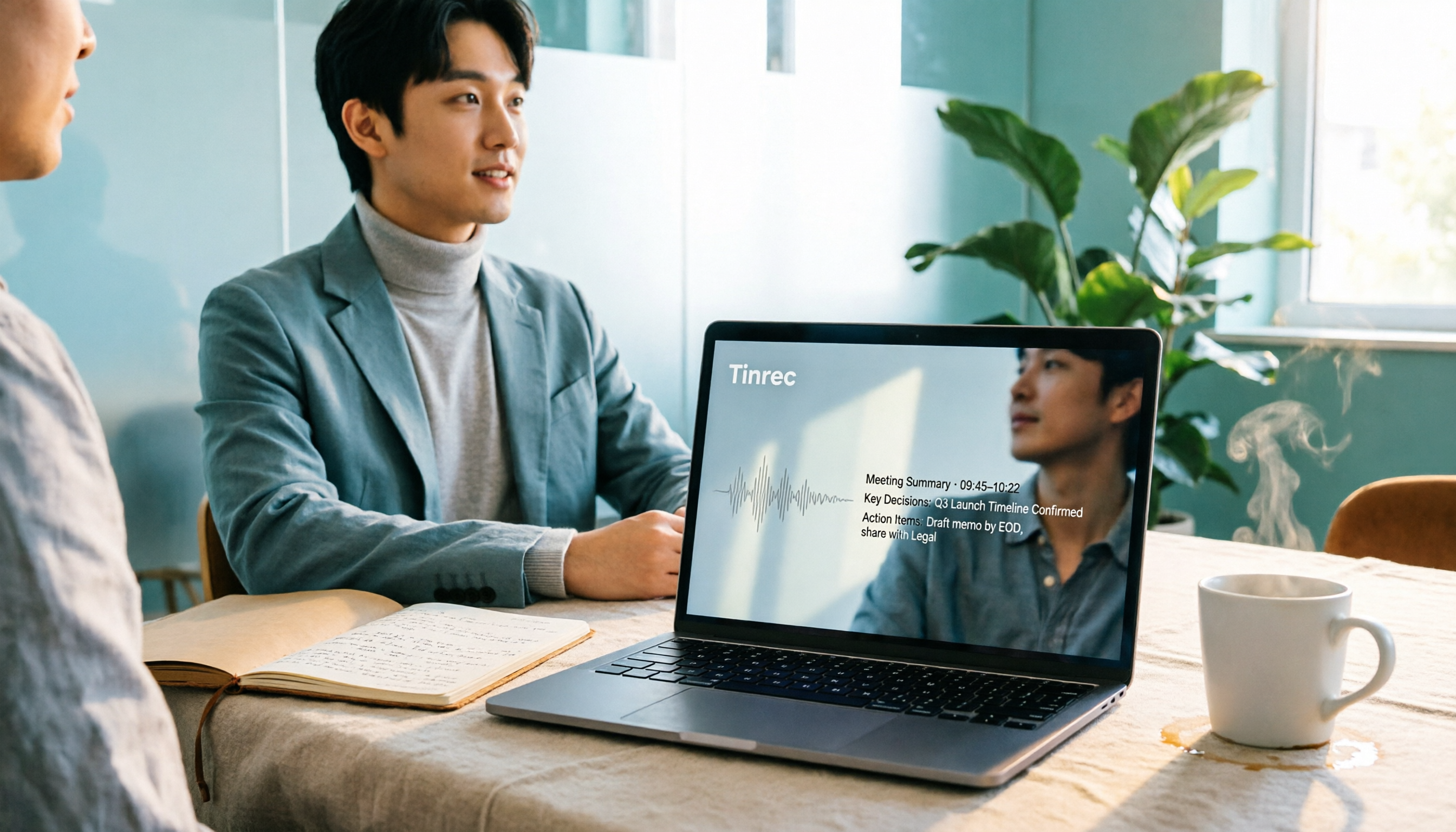
2026 Tested: 6 Free Online Speech-to-Text Tools Compared — How to Use Free Tiers Without Getting Burned
A practical look at six free online speech-to-text tools in 2026, covering real-world use cases from free quotas and segmentation quality to export formats and post-meeting organization. We explain who each option suits, plus common pitfalls and selection principles.

Best Speech-to-Text Tools 2026: Tinrec for Chinese Transcription & One-Click Meeting Minutes
Tired of spending hours typing meeting transcripts? This guide covers 4 key factors for choosing a speech-to-text tool, with an in-depth review of Tinrec's Chinese recognition, bot-free online meeting recording, AI Q&A, and team spaces. We also compare Notta, Otter.ai, and TurboScribe, and share 3 common pitfalls plus scenario-based recommendations.