

Turn recordings into transcripts and summaries in minutes
Upload audio or video for multilingual transcription, AI notes, and action items
Many people's first impression of Whisper is "free, open-source, install it and get a transcript." But when they actually try it, they find the real hurdles aren't recognition quality—they're the Python environment, model selection, and not knowing if their computer can handle it.
An even more common pitfall is downloading the wrong software. There's a website called whisperdesktop.com that presents itself as official, but the original author's GitHub has explicitly warned that it is not the official site.
This article compiles a list of Whisper-related tools still worth using in 2026, from open-source versions you set up yourself to options that require no command line at all.
Why Do You Need a Whisper Speech-to-Text Tool?
A one-hour meeting often takes another hour to replay, pause, and type up notes. Interviews, lectures, and podcasts are much the same.
OpenAI open-sourced Whisper in 2022, trained on 680,000 hours of multilingual audio, supporting 99 languages including Traditional Chinese, under the MIT license. It can run entirely on your own computer without uploading data to the cloud.
But the official Whisper version is a Python program that requires setting up an environment and using the command line—a high barrier for the average office worker. That's why many graphical interface tools have emerged to wrap it.
The 6 options below cover the extremes from "do everything yourself" to "don't worry about models at all." You can jump directly to the one that fits your situation.
Tinrec | No Model Hassle, Turn Meetings into Usable Data
One-line positioning: If what you need isn't "a model" but "organized meeting data," Tinrec takes a different path.
Tinrec is an AI meeting notes and collaboration tool for individuals and teams. It doesn't require installing Python, downloading model files, or choosing a graphics card—just open the desktop app and start recording.
- Record online meetings without a bot: The desktop version captures system audio directly, so when handling Zoom, Google Meet, Microsoft Teams, or Webex, no extra meeting bot needs to join as a participant. You can record even if you're pulled into a meeting last minute.
- Keep using it after transcription: Automatically generates summaries, chapters, key points, and action items. You can then ask AI questions about the meeting directly, such as "What were the three concerns the client mentioned last week?" without replaying the timeline yourself.
- Multi-format export and post-processing: Transcripts and notes can be exported to Notion, Google Docs, OneNote, Dropbox, and other tools for further editing, and can also generate reports, tables, and meeting minutes documents.
- Team workspace: Meeting data belongs to the team, so new members can see past meetings. Admins can manage members, roles, seats, usage analytics, and audit logs, and maintain team hotwords to improve recognition of technical terms.
Plans: Personal plans include a free version, weekly pass, Pro monthly, and Pro annual—choose based on your usage frequency. Team plans offer a 7-day trial for first-time eligible users, 1 free seat, and 300 minutes of shared team import quota; monthly billing is USD 29.80 per paid seat per month, annual billing is USD 199 per paid seat per year (about USD 16.58 per month), each paid seat provides 2,000 minutes of shared team import quota per month, and live recording is currently not deducted by minutes under an active plan. Actual prices and plans are subject to the official purchase page.
Who it's for: People who need Chinese meeting transcripts, must deliver minutes and action items after meetings, and want data to stay within the team for continuous reuse.
Official Whisper Open-Source Version | Most Original and Free, But You Deal with the Command Line
One-line positioning: The source of all Whisper tools—free, offline, MIT licensed—at the cost of managing your own environment.
Installation is pip install openai-whisper, then a single command produces results, such as whisper audio.mp3 --model turbo, which can directly output Traditional Chinese transcripts and SRT subtitle files.
Key highlights: Complete freedom in model selection—newer models like large-v3 and large-v3-turbo are all available; data never goes through the cloud, so privacy-sensitive content is safest run locally.
Things to note: Requires a Python environment and basic command-line concepts; the initial installation is the first hurdle for non-engineers.
Who it's for: People comfortable with the terminal, concerned about data not leaving their machine, or needing to batch process many audio files.
WhisperDesktop | Windows Portable Single-Executable, But No Longer Updated
One-line positioning: The Windows GUI version that got the most people started—a few clicks and it runs—but it stopped in 2023.
It doesn't need Python; download and run on Windows, and it uses GPU acceleration. It was once a convenient choice for voiceovers, lectures, and video subtitles.
Things to note: The original WhisperDesktop (Const-me/Whisper) last version is v1.12.0, stopped in July 2023, and only supports up to the Whisper medium model—newer large-v3 and large-v3-turbo are not available.
Who it's for: People whose computers lack a Python environment, who just want to quickly convert a recording to text, and who can accept the performance of older models.
Stop organizing recordings by hand
Upload audio or video and automatically get a transcript, summary, and action items
Whisper Web | Use It Right in Your Browser, No Installation
One-line positioning: An online version hosted on Hugging Face—no installation, three steps to get a transcript.
The interface isn't localized, but it's intuitive: select a file or paste an audio URL (video URLs like YouTube are not supported), preview to confirm, then click the gear icon in the bottom right to set the model.
Things to note: By default you'll only see English models like tiny.en and base.en—remember to check "Multilingual" to switch to multilingual models; for larger models, check "Quantized." Also, there's no pause function—once you start, you just wait for it to finish, and the available model versions are relatively old.
Who it's for: People who occasionally need to transcribe an audio file and don't want to install anything on their computer.
Whisper JAX | Runs large-v2 Online, Speed Is the Selling Point
One-line positioning: Also a free online tool, leveraging large-host compute to speed up transcription.
It uses the Whisper large-v2 model, offers good accuracy, can handle meeting notes and lecture organization, and even provides translation.
Things to note: It cannot directly output SRT subtitle files—you'll need a conversion tool; speed slows during peak usage, so avoid peak times.
Who it's for: People who want to use a large model but can't run it on their own computer, and don't mind uploading audio online.
faster-whisper and whisper.cpp | Speed and Low-Resource Acceleration Solutions
One-line positioning: Not interface tools, but two technical approaches to run Whisper faster and with fewer resources.
Generally, for speed, use faster-whisper; for low resources and running on machines without a powerful GPU, whisper.cpp is the better choice.
Things to note: Both require some installation and configuration experience—more for people who "know what they're doing."
Who it's for: People who have already run the original Whisper and want to further optimize speed or resource usage.
So Many Options—How Should You Choose?
I usually start with one question: Is the final deliverable a "transcript" or a "ready-to-use meeting record"? The answer changes the choice completely.
- Need Chinese meeting transcripts plus summaries, chapters, action items, and AI follow-up → Tinrec: it covers all these needs at once, so you don't have to take the transcript elsewhere for organization.
- Need to record Zoom, Google Meet, Teams without a bot appearing in the participant list → Tinrec: the desktop version captures system audio directly—just open it before the meeting.
- Team needs to share meeting data and manage member seats and usage → Tinrec Team: data belongs to the team, so files don't disappear when members leave.
- Just want to occasionally convert a recording to text and don't want to pay → Official Whisper open-source version: free, offline, but takes time to set up the environment.
- On Windows, don't want to touch scripts, just need quick output → WhisperDesktop: remember to find the correct download source and avoid counterfeit sites.
- No usable computer on hand, want to borrow online compute → Whisper Web or Whisper JAX: note model versions and privacy.
4 Things to Know Before Using Whisper Speech-to-Text Tools
1. Bigger models aren't always better. large-v3 performs well but consumes memory and GPU resources. Try medium or turbo first—if speed and quality are acceptable, don't force the largest model.
2. Check the support scope of discontinued software. WhisperDesktop only supports up to medium; if you need the recognition quality of newer models, you'll have to switch. Also, rely on the official GitHub and don't trust similar-looking domains.
3. A transcript is not a meeting record. Getting a big block of text is still far from "ready to send." A more reasonable approach is like Tinrec: after transcription, directly generate summaries, chapters, and action items, then manually proofread key decisions and numbers.
4. Get consent before recording. Regardless of the tool, recording and transcription involve local regulations; for important meetings, inform participants in advance.
Conclusion
Whisper has lowered the barrier to speech-to-text significantly—free, open-source, supports Traditional Chinese—and that remains a big advantage today.
But if your real problem is "there's still a lot of organizing work after the meeting," then a simple transcription tool only solves half the problem. Approaches like Tinrec that connect transcripts, summaries, action items, Q&A, and team workspace usually save the time in that later stage.
Think clearly about what you need to deliver, then pick one from the list above to try—no need to install everything at once.
FAQ
Is Whisper free?
OpenAI Whisper itself is an MIT-licensed open-source model that can be downloaded and run on your own computer for free, without paying for cloud APIs. What you pay is mainly hardware resources and time learning to install.
Can my computer run large-v3?
There's no definitive answer—it depends on your GPU and memory. In practice, try running a short test with turbo or medium first, see if the speed is acceptable, then decide whether to upgrade. If it can't run, using faster-whisper or whisper.cpp is also common.
Is WhisperDesktop still usable?
It runs, but be aware it stopped at v1.12.0 in July 2023 and only supports up to the medium model—newer models are not available. When downloading, verify the official GitHub; there are similar-looking counterfeit sites online.
Are online Whisper tools safe?
Audio files must be uploaded to someone else's server—that's the inevitable trade-off of online versions. For sensitive content like medical, legal, or internal company meetings, running the open-source version on your own computer or using a tool with clear data handling policies is more appropriate.
What's the difference between Tinrec and Whisper?
Whisper is a speech recognition model that turns sound into text. Tinrec is a complete meeting notes and collaboration tool that handles transcripts, summaries, chapters, action items, AI Q&A, translation, export, and team data management—no need to install models yourself.
Are there Whisper tools with a Chinese interface?
Online versions like Whisper Web mostly don't have localized interfaces, but the steps are few. If you want both the interface and meeting workflow in Chinese, choosing a meeting notes tool that supports Chinese will be easier.
References
- WhisperDesktop Discontinued! Best Local STT Tools in 2026
- Whisper Web Free Online Audio and Speech-to-Text Tool with Multiple Models - KOCPC
- Whisper Speech-to-Text Complete Guide: OpenAI Free Open-Source Tool for Chinese Transcripts and Subtitles (2026) | most.tw
- WhisperDesktop Free Standalone Speech-to-Text Software, AI Video Subtitle Test Comparison
- Whisper JAX Tutorial: Free Speech-to-Text AI Tool, Easily Generate... - Transcript Learning | 104 Learning
Turn every recording into actionable outcomes
Get 60 free transcription minutes when you sign in. No credit card required.
Related Reading
You might also like

2026 Client Visit Note Tools: 4-Way Test Comparison — Is the Free Version Enough?
What is a client visit note, and why do most people end up writing a running log? This article examines four key areas — field design, audio retention, post-meeting searchability, and team ownership — and compares Tinrec, Notta, Otter.ai, and PLAUD. It covers the most common pitfalls sales and customer success teams face when choosing a visit note tool, and how to decide whether a free version is enough.

4 Voice to Text Chinese Tools Tested for 2026: Which Free Tier Is Enough?
We tested 4 voice to text Chinese tools for 2026, covering Chinese meetings, bot-free recording, post-meeting summary Q&A, and team seat management to help you decide if the free tier is enough. We also outline the best use cases for Tinrec, Notta, Otter.ai, and TurboScribe.

Which Client Visit Recording Tool Is Best? 2026 Hands-On Test of 3 Tools: This One Makes Visit Notes and Recommendation Letter Material Easiest
Tired of catching up on client visit notes back at the office? This article starts with the most common pain points salespeople face with visit records, provides a checklist of fields a visit log should have and 4 key purchasing criteria, then hands-on tests 3 tools—Tinrec, Notta, PLAUD, and Granola—to see which one can turn visit conversations into transcripts, summaries, to-dos, and even capture verbatim quotes you'll need later for writing recommendation letters.

3 Client Visit Recording Tools Tested and Compared for 2026: How to Design Visit Log Fields and Which Tool Saves the Most Time?
A client visit log is not just a sign-in sheet; it is a working document that captures the client's exact words, mutual commitments, and next steps for the next visit. This article explains the difference between a client visit log and a visitor registration form, lists the minimum 8 fields, provides 4 key points for choosing a tool, and compares Tinrec, Otter.ai, Notta, and Granola in the client visit recording workflow.

2026 Comparison of 4 Client Visit Recording Tools: Can AI Notes Really Save You the Trip Back to the Office?
After a client visit, do you always put off writing up notes until late at night? This article starts with the most common inefficient practices, breaks down the four things a client visit record should really capture, and compares Tinrec, Notta, Granola, and PLAUD NotePin in terms of audio retention, post-meeting output, and team data ownership. It also includes four common pitfalls and selection advice.

2026 Customer Visit Notes: 4 Free Solutions Compared
Can't remember the details after a client visit? This guide reviews 4 free customer visit note solutions available in 2026—from AI recording and transcription with summaries and action items, to recording hardware and Excel templates. We cover each option's free tier limits, restrictions, and ideal use cases, plus 4 common pitfalls to avoid, so you can find the one that fits your visit workflow.

2026 Comparison of 3 Client Visit Recording Tools: Which Is Easy to Write and Won't Miss Client Commitments?
Client visit notes are hard to write, usually not because of writing skills, but because you can't remember exactly what the client said afterward. This article starts from four key points: 'whether audio is retained, whether a draft is generated for you, whether you can ask follow-up questions directly, and who ultimately owns the data,' and compares Tinrec, Notta, Otter.ai, and PLAUD in client visit scenarios, with pricing, limitations, and pitfalls to avoid.
2026 Comparison of 4 Customer Visit Recording Tools: Which One Turns Visit Notes into Records You Can Query?
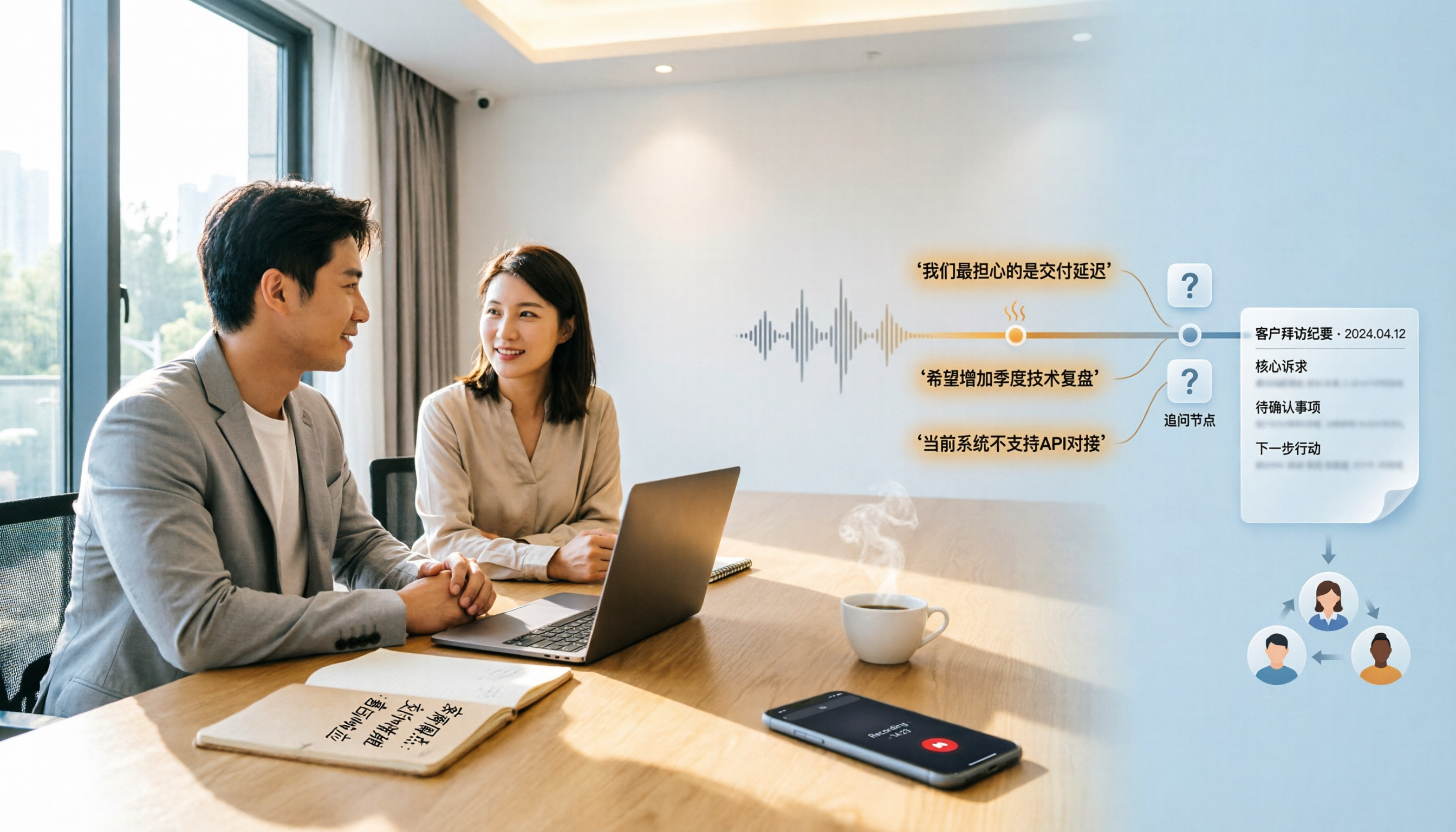
Poor customer visit records are usually not due to slow typing, but because tools fail to connect recording, transcription, organization, and handoff. This article starts from three common inefficient practices, breaks down 4 key selection criteria, and compares Tinrec, Notta, Otter.ai, and PLAUD in real tests on differences in Chinese visits, bot-free recording, post-meeting output, and team data retention.

3 Google Speech-to-Text Methods Tested: Which Free Option Is Enough in 2026?
Google Docs voice typing, Google Cloud Speech-to-Text, and Android Live Transcribe—how do these three online speech-to-text methods differ? Starting with the most common misconception, this article tests each option and summarizes suitable scenarios, free limitations, and step-by-step instructions. It also covers a more time-efficient workflow for turning meeting recordings into transcripts and organizing them afterward.