

Turn recordings into transcripts and summaries in minutes
Upload audio or video for multilingual transcription, AI notes, and action items
2026 Comparison of 3 Client Visit Recording Tools: Which Is Easy to Write and Won't Miss Client Commitments?
Client visit notes are hard to write, and the problem is usually not your writing.
It's that you walk out of the client's office, get back in the car, open the notes app on your phone, and realize all you remember is "we had a pretty good chat today."
So before choosing a tool, ask yourself three questions: Do you have audio you can go back to and verify what the client said? Are you willing to spend 40 minutes reading through a transcript yourself? And will these records ultimately stay in your personal account, or be left for the whole team?
These three questions determine my recommendation order.
Visit notes are hard to write—not because you can't write, but because the process is missing a few pieces
Scenario one: You just left the client and are typing in the car while your memory is still fresh, but all you can write is "Needs confirmed, client has concerns about price." Two weeks later your manager asks, "What was the budget cap the client mentioned last time?" and you have to dig through Line, email, and notebooks.
Scenario two: You can still write the visit purpose, attendees, and client status from memory. What you really miss are the later items—the client's concerns item by item, competitors and comparison points the client proactively mentioned, what we promised and who promised it, and the deadlines. These items are the watershed that determines whether a record has reuse value.
Scenario three: For a client you've worked with for two years, records are scattered in each salesperson's own folders. When someone leaves, the client's history disappears with them, and the next person has to start from zero.
A usable visit record isn't actually "written"—it's "organized." With the right tool, you just cut the organizing time from two hours to twenty minutes.
Before choosing a visit recording tool, understand these 4 key points
1. Is audio retained? The biggest fear with visit records is misremembering. Some tools only give you a transcript and don't save audio, so if you later want to confirm the client's tone or that specific number, you can't check. With audio, you can go back and verify exactly what the client said.
2. Is there "post-meeting output"? Tools that only give transcripts still require you to read through 40 minutes of content yourself. Tools with summaries, chapters, and action item extraction are like writing half of your record draft for you—you just polish and add your own judgment.
3. Can you ask follow-up questions directly about the content? The most time-consuming part of visit records is actually "searching." If you can directly ask "How many times did the client mention budget issues?" or "What items were promised this time?" and get readable answers instead of a string of keyword search results, that difference is especially obvious when rushing weekly reports.
4. Who ultimately owns the data? For personal use, it's not a big issue. But as soon as two or more salespeople are involved, you need to see whether the tool can put data in a team space, manage members and permissions, and whether data will be taken away when a salesperson leaves. This is usually the real dividing line between free tools and team plans.
Tinrec—the one closest to "the record is already written for you" after testing
Tinrec is an AI meeting notes and collaboration tool for individuals and teams, available on web, desktop, and mobile. Its positioning isn't "audio-to-text" but turning a visit into data that can be searched, queried, and further processed.
Running through a visit process looks like this: before entering the client meeting room, press real-time recording, and the transcript appears as you speak; for online visits, use the desktop version to capture computer system audio directly, handling Zoom, Google Meet, Microsoft Teams, Webex and similar meetings without sending a separate meeting bot to join as a participant. This is actually quite important in front of clients—nobody likes seeing an unfamiliar account appear in the meeting.
After the meeting, AI summaries, chapters, and action items are already generated. Who is responsible for what and by when—no need to listen from the beginning again. Then I directly use AI Q&A to ask follow-ups: "Which two competitors did the client mention this time?" "Where exactly is the price concern?" It gives answers organized around the meeting content, not a bunch of search results for me to sift through myself.
When writing a formal visit report, the transcription can be exported as a document and taken to Notion, Google Docs, or OneNote to continue writing; you can also use Agent post-processing to generate tables and meeting minutes. For salespeople who need to submit weekly reports or CRM records, this saved time is the most noticeable.
Stop organizing recordings by hand
Upload audio or video and automatically get a transcript, summary, and action items
I took a roughly 15-minute two-person visit recording (meeting room, air conditioning background noise, mixed Chinese and English) through the entire process. The transcript was directly readable, but for key information like client names and amounts, I still clicked back to the audio to verify once. Tinrec does not recommend promising a fixed accuracy rate externally; actual results are affected by recording quality, accents, overlapping speakers, and technical terminology—I think it's better to be clear about this upfront.
For sales teams, there's another part that individual versions don't show. Tinrec's team version provides an independent team space where meeting data belongs to the team, not to the person who uploaded it. Members can share and view historical visit records, managers can see usage trends and member usage details, and can query and export important operation logs; accidentally deleted audio can be recovered from a 30-day recycle bin. Roles govern management, seats govern usage eligibility—members who are valid but have no seat can still view, play, and read team data, but cannot upload, edit, or export.
Pricing listed honestly: The team version's first eligible trial is 7 days, 1 free seat, 300 minutes of team shared import quota; monthly USD 29.80 per paid seat per month, annual USD 199 per paid seat per year (equivalent to about USD 16.58 per month), each paid seat provides 2,000 minutes of team shared import quota per month. Real-time recording under an active team plan is currently not deducted by minutes; file and web imports consume team shared quota.
Limitations should also be clear: The free version provides a basic quota, suitable for running one or two real visits to test the waters; for long-term intensive use, you'll need to upgrade. The team version currently focuses on team-level sharing—all valid members can read team data, and it is not file-level or member-level granular permissions.
Who it's for: People who want to keep verifiable audio for every visit, don't want to listen to recordings from the beginning after meetings, and need to hand records to the team rather than leaving them on their own phone.
Besides Tinrec, what other options are there?
Notta A multi-platform transcription tool with the highest overlap with Tinrec. Free version: 120 minutes per month, max 3 minutes per item; Pro annual billing equivalent to about USD 8.17 per month, 1,800 minutes per month; Business annual about USD 16.67 per seat per month. If your visits are short and mainly file transcription, it's sufficient. But team-level audit logs and audio recycle bins are not seen on its plan page, and these two are very practical during sales handovers.
Otter.ai A veteran choice for English meetings. Basic free: 300 minutes per month; Pro annual billing equivalent to about USD 8.49 per user per month, including 1,200 minutes and 10 file imports. If most of your clients are English-speaking and meetings are all in English, Otter is a very cost-effective option. But Chinese and mixed Chinese-English visits are not its strong suit, and in terms of completeness of team data accumulation, Tinrec is smoother for Chinese teams.
PLAUD Note / NotePin AI recording hardware. NotePin official website USD 159, Note Pro USD 189; membership Starter 300 minutes per month, Pro USD 99.99 per year, Unlimited USD 239.99 per year. The advantage is portability—you can record phone calls and press a button as soon as you enter a visit. However, you need to buy additional equipment, and Tinrec can handle phone recordings, online meetings, and historical audio without buying hardware, and the team space is built in.
Pitfall Guide: The 4 most common mistakes when choosing a visit recording tool
Pitfall 1: Only looking at free minutes. A large number of minutes looks cost-effective, but if it only gives you transcripts and no summaries or action items, the transcription fees you save will all be paid back when you read 40 minutes of transcript.
Pitfall 2: Thinking a transcript equals a record. A transcript is raw material, not a record. A visit record you can take to a meeting still needs itemized client concerns, competitor mentions, our commitments and deadlines. When choosing a tool, see whether it extracts these items for you.
Pitfall 3: Ignoring data ownership. As long as the team has two or more salespeople, ask first: Whose account is the data in? How is data handed over after a member is removed? Tools without a team space essentially help each person accumulate their own assets, not the company's.
Pitfall 4: Sending AI summaries directly as the final version. AI misses things and misunderstands. Summaries are great as drafts, but before sending to clients or writing into CRM, names, amounts, dates, and commitments must be verified against the original text or audio.
Conclusion: Which one should you choose?
In one sentence: If you want the experience of "visit done, record draft already waiting for you," Tinrec is the closest in this test.
- Need to verify client's exact words afterward → Tinrec (retains audio, transcript searchable, click back to timestamp)
- Want to directly ask "what was promised this time" after the meeting → Tinrec (AI Q&A is its biggest difference from pure transcription tools)
- Don't want a bot joining online visits → Tinrec (desktop version captures system audio)
- Two or more salespeople, need to manage handovers and usage → Tinrec team version (team space, seats, usage, audit, recycle bin)
- All clients English, zero budget → Otter.ai (free 300 minutes, more cost-effective in this scenario)
- Need to record phone calls on the go, don't mind carrying an extra device → PLAUD
Practical advice: don't rush to pay. Use the free version's basic quota, turn on recording at your next real visit, and after the meeting see whether the automatically generated summary and action items are enough for you to turn into a record you can hand in. This test is more accurate than looking at any spec sheet.
One final reminder: Recording involves personal data. Remember to inform the other party and obtain consent before the visit; regulations vary by location, so don't skip this step.
References
- 2026 Client Visit Recording Tools Free Plan Summary: 4 Tools at a Glance - Tinrec Blog
- No matter who the client is, you must prepare materials well before visiting! - Walker Cloud
- How to write client visit records?_Neusoft sales visit form-CSDN Blog
- [Sample Form - Marketing Sales] Business Visit Plan Form | 101Form.net
- Daily Visit Record - MBA智库百科
Turn every recording into actionable outcomes
Get 60 free transcription minutes when you sign in. No credit card required.
Related Reading
You might also like

2026 Client Visit Note Tools: 4-Way Test Comparison — Is the Free Version Enough?
What is a client visit note, and why do most people end up writing a running log? This article examines four key areas — field design, audio retention, post-meeting searchability, and team ownership — and compares Tinrec, Notta, Otter.ai, and PLAUD. It covers the most common pitfalls sales and customer success teams face when choosing a visit note tool, and how to decide whether a free version is enough.

4 Voice to Text Chinese Tools Tested for 2026: Which Free Tier Is Enough?
We tested 4 voice to text Chinese tools for 2026, covering Chinese meetings, bot-free recording, post-meeting summary Q&A, and team seat management to help you decide if the free tier is enough. We also outline the best use cases for Tinrec, Notta, Otter.ai, and TurboScribe.

Which Client Visit Recording Tool Is Best? 2026 Hands-On Test of 3 Tools: This One Makes Visit Notes and Recommendation Letter Material Easiest
Tired of catching up on client visit notes back at the office? This article starts with the most common pain points salespeople face with visit records, provides a checklist of fields a visit log should have and 4 key purchasing criteria, then hands-on tests 3 tools—Tinrec, Notta, PLAUD, and Granola—to see which one can turn visit conversations into transcripts, summaries, to-dos, and even capture verbatim quotes you'll need later for writing recommendation letters.

3 Client Visit Recording Tools Tested and Compared for 2026: How to Design Visit Log Fields and Which Tool Saves the Most Time?
A client visit log is not just a sign-in sheet; it is a working document that captures the client's exact words, mutual commitments, and next steps for the next visit. This article explains the difference between a client visit log and a visitor registration form, lists the minimum 8 fields, provides 4 key points for choosing a tool, and compares Tinrec, Otter.ai, Notta, and Granola in the client visit recording workflow.

2026 Comparison of 4 Client Visit Recording Tools: Can AI Notes Really Save You the Trip Back to the Office?
After a client visit, do you always put off writing up notes until late at night? This article starts with the most common inefficient practices, breaks down the four things a client visit record should really capture, and compares Tinrec, Notta, Granola, and PLAUD NotePin in terms of audio retention, post-meeting output, and team data ownership. It also includes four common pitfalls and selection advice.

2026 Customer Visit Notes: 4 Free Solutions Compared
Can't remember the details after a client visit? This guide reviews 4 free customer visit note solutions available in 2026—from AI recording and transcription with summaries and action items, to recording hardware and Excel templates. We cover each option's free tier limits, restrictions, and ideal use cases, plus 4 common pitfalls to avoid, so you can find the one that fits your visit workflow.
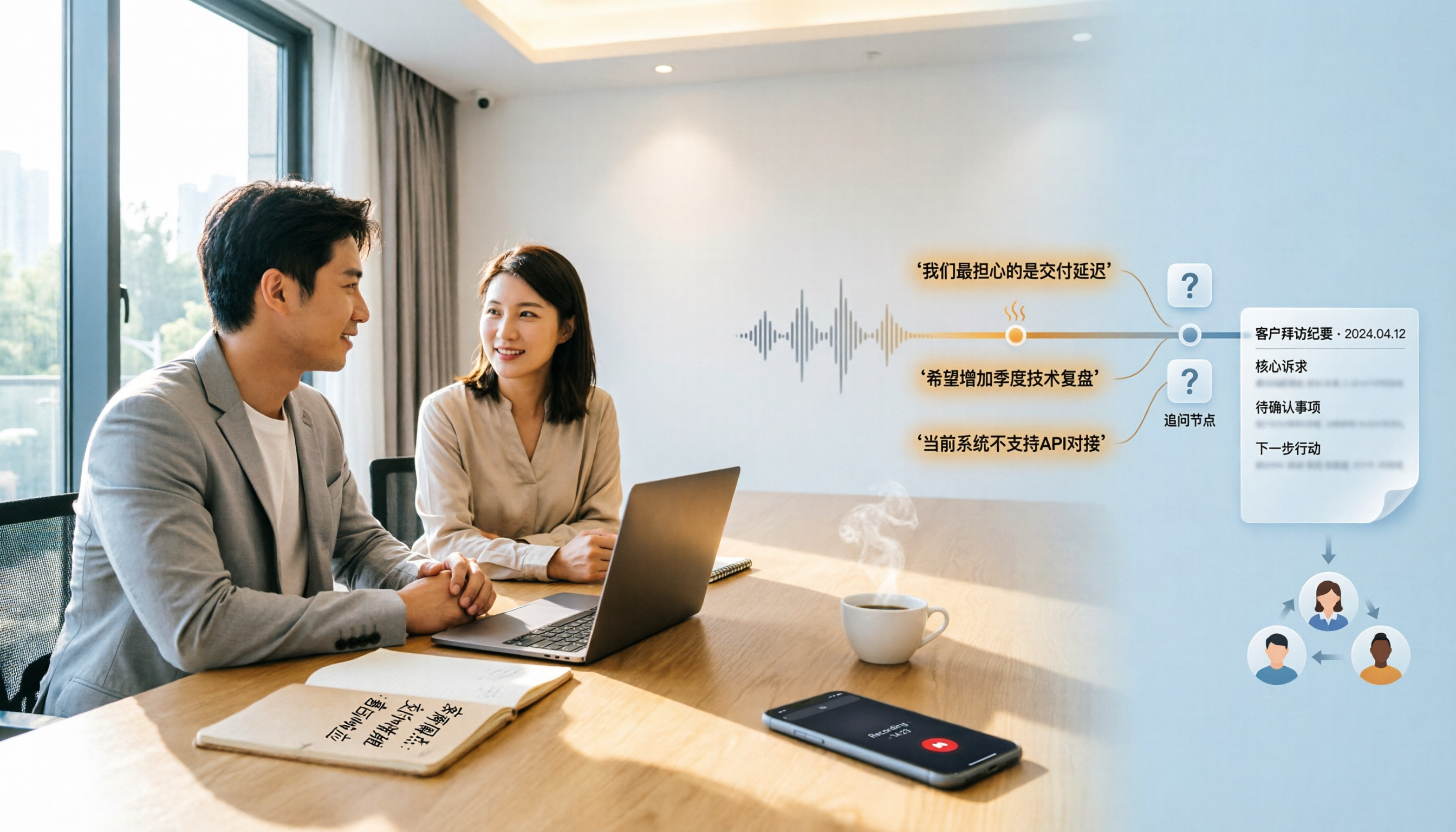
2026 Comparison of 4 Customer Visit Recording Tools: Which One Turns Visit Notes into Records You Can Query?
Poor customer visit records are usually not due to slow typing, but because tools fail to connect recording, transcription, organization, and handoff. This article starts from three common inefficient practices, breaks down 4 key selection criteria, and compares Tinrec, Notta, Otter.ai, and PLAUD in real tests on differences in Chinese visits, bot-free recording, post-meeting output, and team data retention.

6 Best Whisper Speech-to-Text Tools in 2026: Local, Online, and AI Meeting Assistants Compared
Whisper is free, open-source, and runs offline, but many people get stuck on setup, model selection, and discontinued software. This guide covers 6 Whisper speech-to-text tools in 2026, from command-line open-source versions and Windows desktop apps to browser-based online tools and AI meeting note solutions that don't require touching models. Includes model selection tips and common pitfalls.

3 Google Speech-to-Text Methods Tested: Which Free Option Is Enough in 2026?
Google Docs voice typing, Google Cloud Speech-to-Text, and Android Live Transcribe—how do these three online speech-to-text methods differ? Starting with the most common misconception, this article tests each option and summarizes suitable scenarios, free limitations, and step-by-step instructions. It also covers a more time-efficient workflow for turning meeting recordings into transcripts and organizing them afterward.