

Turn recordings into transcripts and summaries in minutes
Upload audio or video for multilingual transcription, AI notes, and action items
When you search for "free speech to text Cantonese," what you really need to figure out usually isn't "which tool is completely free," but these questions: Is the free tier enough to test a Cantonese recording? Can the transcript be used directly? If you organize meetings every week, should you switch to a tool that can retain your data?
Bottom line first: if you only occasionally transcribe a Cantonese video, a free preview tool is enough. But if you need meeting records, summaries, action items, and team sharing, rather than just getting a transcript, choose a workspace that can continue processing meeting content.
Free Cantonese Speech-to-Text: Ask Yourself These 3 Questions First
Question 1: Do you only occasionally transcribe a video, or do you have meetings every day?
For occasional transcription, what matters most is "can I see the result for free first." Tools like Subanana let free accounts upload files and preview the transcription of the first 15 minutes of each file, no credit card required—practical for confirming Cantonese recognition quality first.
Question 2: Do you want a transcript, or meeting minutes and action items?
A 20-minute video often takes an hour to subtitle—that's a real time cost. But a transcript is only the first step; the real time sink is post-meeting organization: who said what, what was decided, who's responsible for next steps.
Question 3: Is your "free" free preview or free export?
Many tools' free tiers let you see results, but exporting files is a paid feature. That's fine, but you need to know upfront so you don't finish transcribing only to find you can't take it with you.
5 Key Points for Choosing a Free Cantonese Transcription Tool
1. How the free tier is calculated
Don't just look at the word "free." Look at per-file limits, monthly minutes, and whether export is extra. Some tools let you preview the first 15 minutes for free; others offer a basic monthly quota—suitable scenarios are completely different.
2. Handling Cantonese and mixed Chinese-English
Hong Kong meetings are rarely pure Cantonese; mixed Chinese-English is the norm. Check whether the tool writes English words as phonetically similar Chinese, and whether it can output colloquial or written Chinese.
3. Can the transcript be used directly?
Only with punctuation, paragraph breaks, and speaker identification does a transcript not need reworking. If it just turns audio into a long string of text, you still have to spend time manually editing.
4. Post-meeting organization capabilities
Summaries, chapters, action items, AI Q&A—these features determine how much time you spend after recording. Tools that only transcribe leave post-meeting work to you; tools that turn meeting content into queryable data truly save time.
5. Team and data ownership
If meeting recordings are team assets, check whether the tool can centrally store them, manage member permissions, and transfer data when members leave. Personal tools usually don't handle this.
Tinrec — More Than a Transcript: Turn Meetings into Queryable Data
Tinrec is an AI meeting notes and collaboration tool for individuals and teams. It supports real-time recording transcription, bot-free online meeting recording, audio/video file transcription, real-time translation, and automatically generates summaries, chapters, action items, and mind maps. Its positioning isn't just "turn audio into text" but to organize meeting content into searchable, summarizable, queryable, and exportable data.
Its best-fit scenario: online meetings. Tinrec desktop captures computer system audio to record Zoom, Google Meet, Microsoft Teams, Webex, and other meetings without inviting an extra meeting bot. For those who don't want another bot participant in the meeting, this approach is straightforward.
The second scenario is post-meeting Q&A. After a meeting, you can ask Tinrec directly about the meeting content, such as "Who mentioned the budget in the last meeting?" or "Turn the client's requirements into action items." It answers based on meeting data, not just keyword search results. This is the biggest difference from pure transcription tools: you're not just buying a transcript but a meeting database you can continue conversing with.
The third scenario is team retention. Tinrec team edition provides an independent team space where meeting data belongs to the team, with management of members, roles, and seats. Active members without seats can still view, play, and read team data; only with a seat can they record, upload, edit, and export. When members leave or are removed, team resources can be transferred to other active members and won't disappear with personal accounts.
Stop organizing recordings by hand
Upload audio or video and automatically get a transcript, summary, and action items
Three advantages: First, a complete post-meeting workflow: transcription, summary, chapters, action items, Q&A, export to common formats—all in one flow. Second, cross-platform: mobile, desktop, and web all work, covering both online meetings and offline recordings. Third, clear team governance: roles, seats, usage analytics, and audit logs managed separately, suitable for departments or project teams that need to share meeting data.
Limitations to note: Tinrec's free version offers a basic quota to experience recording, import, summaries, and transcription; high-frequency use or export requires a paid plan. Team edition is USD 29.80 per paid seat per month, or USD 199 per paid seat per year. First eligible team trial is 7 days, 1 free seat, 300 minutes of team shared import quota. Also, Tinrec's product description focuses on Chinese, Traditional Chinese, and multilingual meetings, with real-time translation; actual Cantonese recognition is affected by recording quality, noise, accent, and overlapping speakers—test with your own real recordings rather than relying on marketing numbers.
Who is it for? If you have several meetings a week, need Chinese meeting notes, want to use AI to find key points after meetings, and want teams to share the same meeting data, Tinrec is more suitable than pure transcription tools.
Besides Tinrec, What Other Free Cantonese Transcription Options Are There?
Subanana: The source page explicitly promotes free Cantonese speech-to-text, allowing upload of audio files, videos, or YouTube links. Free accounts can preview the transcription of the first 15 minutes of each file, support mixed Chinese-English, speaker identification, and colloquial/written output; export is a paid feature. Suitable for those who want to confirm Cantonese transcription quality for free first. Based on the source page, it doesn't describe team spaces, role seats, or AI Q&A around meetings; if you need to retain meetings as team data, Tinrec is more complete in this regard.
YouTuber.ai: The source page mentions this is a free tool; just upload a file or YouTube link, and claims up to 96% accuracy. Suitable for quickly processing video content without manually typing transcripts. However, the source page doesn't describe meeting action item extraction, team shared spaces, or post-meeting AI Q&A; if your focus is meeting records and team collaboration, Tinrec has a broader feature set.
cSubtitle: Offers a free trial, focusing on audio-to-text, meeting notes, interviews, courses, and video subtitling. Suitable for those whose main needs are "file-to-transcript" and "video subtitles." Based on the source page, it doesn't emphasize team roles, seat management, or meeting database retention; if you want team-maintained meeting assets, Tinrec team edition is more aligned.
Pitfall Guide: 4 Common Mistakes with Free Cantonese Transcription
Pitfall 1: Only looking at free, ignoring export costs.
Many tools let you see transcription results for free, but exporting files requires payment. Rather than discovering this after transcribing, confirm upfront whether the free tier is "preview" or "takeaway."
Pitfall 2: Judging accuracy with quiet recordings.
Official accuracy claims are usually measured under ideal conditions. Real meetings have air conditioning noise, keyboard sounds, and people talking over each other—performance drops. Test with your own meeting recordings, not just ads.
Pitfall 3: Ignoring mixed Chinese-English.
Cantonese meetings often include English technical terms. If the tool writes English words as phonetically similar Chinese, you still have to correct sentence by sentence. When choosing, check whether it preserves original English.
Pitfall 4: Treating transcripts as meeting minutes.
A transcript is not meeting minutes. What's truly valuable are summaries, conclusions, and action items. If you only get a transcript, post-meeting organization time isn't saved. Tools like Tinrec put summaries, action items, and AI Q&A after transcription specifically to reduce this manual work.
Conclusion: Which One Should You Choose?
In one sentence: free Cantonese transcription is worth trying, but for long-term meeting records, look at post-meeting organization capabilities.
If you only occasionally transcribe a Cantonese recording or video and want to confirm quality for free first, Subanana's free preview is a good first step.
If you have YouTube links to quickly convert to text, free tools like YouTuber.ai are worth considering.
If you need video subtitle files, cSubtitle is more positioned around subtitles and transcript processing.
If you have meetings every week, need summaries, action items, post-meeting AI Q&A, and want teams to share meeting data, Tinrec is the most complete choice in this review. It supports bot-free online meeting recording, real-time transcription, multi-format export, and team space management—rather than just buying a transcript, turn meetings into sustainable data.
If you often switch between phone and computer, Tinrec's cross-platform use is also more convenient than single-device tools.
Final reminder: get participant consent before recording and comply with local regulations. We recommend testing Tinrec's free version with your own real meeting recordings first, and consider upgrading only if the post-meeting workflow meets your needs—no need to pay upfront.
References
- Free Cantonese Speech-to-Text App 2026 | Subanana
- Cantonese Text-to-Speech
- Cantonese Text-to-Speech
- [Free Tool] Cantonese Speech-to-Text! Just upload a file or YouTube link. Up to 96% accuracy - YouTuber AI | Spend time on creativity, leave the AI to do the hustle work.
- AI Speech-to-Text: Fast online audio-to-text, transcripts, and video subtitling - Free trial - cSubtitle
Turn every recording into actionable outcomes
Get 60 free transcription minutes when you sign in. No credit card required.
Related Reading
You might also like

2026 AI Speech-to-Text Comparison: Tinrec, Notta, Otter.ai, Granola Tested for Chinese Meetings & Post-Meeting Workflows
Starting from meeting notes and post-meeting organization needs, we compare Tinrec, Notta, Otter.ai, and Granola on input sources, Chinese language experience, post-meeting output, and team governance to help you decide which AI speech-to-text tool is worth trying first.

2026 Comparison of 3 Cantonese Speech-to-Text Tools: Which Saves the Most Time on Meeting Notes?
The hardest part of a Cantonese meeting isn't recording—it's the hours of cleanup afterward. We tested 3 Cantonese speech-to-text tools, comparing mixed Chinese-English recognition, converting spoken to written language, post-meeting summaries and action items, team seats, and pricing. We also highlight 4 key points to understand before buying and 3 common pitfalls to help you decide which tool truly saves time on meeting notes.

4 Audio-to-Text Tools Tested: Which Handles Cantonese with Mixed English Best in 2026?
Cantonese audio transcription often struggles with mixed English and converting spoken to written Chinese. This guide covers 4 key selection criteria, a hands-on workflow test of Tinrec, and 80-120 word reviews of Subanana, CantoSub, and Otter.ai to help you choose the right tool for your scenario.

5 Best Speech-to-Text Apps for Cantonese on Android in 2026: Tested and Compared
For Android users who want to turn Cantonese recordings into usable text, the real difference isn't which app is most accurate—it's how much work you still have to do after the meeting. This article compares Tinrec, Notta, TurboScribe, Otter.ai, and PLAUD Note from four angles: real-time meetings, mixed Chinese-English, cross-device organization, and free tiers. It also highlights four common pitfalls to help you choose the right tool.

5 Best Cantonese Speech-to-Text AI Tools in 2026: Which One Really Understands Cantonese?
Most people choose a Cantonese speech-to-text tool based only on whether it says 'supports Cantonese,' overlooking accents, quota usage, and post-meeting output. This article first breaks down three common misconceptions, then uses Tinrec to demonstrate the complete workflow from recording to transcript, summary, action items, and export, and compares the positioning and limitations of CantoSub, YouTuber AI, Otter.ai, and Notta/TurboScribe.

2026 AI Transcription Showdown: Tinrec vs Otter.ai for Cantonese — Which Saves More Time?
We cut through three common misconceptions and put Tinrec and Otter.ai head-to-head across five dimensions: Cantonese recognition, meeting capture methods, post-meeting organization, team governance, and pricing logic. Find out which tool better fits your Cantonese audio-to-text workflow.

6 Cantonese Speech-to-Text Tools Tested on Windows 11: Which Is the Least Effort in 2026?
Want to use Cantonese speech input on Windows 11? Should you use the built-in Win+H, a Jyutping keyboard, or an AI transcription tool? This guide covers 6 practical options, from the no-install built-in dictation to Tinrec, which can automatically generate summaries and action items. It honestly lists each option's limitations and pricing to help you pick the least effortful one.

5 Speech-to-Text Tools Compared for 2026: How to Choose from Google AI Studio to Paid Plans
Is Google AI Studio with Gemini really free and easy for transcription? This comparison puts Google AI Studio, Tinrec, Notta, TurboScribe, and Otter.ai side by side, covering free tiers, Chinese recognition, online meeting recording, and team collaboration to help you pick the one that fits your usage frequency.
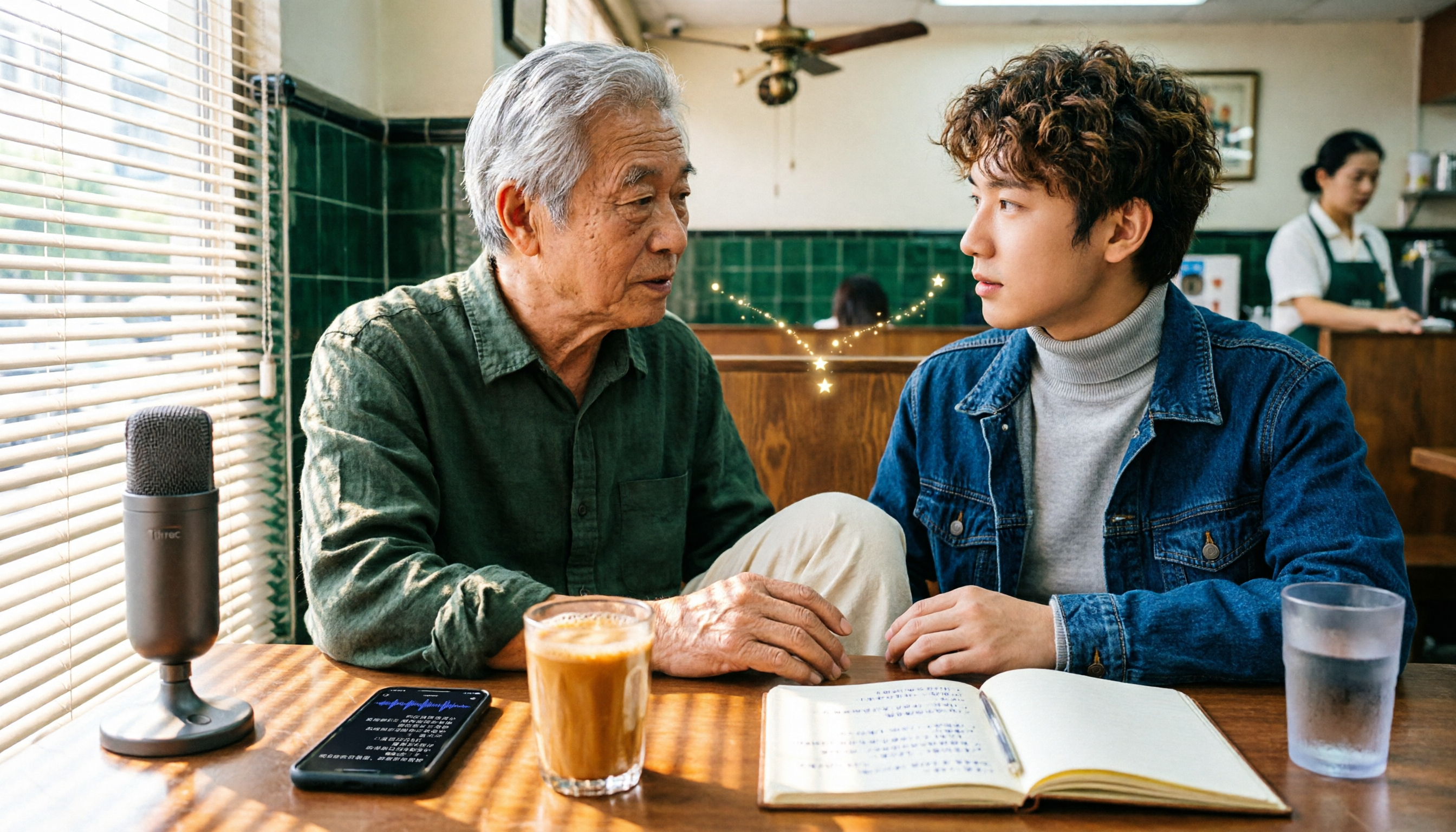
6 Free Cantonese Speech-to-Text Tools Tested: Which Is Best for Cantonese Transcripts in 2026?
There are many free Cantonese speech-to-text tools, but most people get stuck on two misconceptions: confusing text-to-speech with speech-to-text, and assuming free means fully featured. This article covers 6 practical options, from Tinrec's post-meeting workflow to the free tiers of Subanana, cSubtitle, and YouTuber AI, plus long-file handling with Notta and TurboScribe, along with selection criteria and 4 must-know notes before use.