

Turn recordings into transcripts and summaries in minutes
Upload audio or video for multilingual transcription, AI notes, and action items
You want to send a message saying "Have you eaten?" to an elder, but you find that the character for "eat" won't type. You want to type Taiwanese using Pe̍h-ōe-jī, but you can't figure out how to enter the tone marks. Elders don't know Zhuyin, let alone learning a new romanization system. These problems aren't because you don't know Taiwanese—it's because you haven't chosen the right keyboard for your phone.
Typing Taiwanese on iOS has changed a lot in recent years. The Ministry of Education (MOE) collaborated with Apple to include the "Reference Character List for Indigenous Languages" into the system. Starting with iOS 26, iPhone and iPad can natively display Taiwanese Han characters. At the same time, the MOE launched the "Taiwanese Input Method" app, which uses voice input and text-to-image conversion to handle missing characters. There are also options like PhahTaigi, TaigiKeyboard, and Lohankha on the market, each suited to different habits.
This article is compiled from public information from the MOE and the App Store; no laboratory accuracy tests were conducted. "Suitable" in this article is summarized based on features and usage scenarios; actual experience may vary depending on system version, phone model, and personal habits. Data verified: January 2026.
Before Choosing an iOS Taiwanese Input Method, Understand These 4 Key Points
1. How are missing characters (tofu characters) handled? Some Taiwanese Han characters are not in standard system fonts and appear as blank squares—commonly called tofu characters. Starting with iOS 26, Apple has incorporated the MOE's "Reference Character List for Indigenous Languages" into the system, so display support is more complete than before. However, if you're still on an older system or encounter characters not in the list, check whether the app offers text-to-image conversion or alternative display methods.
2. Which input method are you used to? Common Taiwanese input methods include Pe̍h-ōe-jī, MOE Tâi-lô, and Bopomofo extended symbols; some people type Han characters directly. There's no single best method—what matters is whether you or your elders can learn it. If you're completely unfamiliar with romanization, voice input is more practical than memorizing tones. If you're already writing Taiwanese text, romanization input is faster.
3. Are candidate words and learning cost low enough? Some input methods list candidate words without typing tones; others support typing only the first letter of each syllable—for example, typing three letters brings up the complete phrase. For beginners, whether candidate word ordering is intuitive and whether you need to learn a set of rules first directly affects whether you'll keep using it.
4. Do you need offline use, cross-platform support, or elder-friendliness? If you often type Taiwanese without internet access, offline capability is important. If you want the same input logic on your phone, tablet, and computer, cross-platform support is a plus. For elders, voice input, keyboard themes, and font size are more critical than the number of features.
MOE "Taiwanese Input Method": Top Choice for Daily Messaging and Elder Beginners
If what you want is "install it and it works, and elders can learn it," the MOE's "Taiwanese Input Method" is currently the most hassle-free choice. It's deeply integrated with Apple: the MOE collaborated with Apple in 2025 (ROC year 114) to include the "Reference Character List for Indigenous Languages" into the iOS system, making iPhone and iPad the first devices with native Taiwanese display support. Starting with iOS 26, the relevant glyphs were officially released, greatly reducing the missing character problem.
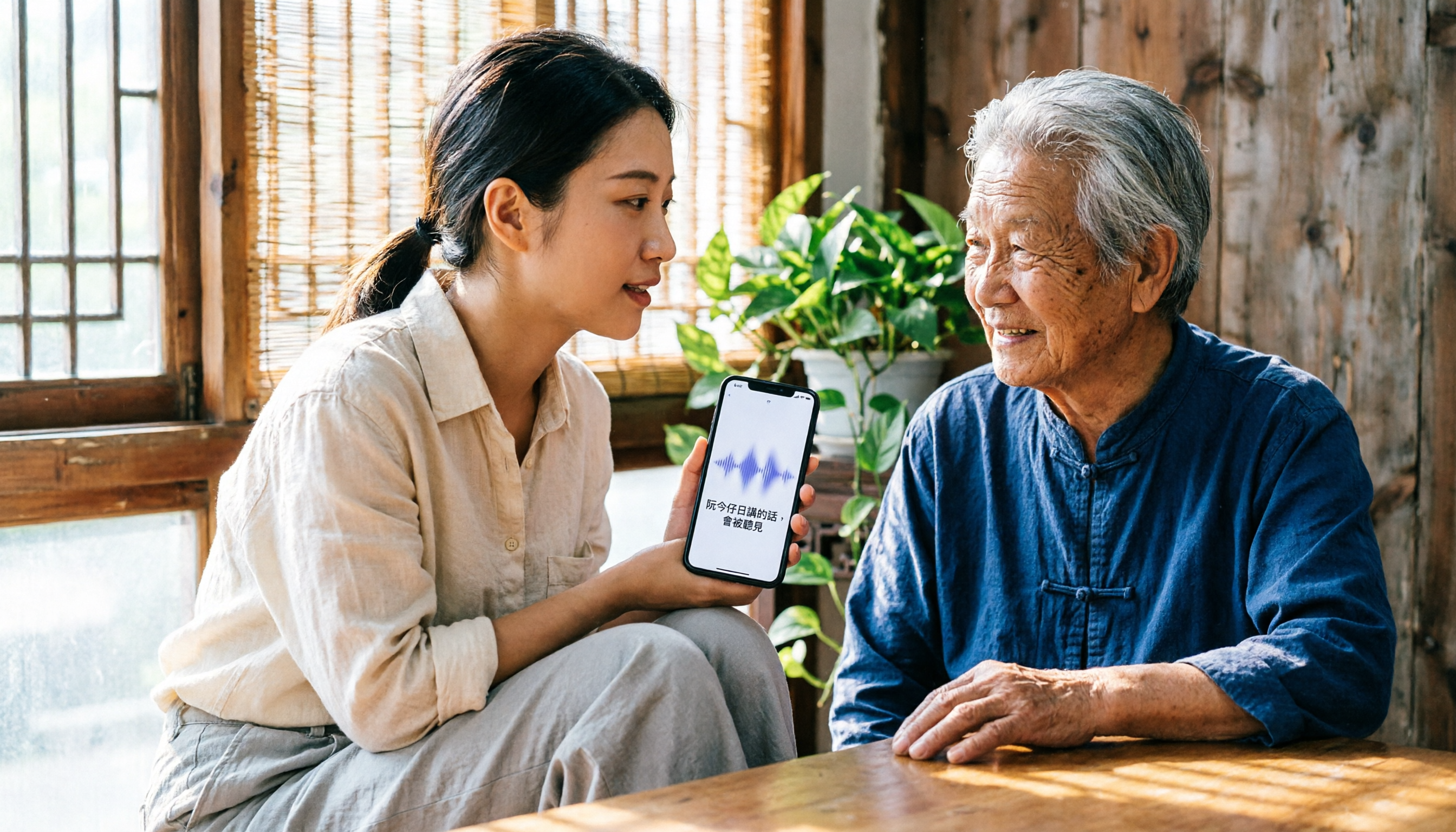
Its first advantage is voice input. For elders unfamiliar with romanization, rather than memorizing Pe̍h-ōe-jī or Tâi-lô tones, it's better to speak Taiwanese directly to the phone and let the app convert speech to text. This is especially useful for daily short messages like LINE chats, family groups, and community announcements, and reduces the frustration of "wanting to type Taiwanese but can't."
Its second advantage is missing character handling. Even if the system character list or the app encounters a character it's unsure about, it can use text-to-image technology to convert the text into an image for display, avoiding the embarrassment of tofu characters in chat windows. For those who need to send correct Taiwanese Han characters, this is more direct than fixing characters afterward.
Its third advantage is simple keyboard settings. After opening the app, you can first choose a keyboard theme; by default it automatically detects system settings and follows iPhone's dark or light mode. You can also fix it to light, dark, or black styles. It's easy on the eyes at night and looks clean during the day—friendly for those who don't like fiddling with settings.
It also supports abbreviated input. For phrases of three characters or more, you only need to enter the first sound of each syllable to type the complete phrase; for example, entering "kip" (kàu-iok-pōo) brings up "教育部" (Ministry of Education). For those who already know Taiwanese pronunciation but don't want to type out full romanization character by character, this design saves considerable time.
Stop organizing recordings by hand
Upload audio or video and automatically get a transcript, summary, and action items
Who is it for? It's suitable for anyone who wants to send Taiwanese messages to elders, community officers posting announcements, teachers doing Taiwanese language instruction, or simply wanting to occasionally communicate in Taiwanese Han characters. Limitations should also be stated clearly: voice input is affected in noisy environments; those completely unfamiliar with romanization still need some time to adapt; if the system version is older, character list support may be incomplete—check your iOS version first.
Compared with the options below, the MOE version's most obvious differences are voice input and missing character handling, offering the lowest barrier for those unfamiliar with romanization. This is why this article places it as the top choice for daily messaging and elder beginners.
Besides the MOE Version, These 3 Taiwanese Input Methods Are Worth Considering
PhahTaigi Taiwanese Input Method: For Pe̍h-ōe-jī Veterans, Offline Use
PhahTaigi is a long-established Taiwanese input method on iOS. It's free and sustained by the "Taiwanese Text Tools" crowdfunding project. It supports Pe̍h-ōe-jī, MOE Han characters, and romanization; single syllables and multi-syllable words don't require tones, and candidate words are ordered by tone; for multi-syllable words, typing the first letter of each syllable brings up the word—for example, typing "sbh" brings up "sam-bûn-hî." It works offline after installation. Suitable for those already familiar with Pe̍h-ōe-jī who want to type Taiwanese text offline. However, some users in App Store reviews have reported keyboard proportion issues on iOS 26 and that it hasn't been updated for a while; the public page also doesn't emphasize voice input or text-to-image missing character handling—areas where the MOE version has an advantage.
TaigiKeyboard: Cross-Platform, Open Source, Supports Bopomofo Extended Symbols
TaigiKeyboard is a free, open-source Taiwanese input method supporting iOS, Android, macOS, Windows, and Linux—meaning you can use the same input logic on phone, tablet, and computer. It supports typing with Pe̍h-ōe-jī, MOE Tâi-lô, and Bopomofo extended symbols; the typing engine was developed by Taiwanese developers and designed according to Taiwanese typing habits. Suitable for those already using Tâi-lô or Bopomofo extended symbols who want consistency across devices. In contrast, the MOE version's voice input and text-to-image missing character handling are more intuitive for general daily messaging and elders; TaigiKeyboard's strengths lie in cross-platform support and open-source flexibility.
Lohankha Taiwanese Input Method: Advanced Choice for Multiple Writing Systems
Lohankha supports romanization, Han characters, Korean Hangul, and Japanese Kana input, suitable for different Taiwanese writing styles such as all-romanization, Han-romanization, and all-Han. If you're already writing Taiwanese text and mix romanization with Han characters, or even need Hangul or Kana, this keyboard design is more flexible than general input methods. Its learning curve is also higher than the MOE version: users should first know which writing system they want to use. If you just want to send LINE messages to elders, the MOE version's voice input and missing character handling are more direct.
Pitfall Guide: 3 Most Common Mistakes When Choosing a Taiwanese Input Method
Pitfall 1: Assuming that installing a keyboard will display all Taiwanese characters. Whether Taiwanese Han characters can be displayed depends not only on the input method itself but also on the system character list. Support has improved since iOS 26, but older systems or special characters may still have missing glyphs. When choosing, check whether the app offers text-to-image conversion or other alternative display methods—don't just look at whether the keyboard looks nice.
Pitfall 2: Ignoring elders' learning costs. For elders unfamiliar with romanization, Pe̍h-ōe-jī, Tâi-lô, and Bopomofo extended symbols are all new. Rather than requiring them to learn a romanization system first, choose an app with voice input so elders can send messages by speaking. This is also why the MOE version is more elder-friendly.
Pitfall 3: Only looking at free price, not updates and system compatibility. Free is great, but input methods are heavily dependent on system versions. Each iOS update may affect keyboard height, switching methods, or candidate word display. Choosing an app that is actively maintained and works properly on your current system version is more important than saving a few dollars.
Conclusion: Which One Should You Choose?
In one sentence: for most daily messaging and elder beginners, choose the MOE "Taiwanese Input Method" first.
- To send LINE messages to elders, family groups, community announcements → MOE "Taiwanese Input Method," voice input is most direct.
- Encountering missing Taiwanese Han characters or tofu characters → MOE "Taiwanese Input Method," has text-to-image handling.
- Taiwanese language teaching, occasional character lookup or romanization comparison → MOE "Taiwanese Input Method," has both Han character and romanization input.
- Completely unfamiliar with romanization, want to type Taiwanese by speaking → MOE "Taiwanese Input Method," lowest barrier for elders.
- Already familiar with Pe̍h-ōe-jī, want to type Taiwanese text offline → PhahTaigi Taiwanese Input Method.
If you're already using Tâi-lô or Bopomofo extended symbols, or need cross-platform, advanced multi-writing-system support, then consider TaigiKeyboard and Lohankha. It's recommended to start with the MOE version and try typing a few daily Taiwanese sentences; if it doesn't fit your writing habits, then look into other options.
Data Sources
- Mr. Mad: Taiwanese Input Method App Tutorial: Voice Input, Solving Missing Characters, and Settings Complete Guide (https://mrmad.com.tw/taiwanese-input-method-app-ultimate-guide)
- TaigiKeyboard: TaigiKeyboard Taiwanese Input Method (https://taigikeyboard.tw/)
- Lohankha Taiwanese Input Method (https://lohankha.tw/)
- App Store: PhahTaigi Taiwanese Input Method (https://apps.apple.com/tw/app/phahtaigi-%E5%8F%B0%E8%AA%9E%E8%BC%B8%E5%85%A5%E6%B3%95/id1455093650)
- Apple Almond: Taiwanese Communication Made Easier, MOE "Taiwanese Input Method" Launches! No Worries About Missing Characters, Voice Input Also OK (https://applealmond.com/posts/302684)
Reference Sources
- Taiwanese Input Method App Tutorial: Voice Input, Solving Missing Characters, and Settings Complete Guide - Mr. Mad
- TaigiKeyboard Taiwanese Input Method
- Lohankha Taiwanese Input Method
- PhahTaigi Taiwanese Input Method - App Store
- Taiwanese Communication Made Easier, MOE "Taiwanese Input Method" Launches! No Worries About Missing Characters, Voice Input Also OK - Apple Almond - iPhone/iOS Recommendations Tech Media
Turn every recording into actionable outcomes
Get 60 free transcription minutes when you sign in. No credit card required.
Related Reading
You might also like

2026 Comparison of 2 Free Cantonese Speech-to-Text Tools: Tinrec vs Notta Free Tiers and Meeting Notes Use Cases
Using Cantonese meeting notes as the scenario, this compares Tinrec and Notta's free tiers, online meeting capture, post-meeting organization, AI Q&A, and team collaboration. The article notes a data verification date of August 18, 2026, and reminds readers that prices and benefits are subject to official pages.

2026 WhatsApp Voice-to-Text Comparison: Tinrec for Cantonese Meeting Notes Saves More Time?
Stop gambling on whether WhatsApp's built-in transcription supports Cantonese. This article compares WhatsApp's built-in feature, phone dictation, and Tinrec, breaks down common misconceptions, and explains how Tinrec turns saved Cantonese voice files into transcripts, summaries, action items, and searchable team data.

2026 Comparison of 4 Taiwanese Input Methods for Desktop: Which Handles Romanization, POJ, and Missing Characters Best?
A comparison of Taigi Keyboard, Lohankha, the Ministry of Education Taiwanese Input Method, and the FHL Taiwanese Input Method on desktop—covering support for Romanization, POJ, missing Chinese characters, and installation setup—to help you choose the right Taiwanese input method.

2026 Comparison of 3 Taiwanese Input Methods: From Installation to Typing Your First Taiwanese Character — Which Saves the Most Time?
A clear guide to Taiwanese input methods: This article compares the Ministry of Education Taiwanese Input Method, PhahTaigi, and the FHL Taiwanese & Hakka Input Method using the same criteria, explaining how to type with Tâi-lô romanization, how to handle tones and missing characters (tofu characters), keyboard and offline settings, and includes step-by-step instructions from installation to typing your first Taiwanese character, plus a beginner's guide to avoiding pitfalls.
3 Best Taiwanese Input Method Apps for 2026: Voice Input, Romanization, and Missing Character Support Compared
Can't type Taiwanese when messaging? This guide compares three Taiwanese input method apps for 2026—Ministry of Education Taiwanese Input Method, PhahTaigi, and Lohankha—on voice input, romanization support, missing character handling, and best use cases, with buying advice and pitfalls to avoid.

Free Taiwanese Speech-to-Text in 2026: 3 Key Criteria + Tinrec Post-Meeting Workflow
Looking for a free Taiwanese speech-to-text tool? This guide covers three key criteria—language support, free quota, and post-meeting organization—to help you avoid tools that claim to be free but don't work. It also demonstrates how Tinrec turns transcripts into summaries, action items, and searchable team meeting materials.

2026 Cantonese Voice Input Test: Is Mac and iPhone Dictation Enough?
Many people search for 'Apple Cantonese voice input' and install the wrong thing first—mistaking Mac's 'Cantonese Pinyin' input method for voice input. This article starts with three common misconceptions, then tests and compares Apple's built-in dictation, Cantonese Pinyin input method, and Tinrec, outlining suitable scenarios, limitations, and practical steps for each, plus five key points to consider when choosing a tool.

4 Taiwanese Input Methods Compared (2026): Which Is Best for Typing Romanized Taiwanese?
Struggling to type Taiwanese messages or notes because you can't get the Chinese characters out? This guide compares the Ministry of Education's Taiwanese Input Method, TaigiKeyboard, FHL Taigi-Hakka IME, and iTaiwan Taibun Input Method—covering romanization schemes, candidate selection, platform support, and dictionary management. Plus, the 4 most common pitfalls for beginners and recommendations to help you choose the right one.

5 Taiwanese Hokkien Voice Input Tools Tested and Compared in 2026: How to Choose from Phone Typing to Long Recording Organization
Taiwanese Hokkien voice input often gets stuck on missing characters, unfamiliarity with Taiwanese Romanization, and long recording organization. This article reviews 5 solutions: Ministry of Education Taiwanese Hokkien Input Method, PhahTaigi, Taiwanese AI TTS, EzTranslate, and Tinrec, from sending messages on mobile to meeting and interview transcripts, providing clear selection advice based on usage scenarios.