
Turn recordings into transcripts and summaries in minutes
Upload audio or video for multilingual transcription, AI notes, and action items
Common Misconception: Treating the 'Shortcut' as a Complete Transcription Workflow
After a one-hour meeting, you spend another hour organizing notes; a friend sends a three-minute voice message, and all you want is the one line about 'what time tonight.' Most people searching for 'Speech to Text by cantonese.ai shortcut' are really asking: is there a button I can press and the text just appears?
But in practice, three misconceptions cause the most trouble:
- Thinking that installing the shortcut means it can transcribe anything. This type of shortcut is essentially an iOS share extension—it processes audio you actively share into it, not automatically recording all your meetings.
- Thinking the job is done once the text appears. A transcript is just raw material; the real time sink is extracting conclusions, action items, who is responsible for what, and when it's due.
- Thinking faster is always better. Short voice messages are judged by seconds; meeting records are judged by searchability and collaboration—two completely different standards.
A better question: is what you have 'a piece of audio you need to understand' or 'a meeting you need to document'? Below are five common approaches, including the cantonese.ai shortcut, Tinrec, and different paths like Notta, TurboScribe, and PLAUD.
What Is the Speech to Text by cantonese.ai Shortcut and How Does It Work?
cantonese.ai is a service that provides Cantonese speech-to-text. Its website offers audio upload, timestamps, and speaker diarization (available only on upgraded plans); the official API documentation states that the synchronous endpoint is suitable for short audio up to about 10 minutes, while longer audio should use the asynchronous endpoint (submit and poll for results).
A third-party tutorial (unwire.hk, 2023) describes the process: on iOS, long-press a WhatsApp voice message from a friend, select 'Forward,' forward the recording to 'Speech to Text by cantonese.ai,' allow forwarding, and within seconds you get the text. The example in the tutorial shows the transcribed content roughly matches the meaning, but wording may differ (e.g., the original 'lock the door' became 'lock the main door'). This isn't because it's particularly bad—it's what all speech recognition encounters with accents, speaking speed, and background noise.
Pros: Lightweight, fast, no need to leave your chat or app—especially useful for 'voice messages from friends and family you can't be bothered to type out.'
Limitations: Geared toward real-time processing of single audio segments; no post-meeting organization workflow, no team sharing, permissions, or usage management; long meetings and batch files are not its strong suit.
Tip: Check your sharing permission settings before use; when processing others' recordings, follow local regulations and obtain consent.
4 Key Points to Understand Before Choosing a Cantonese Speech-to-Text Solution
1. What is your input source? Is it 'forwarding a voice message,' 'recording an entire in-person meeting,' or 'organizing an online meeting playing on your computer'? These three needs require completely different tools—clarify this before discussing features.
2. What will you do after the transcript? If you just need to understand the content, a lightweight transcription tool is enough; if you need to produce meeting minutes, action item lists, reports, or tables, check whether the tool offers summarization, chapters, and post-processing capabilities.
3. Is the audio retained, and can you look up timestamps? Transcripts will always have uncertain spots (names, numbers, technical terms). Tools that retain audio and mark timestamps make verification much cheaper.
4. Is it for individual or team use? Individuals just need 'transcribe it'; teams also deal with data ownership, how data is handed over when a member leaves, who can upload, and who can only view. This layer is often overlooked but is what most people end up fixing after the fact.
Tinrec: If You Need More Than Just 'Audio to Text'
Tinrec is an AI meeting notes and collaboration tool for individuals and teams, available on web, desktop, and mobile. Its positioning isn't 'turn sound into text' but 'turn meetings into searchable, queryable, and further processable data.'
Scenario 1: You don't want another bot joining your online meeting.
Tinrec's desktop version directly captures your computer's system audio and can handle Zoom, Google Meet, Microsoft Teams, Webex, and other online meetings without an extra meeting bot joining as a listener. Note that it currently doesn't 'automatically join all meetings on your calendar'—you need to start recording manually.
Scenario 2: You don't want to re-listen to a one-hour recording after the meeting.
After transcription, it automatically generates summaries and chapters and extracts action items from the discussion. Sections where participants talk over each other or go off-topic can be quickly skipped via chapters, so you only read the conclusion sections.
Scenario 3: You can ask it questions directly after recording.
AI Q&A lets you ask follow-up questions about a single meeting or across meetings, such as 'Who mentioned the budget in the last meeting?' or 'What concerns did the client have about the delivery date?' The same data can also generate reports, tables, and documents, and export to Notion, Google Docs, OneNote, Dropbox, and other tools for continued use.
The team version adds 'ownership' and 'governance.'
The team version is a separate team space, not multiple people sharing one personal account: you can create and switch between multiple teams, invite members via join links, set owners/admins/regular members, and assign or revoke seats. Team data (Audio, Folder, TODO, etc.) belongs to the team; when a member leaves or is removed, their resources must be handed over to other active members and won't disappear with the personal account. Admins can also see usage trends, member rankings, team hot words, and query and export audit logs; audio moved to the recycle bin can be restored before permanent deletion (currently retained for 30 days; TODO is not covered by the recycle bin).
Stop organizing recordings by hand
Upload audio or video and automatically get a transcript, summary, and action items
It's important to distinguish 'roles' from 'seats': roles determine who can manage the team and members; seats determine who can record, upload, edit, and import/export. Active members without a seat can still view, play, and read team data—they just can't perform resource-consuming operations.
Pricing and quotas (verified August 2026; refer to the official purchase page for actual terms)
The personal version includes a free tier, weekly card, Pro monthly, and Pro annual, suitable for different tasks like 'occasionally organizing a recording,' 'short-term intensive meetings,' and 'long-term data retention.' The team version's first eligible trial is 7 days, 1 free seat, and 300 minutes of team shared import quota; team monthly is USD 29.80 per paid seat per month, annual is USD 199 per paid seat per year (about USD 16.58/month); each paid seat provides 2,000 minutes of team shared import quota per month. Real-time recording under an active team plan currently does not deduct minutes; file and web imports consume the team shared quota.
Limitations and reminders (better to be upfront)
- No fixed accuracy guarantee: results are affected by recording quality, noise, accents, overlapping speakers, and technical terms. For important content, cross-check with the audio and timestamps.
- The team version currently focuses on team-level sharing, not file-level granular permissions.
- If your content is primarily Cantonese, we recommend first uploading a real recording of your own using the free tier quota to confirm the recognition results meet your expectations before considering an upgrade.
Who it's for: People who need Chinese and multilingual meeting notes, post-meeting summaries and action items, and want meeting data to stay with the team rather than scattered across personal phones.
Other Options: Notta, TurboScribe, and PLAUD Each Have Their Strengths
Notta
The direct competitor with the most overlap with Tinrec, offering multi-platform transcription, meeting notes, translation, and team plans. Official figures: free tier 120 minutes per month, max 3 minutes per item; Pro annual equivalent to USD 8.17/month, 1,800 minutes per month; Business annual equivalent to USD 16.67 per seat per month, including unlimited transcription, role permissions, and usage reports (refer to the official pricing page). Suitable for individuals who mainly do file transcription and want clear plan tiers. Difference: Tinrec currently lists team audio recycle bin and audit logs as team version capabilities and offers Agent post-processing to directly produce reports and tables—features not emphasized on Notta's official pages.
TurboScribe
A cost-effective file transcription path: free tier 3 files per day, max 30 minutes per file; Unlimited annual USD 120 (about USD 10/month), paid version max 10 hours or 5 GB per file, up to 50 files per upload. If you have a pile of long interviews and lecture recordings to batch transcribe, its per-run capacity does have an advantage over Tinrec. Conversely, real-time meeting recording, post-meeting AI Q&A, and team spaces are not its strong suit—and those are exactly Tinrec's core.
PLAUD Note / NotePin
AI recording hardware that sells 'portability' and phone call recording: NotePin USD 159, Note Pro USD 189; membership Starter 300 minutes per month, Pro USD 99.99/year (1,200 minutes per month), Unlimited USD 239.99/year (refer to official pages). Those who are often on the go and want to start recording with a physical button will like it. The trade-off is carrying an extra device and an extra hardware cost; Tinrec handles online meetings, existing audio files, and team sharing via web, desktop, and mobile without extra hardware.
Pitfall Guide: 5 Most Common Mistakes
Pitfall 1: Treating the shortcut as a universal solution. The shortcut is great for 'forwarding a voice message,' but using it for a one-hour meeting recording will leave you stuck with upload issues, length limits, and no timestamp lookup. Check the audio length and purpose first, then choose the tool.
Pitfall 2: Only looking at officially advertised accuracy rates. Numbers measured in a quiet environment don't apply to real meetings with air conditioning noise, keyboard sounds, and people talking over each other. The most practical approach is to test the free quota with your own recordings—don't just look at ads.
Pitfall 3: Ignoring whether the audio file is retained. Transcripts will always have names, amounts, and technical terms to verify. Tools that don't retain audio and timestamps mean you have to re-record every time you're in doubt.
Pitfall 4: Thinking 'team sharing' means 'everyone can edit.' Many team tools are actually team-level sharing plus role and seat controls, not per-file permission settings. Before purchasing, ask clearly: who can view, who can edit, and who owns the data after a member leaves.
Pitfall 5: Forgetting recording consent and internal policies. Meeting recording and transcription involve personal data and trade secrets. For external meetings, inform participants and obtain consent first; also confirm your company's internal retention and deletion rules.
Conclusion: Which Option Fits Your Scenario?
Answer one question first: are you dealing with 'a message' or 'a meeting'?
- Just want to quickly read a WhatsApp voice message as text → The Speech to Text by cantonese.ai shortcut is enough—light, fast, no need to leave the chat window.
- Need to record online meetings and get summaries and action items afterward → Tinrec; the desktop version doesn't need a bot, and after transcription it directly generates summaries, chapters, and action items.
- Want to find key points directly via Q&A after recording → Tinrec; ask follow-up questions about a single meeting or across meetings, and generate reports, tables, and documents.
- Meeting data needs to stay with the team, and members come and go → Tinrec team version, with team spaces, roles, and seat management; resources can be handed over when members leave.
- Have a large number of long interviews and lecture recordings to batch transcribe → TurboScribe has an advantage in per-run capacity and price.
- Need to record on the go with a physical button → Recording hardware like PLAUD.
- Mainly English meetings, zero budget → Otter.ai's free tier (300 minutes per month) is worth including in your comparison.
Practical advice: Don't rush to pay. Use the free quota to upload a real meeting or voice message of yours (ideally including names, numbers, and industry terms), see if the transcription quality and summaries are usable, then decide whether to upgrade to a paid plan.
Data Verification and Sources
Product information in this article is based on Tinrec internal product knowledge (version date 2026-08-18); third-party prices and benefits were verified against their official pages in August 2026. Actual plans and amounts may change; refer to official pages before purchasing.
- 'Speech to Text - cantonese.ai' official page
- 'API Documentation: cantonese.ai Speech to Text' official documentation
- 'WhatsApp Cantonese Voice to Text: A Simple Shortcut' (unwire.hk, 2023)
- 'Transcribe Cantonese Speech to Text: Code Samples and Batch Processing Techniques' (HKUST Digital Humanities Initiative)
- 'Otter.ai Pricing Page,' 'Notta Pricing Page,' 'TurboScribe Pricing Page,' 'PLAUD Official Device Page and Membership Pricing Page'
References
- Speech to Text - cantonese.ai
- API Documentation | cantonese.ai
- [Tutorial] WhatsApp Cantonese Voice to Text: A Simple Shortcut
- Transcribe Cantonese Speech to Text: with Code Samples and Automated Batch Processing Techniques - HKUST Digital Humanities Initiative
- Transcribe Cantonese Speech to Text: With Code Samples and Automated Batch Processing Techniques | HKUST Library
Turn every recording into actionable outcomes
Get 60 free transcription minutes when you sign in. No credit card required.
Related Reading
You might also like

2026 Comparison of 4 Real-Time Audio-to-Text AI Tools: Transcription vs. Post-Meeting Organization
Meeting audio-to-text shouldn't stop at transcription. This article compares the features and plans of 4 real-time audio-to-text AI tools: Tinrec, Otter.ai, Notta, and Granola. It covers how audio enters the system, handling of Chinese and mixed Chinese-English, post-meeting summaries and AI Q&A, team seats and audit management, along with pitfalls to avoid and scenario-based recommendations. Prices and quotas are subject to each official page.

4 Cantonese Subtitle Apps Tested for 2026: Which One Handles Both Subtitles and Meeting Notes?
Turning Cantonese recordings into subtitles and then into meeting notes often means juggling two or three tools. Based on real-world use cases, this article compares the positioning, free tiers, and limitations of four Cantonese subtitle apps, testing their strengths to help you decide which one is best for delivering video subtitles and which one is best for turning meeting content into searchable, shareable team knowledge.

How to Use the Cantonese.ai Shortcut? 5 Cantonese Speech-to-Text Options Compared (2026)
Starting with what the 'Speech to Text by cantonese.ai' shortcut can and cannot do, this guide breaks down the use cases, costs, and limitations of five Cantonese speech-to-text approaches, and explains how to choose options for post-transcript summaries, action items, AI Q&A, and team knowledge retention.

2026 Comparison of 4 Cantonese Speech-to-Text Solutions: Which Handles Mixed Chinese-English and Post-Meeting Organization Best?
Cantonese speech-to-text often struggles with mixed Chinese-English and converting spoken language to written form. This article compares the positioning of 4 common solutions, explains Tinrec's actual performance in bot-free meeting recording, AI summaries and action items, and team knowledge retention, and outlines free quotas, pricing, and key considerations when choosing.
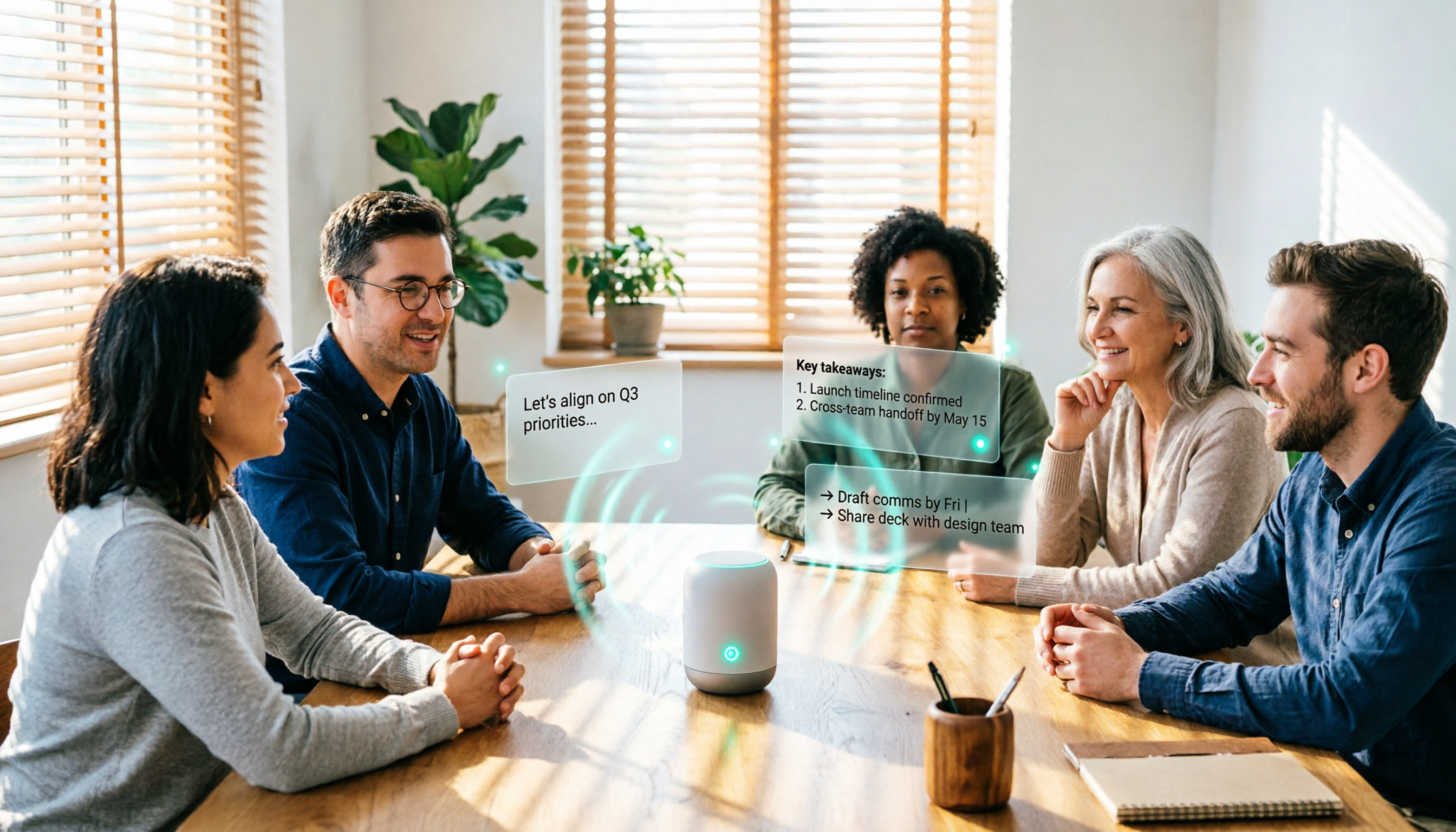
4 Real-Time Audio-to-Text AI Tools Compared for 2026: Free Tiers to Post-Meeting Organization
This comparison covers the free tiers, registration and device requirements, key features, and limitations of four real-time audio-to-text AI tools in 2026, using Tinrec as the main example to show how to go from recording to transcript, summary, action items, and team collaboration. It also compares Otter.ai, Granola, and TurboScribe for different use cases, helping budget-conscious readers choose the right tool.

4 Cantonese Speech-to-Text Tools Tested for 2026: Shortcuts vs. AI Meeting Notes
Should you use an iPhone Shortcut or a meeting tool for Cantonese speech-to-text? This article breaks down the setup and limitations of the cantonese.ai Shortcut and compares Tinrec, Otter.ai, and Notta on meeting summaries, action items, and team collaboration to help you choose the right tool for your situation.

4 iPhone Live Translation & Recording Solutions Compared (2026): Beyond Call Translation, Which Saves the Most Time on Meeting Notes?
With iOS 26.1, iPhone now supports Traditional Chinese Live Translation for calls, FaceTime, and Messages—so you can understand foreign languages in real time. But understanding and keeping a usable record are two different things. This hands-on comparison tests four options: Apple's built-in Live Translation, Notes dictation, Notta, and Tinrec. We look at input sources, post-meeting organization, Chinese performance, and team licensing to help you pick the best combo for your needs.

2026 Comparison of 4 Cantonese Speech-to-Text Tools: Which One Turns Cantonese Meetings into Usable Records?
Using a Cantonese meeting scenario with mixed Chinese and English, this comparison examines the workflow differences among Tinrec, Subanana, CantoSub, and Speechnotes. It covers Cantonese recognition, converting spoken language to written form, post-meeting summaries and action items, and team data retention, outlining who each tool suits and where its limitations lie.

2026 Real-Time Audio Transcription Tools Compared: A Voice Recorder Isn't Always the Answer
When looking for real-time audio transcription, many people's first instinct is to buy a voice recorder—but they overlook the need to connect to an app, limited free hours, and the extra work of organizing notes after the meeting. This article starts with common misconceptions, compares Tinrec with three voice recorder devices in hands-on testing, and outlines 5 key buying factors and 4 pitfalls to help you choose a truly time-saving approach.