
Turn recordings into transcripts and summaries in minutes
Upload audio or video for multilingual transcription, AI notes, and action items
4 Free Cantonese Speech-to-Text Options in 2026: Free Tiers and Post-Meeting Cleanup Compared
Many people searching for "free Cantonese speech-to-text" start with the assumption that "as long as there's a free tier, it's fine." But the real pitfalls usually aren't a complete lack of free usage—it's that free lets you "see but not take away": transcription previews are free, but exporting the transcript costs money; short voice input is free, but long meetings hit the quota halfway through; or after recording you get one big block of text with no summary or to-dos, so you still have to organize everything manually afterward. This article doesn't start with "who's cheapest." Instead, it first breaks down common misconceptions about free plans, then explains how to choose using more reasonable criteria.
Disclosure and data scope: This article was prepared by the content team associated with Tinrec (Miao Ting Lu Yin), and the writing perspective is primarily focused on Tinrec; competitor information comes from public search results, and free conditions and features are subject to each official website. This article did not conduct traceable hands-on testing, so it does not use the word "tested"; the following is a summary of public information and product features verified as of August 18, 2026. Free quotas, prices, and features may change.
The Three Most Common Pitfalls of Free Cantonese Speech-to-Text
A two-hour meeting followed by two more hours of post-meeting cleanup—that's the daily reality for many professionals. Cantonese meetings are even trickier: mixed Chinese and English, accents, and multiple people talking over each other mean one wrong line in the transcript forces you to re-listen to the whole section.
The second pitfall is the definition of "free." Many tools' free versions only offer short previews, or let you see the transcript but not export it; by the time you need to submit meeting minutes, you realize you still have to retype everything manually. The third pitfall is treating the tool only as "recording-to-text": after transcription you get just one big block of text with no summary, to-dos, or search—meaning only one-third of the job is done.
Rather than asking "which one is completely free," ask "can the free version first verify my recording results, and can it reduce manual work after the meeting?" Choosing the right tool connects transcription, summaries, to-dos, and follow-up questions into a single workflow.
4 Key Points to Understand Before Choosing a Free Cantonese Transcription Tool
Check whether the free quota allows "export": Some tools offer long free previews but charge for export. First confirm whether your end goal is to "view" or to "take away," so you don't get stuck after transcription.
Cantonese recognition should be evaluated on mixed Chinese-English and accents: Don't just look at claimed accuracy rates. Test with your own short recordings, paying attention to background noise, overlapping speakers, and technical terminology. Tinrec does not promise a fixed accuracy rate; actual results are affected by recording quality.
Post-meeting organization saves more time than transcription: Summaries, chapters, to-dos, and AI Q&A can reduce manual scrolling through transcripts. Tinrec puts these in the same workflow rather than just providing a text file.
Cross-platform and team data ownership: You might record on your phone today and organize on your computer tomorrow, so the tool should ideally work across devices; for teams, you need to see historical meetings, member seats, and usage. Tinrec's team plan keeps data in the team space, not carried away by individual accounts.
Tinrec (Miao Ting Lu Yin)—Verify for Free First, Organize Directly After the Meeting
Tinrec (Miao Ting Lu Yin) is an AI meeting notes and collaboration tool for individuals and teams, covering live recording, online meetings, audio and video file transcription, and putting transcripts, summaries, chapters, to-dos, and AI Q&A into a single workflow.
If you're not sure whether your Cantonese recordings will transcribe well, you can first use the free version to experience recording, importing, summaries, and transcription; the free version provides a basic quota, and specific minutes and benefits are subject to the official website. This is more practical than just looking at advertised accuracy rates. Tinrec does not recommend promising a fixed accuracy rate; it can provide high-quality transcription with clear audio and common scenarios, but noise, accents, and overlapping speakers still affect results, and important content should be verified by playback.
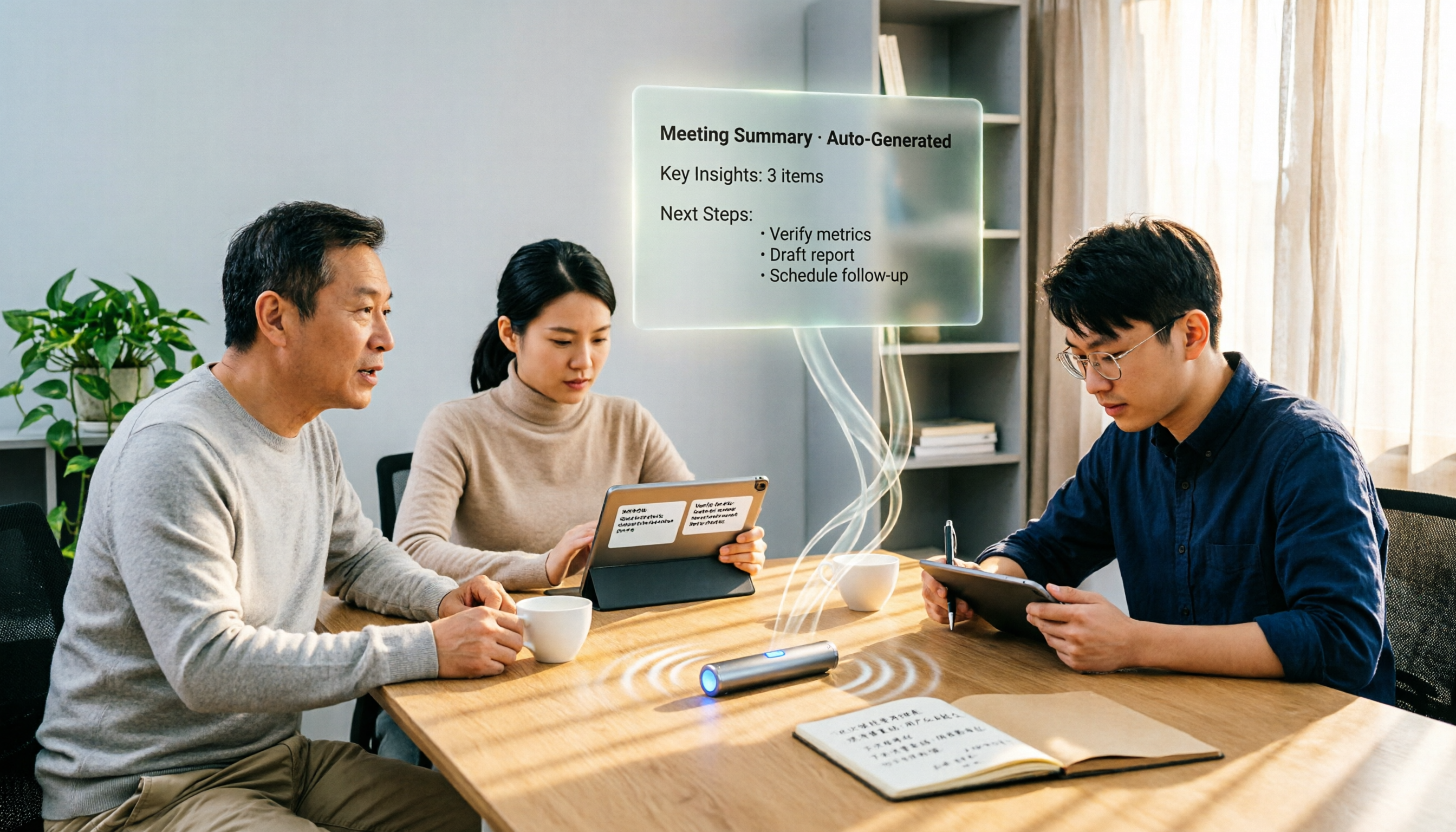
During meetings, the desktop version can directly record online meetings without adding a meeting bot to Zoom, Google Meet, Microsoft Teams, or Webex; it captures computer system audio, and users must actively start recording. After the meeting, AI summaries, chapters, and to-dos can compress two hours of content into scannable highlights; when you need to follow up, just ask "What was the budget the client mentioned last time?" or "Who is responsible for the next step?" without manually Ctrl+F through the full text.
If meeting data needs to be shared with the team, the team plan provides an independent team space, member roles and seat management, shared benefits, usage analytics, audit logs, and an audio recycle bin. Members without seats can still view, play, and read team data, but cannot upload, edit, or export; the first eligible team trial is 7 days, 1 free seat, and 300 minutes of shared team import quota, and subsequent paid plans and prices are subject to the official website.
Stop organizing recordings by hand
Upload audio or video and automatically get a transcript, summary, and action items
Its advantages are clear: the free version lets you verify Cantonese recording results first without paying upfront; after the meeting you don't just get a transcript but also summaries, chapters, to-dos, AI Q&A, translation, and multi-format export; the same workflow scales from individual to team, and team data belongs to the team and doesn't disappear when members leave. The limitations should also be stated clearly: the free version is a basic quota, and heavy use requires payment; if you need to batch process a large number of long files at once, this is not its main strength.
Suitable for people who need to try Cantonese transcription for free first, want summaries/to-dos/Q&A after meetings, or want to turn meetings into team knowledge. If you only need short voice input, offline input tools may be lighter.
Besides Tinrec, What Other Free or Low-Barrier Options Are There?
The following is a summary of public information, not hands-on testing; free conditions and features are subject to each official website:
| Tool | Free conditions (public information) | Cantonese and post-meeting capabilities | Main limitations |
|---|---|---|---|
| Tinrec (Miao Ting Lu Yin) | Free version provides basic quota to experience recording, importing, summaries, and transcription; team plan first eligible trial 7 days, 1 free seat, 300 minutes shared import | Cantonese/Chinese meeting transcription, summaries, chapters, to-dos, AI Q&A, translation, export, team space | Limited free quota; no fixed accuracy rate promised; not ideal for batch processing many long files |
| Subanana | First 15 minutes of each file free preview; export paid | Cantonese transcript, speaker labels, spoken/written Chinese, mixed Chinese-English, AI summary and ask questions about the recording (source) | Export paid; team governance not found in sources |
| YouTuber AI | Source does not specify free quota | Upload files or YouTube links for transcription; source claims 96% accuracy | Free and export conditions need to be checked on official website; post-meeting workflow not found |
| Type4All | Source claims 100% permanently free, fully offline | Cantonese voice input, offline use | More of an input method, not for long meeting records and team collaboration |
Subanana: Positioned as a free Cantonese transcription preview tool; upload recordings or videos, paste YouTube links, and AI will transcribe into a transcript with speaker labels and punctuation, with options for spoken or written Chinese for mixed Chinese-English; the first 15 minutes of each file can be previewed for free, and export is paid. The gap with Tinrec is that Tinrec has team space, bot-free online meeting recording, to-dos, and Agent post-processing; Subanana sources do not mention team governance. Suitable for those who want to first see short-file transcripts.
YouTuber AI: Positioned as a free tool to transcribe files or YouTube links; source claims 96% accuracy, but does not specify free quota and export conditions, and actual results need to be verified with your recordings. The gap with Tinrec is that Tinrec has AI summaries, to-dos, AI Q&A, and team knowledge retention; YouTuber AI sources do not mention these post-meeting workflows. Suitable for temporarily converting public videos into text references.
Type4All: Advertised as 100% permanently free, fully offline Cantonese voice input tool; can input on a computer without internet, suitable for environments that value privacy or security restrictions. The limitation is that it leans toward voice input, not a meeting notes workflow; Tinrec has meeting summaries, to-dos, AI Q&A, and team space. If you just need to type short sentences into a computer, offline options like Type4All are very economical; if you need to organize long meetings, you still need to look at subsequent processing.
Pitfall Guide: The 4 Most Common Mistakes When Choosing Free Cantonese Transcription
Pitfall 1: Treating "free preview" as "free export." Many tools let you see the transcript but charge for export; first confirm whether your end goal is archiving, subtitling, or filing. If you need to take away the transcript, Tinrec's free version lets you try first, but quota and export benefits are still subject to the official website.
Pitfall 2: Only looking at claimed accuracy rates. A source claiming 96% does not equal your meeting; test accents, noise, and mixed Chinese-English with short recordings. Tinrec does not promise a fixed accuracy rate, and important content should be verified by playback.
Pitfall 3: Treating voice input methods as meeting notes tools. Voice input is suitable for short sentences, search, and filling forms; long meetings require transcripts, summaries, to-dos, and search. Tinrec is positioned as meeting notes and collaboration, not a simple input method.
Pitfall 4: Ignoring team data ownership. If you record team meetings with a personal account, data may leave with members when they leave; the team plan should keep data in the team space and manage roles, seats, and usage. Tinrec's team plan focuses on team-level sharing, not file-level granular permissions, and this should be understood upfront.
Conclusion: Which One Should You Choose?
There is no "one-size-fits-all winner" for free Cantonese speech-to-text; first look at whether your end goal is short voice input, short-file preview, or delivering meeting minutes after a meeting. Based on this data summary, if you want to verify Cantonese transcription for free first and need summaries/to-dos/Q&A after meetings, Tinrec is the priority option.
Scenario breakdown:
- Want to try your own Cantonese recordings for free before deciding whether to pay → Tinrec free version (basic quota, specifics subject to official website).
- Need summaries, chapters, to-dos after meetings, and the ability to ask follow-up questions about meeting content → Tinrec (AI Q&A and post-meeting organization are the main differences).
- Need to record Zoom, Google Meet, Teams, Webex without adding a meeting bot → Tinrec desktop version (actively start recording, captures system audio).
- Team needs to share historical meetings, manage seats and usage → Tinrec team plan (7-day trial, 1 free seat, 300 minutes shared import, paid thereafter).
- Budget is $0 and only need offline Cantonese short voice input on a computer → Type4All (source claims permanently free offline; but it's an input tool, not a meeting notes workflow).
- Only want to see short-file transcripts first and can accept paid export → Subanana (first 15 minutes of each file free preview).
Finally, start with the free version or trial, verify with your own 5–10 minute Cantonese recording, and then decide whether to upgrade; there's no need to pay upfront.
Data verification and sources: Subanana free Cantonese speech-to-text app page, YouTuber AI Cantonese speech-to-text tool page, Miao Ting Lu Yin Blog "2026 Cantonese Voice Input App Free Options Summary," Tinrec Miao Ting Lu Yin product general knowledge and competitor comparison (internal version 2026-08-18), all verified on August 18, 2026.
References
- Free Cantonese Speech-to-Text App 2026 | Subanana
- [Free Tool] Cantonese Speech-to-Text! Just upload a file or YouTube link. Up to 96% accuracy - YouTuber AI | Spend time on creativity, leave the AI to do the hustle work.
- Cantonese Text-to-Speech
- 2026 Cantonese Voice Input App Free Options Summary: 5 Tools at a Glance - Miao Ting Lu Yin Blog
- [Free Tool] Cantonese Speech-to-Text App, Use in Browser! Just upload a file or YouTube link. Up to 96% accuracy - YouTuber AI | Spend time on creativity, leave the AI to do the hustle work.
Turn every recording into actionable outcomes
Get 60 free transcription minutes when you sign in. No credit card required.
Related Reading
You might also like

The Complete Guide to Cantonese Audio Transcription in 2026: From AI Transcripts to Team Collaboration
A roundup of key considerations for choosing a Cantonese speech-to-text AI in 2026, covering Cantonese recognition, mixed Chinese-English, spoken vs. written language, post-meeting summaries, action items, and team knowledge retention. Features hands-on testing with Tinrec as the primary example, compares use cases and limitations of Otter.ai, Notta, and PLAUD, and includes a pitfalls guide and selection advice.

4 Audio-to-Text Tools Tested and Compared in 2026: Which AI Meeting Notes Actually Save Time?
We tested 4 audio-to-text tools with the same mixed Chinese-English meeting recording, comparing meeting audio capture methods, whether audio files are retained, post-meeting summaries and AI Q&A, Chinese recognition experience, team quotas and permission governance, and compiled 4 common purchasing pitfalls to help you choose a solution that truly saves time within budget.

WhatsApp Cantonese Voice to Text in 2026: Official Transcription vs. iOS Shortcut vs. Tinrec
WhatsApp's official voice-to-text feature is rolling out gradually, but Cantonese support and language settings often confuse users. This article compares WhatsApp's official transcription, the iOS Shortcut cantonese.ai, and Tinrec, covering text capture, post-meeting organization, team collaboration, cross-platform support, and pricing to help you choose the right approach.

The Complete 2026 Guide to Transcribing Cantonese Audio on iPhone: From Built-in Dictation to AI Transcripts
Many people think speaking into the iPhone keyboard microphone is the same as recording-to-text, but meeting recordings still need to be replayed. This article covers three common methods for transcribing Cantonese audio on iPhone: iOS built-in Voice Memos, local Whisper tools, and the Tinrec post-meeting workflow. It also helps you choose the right tool with selection criteria, pitfalls to avoid, and scenario-based recommendations.

2026 Comparison of 5 Cantonese Speech-to-Text AIs: Tinrec vs Plaud Note — Which Is Better for Cantonese Meetings?
Compare Tinrec and PLAUD Note across 6 dimensions—hardware dependency, online meetings, input sources, post-meeting AI workflows, team governance, and pricing—to help you decide between a cross-platform AI meeting tool and a portable recording device for Cantonese transcription and meeting organization.

2026 Comparison of 2 Cantonese Speech-to-Text Tools: Tinrec vs Subanana — Which Is Better for Meeting Notes?
Compare Tinrec and Subanana on Cantonese speech-to-text, meeting recording, post-meeting organization, team collaboration, and export options. Find out which is better for meeting notes and which is better for Cantonese subtitles and transcripts.

2026 Side-by-Side Comparison of 2 Cantonese Real-Time Translation Apps: How to Choose for Live Interpretation, Meeting Notes, and Free Quotas
Based on real scenarios like student group discussions and communicating with a Hong Kong exchange student, this side-by-side comparison of Google Translate and Tinrec covers their differences in Cantonese real-time translation, transcripts, post-meeting summaries, AI Q&A, export, and team collaboration, and summarizes free quotas and recommendations for students.

4 WhatsApp Voice-to-Text Tools Tested for Cantonese in 2026: Which One Works Best?
We tested 4 ways to transcribe Cantonese WhatsApp voice messages: WhatsApp's built-in feature, the cantonese.ai shortcut, iMyFone VoxBox, and Tinrec. Using student group discussions and internship interviews as examples, we compared transcription, summaries, AI Q&A, privacy, and free tiers to help you choose the best option.

3 iPhone Cantonese Transcription Tools Tested in 2026: How Tinrec Fills the Gaps in Voice Memos
Since iOS 18.4, the built-in Voice Memos app on iPhone can generate transcripts and handle Cantonese content, but organizing the text afterward is still left to the user. This article compares three approaches: the built-in feature, a local Whisper web tool, and Tinrec. It explains how Tinrec differs in bot-free online meeting recording, AI summaries and action items, export workflows, and team data retention, helping you decide which fits your work rhythm.