
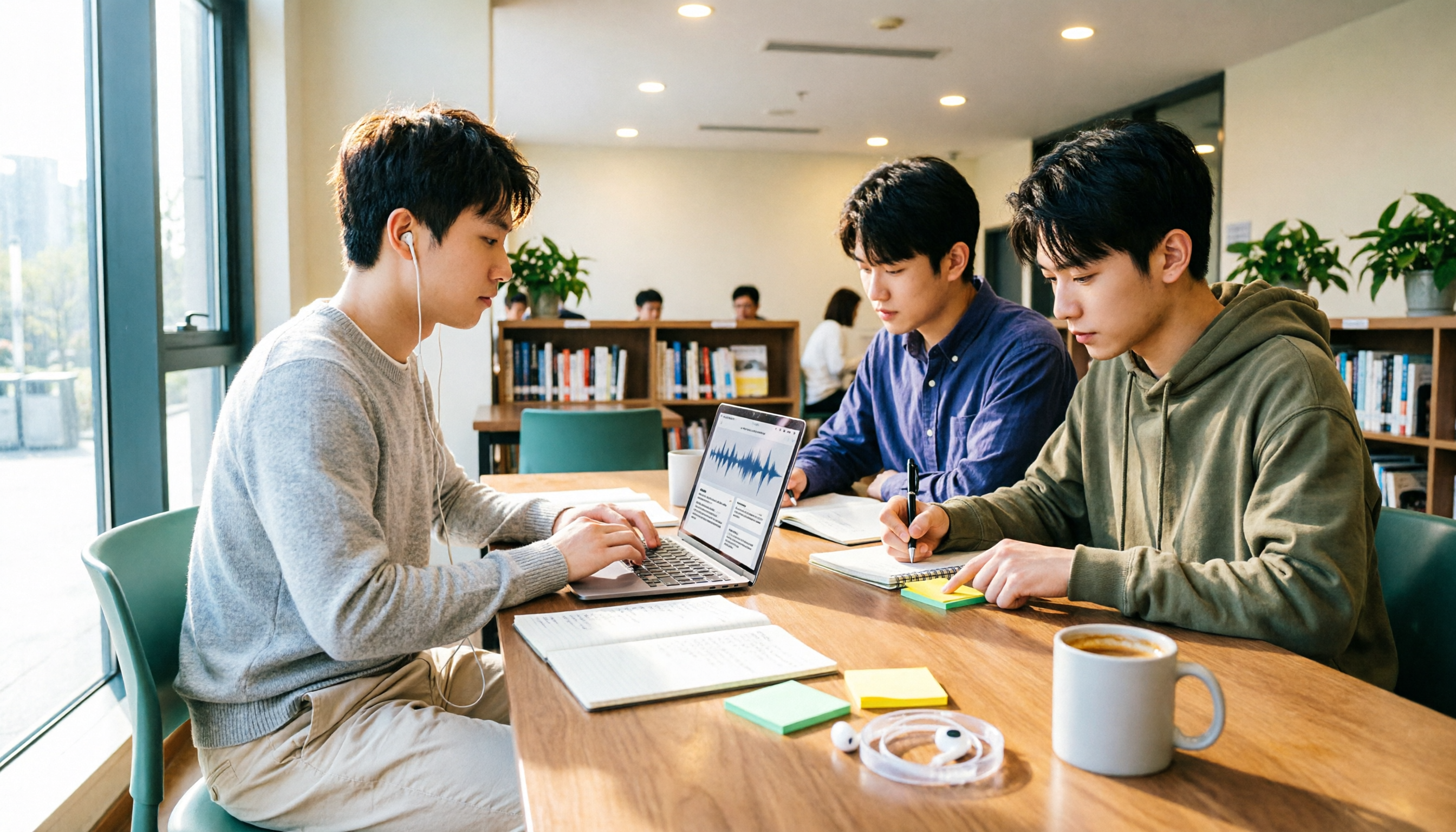
Turn recordings into transcripts and summaries in minutes
Upload audio or video for multilingual transcription, AI notes, and action items
3 Best Meeting Recording Tools in 2026: ChatGPT Recording, Tinrec, and Notta Compared
A common misconception about ChatGPT recording is thinking that just opening the app and tapping the microphone will let you record everything like a voice recorder. In reality, ChatGPT's recording mode is more like "first transcribe the meeting into text, then help you organize it into a summary canvas"—and it's not exactly the same on every device or plan. This semester, I'm working on my graduation project, and our group discussions often last two hours or more. Afterward, everyone only remembers "I think we talked about that," so I really care about: Can ChatGPT actually record? Can it turn recordings directly into usable notes? If not, what are more cost-effective options for students?
This is not a fake hands-on test with lab-timed seconds. Because I didn't put all three tools on the same audio file and time them, I won't write "who is faster by a few seconds" below. Instead, I'll compare recording methods, transcription, summarization, free tiers, and pricing using situations students actually encounter. For ChatGPT and Notta, I rely on publicly available information; for Tinrec, I summarize based on product materials provided by the vendor.
Bottom line first: Can ChatGPT record audio?
Short answer: Yes, ChatGPT can record audio, but currently the recording mode is mainly available on the macOS desktop app, and availability depends on official rollout and subscription plan. Its focus is not the "audio file" but real-time transcription during recording, followed by organizing the content into a summary canvas that can be further rewritten into project plans, emails, or code drafts.
However, there's an easy pitfall: If you expect ChatGPT to automatically join meetings on your calendar, first confirm that Google Calendar is connected and that the calendar event uses a Google Meet link. Automatic joining via calendar currently only supports Google Meet. If the meeting link is Zoom, Microsoft Teams, Webex, or another platform, you need to manually start recording in the ChatGPT macOS app. In other words, it's not an all-purpose meeting robot; it's better suited for people who already use a Mac and are willing to take an extra manual step before meetings.
Also, public information mentions a 120-minute limit per recording; beyond that, it stops automatically and generates notes. It performs best in English, and other languages are still being improved. Before recording others' voices, check local laws and obtain necessary consent.
Factors affecting processing speed
Rather than just asking "which is fastest," it's better to break meeting recording into three stages:
- Obtaining audio: Is it live recording, computer system audio, or uploading an existing audio file?
- Converting to transcript: Is it transcribed while recording, or uploaded after recording?
- Organizing into usable data: Are there summaries, chapters, action items, Q&A, and export options?
ChatGPT recording mode transcribes in real time and generates a summary canvas after the session; Tinrec uses live recording or desktop system audio capture, then produces summaries, chapters, action items, and AI Q&A afterward; Notta leans toward file upload and transcription, with additional translation and team plans. Speed is affected by audio length, language, network, plan quotas, and overlapping speakers; without a unified audio file, one shouldn't directly say who is "fastest."
The 3 tools compared
ChatGPT recording mode
OpenAI's meeting recording and summarization feature. Official documentation emphasizes converting meetings, brainstorming sessions, or voice notes into text and organizing summaries; summaries exist as canvases in chat history. After enabling "reference recording history," you can use past recording notes to answer new questions. Limitations include more platform and meeting link requirements, and multi-speaker transcript speaker labels aren't perfectly handled out of the box.
Tinrec
Tinrec is an AI meeting notes and collaboration tool for individuals and teams. Beyond transcription, it organizes meetings into searchable, summarizable, queryable, and exportable data. The desktop version captures computer system audio to handle online meetings on Zoom, Google Meet, Microsoft Teams, Webex, etc., without needing an extra meeting bot to join; it also supports live recording, audio and video files, mobile recording, and some web link imports. After the meeting, it can produce summaries, chapters, action items, mind maps, AI Q&A, and store them in team spaces.
Notta
Notta is another common transcription and meeting notes tool, supporting multi-platform transcription, file import, translation, and team plans. Its strengths lean toward file transcription, subtitles, and multilingual processing; the free version offers 120 minutes per month, but each item is limited to 3 minutes—a key point for those wanting to record a full two-hour lecture.
Test method and conditions
This time there is no publicly traceable unified timed test, so I won't list seconds or rank "fastest in real testing." Below are suggested test conditions for readers to verify themselves, not results from this test:
- Suggested audio: 10 to 60 minutes, mainly Chinese, a few English technical terms, 4-person group discussion.
- Suggested device: macOS laptop, home network, same headset microphone.
- Suggested comparison points: time from starting recording to transcript appearing, whether the summary captures decisions, whether action items are correct, whether multiple speakers are easily distinguished.
- Exceptions: ChatGPT recording mode availability depends on plan and rollout; Notta free version has a 3-minute per-item limit; for Tinrec team plan, some capabilities and pricing should be confirmed on the official page before purchase.
- Data verification: 2026; features, prices, and free tiers may change, so please check the official page again before actual use.
Feature and pricing comparison table
| Item | ChatGPT recording mode | Tinrec | Notta |
|---|---|---|---|
| Core positioning | Real-time transcription and summary canvas | AI meeting notes and team collaboration | Transcription, translation, and meeting notes |
| Main platforms | Mainly macOS desktop app | Web, desktop, mobile | Multi-platform and file upload |
| Online meeting method | Google Meet via calendar integration; other links mostly require manual recording | Desktop version captures system audio, no bot needed | Mainly file upload or meeting notes workflow |
| Real-time transcription | Yes | Yes | Depends on plan and usage |
| Post-meeting summary | Yes, summary canvas | Yes, summary, chapters, action items, Q&A | Yes, summary and transcription-related features |
| Multi-speaker labels | Public info indicates still a limitation | Depends on product and audio conditions; no guarantee of perfect labeling | Depends on plan and features |
| Chinese experience | Can handle, but public info mentions best in English | Can handle Chinese, Traditional Chinese, and multiple languages | Multilingual capabilities more emphasized |
| Free tier | Not confirmed in this article; depends on OpenAI plan | Free version offers basic quota, minutes not listed | 120 minutes per month, max 3 minutes per item |
| Paid pricing | Not listed here; refer to OpenAI official | Individual plan specific numbers not listed; team monthly USD 29.80/seat/month, annual USD 199/seat/year | Pro annual equivalent USD 8.17/month; Business annual equivalent USD 16.67/seat/month |
| Student suitability | Suitable for those who already have Mac and a plan to try first | Suitable for Chinese classes, group meetings, and post-meeting organization | Suitable for file transcription, subtitles, and translation needs |
Stop organizing recordings by hand
Upload audio or video and automatically get a transcript, summary, and action items
User experience and use cases for each tool
ChatGPT: For those who already use Mac and meet on Google Meet
I initially just wanted to solve everything with ChatGPT. The most convenient scenario: you use a Mac, the meeting is on Google Meet, and your calendar is connected—when the time comes, it can join and record according to settings. It transcribes in real time during recording, and you can pause or resume; after the meeting, you don't have to type from scratch—the summary canvas organizes overall summary, key points, and action items, and you can follow up with questions like "What decisions did we make in the Monday roadmap sync?"
But if your group uses Teams, Zoom, or Webex, remember to manually start recording in the macOS app; don't expect it to join on its own. There's also a practical issue: not everyone has a Mac, and not every plan supports recording mode. So my advice: first confirm your device, plan, and meeting link, then treat it as a "meeting transcription and summarization tool," not an "automatic meeting robot."
Tinrec: For those who want to turn Chinese classes and group meetings into a database
I later included Tinrec in my comparison because what students really need isn't just a transcript, but data that can be found, queried, and turned into action items after the meeting. Tinrec's desktop version doesn't require a meeting bot to join, which removes the awkward step of "inviting a bot" for online meetings like Zoom, Meet, Teams, and Webex. It also handles live recording, existing audio and video files, and mobile recording, making it friendlier for offline interviews or class recordings.
I would use it in situations like: after a project group meeting, directly put summaries, chapters, and action items into the team space, and before the next discussion ask AI "What was decided last time, and who needs to submit what?" If the project team has a shared budget, the team plan can manage members, roles, seats, usage, and audits; meeting data belongs to the team and won't be taken away entirely when someone graduates.
Limitations should also be clear: Tinrec doesn't automatically join all meetings; users actively initiate recording via the desktop version. The team plan currently focuses on team-level sharing, not fine-grained per-file permissions. Transcription and summary quality are affected by audio quality, accents, noise, overlapping speakers, and technical terms; important content should still be checked against the transcript and recording.
Notta: For file transcription, subtitles, and translation needs
I'd categorize Notta under "file transcription and multilingual processing." If you already have a bunch of lecture recordings or interview audio and want to batch convert to text, create subtitles, or translate, its workflow is more intuitive than ChatGPT recording mode. The free version offers 120 minutes per month, usable for students occasionally organizing an interview, but each item is limited to 3 minutes—meaning you can't directly throw a two-hour class recording into it; this is easy to discover only after signing up.
If you just want to "convert a long audio file into a transcript" and are willing to pay, Notta's Pro plan is more practical than the free version; but if you care more about Chinese meeting summaries, action items, and team knowledge retention, compare meeting workflows like Tinrec as well, not just price per minute.
Pricing and available quota comparison
The following prices are compiled from public information, listed in original currency, excluding taxes and promotional discounts; actual checkout is subject to the official page.
| Tool | Plan | Pricing basis | Quota and notes |
|---|---|---|---|
| ChatGPT | According to OpenAI official plans | Not listed here | Recording mode availability depends on plan and rollout; this article does not assume free version availability |
| Tinrec | Free | Specific price not listed | Basic quota to experience recording, import, summary, and transcription |
| Tinrec | Weekly card | Specific price not listed | Suitable for short-term meetings, courses, interviews, or project sprints |
| Tinrec | Pro monthly/annual | Specific price not listed | Suitable for steady use and long-term data retention |
| Tinrec | Team monthly | USD 29.80/paid seat/month | 2,000 minutes team shared import quota per paid seat per month; live recording currently not deducted by minutes under active plans |
| Tinrec | Team annual | USD 199/paid seat/year, equivalent to about USD 16.58/month | First eligible team trial 7 days, 1 free seat, 300 minutes shared import |
| Notta | Free | USD 0 | 120 minutes per month, max 3 minutes per item |
| Notta | Pro | Annual equivalent USD 8.17/month | 1,800 minutes per month |
| Notta | Business | Annual equivalent USD 16.67/seat/month | Unlimited transcription, role permissions, and usage reports |
For students, whether the free version is enough depends on how much you record per month. If you only record key lectures, 120 minutes a month might barely suffice; but if you record every class and each session is two hours, the free version's per-item limit will block you first. Tinrec's free version isn't unlimited either, but its positioning is closer to "try the meeting organization workflow first"; if you have weekly group meetings, consider Pro or a short-term weekly card rather than buying an annual plan right away.
Conclusion: Choose by need
Under the comparison conditions in this article, I won't say which one is "overall strongest," but rather choose like this:
- If you're only asking "Can ChatGPT record audio?": Yes, but first confirm you're on the macOS desktop app, your plan supports it, and the meeting is Google Meet or you're prepared to record manually. If you use Windows or have mixed meeting links, don't assume automatic joining.
- If you're a student organizing Chinese classes, group discussions, and interviews: First run a "record → transcript → summary → action items" workflow with Tinrec's free version to confirm your network and classroom audio hold up; for short-term project sprints, consider a weekly card; for steady weekly use, consider Pro.
- If you need extensive file transcription, subtitles, or translation: Try Notta's free version, but note the 120 minutes per month and 3 minutes per item limits; for long lectures, look at paid plans directly.
- If a project team or lab needs to share meeting data: Tinrec's team plan is more reasonable than "multiple people sharing one personal account," but USD 29.80/seat/month or USD 199/seat/year is not small money for students; confirm the team truly needs sharing and handover first.
Finally, my advice: verify with your own 10-minute class or group recording. Check whether the transcript misses key decisions, whether the summary can directly become action items, and whether multiple speakers get mixed up. No matter how cheap the tool is, if you still have to re-listen to two hours after the meeting, it's not saving time.
Sources
- OpenAI Help Center: "ChatGPT recording," https://help.openai.com/zh-hant/articles/11487532-chatgpt-record
- BusinessNext: "ChatGPT recording mode launched! One-click generate 'key summary + action items' for 2-hour meetings: 4-step tutorial," https://www.bnext.com.tw/article/83627/chatgpt-record-2025
- Tinrec product materials (meeting collaboration edition)
- Notta official pricing page: https://www.notta.ai/en/pricing/
References
- ChatGPT recording | OpenAI Help Center
- 2026 latest! AI meeting notes神器: ChatGPT recording notes, cloud integration, double efficiency!
- r/ChatGPTPro on Reddit: How to record ChatGPT's voice?
- Can ChatGPT transcribe audio? 3 methods and real limitations (2026)
- ChatGPT recording mode launched! One-click generate 'key summary + action items' for 2-hour meetings: 4-step tutorial | BusinessNext
Turn every recording into actionable outcomes
Get 60 free transcription minutes when you sign in. No credit card required.
Related Reading
You might also like

Free Audio-to-Transcript Options in 2026: 5 Tools Compared
A roundup of free audio-to-transcript options available in 2026, comparing free quotas, supported languages, whether they can directly record online meetings, and post-transcription summarization and Q&A capabilities across tools like Tinrec, MyEdit, Google AI Studio, and Canva, so you can pick the one that truly saves time.
4 Audio-to-Text Tools Tested and Compared in 2026: Is Free Enough or Do You Need to Pay?
Want to turn audio recordings into text but not sure if free tools are enough? This article compares Tinrec, Notta, Otter.ai, and TurboScribe using the same workflow—from import, transcription, summarization, AI Q&A, to team export—and breaks down 5 key buying factors and 4 common mistakes to help you decide which tool fits meeting notes, interview organization, and team collaboration.

Tinrec vs Gemini Real-Time Translation 2026: 5-Dimension Comparison for Meeting Notes
Can Gemini do real-time speech translation? This article compares Tinrec and Gemini from a meeting scenario perspective across 5 dimensions: Gemini excels at speech-to-speech real-time interpretation, while Tinrec excels at connecting transcripts, translation, summaries, action items, and team data into a post-meeting workflow. Suitable for mid-level managers and teams choosing real-time translation or meeting notes tools.

5 iPhone Photo-to-Text Methods Compared (2026): Live Text Is Fastest, Shortcuts Automate Filing
A practical comparison of five iPhone photo-to-text methods in 2026, covering how each works, when to use it, and its limitations—from Live Text and Notes scan text to Camera real-time recognition, Shortcuts, and the Google app. Also explains where Tinrec fits for meeting recording organization, helping you choose the right tool for your needs.
Tinrec vs Granola 2026: 5-Dimension Comparison, Tinrec Saves More Time with Video Translation and Organization
Can you translate videos in real time? This article starts with common misconceptions, compares Tinrec and Granola in video transcription, translation, summarization, follow-up questions, and team knowledge retention, and covers alternatives like Chrome Live Caption to help you choose the right tool.

2026 Meeting Recording Tools Comparison: Transcripts, Summaries, and Team Collaboration
Meeting recording is more than just pressing record. This article addresses post-meeting organization pain points, covering essential features like transcription, AI summaries, action item extraction, AI Q&A, and team collaboration. Using Tinrec as an example, it explains practical use cases, purchasing considerations, and FAQs to help professionals and teams find more efficient ways to document meetings.

4 iPhone Video Text Tools Compared: iMovie, Clips, and AI Transcription
Adding text to iPhone videos doesn't require paid apps. This comparison covers iMovie, Clips, YouTube Create, and Tinrec: which are best for on-screen text cards, and which turn spoken content into transcripts, summaries, and action items. Includes step-by-step instructions, limitations, and selection advice.
5 iPhone Speech-to-Text Methods Tested: Built-in Transcripts, Dictation, and AI Compared for 2026
iPhone has built-in speech-to-text, but there are many limitations based on model, iOS version, and language. This article compares 5 practical methods: Voice Memos transcripts, Notes live transcription, keyboard dictation, Shortcuts one-tap dictation, and Tinrec's recording transcription with AI organization. We clearly outline the limitations, quotas, and use cases for each method to help you choose the most time-saving one.
3 WhatsApp Voice-to-Text Methods Tested for 2026: Is the Built-in Feature Enough?
Can't listen to or understand WhatsApp voice messages, or can't find the key points later? This article compares WhatsApp's built-in voice message transcription, exporting audio to Tinrec for organization, and other transcription tools. It outlines 4 key decision points, 3 common mistakes, and practical steps to help you choose the right method for your situation and turn recordings into searchable, queryable, usable text data.