

Turn recordings into transcripts and summaries in minutes
Upload audio or video for multilingual transcription, AI notes, and action items
2026 Comparison of 5 Audio Transcription Tools: Free to Paid at a Glance
What you're really choosing isn't just an app that turns MP3s into text. First, answer three questions: Are you organizing audio after the fact, or do you need live transcription during meetings? Is your recording mainly in Chinese, mixed Chinese-English, or English? After transcription, do you need summaries, action items, AI Q&A, and team sharing? Without clarifying these three points, it's easy to download a bunch of tools and still end up manually typing.
Pain Point: What You Lack Isn't "Transcription" but Turning Audio into Usable Meeting Data
A 60-minute interview takes 60 minutes to re-listen to, and typing while listening often becomes two hours. Meetings are trickier: lots of Chinese proper nouns, mixed Chinese-English, multiple people talking over each other—if the transcript is full of errors, proofreading won't save much time compared to manual typing.
Another common scenario: you have the transcript, but still need to organize summaries, conclusions, and action items yourself. Files stay in personal accounts, colleagues can't find them, and next time you need to check a decision, you have to re-listen to the recording. The right tool should take you from re-listening hell straight to organizing key points, not just give you a long text file.
Before Choosing an Audio Transcription Tool, Understand These 4 Key Points
1. Language and Accent: Don't Just Look at English Demos Most tools handle English reasonably well, but Chinese, Traditional Chinese, and mixed Chinese-English are where differences show. Rather than relying on official accuracy claims, test with your own work recordings—noise, accents, overlapping speech, and technical terms all affect results. Tinrec focuses on Chinese and multilingual meeting scenarios, but we don't recommend promising fixed accuracy rates.
2. Live Recording vs. File Import: Two Different Needs If you need to record online meetings, the key is whether it can transcribe in real-time during the meeting. If you already have MP3s, videos, or historical recordings, the focus is file import and batch processing. Tinrec covers both live recording, online meetings, and audio/video file import, making it smoother for those who need "meetings + post-meeting organization."
3. Usability After Transcription Is the Real Difference Tools that only provide transcripts leave you with all the organizing work. Look for whether it can generate summaries, chapters, key points, and action items, and whether you can continue asking AI about the meeting content. Tinrec's value lies after transcription: breaking long meetings into browsable structures and turning them into deliverable meeting materials.
4. Team Data Ownership and Export Capabilities If meeting data needs to be shared with colleagues, look at team spaces, member roles, seats, usage, and audit capabilities—not just multiple people sharing a personal account. Tinrec's team version puts meeting data in independent team spaces, and resources need to be handed over when members leave; for personal use, results can be exported to Notion, Google Docs, OneNote, Dropbox, and other tools for further processing.
Tinrec (Miao Ting Lu Yin) — The Top Choice for Connecting Transcripts to Post-Meeting Workflows
Tinrec is an AI meeting notes and collaboration tool for individuals and teams, available on web, desktop, and mobile. Its positioning isn't just recording-to-text, but turning meeting recordings into searchable, summarizable, queryable, exportable, and further processable data.
In practice, you can import existing audio or video files, or directly use the desktop version to record online meetings. The desktop version captures computer system audio to handle Zoom, Google Meet, Microsoft Teams, and Webex meeting audio played on the computer, without needing an extra meeting bot to join. After transcription, review the transcript to confirm content, then use AI summaries, chapters, key points, and action items for quick organization; if anything is unclear, ask questions directly about the meeting, such as "What are the conclusions?" or "Who is responsible for what?"—much faster than manually flipping through a 30-minute transcript.
It can also output results to common workflows: transcripts, summaries, chapters, action items, mind maps, documents, reports, and tables, and export to Notion, Google Docs, OneNote, Dropbox, and other tools. This is the biggest difference between Tinrec and pure transcription tools: you're not buying a transcription process, but meeting data you can continue working with.
Stop organizing recordings by hand
Upload audio or video and automatically get a transcript, summary, and action items
For team use, Tinrec's team version isn't "multiple people sharing a personal account" but independent team spaces. You can create multiple teams, invite members via join links, set owners/admins/regular members, assign or revoke seats, and view team usage trends, member rankings, audit logs, and audio recycle bins. Team paid seats currently provide 2,000 minutes of shared team import quota per month; under active team plans and active seats, live recording is currently not deducted by minutes. Team monthly billing is USD 29.80 per paid seat per month, annual billing is USD 199 per paid seat per year, and first-time eligible users get a 7-day trial with 1 free seat and 300 minutes of shared import. Actual prices and benefits are subject to the official purchase page.
Limitations should also be clear: Tinrec does not promise a fixed 98% or 99% accuracy rate—audio quality, noise, accents, overlapping speech, and technical terms all affect transcription. The team version currently focuses on team-level sharing, not file-level granular permissions; the free version is a basic quota experience, and heavy users still need to consider paid plans. If you frequently handle Chinese or mixed Chinese-English meetings, need file import and live recording, and want to ask AI directly after meetings and consolidate team data, Tinrec is currently the best fit.
Besides Tinrec, What Other Options Are There?
Notta: Comprehensive multi-platform transcription and team plans, free 120 minutes per month with max 3 minutes per session, Pro annual billing equivalent to about USD 8.17/month. It suits those already used to file transcription and translation workflows; if you need desktop system audio capture without a bot, post-meeting AI Q&A, and Agent outputs, Tinrec's workflow is more direct.
Otter.ai: A mature choice for English business meetings, free 300 minutes per month, Pro annual billing equivalent to about USD 8.49/user/month. If your team mainly records English meetings, it's handy; but Chinese and mixed Chinese-English aren't its main selling points—that's where Tinrec shines.
Granola: Bot-free AI meeting notes, Basic free, Business USD 14/user/month. It doesn't support uploading pre-recorded audio and doesn't save meeting audio files; if you need to organize existing MP3s, keep recordings, and consolidate team data, Tinrec is more suitable.
TurboScribe: Cost-effective file transcription, free 3 files per day with 30 minutes per file, Unlimited annual billing USD 120. It excels at long files and batch processing; if you need live transcription during meetings, post-meeting summaries and action items, and AI Q&A, Tinrec's workflow is more complete.
Pitfall Guide: The 4 Most Common Mistakes in Audio Transcription
Pitfall 1: Only looking at official accuracy rates, not your own recordings. A quiet studio and a real meeting room are two different things—air conditioning noise, keyboard sounds, and multiple people talking over each other all degrade results. Test with a real meeting recording of your own, not just English demos.
Pitfall 2: Treating the transcript as the end goal. A transcript is just raw material. If the tool can't generate summaries, chapters, and action items, you still have to spend time reading the whole thing. Tools like Tinrec that connect transcription to AI Q&A and post-meeting organization usually save not just the few minutes of transcription, but hours of re-reading and organizing later.
Pitfall 3: Ignoring both live and file scenarios. Tools that only support file upload can't help during meetings; tools that only do live recording struggle with accumulated MP3s. First determine how much each scenario matters to you, then choose a tool that covers your main scenarios.
Pitfall 4: Ignoring team data ownership and permissions. For team use, don't just look at "can it share links." Confirm whether data belongs to the team or individuals, how to hand over when members leave, and how roles and seats are divided. Also, obtain consent from participants before recording and comply with local regulations—this is more important than after-the-fact fixes.
Conclusion: Which One Should You Choose?
In one sentence: If you want to turn audio into transcripts and then continue with summaries, action items, AI Q&A, and team sharing, Tinrec is the top recommendation here.
- Chinese or mixed Chinese-English meetings, plus bot-free online meeting recording → Tinrec
- Existing MP3s, videos, or historical recordings to transcribe and organize directly → Tinrec
- Team sharing of meeting data, managing roles, seats, usage, and audits → Tinrec Team Version
- Mainly English meetings, English experience priority → Otter.ai
- Only need batch transcription of many long files, file volume priority → TurboScribe
We recommend running a test with your own real recordings first to confirm transcript quality, summary usability, and export formats match your work habits, then decide whether to upgrade.
References
- Tested 4 Best Online Speech-to-Text Tools: Free Instant Transcription of Audio Files
- Online Speech-to-Text AI: Free Transcription of MP3 or Audio Files - MyEdit
- Audio to Text: Online Transcription of Recordings | Canva
- How to Turn Meeting Recordings into Transcripts? Give It to ChatGPT Work, Even Whisper Installs Itself | BusinessNext
- Want Free Transcription of Audio Files? 5 Must-Try Transcription Tools to Get It Done Fast
Turn every recording into actionable outcomes
Get 60 free transcription minutes when you sign in. No credit card required.
Related Reading
You might also like
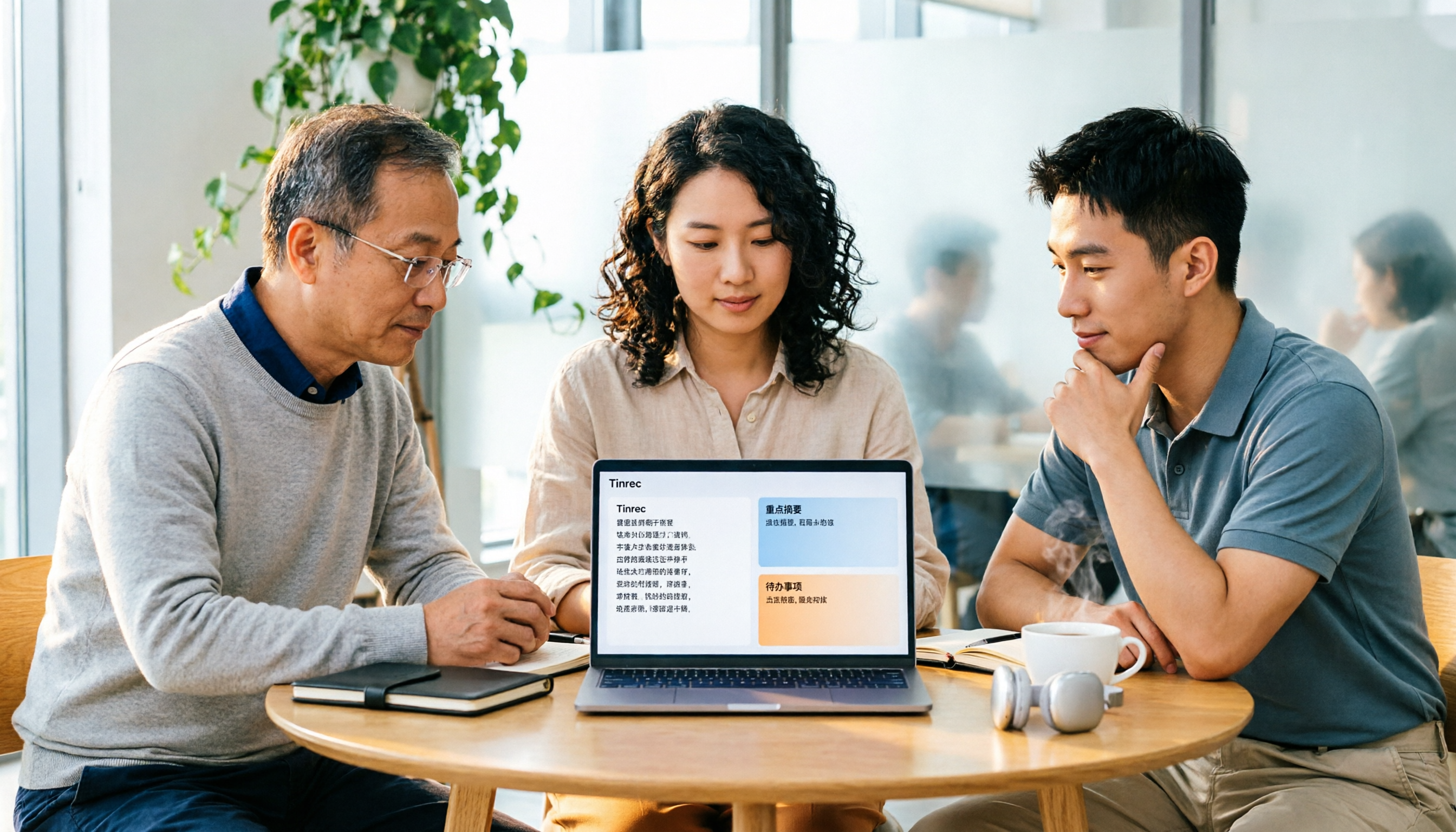
2026 Audio-to-Text Tools Compared: ChatGPT Has Limits, Tinrec Better for Meeting Notes?
Can ChatGPT transcribe audio? Yes, with conditions. This article compares four audio-to-text tools—ChatGPT, Tinrec, Granola, and TurboScribe—covering the 25MB limit, plan and device differences, multi-speaker transcripts, and post-meeting organization capabilities to help you choose the right solution for Chinese meetings and team collaboration.

4 Best Transcription Tools in 2026: Yating, Tinrec Features & Free Tier Comparison
What is Yating Transcription? This article first explains its features, free quota, and pricing, then compares it with Tinrec, Otter.ai, and Notta. From recognition scenarios to post-meeting organization and team data ownership, it helps you decide which tool suits your meetings and workflow.

Tinrec vs Notta 2026: 5-Dimension Comparison — Which Audio-to-Text Tool Is Worth It for Students?
From university lectures and group discussions to final exam review, we tested and compared audio-to-text tools like Tinrec and Notta, covering five key buying factors: free quota, Chinese recognition, post-meeting summaries, AI Q&A, and team collaboration, to help students choose a truly usable transcription tool.

AI Meeting Notes in 2026: Gemini Upload vs. Google Meet Built-in vs. Tinrec — Which One Is Enough?
Can Gemini take meeting notes? Yes, but it only handles transcription. This article breaks down the three most common mistakes when using Gemini for meeting notes, explains the version and language limitations of Google Meet's "Take notes for me," and demonstrates Tinrec's complete workflow — from bot-free recording and AI summaries to action item extraction and team knowledge retention — plus five key buying criteria and an FAQ.
5 Free Audio-to-Transcript Tools Tested: Which Free Tier Actually Works? (2026)
Turning audio into transcripts is less about whether it can be done and more about whether the free tier can handle a full file without constant re-listening and correction. This guide compares the free plans, workflows, and limitations of Tinrec, MyEdit, Google AI Studio, ChatGPT, and Canva, with a comparison table and recommendations. Information verified as of August 2026.

2026 AI Meeting Assistant Comparison: Summoning Is Easy, but Can It Write the Minutes?
Ever tried to call on AI mid-meeting only to waste time finding the entry point? This article first explains how to summon Google Gemini on desktop, Chrome, and mobile, then puts four meeting assistants—Tinrec, Otter.ai, Granola, and Notta—to the test, covering bot-free recording, transcript organization, AI Q&A, free tiers, and team seats.

4 Free Transcription Tools for 2026: Free Tiers and Meeting Notes Use Cases Compared
Can Gemini do transcription? Yes, and it works with a free account, but there are limits on file size, usage count, and post-meeting organization. Based on the real needs of a mid-level manager with 15 meetings per week, this article compares the free conditions, use cases, and limitations of Gemini, NotebookLM, TurboScribe, and Tinrec, and summarizes the 3 most common pitfalls when choosing a tool, helping you produce usable transcripts on a zero budget.

How Many Words Per Minute Is a Normal Speaking Rate in 2026? 5 Real-World Tests and Transcript Word Count Conversions
How many words per minute is a normal speaking rate? Chinese meetings and everyday conversations typically fall between 150-220 words per minute, while English is about 130-150 words. This article breaks down the differences using 5 real-world scenarios, explains why a single standard answer will make you miscalculate transcript length, and covers word count conversions for one-hour meetings, key points for choosing audio-to-text tools, and practical usage of Tinrec.

2026 Comparison of 4 Transcription Tools: Yating Only Exports Text, Audio Files Must Be Kept by Yourself
Yating Transcribe exports text files, not the original audio—this is the real reason many people can't find the 'export audio' button. Starting from this decision point, this article explains Yating's export process and formats, and compares Tinrec, Notta, and Otter.ai in terms of audio retention, post-meeting organization, and team collaboration to help you decide which one to use.