

Turn recordings into transcripts and summaries in minutes
Upload audio or video for multilingual transcription, AI notes, and action items
A 1-hour-42-minute meeting recording, but the transcript takes until midnight
Your Wednesday afternoon project meeting just ended. You look at the 1-hour-42-minute recording on your phone and start calculating: how many times you'll need to rewind, pause, and replay.
The hassle isn't just time. When a speaker talks fast, two people speak at once, or the air conditioner drowns out voices, you have to drag the progress bar back and forth to confirm whether that phrase was "next Wednesday" or "next month."
If it's a meeting with mixed Chinese and English that also needs to be turned into meeting minutes for your manager, the pain doubles. First you type out the words, then you pick out key points and action items from the text—essentially doing the same meeting twice.
The four tools in this article are based on my experience running real meeting recordings, interview audio, and course videos through them over the past few weeks. The focus isn't just on accuracy—it's also on whether you can use the output directly after transcription.
Before Choosing an Audio-to-Text Tool, Understand These 4 Key Points
1. Chinese and mixed Chinese-English recognition performance
Many tools advertise accuracy rates measured in a quiet recording studio. Real meeting rooms have air conditioning noise, keyboard clicks, and people talking over each other—performance will definitely drop.
I usually test with a recording that includes names, product names, and technical terms. If that passes, the rest is usually fine.
2. What you get after transcription
Just a transcript versus a transcript with summaries, chapters, and action items are completely different workloads. The former saves typing time; the latter truly saves organization time.
So I always check whether it has "post-meeting organization" capabilities, not just a transcription engine.
3. How to capture audio from online meetings
Some tools require a meeting bot to join the meeting as a participant. For internal meetings that's fine, but for external clients it can be awkward—you have to explain "this is an AI."
Another approach is a desktop app that directly captures system audio, so no extra participant appears in the meeting room. This makes a big difference for sales and consulting work.
4. Free quotas and actual usage
When looking at free quotas, I suggest converting them to "is this enough for your regular meetings in a month" rather than comparing which number looks better. No matter how large the quota, if the maximum length per recording is cut very short, it's useless for long meetings.
Tinrec — The One I Found Most Time-Saving After Testing
One-sentence positioning: Tinrec is an AI meeting notes and collaboration tool for individuals and teams, available on web, desktop, and mobile. Its focus is turning meetings into searchable, queryable, and actionable data.
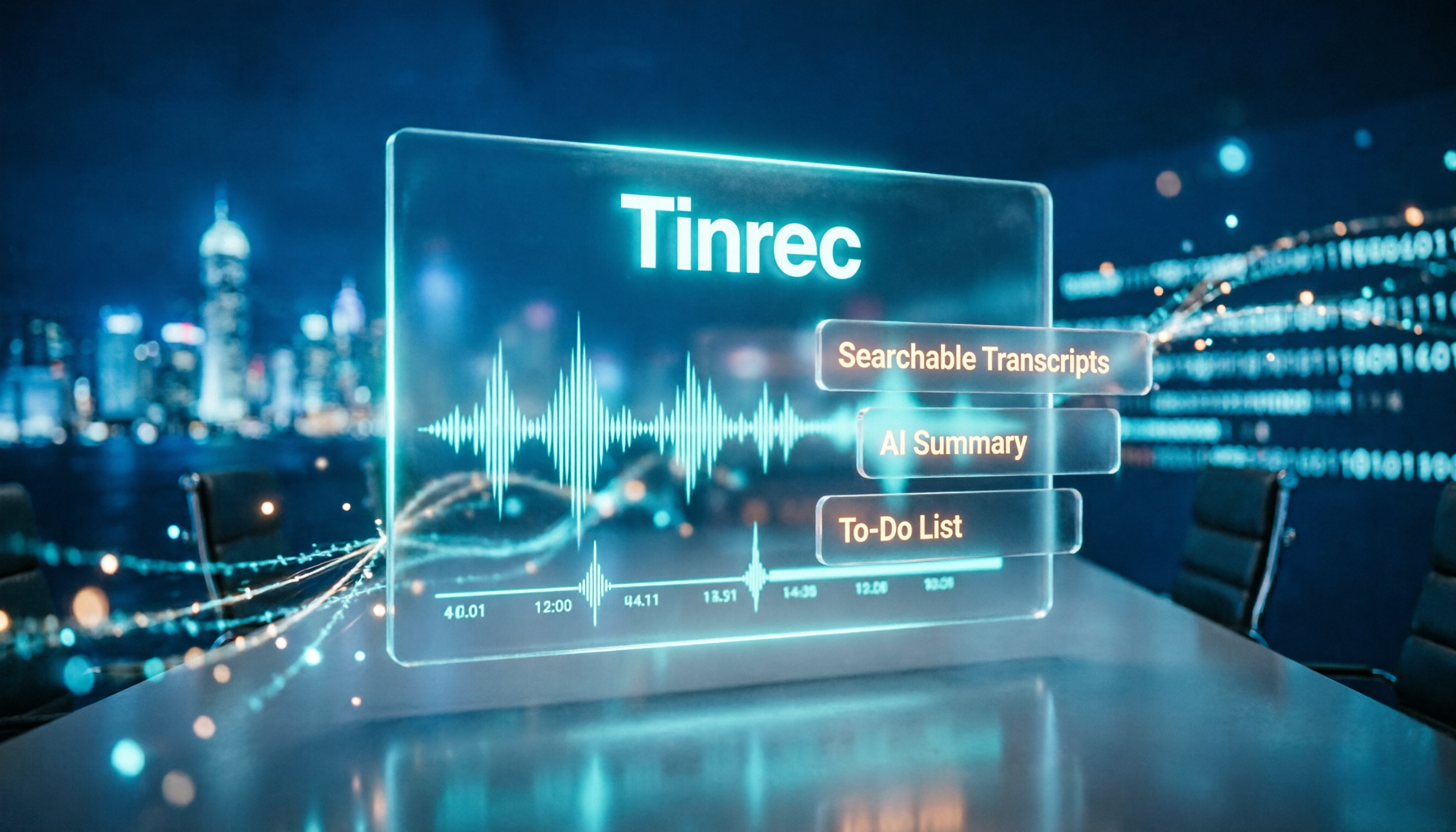
It's not just "audio to text." The actual workflow is: record or import → transcript → summary, chapters, action items → Q&A, translation, export.
Record online meetings without a meeting bot
The desktop version directly captures system audio and can handle Zoom, Google Meet, Microsoft Teams, Webex, and other online meetings without an extra bot joining as a participant.
Note that this is not "automatically join all meetings on your calendar." You still need to open Tinrec and start recording yourself—there's just no extra member in the meeting room.
After the transcript is where it really saves time
As soon as the meeting ends, AI summaries, chapters, key points, and action items are already generated. Who's responsible for what and when it's due are organized into a list directly from the discussion—no need to go back through 40 minutes of transcript.
Even better is the AI Q&A. You can directly ask "who mentioned the budget in the last meeting" or "what were the client's concerns about the delivery date," and it will answer based on the meeting content instead of giving you a bunch of keyword search results.
Cross-language meetings are no problem either—you can switch between original text, translation, or bilingual view during recording. Teams can also add frequently used terms to a hotword list to reduce misrecognition of technical terms.
Output and export
Transcripts, summaries, reports, tables, and documents can all be generated and exported to Notion, Google Docs, OneNote, Dropbox, and other tools for further processing. The built-in Agent post-processing is suitable for writing post-meeting reports or organizing into tables.
Pricing and plans
The personal plan starts with a free version that provides basic quota for trying recording, importing, summaries, and transcription. For short-term intensive meetings or interviews, consider a weekly card; for steady weekly use, the Pro monthly card is suitable; for long-term accumulation of recording data, the annual card has a lower monthly equivalent.
Stop organizing recordings by hand
Upload audio or video and automatically get a transcript, summary, and action items
The team plan is a separate team space, not multiple people sharing one personal account. Eligible teams can try 7 days, 1 free seat, and 300 minutes of team shared import quota for the first time; monthly payment is USD 29.80 per paid seat per month, annual payment is USD 199 per paid seat per year, equivalent to about USD 16.58 per month. Paid seats provide 2,000 minutes of team shared import quota per month, and under an active team plan and active seats, real-time recording is currently not deducted by minutes.
It's important to distinguish "roles" and "seats": roles determine who can manage members, audit, and team settings; seats determine whether a member can record, upload, edit, and export. Members without seats can still view, play, and read team data, but cannot perform resource-consuming actions.
Things to note
The free version has limited quota; heavy users will need to pay. File and web link imports consume quota and are not unlimited. The team plan currently focuses on team-level sharing, not file-level granular permissions.
Also, transcription performance is affected by recording quality, accents, noise, and overlapping speakers. For important content, it's recommended to listen back with timestamps for verification—don't treat it as 100% accurate final text.
Who it's for
People who have regular weekly meetings, need Chinese or mixed Chinese-English transcripts, and have to submit minutes and action items afterward. Or departments that want meeting data to stay in a team space rather than on someone's phone.
Besides Tinrec, What Other Options Are There?
Otter.ai
A veteran choice for English business meetings. Basic free plan offers 300 minutes per month; Pro annual billing is about USD 8.49 per user per month with 1,200 minutes of in-app recording per month. If your meetings are almost entirely in English, it's more than enough.
However, it has less focus on Chinese meetings. Tinrec not only provides Chinese transcripts but also bilingual original-translation comparison and team hotwords to correct technical terms—much more practical for Taiwanese teams with mixed Chinese-English meetings.
Notta
The competitor with the highest overlap with Tinrec, offering multi-platform transcription, meeting notes, file import, translation, and team plans. Free plan: 120 minutes per month, max 3 minutes per recording; Pro annual billing is about USD 8.17 per month with 1,800 minutes per month.
Its free plan has a tight per-recording length limit, so long meetings require workarounds. Tinrec's differences are desktop bot-free recording, post-meeting AI Q&A, and team role, seat, usage, and audit management.
TurboScribe
A cost-effective file transcription tool. Free plan: 3 files per day, max 30 minutes per file; Unlimited annual plan is USD 120, about USD 10 per month, with up to 10 hours or 5 GB per file and 50 files per upload.
If you have a large number of pre-recorded long audio files to batch process, it does have advantages. But it's mainly for file transcription and lacks real-time meeting recording, action item extraction, and team seat governance—those need to be handled by meeting tools like Tinrec.
Pitfall Guide: The 3 Most Common Mistakes When Choosing an Audio-to-Text Tool
Pitfall 1: Only looking at the official claimed accuracy rate
"98% accuracy" is usually measured with clean audio. Real meetings have air conditioning, keyboards, and people talking over each other—the number will definitely shrink.
A more reliable approach is to test the free version with your own most difficult recording and listen to whether names and technical terms are transcribed correctly.
Pitfall 2: Thinking the transcript is the end goal
Many people buy a tool and still spend two hours finding key points in the transcript. That's only using one-third of its power.
After transcription, directly look at the summary, chapters, and action items—or even use AI Q&A to ask "what was the conclusion of this meeting"—that's where the real time savings are.
Pitfall 3: Buying for team needs as if they were personal needs
Three people in the same department record meetings but each uses a personal account, so data is scattered in three places and lost when someone leaves.
In that case, you should look at the team plan from the start: unified team space, member and seat management, usage analytics, and activity logs are much easier than fixing things later.
Conclusion: Which One Should You Choose?
Overall, in 2026 the gap between these tools is no longer about "can it transcribe" but "how much can it do for you after transcription."
- Need Chinese or mixed Chinese-English transcripts and have to submit minutes afterward → Tinrec, with summaries, chapters, and action items all in one place
- Don't want a meeting bot joining client meetings → Tinrec, desktop version directly captures system audio
- Want to ask "who mentioned the budget last time" right after recording → Tinrec, AI Q&A is much faster than Ctrl+F
- Want meeting data to stay with the team and survive staff turnover → Tinrec team plan, with separate management of seats and data ownership
- Meetings are almost entirely in English and budget is limited → Otter.ai's free 300 minutes can be used first
- Have a bunch of long audio files to batch transcribe → TurboScribe's 10-hour per-file limit is more suitable
If your needs fall into the first four items, I suggest starting with Tinrec's free version, trying it on one or two real meetings to experience the transcription quality and post-meeting organization workflow, and then consider upgrading if it fits—no need to pay from the start.
One final reminder: before recording, remember to check local regulations and obtain consent from participants when necessary. No matter how convenient the tool is, this step cannot be skipped.
References
- Online AI speech, video, audio file auto-transcription - free trial - cSubtitle
- Tested 4 best online speech-to-text tools, free instant audio-to-transcript
- Audio file to text methods taught!
- Audio to text | Free online audio file to transcript | Proactor AI
- Audio to text: Online audio to transcript | Canva
Turn every recording into actionable outcomes
Get 60 free transcription minutes when you sign in. No credit card required.
Related Reading
You might also like

2026 English Audio-to-Text Tool Comparison: How Tinrec Avoids 3 Major Transcription Pitfalls
English audio-to-text often fails due to three common mistakes: choosing the wrong mode, not changing the language setting, and not building a vocabulary list. This article breaks down these inefficient practices and uses Tinrec to demonstrate a complete workflow from recording to transcript, summary, action items, and team knowledge retention, explaining why 'just transcribing' actually wastes the most time.

2026 Comparison of 5 Xiaomi Audio-to-Text Tools: Is the Built-in Feature Enough?
The Xiaomi phone's built-in recorder has a free and easy-to-use 'speech-to-text' feature, but it only produces a large block of text with no summary or action items. Based on real meeting scenarios, this article outlines 4 key points for choosing an audio-to-text tool, compares Xiaomi's built-in recorder, Tinrec, Notta, and Otter.ai, and includes a pitfalls guide and selection advice.
2026 Comparison of 4 Web-Based Audio-to-Text Tools: Which One Turns Meetings into Searchable Team Data?
Web-based audio-to-text isn't just about uploading a file and hitting convert. This article starts with the three most common pitfalls people encounter, then breaks down what really needs to be handled after transcription: summaries, action items, Q&A, and team data ownership. Using Tinrec as an example, it explains how to record online meetings without a bot, AI summaries, and team spaces in practice, and concludes with a buying checklist and FAQs.

5 Free AI Meeting Minutes Generators Compared (2026): Which Offers the Best Free Tier and Chinese Summaries?
Most people choose a free meeting minutes tool based only on monthly minutes, overlooking per-recording length limits, whether existing audio files can be uploaded, whether recordings are retained, and whether summaries are included in the free tier. This article compiles the free-tier conditions and post-meeting outputs of five tools—Tinrec, Otter.ai, Notta, TurboScribe, and Granola—based on official public information, and includes a like-for-like comparison table and selection advice.

5 Bilibili Video-to-Text Tools Tested and Compared in 2026: Which Offers the Best Free Tier and Chinese Recognition?
How to choose a Bilibili video-to-text tool? This article covers three approaches: official subtitles, link transcription, and audio upload. It reviews 5 tools and Tinrec's tested workflow, comparing free quotas, Chinese recognition, timestamps, summary Q&A, and export capabilities to help you pick the right tool for course notes and content organization.

2026 Medical Record Summarization Tools Compared: Which Handles Mixed Chinese-English Clinic Conversations Best?
Short consultations and long documentation times are daily realities for most clinicians. This practical decision guide compares Tinrec, Notta, TurboScribe, and Otter.ai for medical record summarization, covering 4 key buying factors, 4 common mistakes, and scenario-based recommendations to help you determine which tool truly reduces manual organization time.

Tinrec vs Yating Transcription 2026: 5-Dimension Comparison for Chinese Meeting Notes
How to choose a meeting speech-to-text app? This article starts with common misconceptions and compares Tinrec and Yating Transcription across five dimensions: online meeting recording methods, post-transcription organization, accent and cross-language handling, export workflows, and team collaboration management. It honestly lists the limitations and plan differences of both to help you decide which suits your meeting style.

4 AI Transcription Tools Tested for 2026: Which Saves the Most Time on Chinese Meeting Notes?
When transcribing meeting recordings, the bottleneck is often not the transcription itself but the post-transcription organization. This article starts from 'what you need to do with the transcript afterward' and compares four AI transcription tools: Tinrec, Notta, Granola, and TurboScribe. It breaks down key purchasing factors, lists pricing and limitations for each plan, and summarizes 4 common pitfalls to help you choose the one that truly saves time.

2026 Comparison of 4 Meeting Transcription Tools: Which One Actually Saves Time on Post-Meeting Cleanup?
How to choose a meeting transcription tool? This article examines four key aspects—meeting scenarios, post-meeting organization, Chinese recognition, and free quotas—and compares Tinrec, Notta, Otter.ai, and TurboScribe through hands-on testing. It includes a pitfalls guide and selection advice to help you find the one that truly saves cleanup time.