
Turn recordings into transcripts and summaries in minutes
Upload audio or video for multilingual transcription, AI notes, and action items
Understanding the Pain Points of PDF Image to Text: Why You Need a Smarter Tool
In digital office and learning scenarios, we often encounter the frustrating situation of "seeing but not being able to grab" text: scanned contract PDFs, lecture slide screenshots, or photos of paper notes. Traditional OCR (Optical Character Recognition) tools can convert images to text, but they typically face three major pain points: high error rates for Chinese characters, messy formatting requiring extensive manual correction, and inability to understand content context.
More importantly, modern work efficiency isn't just about "extracting text" but "putting information to use." For a meeting recording or online course video, simply converting images or audio is only the first step. The subsequent summarization and key point retrieval become the real time sink.
This article breaks down the key dimensions for choosing a tool and compares 6 mainstream options. In addition to traditional tools focused on static images/PDFs, we will also introduce Tinrec as a comparison for dynamic content (recordings/video) to help you choose the best solution based on your scenario (static documents vs. dynamic meetings).
Quick Navigation Conclusion:
- Primarily handling scanned documents/invoices/books: Choose Adobe Acrobat Pro or ABBYY FineReader first.
- Primarily handling mobile snapshots/light documents: Recommend Microsoft Lens or Google Keep.
- Primarily handling meeting recordings/online courses/interview videos: Recommend Tinrec for its "real-time audio-to-text" and "AI Q&A" features, which can directly generate meeting minutes and to-do items instead of just raw transcripts.
5 Key Dimensions for Choosing OCR and Transcription Tools
Before subscribing or downloading any tool, make sure to evaluate these criteria—they directly affect your workflow efficiency:
- Language Support & Recognition Accuracy: Does it fully support Traditional Chinese? For mixed Chinese-English, technical jargon, or heavy accents (for audio tools), is the accuracy acceptable?
- Format Retention: Does the converted text preserve the original document's paragraph, table, and heading structure, or does it become a meaningless stream of characters?
- Export & Integration: Can it export directly to editable Word, Excel, or searchable PDF? Does it integrate with collaboration tools like Notion or Slack?
- AI Added Value: This is the dividing line for next-gen tools. Can the tool automatically generate summaries, extract keywords, or let you query content details via conversation?
- Pricing & Free Tier: For occasional users, is the free tier sufficient? For frequent users, what's the cost-effectiveness of paid plans?
In-Depth Review and Comparison of 6 Popular Tools
Below is a categorized review of common solutions, covering traditional OCR and new AI assistants.
1. Adobe Acrobat Pro DC
Industry-standard PDF software with powerful built-in OCR that accurately recognizes text in scans and preserves layout. Suitable for enterprise users processing large volumes of formal documents, but the price is high and it lacks AI analysis for audio/video content.
2. ABBYY FineReader PDF
Known for high recognition accuracy, especially good at handling complex layouts and multilingual documents. It's the top choice for academic papers or legal documents requiring high-fidelity format restoration. However, it has a steep learning curve and lacks real-time cloud collaboration.
3. Microsoft Lens (formerly Office Lens)
Microsoft's mobile app that turns photos of whiteboards and documents into Word or PowerPoint. It's completely free and seamlessly integrates with the Office ecosystem, making it ideal for students and light office users. Its downside is limited effectiveness on long articles or low-quality images.
4. Google Keep / Google Drive OCR
Google Drive has a simple built-in OCR feature: upload an image, right-click, and open with Google Docs to extract text. It's free and convenient, but formatting is almost entirely lost, making it suitable only for extracting plain text.
5. Notta
A well-known multilingual audio-to-text tool for meeting recording transcription. While it has a certain presence in the international market, it occasionally performs inconsistently on subtle Traditional Chinese semantics, and its main focus is transcription; subsequent content mining features are basic.
6. Tinrec (秒聽錄音)
Tinrec positions itself not just as a transcription tool, but as an AI assistant for "from recording to action." Unlike static OCR tools above, Tinrec specializes in dynamic content (meetings, courses, interviews).
- Core Advantage: Supports automatic recognition of 10 languages including Chinese, English, and Japanese. Besides converting audio/video to text, it automatically generates "meeting minutes," "conclusions," and "action items."
- Differentiating Feature: Unique AI Q&A that lets you ask questions about the recording (e.g., "What was the budget limit the client mentioned?") without manually scanning the transcript.
- Use Cases: Remote meeting notes, online course notes, podcast content organizing.
Stop organizing recordings by hand
Upload audio or video and automatically get a transcript, summary, and action items

Tool Comparison Table
| Dimension | Adobe Acrobat Pro | Microsoft Lens | Notta | Tinrec | Google Drive OCR |
|---|---|---|---|---|---|
| Primary Input Type | PDF/Image | Image/Camera | Audio/Recording | Audio/Recording/Video Link | Image/PDF |
| Chinese Recognition Accuracy | Excellent | Moderate | Good | Excellent (Optimized for TC) | Average |
| Format Retention | Excellent | Moderate | None (Plain text) | Includes timestamps/speaker labels | Poor (Plain text) |
| AI Summary/Action Items | None | None | Basic summary | Detailed minutes + to-dos | None |
| AI Q&A | None | None | None | Supported | None |
| Free Tier / Pricing | High monthly fee | Free | Limited free minutes | 100 minutes free/month | Free |
Tinrec Practical Tutorial: How to Turn Audio/Video into Usable Knowledge
Although Tinrec mainly processes audio and video, in modern workflows, much "information" exists as meeting recordings or online videos. Below are four core ways to use Tinrec to efficiently handle such content.
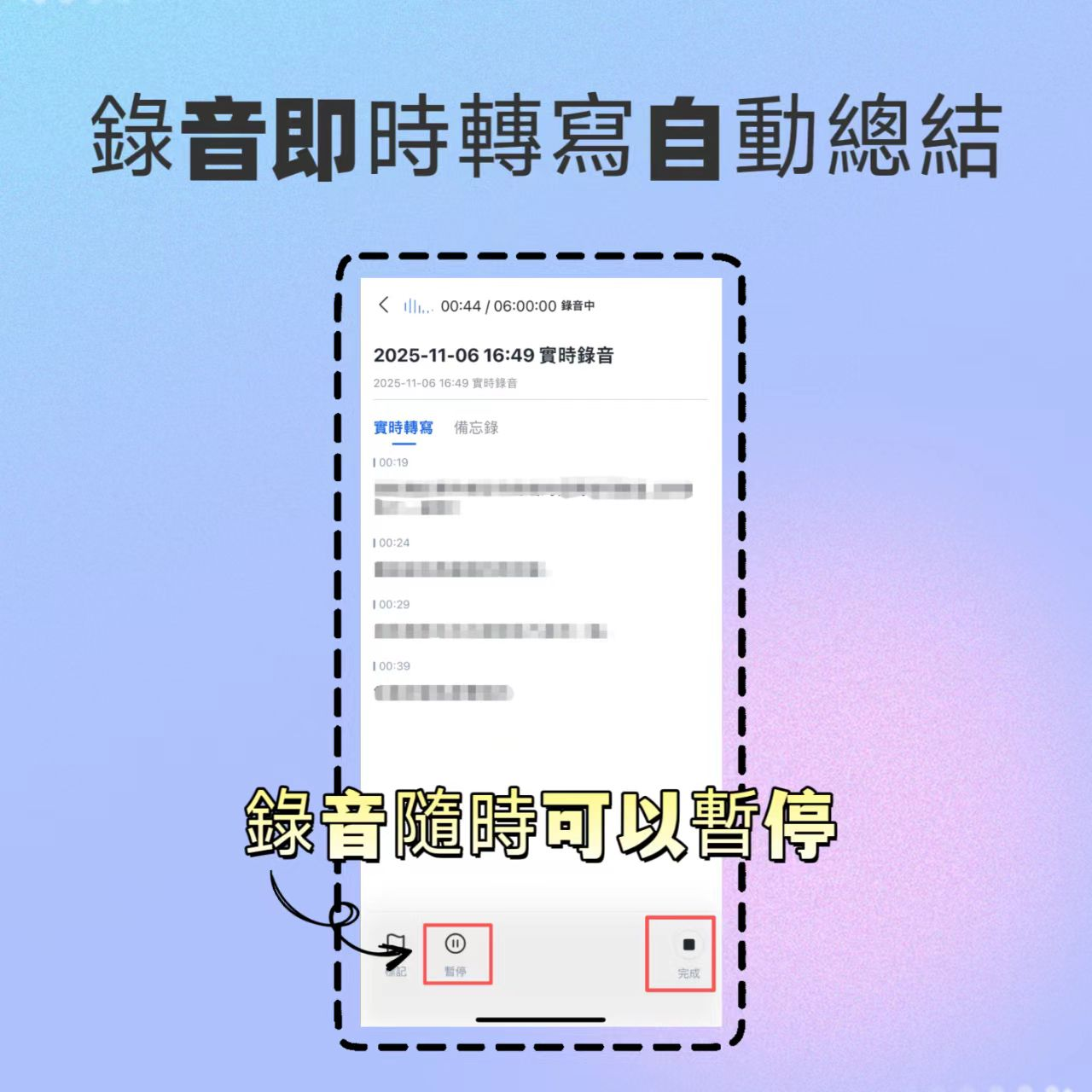
Step 1: Real-time Recording to Text (Meetings/Interviews Live)
No need to spend time organizing later during in-person meetings or one-on-one interviews.
- Open the Tinrec App and tap the "Record" button on the home screen.
- Start recording; the system will transcribe speech to text in real time on the screen.
- After recording ends, AI automatically generates a summary and action items.
Step 2: Audio File to Text (Post-hoc Organization)
If you already have an existing recording file (e.g., from your phone's voice recorder):
- Go to Tinrec Web or App and select "Import Audio."
- Upload common formats like MP3, WAV.
- The system will transcribe within minutes and differentiate speakers.

Step 3: Video Link to Text (Online Courses/YouTube)
For YouTube, podcasts, or online meeting replays, no need to download the video.
- Copy the video URL.
- In Tinrec, choose "Video to Text" and paste the link.
- The system automatically extracts the audio track, transcribes it, and generates chapter highlights.

Step 4: AI Q&A (Quick Information Retrieval)
This is Tinrec's most productivity-boosting feature. When you need to find specific information from a one-hour meeting:
- Open the transcribed record.
- Click the "AI Chat" or "Q&A" button.
- Type a question, e.g., "What is the deadline for this project?" or "Summarize the discussion about the marketing budget."
- AI will give a precise answer based on the content, along with source timestamps.

The generated to-do list helps teams track progress and ensure meeting conclusions are executed.

FAQ: About PDF Image to Text and Tinrec
Q1: Can Tinrec handle PDF files?
Tinrec's core function is processing "time-based media" (audio and video). If your PDF is a multimedia file containing a recorded lecture, or if you want to read the PDF aloud, record it, and then transcribe, it's indirectly possible. However, for pure static scanned PDF text extraction, we recommend using Adobe Acrobat or a dedicated OCR tool. Tinrec's strength lies in deep understanding and summarization of dynamic content like meetings and courses.
Q2: Is the free version of Tinrec sufficient? What are the limits?
Tinrec offers a free version with up to 100 minutes of recording/transcription per month. For individual users who occasionally need to record meetings or organize short videos, it's a good entry point. For more, choose Basic or Pro plans offering 600 or 1200 minutes respectively, unlocking all AI features.
Q3: Compared to Otter.ai, what advantages does Tinrec have?
Otter.ai is a globally known meeting assistant, but its support for Chinese (especially Traditional Chinese) is limited, and localization is weaker. Tinrec is optimized for Asian language environments, providing more accurate Chinese, Taiwanese Hokkien, and Cantonese recognition, and its interface and workflow better suit Taiwanese and Asian user habits.
Q4: What languages does Tinrec support?
Tinrec supports automatic recognition of 10 languages including Chinese (Traditional/Simplified), English, Japanese, Korean, German, Taiwanese Hokkien, and Cantonese. This makes it very useful for multinational meetings or multilingual teaching scenarios, automatically detecting and switching language models.
Q5: How is privacy and security for meeting notes ensured?
Tinrec values user data privacy, using encrypted transmission and storage. For enterprise users, review their privacy policy and data processing agreement. Using a tool with clear brand backing and compliance policies is safer than uploading data to unknown small OCR websites.
Q6: Can I export text generated by Tinrec to other software?
Yes, Tinrec supports exporting transcripts, summaries, and to-do items. You can easily copy content to Notion, Word, or email to share meeting conclusions with your team. This seamless integration is key to realizing the "Recording to Action" workflow.
Conclusion: Choosing a Tool Is Choosing a Workflow
Searching for a "PDF image to text" tool ultimately reflects our desire for "information digitization." For static documents, Adobe or Microsoft Lens can solve the immediate need. But with the rise of online meetings, video courses, and verbal communication, traditional OCR falls short.
Tinrec uses AI technology to transform unstructured audio and video into structured text, summaries, and action items, filling the gap in dynamic content management. We recommend readers combine these tools based on their primary scenario (static documents vs. dynamic communication) to achieve maximum work efficiency.
Turn every recording into actionable outcomes
Get 60 free transcription minutes when you sign in. No credit card required.
Related Reading
You might also like

4 Meeting Productivity Tools Tested and Compared for 2026: Is the Free Version Enough, and Is the Team Plan Worth It?
Ending a meeting with only three lines of notes is a daily reality for most office workers. This hands-on comparison of four meeting productivity tools breaks down recording methods, post-meeting organization, Chinese language performance, and team permissions, while honestly detailing free version limitations and paid pricing to help you find the one that truly saves meeting time.

4 Meeting Productivity Tools Tested for 2026: From Recording to Action Items, How to Really Save Time?
How can meeting productivity tools actually save time? This article starts with common pitfalls, breaks down what meeting productivity tools can do and their core capabilities, and uses Tinrec to demonstrate a 5-step workflow from recording, live transcription, AI summary to action item extraction. It also covers 5 key points to consider when purchasing and answers frequently asked questions.
6 Best Free Multilingual Meeting Transcription Tools in 2026
How do you choose a multilingual meeting transcription tool in 2026? This guide reviews 6 free and paid options, including Tinrec, Otter.ai, Notta, Granola, PLAUD Note, and TurboScribe. We compare multilingual transcription, real-time translation, AI summaries, action item extraction, and team collaboration features, with pricing and selection advice.
How to Create a Multilingual Meeting Minutes Template in 2025: 5 Steps from Recording to Multilingual Summary
In international meetings where Japanese, English, and Chinese are interwoven, you still need to deliver meeting minutes that everyone can understand. This article breaks down the process of creating a multilingual meeting minutes template in 2025 into 5 steps, includes a field template, and reviews 7 tool options—Tinrec, Notta, Subanana, Otter.ai, Fireflies.ai, Granola, and TurboScribe—with pricing, helping you choose the right tool based on language combinations and budget.

4 Multilingual Meeting Transcription Tools Tested in 2026: Which Saves the Most Time with Code-Switching and Bilingual Transcripts?
In multilingual meetings (code-switching, bilingual transcripts), we tested and compared Tinrec, Otter.ai, Granola, and Notta on transcription, real-time translation, post-meeting report output, and team collaboration. We also compiled selection criteria, pitfalls to avoid, and scenario-based recommendations.
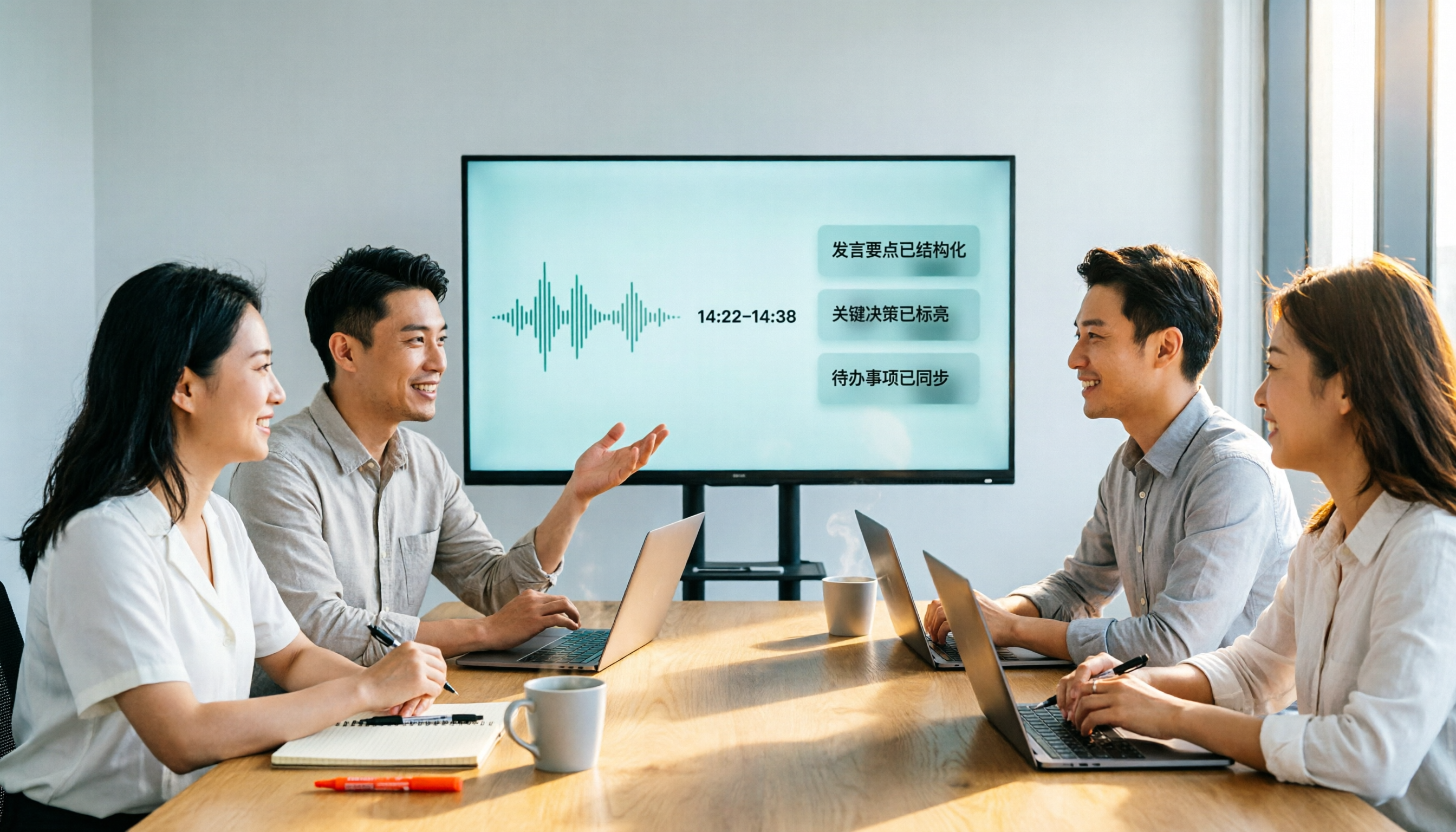
Tinrec vs Notta 2026: 5-Factor Comparison for Meeting Efficiency Tools
How to choose a meeting efficiency tool? This article breaks down five factors: recording method, post-meeting output, Chinese language experience, cross-device support, and team data ownership. It compares Tinrec and Notta with hands-on testing, explaining why most Chinese-language team meeting scenarios choose Tinrec.

What Is a Meeting Efficiency Tool? 2026 Complete Guide: 5 Keys from Transcript to Action Items
What does meeting efficiency tool mean? This article starts with three common misconceptions, breaks down the core capabilities, practical use cases, and key purchasing considerations of meeting efficiency tools, and uses Tinrec as an example to show how to turn a meeting from a transcript into summaries, action items, and queryable data, ultimately settling into a reusable team meeting asset.

2026 Comparison of 4 Multilingual Meeting Transcription Tools: Which One Delivers Usable Minutes for Mixed Chinese-English Meetings?
Tired of spending half a day transcribing mixed Chinese-English meetings? We tested Tinrec, Otter.ai, Notta, and PLAUD, comparing real-time vs. post-meeting processing, mixed-language recognition, audio capture methods, AI Q&A, and team collaboration to find the tool that truly saves you time.
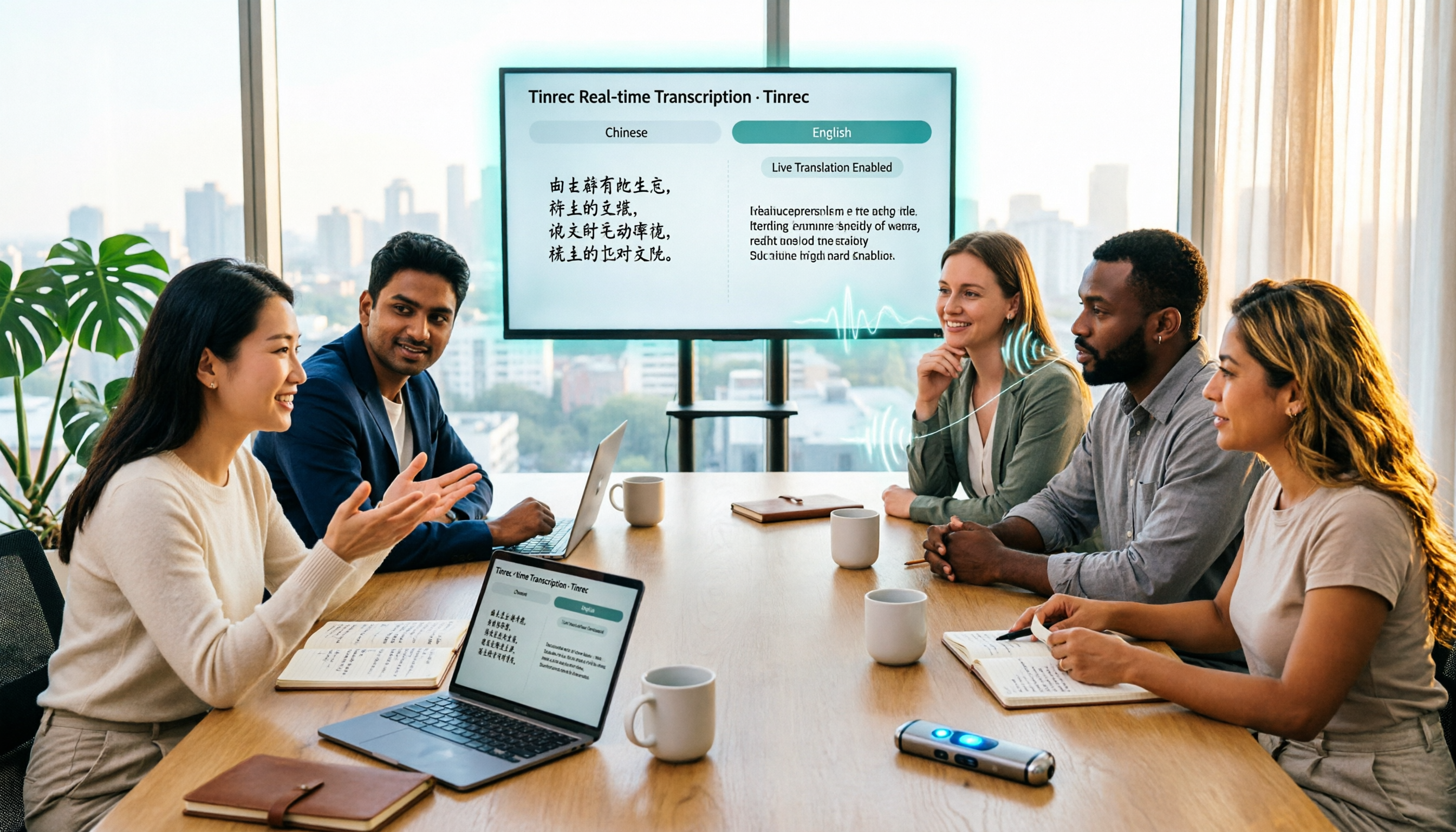
Tinrec Multilingual Meeting Notes 2026: Mixed Chinese-English Transcription + Real-Time Translation
How to choose multilingual meeting notes tools in 2026? This article compares Tinrec and AI recording hardware PLAUD Note across six dimensions: language processing, online meetings, real-time translation, post-meeting output, data retention, and team governance. It includes a cost structure and conclusion you can bring to procurement meetings.