

Turn recordings into transcripts and summaries in minutes
Upload audio or video for multilingual transcription, AI notes, and action items
4 Meeting Productivity Tools Tested for 2026: From Recording to Action Items, How to Really Save Time?
Honestly, the most common way people use "meeting productivity tools" is to hit record during a meeting and then dump the entire transcript into a group chat afterward.
This approach barely solves anything. Because the problem was never "not recording"—it's that "no one opens it again after recording."
I've seen plenty of similar situations myself: bought an AI recording device, but the files just sit in the app with no one organizing them; used the platform's built-in transcription, but the transcript is long and you still have to pick out the key points yourself; invited a meeting bot to join, but every time you have to explain to the client "who is that stranger account."
A more reasonable approach is to aim the tool at three nodes: "before, during, and after the meeting," and after the meeting, it must produce something directly actionable.
Tinrec is an AI meeting notes and collaboration tool for individuals and teams, supporting desktop, web, and mobile. The free version lets you experience recording, file import, summaries, and transcription with basic quota. It focuses on what happens after the meeting ends—transcripts, summaries, action items, Q&A, export—all connected to team spaces. For office workers chased by meetings every day, project managers, and teams that need to retain client records, this is its more practical value.
What Can Meeting Productivity Tools Do for You?
Scenario 1: No more spending an hour organizing notes after a meeting. Previously, a two-hour meeting might require another hour afterward to recall who said what. With Tinrec, by the time the meeting ends, AI has already organized the summary, conclusions, and action items, listing who is responsible for what and the deadlines.
Scenario 2: Cross-department meetings—find out "who said it originally." Three months later, when asked about the reason for a decision, no need to dig through chat rooms. Tinrec keeps the transcript, and you can directly use AI Q&A to query, for example, "Who proposed the budget cap?"
Scenario 3: Client interview requirements no longer scattered everywhere. Sales and customer success teams dread having requirements, objections, and commitments scattered across emails and notebooks. Tinrec can organize these into exportable documents and connect back to your original workflow.
Scenario 4: When new hires take over, historical meetings are the best teaching material. The team version stores meeting data uniformly in team spaces. New members can search, review, and ask follow-up questions instead of starting from scratch and bothering colleagues.
What Are the Core Capabilities of Meeting Productivity Tools?
Live transcription: Transcribes while recording, not after. During the meeting, you can look at the text to confirm no key points are missed, mark directly if needed, and not rely on memory afterward.
Bot-free online meeting recording: Tinrec desktop captures computer system audio to handle Zoom, Google Meet, Microsoft Teams, Webex, etc., without inviting an extra bot as a participant. Note that this does not mean "automatically join all meetings"; you still need to open Tinrec yourself to start recording.
AI summary and chapters: Not just condensing the transcript into a paragraph, but structurally organizing meeting topics, discussion conclusions, and key sections. Long meetings can be navigated by chapters.
Action item extraction: Pulls out action items from discussions, especially useful for weekly meetings, project meetings, and client meetings. No need to manually recall "what did we say we'd do" afterward.
AI conversational query: After transcription, you can directly ask Tinrec, for example, "What was the client's reaction to the price?" "What three things were decided in this meeting?" It answers based on semantic understanding and can also query across multiple meetings.
Multi-format export and post-meeting processing: Results can be taken to Notion, Google Docs, OneNote, Dropbox, etc., for further use, and can also generate reports, tables, and meeting minutes.
Team space and governance: The team version provides independent team spaces, including members, roles, seats, usage analytics, audit logs, audio recycle bin, and team hotwords, turning meeting data into team assets rather than a file on someone's computer.
How to Use Tinrec? 5 Steps from Recording to Action Items
Step 1: Decide which input method to use for this meeting. For in-person meetings, use live recording; for online meetings, use desktop to capture system audio; if you already have a recorded file, directly upload audio or video to import. (Screenshot location: input source menu on the home page)
Step 2: Start recording—don't wait until midway. For online meetings, it's recommended to press record before the agenda starts to avoid missing the opening background and early decisions. (Screenshot location: record button on the desktop main screen)
Step 3: Watch the transcript while recording, enable live translation if needed. For cross-language meetings, you can switch between original, translated, or bilingual view; when you hear key numbers or commitments, mark directly on the text.
Step 4: After the meeting, let AI produce summary, chapters, and action items. First look at the AI summary to grasp the overall picture, then confirm the action item owners and deadlines, and correct any inaccuracies.
Stop organizing recordings by hand
Upload audio or video and automatically get a transcript, summary, and action items
Step 5: Use AI Q&A for follow-up, then export to your existing workflow. Ask directly about uncertain sections, and after confirmation, export results to Notion, Google Docs, etc., or ask the Agent to further generate reports and tables.
Practical Use Cases
Weekly stand-ups and decision meetings The biggest waste in such meetings is "re-discussing what's already been said." Use Tinrec to consistently record decisions and action items from each weekly meeting. Before the next meeting, review the previous action items so discussions move forward instead of going in circles. For managers, usage analytics can also show the team's meeting density and participation.
Client interviews and sales conversations Client requirements, concerns, budget, and timeline are often scattered in the conversation. Record the interview with Tinrec, then use AI Q&A to extract "the three concerns the client mentioned," and organize into an exportable requirements summary. Follow-up becomes much easier.
Courses, lectures, and internal training For remote classes or corporate training, transcript plus chapter structure equals an automatically generated reviewable note. When learners later recall a section, they can search by keyword without rewatching the entire video.
Content creation and research interviews Interview transcripts are raw material for writing articles and reports. Tinrec can organize interviews into key points, quoted passages, and summaries, reducing time spent re-listening to recordings, and can be directly exported to document tools for further writing.
5 Things to Check When Buying Meeting Productivity Tools
Currently, common approaches fall into four categories: AI meeting assistants that join as a bot, platform built-in meeting transcription, transcription tools specialized for existing files, and bot-free approaches like Tinrec that capture system audio via desktop. Based on testing, the following 5 points should be confirmed first.
1. Recording method: Will there be an extra "participant"? Some approaches join online meetings as a bot, requiring prior notice to participants. Tinrec desktop uses system audio capture, so no bot appears on the meeting end, making it less intrusive for external client meetings.
2. Is there post-processing after transcription? Transcripts are just raw material. Confirm whether the tool can automatically produce summaries, chapters, and action items, and whether you can ask questions about the content. Tinrec focuses more on this part, including AI Q&A and Agent post-processing.
3. Performance with Chinese and mixed Chinese-English. Meetings in Taiwan often mix Chinese and English. When choosing a tool, test with your own real recording rather than just reading official copy. Tinrec focuses on Chinese and multilingual meeting scenarios and also provides team hotwords to make terminology recognition closer to team habits. Actual performance is still affected by recording quality, noise, accents, and overlapping speakers.
4. Can you take the data with you? If meeting data can only stay in the tool, you're locked in. Tinrec supports multi-format export, so you can take it to Notion, Google Docs, OneNote, Dropbox, etc., for continued use.
5. Team governance capabilities. Once meeting data is shared with multiple people, you need to see how the tool manages members and permissions. Tinrec team version distinguishes roles and seats: roles determine who can manage the team, members, and view audits; seats determine whether one can record, upload, edit, and export; members without seats can still view, play, and read team data but cannot perform resource usage operations. It also provides usage analytics, audit logs, and audio recycle bin (retained for 30 days, recoverable before permanent deletion).
Pricing and quota Tinrec personal version has free, weekly card, Pro monthly, and Pro annual, suitable for different usage frequencies. Team version: first eligible trial for 7 days, 1 free seat, 300 minutes team shared import quota; monthly payment is USD 29.80 per paid seat per month, annual payment is USD 199 per paid seat per year (about USD 16.58 per month), each paid seat provides 2,000 minutes team shared import quota per month; live recording under an active team plan currently does not deduct minutes. Actual prices and benefits are subject to the official purchase page.
FAQ
Q1: Do meeting productivity tools require payment to use? Not necessarily. For example, Tinrec has a free version that lets you experience recording, import, summary, and transcription with basic quota; if you have steady needs every week, then consider Pro or team version.
Q2: Does Tinrec need to add a bot to the meeting? No. Tinrec desktop directly captures computer system audio, so no extra participant appears on the online meeting end. However, note that the user still needs to actively start recording; it does not automatically join every meeting on your calendar.
Q3: What is the transcription accuracy rate? It's best not to trust any fixed number. Accuracy varies with recording quality, noise, accents, overlapping speakers, and technical terminology. A more practical approach is to test with your own recording and verify important content against the recording and timestamps.
Q4: What's the difference between team and personal versions? Personal version data is managed under the individual account; team version is an independent team space where meeting data belongs to the team, with added capabilities like members, roles, seats, shared benefits, usage analytics, audit logs, and recycle bin.
Q5: Can members without seats see team data? They can view, play, and read team data, but cannot record, upload, edit, import, or export. Team resources are not taken away when a member leaves or loses a seat; they are handed over to other active members.
Q6: Are there legal issues with recording? Recording and transcription involve personal data and local regulations. It's recommended to inform participants in advance and obtain consent, and handle meeting data according to company internal policies.
Conclusion
The real difference in meeting productivity tools is not "how clearly it records," but whether it can directly produce summaries, action items, and searchable records after the meeting, and make them usable by the team.
Tinrec connects this process more completely: bot-free desktop recording, live transcription, AI summary and action items, AI Q&A, multi-format export, and finally into team spaces. If you have more than 3 meetings per week, you can start with the free version on a real meeting to see how much time you save on post-meeting organization.
References
- 12 Practical Tools for Working from Home: Video Conferencing, Project Management, To-Do Reminders All in One! | Manager Today
- Quickly Survey Meeting Times – Meetor Tutorial
- 5 Efficient Meeting Management Techniques to Stop Rushing Before, During, and After Meetings | Yanguo Learning
- AI Productivity Series: How AI Note Takers Help You Save Time and Stay Focused
- Not Just Meetings, But Also Classes: Another Clever Use of Online Meeting Software
Turn every recording into actionable outcomes
Get 60 free transcription minutes when you sign in. No credit card required.
Related Reading
You might also like

2026 Comparison of 4 Meeting Productivity Tools: How to Save Time Before, During, and After Meetings
How can meeting productivity tools actually be effective? This article breaks down key usage points across three stages—before, during, and after meetings—and compares four tools: Tinrec, Granola, Notta, and PLAUD Note. It covers bot-free recording, AI Q&A, team seats, and actual pricing to help you choose the best fit.

Tinrec vs Otter.ai in 2026: A 5-Dimension Comparison — How to Run Meetings More Efficiently
Long, unproductive meetings are usually a process problem, not a tool problem. This article breaks down five key factors for choosing a meeting productivity tool, compares Tinrec with Otter.ai, Fireflies.ai, and Granola, and includes a pitfalls guide plus scenario-based recommendations.

Tinrec vs Notta 2026: 5-Dimension Comparison for Multilingual Meeting Notes
Multilingual meeting transcription tools aren't just about supporting the most languages. This article compares Tinrec and Notta across five dimensions: transcription vs. translation, recording methods, post-meeting organization, team collaboration, and pricing quotas. It also shares real-world pitfalls and selection insights from a mid-level manager who holds 15 meetings per week.

2026年5款多語言會議記錄工具實測對比:表格整理誰最省時間?
多語言會議記錄的難點不是找不到表格範本,而是會議當下中英夾雜、多人搶話,事後還得重聽錄音。本文實測5款AI會議記錄工具,從多語言辨識、會議採集方式、會後問答、團隊權限到避坑指南,帶你找出能把會議記錄表格自動填好的選擇,並說明Tinrec、Notta、Granola與Otter.ai各自適合誰。

2026 Comparison of 5 Meeting Productivity Tools: How to Make Pre-Meeting, In-Meeting, and Post-Meeting Effective
How can meeting productivity tools truly be effective? This article breaks down the three stages—pre-meeting planning, in-meeting notes, and post-meeting follow-up—and compares 5 tools including Tinrec, Otter.ai, Notta, and PLAUD. It covers selection criteria, common pitfalls, and suitable users, and explains Tinrec's team space roles, seats, usage, and audit governance.

4 Meeting Productivity Tools Tested and Compared for 2026: Is the Free Version Enough, and Is the Team Plan Worth It?
Ending a meeting with only three lines of notes is a daily reality for most office workers. This hands-on comparison of four meeting productivity tools breaks down recording methods, post-meeting organization, Chinese language performance, and team permissions, while honestly detailing free version limitations and paid pricing to help you find the one that truly saves meeting time.

6 Best Free Multilingual Meeting Transcription Tools in 2026
How do you choose a multilingual meeting transcription tool in 2026? This guide reviews 6 free and paid options, including Tinrec, Otter.ai, Notta, Granola, PLAUD Note, and TurboScribe. We compare multilingual transcription, real-time translation, AI summaries, action item extraction, and team collaboration features, with pricing and selection advice.
How to Create a Multilingual Meeting Minutes Template in 2025: 5 Steps from Recording to Multilingual Summary
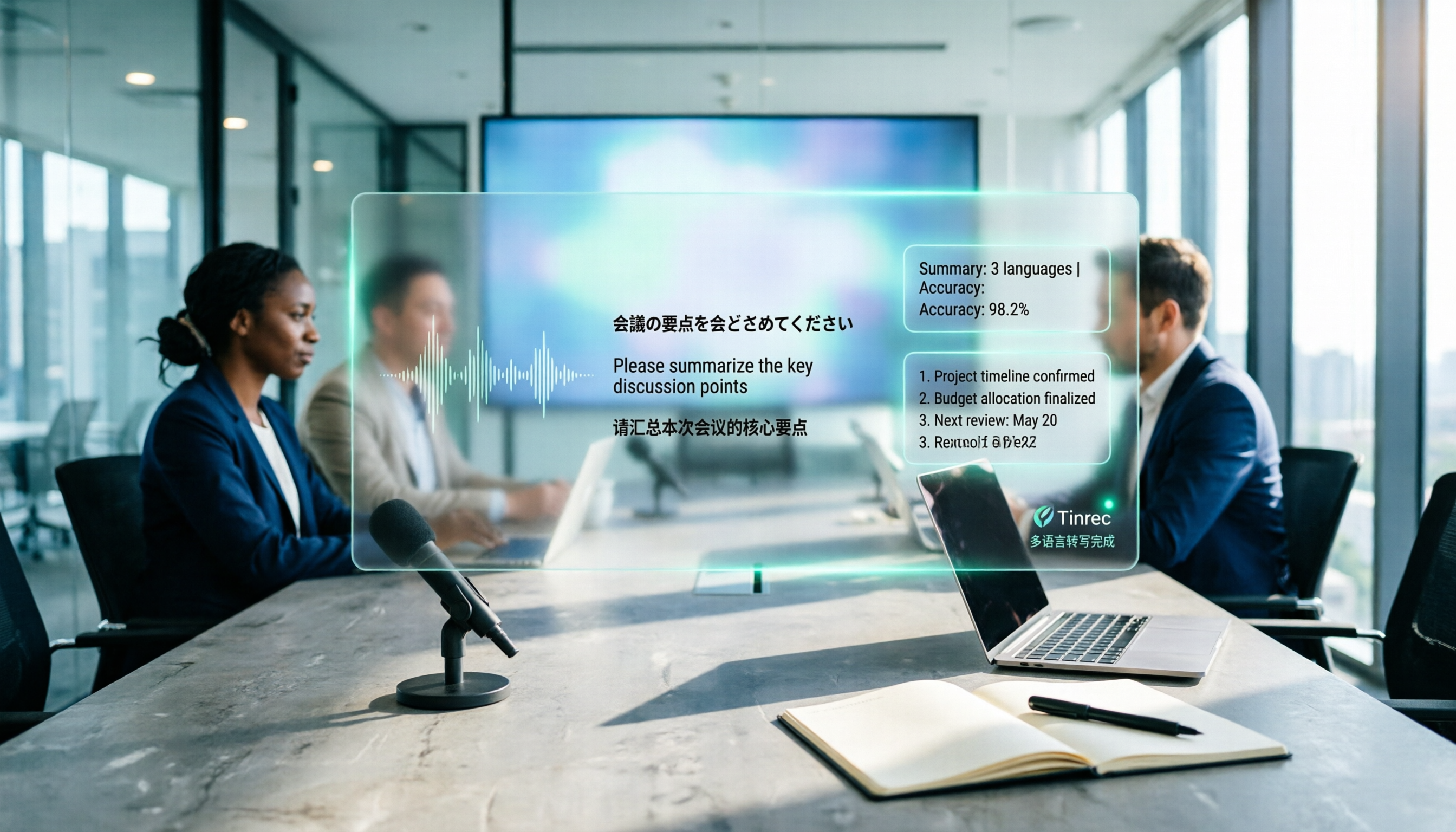
In international meetings where Japanese, English, and Chinese are interwoven, you still need to deliver meeting minutes that everyone can understand. This article breaks down the process of creating a multilingual meeting minutes template in 2025 into 5 steps, includes a field template, and reviews 7 tool options—Tinrec, Notta, Subanana, Otter.ai, Fireflies.ai, Granola, and TurboScribe—with pricing, helping you choose the right tool based on language combinations and budget.

4 Multilingual Meeting Transcription Tools Tested in 2026: Which Saves the Most Time with Code-Switching and Bilingual Transcripts?
In multilingual meetings (code-switching, bilingual transcripts), we tested and compared Tinrec, Otter.ai, Granola, and Notta on transcription, real-time translation, post-meeting report output, and team collaboration. We also compiled selection criteria, pitfalls to avoid, and scenario-based recommendations.