

Turn recordings into transcripts and summaries in minutes
Upload audio or video for multilingual transcription, AI notes, and action items
Tinrec vs Notta 2026: 5-Dimension Comparison for Multilingual Meeting Notes
My old approach to choosing a multilingual meeting transcription tool was pretty dumb—I'd open the website, see how many languages it supported, and buy the one with the biggest number. That led to a series of pitfalls during three meetings with Japanese clients. This article is about how I re-evaluated my choices afterward.
Pitfall 1: Mistaking "transcription" for "translation." The tool I bought claimed to support dozens of languages, but when I actually used it, I found it did transcribe Japanese speech word-for-word into a Japanese transcript—the problem was I couldn't read Japanese. Transcription turns speech into text in the same language; translation converts content into a language you can understand. These two are often conflated in product marketing, and buying wrong once can hurt for a whole year.
Pitfall 2: Thinking a transcript equals meeting notes. A two-hour meeting produced a 20,000-word transcript. What I needed wasn't 20,000 words—it was "who is responsible for what and by when." The transcript is raw material; meeting minutes are the finished product.
Pitfall 3: Only comparing standalone features, ignoring the team. My team has 10 people, and meeting notes were scattered across each person's individual account. When someone left, the data went with them.
Now I consistently use Tinrec. It's not perfect, but in the areas that hurt the most, it genuinely gives me back my time. Below, I'll break down Notta, which I've used, and Tinrec, my current primary tool, across five dimensions.
What Can a Multilingual Meeting Transcription Tool Actually Do for You?
Bottom line first: it doesn't solve "not understanding"—it solves "understanding but not retaining." In my own scenario, there are three specific things:
Scenario 1: Understand in real-time during international meetings. Last week, I had a project meeting with teams from Singapore and Japan, mixing three languages. Previously, I'd nod along while listening, then privately ask a colleague afterward, "What did that part mean?" Now, during the meeting, I can see the transcript and bilingual comparison, and directly read the text for parts I don't understand, responding on the spot. With Tinrec, for example, you can view the original text, translation, or bilingual content during recording—this is the most practical lifesaver for cross-language meetings.
Scenario 2: Get shareable minutes 5 minutes after the meeting. After a two-hour meeting, I no longer need to re-listen to the recording. Tinrec automatically generates a summary, chapters, key points, and action items, clearly listing who is responsible for what and by when. I used to spend an hour organizing afterward; now I just scan through, fix a few words, and forward it.
Scenario 3: Turn past meetings into a searchable database. When my boss asks, "What was the decision on that project last time?" I used to flip through notes for three minutes. Now I can directly ask questions about meeting content in Tinrec, like "What's the budget cap for this quarter?" or "What concerns did the client raise?" It provides answers based on semantic understanding, without re-listening to an hour of recording.
The Core Capabilities of Multilingual Meeting Transcription: I Only Look at These 5
1. Real-time Transcript and Bilingual Comparison
Text appears as you record, not after. During the meeting, you can watch the text to confirm key points aren't missed—this is especially critical for cross-language meetings, as you no longer rely solely on your ears. Tinrec's approach here lets you view the original text, translation, or bilingual content simultaneously during recording. Note that actual recognition performance is affected by recording quality, ambient noise, accents, and overlapping speakers—a common limitation of all speech recognition tools. Don't expect zero errors.
2. Bot-free Recording for Online Meetings
This was the key reason I switched from my old tool. The meeting bot model requires adding an extra account to the meeting room; clients see an unfamiliar attendee on the list and may object, and some corporate meeting policies even block it outright. Tinrec's desktop version captures the computer's system audio directly, handling meetings played on the computer like Zoom, Google Meet, Microsoft Teams, and Webex without adding a bot. To be clear: the user actively opens Tinrec to start recording, not automatically joining all calendar meetings.
3. AI Summary, Chapters, and Action Item Extraction
This is the most valuable part for me. AI summary isn't just condensing the transcript into a paragraph—it's structured organization: meeting topic, discussion conclusions, action items, and responsible parties listed separately. Tinrec also breaks long meetings into chapters; for a two-hour meeting, you can jump to a specific topic by clicking the chapter instead of listening from the start.
4. AI Q&A and Post-meeting Refinement
After transcription, you can directly ask questions about the meeting content. The value here is "no need to re-listen." Additionally, Tinrec can further generate reports, tables, or documents from meeting content—for someone like me who submits weekly reports, it saves a round of reorganizing materials.
5. Export and Team Collaboration
Meeting notes ultimately need to fit into existing workflows. Tinrec supports multiple export formats and can carry results to tools like Notion, Google Docs, OneNote, and Dropbox for continued use. The team version goes further: meeting data belongs to the team, stored centrally in a team space, where members can view, search, and ask questions about past meetings—so data isn't taken away when someone leaves.
Stop organizing recordings by hand
Upload audio or video and automatically get a transcript, summary, and action items
Practical Use Cases
Cross-departmental decision meetings. For my weekly department meetings and cross-departmental coordination meetings, I directly generate an action item list afterward, verify the responsible person column, and send it out. Previously, verbally assigned tasks were forgotten two days later; now with records, responsible parties, and deadlines, tracking costs are much lower.
Client and requirements interviews. When the sales team interviews clients, the transcript preserves the client's original wording and phrasing—great material for presentations. The post-meeting summary can be directly turned into meeting minutes and sent to the client for confirmation, enhancing professionalism.
Training and lectures. Record internal instructor courses, convert to text, and use AI Q&A to extract key points—much faster than re-watching a two-hour video.
Personal learning and knowledge accumulation. I put recordings of industry online courses into Tinrec for organization. The free version has a basic quota to try recording, importing, summarizing, and transcription—sufficient for my occasional use.
5 Things to Watch When Choosing a Multilingual Meeting Transcription Tool
1. First, distinguish "transcription" from "translation." This is the most common pitfall. Do you need to turn foreign languages into understandable Chinese, or just the original transcript? If your team truly has multilingual meetings, make sure the tool provides real-time translation and bilingual comparison. Tinrec lets you switch between original, translation, or bilingual view during recording.
2. Will the recording method conflict with company policy? Meeting bots need to be invited into the meeting room; some clients or security policies don't accept this. Tinrec uses desktop system audio capture, adding no extra attendees. If you often meet with external clients, this directly determines whether the tool is usable.
3. Is there post-processing after the transcript? A tool that only gives a transcript throws the organizing work back at you. Check for summary, chapters, action items, and Q&A capabilities—Tinrec has all of these. Also, a note on Notta: it's well-regarded for post-meeting multilingual notes and file transcription. Its official free plan offers 120 minutes per month with a 3-minute per-session limit; Pro annual billing is about USD 8.17/month with 1,800 minutes per month. If your needs focus on "organizing recording files into text after meetings," it's worth including in your comparison.
4. Team governance matters more than you think. For a ten-person team, scattered meeting data across individual accounts is a disaster. Check for team spaces, member and seat management, usage analytics, audit logs, and audio recycle bins. Tinrec's team version separates roles (who can manage the team) from seats (who can record, upload, edit, export). Members without a seat can still view and read team data but cannot perform uploads, edits, etc. This is a completely different concept from "buying a few more accounts."
5. Read the quotas and billing carefully. Some tools charge by "recording minutes," others by "import minutes"—a big difference. Tinrec's team version offers a 7-day trial for first-time eligible teams, 1 free seat, and 300 minutes of shared team import quota; team monthly billing is USD 29.80 per paid seat per month, annual billing is USD 199 per paid seat per year (about USD 16.58/month), with each paid seat providing 2,000 minutes of shared team import quota per month. Under an active team plan and active seat, real-time recording currently does not deduct minutes. File and web link imports use the shared team quota, not individual member quotas.
FAQ
Q1: Is the free version enough?
Depends on your meeting frequency. If you occasionally organize a recording, the free version lets you try recording, importing, summarizing, and transcription—fine for testing the waters. For someone like me with over a dozen meetings a week, going straight to a paid plan is more practical; it saves an hour of organizing time daily.
Q2: Which meeting platforms are supported?
Tinrec's desktop version captures computer system audio, handling meetings played on the computer like Zoom, Google Meet, Microsoft Teams, and Webex. Note that this means you need to actively open Tinrec to start recording—it's not a bot that automatically joins all calendar meetings.
Q3: Can it handle mixed Chinese-English meetings?
Yes. Tinrec covers Chinese, Traditional Chinese, and multilingual meeting scenarios, and supports organizing mixed Chinese-English content. Actual recognition performance is still affected by accents, speaking speed, and audio quality.
Q4: What accuracy can be guaranteed?
No tool can provide a fixed accuracy rate for all scenarios. Audio quality, noise, accents, overlapping speakers, and technical terms all affect results. A more practical approach is to run your own meeting recordings through it, and verify important content against transcript timestamps and the recording. Tinrec also offers a team hotword feature to maintain commonly used team terminology, improving recognition of specialized terms.
Q5: What's the difference between the team and personal versions?
The personal version's data belongs to the individual account. The team version is a separate collaborative space: data belongs to the team, centrally storing Audio, Folder, TODO, etc., with member invitations, role and seat management, shared recording and import benefits, usage trends and member rankings, audit log queries and exports, and an audio recycle bin (30-day retention). When a member leaves or is removed, their team resources are handed over to other active members, not taken away personally.
Conclusion
With multilingual meeting transcription, the real cost isn't the software license fee—it's your post-meeting organizing time and the tracking costs from "verbally assigned but unrecorded" tasks. My own decision order is simple: understand on the spot (real-time translation and bilingual comparison), no re-listening after (summary, chapters, action items), and data stays with the team (team space and governance). Only when all three are in place is it worth long-term use.
Tinrec provides usable answers on all three, especially the bot-free desktop recording and post-meeting AI Q&A—key to shifting from "record and forget" to "actually going back to check." If you're also choosing a multilingual meeting transcription tool, I suggest running two or three real meetings with the free version first to experience how AI helps organize meeting notes, then decide whether to upgrade. Your meeting time is worth spending on discussion, not typing.
References
- Multilingual Transcription Software: 2026 Comparison of 6 Real-time and Post-meeting Tools
- Real-time Meeting Translators: The Ultimate 1 vs 11
- 2026 Teams Meeting Real-time Translation and Recording Tool Recommendations: 5 AI Software Tested Comparison - Tinrec Blog
- Multilingual Translation: 2026 Global Team Matrix
- 2026 Latest 5 Chinese-English Bilingual Meeting Notes AI Tool Recommendations: Solving Recording Organization and Cross-language Communication Pain Points - Tinrec Blog
Turn every recording into actionable outcomes
Get 60 free transcription minutes when you sign in. No credit card required.
Related Reading
You might also like

2026 Comparison of 4 Meeting Productivity Tools: How to Save Time Before, During, and After Meetings
How can meeting productivity tools actually be effective? This article breaks down key usage points across three stages—before, during, and after meetings—and compares four tools: Tinrec, Granola, Notta, and PLAUD Note. It covers bot-free recording, AI Q&A, team seats, and actual pricing to help you choose the best fit.

Tinrec vs Otter.ai in 2026: A 5-Dimension Comparison — How to Run Meetings More Efficiently
Long, unproductive meetings are usually a process problem, not a tool problem. This article breaks down five key factors for choosing a meeting productivity tool, compares Tinrec with Otter.ai, Fireflies.ai, and Granola, and includes a pitfalls guide plus scenario-based recommendations.

2026年5款多語言會議記錄工具實測對比:表格整理誰最省時間?
多語言會議記錄的難點不是找不到表格範本,而是會議當下中英夾雜、多人搶話,事後還得重聽錄音。本文實測5款AI會議記錄工具,從多語言辨識、會議採集方式、會後問答、團隊權限到避坑指南,帶你找出能把會議記錄表格自動填好的選擇,並說明Tinrec、Notta、Granola與Otter.ai各自適合誰。

2026 Comparison of 5 Meeting Productivity Tools: How to Make Pre-Meeting, In-Meeting, and Post-Meeting Effective
How can meeting productivity tools truly be effective? This article breaks down the three stages—pre-meeting planning, in-meeting notes, and post-meeting follow-up—and compares 5 tools including Tinrec, Otter.ai, Notta, and PLAUD. It covers selection criteria, common pitfalls, and suitable users, and explains Tinrec's team space roles, seats, usage, and audit governance.

4 Meeting Productivity Tools Tested and Compared for 2026: Is the Free Version Enough, and Is the Team Plan Worth It?
Ending a meeting with only three lines of notes is a daily reality for most office workers. This hands-on comparison of four meeting productivity tools breaks down recording methods, post-meeting organization, Chinese language performance, and team permissions, while honestly detailing free version limitations and paid pricing to help you find the one that truly saves meeting time.

4 Meeting Productivity Tools Tested for 2026: From Recording to Action Items, How to Really Save Time?
How can meeting productivity tools actually save time? This article starts with common pitfalls, breaks down what meeting productivity tools can do and their core capabilities, and uses Tinrec to demonstrate a 5-step workflow from recording, live transcription, AI summary to action item extraction. It also covers 5 key points to consider when purchasing and answers frequently asked questions.

6 Best Free Multilingual Meeting Transcription Tools in 2026
How do you choose a multilingual meeting transcription tool in 2026? This guide reviews 6 free and paid options, including Tinrec, Otter.ai, Notta, Granola, PLAUD Note, and TurboScribe. We compare multilingual transcription, real-time translation, AI summaries, action item extraction, and team collaboration features, with pricing and selection advice.
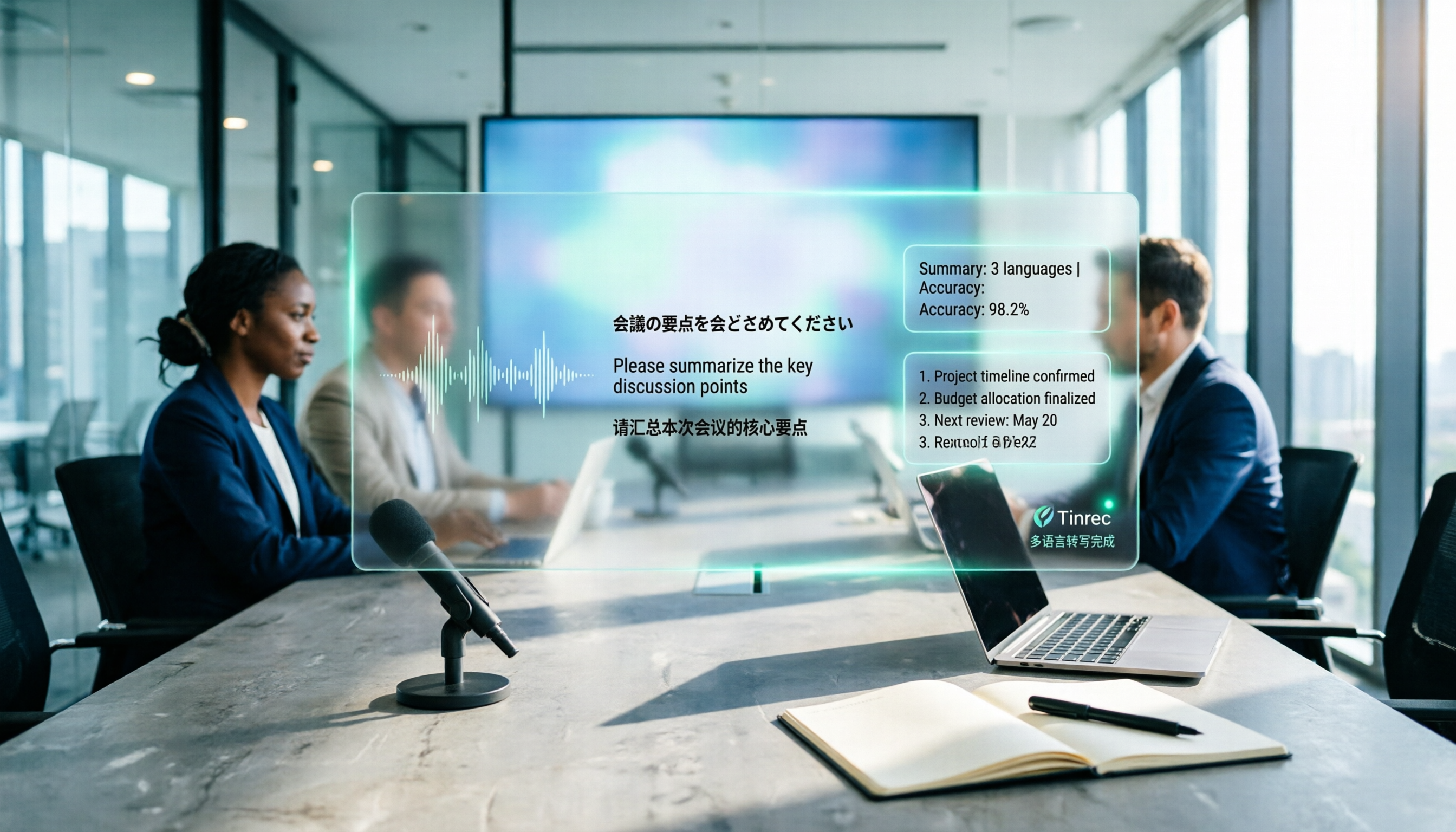
How to Create a Multilingual Meeting Minutes Template in 2025: 5 Steps from Recording to Multilingual Summary
In international meetings where Japanese, English, and Chinese are interwoven, you still need to deliver meeting minutes that everyone can understand. This article breaks down the process of creating a multilingual meeting minutes template in 2025 into 5 steps, includes a field template, and reviews 7 tool options—Tinrec, Notta, Subanana, Otter.ai, Fireflies.ai, Granola, and TurboScribe—with pricing, helping you choose the right tool based on language combinations and budget.

4 Multilingual Meeting Transcription Tools Tested in 2026: Which Saves the Most Time with Code-Switching and Bilingual Transcripts?
In multilingual meetings (code-switching, bilingual transcripts), we tested and compared Tinrec, Otter.ai, Granola, and Notta on transcription, real-time translation, post-meeting report output, and team collaboration. We also compiled selection criteria, pitfalls to avoid, and scenario-based recommendations.