
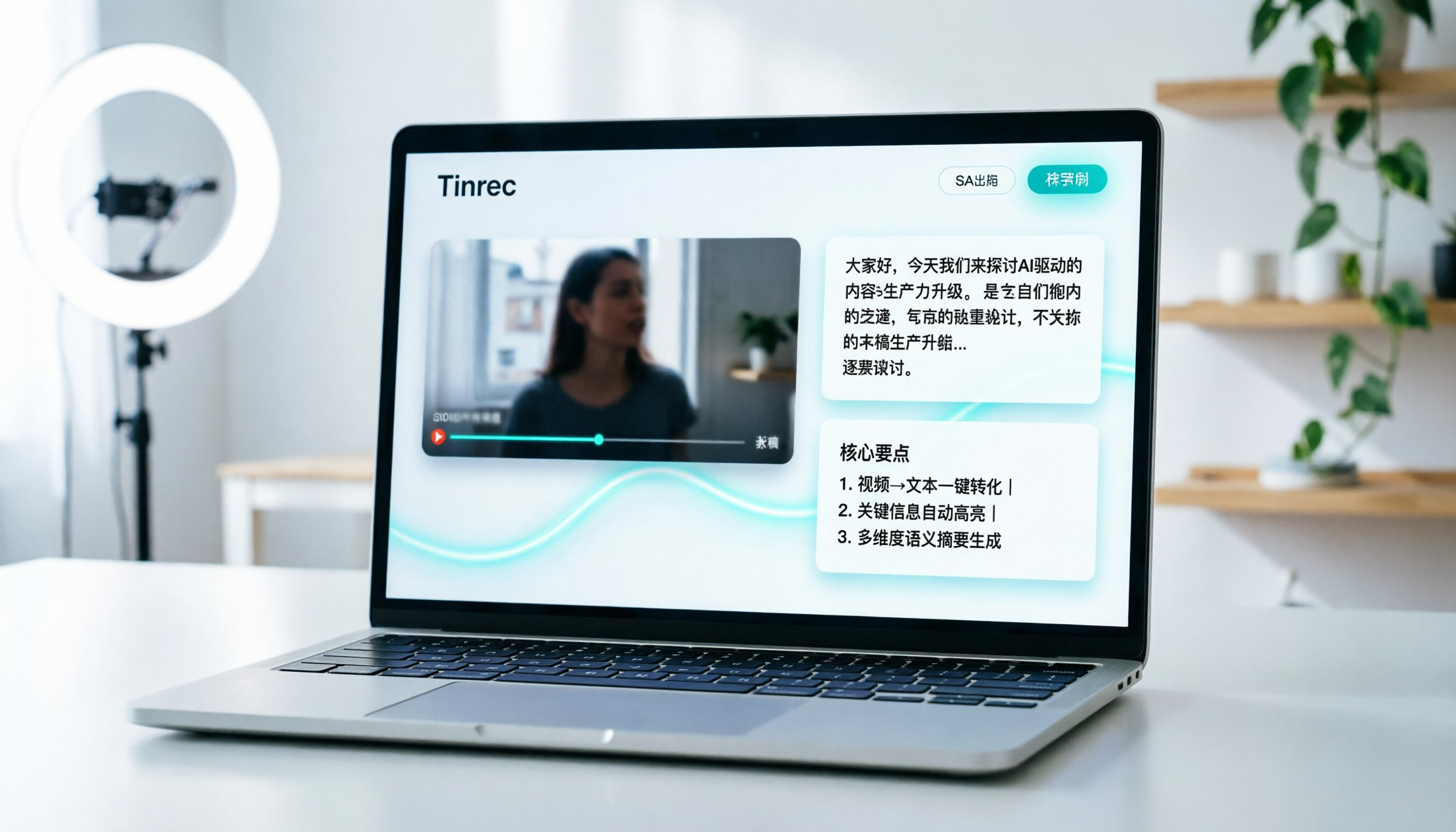
Turn recordings into transcripts and summaries in minutes
Upload audio or video for multilingual transcription, AI notes, and action items
Why You Need an Efficient TikTok Video to Text Tool
In the era of short videos, TikTok (Douyin) is not just an entertainment platform but also a vital source of inspiration and competitor analysis for content creators. However, manually transcribing video content is extremely time-consuming and prone to missing details. A common pain point for many creators is how to quickly convert "audio" into "editable text" for repurposing, subtitling, or note-taking.
While many tools are available, not all perfectly support Chinese contexts or offer subsequent AI organization features. This article provides an in-depth review of 5 mainstream video-to-text tools, covering language support, AI summarization capabilities, and pricing thresholds to give you a clear selection guide.
Quick Navigation Summary:
- Prioritizing Chinese accuracy and AI organization: Consider Tinrec first—it not only transcribes but also generates summaries and action items.
- Only need simple subtitle files: Choose cSubtitle or VEED.IO.
- On a budget and tech-savvy: Try OpenAI Whisper locally.
- Primarily handling English content: Otter.ai is a good choice, but note its limited Chinese support.
Review Criteria and Test Environment Statement
To ensure objectivity, we set uniform test standards simulating real-world use cases.
Test Samples and Environment
- Test Time: February 2026.
- Audio Material: Three different types of TikTok/short video audio clips, 1 minute, 5 minutes, and 15 minutes long.
- Language Settings: Pure Chinese, Chinese-English mixed, and noisy environments with background music.
- Devices: iOS iPhone 15 Pro, MacBook Pro M3, Windows PC.
Core Evaluation Dimensions
- Word Error Rate (WER): Focus on accuracy for proper nouns and colloquial expressions.
- Segmentation and Timestamps: Whether speakers are automatically distinguished and timestamps precisely aligned.
- AI Summary Quality: Ability to extract core points, action items, or key quotes from lengthy conversations.
- Ease of Use: Whether direct link pasting and file upload are supported, and export format variety.
- Price and Free Tier: Whether the free version is sufficient and the cost-effectiveness of paid plans.
In-Depth Comparison of 5 TikTok Video to Text Tools
Below is a comparison of five representative tools, ranging from professional AI assistants to basic subtitle tools.
| Comparison Dimension | Tinrec (Instant Voice Recorder) | Otter.ai | Notta | VEED.IO | cSubtitle |
|---|---|---|---|---|---|
| Language Support | 10+ languages including Chinese, English, Japanese, Korean, Taiwanese Hokkien | Strong in English, weak Chinese support | Supports 50+ languages, Chinese decent | Multilingual, focuses on subtitle editing | Mainly supports common languages |
| Input Method | Recording, audio files, video links | Recording, upload audio files | Recording, upload, some links | Upload video files | Upload audio/video files |
| AI Summary/Action Items | ✅ Auto-generates minutes, to-dos, highlights | ✅ Meeting summaries (good for English) | ✅ Basic summaries | ❌ No deep semantic summary | ❌ None |
| AI Conversational Search | ✅ Supports Q&A-based content retrieval | ✅ Supported | ❌ Not supported | ❌ Not supported | ❌ Not supported |
| Free Tier | 100 minutes per month | Limited minutes (English only) | Limited minutes per month | Watermark/length limits | Basic features free |
| Use Cases | Content creation, meetings, interviews, learning | English meeting notes | Cross-language meetings | YouTuber subtitle creation | Simple subtitle conversion |
1. Tinrec: A Complete Workflow from Recording to Action
Tinrec is more than a transcription tool; it emphasizes "understanding" and "action." For TikTok creators, its biggest advantage is supporting direct video link transcription and quickly extracting script inspiration via the AI conversational feature.

- Strengths: High Chinese recognition accuracy, supports Taiwanese Hokkien/Cantonese; unique "AI Conversational Search" lets you ask about video content naturally (e.g., "What three marketing tips are mentioned in this video?").
- Limitations: The free version offers 100 minutes per month; heavy users need to upgrade.
2. Otter.ai: Top Choice for English Meetings, but Chinese is Not Its Forte
Otter.ai is a globally known meeting note tool, excelling in speaker identification and real-time transcription in English environments.
- Strengths: High integration with Zoom and Google Meet, strong real-time performance.
- Limitations: Does not support Chinese or has extremely poor Chinese recognition, unsuitable for TikTok Chinese content.
3. Notta: A Balanced Choice for Multilingual Support
Notta supports over 50 languages, giving it an edge in cross-language content processing.
Stop organizing recordings by hand
Upload audio or video and automatically get a transcript, summary, and action items
- Strengths: Intuitive interface, supports various export formats.
- Limitations: According to tests, its Chinese colloquial recognition stability is slightly lower than Tinrec, and it lacks deep AI interactive search.
4. VEED.IO: Strong Visual Editing, Transcription as a Bonus
VEED.IO is primarily an online video editor, and its auto-subtitle feature suits creators who need simultaneous video editing.
- Strengths: After transcription, you can edit subtitles directly on the timeline with great visual experience.
- Limitations: Transcription is just an auxiliary feature; it cannot generate structured text summaries or to-do lists, and the price is higher.
5. cSubtitle / Built-in System Tools: Lightweight Alternatives
cSubtitle or built-in dictation features on Windows/Mac are suitable for minimal needs.
- Strengths: Free or low-cost, no complicated account registration required.
- Limitations: Single-function, only outputs SRT/VTT or plain text, no AI value-added services, inefficient for long videos.
Practical Tutorial: How to Efficiently Extract TikTok Video Highlights with Tinrec
Compared to traditional tools that only provide transcripts, Tinrec offers an all-in-one solution from "acquiring content" to "digesting content." Below are specific steps for TikTok video-to-text conversion.
Step 1: Use the "Video Link" Feature for Direct Conversion
No need to download and re-upload videos; Tinrec supports direct parsing of online video links.
- Copy the URL of a TikTok (or YouTube, podcast) video.
- Log in to the Tinrec Web version or App, and select the "Podcast/Online Video to Text" feature.
- Paste the link, and the system will automatically capture the audio track and begin transcription.
- Wait a few minutes (depending on video length) to get a full transcript.

Step 2: Use "AI Conversational Search" to Discover Insights
After obtaining the transcript, the traditional approach is to read repeatedly to find key points. In Tinrec, you can directly use the AI conversational feature.
- Enter the details page of the recording and click "AI Conversation" or similar entry.
- Input commands, for example:
- "Summarize the three core points of this video."
- "What marketing examples are mentioned in the video?"
- "Rewrite this content as an Instagram post."
- The AI will provide accurate answers based on semantic understanding and annotate the source timestamps.

Step 3: Export and Organize Action Items
If you work in a team, you can organize the results into an action list.
- View the auto-generated "Meeting Notes" or "Key Summary."
- After confirming, export as TXT, DOCX, or PDF.
- For important to-dos, directly copy them into your project management tool.

Additional Entry Points
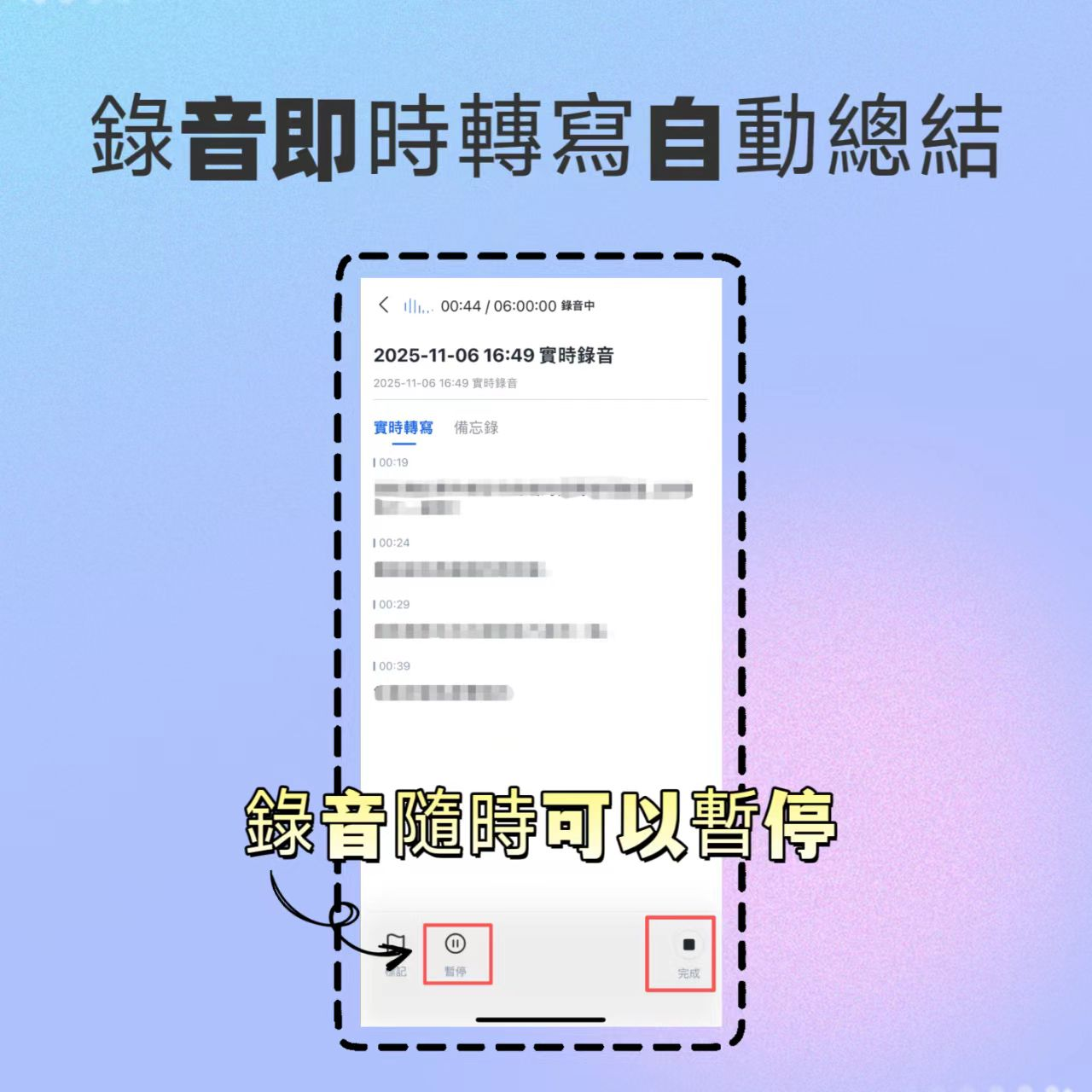
- Real-time Recording to Text: Suitable for on-site interviews or meetings; start the app to record and transcribe instantly. Real-time recording pause
- Audio File to Text: If you've already downloaded a TikTok audio file, you can directly upload MP3/WAV formats for conversion.
Analysis of Tinrec's Value Boundaries and Use Cases
When choosing a tool, understanding its "boundaries" is equally important. Tinrec is not a panacea, but it has significant advantages in specific scenarios.
Strengths Scenarios
- Content Creator Script Library Building: Watch many competitor videos, quickly extract viral script structures, and build your own material library.
- Cross-language Learning and Research: Supports Japanese, Korean, English, etc., suitable for tracking global trends and translating into Chinese notes.
- High-Efficiency Meeting/Interview Organization: Not just a transcript, but also understanding "who said what" and "what to do next."
Limitations and Considerations
- Network Dependency: Requires a stable internet connection due to cloud AI processing.
- Highly Specialized Terminology: Although it performs well in general domains, manual proofreading is recommended for extremely niche medical or legal terms.
- Copyright Awareness: When converting others' video content, please respect intellectual property laws and use only for personal study or fair use.
Frequently Asked Questions (FAQ)
1. Can I convert TikTok videos directly to text without downloading them?
Yes, using tools like Tinrec that support "video links," simply copy the TikTok video URL and paste it to convert directly to text, eliminating the need to download the video file, saving storage space and time.
2. Which tool has the most accurate Chinese speech recognition?
Based on tests, Tinrec is optimized for Chinese colloquial speech, Taiwanese Hokkien, and Cantonese. It outperforms Otter.ai (primarily for English) and some international tools when dealing with the fast-speaking, colloquial expressions common in TikTok.
3. Are these tools free? Is the free tier sufficient?
Most tools use a freemium model. Tinrec's free version offers 100 minutes per month, usually enough for light users (e.g., processing 2-3 short videos per week). For heavy usage, consider the Basic or Pro plans.
4. Can iPhone users use these tools?
Yes. Tinrec, Notta, Otter.ai, etc., all offer iOS apps. Tinrec, in particular, supports real-time recording-to-text on iOS, making it easy to capture ideas anytime.
5. Can I export converted text as Word or PDF?
Yes. Mainstream tools like Tinrec, Notta, and VEED.IO support exporting to TXT, DOCX, PDF, or SRT subtitle files for easy editing or import into editing software.
6. What are the practical uses of the AI conversation search feature?
Traditional transcripts only allow keyword search via Ctrl+F, easily missing contextually related content. AI conversational search lets you ask questions in natural language (e.g., "What is the first case mentioned by the speaker?"), and the system provides an answer based on the full context, greatly improving information retrieval efficiency.
Conclusion: How to Choose the Best Tool for You?
When selecting a TikTok video-to-text tool, don't just look at "transcription speed." Focus on "how you'll use the text afterward."
- If you prioritize extreme Chinese recognition accuracy and AI-assisted content creation (e.g., auto-summarization, Q&A retrieval), Tinrec is currently the most effective and practical choice, especially for social media operators and knowledge workers.
- If you mainly handle English content and prefer ecosystem integration, Otter.ai remains a classic option.
- If you only need simple subtitle files and don't mind manual editing, cSubtitle or VEED.IO can meet basic needs.
We recommend using each tool's free tier for small-scale tests to confirm its performance in your specific context (e.g., accent, background noise) before deciding on a long-term subscription plan.
Turn every recording into actionable outcomes
Get 60 free transcription minutes when you sign in. No credit card required.
Related Reading
You might also like

4 iPad Transcription Tools Tested: Which Handles Chinese Best in 2026?
iPad transcription isn't about speed—it's about whether you can use the transcript right away. We tested four common approaches: iPadOS 18 Voice Memos, SoundType AI, Aiko, and Tinrec. We compared Chinese and mixed Chinese-English recognition, post-meeting summaries and action items, online meeting recording, and team data retention to help you find the right fit for your workflow.

2026 Comparison of 4 MOV Video Summarization Tools: Which One Can Turn Videos into Transcripts and AI Summaries?
Many people think MOV videos can only be manually reviewed and organized, but with the right tools, you can upload MOV files to automatically generate transcripts and summaries, and even use AI to ask follow-up questions. This article compares 4 tools in practice, analyzing upload support, summarization capabilities, AI Q&A, and team collaboration, with Tinrec as the top recommendation, and provides buying criteria and pitfalls to avoid.
How to Choose Recording Software in 2026: AI Transcription + Auto To-Dos Made Easy
Recording is easy; the hard part is what comes after. This guide covers 4 key factors for choosing recording software, tests Tinrec's performance in online meetings, Chinese transcription, and AI Q&A, compares Bandicam, Audacity, and Online Voice Recorder for different scenarios, and includes a pitfalls guide and buying advice.

4 Speech-to-Text Tools Tested for 2026: Which Is Best for Chinese Meetings and AI Q&A?
A hands-on comparison of speech-to-text tools, starting with common misconceptions. We compare Tinrec, Notta, Granola, and PLAUD on Chinese recognition, online meeting recording methods, post-meeting organization, and team collaboration. Includes key buying factors, pitfalls to avoid, and scenario-based recommendations.

2026 Comparison of 4 Apple Meeting Transcription Tools: Is iPhone's Built-in Transcription Enough?
iPhone's built-in Voice Memos can already turn meeting recordings into transcripts, but meeting notes require more than just text. This article compares 4 common Apple meeting transcription solutions from the perspectives of transcription, AI summaries and action items, bot-free online meeting recording, cross-platform and team collaboration, and pricing limits, helping you determine whether the built-in feature is sufficient and which meeting scenarios Tinrec is suitable for.

2026 Voice-to-Text Tools Compared: Which AI Best Handles Chinese Meetings and Saves Time?
Want to turn recordings, meetings, and interviews into transcripts quickly but don't know which tool to start with? I tested 4 voice-to-text tools, comparing Chinese recognition, bot-free meeting recording, AI summary Q&A, and team collaboration. Here are the criteria and selection methods I actually use.

How to Choose AI Tools in 2026: 5 Steps to Find the Best AI Right Now
Not sure which AI to use? This guide starts with your daily tasks, outlines 5 selection steps, and tests a meeting notes scenario to help you find the best AI right now. It also compares Tinrec, Granola, Notta, and PLAUD to help you avoid buying pitfalls.

5 Best Audio-to-Text Tools for Chinese Meetings in 2026: Which Saves the Most Time?
Struggling to turn meeting recordings into transcripts? We tested and compared 5 audio-to-text tools—Tinrec, Otter, Notta, PLAUD, and TurboScribe—on Chinese recognition, meeting recording methods, post-meeting organization, and team collaboration to help you find the most time-saving option.
5 Best Video-to-Text Transcription Tools in 2026: Which AI Saves the Most Time?
Turning audio in videos into text is no longer just about converting sound to words. This article starts with common misconceptions, then walks you through post-transcription organization, search, follow-up questions, and export capabilities. We put Tinrec (秒聽錄音) through hands-on testing and compare it with Notta, TurboScribe, Otter.ai, and others to help you choose the video-to-text solution that truly saves time.