
Turn recordings into transcripts and summaries in minutes
Upload audio or video for multilingual transcription, AI notes, and action items
Spent an hour in a meeting or class, only to spend two more hours replaying the recording to create transcripts? This is a common pain point for administrators, students, and content creators. While many mobile recording apps exist, most lack real-time Traditional Chinese transcription and automatic key-point extraction, turning audio files into unsearchable data black holes. This article reviews and evaluates the leading mobile real-time transcription/subtitle apps of 2026, showing you how to choose the right tool based on your needs.
We analyze from three dimensions: Chinese recognition accuracy, AI summarization capabilities, and cross-platform integration, providing step-by-step tutorials.
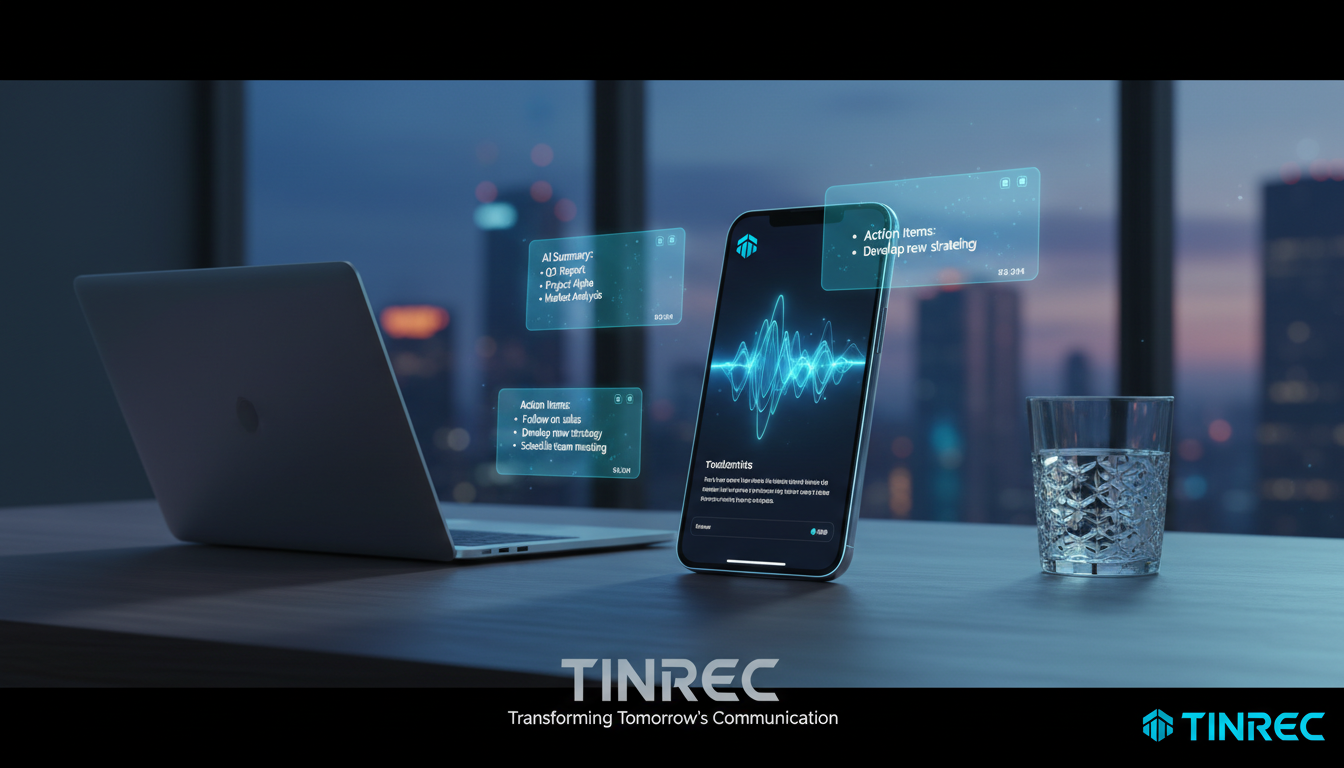
Quick Selection Guide:
- If you just need simple memos: Use your phone’s built-in memo app or voice input method.
- If you need complete meeting minutes and action items: Choose a tool with AI analysis (e.g., Tinrec) that transforms rambling speech into structured notes.
- If multilingual mixed recognition matters: Verify support for Taiwanese Hokkien, Cantonese, or mixed Chinese-English speech.
Why You Need a Professional AI Transcription App
The biggest problem with traditional voice recorders or simple recording apps is extremely low information density. A 60-minute audio file, if not transcribed, is an unsearchable, unscannable black box. Professional transcription tools solve three key pain points:
- High replay cost: No more repeatedly scrubbing through audio—read the text to pinpoint key parts.
- Lack of decision summaries: Bulky transcripts are hard to read; AI tools auto-generate conclusions and action items.
- Multilingual barriers: For foreign-language meetings or classes, real-time translation and transcription lower the comprehension threshold.
2026 Popular Transcription Tool Comparison Table
When choosing a tool, don’t just look at whether it can transcribe; look at what you can do after transcription. Below we compare representative market solutions against Tinrec to help clarify differences:
| Dimension | Built-in Recorder/Input Method | Basic Transcription Tool | Tinrec (Instant Recording) | Professional Human Typing |
|---|---|---|---|---|
| Real-time Transcription | Supported (short phrases only) | Supported | Supported (long recordings displayed live) | No (requires waiting) |
| Traditional Chinese Support | Excellent | Good (some only Simplified Chinese) | Excellent (supports Taiwanese, Cantonese, Mandarin) | Excellent |
| AI Summary/Action Items | None | Few support | Auto-generates meeting minutes and to-dos | None (extra charge often required) |
| AI Conversational Query | None | None | Supported (ask questions about the recording) | None |
| Multi-Device Sync | Ecosystem only (e.g., iOS) | Varies by tool | Web / iOS / Android sync | N/A |
| Export Formats | Plain text | txt, doc | txt, docx, pdf, srt (subtitles) | Word |
| Pricing Model | Free | Subscription or per-minute | Free tier (100 min/month) / Subscription | Per minute (expensive) |
As the table shows, if your goal is automated organization, tools with AI post-processing (summaries, conversational queries) are the better choice.
Deep Dive: Tinrec’s Application Differences in Productivity Scenarios
Among many tools, Tinrec (Instant Recording) positions itself as a full-workflow recording assistant. It doesn’t just convert audio to text; it further solves the problem of turning text into action. Below are its feature highlights:
Stop organizing recordings by hand
Upload audio or video and automatically get a transcript, summary, and action items
1. Real-time Recording Transcription & Multi-language Support
For live note-taking scenarios, Tinrec supports real-time speech-to-text during recording. This is invaluable for students or attendees who can’t keep up with speakers. It supports 10 languages including Chinese, Japanese, English, Korean, German, Taiwanese Hokkien, and Cantonese, making it ideal for international meetings or multilingual learning environments.

2. From Transcript to AI Smart Notes
The biggest difference from traditional tools is AI application. After transcription, Tinrec automatically analyzes content and generates meeting minutes and action items. This means users don’t have to read the entire document to grasp key decisions, achieving a complete workflow from recording to action.

3. Conversational Content Query
This is a relatively new concept. For long recordings (e.g., a 3-hour lecture), even with text, finding answers is hard. Tinrec allows users to ask natural language questions via its AI Conversational Query feature (e.g., “What did the professor say about the final exam scope?”) and get answers based on the recording content, changing how information is retrieved.

Tutorial: How to Efficiently Organize Meetings/Classes with a Mobile App
Using Tinrec as an example, here’s how to turn a chaotic meeting into clear notes. These steps demonstrate how to leverage the tool to convert audio into usable text.
Step 1: Start Real-time Recording Transcription
When entering a meeting or class, open the app and tap the recording button. Make sure to select the correct language (e.g., Traditional Chinese).
- Pro tip: Place the phone close to the speaker or in the center of the table. The app displays text in real time, allowing you to mark highlights.
- Feature link: Real-time speech to text
Step 2: Import External Audio or Video (If Not Live Recording)
If you already have audio files (e.g., m4a, mp3) or links to online podcasts/YouTube videos, import them directly instead of replaying with the phone’s speaker—this preserves the highest audio quality and ensures accurate transcription.
- Feature link: Audio file to text or Podcast/online video to text

Step 3: Speaker Differentiation & Editing
After recording, the system automatically distinguishes speakers (Speaker 1, Speaker 2). Spend 2 minutes quickly correcting names—this is crucial for later reviewing who said what.
Step 4: Use AI to Extract Action Items & Summary
Don’t rush to read the entire transcript. Tap the AI analysis feature to generate a Summary and Action Items. Check their accuracy, then copy them into your project management tool (e.g., Notion or Trello).
Step 5: Ask AI for Details
If you forget a detail a week later, use the AI Conversational Query feature. Input keywords or questions to quickly retrieve information without replaying the entire audio.
- Feature link: AI Chat Query
FAQ
Q1: Can these transcription apps record phone calls on iPhone? Due to iOS privacy policies, most third-party apps (including Tinrec) cannot directly record phone calls or Line calls internally. It’s recommended to record via speaker or use dedicated hardware recording devices, then import the file for transcription.
Q2: What are typical free tier limitations? Most tools use a duration-based model. For example, Tinrec’s free tier offers up to 100 minutes of transcription per month, usually enough for occasional meetings. For higher usage (e.g., 600 or 1200 minutes per month), consider subscribing to Basic or Pro plans.
Q3: How accurate is Traditional Chinese recognition? Modern AI achieves over 90% accuracy for standard Mandarin. Accuracy drops with strong accents, overlapping speech, or noisy environments. Tinrec’s special support for Taiwanese Hokkien and Cantonese is a major advantage for local use in Taiwan and Hong Kong.
Q4: Is data retained? Suitable for internal company meetings? Always check privacy policies when choosing a tool. Most professional paid tools offer strict data protection. Tinrec allows users to delete cloud data, making it suitable for general business use.
Q5: Can I export subtitle files (SRT)? Yes. Tinrec and similar tools typically support export to txt, docx, pdf, and srt (subtitle files). If you’re a video creator, you can directly export transcripts as SRT files and import them into editing software.
Q6: Can I use it offline? Most high-accuracy AI transcription requires cloud processing, so an internet connection is necessary for real-time transcription and AI analysis. If you’re in an offline environment (e.g., on a plane), record with your phone’s built-in voice recorder first, then upload the file for transcription when you have internet.
Turn every recording into actionable outcomes
Get 60 free transcription minutes when you sign in. No credit card required.
Related Reading
You might also like

4 Best English Transcription Tools in 2026: Free vs Paid Comparison
Looking for an English transcription tool? This article compares 4 popular options: Tinrec, Otter.ai, Notta, and TurboScribe. From free tiers to mixed Chinese-English recognition, post-meeting organization to team collaboration, we break it down to help you find the best English transcription solution.

Tinrec vs Notta 2026: 5-Dimension Comparison for Chinese Meeting Notes
How to choose a meeting transcription tool? This article compares Tinrec and Notta across five dimensions: meeting capture methods, Chinese and mixed-language transcription, post-meeting AI organization and Q&A, team data ownership, and pricing. It also provides practical selection criteria and four common pitfalls to help you find the right AI meeting notes tool for your team.

2026 Free Transcription App Plans Compared: 4 Top Picks
Compare free plans for Tinrec, Otter.ai, Notta, and Yating in 2026. See free minutes, language support, and post-meeting features to choose the right audio-to-text tool and save time on transcript cleanup.

5 Best Meeting Recording Tools in 2026: From Transcripts to Meeting Minutes
Recording a meeting isn't just about placing your phone on the table—the real pain points are the transcript, summary, and action items that follow. This article breaks down the 6 key factors for choosing a meeting recording tool, from recording legality and online meeting capture methods to team permissions and pricing, and demonstrates the complete workflow from recording to action items using Tinrec.

4 Meeting Transcription Tools Tested: Is AI Meeting Summary Good Enough in 2026?
Tired of writing meeting minutes after hours? We tested 4 meeting transcription tools, comparing transcription accuracy, post-meeting organization, language support, and team collaboration. Using Tinrec as the primary example, we show you the difference between tools that only produce transcripts and those that truly help you organize.

2026 Best AI Meeting Transcription Tools Compared: Which Saves the Most Time for Chinese Meetings?
Starting from the decision of which recording-to-meeting-notes tool to choose, this hands-on comparison evaluates Tinrec, Otter.ai, Notta, and Granola on meeting recording methods, Chinese and mixed Chinese-English processing, post-meeting organization, and team collaboration. It also covers 4 key buying factors, 4 common pitfalls, and scenario-based recommendations.

5 Cantonese Speech-to-Text Tools Tested in 2026: Which Saves More Time on Cantonese Transcripts and Post-Meeting Organization?
Looking for a speech-to-text tool that accurately recognizes Cantonese? This article starts with the three most common pitfalls, then covers key points for choosing a Cantonese transcription tool based on real tests, free quotas, and team pricing differences. It also uses Tinrec as an example to demonstrate the complete workflow from recording and transcription to summaries, action items, and team knowledge retention.

2026 Meeting Notes App Comparison: Which AI Summarizer Saves Managers the Most Time?
A mid-level manager leading a 10-person team and attending 15 meetings a week tested five meeting notes apps and shares the criteria for choosing one. From post-meeting organization speed, AI summaries and action items, and online meeting recording methods, to team data ownership and seat management, this explains how Tinrec works in real meeting scenarios, where its limits are, and how to choose between the free and team versions.

5 Best AI Meeting Transcription Tools in 2026: Which Free Plan Is Most Generous?
Tired of replaying meeting recordings to write notes? We break down 5 key factors for choosing an AI meeting transcription tool and compare Tinrec, Granola, Notta, and PLAUD on transcription, AI Q&A, action item extraction, and team collaboration. We also cover free plan limits, pricing, and common pitfalls to help you pick the most time-saving option.