

Turn recordings into transcripts and summaries in minutes
Upload audio or video for multilingual transcription, AI notes, and action items
5 Best Meeting Recording Tools in 2026: From Transcripts to Meeting Minutes
When it comes to recording meetings, most people have two concerns: how to record without getting into trouble, and who will produce the transcript afterward. Today's tools generally fall into a few categories—meeting bot types, pure file transcription types, AI recording hardware, and desktop-based bot-free recording like Tinrec that turns meetings into usable data. Below, we compare 5 approaches using the same set of criteria.
What Can Meeting Recording Do for You?
Scenario 1: Deliver meeting minutes within 5 minutes after the meeting A two-hour meeting used to require another hour to re-listen and type up a transcript. With Tinrec, for example, real-time recording and transcription happen simultaneously—as the meeting ends, AI has already organized the summary, chapters, and action items. You can see who is responsible for what and when it's due.
Scenario 2: No extra bot in online meetings The most awkward part of online meetings is inviting a meeting bot to join—participants immediately become self-conscious. Tinrec's desktop version directly captures your computer's system audio to handle meetings on Zoom, Google Meet, Microsoft Teams, Webex, and similar platforms, without adding an extra participant to the meeting room.
Scenario 3: Cross-language meetings Tinrec supports real-time translation. During recording, you can switch between original text, translation, or bilingual view, eliminating the need to find a translator afterward.
Scenario 4: That pile of old recordings in your drawer Upload audio or video files, and Tinrec will convert them into searchable, summarizable text data. Past meetings, interviews, and class recordings can all become reusable material.
What Are the Core Capabilities of Meeting Recording?
1. Real-time transcription It's not about transcribing after recording. Tinrec generates text while recording, so you can confirm key points are captured during the meeting. The transcript retains timestamps, making it quick to verify by replaying later.
2. Bot-free online meeting recording Tinrec's desktop version handles online meetings by capturing the device's system audio. Recording is initiated manually by the user, not automatically added via calendar. To be clear: this is not the same as "automatically joining all meetings," nor does it imply official partnerships with any meeting platform. It can process any sound played through your computer.
3. AI summary, chapters, and action items AI summary isn't just condensing the transcript into a paragraph—it's structured output: meeting topic, discussion conclusions, chapter highlights, action items, and responsible parties listed separately. Long meetings are automatically divided into chapters, so you can jump directly to sections during review.
4. AI Q&A and post-processing After transcription, you can directly ask questions about the meeting content, such as "Who mentioned the budget in this meeting?" or "What were the client's concerns?" When you need to submit a report, you can use Agent post-processing to turn the meeting into a report, table, or document.
5. Export and team knowledge retention Results can be exported to document formats and brought into your existing note-taking and cloud document tools. The team version centralizes transcripts, summaries, and action items in a shared team space, where members can search, follow up, and reuse them.
Is Meeting Recording Legal? Understand Three Key Lines First
When people search for "meeting recording," half of them are actually worried about this. Article 315-1 of Taiwan's Criminal Code stipulates that recording, photographing, or video recording others' non-public activities, speech, or conversations without justification can result in imprisonment of up to 3 years, detention, or a fine of up to 300,000 NTD. To determine if you're crossing the line, usually consider three things:
- Is the occasion "non-public"? Private office conversations and closed rooms are non-public; meetings with external participants or semi-public meetings typically are not.
- Is it "without justification"? Recording for self-protection to avoid being scapegoated is generally considered to have legitimate reason in practice; but if an unrelated third party secretly places equipment to record others' trade secrets, it's hard to justify.
- Is there distribution? Using the recording only for self-archiving carries low risk; once it's made public, distributed, or used for coercion, the nature completely changes.
Two additional practical reminders: If an employment contract or work rules explicitly prohibit recording, and what's recorded is company trade secrets that leak, it may lead to disputes under Article 12 of the Labor Standards Act. Conversely, if a company fires someone solely for "recording in a meeting," it could constitute wrongful termination. Laws vary greatly by country, so confirm local regulations before recording. Obtaining participant consent when necessary is much cheaper than remedying afterward.
Since the purpose of keeping recordings is self-protection and documentation, where the data is stored and who can see it becomes important—this is exactly what Tinrec's team space addresses.
Stop organizing recordings by hand
Upload audio or video and automatically get a transcript, summary, and action items
Practical Application Scenarios
Project weekly meetings and cross-departmental meetings Regular weekly meetings are most prone to "didn't we agree last week?" With Tinrec's real-time transcription, summaries and action items are automatically generated after the meeting, with responsible parties and deadlines included, so you can compare directly the next week.
Sales and client interviews Key points from client interviews are often hidden in details. Tinrec keeps both transcript and summary, so concerns and commitments mentioned by clients can be followed up afterward and turned into a follow-up list.
Classes, lectures, and research interviews The biggest fear with long recordings is not finding the key points. Tinrec's chapter segmentation plus AI Q&A lets you directly ask "What three research methods were mentioned in this section?" without listening from start to finish.
Team knowledge retention The team version centralizes all meeting data in a team space. New members can view historical meetings upon joining. When a member leaves or loses their seat, their team resources need to be handed over to other active members, so data doesn't leave with the person.
Content creation and post-meeting deliverables Recordings from interviews, podcasts, or internal training can be transcribed with Tinrec and then turned into documents, reports, or tables—the same material can be reused.
6 Things to Consider When Choosing a Meeting Recording Tool
1. Actual performance with Chinese and mixed Chinese-English Official numbers are just for reference—best to test with a real recording from your own company. Tinrec covers Chinese, Traditional Chinese, and multilingual meetings, and also has team hotwords to maintain company-specific terminology. Actual results are affected by recording quality, noise, accents, overlapping speech, and technical terms. No tool can guarantee 100% accuracy.
2. Online meetings: "bot joining" vs. "desktop capture" The bot approach is visible to participants; Tinrec's desktop version uses system audio capture, adding no extra participants, but remember it's manually initiated, not automatically joining all calendar meetings.
3. Can you use it directly after transcription? Transcript is just the starting point. Tinrec then provides summaries, chapters, action items, mind maps, and AI Q&A. What you save is usually not typing time but post-meeting organization time.
4. Is audio retained and how are files exported? Some tools don't keep audio, making it troublesome to verify timestamps later. Tinrec retains audio and can export to existing workflow tools. For important information, it's recommended to cross-check with transcript timestamps and audio playback.
5. Team permissions and governance For the team version, understand the difference between roles and seats: roles determine who can manage members, usage, and audits; seats determine whether one can record, upload, edit, import, and export. In Tinrec's team version, active members without a seat can still view, play, and read team data, but cannot edit or export. Currently, it's team-level sharing, not file-level granular permissions.
6. Pricing and quotas Tinrec's team version is currently USD 29.80 per paid seat per month; annual payment is USD 199 per paid seat per year, about USD 16.58 per month. Each paid seat provides 2,000 minutes of team shared import quota per month; file and web imports consume shared minutes; under an active team plan and active seat, real-time recording currently does not deduct minutes. Eligible teams get a 7-day trial with 1 free seat and 300 minutes of shared import quota. Individual users have a free version, weekly pass, Pro monthly, and Pro annual—choose based on usage frequency. Prices and benefits are subject to the official purchase page.
Frequently Asked Questions
Q1: Is recording a meeting illegal? Recording a meeting you participate in for self-protection typically does not constitute invasion of privacy; the key is whether the occasion is non-public, whether it's without justification, and whether it's distributed. However, if company rules explicitly prohibit it, or if trade secrets are recorded and leaked, the risk is completely different. Confirm local regulations before recording and obtain participant consent when needed.
Q2: Can meeting recordings be used as meeting minutes? Yes, but it's best to organize them further. Tinrec converts recordings into transcripts and then generates summaries, chapters, and action items, making the resulting meeting minutes much more useful than a plain transcript.
Q3: How do I record online meetings? Tinrec's desktop version records online meetings by capturing system audio, without inviting a meeting bot. Remember that recording is manually initiated by the user.
Q4: What's the difference between the team version and individual version? Individual version data belongs to the individual account; the team version is a separate team space where meeting data belongs to the team, plus additional features like members, roles, seats, shared benefits, usage analytics, audit logs, and audio recycle bin.
Q5: Can team members without a seat see the data? They can view, play, and read team data, but cannot record, upload, edit, or export. A seat is required to perform these resource usage operations.
Q6: Can deleted audio be recovered? After team audio enters the recycle bin, it can be restored before permanent deletion begins. The current retention period for the recycle bin is 30 days. Action items are not covered by the recycle bin.
Conclusion
Meeting recording tools are no longer competing on who can transcribe—it's about who helps you organize afterward, whether you can search and follow up, and whether the team can reuse it. When choosing, first confirm language performance, online meeting recording method, audio retention, and team permissions. If you have more than three meetings per week, these details quickly become time saved every day.
Tinrec follows the path of "bot-free recording + post-meeting organization + team knowledge retention," with Chinese and mixed Chinese-English meetings as its strong suit. Individuals can start with the free version for a meeting or two to see how AI helps organize meeting minutes; teams can directly create a team space to centrally manage transcripts, summaries, and action items.
References
- Is it illegal to record meetings with superiors? Friends working at financial institutions, to prevent superiors from instructing violations or lobbying, and to avoid being scapegoated, recorded meetings they participated in or conversations in their superior's office
- Legislative Yuan Meeting Video and Audio Recording Management Rules - Laws and Regulations Database
- Can management committee meetings be recorded? Understanding legal rights and practical advice - Tinrec Blog
- You thought recording was self-protection, but beware of becoming "illegal recording" under criminal law! | 104 Workplace
- How to transcribe mobile meeting recordings? Use Plaud + AI recording and organization in one go
Turn every recording into actionable outcomes
Get 60 free transcription minutes when you sign in. No credit card required.
Related Reading
You might also like

2026 Comparison of 4 AI Meeting Note-Takers for Chinese: Which Saves the Most Time on Chinese Transcription and Post-Meeting Organization?
How to choose an AI meeting note-taker for Chinese? This article compares Tinrec, Notta, Otter.ai, and Granola on Chinese recognition performance, recording methods, and post-meeting organization capabilities. It covers free tiers, team collaboration, and common pitfalls to help you find the most time-saving Chinese meeting note-taking tool.
2026 Comparison of 4 Web Recording Tools: Which One Can Record Both Microphone and System Audio?
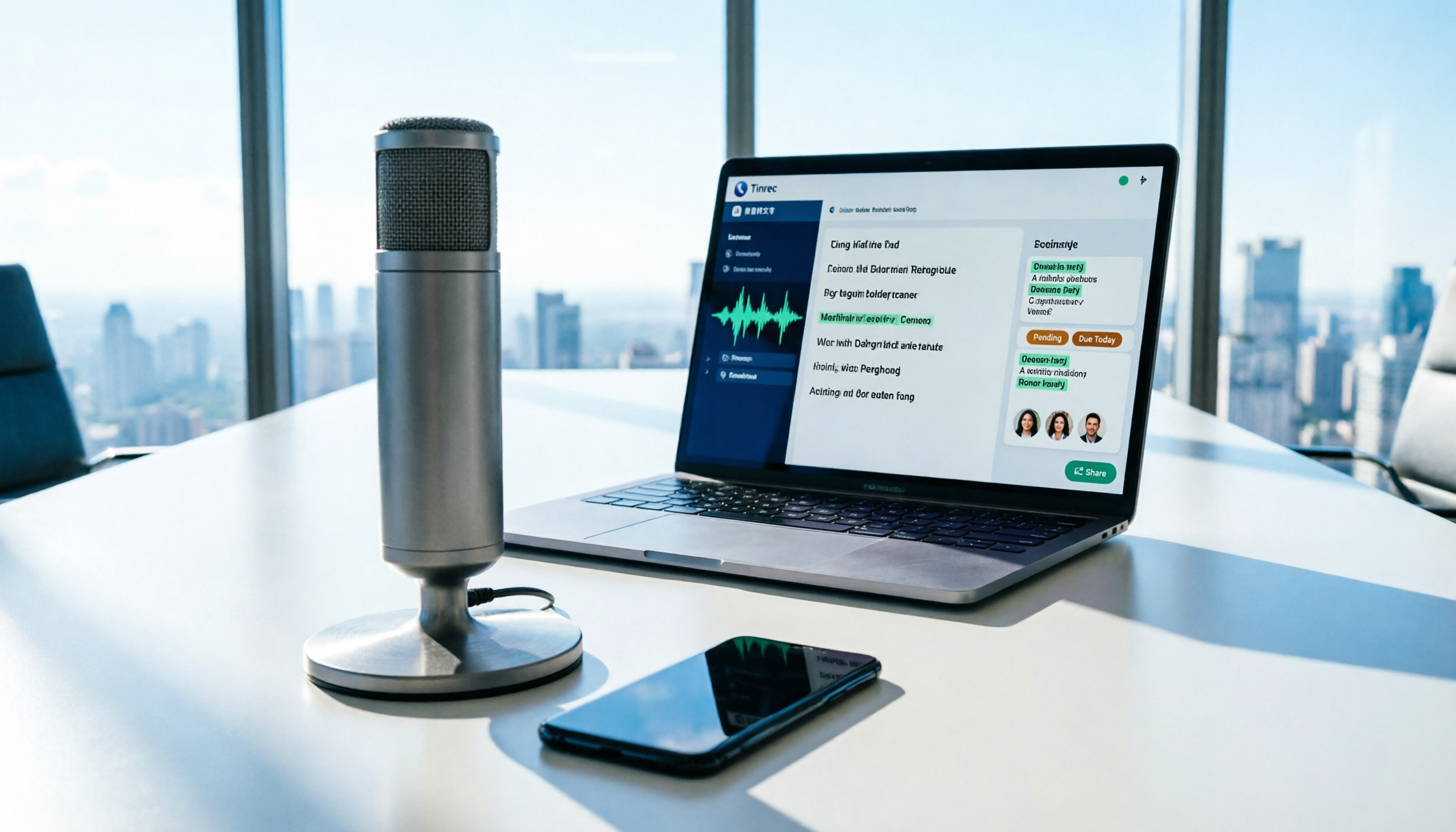
The most common reason web recording fails isn't the tool—it's setting the wrong audio source and not organizing the recording afterward. This article first highlights three common pitfalls, then uses Tinrec as an example to explain the core capabilities of web recording, practical use cases, 5 key factors to consider when choosing a tool, and the differences and costs between personal and team plans, ending with an FAQ.
How to Use AI for Meeting Recordings in 2026: A Complete 5-Step Tutorial
Struggling to organize long meeting recordings? This tutorial uses Tinrec as an example to guide you through 5 steps: recording, transcription, proofreading, generating meeting minutes, and exporting/sharing. It also includes troubleshooting FAQs and 3 efficiency-boosting tips to turn your meeting recordings into searchable, collaborative team resources with AI.

2026 AI Meeting Notes Tools Comparison: Tinrec vs Notta — Which Is Better for Chinese-Speaking Teams Across 5 Key Areas?
Starting from common misconceptions, this hands-on comparison of Tinrec and Notta examines 5 key areas: Chinese meeting recording, post-meeting organization, team governance, pricing and quotas, and export workflows. It also answers 6 common questions to help you decide which AI meeting notes workflow best fits your work style.

2026 AI Meeting Recorder Showdown: Tinrec vs PLAUD Note — Which Is Better for Chinese Meetings?
Tinrec or PLAUD Note? We tested both across meeting capture, Chinese transcription, post-meeting AI organization, team collaboration, and pricing to help you decide whether software or recording hardware fits your meeting workflow.

4 Best English Transcription Tools in 2026: Free vs Paid Comparison
Looking for an English transcription tool? This article compares 4 popular options: Tinrec, Otter.ai, Notta, and TurboScribe. From free tiers to mixed Chinese-English recognition, post-meeting organization to team collaboration, we break it down to help you find the best English transcription solution.

Tinrec vs Notta 2026: 5-Dimension Comparison for Chinese Meeting Notes
How to choose a meeting transcription tool? This article compares Tinrec and Notta across five dimensions: meeting capture methods, Chinese and mixed-language transcription, post-meeting AI organization and Q&A, team data ownership, and pricing. It also provides practical selection criteria and four common pitfalls to help you find the right AI meeting notes tool for your team.

2026 Free Transcription App Plans Compared: 4 Top Picks
Compare free plans for Tinrec, Otter.ai, Notta, and Yating in 2026. See free minutes, language support, and post-meeting features to choose the right audio-to-text tool and save time on transcript cleanup.

4 Meeting Transcription Tools Tested: Is AI Meeting Summary Good Enough in 2026?
Tired of writing meeting minutes after hours? We tested 4 meeting transcription tools, comparing transcription accuracy, post-meeting organization, language support, and team collaboration. Using Tinrec as the primary example, we show you the difference between tools that only produce transcripts and those that truly help you organize.