

Turn recordings into transcripts and summaries in minutes
Upload audio or video for multilingual transcription, AI notes, and action items
Why Do You Need a Real-Time Translation App?
Traveling abroad, international meetings, online courses—language barriers often slow you down. A good real-time translation app can instantly translate conversations, helping you understand foreign languages and speak sentences. But with so many options on the market—some free, some emphasizing AI post-processing—which one is actually "usable"? This article covers 5 real-time translation tools you need to know, explaining their features, limitations, and ideal scenarios so you don't make the wrong choice next time you need a translation.
Option 1: Tinrec (Instant Recording) – The Most Complete AI Recording & Translation Assistant
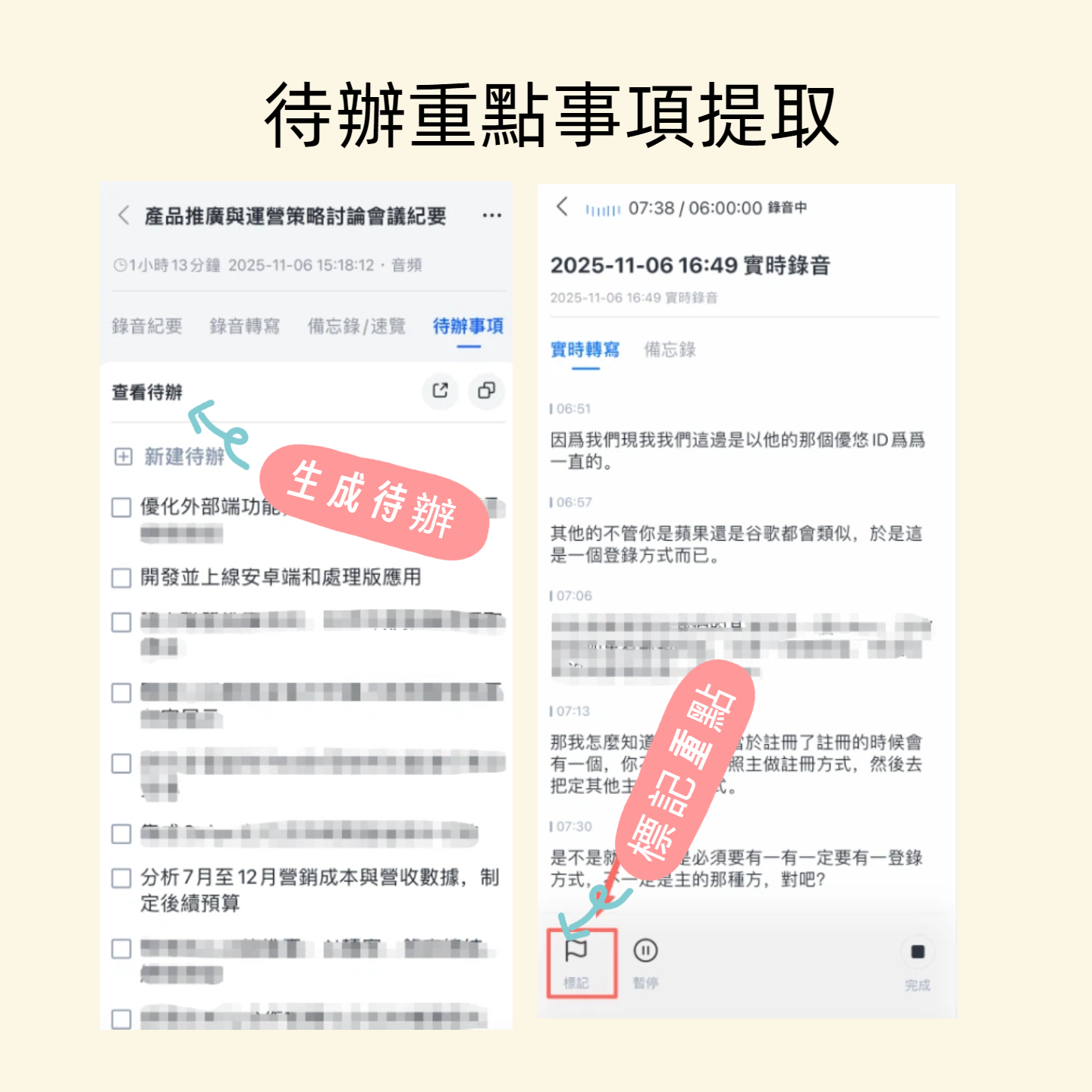
Tinrec Instant Recording is more than just a recording tool; it's an AI workstation that turns audio into "actionable knowledge." Although its core isn't traditional simultaneous interpretation, its powerful real-time recording transcription and translation capabilities already cover most cross-language communication scenarios: you can record meetings while seeing translated text on screen, and after the meeting, it automatically generates summaries, to-do items, and even allows you to query the recording content.
Its highlight is not "one-point translation" but turning entire conversations into a reusable, editable, exportable database. For example, during a meeting with foreign clients, open Tinrec on your phone to record in real time, see live transcripts and translations, and after the meeting, AI automatically organizes key points. You can even export to Notion or Google Docs. This is much more practical than traditional simultaneous interpretation apps for those who need follow-ups and sharing with colleagues.
Currently, the free version offers basic transcription quotas, sufficient for occasional needs. For short business trips or project meetings, you can upgrade with a weekly card without pain. For long-term assignments or frequent bilingual workers, Pro monthly or annual cards are more cost-effective.
Key Features:
- Real-time recording to text, multi-language translation
- AI automatic summarization and chapter splitting
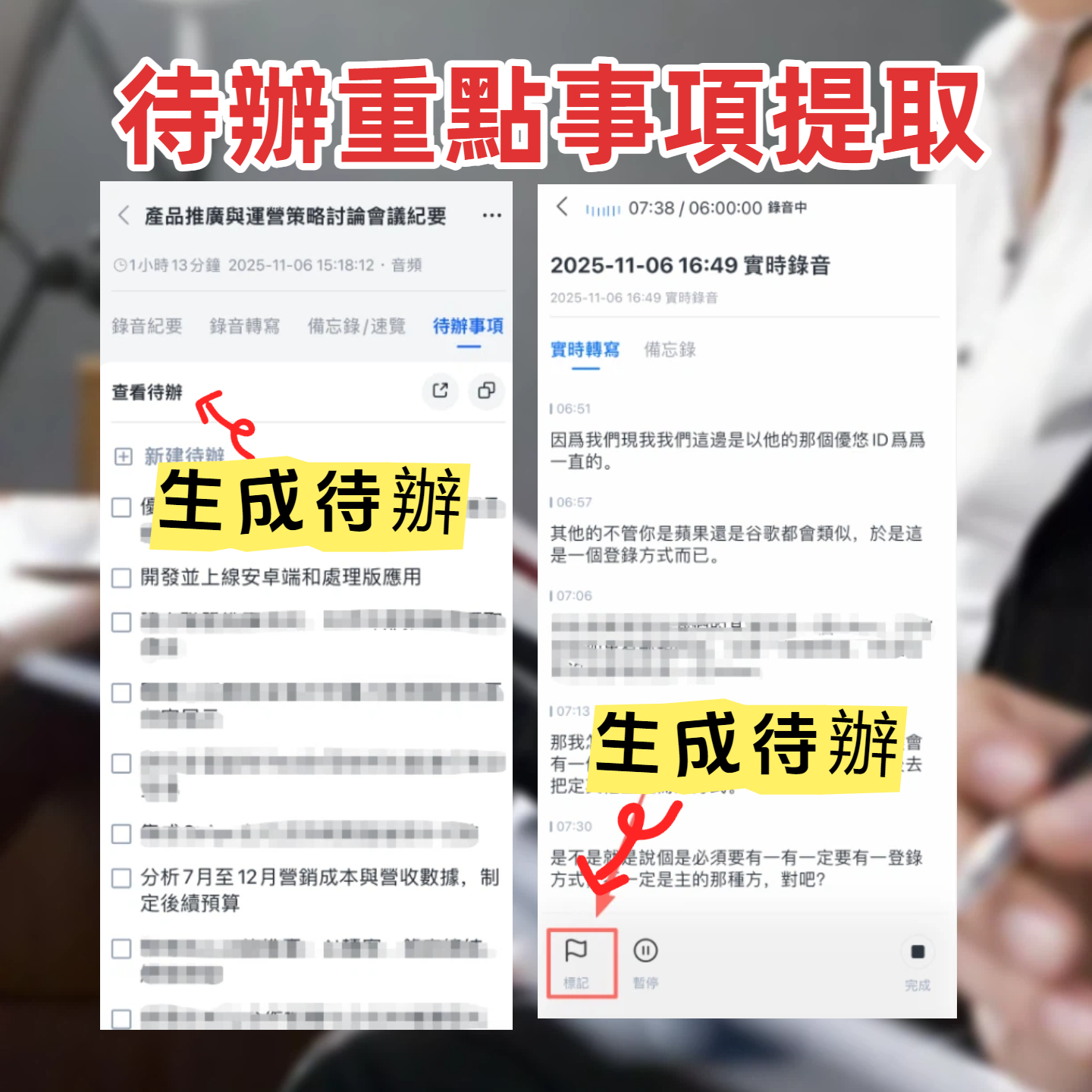
- To-do item extraction and highlight marking
- AI dialogue query, just like querying a database to review content
- Supports iOS, Android, and web, cross-device sync
Ideal for: Those who need to "keep records" of cross-language conversations rather than just real-time communication. If you're a team leader, researcher, or content creator who often needs to digest foreign language meetings, interviews, or courses, Tinrec will be the solution that saves you the most time on organizing.
Option 2: Google Translate – Free and Good Enough for Real-Time Conversation
Google Translate is almost a staple on everyone's phone. Its "conversation mode" supports real-time voice translation covering over 100 languages, and it's completely free. It's enough for ordering food abroad or simple directions, and Chinese recognition is above average. However, it lacks post-meeting organization or AI summaries, and the text cannot be saved or queried long-term after the conversation.
Stop organizing recordings by hand
Upload audio or video and automatically get a transcript, summary, and action items
Ideal for: Light users with zero budget who only need occasional help and don't require meeting records.
Option 3: Microsoft Translator – Multi-language Collaboration & Web Integration
Microsoft Translator focuses on multi-person, multi-language conversations. You can create a group and have others join via QR code for real-time translation. It integrates deeply with the Office ecosystem and is also available via the web, making it convenient for teams with Microsoft licenses. The free version covers everyday needs, but again lacks recording post-processing and AI organization.
Ideal for: Users who need real-time multi-person, multi-language communication (e.g., workshops, group trips) and are accustomed to the Microsoft ecosystem.
Option 4: iTranslate – Voice Translation & Offline Support
iTranslate is a veteran translation tool on iOS. Its voice translation is fast and offers paid offline language packs, suitable for environments with unstable signals or on planes. The free version has basic translation, but offline and advanced features require a Pro subscription. It's more geared toward "sentence-by-sentence" translation and cannot handle the context of a full meeting.
Ideal for: iPhone users who travel abroad and value offline capabilities, and don't mind paying to unlock full features.
Option 5: SayHi Translate – Lightweight Voice Translator
SayHi was once Amazon's voice translation app. Its interface is minimal: press and speak, and it translates to the target language, supporting multiple dialects and accents. It's a pure "voice-to-voice" tool with no additional organization features. The free version is sufficient for personal use; less common for commercial purposes.
Ideal for: Those looking for a minimal, easy-to-use voice translation tool without any digital organization needs.
With So Many Options, How Do You Choose?
- Want the most complete AI features (transcription + AI dialogue query + automatic minutes)? → Tinrec (The only option with both real-time translation and content organization)
- Need long-term records of Chinese meetings, interviews, or courses? → Tinrec (Cross-platform, multi-source input, can be queried later)
- Zero budget, only need occasional translation of a few sentences? → Google Translate (Basic features suffice, but cannot produce records)
- Only need translation on planes or unstable networks? → iTranslate (Offline packs worth the investment)
- Multi-person, multi-language on-site discussion, real-time communication priority? → Microsoft Translator (Group mode is convenient)
3 Things to Know Before Using a Real-Time Translation App
- Environmental noise determines accuracy: Any translation app's performance degrades in noisy environments. If used in important meetings, consider using a lapel microphone, or record the entire audio like Tinrec does, so you can review it later.
- The pitfall of word-for-word translation: Real-time translation apps are good at short sentences but easily distort long speeches or professional terminology. For truly high-quality meeting records, choose a tool like Tinrec that pairs AI summaries and highlight marking, separating "understanding" from "organizing."
- Free comes with a cost: Free plans often have feature limitations. If your work depends on translation, try a paid plan—a one-week card can show the difference. Tinrec's weekly card is ideal for important project periods.
Summary
In 2026, real-time translation apps are no longer just sentence-to-sentence tools. From instant conversation to AI content organization, choosing the right tool can save you a lot of post-meeting organization time. If you need not just "understand now" but to turn cross-language conversations into a searchable, shareable, and queryable database, Tinrec Instant Recording is currently the most complete option on the market. Next time before a meeting or class, try downloading and experiencing its real-time transcription and AI Q&A—you'll find that language barriers aren't that hard to overcome.
Turn every recording into actionable outcomes
Get 60 free transcription minutes when you sign in. No credit card required.
Related Reading
You might also like

cSubtitle vs MyEdit 2026: 4-Dimension Comparison for Chinese Speech-to-Text Transcription
Which AI speech-to-text tool should you use for meeting, interview, or class recordings? This article compares cSubtitle and MyEdit across four dimensions: Chinese recognition, format support, editing and export, and free usage limits. It also covers alternatives like NotebookLM, Yating Transcription, inFin, and Easemate AI Meeting Recorder to help you choose the best fit for your needs.
4 Japanese Audio-to-Text AI Tools Tested: Which One Actually Organizes Your Notes?
Transcribing Japanese meeting recordings isn't just about accuracy—it's about what happens after the transcript is generated. This article compares Tinrec, VOMO, MyEdit, and Notta on Japanese transcription and post-meeting organization, and covers 4 key factors and 3 common pitfalls to help you choose a time-saving solution.

2026 iFlytek Voice Alternative: Tinrec Chinese Transcription + Team Meeting Organization
When looking for an iFlytek Voice alternative in Taiwan, the real challenges are Traditional Chinese meeting transcription, recording Zoom/Meet/Teams without bots, and post-meeting summaries, action items, and team knowledge retention. This article starts from use cases, compares iFlytek Voice, Otter.ai, TurboScribe, and Tinrec, and covers selection criteria, pitfalls to avoid, and scenario-based recommendations.

2026 Comparison of 3 Free Plaud Alternatives: Why Tinrec Is Better for Meeting Notes
Plaud's free tier pauses transcription once you run out of minutes, and you need hardware first. This article compares Plaud and Tinrec from a mid-level manager's meeting perspective, covering acquisition cost, online meeting handling, post-meeting outputs, and team collaboration, and explains why Tinrec is a more suitable free alternative for meeting notes.

4 Notta Free Alternatives Tested in 2026: Which Offers Enough Free Minutes and AI Organization?
Notta's free plan limits recordings to 3 minutes per session. We tested Tinrec, Notta, Otter.ai, and Granola, comparing free tiers, AI summaries, meeting recording methods, and team knowledge retention to help you find the best alternative for Chinese-language meetings and post-meeting organization.

2026 Comparison of 5 Multilingual Meeting Transcription Tools: Which Handles Mixed Chinese, English, Japanese, and Korean Best?
In multinational meetings with mixed Chinese, English, Japanese, and Korean, organizing transcripts and action items afterward takes the most time. Using Tinrec as an example, this article walks you through recording, transcription, proofreading, AI meeting summaries, and exporting/sharing to complete multilingual meeting notes step by step, and also covers tool selection criteria and common questions.

4 Best Granola Alternatives for Meeting Notes in 2026: Which One Keeps Recordings and Chinese Transcripts at the Best Value?
Granola excels at making meeting notes smarter, but it doesn't save meeting audio or support uploading pre-recorded files. This article compares Tinrec, Granola, Otter.ai, and Notta on recording retention, Chinese transcription, post-meeting organization, and team management to help you find the alternative that truly handles post-meeting work.

Best Korean Speech-to-Text Translation Tools? 2026 Test of 4 Picks, Tinrec Tops Post-Meeting Organization
From Korean interviews and classes to cross-border meetings, speech-to-text is just the first step. What really sets tools apart is translation, summarization, action items, and team sharing. This article tests 4 tools across four buying criteria to help you decide which fits your Korean workflow.

Good Tape Traditional Chinese Alternative 2026: Tinrec + AI Meeting Minutes Workflow
Good Tape supports 40+ languages and .SRT subtitle output, but Traditional Chinese punctuation, post-meeting organization, and team collaboration are often cited as shortcomings. This article addresses three common misconceptions, breaks down 4 key purchasing criteria, explains Tinrec's bot-free meeting recording, AI summaries and action items, AI Q&A, and team spaces, and compares Good Tape, Notta, and TurboScribe for their suitable scenarios.