
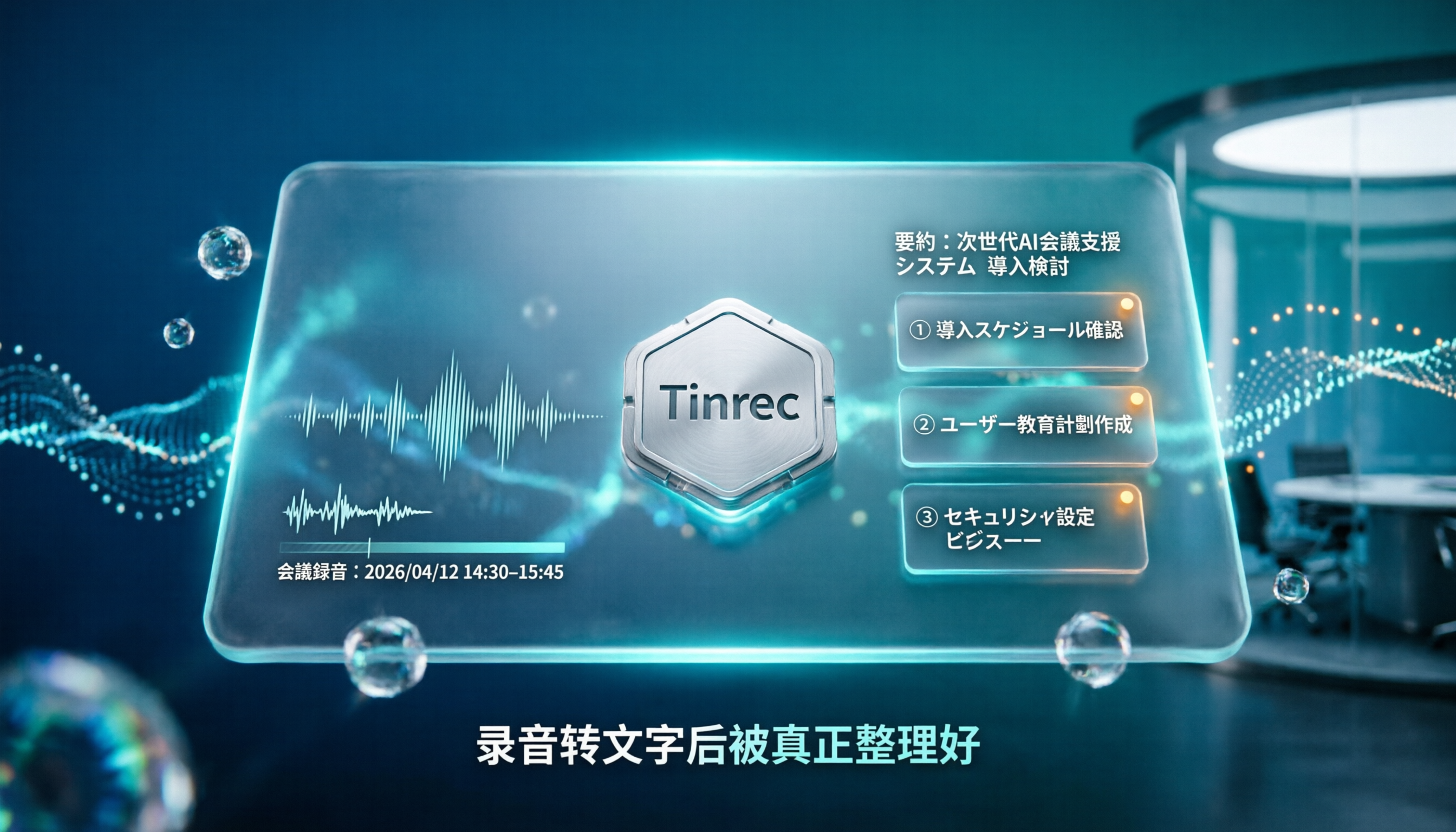
Turn recordings into transcripts and summaries in minutes
Upload audio or video for multilingual transcription, AI notes, and action items
4 Japanese Audio-to-Text AI Tools Tested: Which One Actually Organizes Your Notes?
The Real Pain of Japanese Meeting Notes: It's Usually Not Accuracy
When people choose a Japanese audio-to-text tool, the first thing they look at is often "how accurate is it?"
That's only half the story.
Japanese is genuinely hard to transcribe: fast speech, frequently omitted subjects, and complex honorifics mean general speech recognition often produces error rates high enough to make you want to give up. So it's natural to focus on accuracy.
But once you've actually used one, you realize the errors aren't what's keeping you late at work.
It's the 40-minute meeting that turns into a 10,000-word transcript. You've transcribed it—now what? You still have to read it from start to finish, highlight key points yourself, and organize action items on your own.
In other words, a tool that only converts "audio to text" means you're using maybe 30% of its potential.
A better approach: treat transcription as the starting point, not the finish line. When choosing a tool, also check whether it can generate summaries, chapters, action items, and follow-up Q&A.
This article takes that perspective and puts 4 Japanese audio-to-text tools to the test.
4 Key Factors to Understand Before Buying a Japanese Audio-to-Text Tool
1. How to Evaluate Accuracy: Don't Just Look at the Website's Numbers
Many tools advertise 98% accuracy, but that's usually measured in a quiet recording studio.
Real meeting rooms have air conditioning noise, keyboard clicks, and people talking over each other; online meetings add latency and echo. Under these conditions, the differences between tools really show.
A more practical approach: try the free version with one of your own Japanese recordings. Ten minutes is enough to get a feel for whether the tool understands your scenario.
2. Does It Have AI Organization After Transcription?
This is where the four tools differ the most.
With summaries, chapters, and action items, you can grasp the key points within ten minutes of a meeting ending. With only a transcript, you still have to read through an hour's worth of content yourself.
Also, whether you can "ask questions about the recording content" is a key differentiator.
For example, Tinrec's AI Q&A lets you directly ask "What was the conclusion about the budget?" and it answers based on meaning, rather than dumping a list of keyword search results. Few tools in the same price range currently offer this feature.
3. Is Cross-Platform Support Sufficient?
Many people's actual workflow is: record on phone, organize on computer.
If a tool only has an app and no web version, or only a web version and no desktop app, you'll get stuck transferring files in between.
Make sure the devices you commonly use all have corresponding versions before committing.
4. Free Quota and Team Sharing
Whether the free quota is enough depends on how many meetings you have per month.
Also, if you're choosing a tool for your department, you need to look beyond individual quotas to whether data can belong to the team and whether meeting records disappear when a member leaves. Many personal-version tools don't handle this layer.
Tinrec (秒聽錄音) — The Choice That's Closest to "Ready to Use" After Transcription
Tinrec (秒聽錄音) is an AI meeting notes and collaboration tool for individuals and teams, available as an app, desktop version, and web version. It puts recording, transcription, organization, Q&A, and export into a single workflow.
For Japanese meetings—where you can understand but can't type fast enough—this workflow difference is significant.
During the Meeting: No Bot to Invite
The desktop version directly captures your computer's system audio, so for online meetings on Zoom, Google Meet, Microsoft Teams, or Webex, you don't need to pull an extra bot into the meeting room.
For in-person meetings or interviews, record in real time on your phone or computer, and the transcript appears as you record.
Japanese meetings have another useful feature: during recording, you can switch between original text, translation, or bilingual view. For cross-language discussions, you don't have to wait until after the meeting to translate.
After the Meeting: Summary, Chapters, and Action Items All at Once
This is the biggest difference between Tinrec and pure transcription tools.
When the meeting ends, the system generates a summary, chapters divided by topic, and action items extracted from the discussion. Who's responsible for what and what's next—no need to dig through the transcript yourself.
My own habit: first look at the summary and chapters to confirm the meeting's structure, then go back to the transcript to verify key statements. Compared to reading 10,000 words from the start, the time difference is huge.
Post-Meeting Q&A: Just Ask, No Ctrl+F Needed
After recording, you can ask questions about the meeting content: "What were the three concerns the client mentioned?" "Which week was the deadline the speaker mentioned?"
It answers based on meaning, not a keyword-matching list. You can also continue generating reports, tables, or meeting minutes, or export to your existing workflow like Notion, Google Docs, or OneNote.
Stop organizing recordings by hand
Upload audio or video and automatically get a transcript, summary, and action items
Japanese transcription inevitably encounters proper noun errors. The team version lets you maintain team hotwords—add frequently used product names, department names, and terminology for more stable recognition over time.
Three Things I Think Are Worth Mentioning
First, it preserves the original recording. Many meeting note tools only keep text, but for a language like Japanese where you need to go back and hear the nuance, playback is actually important.
Second, multilingual meeting handling is more flexible. Japanese meetings and mixed Japanese-English project discussions are both within its support scope; the official statement is that it can automatically recognize multiple languages including Japanese, but actual performance will still be affected by accents, speech rate, noise, and overlapping speakers—you'll need to test it yourself to be sure.
Third, the team version is a separate team space, not multiple people sharing one account. Meeting data belongs to the team; when a member leaves or is removed, they need to hand over their team resources to other members, and data doesn't follow the person.
Limitations to Be Clear About
The free version provides a basic quota, suitable for trying things out. If you have several meetings every week, you'll need a paid plan.
The personal version is divided by usage tasks: for occasional recording organization, start with the free version; for short-term intensive meetings or interviews, consider a weekly pass; for steady weekly use, the Pro monthly plan fits; for long-term accumulation of recording data, choose the annual plan. Actual prices are subject to the official website.
The team version is currently USD 29.80 per paid seat per month, or USD 199 per paid seat per year (about USD 16.58 per month). Eligible teams can try 7 days with 1 free seat and 300 minutes of team shared import quota; paid seats provide 2,000 minutes of team shared import quota per month. Under an active team plan and active seats, real-time recording is currently not deducted by minutes.
One more reminder: the team version is team-level sharing, managed by roles and seats, not file-level granular permissions. If you need "different visibility for each document," the current design doesn't work that way.
Who It's For
If you frequently handle Japanese meetings or interviews, want to use AI to find key points right after recording, and switch between phone and computer, Tinrec is the most hassle-free of the four.
Besides Tinrec, What Other Options Are There?
VOMO: An online tool focused on Japanese transcription. Upload an audio file and get a transcript quickly; you can try it without registering, and accuracy is decent. However, it has almost no post-meeting organization features—no automatic summary, no action items, and no conversational Q&A about the recording. If you only need a clean Japanese transcript, it's sufficient; if you want something ready to use right after transcription, you'll need to spend another round of time yourself.
MyEdit: An online speech-to-text tool supporting multiple languages including Japanese. No software installation needed—just open the web page and upload an MP3 or recording file. You can use it for free daily with credits earned by logging in, and you can freely edit content and add timestamps. Its positioning leans toward quickly obtaining transcripts and subtitle materials; in contrast, Tinrec directly produces summaries, chapters, and action items after transcription, and can also answer questions about meeting content.
Notta: A multilingual transcription tool with meeting notes, file import, translation, and team plans, and Japanese is supported. The official free version is 120 minutes per month with a 3-minute limit per item; the Pro annual plan is about USD 8.17 per month for 1,800 minutes per month. It overlaps significantly with Tinrec; the difference is that Tinrec takes the route of desktop bot-free recording, post-meeting AI Q&A, and Agent post-processing, suitable for teams treating meeting notes as a team asset.
Pitfall Guide: 3 Most Common Mistakes When Choosing a Japanese Audio-to-Text Tool
Pitfall 1: Trusting only the accuracy numbers on the website.
Studio data and your meeting room are two different things. Japanese also has variables like honorifics and omitted subjects, so the actual gap may be larger than you think. Try the free version with your own recording—this step takes five minutes and saves you the hassle of canceling later.
Pitfall 2: Ignoring cross-platform and file retention.
Recording on phone and organizing on computer is the norm. If a tool only has a single platform, or only keeps text and not audio, going back to verify a certain sentence later becomes a hassle. Before choosing, confirm that all your devices have corresponding versions.
Pitfall 3: Buying a tool but only using it for transcription.
If you still read the transcript from start to finish and manually highlight key points, you're only using 30% of its power. Features like Tinrec's automatic summaries and AI Q&A let you grasp the key points of a half-hour meeting in minutes—that's the time the tool actually saves you.
Conclusion: Which One Should You Choose?
In one sentence: if you want "ready to use after transcription" rather than "deal with it later," Tinrec is the closest to that standard among the four.
By scenario:
- Japanese meetings needing transcript + summary + action items → Tinrec (all-in-one, plus AI Q&A)
- Frequent cross-language meetings with Japanese clients or colleagues → Tinrec (switch between original/translation/bilingual view)
- Record on phone, organize on computer → Tinrec (app, desktop, and web versions all available)
- Choosing a tool for your department, needing member and usage management → Tinrec team version (separate team space, roles and seats, usage analytics, audit logs)
- Only need a clean Japanese transcript, no organization needed at all → A pure transcription tool like VOMO is enough
A practical final suggestion: start with the free version, run one of your real Japanese meeting recordings through it, and see if the transcription quality and organization results work for you. If they do, consider upgrading—no need to pay upfront.
Recording and transcription involve personal data; before use, check local regulations and obtain consent from participants when necessary.
References
- Which Japanese audio-to-text tool is best? 4 tested in 2026, this AI organizes best - 秒聽錄音Blog
- Online speech-to-text AI, free MP3 or recording to transcript - MyEdit
- Transcribe Japanese audio to text online - free and accurate | VOMO AI
- 5 Japanese speech-to-text tools tested: accuracy, AI summary, and cross-platform support comparison - 秒聽錄音Blog
- 4 best online speech-to-text tools tested, free recording to transcript in seconds
Turn every recording into actionable outcomes
Get 60 free transcription minutes when you sign in. No credit card required.
Related Reading
You might also like

How to Choose a Speech-to-Text Tool in 2026: A 5-Point Comparison of Free Tiers, Chinese Recognition, and Summarization
Choosing a speech-to-text tool isn't about which one is most accurate—it's about your usage volume, language needs, and post-processing workflow. This article compares five key aspects: free tier limits, Chinese and Taiwanese Hokkien recognition, timestamp proofreading, AI summarization, and import/export formats. With practical tips for meetings, classes, interviews, and content creation, it helps you make a confident choice between free and paid options.

2026 AI Transcription Complete Guide: How to Choose Tools Trending on PTT and Organize Class Recordings
Starting from campus scenarios, this guide breaks down the four most common mistakes when using AI to organize transcripts, explains the core capabilities of transcription AI, the practical workflow, and key purchasing considerations. It also uses Tinrec as an example to demonstrate the complete process from recording to key notes.

5 AI Transcription Tools Tested for 2026: How to Choose the Free Options Trending on Dcard
A roundup of the most discussed AI transcription tools on Dcard, starting from the decision point of 'who will read this transcript?' It explains the use cases, free limitations, and practical tips for NotebookLM, Buzz, Google AI Studio, Groq Cloud, iPhone Shortcuts, and Yating Transcription, helping you choose the right method before you start.

5 AI Meeting Transcription Tools Compared for 2026: How to Choose Based on Free Tiers, Chinese Recognition, and Summarization Features
How to choose an AI meeting transcription tool? First clarify whether data can be uploaded to the cloud, and whether you need subtitle files or meeting minutes, then compare the transcription and summarization capabilities of 5 common tools. This article covers practical workflows, key purchasing criteria, and 4 common pitfalls to help you find a truly time-saving approach.

How to Transcribe Meeting Audio with NotebookLM (2026): Upload Recordings, Get Transcripts & Auto-Generate Action Items
Tired of replaying meeting recordings to type transcripts? This guide focuses on NotebookLM, showing how to upload meeting audio, locate the auto-generated transcript, and use prompts to output timestamps and action items. It also covers five alternative methods—Gemini, EchoScript, MacWhisper, and iPhone Voice Memos—with selection advice.

2026 AI Tools Comparison: How to Avoid Wasted Effort in Meeting Transcript Organization
The most time-consuming part of meeting transcript organization is never converting speech to text, but turning chaotic discussions into actionable records. This article breaks down three common misconceptions, compares the actual workflows and limitations of tools like NotebookLM, Gemini, ChatGPT, and CLOVA Note, and provides a step-by-step process and pitfall checklist you can directly apply.

2026 Comparison of 5 Speech-to-Transcript Tools: Free Quotas and Chinese Recognition—Which Is Enough?
Starting from the most common pitfalls when choosing a transcription tool, this article compares five speech-to-transcript tools—Yating Transcription, cSubtitle, Atter App, Easemate AI Meeting Recorder, and NotebookLM—on language support, free quotas, and import/export differences, helping you choose the right tool based on your recording scenario.

5 Best AI Meeting Transcription Tools in 2026: Free Tiers, Chinese Accuracy, and Summaries Compared
Tired of spending two hours after every meeting replaying recordings and typing transcripts? This guide walks through the actual workflows of five AI meeting transcription tools in 2026, comparing free tiers, Chinese and mixed Chinese-English recognition, speaker identification, and summary and action-item generation. It also includes a pitfalls guide and scenario-based recommendations to help you find the one that's good enough for free.
7 Free Meeting Transcription Software Compared: Which Free Tier Is Most Generous in 2026?
We reviewed the free plans of 7 meeting transcription tools, from 300 minutes and 120 minutes per month to completely free AI note-taking tools. We explain each plan's limits, restrictions, and ideal users to help you avoid mistaking a 'free trial' for a 'free plan'.