

Turn recordings into transcripts and summaries in minutes
Upload audio or video for multilingual transcription, AI notes, and action items
Best Korean Speech-to-Text Translation Tools? 2026 Test of 4 Picks, Tinrec Tops Post-Meeting Organization
The choice you're facing isn't "which tool can turn Korean audio into text."
It's: "Which tool lets me avoid opening separate translation, note-taking, and sharing tools after transcription?"
Because getting just a transcript is usually where the trouble begins.
I've seen too many teams put the same Korean meeting recording into three places: one for transcription, one for translation, one for writing action items.
The result is that each tool only does part of the job, and all the moving between them is done manually.
This article won't compare who has the longer feature list.
I'll use the workflow "transcription → translation → post-meeting organization → team sharing" to help you judge which tool can truly fit into your workflow.
The pain point of Korean recordings isn't not understanding—it's understanding but not being able to use it
A 40-minute Korean interview might take only a few minutes to transcribe.
But then what?
You have to paste the transcript into a translation tool to translate into Chinese; after translating, you still need to highlight key points, pull out action items, and write a summary yourself.
If it's a cross-department meeting, it's even more troublesome.
Some people take notes in Chinese, some in Korean, some only remember "the other party seemed to mention a deadline."
When it's time to follow up next week, everyone starts scrolling through chat logs, finding recording files, and listening again.
The problem is never that there aren't enough tools—it's that the tools aren't connected.
So when choosing a tool, I first ask one question: Can it save me one manual transfer?
(Operation example: The same Korean recording, with transcript on one side and translation and action items on the other—focus on whether you can complete your judgment on the same screen.)
Before choosing a Korean speech-to-text translation tool, understand these 4 key points
1. Are transcription and translation part of the same workflow?
Many tools are strong at transcription, but translation requires copying and pasting separately.
This is fine for short sentences, but painful for long meetings.
What you need to check: Can you switch between original text, translation, or bilingual view directly next to the transcript?
Because translation isn't the goal—understanding is.
2. Can it directly produce usable materials after the meeting?
A tool that only gives you a transcript leaves all the organizing work to you.
You still have to segment, add headings, find key points, and capture action items yourself.
So check whether it can generate summaries, chapters, key points, and action items, and even let you continue asking questions about the meeting content.
That's the difference between "transcription" and "post-meeting usability."
3. Can it handle your actual input sources?
Your Korean content might come from online meetings, offline interviews, tutoring class recordings, YouTube videos, or audio files sent by clients.
If the tool only supports file upload, you'll need to record separately every time you have a meeting.
If the tool only supports live recording, your existing recordings can't get in.
The more complete the input sources, the less you need to switch tools for different scenarios.
4. Can team data accumulate?
For personal use, keeping data in your own account is fine.
But for team use, the questions become: After a member leaves, does the meeting data remain? Who can edit? Who can only view? How is usage calculated?
These can't be solved by "just adding a shared folder"—they require team spaces, roles, and seat design.
Tinrec (秒聽錄音) — My top choice for connecting "transcription → translation → post-meeting organization" into one workflow
Tinrec (秒聽錄音) is an AI meeting notes and collaboration tool for individuals and teams.
It supports real-time recording, desktop bot-free online meeting recording, audio and video file transcription, real-time translation, and can generate summaries, chapters, action items, mind maps, with AI Q&A and multi-format export.
What first caught my attention wasn't whether it could transcribe Korean, but that it had already thought through "what happens after transcription."
Scenario 1: Cross-language meetings and Korean interviews—no need to copy to a translation site afterward
Open Tinrec's real-time recording, and the transcript appears as you record.
For a Korean interview or cross-language meeting, you can switch between original text, translation, or bilingual content during recording.
Participants don't have to wait until the meeting ends to paste the entire text into another translation service.
This sounds minor, but in long meetings, it determines whether you can keep up with the discussion.
(Operation example: Switch between "Original / Translation / Bilingual" views in the Tinrec workspace—focus on whether the translation column is directly readable, not just the transcript.)
Scenario 2: After the meeting, you don't just get text—you get actionable material
After the meeting, Tinrec generates summaries and chapters to help you quickly grasp the structure of long meetings.
It can also extract action items from the discussion.
More importantly, AI Q&A: You can directly ask it "What customer objections were mentioned in this interview?" "What are the next-step commitments?" "Who is responsible for what, and what are the deadlines?"
It doesn't just throw keywords at you—it answers based on the meeting content.
That's the biggest difference from pure transcription tools: one gives you text, the other lets you continue using the text.
Scenario 3: Team version turns meeting data into transferable assets
For personal use, Tinrec can be your meeting organization workspace.
For team use, the team version provides independent team spaces where meeting data belongs to the team, not to an individual's account.
You can create multiple team spaces, invite members via join links, and distinguish between owner, admin, and regular member.
Here, it's important to distinguish "roles" and "seats": roles determine who can manage the team, members, audit, and team settings; seats determine whether a member can record, upload, edit, import/export, and use team resources.
Stop organizing recordings by hand
Upload audio or video and automatically get a transcript, summary, and action items
Members who are active but have no seat can still view, play, and read team data, but cannot perform resource-using operations like uploading or editing.
Admins can also view team usage trends, member rankings, usage details, and audit logs, and use the audio recycle bin to handle accidentally deleted audio.
(Operation example: In the team space member list, arrows point to role and seat respectively—confirm that "can view" and "can edit" are two different things.)
My testing conditions and criteria
I used a roughly 5-minute Korean interview recording for testing, in an indoor environment with slight air conditioning noise—not a recording studio.
I didn't use "how many word errors" as the sole metric, but looked at three things: whether the segmented transcript is readable, whether the bilingual translation can be directly understood, and whether the post-meeting summary and action items can save one manual organizing step.
Because in real work, you don't need a beautiful accuracy number—you need a path that doesn't require constant tool switching.
Pros
- Coherent workflow: transcription, translation, summarization, and Q&A are completed in the same workspace, reducing copy-paste breaks.
- Post-meeting outputs are directly usable: action items, reports, tables, and multi-format export can be brought into existing workflows like Notion, Google Docs, OneNote, etc.
- Team version turns meetings into transferable data: when members change, team resources can be handed over to other active members and won't disappear when an individual leaves.
Limitations
Tinrec is not a Korean language teaching or sentence-by-sentence language learning tool.
Actual recognition and translation results are affected by recording quality, noise, accents, overlapping speakers, and technical terminology; important content should still be verified by re-listening.
Additionally, file import and team seats have quota and permission designs; the free version has basic quotas, and heavy users need to evaluate plans.
Who it's for
If your Korean content often appears in cross-language meetings, interviews, classes, and client communications, and you don't want to repeatedly move between transcription, translation, note-taking, and team sharing, Tinrec would be the first tool I'd put into workflow testing.
Besides Tinrec, what other options are there?
TurboScribe: A practical choice for long documents and batch transcription
TurboScribe focuses on Korean audio and video transcription, with a free version that processes a small number of files per day, and a paid version suitable for long documents and batch uploads. If you already have a bunch of recording files and just need quick transcription into text and subtitles, it's straightforward. But its strength is file processing, not real-time meetings and post-meeting follow-up questions; Tinrec, on the other hand, puts real-time recording, AI Q&A, and team spaces into the same workflow.
MyEdit: A lightweight choice for trying Korean transcription for free
MyEdit's online speech-to-text supports Korean and 9 other languages, offers free credits daily, allows editing transcripts, adding timestamps, and exporting text or subtitle files. Suitable for short audio, subtitle creation, and preliminary organization. But it lacks Tinrec's team spaces, seat governance, and cannot perform AI Q&A around the entire meeting content.
Notta: Another path for multilingual meeting notes
Notta covers multi-platform transcription, meeting notes, file import, translation, and team plans, with a free version that has monthly quotas and single-session length limits. If you're already using Notta in multilingual meetings and only need stable transcription and team plans, you can continue evaluating it. But Tinrec's desktop bot-free recording, team hotwords, and Agent post-processing are its differentiators in the meeting workflow.
Pitfall guide: The 4 most common mistakes when choosing a Korean speech-to-text translation tool
Pitfall 1: Looking only at transcription, not the translation workflow
Many tools can turn Korean into text, but after transcription, translation requires opening another website.
The right approach: Use the same Korean recording to test the complete workflow of "transcription → translation → summarization → action items."
If every step requires copy-pasting, your time will be spent on moving things around, not on judgment.
Pitfall 2: Treating "having subtitle files" as "being able to organize meetings"
Subtitle files are convenient, but they're not meeting notes.
You also need to ask: Can it summarize? Can it capture action items? Can it answer follow-up questions about the content?
Otherwise, you just get a longer text file.
Pitfall 3: Team sharing one personal account
This is a hidden trap for many teams.
Sharing a personal account mixes up data ownership, seats, usage, and auditing.
The team version should distinguish roles and seats: members without seats can view data but cannot upload, edit, or perform resource-using operations.
Pitfall 4: Ignoring recording authorization and data cleanup
Before recording, inform participants and comply with local laws and organizational policies.
Also, the team audio recycle bin has a retention period, and action items are not covered by the recycle bin; important data should still be exported as backup—don't treat everything as permanently saved.
Conclusion: Which one should you choose?
If your Korean content isn't just one-time transcription but requires translation, organization, follow-up questions, and sharing, Tinrec is my top choice to first put into workflow testing.
Scenario routing
- Korean interviews, cross-language meetings, need real-time transcript plus translation, and post-meeting summaries → Tinrec.
- After recording, want to directly ask "What does the client care about?" "What are the action items?" → Tinrec's AI Q&A.
- Multi-person teams need to share meeting data and manage roles, seats, and usage → Tinrec team version.
- Meeting results need to be exported to Notion, Google Docs, or report documents → Tinrec's multi-format export and Agent post-processing.
- One-time long documents, batch subtitle transcription → File processing tools like TurboScribe are more direct.
Quick start checklist
- Choose a 5 to 10-minute Korean recording, preferably with background noise and multiple speakers.
- Use real-time recording or upload a file, first check whether the transcript segmentation is readable.
- Switch between original, translation, or bilingual view to confirm the translation can be directly understood.
- Generate summaries and chapters, verify names, numbers, dates, and commitments.
- Use AI Q&A to follow up on action items and risks—don't stop at the summary.
- For team use, create a team space, invite members, assign seats, and then test resource handover after member changes.
Copyable post-meeting organization prompt
"Based on this Korean meeting transcript, output in English: 1. A three-minute summary; 2. Five key decisions; 3. Action items (owner, deadline, source sentence); 4. Questions still to be confirmed. Please keep the original Korean sentences alongside the English translation; if the transcript lacks an owner or date, mark 'To be confirmed' and do not speculate."
Choosing a tool isn't about collecting features—it's about making your meeting content truly usable.
Run your own Korean recording through this workflow first; the tool that saves you one manual transfer is the right tool for you.
References
- UniScribe: Transcribe Korean audio to text for free in seconds
- Mr. Transcription: Korean speech to text: Complete AI tool guide! Must-read for beginners
- MyEdit: Online speech-to-text AI, free MP3 or recording to text transcript
- TurboScribe: Korean Speech to Text
- I Love Translation: Korean to Traditional Chinese translation
References
- Transcribe Korean audio to text for free in seconds
- Korean speech to text: Complete AI tool guide! Must-read for beginners | AI Transcription Service—Mr. Transcription
- Online speech-to-text AI, free MP3 or recording to text transcript - MyEdit
- Korean Speech to Text | TurboScribe
- Korean translation - Korean to Traditional Chinese - I Love Translation
Turn every recording into actionable outcomes
Get 60 free transcription minutes when you sign in. No credit card required.
Related Reading
You might also like

2026 Comparison of 5 Multilingual Meeting Transcription Tools: Which Handles Mixed Chinese, English, Japanese, and Korean Best?
In multinational meetings with mixed Chinese, English, Japanese, and Korean, organizing transcripts and action items afterward takes the most time. Using Tinrec as an example, this article walks you through recording, transcription, proofreading, AI meeting summaries, and exporting/sharing to complete multilingual meeting notes step by step, and also covers tool selection criteria and common questions.

4 Best Granola Alternatives for Meeting Notes in 2026: Which One Keeps Recordings and Chinese Transcripts at the Best Value?
Granola excels at making meeting notes smarter, but it doesn't save meeting audio or support uploading pre-recorded files. This article compares Tinrec, Granola, Otter.ai, and Notta on recording retention, Chinese transcription, post-meeting organization, and team management to help you find the alternative that truly handles post-meeting work.

Good Tape Traditional Chinese Alternative 2026: Tinrec + AI Meeting Minutes Workflow
Good Tape supports 40+ languages and .SRT subtitle output, but Traditional Chinese punctuation, post-meeting organization, and team collaboration are often cited as shortcomings. This article addresses three common misconceptions, breaks down 4 key purchasing criteria, explains Tinrec's bot-free meeting recording, AI summaries and action items, AI Q&A, and team spaces, and compares Good Tape, Notta, and TurboScribe for their suitable scenarios.
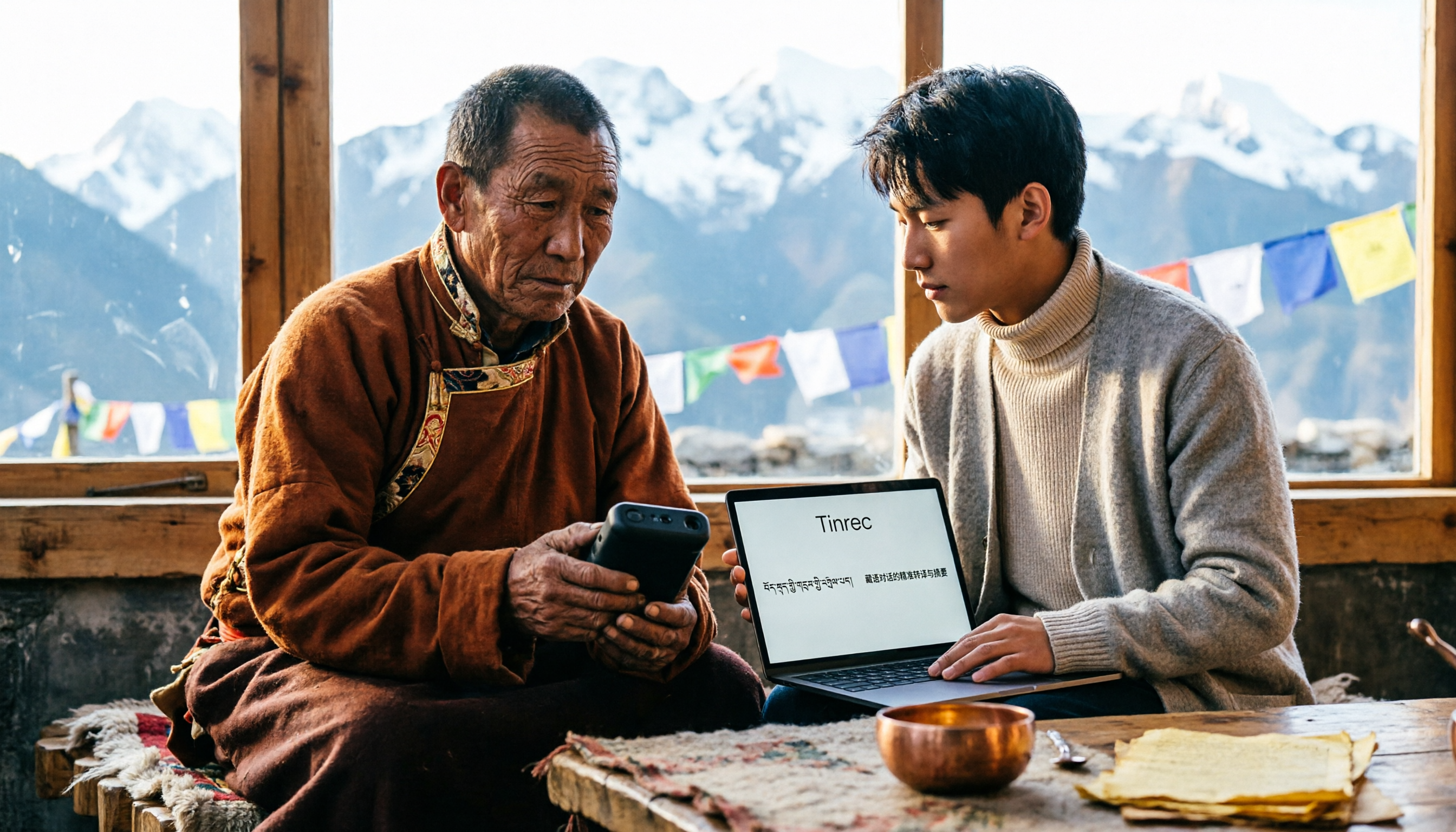
5 Tibetan Speech-to-Text Tools Tested: Which One Actually Understands Tibetan? (2026)
How to choose a Tibetan speech-to-text tool? This article starts with the real limitations of Tibetan speech recognition, outlines 4 key buying factors, and compares Tinrec, Tibetan Translator, Whisper local solution, Notta, and Yating Transcription. It also includes a pitfalls guide and scenario-based recommendations.

2026 Free vs Paid Audio-to-Text Apps: 4 Real-World Comparisons of Limits, Features, and Pricing
Is the free version enough? What do you actually get when you pay? This article compares the free tiers, paid plans, and post-meeting organization capabilities of four popular audio-to-text apps. From Chinese transcripts and AI summary Q&A to team seat management, we break it down so you can decide whether to stick with free or if paying is worth it.

4 Best Voice Recorder App Alternatives in 2026: Free vs. Paid Comparison
A voice recorder is no longer your only option. This side-by-side comparison of Tinrec, Otter.ai, Notta, and PLAUD covers online meeting recording, Chinese transcription, post-meeting organization, team collaboration, and pricing limits to help you find a tool that truly works right after recording.

Fireflies.ai vs Tinrec (2026): 5-Factor Comparison for Chinese Meeting Notes — Which Is Better for Taiwan Teams?
Fireflies.ai lists Chinese in its supported languages, but after a real Chinese meeting, do you still have to spend time proofreading the transcript? This article compares Fireflies.ai and Tinrec across 5 dimensions — meeting recording method, Chinese transcript usability, post-meeting organization, quota calculation, and team management — to help you decide which is more suitable for Chinese meeting scenarios in Taiwan teams.

Best Speech-to-Text Tools in 2026: 4 Tested for Mixed Chinese-English Meetings
A sentence like "check the budget" turning into gibberish is a common frustration with speech-to-text tools in mixed Chinese-English meetings. We tested Tinrec, Otter.ai, Yating, and Notta on the same real meeting recording, comparing language switching, file and live meeting support, post-meeting workflows, and team data ownership. We also highlight 4 common purchasing pitfalls to help you choose the right tool within budget.

The Complete Guide to tl;dv Alternatives in 2026: Features, Use Cases, and How to Choose a Chinese Meeting Transcription Tool
When looking for a tl;dv alternative, focusing only on free minutes usually leads nowhere. Starting from real campus scenarios, this article explains what a meeting transcription tool really needs: real-time Chinese transcription, bot-free online meeting recording, AI summaries and action items, transcript Q&A, and export. Using Tinrec as a hands-on example, it covers five things to watch for when choosing a tool and answers common questions.