

Turn recordings into transcripts and summaries in minutes
Upload audio or video for multilingual transcription, AI notes, and action items
Good Tape Traditional Chinese Alternative 2026: Tinrec + AI Meeting Minutes Workflow
Before Switching Tools: Three Common Misconceptions
Most people look for a Good Tape alternative because they hit the same gap: it can transcribe, but it's not usable.
The first misconception is treating "supports 40 languages" as "strong Chinese support." Good Tape uses OpenAI's Whisper technology, and the language list is indeed long, but a long language list is different from handling Chinese punctuation, Traditional/Simplified Chinese judgment, and mixed Chinese-English well. Some reviews mention that it doesn't automatically add punctuation for Chinese content, and accuracy drops in noisy environments or with unusual accents.
The second misconception is comparing only "transcription speed" and "free quota." Some reviews indicate that Good Tape's free version may take 1 hour to process 1 minute of recording; paying can buy speed, but not a well-organized meeting record.
The third misconception is treating the transcript as the end goal. What actually needs to be delivered in meeting minutes are decisions, owners, and deadlines; the transcript is just the raw material.
If you're also stuck at the step of "still need to manually organize after transcription," the following purchasing criteria will be more practical.
4 Key Points to Understand Before Choosing a Speech-to-Text Tool
1. Actual performance with Chinese and mixed Chinese-English Focus on how the tool handles Traditional Chinese, punctuation, and proper nouns, not on how many languages it lists. For cross-language meetings, also check whether it can provide both original and translated text simultaneously.
2. Input method determines whether you can use it Tools that only accept audio file uploads are suitable for organizing existing recordings; but if your need is to record online meetings daily, whether you can record directly on a computer and whether you need to invite a bot to join the meeting makes a big difference.
3. What you can do after transcription Summaries, chapters, action items, follow-up questions, and export—these determine how much time you save. Tools that only provide transcripts leave the organization work to you.
4. Where data ultimately resides Data in personal accounts follows the person. For teams, consider: who owns the meeting records, what happens to data after members leave, who can view, and who can edit.
Tinrec — The One That Turns "Recording Done" into "Ready to Act"
Tinrec is an AI meeting notes and collaboration tool for individuals and teams, available on web, desktop, and mobile. Its biggest difference from file-upload-based transcription tools like Good Tape is that it focuses on the entire meeting workflow, not just the "audio-to-text" segment.
During the meeting: no bot invitation needed The desktop version directly captures computer system audio, so when handling online meetings on Zoom, Google Meet, Microsoft Teams, Webex, etc., no additional bot needs to join the meeting room. Real-time recording generates a transcript simultaneously, so meeting time is no longer an extra cost. Note that this does not mean "automatically joining all calendar meetings"; users still need to actively open Tinrec to start recording.
During the meeting: keep up across languages Supports real-time translation; during recording, you can switch between original text, translation, or bilingual view. For meetings with mixed Chinese-English or multiple language speakers, this is more practical than translating afterward.
After the meeting: from transcript to action items The system automatically generates summaries and chapters, breaking long meetings into browsable structures, and extracts action items from discussions. More importantly, AI Q&A: you can directly ask "who mentioned the budget in the last meeting" or "what was the reason for this decision at the time," and it will search the meeting content for answers, rather than just throwing out a string of keywords. Afterwards, you can use Agent post-processing to generate reports, tables, and documents, or export to Notion, Google Docs, OneNote, Dropbox to continue working.
Team scenarios: data doesn't follow individuals The team version is an independent team space, not multiple people sharing a personal account. Meeting data belongs to the team; new members can view historical data; administrators can manage roles and seats, view usage trends and member details, query and export audit logs; accidentally deleted audio can be recovered from a 30-day recycle bin; when members leave or lose seats, they need to hand over responsible resources to other active members. Clarify here: roles determine governance permissions, seats determine whether one can record, upload, edit, and export; members without seats can still view, play, and read team data, but cannot perform resource usage operations. Team hotwords can maintain common terminology to improve recognition of professional terms.
Stop organizing recordings by hand
Upload audio or video and automatically get a transcript, summary, and action items
Limitations to be clear about The free version provides a basic quota, suitable for trying the workflow first; file and web link imports consume shared import minutes; under a valid team plan and active seats, real-time recording currently does not deduct minutes. It's not recommended to expect claims like "fixed 98% accuracy," because actual performance is affected by recording quality, noise, accents, overlapping speakers, and professional terminology; for important content, verify against transcript timestamps and recordings. Also, the team version currently focuses on team-level sharing, not file-level granular permissions.
Pricing overview (subject to official purchase page) Team monthly USD 29.80 per paid seat per month; annual USD 199 per paid seat per year, equivalent to about USD 16.58 per month; each paid seat provides 2,000 minutes of team shared import quota per month. Eligible teams can try 7 days, 1 free seat, 300 minutes shared import quota for the first time. For personal use, there are free version, weekly card, Pro monthly and annual cards; choose based on usage density, no need to pay upfront.
Who it's for People who have daily online meetings, need Chinese transcripts and post-meeting organization, and want data to stay in team space rather than personal hard drives. If your need is just "convert an English recording into a subtitle file," the following tool is more direct.
Besides Tinrec, What Other Options Are There?
Good Tape An online transcription tool developed by Danish news organization Zetland, using OpenAI Whisper, supporting 40+ languages. Uploading recordings produces text files with timestamps or .SRT subtitle files, and you can customize time intervals. Suitable for one-time processing of English or European language recordings when you only need subtitle files. However, its workflow is mainly file upload, without desktop real-time recording of online meetings; post-transcription summaries, action items, and team collaboration are also outside its scope—areas where Tinrec is relatively more complete.
Notta A multi-platform transcription and meeting notes tool, covering file import, translation, and team plans. Official free version: 120 minutes per month, 3 minutes per single content; Pro annual equivalent to about USD 8.17 per month, 1,800 minutes per month; Business annual equivalent to about USD 16.67 per seat per month. If you need bulk file transcription and multilingual translation, it's a good choice; but Tinrec's difference lies in desktop bot-free system audio capture and post-meeting AI Q&A and Agent post-processing, turning meetings into queryable data.
TurboScribe Positioned as a cost-effective file transcription tool, focusing on long files, batch uploads, subtitles, and translation. Official free version: 3 files per day, 30 minutes per file; Unlimited annual USD 120, paid version supports up to 10 hours or 5 GB per file, and up to 50 files at once. If you have a batch of long recordings to process at once, it's more suitable than Tinrec; but real-time meeting recording, post-meeting queries, and team data accumulation are not its main scenarios.
Pitfall Guide: 4 Most Common Mistakes When Choosing a Transcription Tool
Pitfall 1: Judging Chinese capability by "number of languages." 40 languages does not equal good Chinese. It's recommended to test directly with your own recordings, preferably including mixed Chinese-English, proper nouns, and some background noise. Performance under these conditions is what you'll encounter daily.
Pitfall 2: Only looking at free quota, not calculating subsequent organization time. Whether the free quota is large is one question; whether the output is usable is another. A transcript without punctuation, paragraphs, or action items still requires you to spend time re-listening.
Pitfall 3: Ignoring compliance of recording and authorization. Meeting recording involves participants' rights; before recording, confirm local regulations and obtain consent when needed. No matter how good the tool is, procedures must be followed.
Pitfall 4: Treating "transcript output" as completion. The real deliverables are decisions, owners, and deadlines. Rather than manually searching through a 30-minute transcript, use a tool that allows direct questions and direct extraction of action items.
Conclusion: Which One Should You Choose?
- Daily online meetings, need Chinese transcripts and post-meeting summaries/action items → Tinrec, desktop bot-free recording, direct queries after meetings.
- Need to accumulate meeting data into team assets, manage seats and usage → Tinrec team version, roles and seats managed separately, member changes can be handed over.
- One-time processing of English or European language recordings, only need .SRT subtitles → Good Tape, simple and direct workflow.
- Bulk file transcription and multilingual translation → Notta, mature plans.
- A batch of long recordings for batch processing → TurboScribe, long files and batch upload are its strengths.
Finally, it's recommended to first run your real meeting recording with the free quota to see if the transcript's punctuation, paragraphs, and action items can be used directly. Upgrade only if usable—more reliable than reading spec sheets.
References
- Good Tape Tutorial | Speech-to-Text Tool, Supports Chinese and 40 Other Languages | Manager Today
- Good Tape Speech-to-Text Automation Tool, Supports Chinese and Multiple Languages
- Good Tape Speech-to-Text Software: Meetings, Interviews, Video Subtitles Quickly and Easily, Better Than Whisper? | by Kevin Malamute | Medium
- Good Tape Features, Pros and Cons, Pricing, and Tutorial at a Glance! [2024 Update]
- Is Good Tape Good? 2026 Speech-to-Text Tool Comparison: Chinese Recognition, AI Summaries, and Efficiency Tests - Tinrec Blog
Turn every recording into actionable outcomes
Get 60 free transcription minutes when you sign in. No credit card required.
Related Reading
You might also like

2026 Comparison of 5 Multilingual Meeting Transcription Tools: Which Handles Mixed Chinese, English, Japanese, and Korean Best?
In multinational meetings with mixed Chinese, English, Japanese, and Korean, organizing transcripts and action items afterward takes the most time. Using Tinrec as an example, this article walks you through recording, transcription, proofreading, AI meeting summaries, and exporting/sharing to complete multilingual meeting notes step by step, and also covers tool selection criteria and common questions.

4 Best Granola Alternatives for Meeting Notes in 2026: Which One Keeps Recordings and Chinese Transcripts at the Best Value?
Granola excels at making meeting notes smarter, but it doesn't save meeting audio or support uploading pre-recorded files. This article compares Tinrec, Granola, Otter.ai, and Notta on recording retention, Chinese transcription, post-meeting organization, and team management to help you find the alternative that truly handles post-meeting work.

Best Korean Speech-to-Text Translation Tools? 2026 Test of 4 Picks, Tinrec Tops Post-Meeting Organization
From Korean interviews and classes to cross-border meetings, speech-to-text is just the first step. What really sets tools apart is translation, summarization, action items, and team sharing. This article tests 4 tools across four buying criteria to help you decide which fits your Korean workflow.
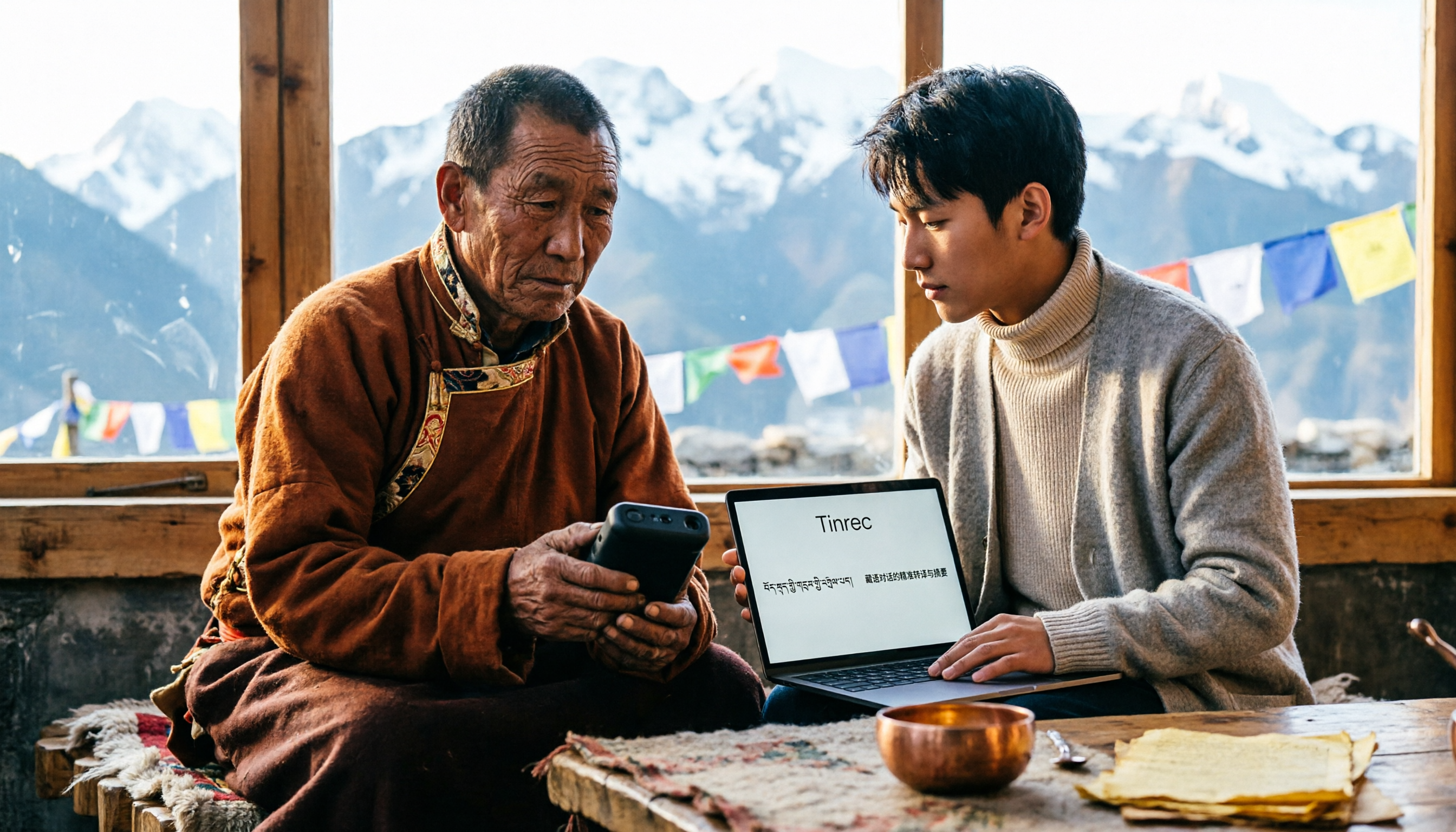
5 Tibetan Speech-to-Text Tools Tested: Which One Actually Understands Tibetan? (2026)
How to choose a Tibetan speech-to-text tool? This article starts with the real limitations of Tibetan speech recognition, outlines 4 key buying factors, and compares Tinrec, Tibetan Translator, Whisper local solution, Notta, and Yating Transcription. It also includes a pitfalls guide and scenario-based recommendations.

2026 Free vs Paid Audio-to-Text Apps: 4 Real-World Comparisons of Limits, Features, and Pricing
Is the free version enough? What do you actually get when you pay? This article compares the free tiers, paid plans, and post-meeting organization capabilities of four popular audio-to-text apps. From Chinese transcripts and AI summary Q&A to team seat management, we break it down so you can decide whether to stick with free or if paying is worth it.

4 Best Voice Recorder App Alternatives in 2026: Free vs. Paid Comparison
A voice recorder is no longer your only option. This side-by-side comparison of Tinrec, Otter.ai, Notta, and PLAUD covers online meeting recording, Chinese transcription, post-meeting organization, team collaboration, and pricing limits to help you find a tool that truly works right after recording.

Fireflies.ai vs Tinrec (2026): 5-Factor Comparison for Chinese Meeting Notes — Which Is Better for Taiwan Teams?
Fireflies.ai lists Chinese in its supported languages, but after a real Chinese meeting, do you still have to spend time proofreading the transcript? This article compares Fireflies.ai and Tinrec across 5 dimensions — meeting recording method, Chinese transcript usability, post-meeting organization, quota calculation, and team management — to help you decide which is more suitable for Chinese meeting scenarios in Taiwan teams.

Best Speech-to-Text Tools in 2026: 4 Tested for Mixed Chinese-English Meetings
A sentence like "check the budget" turning into gibberish is a common frustration with speech-to-text tools in mixed Chinese-English meetings. We tested Tinrec, Otter.ai, Yating, and Notta on the same real meeting recording, comparing language switching, file and live meeting support, post-meeting workflows, and team data ownership. We also highlight 4 common purchasing pitfalls to help you choose the right tool within budget.

The Complete Guide to tl;dv Alternatives in 2026: Features, Use Cases, and How to Choose a Chinese Meeting Transcription Tool
When looking for a tl;dv alternative, focusing only on free minutes usually leads nowhere. Starting from real campus scenarios, this article explains what a meeting transcription tool really needs: real-time Chinese transcription, bot-free online meeting recording, AI summaries and action items, transcript Q&A, and export. Using Tinrec as a hands-on example, it covers five things to watch for when choosing a tool and answers common questions.