

Turn recordings into transcripts and summaries in minutes
Upload audio or video for multilingual transcription, AI notes, and action items
4 Best Voice Recorder App Alternatives in 2026: Free vs. Paid Comparison
It's 4 p.m., and the cross-departmental meeting just ended. You press stop on your phone's recording app and think, "I'll organize this tomorrow."
Then that file sits in your voice memos until three months later when your phone warns you that storage is full.
This is a daily reality for many office workers. Traditional voice recorders can record, but they can't help you find key points. Built-in phone recording apps are convenient, but the step of converting speech to text often requires a separate solution.
If you're looking for a voice recorder app alternative, the real question isn't "which app records more clearly," but "after recording, can you actually use the result directly?"
This article breaks down four practical options, including their limits, restrictions, and which one I use most often.
4 Key Points to Understand Before Choosing a Voice Recorder Alternative
1. Are you recording "in-person" or "online meetings"?
These two scenarios are very different, but many people don't distinguish between them when choosing a tool.
For in-person interviews and physical meetings, the key is whether real-time recording can be transcribed simultaneously. Online meetings are trickier: how does the tool capture the audio?
There are two common approaches. One is to have a meeting bot join the meeting as a participant. The advantage is automation, but the downside is an extra account on the attendee list, which often prompts clients or managers to ask, "Who is this?" The other is to directly capture the computer's system audio, which doesn't add a participant but requires you to actively open the tool on your computer and start recording.
First, decide which approach you can accept, then choose accordingly.
2. After transcription, do you get a transcript or conclusions?
A transcript is the baseline, and most tools now offer it.
The real differentiator is what comes after: Are there summaries, chapters, action items, and can you ask questions directly about the content?
If every meeting gives you a 40-page transcript, honestly, it's not much different from listening to the recording again.
3. Chinese and mixed Chinese-English: Don't just look at marketing numbers
No tool should promise a fixed accuracy rate. Actual performance depends on recording quality, ambient noise, accents, overlapping speakers, and your industry's terminology.
A more practical approach: take a 10-minute recording of your own real meeting and test it to see how well it recognizes your company's common terms.
Some tools offer a "team hotwords" feature that lets you maintain a glossary. For teams with heavy terminology, this makes a noticeable difference.
4. Free tier limits, cross-device access, and "who owns the data"
Be sure to check the free tier limits: how many minutes per month, and whether there's a maximum length per recording. These two conditions are often buried deep on the pricing page.
Also confirm cross-device access: can you edit and export recordings made on your phone from your computer?
If meeting data is shared across the team, ask one more question: Is the data stored in individual accounts or in a team workspace? After a member leaves, can you still retrieve those recordings?
Tinrec (秒聽錄音) — My Most-Used Choice After Going Through the Full Workflow
Tinrec (秒聽錄音) is an AI meeting notes and collaboration tool for individuals and teams, available on desktop, web, and mobile.
It doesn't just convert audio to text; it organizes meetings into searchable, queryable, and exportable data.
Online meetings: No need to invite a bot
Open the desktop app and press record; it directly captures the system audio playing on your computer. Zoom, Google Meet, Microsoft Teams, and Webex all follow the same process, and no extra account appears on the attendee list.
While recording, the transcript grows in real time. When the meeting ends, you don't have to wait for a download.
Note that this is "you actively open the tool to record," not automatically joining all meetings on your calendar.
Post-meeting organization: Summary, chapters, and action items all in one place
After the meeting, the AI summary, chapters, key points, and action items are already organized. You can see who is responsible for what and when it's due.
When you need to submit meeting notes, you can export to common tools like Google Docs, Notion, OneNote, and Dropbox, or use the Agent post-processing to generate reports, tables, and documents.
For those who write meeting notes every week, this step saves the most time.
AI Q&A: The most useful part for me
After recording, you can ask questions directly about the content, such as "What was the budget cap decided in the last meeting?"
It doesn't just throw a bunch of keyword search results at you; it answers based on semantics. The same question used to require scrubbing through the timeline from the beginning; now you just type a line.
The more historical meetings you accumulate, the more valuable this feature becomes.
Chinese and multilingual: Switch between original, translation, and bilingual views
Tinrec covers Chinese, Traditional Chinese, and multilingual meeting scenarios. During recording, you can switch between original text, translation, or bilingual view.
The team plan also includes hotword management, allowing you to add internal company terminology to reduce the chance of mishearing specialized terms.
Pricing and limits (listed as-is)
The personal plan is divided into Free, Weekly Pass, Pro Monthly, and Pro Annual. Choose based on your usage frequency. If you occasionally organize a recording, start with the free version to test the waters; if you have a short period of intensive meetings or interviews, the weekly pass is more suitable.
Stop organizing recordings by hand
Upload audio or video and automatically get a transcript, summary, and action items
The team plan is USD 29.80 per paid seat per month, or USD 199 per paid seat per year (approximately USD 16.58 per month). Each paid seat provides 2,000 minutes of team shared import quota per month; under an active team plan and active seats, real-time recording is currently not deducted by minutes.
First-time eligible teams can try 7 days with 1 free seat and 300 minutes of team shared import quota.
For actual prices, currencies, and benefits, please refer to the official purchase page.
Three advantages I see
First, online meetings don't require inviting a bot, which avoids an awkward moment during external meetings.
Second, post-meeting output is complete: summary, chapters, action items, Q&A, and export all in one place, so you don't have to move files between three or four tools.
Third, the team plan keeps data in a team workspace, including member, role, and seat management, usage analytics, audit logs, and an audio recycle bin (currently retained for 30 days). When a member leaves, meeting data belongs to the team and can be handed over to other members.
Two limitations to know upfront
The free version provides a basic quota; heavy users will eventually need to pay. File and web imports consume the team shared quota and are not unlimited.
Additionally, the team plan currently focuses on team-level sharing, with governance and usage eligibility controlled through roles and seats, not file-level granular permissions. Members who are active but have no seat can view, play, and read data but cannot upload, edit, or export.
One more thing to clarify: Tinrec does not promise a fixed accuracy rate. For important content, we recommend cross-checking with transcript timestamps and recording playback.
Who this suits
If you frequently hold online meetings, need Chinese and mixed Chinese-English transcripts, want to use AI to find key points directly after meetings, or your team's meeting data needs centralized management and handover—Tinrec is the most complete choice among these four.
Besides Tinrec, what other options are there?
Otter.ai: A veteran choice for English business meetings. The Basic free plan offers 300 minutes per month; Pro annual billing is about USD 8.49 per user per month, including 1,200 minutes per month and 10 file imports (refer to the official pricing page). If your meetings are almost entirely in English, it's genuinely good value. But for Chinese and mixed Chinese-English meetings, Tinrec's experience is closer to Taiwanese teams; Tinrec also displays original text, translation, and bilingual transcripts side by side on the same page.
Notta: The closest competitor to Tinrec, offering multi-platform transcription, meeting notes, translation, and team plans. The free plan offers 120 minutes per month with a 3-minute limit per recording; Pro annual billing is about USD 8.17 per month for 1,800 minutes per month; Business annual billing is about USD 16.67 per seat per month (refer to the official pricing page). It suits those who simply want file transcription; but if you want desktop bot-free recording of online meetings, AI Q&A, and Agent post-processing, Tinrec's post-meeting workflow is more complete.
PLAUD Note / NotePin: A representative of AI recording hardware—you're buying a standalone device, portable recording, and long battery life. The U.S. official site currently lists NotePin at USD 159 and Note Pro at USD 189; membership plans include Starter at 300 minutes per month, Pro at USD 99.99 per year (1,200 minutes per month), and Unlimited at USD 239.99 per year (refer to the official page). Hardware has its value, especially for phone calls and on-the-spot recording; but if you mainly record online meetings on your computer and want to import historical audio files into a team workspace, Tinrec can do that without carrying an extra device.
Pitfall Guide: 4 Most Common Mistakes When Choosing a Voice Recorder Alternative
Pitfall 1: Only looking at the officially claimed accuracy rate. Numbers from a recording studio are one thing; your meeting room with air conditioning noise, keyboard clicks, and three people talking over each other is another. The right approach is to test with your own real recordings.
Pitfall 2: Assuming "has transcription" equals "can organize." A transcript is just raw material. If the tool can't summarize or answer questions, you still have to read through it yourself. With Tinrec's AI Q&A, you can ask "What was the conclusion of this meeting?" right after recording—much faster than manually flipping through a 30-minute transcript.
Pitfall 3: Ignoring how online meetings are recorded. A bot joining is convenient, but external meetings often run into the awkward "Who is this?" moment, and some platforms require admin approval. First confirm whether the tool can capture system audio and whether you need to manually start recording.
Pitfall 4: Continuing to use personal accounts for team sharing. Data in personal accounts belongs to the individual. If a colleague leaves or the account is deactivated, meeting records disappear with it. For team plans, look at roles, seats, and data ownership—not "let's all share one login."
One final reminder that's often overlooked: recording and transcription involve personal data. Please comply with local regulations and obtain consent from participants when necessary.
Conclusion: Which one should you choose?
In one sentence: If you want meeting data that's "ready to use right after recording," Tinrec is the most comprehensive choice among these four.
Here's a breakdown by scenario:
- Frequent Zoom, Meet, Teams online meetings, don't want a bot to join → Tinrec
- Need Chinese and mixed Chinese-English transcripts, plus summaries and action items → Tinrec
- Want to ask questions directly about meeting content after recording → Tinrec
- Record on phone, organize on computer, cross-device use → Tinrec
- Team needs to share meeting data, manage members and usage → Tinrec Team Plan
- Meetings almost entirely in English, limited budget → Otter.ai Free Plan
- Only occasionally convert a file to text → Try Notta Free Plan first
- Need portable hardware recording, phone call recording → PLAUD
My advice: First, use the free tier to run through one of your real meeting recordings. See what the transcript looks like and whether the summary captures the key points, then decide whether to pay. You'll know if a tool works for you after one try—no need to commit upfront.
Here are answers to a few common reader questions.
Q: Is the free version enough? For light use, yes—for example, one or two short meetings a week. But if you need to organize recordings every day, a paid plan's quota is more practical. For actual minutes, refer to the official website.
Q: Can team members without a seat see the data? They can view, play, and read, but cannot upload, edit, import, or export. Seats determine "usage eligibility," while roles determine "management permissions." Keep the two separate.
Q: Can deleted meeting recordings be recovered? After team audio enters the recycle bin, it can be restored before permanent deletion begins. The current retention period is 30 days.
Q: Can the generated transcript be used directly as an official record? We recommend not. AI may miss or misinterpret details. For important decisions, cross-check with transcript timestamps and the recording.
References
Turn every recording into actionable outcomes
Get 60 free transcription minutes when you sign in. No credit card required.
Related Reading
You might also like

2026 Comparison of 5 Multilingual Meeting Transcription Tools: Which Handles Mixed Chinese, English, Japanese, and Korean Best?
In multinational meetings with mixed Chinese, English, Japanese, and Korean, organizing transcripts and action items afterward takes the most time. Using Tinrec as an example, this article walks you through recording, transcription, proofreading, AI meeting summaries, and exporting/sharing to complete multilingual meeting notes step by step, and also covers tool selection criteria and common questions.

4 Best Granola Alternatives for Meeting Notes in 2026: Which One Keeps Recordings and Chinese Transcripts at the Best Value?
Granola excels at making meeting notes smarter, but it doesn't save meeting audio or support uploading pre-recorded files. This article compares Tinrec, Granola, Otter.ai, and Notta on recording retention, Chinese transcription, post-meeting organization, and team management to help you find the alternative that truly handles post-meeting work.

Best Korean Speech-to-Text Translation Tools? 2026 Test of 4 Picks, Tinrec Tops Post-Meeting Organization
From Korean interviews and classes to cross-border meetings, speech-to-text is just the first step. What really sets tools apart is translation, summarization, action items, and team sharing. This article tests 4 tools across four buying criteria to help you decide which fits your Korean workflow.

Good Tape Traditional Chinese Alternative 2026: Tinrec + AI Meeting Minutes Workflow
Good Tape supports 40+ languages and .SRT subtitle output, but Traditional Chinese punctuation, post-meeting organization, and team collaboration are often cited as shortcomings. This article addresses three common misconceptions, breaks down 4 key purchasing criteria, explains Tinrec's bot-free meeting recording, AI summaries and action items, AI Q&A, and team spaces, and compares Good Tape, Notta, and TurboScribe for their suitable scenarios.
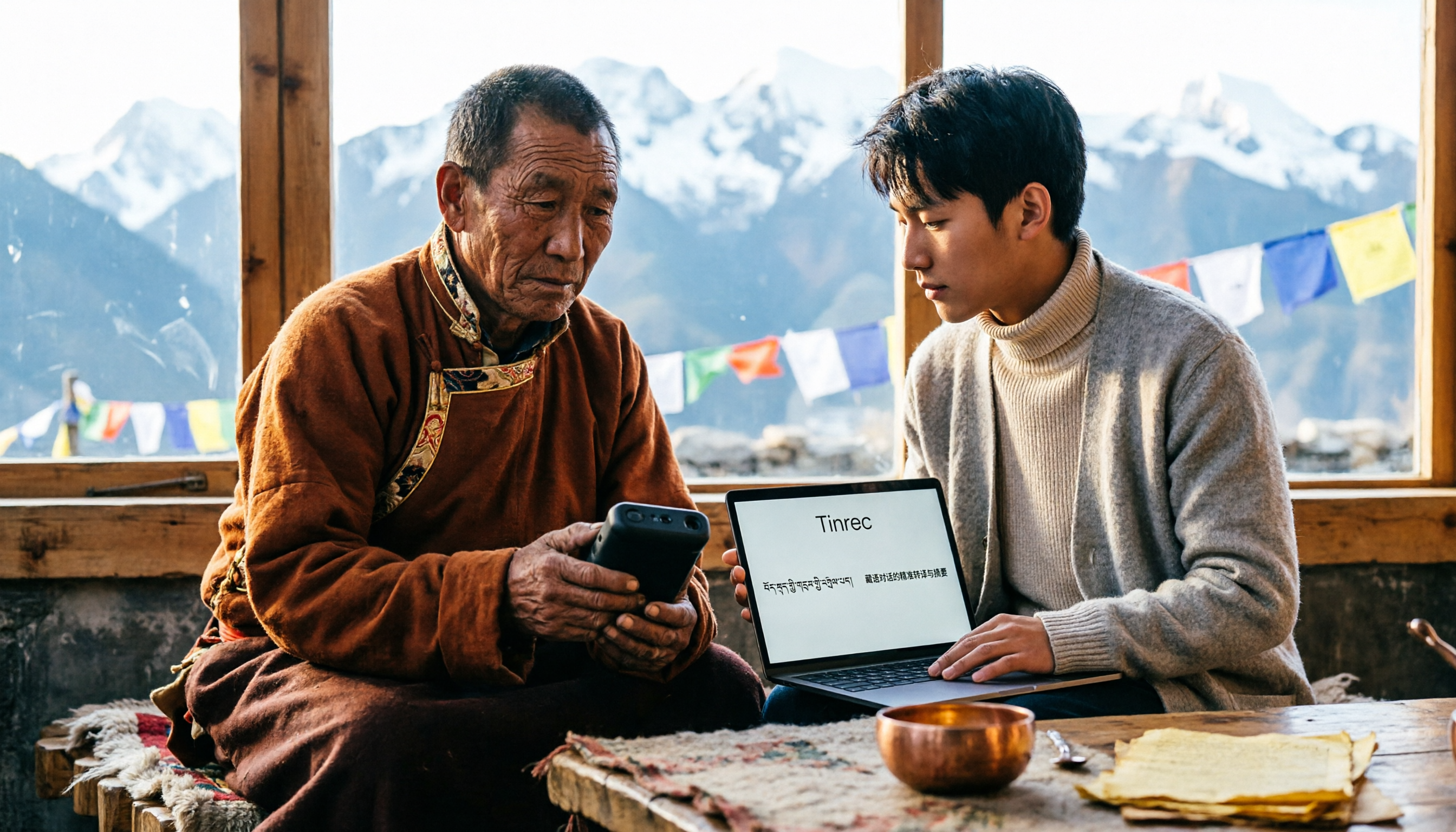
5 Tibetan Speech-to-Text Tools Tested: Which One Actually Understands Tibetan? (2026)
How to choose a Tibetan speech-to-text tool? This article starts with the real limitations of Tibetan speech recognition, outlines 4 key buying factors, and compares Tinrec, Tibetan Translator, Whisper local solution, Notta, and Yating Transcription. It also includes a pitfalls guide and scenario-based recommendations.

2026 Free vs Paid Audio-to-Text Apps: 4 Real-World Comparisons of Limits, Features, and Pricing
Is the free version enough? What do you actually get when you pay? This article compares the free tiers, paid plans, and post-meeting organization capabilities of four popular audio-to-text apps. From Chinese transcripts and AI summary Q&A to team seat management, we break it down so you can decide whether to stick with free or if paying is worth it.

Fireflies.ai vs Tinrec (2026): 5-Factor Comparison for Chinese Meeting Notes — Which Is Better for Taiwan Teams?
Fireflies.ai lists Chinese in its supported languages, but after a real Chinese meeting, do you still have to spend time proofreading the transcript? This article compares Fireflies.ai and Tinrec across 5 dimensions — meeting recording method, Chinese transcript usability, post-meeting organization, quota calculation, and team management — to help you decide which is more suitable for Chinese meeting scenarios in Taiwan teams.

Best Speech-to-Text Tools in 2026: 4 Tested for Mixed Chinese-English Meetings
A sentence like "check the budget" turning into gibberish is a common frustration with speech-to-text tools in mixed Chinese-English meetings. We tested Tinrec, Otter.ai, Yating, and Notta on the same real meeting recording, comparing language switching, file and live meeting support, post-meeting workflows, and team data ownership. We also highlight 4 common purchasing pitfalls to help you choose the right tool within budget.

The Complete Guide to tl;dv Alternatives in 2026: Features, Use Cases, and How to Choose a Chinese Meeting Transcription Tool
When looking for a tl;dv alternative, focusing only on free minutes usually leads nowhere. Starting from real campus scenarios, this article explains what a meeting transcription tool really needs: real-time Chinese transcription, bot-free online meeting recording, AI summaries and action items, transcript Q&A, and export. Using Tinrec as a hands-on example, it covers five things to watch for when choosing a tool and answers common questions.