
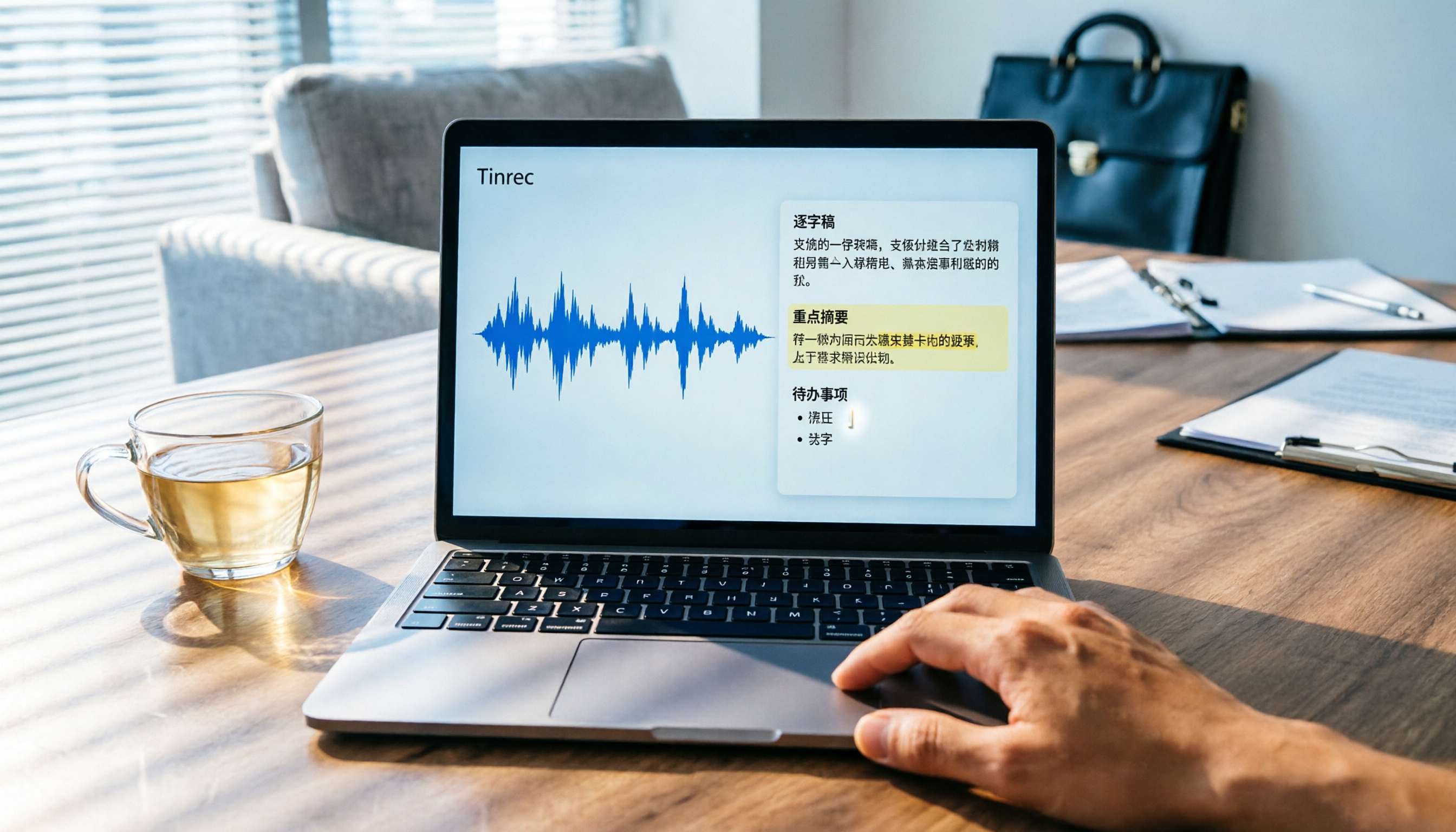
Turn recordings into transcripts and summaries in minutes
Upload audio or video for multilingual transcription, AI notes, and action items
I recently represented my company in a mediation committee meeting that lasted over two hours. After the meeting, my manager demanded an immediate briefing on the key points. Flipping through my handwritten notes, I realized I'd missed a bunch of critical discussions. All I wanted was to dump the recording into a tool that would organize it for me... but wait—is it even legal to record a mediation committee meeting? Let's clarify the rules first, so you don't cross the line.
According to the Ministry of Justice's administrative interpretations and the Ministry of Labor's relevant regulations, during mediation, you must obtain prior consent from all parties and the mediators before recording audio or video. Recording without consent may not only violate confidentiality obligations but could also get you kicked out of the session. In practice, most mediation committees first advise that "meetings are confidential; please do not record," similar to what the Taichung District Court's family mediation opening statement says: "Mediation proceedings are not open; please do not record audio or video during mediation." So the rule is: ask first, explain your purpose, get everyone's consent, and then hit record.
If you do get consent, the real headache begins—how do you turn two hours of recording into a one-page summary? In the past, I'd stay up all night listening and typing. Now, I just throw the recording into Tinrec, and within 5 minutes I get a structured meeting record. Below, I'll walk you through my actual workflow of using Tinrec to organize mediation meeting recordings.
What Can Recording Organization Do for You?
Many people think recording organization is just "turning audio into text," but for a mid-level manager like me who attends over ten meetings a week, what I really need is something I can use immediately after transcription. In mediation meeting scenarios, Tinrec helps me do at least four things:
Scenario 1: Produce Meeting Minutes Right After the Mediation Committee
Before, after a mediation meeting, I'd rely on memory and messy notes to draft minutes, often missing the other party's conditions or the mediator's suggestions. Now, as long as I get recording consent before the meeting starts, I use the Tinrec mobile app to record with one tap. It transcribes in real time, and right after the meeting, it generates a full transcript. No more guessing "who said what."
Scenario 2: Answer "What Was the Conclusion?" Within 10 Seconds
The worst part of mediation meetings is when your boss suddenly asks, "So what did the other party concede?" Previously, I'd have to listen to the entire recording. Now, Tinrec's AI summary automatically separates the meeting conclusions, each party's positions, and action items. I just open the summary and report, no more awkward note-flipping.
Scenario 3: Convert Meeting Action Items Directly into a To-Do List
After mediation, there are often many follow-up actions—who needs to provide what documents by when, who needs to contact the other party. I used to write them in a notebook and forget them. Now, Tinrec automatically extracts action items from the recording, highlighting responsible persons and deadlines. I just screenshot and send to colleagues, finally making verbal assignments trackable.
Scenario 4: Organize Hours-Long Recordings and Quickly Find Key Sections
Some mediation cases last half a day, with recordings of three or four hours. Instead of listening from start, Tinrec's AI conversation search lets me ask directly: "What compensation amount did the other party propose during the second negotiation?" It automatically locates the timeline and displays that segment. Finding key points is as easy as a Google search.
What Core Capabilities Does Recording Organization Have?
Enough scenarios—let me break down the "hard power" that Tinrec truly delivers in mediation meetings. This isn't a spec sheet; it's my genuine experience after testing it in multiple management meetings and client negotiations.
Real-Time Transcript: Transcribes While Recording, Meeting Minutes Are Almost Done When the Meeting Ends
Tinrec's real-time transcription delay is less than 1 second. During the mediation meeting, I can glance at the screen to confirm no key terms are missed. By the time the meeting ends, the full transcript is already generated, saving hours of after-hours typing.
AI Semantic Summary: Not Just Condensation, But Structured Organization
Some tools just condense the transcript into a paragraph. Tinrec's summary reads like it was written by someone who understands the meeting: meeting topic, each party's positions, mediator recommendations, preliminary consensus, and action items—five clear sections. Last week, I tested it with a labor-management mediation recording, and it accurately captured "the employer is willing to pay 6 months' back wages" and "the employee must withdraw the complaint" as conclusions. It's like it can read my mind.
Automatic Action Item Extraction: No More Tracking Progress with Notes
Mediation conclusions often come with multiple actions. Tinrec's action extraction feature directly lists "who, does what, by when." After the meeting, I just copy this list into LINE or Slack group, and the team can follow the plan, avoiding that 'I thought you knew' scenario.
Stop organizing recordings by hand
Upload audio or video and automatically get a transcript, summary, and action items
AI Conversation Search: Turn Recordings into a Searchable Database
This is my favorite feature. Historical mediation recordings pile up, but when I need to find a specific statement from a past meeting, Tinrec's AI Q&A lets me ask in natural language, e.g., "In which meeting did the other party mention a compensation of 200,000?" It pulls the relevant segment from all recordings, turning my mediation records into an instantly answerable knowledge base.
Multi-Format Export: Seamlessly Integrate Results into Your Existing Workflow
Tinrec supports exporting to PDF, Word, TXT, and syncing to Notion, Google Docs, or Dropbox. Our department uses Notion for project management, so I always one-click transfer mediation summaries and action items to a Notion page, no more copy-pasting to piece together documents.
Real-World Application Scenarios
Beyond mediation committees, I now use Tinrec for almost all conversations that need recording. Here are three common scenarios to show how broad its coverage is.
Internal Meetings: Weekly Meetings, Project Status Meetings, One-on-Ones
For our weekly department meeting, I always record with Tinrec. It not only transcribes but also automatically extracts each person's key points and action items, allowing me to quickly compile meeting minutes for the whole team. No more staying late to write minutes after the meeting ends.
Client Communication: Requirements Gathering, Quotation Discussions, Complaints Handling
For phone or in-person meetings with clients, I first explain that to ensure accuracy, I'd like to record (of course, after obtaining consent). Then I use Tinrec to record. After the meeting, I send the summary and action items to the client as meeting minutes. Professionalism instantly boosted, and if disputes arise later, I have text to refer back to.
Learning and Courses: Lectures, Online Courses, Book Clubs
I occasionally attend management training. The instructor talks fast for two hours, and handwritten notes can't keep up. Now I record with Tinrec and review the transcript at home. The AI summary even organizes five key learning points. Learning efficiency at least tripled.
4 Things to Watch When Choosing a Recording Organization Tool
There are many transcription tools on the market, but based on my experience from mediation meetings to daily management, you must check these four items. Tinrec happens to excel in all of them.
1. Accuracy: Test with Your Own Recordings; Don't Just Trust Official Numbers
Don't be fooled by ads claiming 99% accuracy. I tested Tinrec in a mediation room (with echo and multiple speakers), and the Chinese transcript error rate was about 3%, meaning only 3 errors per 100 characters. Names, amounts, and dates were almost flawless. Of course, if the background is too noisy or accents are heavy, accuracy drops, but overall it's good enough for me to use directly as meeting minutes.
2. AI Capabilities: Transcription Is Just the Basics; What Happens After Is Key
Some tools only produce a plain text file, leaving all post-editing to you. Tinrec's summary, action items, and Q&A are why I can't live without it. It turns recordings from 'dead files' into 'living data.'
3. Language Support: If Your Work Involves Taiwanese Hokkien or Chinese-English Mix, Check Carefully
Mediation meetings sometimes include Taiwanese Hokkien or English terms. Tinrec currently focuses on Chinese (including Traditional Chinese) and multiple languages, and handles Chinese-English mixed speech well. If you have special language needs, try the free version first.
4. Cross-Platform and Privacy: Confirm the Tool Runs on Your Devices and Your Recordings Are Secure
My phone is an iPhone and my desktop is Windows. Tinrec has iOS, Android apps, and a web version. Recordings are encrypted and synced, so I can continue organizing on another device. Privacy-wise, it doesn't use recordings for training or leak them, which is crucial for sensitive mediation content.
FAQ
Q: Is it really legal to record mediation committee meetings?
A: Under current regulations in Taiwan, as long as you obtain explicit consent from all parties and the mediators, recording is legal. It's recommended to ask on-site before the meeting starts and explain your purpose (e.g., "for convenience in preparing meeting minutes"). If anyone objects, do not record. Some mediation committees also announce a recording ban at the start; respect that. In short: ask first, then record—that's how you protect yourself.
Q: Where are recordings stored after using Tinrec? Can others hear them?
A: Recordings and transcriptions are stored only in your Tinrec account. Transmission is encrypted, and no one can access them without your sharing. I use it for confidential meetings without issue, but you should still follow your company's security policies.
Q: Is the free version of Tinrec sufficient?
A: The free version provides a basic monthly transcription allowance (check the product page for current limits). If you only record a mediation meeting occasionally, it may be enough. But for me, with at least five meetings per week, I upgraded to the Pro version long ago. The monthly fee costs less than two Starbucks coffees but saves me over an hour of organizing time daily. Totally worth it.
Q: Mediation meetings often have multiple speakers. Can Tinrec distinguish who is who?
A: Yes. Tinrec has speaker diarization that automatically labels "Speaker 1," "Speaker 2," etc. As long as speakers don't talk completely over each other, recognition is good. After the meeting, I edit the labels to real names, making the minutes more valuable.
Q: If the network is unstable, will the transcription be interrupted?
A: The mobile app supports offline recording. When the network is unstable, it saves the recording locally and automatically uploads it for transcription when connectivity resumes. However, real-time transcription requires a network connection, so before the meeting, I make sure the venue has stable Wi-Fi.
Summary
Recording mediation committee meetings is not taboo. As long as you follow the "ask for consent first" principle, it's a powerful tool to efficiently organize meeting minutes. Especially for mid-level managers like me who need to report to the boss and track team progress, Tinrec not only turns two hours of recording into a 5-minute readable summary but also makes all verbal decisions trackable.
Next time you have a mediation meeting, first confirm whether recording is allowed, then try the free version of Tinrec—from recording to obtaining a structured summary, that feeling of "it can be this easy" is something you have to experience for yourself.
References
- Ministry of Justice - Related Administrative Interpretations
- Honest Talk on Labor Disputes - Should You Secretly Record During Mediation? Recording Effects and Validity?
- Taichung City Government Legal Affairs Bureau - Mediation Administration - Mediation Tips
- Taiwan Taichung District Court - Business Introduction - Family - Family Mediation - Our Mediation Opening Statement
- Ministry of Labor - Labor Law Query System - Article 13
Turn every recording into actionable outcomes
Get 60 free transcription minutes when you sign in. No credit card required.
Related Reading
You might also like

How to Do Dialect Speech Recognition in 2026: A 5-Step Practical Guide
Dialect speech recognition isn't solved by buying a tool with a 'supports dialects' label. This article starts with common misconceptions, breaks down 4 key purchasing criteria, tests Tinrec's Chinese meeting workflow, compares Otter.ai, Notta, and Granola in positioning and pricing, and concludes with scenario-based recommendations.
2026 Voice Recorder Noise Cancellation Guide: 3-Layer Tech + AI Post-Recording Organization
Noise cancellation for voice recorders isn't just about levels. This article breaks down the three layers of noise reduction—physical isolation, hardware DSP, and AI algorithms—and explains what to look for when buying: microphones, formats, battery life, and post-recording organization. It also shows how Tinrec turns recordings into transcripts, summaries, action items, and team data.

2026 Comparison of 4 Taiwanese Speech-to-Text Tools: Accuracy Isn't Everything—Look at Post-Meeting Workflow First
Starting from a real interview recording mixed with Mandarin and Taiwanese, this article compares the actual workflows of Tinrec, Otter.ai, Yating Transcription, and TurboScribe for Taiwanese speech-to-text. It goes beyond transcription to examine automatic summarization, action item extraction, follow-up questions, and suitability for team knowledge retention.

Tinrec vs Notta 2026: 5-Dimension Comparison — Which Is Better for Dialect and Multilingual Meeting Notes?
The real challenge with dialect translation isn't just getting a translation — it's keeping it, searching it, and handing it off. This article compares Tinrec and Notta across five practical dimensions, explains how to choose a tool for mixed-language meetings, how to avoid common transcription mistakes, and includes a step-by-step starter checklist you can follow.

2026 Comparison of 3 Taiwanese Hokkien Speech Recognition and Pronunciation Tools: How to Choose for Word Lookup, Pronunciation Practice, and Post-Meeting Organization
Taiwanese Hokkien speech recognition is not just about converting sound to text; it also involves handling tone sandhi, nasalized vowels, and accent variations. This article compares the practical uses of Tinrec, iTaigi, and Moedict to help you distinguish between word lookup and pronunciation practice, meeting transcripts, and team post-meeting organization, and summarizes key points for purchasing and avoiding pitfalls.

How to Choose a Voice Recorder Capacity in 2026: 5 Steps from Large-Capacity Recording to AI Meeting Notes
Bought a voice recorder advertised with large capacity, only to find you can store the files but can't organize them? This article examines whether large-capacity voice recorders are truly sufficient from four angles: capacity, battery life, file management, and post-meeting organization. It walks through 5 steps to turn recordings into searchable, queryable meeting notes. It also compares Tinrec with PLAUD, Otter, Notta, and other tools.

2026 Comparison of 3 Hakka Speech Recognition and Post-Meeting Tools: How to Match Six-Accent Support with Meeting Follow-Up?
How to choose Hakka speech recognition? This article examines four key criteria: accent support, audio file upload, post-meeting processing, and team data. It compares Gohakka, a Taiwan Hakka-specific tool; the Council of Hakka Affairs' Taiwan Hakka Speech Database online real-time translation; and Tinrec, which handles post-meeting organization and team follow-up. It also summarizes three common pitfalls and offers scenario-based selection advice.

2026 Comparison of 3 Taiwanese Speech-to-Text Tools: Which Is Easier from Transcript to Meeting Minutes?
How to choose a Taiwanese speech-to-text tool? This article compares Tinrec, Yating Transcript, and AI Taiwanese Voice Notes from two scenarios: pure Taiwanese interviews and Mandarin-Taiwanese mixed meetings. It examines language processing, recording sources, post-meeting organization, team collaboration, and pricing to help you decide which tool suits your recordings, with free tier details and testing advice.

2026 Real-World Test of 5 Chinese-Korean Live Translation Tools: Beyond Travel—Which One Can Capture Your Meetings?
Live translation solves the problem of understanding in the moment, but often leaves you with nothing after the meeting. Based on real cross-language meeting and business communication scenarios, this article outlines 4 key factors for choosing a Chinese-Korean live translation tool, tests Tinrec's bilingual transcript, summary, and action item workflow, and compares the suitable scenarios for Papago, GenieTalk, and Google Translate.