
Turn recordings into transcripts and summaries in minutes
Upload audio or video for multilingual transcription, AI notes, and action items
Dreading Long Videos? You Need Content Summaries, Not Download Tools
Before a meeting, you need to catch up on a 30-minute industry analysis video, but you only have 5 minutes. Or you find a super detailed tutorial video while studying, want to turn it into notes, but don't know where to start.
Pausing, typing, and replaying manually often turns a half-hour video into over an hour of work. Not to mention some videos are in English or have strong accents, making transcription even more painful.
If this sounds familiar, this article is for you.
Before Choosing a YouTube Video-to-Text Tool, Understand These 3 Key Points
1. Can you paste a video link directly?
Some tools require you to first download the video, then upload the file—doubling the steps. Tools that directly support parsing a pasted YouTube URL are the ones that truly save time.
Tools like Tinrec let you copy a link, paste it, and start transcription without saving an extra file in between.
2. After transcription, does it help you organize the content?
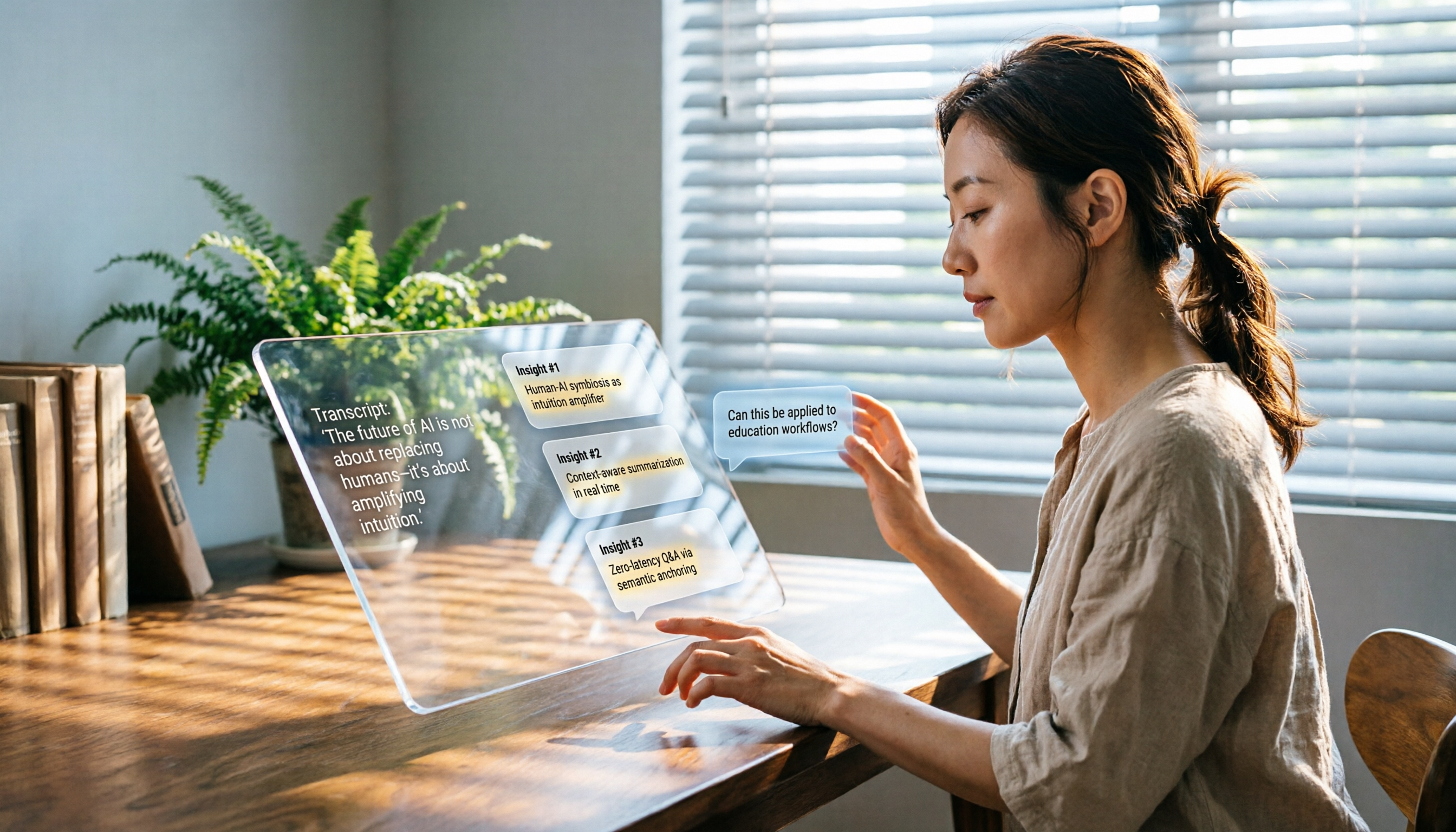
Getting just a transcript isn't enough; you still have to dig out the key points yourself. Better tools automatically generate summaries, highlight action items, and even let you ask questions to find answers.
This is the core of our test—not which tool transcribes faster, but which one helps you actually understand the content.
3. Recognition quality for Chinese and mixed-language content
Many transcription tools are English-first and frequently make errors with Taiwanese accents or Chinese-English mixed speech. If you primarily work with Chinese or bilingual videos, make sure to trial the tool to confirm recognition quality.
In our tests, we specifically included Chinese videos with Taiwanese accents and background music. The real differences show up in these realistic scenarios.
Tinrec—The Top Recommended YouTube Video Parsing Tool After Testing
Tinrec is an AI recording and audio/video organizing tool that goes beyond transcription, focusing on turning content into usable knowledge. It supports iOS, Android, and web versions, and you can paste links to public videos from YouTube, Bilibili, and more to start parsing.
More Than Just a Transcript
Copy a YouTube link → paste it into Tinrec → wait a few seconds, and the video's text appears. But that's just the first step.
Tinrec automatically generates AI summaries, letting you know in 1 minute what the video is about. If you're a professional needing to prepare reports, it can also break long content into chapters and pull out key points and action items.
Even better is the AI chat query feature. You can ask Tinrec directly: "What keyword is mentioned most in this video?" Or "Does it mention a launch date for a specific product?" It doesn't just return search results; it answers based on content semantics.
Among similar online tools, this feature is almost unique.
Test Performance: Strong with Chinese Content
We tested several YouTube videos under different conditions, including an unboxing video from a Taiwanese YouTuber with light background music and normal speaking pace. Tinrec's transcription quality was above average, accurately capturing proper nouns and colloquial expressions. Of course, if the audio quality is poor or multiple people talk over each other, some errors are inevitable, but overall it's usable.
Stop organizing recordings by hand
Upload audio or video and automatically get a transcript, summary, and action items
The AI summary was especially impressive—concise and to the point, not a generic canned summary.
Pros
- Paste a YouTube link directly—no need to download and then upload
- AI summary and Q&A are practical, not just a transcript
- Good Chinese and mixed-language recognition, works well with Taiwanese videos
- Cross-platform, just open the web version to use
Limitations Should Be Mentioned The free version has monthly transcription limits. If you're a heavy user who processes many videos daily, you'll need to consider a paid plan. But for most people who process a few videos a week, the free version is sufficient.
Who Is It For? If you regularly need to quickly digest Chinese instructional, interview, news, or course videos on YouTube, Tinrec is currently the best fit. Especially if you want to use AI Q&A to find specific segments, this tool will make you never go back.
Besides Tinrec, What Other Options Are There?
Otter.ai: Great for English Meetings, but Not for Chinese Videos Otter.ai is a well-known AI meeting notes tool with strong English transcription and AI summaries. But its strength is live meetings; YouTube video parsing isn't its designed use case—you'd have to manually upload the video file. Also, Chinese and Cantonese support is relatively limited, which may feel awkward for Taiwanese users. If you mainly organize English content, Otter.ai is mature; but if you need to directly paste links to parse Chinese videos, Tinrec is more straightforward.
Notta: Strong Transcription and Subtitles, but Missing AI Chat Query Notta is a direct competitor to Tinrec, with complete multilingual transcription and subtitle features, and it also supports pasting links. But in our tests, it leaned more toward giving you a clean transcript, with less depth in summaries, chapters, and interactive Q&A. Notta doesn't currently have Tinrec's AI chat query feature—if you're used to getting answers by asking questions, you'll really feel this difference.
Avoid These 3 Common Pitfalls When Choosing a YouTube-to-Text Tool
Pitfall 1: Confusing "Video Download Tools" with "Video-to-Text Tools"
Many people searching for "YouTube video parsing" find a bunch of download sites, but those only save files; they don't convert to text. You need a service that lets you paste a link and get a transcript and summary directly—not one that requires downloading and then figuring it out yourself.
Pitfall 2: Overlooking Post-Transcription Organization Features
Even if you get a transcript, you still have to read through thousands of words and highlight key points yourself. The real time-saver is whether the tool automatically summarizes, creates chapters, and extracts action items. If not, it's only half the job—you're still doing the other half.
Pitfall 3: Not Verifying Language Support First
Many foreign tools claim "multi-language support," but when actually tested with Chinese, Cantonese, or Taiwanese terms, accuracy drops sharply. We recommend trying the tool with your specific video type first, rather than relying only on official specs.
Summary: Which One Should You Choose?
For processing Chinese YouTube videos with quick access to key points → Tinrec: direct link pasting, AI summary, and Q&A are the most complete. If you only handle English meeting content and don't mind downloading videos first → Otter.ai's English ecosystem is mature. If you need extensive transcription and subtitle creation and don't need AI Q&A → Notta's transcription quality and format support are solid.
We recommend downloading the free version of Tinrec to try it out—it comes with a monthly allowance, so you can paste a few videos to test the experience. If you find it useful, then consider upgrading; you don't have to pay upfront.
References
- YouTube HD Video Download - Parse and Save YouTube Videos to Your Phone or Computer
- A Complete List of Free Online YouTube Video Download Tools, Supporting Up to 8K - Computer King Ada
- YouTube Video Online Download
- Summarize YouTube Videos with GPT: Free Online Video Summary Tool
- Best Sites to Download YouTube Videos in 2026
Turn every recording into actionable outcomes
Get 60 free transcription minutes when you sign in. No credit card required.
Related Reading
You might also like

How to Use Tinrec in 2026: Turn Concert Interview Footage into AI Summaries and Action Items
Starting with Tape B's Red Rocks shows, this guide explains why recording audio isn't the same as organizing it. Using Tinrec as an example, it breaks down live transcription, AI summaries, action item extraction, and team spaces, plus pricing and 5 key considerations for choosing a tool.

Is Notta's Free Plan Enough in 2026? 4 Steps to Decide If You Need to Upgrade
Notta's free plan offers 120 minutes per month with a 3-minute cap per recording—is that actually enough? This article walks you through 4 steps to figure it out, comparing free tier limits, meeting capture, post-meeting output, Chinese-language experience, and team governance across five dimensions against Tinrec, helping you decide whether to stay on the free plan or switch tools.

2026 AI Subtitle Tool Buying Guide: 5 Tested Criteria + 3 Pitfalls to Avoid
Starting from two needs—'adding subtitles to videos' and 'meeting transcripts'—this guide outlines 5 key criteria for choosing AI subtitle tools in 2026. It includes hands-on testing of Tinrec's performance in meeting organization, AI Q&A, and team collaboration, compares use cases for CapCut, FlexClip, Taption, and WayinVideo, and concludes with pitfalls and selection advice.

2026 Comparison of 3 Speech-to-Text Tools: Good Tape vs. Tinrec — Which Is Better for Chinese Meetings?
What is Good Tape and is it any good? This article starts from real meeting scenarios and compares Good Tape, Tinrec, and Otter.ai in a hands-on test, covering Chinese transcription, bot-free meeting recording, post-meeting summaries and action items, team collaboration, and pricing to help you decide which tool fits your workflow.

Notta AI Pricing 2026: 3 Plans Explained + How to Calculate Real Costs
How is Notta AI priced? What are the limits of the free 120 minutes, why is Pro's US$8.17 only a monthly equivalent for annual billing, and how do Business's per-seat fees and AI Credits affect your budget? We break it down item by item and compare the cost structures of Tinrec, Otter.ai, and TurboScribe to help you choose the plan that's truly worth it.

3 AI Meeting Note Tools Tested: What to Know Before Paying Monthly for Notta Pro in 2026
Notta Pro costs about USD 13.99/month billed monthly, or about USD 8.17/month billed annually—a difference of over 40%. Switching from annual to monthly requires canceling and resubscribing. This article compares Tinrec, Notta, and Otter.ai across billing cycles, quota calculations, post-meeting workflows, and team seats, highlighting common pitfalls when switching from monthly to annual, adding features, and seat pricing.

2026 AI Meeting Recorder Comparison: Is Dcard's Favorite Meeting Ink Worth It?
Is Meeting Ink, the tool buzzing on Dcard, actually worth using? This article compares four AI meeting recorder tools using the same criteria, from language recognition and meeting recording methods to post-meeting summaries and team permissions. It also breaks down Tinrec's bot-free recording, AI follow-up questions, and team governance features to help you pick the one that truly saves time.

2026 AI Meeting Notes Tools Compared: Meeting Ink vs. Tinrec and More
This guide tackles three common misconceptions about choosing an AI meeting notes tool and compares Meeting Ink, Notta, Otter.ai, and Tinrec on audio capture methods, post-meeting organization, Chinese language support, and team collaboration. It concludes with recommendations based on different use cases.

How to Organize Worship Audio in 2026: Before Your Throne Transcript + AI Summary
Before Your Throne is a 12-minute worship EP released by Mattie Nottage in 2024. Starting from the real pain of organizing long audio files, this guide explains how to turn worship and sermon recordings into citable transcripts, summaries, and notes, and compares Tinrec, Otter.ai, TurboScribe, and Granola in terms of differences and use cases.