

Turn recordings into transcripts and summaries in minutes
Upload audio or video for multilingual transcription, AI notes, and action items
You've probably listened to this 12-minute worship set several times already.
But when your small group leader asks, "Which lines were repeated in that declaration?" you can only play it from the beginning again, pausing and typing as you go. Another scenario: you're responsible for posting the Sunday message on the church website, but you're stuck on "how do I turn this 40-minute audio file into text?"
That's exactly what this article addresses—how to organize recordings like Before Your Throne, which are longer in length and heavier in prayer and declaration content, into material you can cite, share, and reuse.
What Is Before Your Throne? First, Confirm Which Version You Have
Before Your Throne - EP is a work by Mattie Nottage released on January 12, 2026, available on Apple Music. The entire EP contains only 1 song, 12 minutes long, categorized under Christian music.
A video version can also be found on YouTube, titled "Before Your Throne (Prophetic Worship)," tagged with #worship and #throneroom. The same speaker has another video titled "THRONE ROOM," with Psalm 135:3 quoted in the description.
It's worth noting the 12-minute length. It's not quite like a three-and-a-half-minute single; it's closer to a complete worship flow or prayer session. In other words, what you really need isn't just to "listen through"—it's to "have something left after listening."
Incidentally, Mattie Nottage also has singles on Apple Music including Destiny, I'm a Warrior, Sound Of Victory, and Like Fire, as well as the album Worship Experience: New Dimension of Glory. If you're organizing a series of worship materials, you can archive these together.
4 Key Points to Understand Before Organizing Worship and Sermon Audio
Can it recognize Chinese and mixed Chinese-English content? Switching languages during prayer is common—one sentence in Chinese followed by one in English, with names or place names mixed in. These passages are the most prone to recognition gaps, so before choosing a tool, be sure to test a segment with your own audio file.
Does it automatically segment long audio files? 12 minutes isn't long, but a 40-minute sermon is. With a tool that has chapter structure, you can jump directly to "the third section"; without it, you can only drag the timeline and search blindly.
Beyond the transcript, does it offer summaries and Q&A? A tool that only gives you a transcript is essentially throwing the organizing work back at you. Whether you can ask "What's the main point of this section?" in one sentence makes a big difference.
Does it retain the audio file, and can the team share it? Some tools don't keep the original audio after processing, which makes it troublesome to verify a specific sentence later. Also, churches and ministry teams usually organize materials together, so data ownership and handover need to be thought through in advance.
Tinrec—The Smoothest Workflow Right Now
Tinrec is an AI meeting notes and collaboration tool for individuals and teams, supporting iOS, Android, desktop, and web versions.
What it does isn't just convert sound to text. Take a 12-minute worship set like Before Your Throne—you can import your audio or video file, and once transcription is complete, you get a transcript, AI summary, and chapters, with long passages broken into a more browsable structure. When you want to cite a particular declaration, you don't have to listen from the beginning again.
What's even better is the part after transcription. Tinrec supports AI Q&A around the content—you can directly ask "What themes recur in this worship set?" and it responds based on meaning, not by throwing a list of keyword search results at you. When preparing small group sharing materials, the time saved at this stage often exceeds the transcription itself.
If you're handling cross-language content, it supports real-time translation, allowing you to switch between original text, translation, or bilingual view. Chinese and mixed Chinese-English content is where it focuses its efforts.
Output formats are comprehensive too: transcripts, summaries, chapters, to-dos, and mind maps, exportable to Notion, Google Docs, OneNote, and other tools for further editing. When you need post-meeting deliverables, you can also use Agent post-processing to generate reports, tables, or documents.
Stop organizing recordings by hand
Upload audio or video and automatically get a transcript, summary, and action items
If an entire ministry team is organizing sermon and worship materials, the team version is a separate team space, not multiple people sharing one personal account. You can create multiple team spaces, invite members via link, and distinguish between owner, admin, and regular member—roles govern administration, while seats govern whether someone can record, upload, edit, and export; members without seats can still view, play, and read team materials. Admins can see usage trends, member rankings, and audit logs, and accidentally deleted audio files can be recovered from a 30-day recycle bin.
Pricing: Team version is USD 29.80 per paid seat per month billed monthly, or USD 199 per paid seat per year billed annually (about USD 16.58/month), with each paid seat providing 2,000 minutes of team shared import quota per month; eligible first-time trials are 7 days, 1 free seat, and 300 minutes of shared quota. The personal version has a free tier, weekly card, Pro monthly card, and Pro annual card—actual prices and benefits are subject to the official website purchase page.
One caveat: the free version provides a basic quota, and if you're organizing long audio files every week, you'll probably end up on a paid plan eventually. Also, worship recordings often have background music, congregation singing, and multiple people speaking at once—this type of audio affects recognition results on any tool, and Tinrec is no exception. Actual performance is affected by recording quality, noise, accents, and specialized terminology, so for important passages, it's recommended to verify against the original audio. It also isn't the "automatically join all meetings" mode—the desktop version requires the user to actively initiate recording.
Simply put: if you have a batch of sermon, worship, or interview audio files to turn into text, and you want to be able to ask questions, extract key points, and export to documents after transcription, or if your entire team wants to centrally store these materials, Tinrec is currently the more complete workflow.
Besides Tinrec, What Other Options Are There?
Otter.ai: A veteran choice for English meeting notes. Basic is free with 300 minutes per month; Pro billed annually works out to about USD 8.49 per user per month, including 1,200 minutes of in-app recording and 10 file imports per month. It has mature experience with English business meetings—if most of what you record is English gatherings, it's worth a look first. However, Chinese and mixed Chinese-English prayer passages aren't its strong suit, and Tinrec is more aligned in Chinese experience, bot-free desktop recording, and real-time translation.
TurboScribe: A file transcription tool leaning toward high cost-effectiveness. The free version allows 3 files per day with a 30-minute per-file limit; Unlimited is USD 120 per year billed annually (about USD 10/month), and the paid version supports files up to 10 hours or 5GB, with up to 50 files uploaded at once. It's a great deal for batch processing large volumes of long audio files. But once transcription is done, that's it—Tinrec adds summaries, AI Q&A, to-dos, and team spaces for post-meeting workflows.
Granola: Also an AI meeting notes tool that captures desktop audio in a bot-free way. Basic is free; Business is USD 14 per user per month. Its strength is combining user handwritten notes with AI. Note that it doesn't support uploading pre-recorded audio files and doesn't save meeting audio—if you have existing audio files or need to replay and verify afterward, Tinrec can do both.
Pitfall Guide: The 3 Most Common Mistakes When Organizing Worship Audio
Pitfall 1: Assuming a transcription tool will give you a clean transcript. Worship recordings have background music, congregation singing, and speaking in tongues—when multiple people speak at once, any tool will struggle. The right approach is to first cut out a 3-to-5-minute test segment, confirm the results, then process the whole file.
Pitfall 2: Stopping once you have the transcript. A transcript is just raw material. If the tool can generate summaries, chapters, and to-dos but you only copy and paste the text, you're only using part of its capabilities.
Pitfall 3: Ignoring data ownership and handover. Team data should belong to the team, not be stored in some coworker's personal account. When a member leaves or loses their seat, remember to hand over resources to other active members, or the data will have no one to take it over.
One more reminder: before recording and transcribing, please comply with local regulations and obtain consent from those present when necessary.
Conclusion: Which One Should You Actually Choose?
In one sentence: for organizing Chinese and mixed Chinese-English worship and sermon audio files, Tinrec is currently the smoothest choice.
Need Chinese and bilingual transcripts, plus the ability to follow up on key points afterward → Tinrec.
Have existing audio files to import and want to keep the original recording → Tinrec (Granola doesn't support pre-recorded file import and doesn't save audio).
Ministry team needs to share sermon materials and manage members and seats → Tinrec Team version.
Just need to batch convert large numbers of long files into plain text → TurboScribe.
Gathering content is primarily in English → Otter.ai.
We recommend starting with the free version's basic quota and running your 12-minute Before Your Throne through it once. Whether the output can directly become small group material—you'll know after one try, no need to pay upfront.
References
Turn every recording into actionable outcomes
Get 60 free transcription minutes when you sign in. No credit card required.
Related Reading
You might also like

3 AI Meeting Note Tools Tested: What to Know Before Paying Monthly for Notta Pro in 2026
Notta Pro costs about USD 13.99/month billed monthly, or about USD 8.17/month billed annually—a difference of over 40%. Switching from annual to monthly requires canceling and resubscribing. This article compares Tinrec, Notta, and Otter.ai across billing cycles, quota calculations, post-meeting workflows, and team seats, highlighting common pitfalls when switching from monthly to annual, adding features, and seat pricing.

2026 AI Meeting Recorder Comparison: Is Dcard's Favorite Meeting Ink Worth It?
Is Meeting Ink, the tool buzzing on Dcard, actually worth using? This article compares four AI meeting recorder tools using the same criteria, from language recognition and meeting recording methods to post-meeting summaries and team permissions. It also breaks down Tinrec's bot-free recording, AI follow-up questions, and team governance features to help you pick the one that truly saves time.

2026 AI Meeting Notes Tools Compared: Meeting Ink vs. Tinrec and More
This guide tackles three common misconceptions about choosing an AI meeting notes tool and compares Meeting Ink, Notta, Otter.ai, and Tinrec on audio capture methods, post-meeting organization, Chinese language support, and team collaboration. It concludes with recommendations based on different use cases.

2026 AI Meeting Recorder Comparison: Notta vs. Tinrec — Which Handles Chinese Meetings Faster?
Tired of replaying recordings after meetings? This comparison puts Tinrec, Notta, Otter.ai, and Granola head-to-head, breaking down online meeting capture methods, Chinese and mixed-language recognition, post-meeting summaries and AI Q&A, plus free tiers and team licensing. Find out if Notta is enough or when to switch to Tinrec.

2025 Comparison of 3 Audio-to-Text Tools: Notta vs. Tinrec for Chinese Meeting Notes—Which Saves More Time?
When choosing a meeting notes tool in 2025, don't just look at how many minutes are included each month. This article starts from three decision points: how audio gets in, what can be produced after transcription, and whether team data remains when people change. It compares Notta, Tinrec, and Otter, and breaks down Tinrec's bot-free recording, AI Q&A, action item extraction, and team spaces to help you decide which one truly saves that hour after meetings.

2026 Free Voice Translation Guide: Tinrec Real-Time Bilingual Subtitles + Transcript Organization
A hands-on comparison of Vidnoz and Tinrec, two voice translation tools you can start using for free, broken down across five dimensions: real-time performance, post-meeting output, audio sources, free quota, and team collaboration, to help you decide which one fits your meeting notes and video dubbing needs.

Tinrec vs Notta in 2026: 5-Dimension Comparison — Which Chinese Meeting Transcription App Is Worth Downloading?
Before searching for 'Notta AI app download,' understand the real limits of the free tier and how online meetings are captured. This article compares Tinrec and Notta across 5 dimensions—meeting audio source, post-meeting organization, Chinese performance, team collaboration, and quota calculation—to help you decide which app to download.
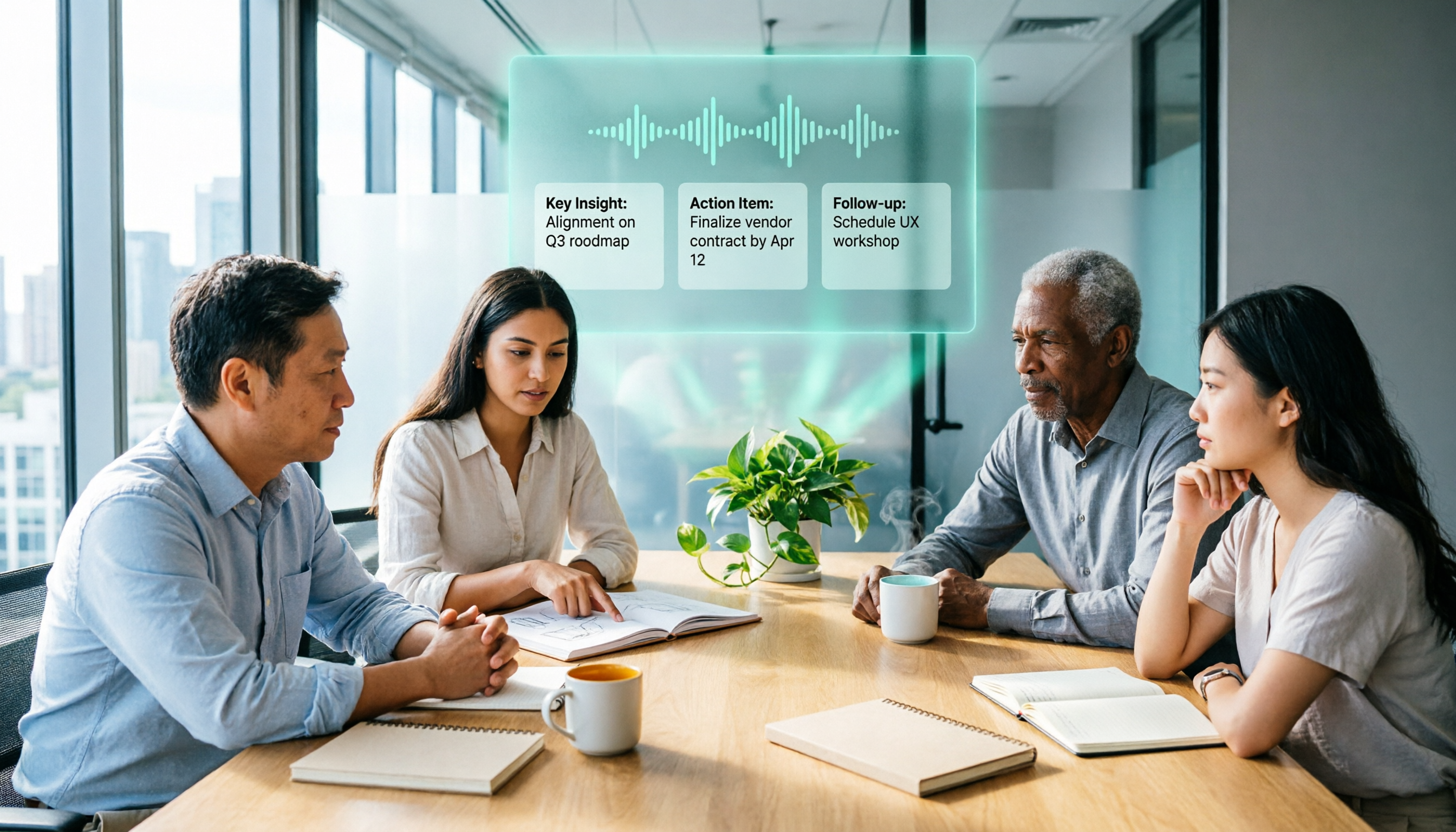
2026 AI Meeting Recorder Comparison: 3 Tools Tested, and the Notta Alternative Worth Buying
Thinking about Notta or comparing AI meeting note tools? This guide starts with what to clarify before buying, breaks down 5 key criteria—live transcription, bot-free recording, summaries and action items, AI Q&A, and team seat governance—and uses Tinrec as the main hands-on example, with team pricing and FAQs to help you spend on features you'll actually use.

2026 Voice-to-Text Tool Comparison: Tinrec vs Granola – Which Delivers More Complete Transcripts and Post-Meeting Organization?
Many people searching for voice-to-text tools actually want to turn meeting audio into searchable, queryable transcripts. This article compares Tinrec and Granola across five dimensions: input sources, audio retention, Chinese language experience, post-meeting organization, and team governance, helping you decide which tool better fits your meeting scenarios.