

Turn recordings into transcripts and summaries in minutes
Upload audio or video for multilingual transcription, AI notes, and action items
2025 Comparison of 3 Audio-to-Text Tools: Notta vs. Tinrec for Chinese Meeting Notes—Which Saves More Time?
When choosing a meeting notes tool in 2025, most people first compare "how many minutes are included each month." But the real question is: after the meeting ends, how much more time do you have to spend to turn that recording into something you can hand off?
Pure transcription tools give you a transcript, but they don't tell you who agreed to what or who to follow up with next. So before comparing minutes, confirm three things: how meeting audio gets in, what can be produced after transcription, and whether team data remains when people change. These three points determine whether you've "added another recording file" or "saved an hour of overtime."
What can audio-to-text tools do for you?
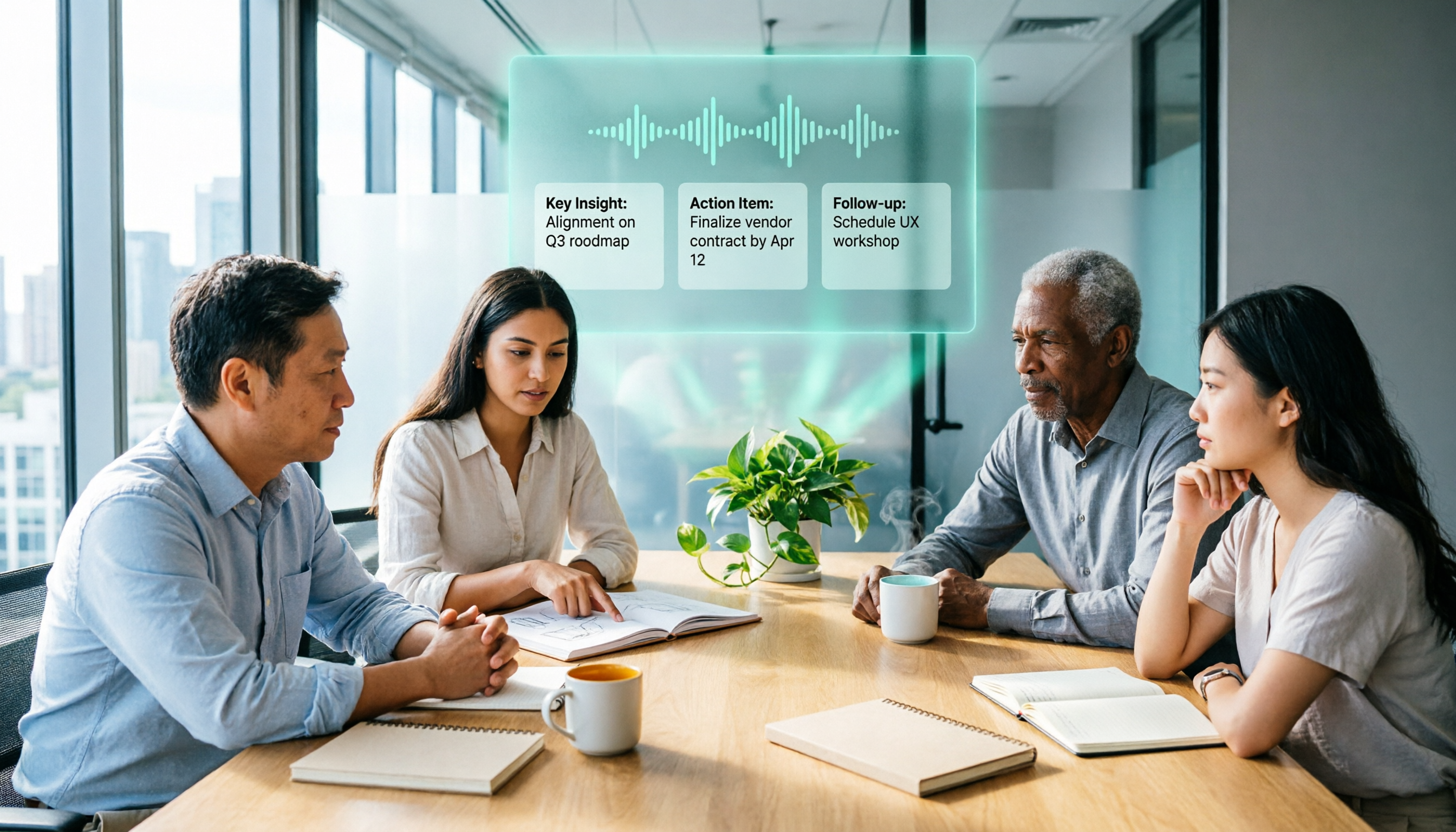
Scenario 1: No need to re-listen to recordings after meetings A two-hour meeting often takes another hour afterward to re-listen and capture key points. Take Tinrec as an example: it generates a transcript in sync during the meeting, and after the meeting it directly produces summaries, chapters, and action items—who is responsible and when to deliver, listed out without relying on memory.
Scenario 2: Keep content even in mixed Chinese-English meetings Product team meetings often discuss processes in Chinese and specifications in English—the combination most likely to be missed. Tinrec supports real-time translation during recording, allowing you to switch between original text, translation, or bilingual view, so cross-language discussions don't end up with only half a record.
Scenario 3: Turn past meetings into a queryable database Did that meeting three months ago actually discuss the budget? In the past, you could only scroll through messages or ask colleagues. Tinrec's AI Q&A lets you ask questions directly about meeting content, and answers are found from the transcript—no need to read from beginning to end.
Scenario 4: Team records don't disappear when someone leaves If meeting data stays in personal accounts, context breaks when the person leaves. Tinrec's team version centralizes recordings, transcripts, summaries, and action items in a team space. When members change, resources can be handed over to other active members, and data belongs to the team.
What are Tinrec's core capabilities?
Desktop bot-free recording for online meetings Most meeting tools send a bot account to join the meeting as a participant. Tinrec's desktop version takes another approach: it directly captures the computer's system audio to handle online meetings on Zoom, Google Meet, Microsoft Teams, Webex, etc., without an extra bot appearing in the participant list. Note that this does not mean automatically joining all calendar meetings—recording is actively started by the user.
Real-time transcription and translation while recording It doesn't wait until recording ends to transcribe. Text appears in sync during the meeting, so you can check for missed key points as you go. For cross-language meetings, you can switch between original text, translation, and bilingual view.
AI summaries, chapters, and action items The most troublesome part of long meetings is finding sections afterward. Tinrec breaks content into chapters and key points, and extracts action items from discussions, turning "what was said" into "someone needs to do it."
AI Q&A for direct questions about meeting content After transcription, you can ask follow-up questions about a single meeting or multiple meetings: "What was the budget the client mentioned?" "What was decided in the last meeting?" This usage is closer to actual information-finding habits than keyword search.
Export and post-meeting document generation Transcripts and summaries can be exported to Notion, Google Docs, OneNote, Dropbox, etc. for continued use, and can further generate reports, tables, and meeting minutes, directly connecting to your existing workflow.
Team space: roles, seats, usage, and audit The team version is not "multiple people sharing one account" but an independent space: you can create multiple teams, invite members via link, set owners/admins/regular members, and manage "roles" and "seats" separately. Members without seats can still view, play, and read team data, but recording, uploading, editing, and importing/exporting require seats. Admins can also view usage trends, member rankings, team hot words, and audit logs.
Practical application scenarios
Weekly stand-ups and project meetings Regular meetings are best suited for automation. Start recording with Tinrec desktop, and after the meeting get summaries and action items directly. Compare last week's unfinished items with this week's new tasks side by side—tracking becomes a five-minute task instead of retyping a separate spreadsheet.
Stop organizing recordings by hand
Upload audio or video and automatically get a transcript, summary, and action items
Client interviews and requirements communication Clients often describe requirements in fragments. Real-time transcription ensures original words are fully preserved, and AI Q&A lets you go back before quoting to confirm "whether they care about price or delivery time." After export, it becomes meeting minutes sent directly to the client, reducing back-and-forth confirmation.
User interviews and research organization The most time-consuming part of qualitative research is repeatedly listening to recordings to capture quotes. Import interview audio into Tinrec to transcribe, then use AI Q&A to find statements on specific topics. When quoting, just check the timestamp against the recording—no need to re-listen to entire segments.
Courses, lectures, and content creation After attending a class or lecture, recordings often sit unused. Import into Tinrec to get chapter-based summaries, and organize into articles or notes when needed, turning one-time content into reusable material.
4 things to note when choosing this type of tool
1. How meeting audio gets in Looking only at "which platforms are supported" is not enough; you need to ask "how does it record." Some tools rely on bots joining meetings, which gets stuck when meetings don't allow external accounts. Tinrec uses desktop system audio capture, so the participant list doesn't gain an extra person—especially useful for external meetings.
2. What can be produced after transcription Transcripts are just the starting point. Before quoting, you need summaries, action items, and a queryable database. Tinrec puts summaries, chapters, action items, Q&A, and document generation in one workflow—what you save is usually that hour after the meeting, not the moment of recording.
3. Actual performance with Chinese and mixed Chinese-English Don't just read official copy—test with your own meeting recordings. Transcription quality is affected by recording quality, background noise, accents, overlapping speakers, and technical terms. It's recommended to test with a real meeting that mixes Chinese and English, and use team hot words to add internal company terminology.
4. Team permissions and data ownership If meeting data is to be used by the whole department, confirm "who owns the data." Tinrec's team version focuses on team-level sharing, with roles controlling governance and seats controlling usage eligibility. When members leave, resources can be handed over. It is currently not a fine-grained file-level permission system, so confirm before purchasing that this meets your governance needs.
What are the differences between Notta and Tinrec?
Notta is the most frequently compared name in the same category. In 2025, its positioning still leans toward multilingual transcription and file processing: free version 120 minutes per month, 3 minutes per session; Pro annual billing about USD 8.17/month, 1,800 minutes per month; Business annual billing about USD 16.67/seat/month, and in 2025 it launched a recording hardware Notta Memo priced at USD 149 in the US. Actual prices and benefits are subject to Notta's official page.
The difference lies in workflow, not minutes. If what you want is "quickly turn large amounts of audio files into text, subtitles, and translations," transcription tools like Notta are naturally competent; if what you want is "online meetings without bots joining, summaries and action items directly after the meeting, and data settled in a team space where it can be queried," Tinrec's design is closer to this scenario.
Cost comparison is also different. Tinrec team version is currently USD 29.80/paid seat/month, annual USD 199/paid seat/year (about USD 16.58/month), each paid seat provides 2,000 minutes of team shared import quota per month; under an active team plan and active seats, real-time recording is currently not deducted by minutes, while file and web imports use the team shared quota. Individual users also have a free version, weekly card, Pro monthly card, and annual card—choose based on usage density.
FAQ
Q: Does Tinrec need a bot to join meetings? No. The desktop version directly captures computer system audio to handle Zoom, Google Meet, Microsoft Teams, Webex, etc., and the participant list won't have an extra account; however, recording requires the user to actively start it, and it does not automatically join all calendar meetings.
Q: Is the free version enough? For light use, you can start with the free version to experience recording, import, summaries, and transcription, and judge whether the transcription quality and workflow fit your habits; if you have a steady volume of meetings every week, consider a weekly card or Pro based on density; for long-term data accumulation, an annual card is suitable.
Q: Can team members without seats still see data? Yes. Active members without seats can still view, play, and read team data; but recording, uploading, editing, and importing/exporting require a seat.
Q: Can team recordings be recovered after deletion? After audio enters the team recycle bin, it can be restored before permanent cleanup begins. The recycle bin retention period is currently 30 days; action items are not covered by the recycle bin.
Q: Can transcription accuracy be guaranteed? It is not recommended to promise a single number. In practice, it is affected by recording quality, noise, accents, overlapping speakers, and technical terms. A more reliable approach is to test with real meeting recordings, and verify important content against transcript timestamps and recording playback; also comply with local regulations when recording and transcribing, and obtain participant consent when necessary.
Conclusion
When choosing a meeting notes tool in 2025, what really matters is not who gives more minutes, but who can save you that hour after the meeting. Pure transcription tools turn audio into text, while Tinrec pushes text further into summaries, action items, and queryable data, and finally into a team space.
If your meetings are mostly online, content is mixed Chinese-English, and records need to be kept for the whole team, this workflow is worth a real trial. You can start with Tinrec's free version, test with a real meeting, and see if it can save you the time of post-meeting organization.
References
- Notta AI Review 2026: Features, Pricing & Verdict
- Notta review 2026: features, pricing, and limits
- Notta Review 2025: Is It Worth It? Pricing, Free Trial, and Otter Comparison | stackuphub
- Notta Changelog | Stay Updated with New Features & Improvements
- Notta Reviews 2026: Details, Pricing, & Features | G2
Turn every recording into actionable outcomes
Get 60 free transcription minutes when you sign in. No credit card required.
Related Reading
You might also like

3 AI Meeting Note Tools Tested: What to Know Before Paying Monthly for Notta Pro in 2026
Notta Pro costs about USD 13.99/month billed monthly, or about USD 8.17/month billed annually—a difference of over 40%. Switching from annual to monthly requires canceling and resubscribing. This article compares Tinrec, Notta, and Otter.ai across billing cycles, quota calculations, post-meeting workflows, and team seats, highlighting common pitfalls when switching from monthly to annual, adding features, and seat pricing.

2026 AI Meeting Recorder Comparison: Is Dcard's Favorite Meeting Ink Worth It?
Is Meeting Ink, the tool buzzing on Dcard, actually worth using? This article compares four AI meeting recorder tools using the same criteria, from language recognition and meeting recording methods to post-meeting summaries and team permissions. It also breaks down Tinrec's bot-free recording, AI follow-up questions, and team governance features to help you pick the one that truly saves time.

2026 AI Meeting Notes Tools Compared: Meeting Ink vs. Tinrec and More
This guide tackles three common misconceptions about choosing an AI meeting notes tool and compares Meeting Ink, Notta, Otter.ai, and Tinrec on audio capture methods, post-meeting organization, Chinese language support, and team collaboration. It concludes with recommendations based on different use cases.

How to Organize Worship Audio in 2026: Before Your Throne Transcript + AI Summary
Before Your Throne is a 12-minute worship EP released by Mattie Nottage in 2024. Starting from the real pain of organizing long audio files, this guide explains how to turn worship and sermon recordings into citable transcripts, summaries, and notes, and compares Tinrec, Otter.ai, TurboScribe, and Granola in terms of differences and use cases.

2026 AI Meeting Recorder Comparison: Notta vs. Tinrec — Which Handles Chinese Meetings Faster?
Tired of replaying recordings after meetings? This comparison puts Tinrec, Notta, Otter.ai, and Granola head-to-head, breaking down online meeting capture methods, Chinese and mixed-language recognition, post-meeting summaries and AI Q&A, plus free tiers and team licensing. Find out if Notta is enough or when to switch to Tinrec.

2026 Free Voice Translation Guide: Tinrec Real-Time Bilingual Subtitles + Transcript Organization
A hands-on comparison of Vidnoz and Tinrec, two voice translation tools you can start using for free, broken down across five dimensions: real-time performance, post-meeting output, audio sources, free quota, and team collaboration, to help you decide which one fits your meeting notes and video dubbing needs.

Tinrec vs Notta in 2026: 5-Dimension Comparison — Which Chinese Meeting Transcription App Is Worth Downloading?
Before searching for 'Notta AI app download,' understand the real limits of the free tier and how online meetings are captured. This article compares Tinrec and Notta across 5 dimensions—meeting audio source, post-meeting organization, Chinese performance, team collaboration, and quota calculation—to help you decide which app to download.
2026 AI Meeting Recorder Comparison: 3 Tools Tested, and the Notta Alternative Worth Buying
Thinking about Notta or comparing AI meeting note tools? This guide starts with what to clarify before buying, breaks down 5 key criteria—live transcription, bot-free recording, summaries and action items, AI Q&A, and team seat governance—and uses Tinrec as the main hands-on example, with team pricing and FAQs to help you spend on features you'll actually use.

2026 Voice-to-Text Tool Comparison: Tinrec vs Granola – Which Delivers More Complete Transcripts and Post-Meeting Organization?
Many people searching for voice-to-text tools actually want to turn meeting audio into searchable, queryable transcripts. This article compares Tinrec and Granola across five dimensions: input sources, audio retention, Chinese language experience, post-meeting organization, and team governance, helping you decide which tool better fits your meeting scenarios.