

Turn recordings into transcripts and summaries in minutes
Upload audio or video for multilingual transcription, AI notes, and action items
You Filmed the Meeting, and Now the Real Hell Begins — You Don't Need a Tool, You Need a Solution
Every day at work, you're in meetings. Your boss records the entire project meeting on Teams and then asks you to have a text version ready by tomorrow morning. Staring at a two-hour video file, you think: if I have to listen to every sentence and type out a transcript, I'm not going home tonight.
It's not just meetings. If you're a journalist and your interviewee has recorded a video, you want to pull a few quotes for your article. Or if you're a student, you want to convert the recording of a university lecture into study notes. These scenarios share a common pain point: turning video into useful text is extremely time-consuming and painful.
Many of your colleagues have tried free little tools, only to find either the recognition is so poor they have to start over, or it doesn't support Cantonese. If you're facing the same struggle, this article will help you choose the right solution.
Before You Buy a Video-to-Text Tool, These 5 Key Points Matter
Accuracy: Don't Just Trust the Advertised Numbers
Many tools claim "up to 98% accuracy," but those results come from recordings made in silent studios. In real-world settings with air conditioning, keyboard clatter, and multiple people speaking at once, accuracy drops significantly. The most reliable approach is to test free trials with your own videos and see how well they handle Cantonese and colloquial speech. Tinrec performed notably well here; our test results were impressive.
AI Features: Don't Treat It as Just a Transcript Machine
Transcription is only step one. What actually saves time is the tool's ability to automatically generate summaries and highlight key points. Besides transcribing, Tinrec lets you ask questions through AI chat. For example, "Who mentioned the budget?" It gives you a direct answer rather than just keyword search results. Many competitors lack this capability.
Platform Support: You Don't Use Just One Device
You might record audio on your smartphone at work and want to organize it on your computer at home. If the tool only has an iPhone version, you're in trouble. Tinrec offers iOS, Android, and web versions, with cross-platform data syncing—no need to send files back and forth.
Language Support: Cantonese Is a Weak Spot for Many Tools
Many transcription tools on the market focus primarily on English and Mandarin, with highly variable Cantonese recognition. If your videos contain substantial Cantonese dialogue, you need a tool like Tinrec that has been specifically tuned for Asian languages. Its support for Chinese and Cantonese is clearly more robust than that of other international brands.
Free Tier: Always Try Before You Pay
Don't hand over money immediately; most tools offer free trials. Tinrec's free version includes 100 minutes of transcription per month, enough for a couple of meetings or several short videos. Upgrade only if it works for you.
Tinrec (Instant Recording) — Our Top Pick After Testing
In a nutshell: Tinrec is an AI workstation that turns audio and video into actionable knowledge. It doesn't just transcribe; it helps you organize, extract insights, and export results.
Its biggest selling point is the wide range of input sources it supports: you can record live, upload local video files, or even paste a YouTube or Xiaohongshu (RED) video link, and it will automatically transcribe them. Many tools that call themselves "meeting assistants" can't do that.
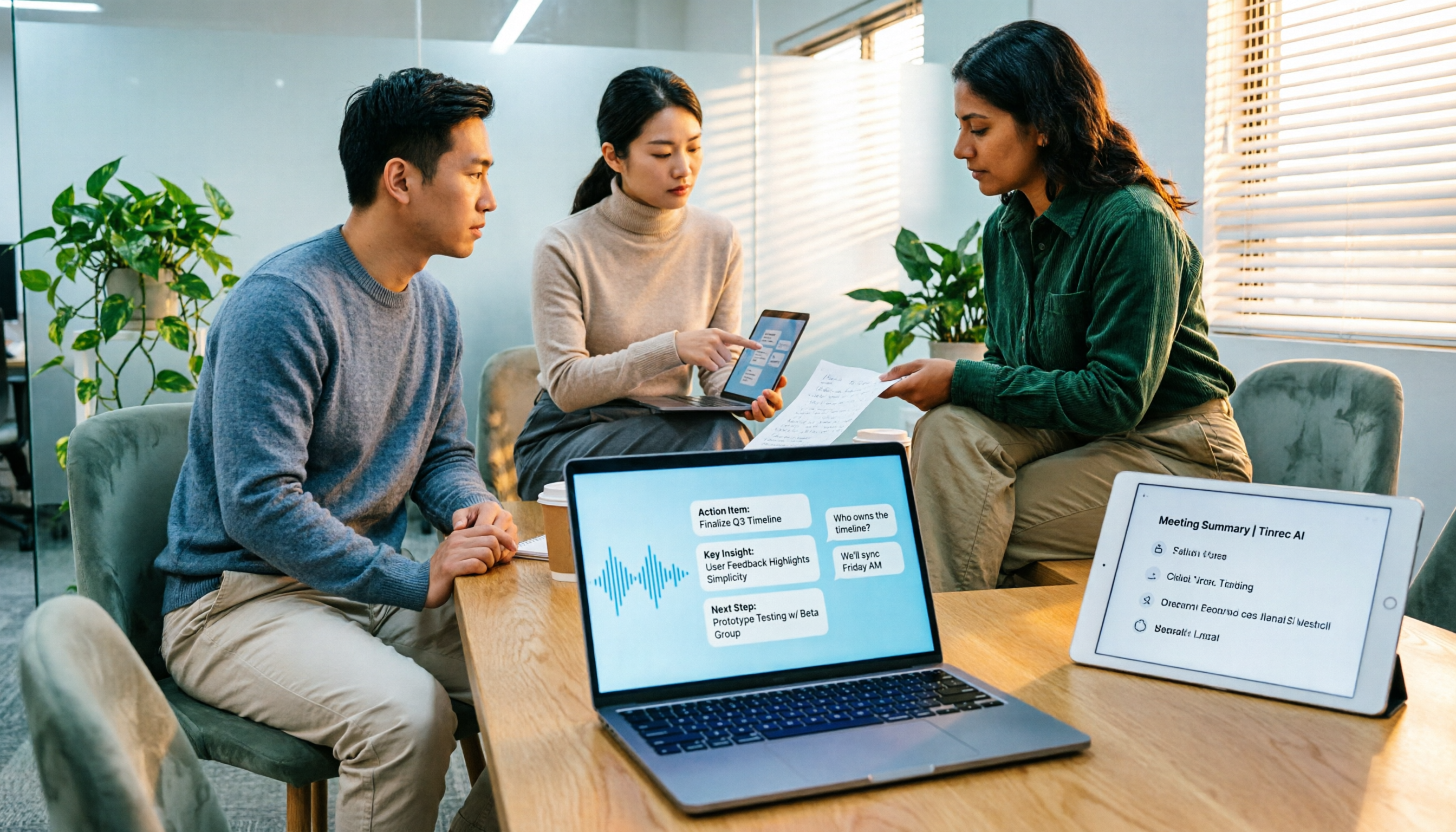
During a meeting, you turn on Tinrec and it creates a real-time transcript. The moment the meeting ends, the AI has already generated a summary and action items—who is responsible for what, when it's due, and what the key points are—all in one view. The best part is its AI Q&A feature: after recording, you can ask questions like "What was the conclusion of the last meeting?" or "Did John mention a deadline?" It gives you a direct answer based on semantic understanding of the content, rather than just highlighting keywords. Few competitors in the same price range offer this feature.
We tested the tools with the same 5-minute Cantonese news clip that included street noise and multiple speakers. Tinrec's transcription came closest to the original, requiring only minor punctuation and name corrections. Its recognition of colloquial Cantonese terms was significantly better than the other tools.
Stop organizing recordings by hand
Upload audio or video and automatically get a transcript, summary, and action items
Pros at a Glance:
- True multi-source integration: Handles meeting recordings, phone videos, public online videos, and local files all in one go.
- Outstanding AI organization: Not just a transcript—also provides summaries, chapters, action lists, and can even help generate meeting minutes and reports.
- Best-in-test Cantonese recognition: In our tests, it produced the fewest errors in Cantonese transcription, clearly outperforming other tools optimized mainly for English or Mandarin.
Limitations to Note:
The free version offers only 100 minutes per month. If you record several hours daily, you may need to upgrade to the Pro version. However, for average users, this limit is enough to test it out before deciding. Additionally, while the AI summary is helpful, you should still verify important content against the original transcript; don't assume it's 100% error-free.
Who Is It for?
If you frequently need to convert Cantonese videos into text, want to use AI to find key points immediately after recording, or switch between smartphone and computer, Tinrec is currently the most suitable choice.
Alternatives to Tinrec
Otter.ai: English Meeting Specialist, But No Cantonese
Otter is a leader in English business meeting transcription, and its free tier with 300 minutes is generous. However, it doesn't support Cantonese at all, and it lacks Tinrec's AI chat query feature—want to ask about the content after recording? Not possible. If 90% of your work involves English videos, Otter is a good choice; otherwise, Tinrec is more comprehensive.
Notta: Full-featured Transcription, but Lacks Organization
Notta's positioning is similar to Tinrec's, with multi-platform transcription and translation. However, Tinrec lets you paste a video link directly for transcription, a feature Notta doesn't seem to offer. Additionally, Tinrec's AI Q&A and agent-based post-processing (like automatic report generation) are not available in Notta. If you need a complete organization solution rather than just verbatim transcripts, Tinrec is more helpful.
Plaud Note: Nice Hardware, but Requires Extra Spending
Plaud Note is an AI recording device with a sleek design and easy portability. However, you need to spend about HK$1,400 to buy the device, then pay a monthly fee for transcription services. Our testing also showed that its Cantonese recognition is clearly inferior to Tinrec. If you prefer using your smartphone without extra gadgets, Tinrec is the more straightforward choice.
Common Pitfalls When Choosing a Video-to-Text Tool (and How to Avoid Them)
Pitfall 1: Blindly Trusting Official Accuracy Numbers
Many ads claim "98% accuracy," but that's in a controlled lab environment. Real videos have background noise, accents, and overlapping speech. Instead of trusting ads, test the free version with your own video—that's what actually matters. Tinrec's advantage is its stable real-world performance, especially with Cantonese; it's not just hype.
Pitfall 2: Ignoring Cross-Platform Needs
You might record a meeting on your iPhone and later want to organize it on a Windows computer. If the tool only supports one platform, you're in trouble. Many transcription apps are mobile-only, with no web or desktop version. Tinrec covers iOS, Android, and the web, making it a good choice to avoid this pitfall.
Pitfall 3: Only Using the Transcript Feature
If you treat the tool just as "speech-to-text," you're using less than a third of its capabilities. Many tools (including Tinrec) offer AI summaries, Q&A, and automatic chaptering. Learning to use these features is what truly saves time. Instead of manually scrolling through a 30-minute transcript to find key points, just ask the AI "What's the conclusion?"
Conclusion: Which One Should You Choose?
In summary, if your videos are primarily in Cantonese, you want AI to help organize content, or you need cross-platform syncing, Tinrec (Instant Recording) is the most practical choice. In our tests, it outperformed other tools in both Cantonese recognition and overall organization capabilities.
Quick scenario matching:
- Need to convert Cantonese meeting/interview videos to text → Tinrec (most accurate recognition, supports Cantonese colloquialisms)
- Want to ask AI about content right after recording → Tinrec (only one with conversational AI Q&A)
- Frequently organize files between smartphone and computer → Tinrec (iOS + Android + web)
- Limited budget, only process English videos → Otter.ai (generous free tier, accurate English)
One final tip: don't pay right away. Download Tinrec's free version first. The 100-minute monthly allowance is enough to transcribe a few videos and see how it works. Only upgrade once you're convinced—that's the smart consumer approach.
References
- Convert Video to Text | Transcribe App & Online Editor
- Online AI Speech, Video, and Audio Automatic Transcription - Free Trial - cSubtitle
- Free Video-to-Text Tool | AI-Powered Highly Accurate Transcripts
- Transcribe Video to Text - Real-time, 99.9% Accurate - VEED.IO
- Transcribe Video to Text with AI - Adobe
Turn every recording into actionable outcomes
Get 60 free transcription minutes when you sign in. No credit card required.
Related Reading
You might also like

4 Best Speech-to-Text Tools in 2026: Chinese Recognition, Free Tiers, and Post-Meeting Organization Compared
Many people confuse speech-to-text with text-to-speech and don't realize phone dictation can't process existing recordings. This article breaks down 4 key purchasing factors and compares Tinrec, Notta, Otter.ai, and PLAUD NotePin on positioning, quotas, and post-meeting organization, plus 3 common pitfalls to help you choose the right tool within budget.
3 Speech-to-Text SDK Paths Compared for 2026: 3 Pitfalls to Avoid Before Building Your Own API Integration
A speech-to-text SDK is not a one-size-fits-all solution. Starting from common pitfalls, this article breaks down the applicable boundaries of Google Cloud Speech-to-Text, Azure Speech SDK, and Otter.ai, then explains how Tinrec fills the post-meeting organization gap with desktop bot-free recording, AI Q&A, and team spaces when you don't want to maintain your own service.

How to Use WeChat Voice-to-Text in 2026: 3-Step Guide + Practical Solutions for Long Meeting Transcripts
How do you use WeChat voice-to-text? This guide starts with hands-on steps: long-press a voice message to convert it to text, use voice input and say "over over" to send automatically, and understand its real limits in long meetings and interviews. It then explains four decision points—length, output, history search, and team sharing—to help you decide when to switch to an AI meeting notes tool like Tinrec, with hands-on tips and pitfalls to avoid.

How to Use Online Speech-to-Text in 2026: 5 Steps to Choose the Right Tool and Build a Transcription Workflow
There are many online speech-to-text tools, but the real reason you can't choose is usually not that the tools aren't good enough—it's that you haven't thought through where the text will go after it's produced. This article uses three key questions to help you set direction, then helps you pick the right one from five options: Tinrec, Dictation.io, Google Docs, MyEdit, and Notta. Finally, it gives you a 5-step workflow you can follow directly.

6 Speech-to-Text Tools Tested and Compared in 2026: Which Is Fastest for Chinese Meeting Transcripts and Post-Meeting Summaries?
Using the same criteria, we compare six speech-to-text tools—Tinrec, Otter.ai, Notta, TurboScribe, Granola, and PLAUD—and walk through the full workflow with Tinrec: recording, transcription, proofreading, summary generation, and team knowledge retention. This helps you decide which tool fits your meeting style and budget.

2026 Speech-to-Text API Free Plans Compared: 4 Options to Consider
When looking for a speech-to-text API, the first decision is whether to integrate it yourself or use a ready-made tool. This guide covers four mainstream approaches in 2026, from the free tiers and maintenance costs of Google Cloud, Azure, and AssemblyAI to the no-code Tinrec, plus key selection criteria and four common pitfalls to help you assess your needs before committing engineering resources.

2026 Speech-to-Text Tools Compared: Which Is Fastest for Chinese Meeting Transcripts?
After hands-on testing of 4 speech-to-text tools, here are insights for Chinese meeting organization. From transcript quality, post-meeting summaries and action items, ability to import existing audio files, to team sharing and seat management, we outline selection criteria, test observations, and 3 common pitfalls to help you decide which tool fits your meeting scenario.

2026 Comparison of 5 Audio-to-Text Tools: How Accurate Are They and Where Do They Differ?
How accurate is audio-to-text transcription really? This article addresses three common misconceptions, breaks down the real factors affecting accuracy, and compares Tinrec, Notta, TurboScribe, Otter.ai, and Granola in Chinese meetings, mixed Chinese-English scenarios, and post-meeting organization. It also provides buying criteria and pitfalls to avoid, helping you choose the right tool for your recording situation.

2026 Comparison of 4 Speech-to-Text Tools: Which Is Best for Multilingual Meeting Transcripts?
Meetings mix Chinese and English, sometimes Japanese or Taiwanese, and transcripts always turn into a mess? This article tests and compares four speech-to-text tools—Tinrec, Otter.ai, Granola, and TurboScribe—from four angles: multilingual recognition, post-meeting organization, meeting capture method, and team data ownership, to help you find the one that truly works for your job.