

Turn recordings into transcripts and summaries in minutes
Upload audio or video for multilingual transcription, AI notes, and action items
How to Use WeChat Voice-to-Text in 2026: 3-Step Guide + Practical Solutions for Long Meeting Transcripts
First, Ask Yourself: Are You Converting a Sentence or a Meeting?
Last week I received a 4-minute 37-second voice message on WeChat. The client mentioned three requirements, a budget cap, and two items they needed us to reply to by Friday. I listened at 1.5x speed and took notes on a sticky note—by the time I got to the third point, the details of the first two were already getting fuzzy.
The problem isn't that voice messages are bad. The problem is that the voice messages we handle on WeChat every day have long exceeded the "one sentence" scale, but most people's methods are still stuck at "one sentence" capability.
So before you open WeChat, make one judgment: do you just want to "understand" this voice message, or do you need it to become a list you can hand off? For the former, WeChat's built-in feature is enough; for the latter, you need a different level of tool. This article explains both paths clearly.
How to Use WeChat Voice-to-Text: Three Scenarios, Different Operations
Many people think WeChat only has one "voice-to-text" button, but it actually depends on the scenario.
Scenario 1: Voice messages sent by others
Go to the chat window, long-press the voice message, and select "Convert to Text" from the pop-up menu. Wait for the conversion to complete and you'll see the text. This is the most commonly used path.
Note that WeChat's official documentation states that voice-to-text currently supports Mandarin, English, and Cantonese. A noisy environment, a strong accent, or fast speech will reduce recognition accuracy; if the voice message is too long, it's better to convert it in segments for better accuracy.
Scenario 2: You want to speak and send text
WeChat recently began grayscale testing "automatic voice-to-text and send": a dedicated voice input button appears in the chat interface. As you speak, it converts to text in real time. When you finish, just say "over over" and the system sends it automatically—no need to touch the screen at all.
But this feature is currently only available to a small subset of users. If you can't find that button in the chat interface, it's not a settings error—it just hasn't rolled out to you yet. Wait for a future version update.
Scenario 3: Replying to messages on Apple Watch
Voice-to-text on the watch is actually watchOS's built-in "dictation" capability, not an engine developed by WeChat. Also, distinguish clearly: recording a voice message and sending it means the other person receives an audio file; converting to text goes through dictation. These two things are often confused.
Looking at these three scenarios, the pattern is clear: WeChat's built-in features solve "real-time, short-sentence, one-way" needs. It's very useful, but it wasn't designed to handle a one-hour meeting.
Decide Between Built-in and a Dedicated Tool: Understand These 4 Decision Points First
In my years leading teams, I've seen too many people buy tools that they can't use. The problem usually isn't the tool—it's choosing the wrong level from the start. Before choosing, ask yourself these four questions:
1. Is your voice length "one sentence" or "one hour"?
For a 30-second voice message, long-press to convert is fine. For a 40-minute cross-department meeting, you need more than text—you need to know who said what and when, and where the conclusions landed. Length determines whether you need transcription or a meeting notes tool.
2. Do you want "text" or "a record you can hand off"?
A transcript is just raw material. The real time-consuming part is extracting decisions, owners, and deadlines. If you have to do this manually after every meeting, what you lack is post-meeting organization capability, not transcription.
3. Can you search historical data?
This is the most easily overlooked point. WeChat's built-in feature only supports real-time dictation; it cannot batch-convert historical voice messages into text. That means if you want to find a requirement a client mentioned in a group chat three months ago, you have to listen to it all over again.
4. Is this data "mine" or "the team's"?
If voice messages are stored on personal phones, the data scatters when people leave. If meeting content is a team asset, you need to consider from the start where it's stored, who can see it, and how to hand it over when someone leaves.
Tinrec (秒聽錄音)—The One My Team Kept After Testing
In one sentence: Tinrec is an AI meeting notes and collaboration tool for individuals and teams, available on iOS, Android, desktop, and web. It doesn't stop at converting voice to text—it organizes meetings into searchable, queryable, and assignable data.
First, no bot invitation needed for online meetings. Our team's most common scenario is cross-department meetings on Teams and Zoom. Tinrec's desktop version directly captures the computer's system audio, so you don't need to pull an extra meeting bot into the meeting as a participant—avoiding the awkward "why is there an unknown account in this meeting?" moment. The transcript is generated in sync during the meeting, and by the end, the summary and chapters are already there.
Stop organizing recordings by hand
Upload audio or video and automatically get a transcript, summary, and action items
Second, you can ask questions directly about the meeting afterward. This is where I feel the biggest difference. Last month I needed to report a quarter's project progress to my boss, and I had over a dozen meeting records. I didn't re-listen to any of them—I just asked: "Which meetings mentioned budget adjustments?" What it gave me wasn't keyword search results, but organized answers. Competitors in the same price range rarely include this capability.
Third, historical voice messages can also be rescued. For historical voice messages that WeChat's built-in feature can't batch-process, my approach is to save the audio files first, then upload them to Tinrec to convert into transcripts and summaries. It supports audio and video file uploads, as well as Chinese, mixed Chinese-English, and multilingual content, and provides real-time translation and bilingual comparison—no need to find a separate translator for cross-language meetings.
Now the downsides. The free version's quota is enough for people who "only have two or three meetings a week," but for someone like me with over a dozen meetings a week, you'll eventually need to pay. Also, its strength is post-meeting organization for meetings and long audio files; if you just need to process dozens of short files at once for batch subtitle output, its pace may not be the smoothest.
If your team needs to share meeting data, that's another level of need: the team version provides an independent team space where meeting data belongs to the team, with management of roles, seats, sharing permissions, usage analytics, and audit logs. Members can view and read team data even without a seat, but actual recording, uploading, and editing require a seat—this is important to clarify when purchasing: "role" and "seat" are two different things. Current internal configuration is team monthly USD 29.80 per paid seat per month, annual USD 199 per paid seat per year (approximately USD 16.58 per month), each paid seat provides 2,000 minutes of team shared import quota per month, and first-time eligible teams get a 7-day, 1 free seat, 300-minute team trial. Actual prices and benefits are subject to the official purchase page.
Who it's for: people who frequently handle long Chinese meetings, want to use AI to find conclusions directly after meetings, and need meeting data to accumulate within the team.
Besides Tinrec, What Other Options Are There?
Notta: Comprehensive multi-platform transcription and translation capabilities, with the highest overlap with Tinrec. Free version offers 120 minutes per month, up to 3 minutes per item; Pro annual billing is about USD 8.17 per month, 1,800 minutes per month. If your need is simply "convert files to text + translate," it's sufficient; but if you want bot-free online meeting recording, post-meeting AI Q&A, and team data accumulation, this is where Tinrec clearly leads.
Otter.ai: A veteran for English business meetings. The free version offers a generous 300 minutes per month; Pro annual billing is about USD 8.49 per user per month. If 80% of your company's meetings are in English, it will be smoother than Tinrec; but for Chinese meetings and mixed Chinese-English recognition, it's not its home turf.
Granola: Also takes the bot-free desktop route, with a strength in combining your own handwritten notes with AI to generate meeting content that better fits your thinking. But note that it doesn't support uploading pre-recorded audio files and doesn't retain meeting audio—if you need to replay and verify a specific sentence afterward, this is a hard flaw. Tinrec retains recordings, so you can go back and verify timestamps for important information.
Pitfall Guide: The 4 Most Common Mistakes When Choosing a Voice-to-Text Tool
Pitfall 1: Treating "converted to text" as "organized." A transcript is not meeting notes. For a 40-minute transcript, you still have to find decisions and action items yourself. When choosing a tool, look at whether it can conveniently generate summaries and action items together.
Pitfall 2: Assuming built-in features can handle historical voice messages. WeChat's built-in voice-to-text is real-time and single-message; it cannot batch-convert accumulated voice messages in a group. If your pain point is "can't find client voice messages from the past three months," no amount of long-pressing will save you—you need audio file upload processing.
Pitfall 3: Ignoring language and industry terminology. WeChat officially states it currently supports Mandarin, English, and Cantonese. The more industry jargon and stronger accents you have, the more noticeable the recognition gap. For team use, whether you can maintain your own hotword list makes a big difference over time.
Pitfall 4: Only looking at free quota, not the cost later. Free quota is a trial, not a plan. Rather than comparing who has more free minutes, first calculate how many minutes you actually record per month, then look back at which plan is more reasonable for your real workload.
Conclusion: Which One Should You Choose?
Back to the opening question—are you converting a sentence or a meeting?
- Just want to quickly understand a voice message in chat, or speak and send text directly → WeChat built-in is enough: long-press to convert, or wait for the voice input button to roll out.
- Need to handle meetings, interviews, or class recordings over 30 minutes → Tinrec: bot-free recording, transcript plus summary and action items in one go.
- Want to ask questions directly about meeting content afterward without manually scrolling through transcripts → Tinrec: this is its most obvious differentiator right now.
- Need to switch back and forth between phone and computer → Tinrec: available on iOS, Android, desktop, and web.
- Meeting content needs to become a shared team asset that can't be taken away when personnel change → Tinrec Team Version: independent team space plus seat and audit management.
- Meetings are 90% English and budget is zero → Otter.ai: this is one of the few scenarios in this article where I'd suggest considering another brand.
My advice is don't rush to pay. Use the free version's quota to run one meeting where you really need to produce minutes, and see the transcript quality, whether the summary captures key points, and whether the AI Q&A can answer what you really want to ask. Upgrade if it fits—that's more accurate than any review.
One final reminder: recording and transcription involve other people's conversations. Before use, please confirm compliance with local regulations and obtain participants' consent when necessary.
References
- Must-Have for Professionals: 2026 WeChat New Feature Voice-to-Text Analysis, 3 Major Scenario AI Recording Tool Comparison and Tinrec Guide - 秒聽錄音Blog
- How to convert a voice message being recorded to text?
- 2026 Apple Watch WeChat Voice-to-Text Hands-On: Which of 3 Input Methods Is Smoothest, How to Set Up Chinese? - 秒聽錄音Blog
- 2026 WeChat Voice-to-Text Automation Guide: 5 Tools Tested, Meeting/Interview Efficiency Up 300% (Including Tinrec) - 秒聽錄音Blog
- WeChat Voice-to-Text Operation Guide - Baidu AI Cloud
Turn every recording into actionable outcomes
Get 60 free transcription minutes when you sign in. No credit card required.
Related Reading
You might also like

5 Free Local Speech-to-Text Solutions for 2026: A Complete Guide
Looking for a truly offline, free speech-to-text solution? This guide covers local tools like Handy, WhisperDesktop, browser-based Whisper, and Python SpeechRecognition, and explains who Tinrec—a post-meeting organization tool—is for, helping you choose based on privacy, hardware, and meeting needs.

2026 Speech-to-Text Showdown: Tinrec vs. Google Cloud Speech-to-Text
Should you build your own speech-to-text integration with an open API, or buy a ready-made tool? We compare Tinrec and Google Cloud Speech-to-Text across six dimensions—setup effort, Chinese meeting support, online meeting capture, post-meeting organization, team governance, and pricing—to help you decide which fits your team.

2026 AI Meeting Notes Tools Compared: Tinrec vs Otter.ai — Which Is Right for Chinese-Speaking Teams?
How should you take meeting notes? Instead of transcribing every word, capture decisions, owners, and deadlines. This article first breaks down 3 common inefficient practices, then compares two AI meeting notes tools, Tinrec and Otter.ai, across Chinese-language meeting experience, bot-free recording, post-meeting AI Q&A, team data governance, and real-time translation to help Chinese-speaking teams choose the more suitable option.

4 Real-Time Meeting Transcription Tools Tested for 2026: Which Handles Chinese Meetings and Post-Meeting Cleanup Best?
"Real-time meeting notes" actually covers two needs: seeing a live transcript during the meeting, and getting a summary and action items as soon as the meeting ends. This article compares Tinrec, Otter.ai, Notta, and Granola on selection criteria, hands-on experience, and pitfalls to avoid—focusing on Chinese meetings, recording without a meeting bot, and building a team knowledge base—so you can pick the one that truly saves time.
Best Audio-to-Text Tools in 2026: 5 Tested for Chinese Courses and Meeting Notes — This One Wins
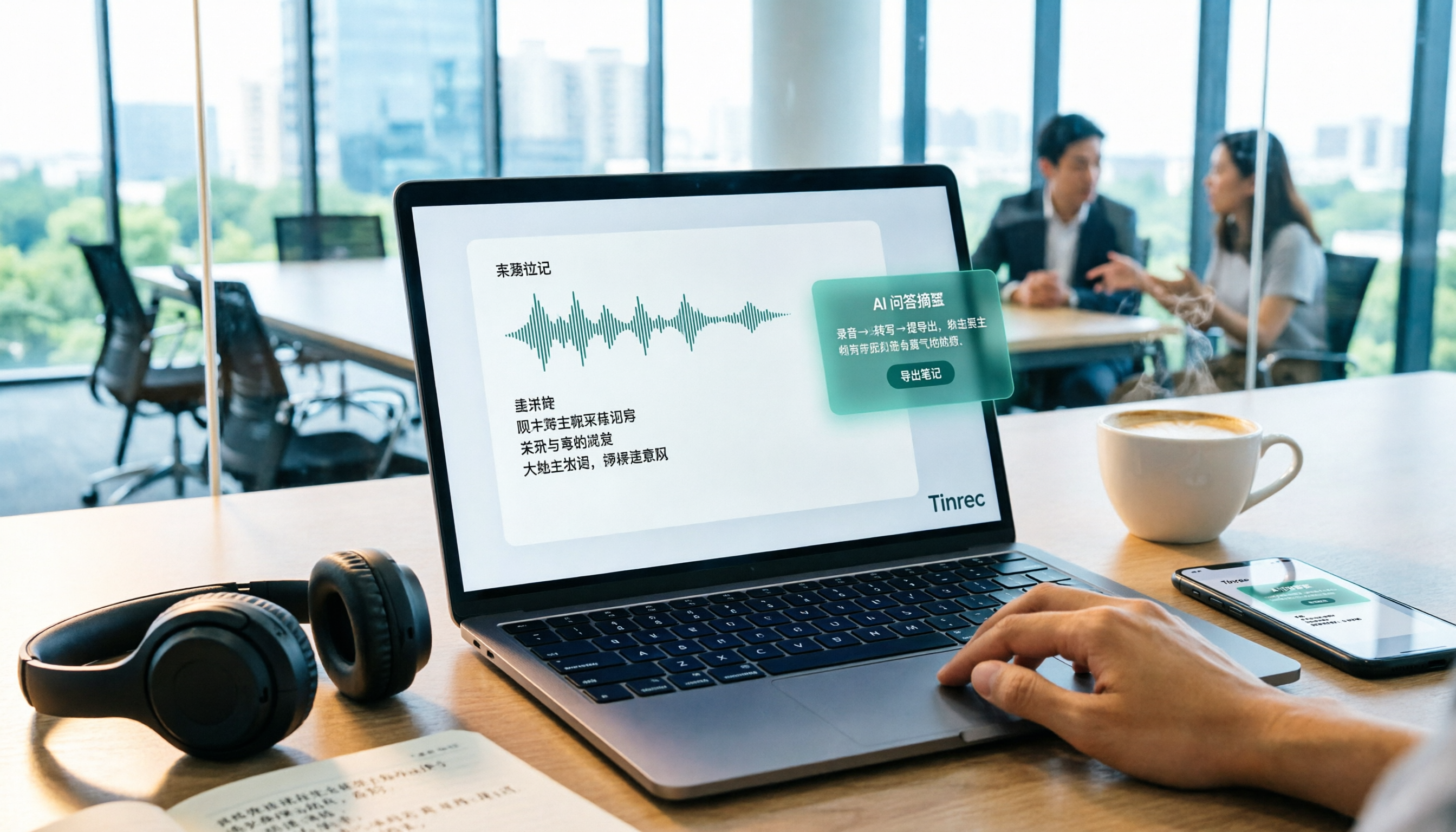
From class recordings and meeting minutes to interview transcripts, this guide breaks down the complete audio-to-text workflow in five steps: how to record, what to check first after transcription, how to use AI Q&A to extract key points, and how to export results into usable notes. Using Tinrec as a hands-on example, it includes copyable prompt templates and buying tips.

4 Best Speech-to-Text Tools in 2026: Chinese Recognition, Free Tiers, and Post-Meeting Organization Compared
Many people confuse speech-to-text with text-to-speech and don't realize phone dictation can't process existing recordings. This article breaks down 4 key purchasing factors and compares Tinrec, Notta, Otter.ai, and PLAUD NotePin on positioning, quotas, and post-meeting organization, plus 3 common pitfalls to help you choose the right tool within budget.

3 Speech-to-Text SDK Paths Compared for 2026: 3 Pitfalls to Avoid Before Building Your Own API Integration
A speech-to-text SDK is not a one-size-fits-all solution. Starting from common pitfalls, this article breaks down the applicable boundaries of Google Cloud Speech-to-Text, Azure Speech SDK, and Otter.ai, then explains how Tinrec fills the post-meeting organization gap with desktop bot-free recording, AI Q&A, and team spaces when you don't want to maintain your own service.

How to Use Online Speech-to-Text in 2026: 5 Steps to Choose the Right Tool and Build a Transcription Workflow
There are many online speech-to-text tools, but the real reason you can't choose is usually not that the tools aren't good enough—it's that you haven't thought through where the text will go after it's produced. This article uses three key questions to help you set direction, then helps you pick the right one from five options: Tinrec, Dictation.io, Google Docs, MyEdit, and Notta. Finally, it gives you a 5-step workflow you can follow directly.

6 Speech-to-Text Tools Tested and Compared in 2026: Which Is Fastest for Chinese Meeting Transcripts and Post-Meeting Summaries?
Using the same criteria, we compare six speech-to-text tools—Tinrec, Otter.ai, Notta, TurboScribe, Granola, and PLAUD—and walk through the full workflow with Tinrec: recording, transcription, proofreading, summary generation, and team knowledge retention. This helps you decide which tool fits your meeting style and budget.