
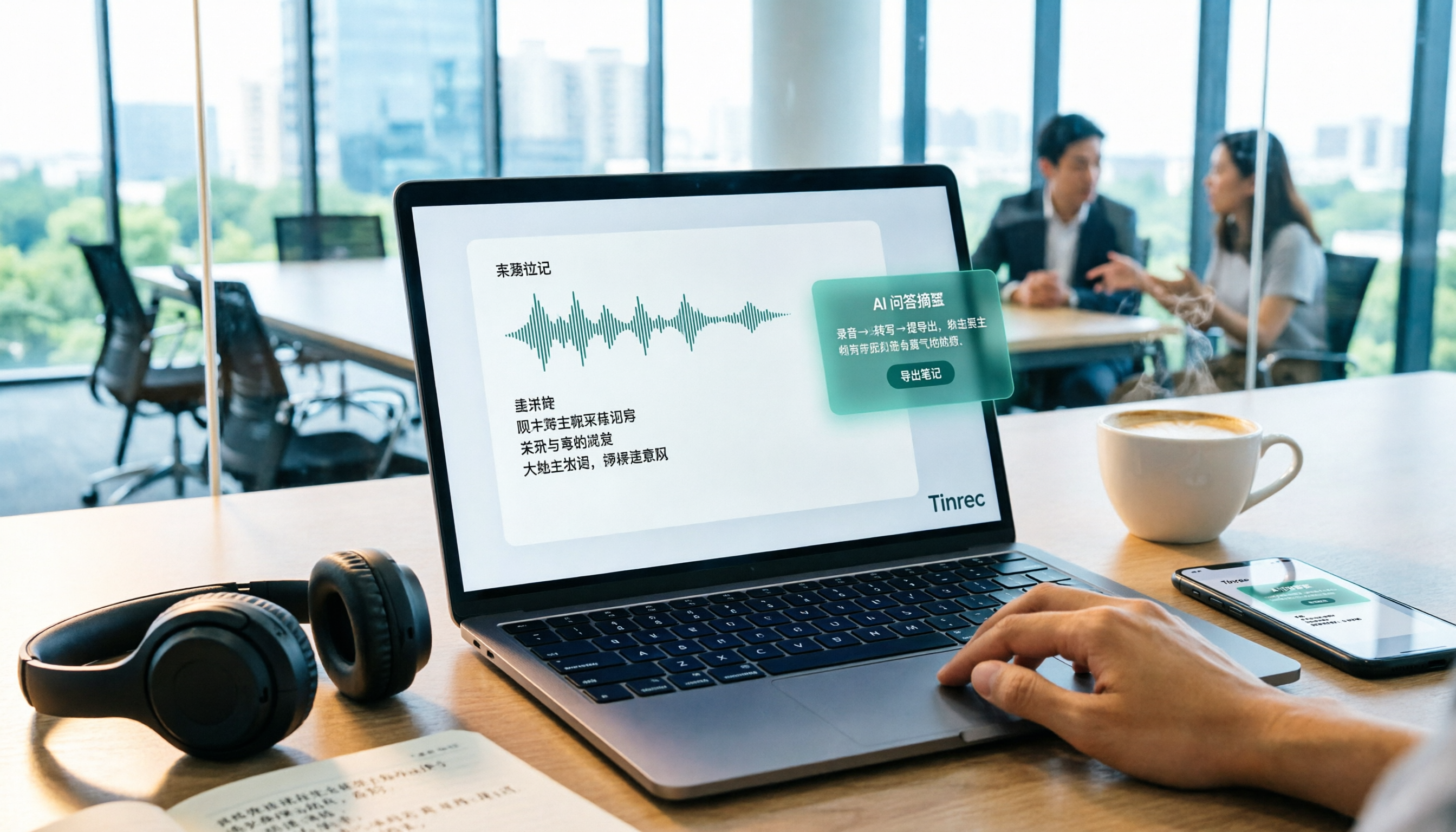
Turn recordings into transcripts and summaries in minutes
Upload audio or video for multilingual transcription, AI notes, and action items
Last week I recorded a 90-minute online course, planning to turn it into notes the next day.
Five minutes after hitting play, I knew this approach was wrong. The speaker talked fast, and I kept pausing, rewinding, and pausing again. In one afternoon, I only got through about twenty minutes of content.
The problem wasn't that I didn't know how to use the tool. It was that I treated "re-listening to the recording" as my method of organizing.
In recent years, "audio to text" has become a popular search term, and most people ask which tool has the best recognition accuracy. But over the past year, I've tested several tools across different approaches—some focused on meeting bots, some specialized in file transcription, and others tied to recording hardware—and I've become increasingly convinced of one thing: what really determines the outcome is the workflow, not the specs.
In this article, I want to lay out the workflow clearly and use Tinrec, which I actually use in my work, as a hands-on example to walk you through it step by step. The tool is a supporting player; the workflow is the star.
What Can Audio-to-Text Do for You?
Scenario 1: After class, the skeleton of your notes is already there
In the past, after a three-hour class, I'd have to spend another evening re-listening.
Now I let Tinrec transcribe in real time while I'm in class, and by the end, the transcript, summary, and chapters are already there. What I need to do isn't type out what I hear—it's judge: which part is important, which part I can skip.
Scenario 2: Put your hands down during meetings
There are two types of people in meetings you dread: the one scribbling furiously and the one not taking any notes at all.
Once you hand off note-taking to Tinrec, you can finally look up at the screen, at the other person's expression, and the quality of discussion completely changes. After the meeting, just review the summary and action items it organized.
Scenario 3: During interviews, keep your eyes on the person
The real value of an interview is in the follow-up questions, not the note-taking.
When you don't have to look down and type, you'll hear the hesitation and pauses in the other person's words, and the next question naturally emerges. Leave the transcript to Tinrec and keep your on-site attention on the person.
Scenario 4: Still find that quote three months later
The most annoying thing about audio files is that you never know what minute that quote is in.
Once converted to text, the entire dataset becomes searchable and queryable. I often ask Tinrec directly: "What were the client's concerns about pricing?" It answers based on semantics, rather than throwing a raw recording clip at me.
What Are the Core Capabilities of Audio-to-Text?
Real-time transcription: words appear as you speak
It's not transcribing after the recording ends—text appears while you're speaking. Tinrec's real-time transcription is great for in-person meetings, classrooms, and on-site interviews. You can confirm in the moment whether you've missed key points, rather than discovering after it's over that a segment wasn't recorded clearly.
Multi-source import: gather scattered audio files in one place
Phone recordings, voice recorder files, online meetings, videos your professor posted online—the more varied the sources, the more you need a unified entry point. Tinrec supports real-time recording, audio and video file uploads, and the desktop version can directly capture computer system audio to handle online meetings like Zoom, Google Meet, Microsoft Teams, and Webex.
Summaries and chapters: long meetings get broken into smaller pieces first
No one can read through a two-hour transcript.
Tinrec automatically generates summaries and chapters, essentially creating a table of contents for the meeting. My habit is to just look at the chapter titles and pick out the two or three sections that really need a close read.
AI Q&A: turn transcripts into conversational data
This is the part I rely on most. After transcription is complete, you don't need to read from the beginning—you can directly ask: "What three things were decided at the end of this meeting?" "Who mentioned the budget?"
Tinrec's AI Q&A answers directly based on the content, and then you cross-check against the original text. Once you reverse this order, organizing time drops significantly.
Action items and post-meeting outputs: from notes to action
Transcribing is only the first step. What you actually need to deliver is conclusions and next steps.
Tinrec can extract action items from discussions and generate reports, tables, and meeting minutes through post-processing, then export to Notion, Google Docs, OneNote, or Dropbox for further work. Your data doesn't get stuck in the tool.
Hands-On Tutorial: Five Steps to Turn Recordings into Usable Notes
Step 1: First decide whether you want a transcript or notes
These are two different things, and the approach is different too.
For a transcript, the focus is on recording quality and completeness; for notes, the focus is on whether you spend ten minutes making judgments after transcription. I usually want both: keep the transcript for the record, and organize notes separately.
Step 2: Choose the right input method
For online meetings, use the Tinrec desktop version to directly capture system audio—no need to invite a meeting bot in as a listener.
For in-person interviews, use your phone for real-time recording.
For existing old files, upload them in batches.
Choose the wrong entry point, and all subsequent organizing will take extra detours.
Step 3: Look at the structure first, don't read from the first line
After transcription, look at the summary and chapters first, treating them as a table of contents.
Mentally mark three things: this part I've seen, this part needs a close read, this part can be deleted. Just this one step can cut reading time in half.
Step 4: Use AI Q&A to extract key points (copyable templates)
Don't ask "summarize this for me"—it's too vague, and the answer will be vague too. Three templates I commonly use:
For courses: "Based on this transcript, please organize the speaker's three core arguments, each with an example they gave. Finally, tell me: if I could only remember one thing, what should it be?"
For meetings: "Please list all tasks assigned in this discussion, noting the owner and deadline; for those without a deadline, mark as TBD."
Stop organizing recordings by hand
Upload audio or video and automatically get a transcript, summary, and action items
For comparison: "Below are my handwritten notes. Please compare them against the transcript, add the three key points I missed, and point out where my understanding is incorrect."
These three can be pasted directly into Tinrec's AI Q&A. Templates are more worth saving than tools.
Step 5: Put the results into your existing workflow
If organized content stays in the tool, you'll forget about it in a week.
My approach is to export action items to my usual note-taking software, put meeting minutes in the team space, and keep course notes in my own database. Tinrec supports multiple export formats. Do this step well, and the whole workflow is complete.
Real-World Use Cases
University lectures: no fear of mixed Chinese and English
STEM courses often mix Chinese and English in a single lecture, with plenty of technical terms. Tinrec supports Chinese and multilingual transcription, and teams or individuals can maintain common terminology (team hotwords) to make technical term recognition closer to your actual field. Uncommon terms may still be misrecognized; for important sections, it's recommended to go back and check against the recording.
Customer interviews: capture needs, objections, and commitments all at once
What sales and customer success teams most often miss is that casual concern the other person mentioned.
After recording an interview with Tinrec, directly asking "What concerns did the client have about the delivery timeline?" is far more effective than re-listening for an hour. The organized content can also be exported as material for follow-up proposals.
Team weekly meetings: data stays with the team, not on someone's phone
The personal version is fine for individual use, but if meeting data only exists in one person's account, it's lost when they leave.
Tinrec's team version is a separate team space where audio, folders, and action items are centrally stored, and members can view and reuse past meetings.
Here's an easily confused concept: the team version distinguishes between "roles" and "seats." Roles determine who can manage members, audits, and team settings; seats determine who can record, upload, edit, and export. Members who are active but have no seat can still view, play, and read team data.
Content creation: grow articles from voice memos
The first drafts of many of my articles are actually me talking to myself while walking.
After recording, I drop it into Tinrec, convert to text, and then use AI Q&A to pull out sections worth developing. This process from voice to text is much smoother than sitting at a computer trying to force ideas.
5 Things to Consider When Choosing an Audio-to-Text Tool
1. Actual performance with Chinese and mixed Chinese-English
Don't just look at marketing numbers. Test with a real recording of your own, ideally including terminology from your field.
Tinrec covers Chinese, Traditional Chinese, and multilingual scenarios, and also supports mixed Chinese-English content; actual results are still affected by recording quality, accent, noise, and overlapping speakers. For important content, it's recommended to listen back at the timestamp to verify.
2. Is the range of input sources broad enough?
Tools that only support file uploads get stuck with online meetings; tools that only record real-time audio are a hassle when organizing old files.
Tinrec supports real-time recording, audio and video file uploads, desktop system audio capture, and some public link imports, covering most everyday scenarios.
3. Can it help you organize after transcription?
The transcript is just raw material. What really saves time is the layers of summaries, chapters, action items, and Q&A.
This is why I use Tinrec as my main tool: it connects "record → understand → act" into one line, rather than handing you a long block of text.
4. Will your data be retained, and who owns it?
Ask three questions: Will audio files be retained? Can accidentally deleted files be recovered? What happens to data when team members leave?
Tinrec retains audio, and the team version has an audio recycle bin that allows recovery before permanent deletion (currently a 30-day retention period); when a member leaves or is removed, the team resources they were responsible for need to be handed over to other active members, so data doesn't disappear with the individual.
5. Are quotas and pricing clearly explained?
For personal use, you can start with Tinrec's free version to experience the basic quota; for short-term intensive courses or interviews, a weekly card is more suitable; for steady weekly needs, choose Pro; for long-term data accumulation, the annual card works out to be more cost-effective.
The team version is priced per paid seat, with each paid seat providing 2,000 minutes of team shared import quota per month. Real-time recording is currently not deducted by minutes under active plans and seats. Actual prices and benefits are subject to the official purchase page.
Frequently Asked Questions
Q1: With so many tools, how do I know which one suits me?
First look at your input sources, then at the output you want. If you need to handle online meetings, old audio files, and also organize results into action items and minutes, an integrated tool like Tinrec will be simpler than subscribing to two or three separate services.
Q2: Is the free version enough?
Absolutely enough to experience the workflow. Run through one complete cycle of "record → summarize → Q&A → export" with the free quota, and you'll know whether you need to upgrade.
Q3: Is Chinese recognition accurate? What about mixed Chinese-English?
With clear audio and common scenarios, Tinrec's performance is sufficient for everyday organizing; but any tool may misrecognize heavy accents, multiple people speaking at once, or uncommon terminology. The practical approach: for important sections, check the transcript timestamp and listen back for ten seconds to confirm.
Q4: Do I have to put a bot into online meetings?
Not necessarily. The Tinrec desktop version directly captures computer system audio, so no extra bot needs to join the meeting; but you need to actively start recording—it's not a service that automatically joins all calendar meetings.
Q5: If a team uses it together, will data leave with people?
Team resources belong to the team—this is the biggest difference between Tinrec's team version and a shared personal account. Admins can manage roles, assign seats, view usage and audit logs; members without seats can still view data but cannot upload or edit.
Q6: What should I pay attention to when recording?
Please follow local regulations and venue rules, and obtain consent from participants when necessary. No matter how convenient the tool is, this step cannot be skipped.
Conclusion
The real value of audio-to-text isn't turning voice into a big block of text—it's freeing you from "re-listening."
Looking back at the benefits this workflow brings:
- Readable summaries and chapters available the same day as classes and meetings
- When you need details, use search and AI Q&A instead of dragging the progress bar
- Action items and minutes can be exported directly, connecting to your existing workflow
- Team meeting data is centrally stored, so it remains even when people leave
- Technical terms can be maintained through hotwords, getting smoother with use
If you want to start today, here's my starting routine:
- Pick a recording from yesterday that you haven't organized yet
- Use Tinrec to transcribe it, and first look only at the summary and chapters
- Paste in a prompt template and ask for three key points
- Export the action items to your usual note-taking software
- Before your next recording, think clearly about whether you want a transcript or notes
You don't have to do it perfectly all at once. Just replace the act of "re-listening" and you'll feel the difference. Test gradually, and you'll develop the method that works for you.
References
- Audio to Text: Convert Recordings to Transcripts Online | Canva
- 2026 Latest 10 Tools for Turning University Lecture Recordings into Notes: Solving the Pain Points of Not Being Able to Write Fast Enough and End-of-Term Organizing - Tinrec Blog
- Online AI Voice, Video, and Audio File Auto-Transcription - Free Trial - cSubtitle
- Audio to Text - Free Speech-to-Text Tool
- Tinrec University Lecture Recording-to-Text Note-Taking Tips: Complete Transcript and Key Point Organization in 4 Steps - Tinrec Blog
Turn every recording into actionable outcomes
Get 60 free transcription minutes when you sign in. No credit card required.
Related Reading
You might also like

5 Free Local Speech-to-Text Solutions for 2026: A Complete Guide
Looking for a truly offline, free speech-to-text solution? This guide covers local tools like Handy, WhisperDesktop, browser-based Whisper, and Python SpeechRecognition, and explains who Tinrec—a post-meeting organization tool—is for, helping you choose based on privacy, hardware, and meeting needs.

2026 Speech-to-Text Showdown: Tinrec vs. Google Cloud Speech-to-Text
Should you build your own speech-to-text integration with an open API, or buy a ready-made tool? We compare Tinrec and Google Cloud Speech-to-Text across six dimensions—setup effort, Chinese meeting support, online meeting capture, post-meeting organization, team governance, and pricing—to help you decide which fits your team.

2026 AI Meeting Notes Tools Compared: Tinrec vs Otter.ai — Which Is Right for Chinese-Speaking Teams?
How should you take meeting notes? Instead of transcribing every word, capture decisions, owners, and deadlines. This article first breaks down 3 common inefficient practices, then compares two AI meeting notes tools, Tinrec and Otter.ai, across Chinese-language meeting experience, bot-free recording, post-meeting AI Q&A, team data governance, and real-time translation to help Chinese-speaking teams choose the more suitable option.

4 Real-Time Meeting Transcription Tools Tested for 2026: Which Handles Chinese Meetings and Post-Meeting Cleanup Best?
"Real-time meeting notes" actually covers two needs: seeing a live transcript during the meeting, and getting a summary and action items as soon as the meeting ends. This article compares Tinrec, Otter.ai, Notta, and Granola on selection criteria, hands-on experience, and pitfalls to avoid—focusing on Chinese meetings, recording without a meeting bot, and building a team knowledge base—so you can pick the one that truly saves time.

4 Best Speech-to-Text Tools in 2026: Chinese Recognition, Free Tiers, and Post-Meeting Organization Compared
Many people confuse speech-to-text with text-to-speech and don't realize phone dictation can't process existing recordings. This article breaks down 4 key purchasing factors and compares Tinrec, Notta, Otter.ai, and PLAUD NotePin on positioning, quotas, and post-meeting organization, plus 3 common pitfalls to help you choose the right tool within budget.

3 Speech-to-Text SDK Paths Compared for 2026: 3 Pitfalls to Avoid Before Building Your Own API Integration
A speech-to-text SDK is not a one-size-fits-all solution. Starting from common pitfalls, this article breaks down the applicable boundaries of Google Cloud Speech-to-Text, Azure Speech SDK, and Otter.ai, then explains how Tinrec fills the post-meeting organization gap with desktop bot-free recording, AI Q&A, and team spaces when you don't want to maintain your own service.

How to Use WeChat Voice-to-Text in 2026: 3-Step Guide + Practical Solutions for Long Meeting Transcripts
How do you use WeChat voice-to-text? This guide starts with hands-on steps: long-press a voice message to convert it to text, use voice input and say "over over" to send automatically, and understand its real limits in long meetings and interviews. It then explains four decision points—length, output, history search, and team sharing—to help you decide when to switch to an AI meeting notes tool like Tinrec, with hands-on tips and pitfalls to avoid.

How to Use Online Speech-to-Text in 2026: 5 Steps to Choose the Right Tool and Build a Transcription Workflow
There are many online speech-to-text tools, but the real reason you can't choose is usually not that the tools aren't good enough—it's that you haven't thought through where the text will go after it's produced. This article uses three key questions to help you set direction, then helps you pick the right one from five options: Tinrec, Dictation.io, Google Docs, MyEdit, and Notta. Finally, it gives you a 5-step workflow you can follow directly.

6 Speech-to-Text Tools Tested and Compared in 2026: Which Is Fastest for Chinese Meeting Transcripts and Post-Meeting Summaries?
Using the same criteria, we compare six speech-to-text tools—Tinrec, Otter.ai, Notta, TurboScribe, Granola, and PLAUD—and walk through the full workflow with Tinrec: recording, transcription, proofreading, summary generation, and team knowledge retention. This helps you decide which tool fits your meeting style and budget.