
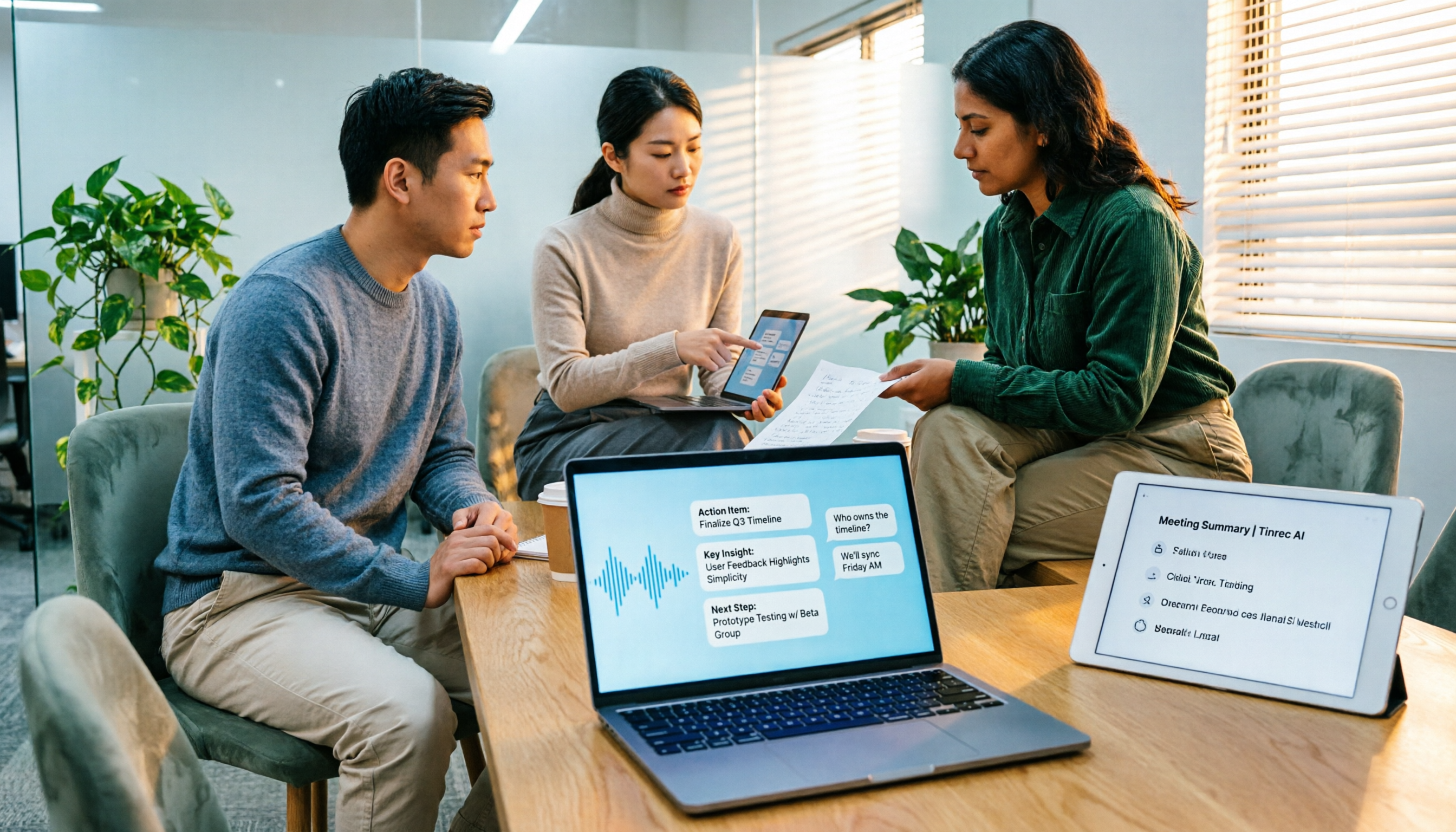
Turn recordings into transcripts and summaries in minutes
Upload audio or video for multilingual transcription, AI notes, and action items
Pitfall: Assuming a Single SDK Automatically Completes Meeting Notes
Many people search for "speech-to-text SDK" with this picture in mind: integrate the API, feed in the meeting recording, and the transcript generates itself—done.
The API returning text is not the hard part. The hard part is what happens after the text comes back.
Have you encountered these situations: a 30,000-word transcript comes out, but you still have to dig through it to find the key points; a client name gets recognized as something completely different, making the whole document unusable; six months later, you want to find "who said they were going to change the specs last time," but you can only search randomly through folders.
More commonly, the integration you finally got working falls apart when the engineer who built it leaves—no one can clearly say where the keys are stored or how the quota is calculated.
An SDK gives you "recognition capability," not a "meeting workflow." This article is not meant to discourage you from coding, but to help you clarify the pitfalls first: are you missing a recognition engine, or the entire post-recognition organization process?
4 Key Points to Understand Before Evaluating a Speech-to-Text SDK
1. Are You Buying "Recognition" or "Organization"?
Google Cloud Speech-to-Text has a clear positioning: it converts audio to text via API, supports over 85 languages and dialects, and has specialized models trained for scenarios like telephony audio (8kHz sampling rate), plus profanity filtering.
Azure is similar. Speech-to-text can be done via the Speech SDK, Speech CLI, or REST API for short audio, supporting real-time and batch transcription.
Both are powerful, but they stop at "turning sound into text." Summaries, chapters, action items, a searchable meeting database, member permissions—these SDKs won't do for you.
2. The SDK Is Just the Entry Point; What Comes After Is the Real Cost
Honestly, I usually ask readers first: have you calculated what else you're maintaining besides the per-minute recognition price?
Key and endpoint management, failure retries, audio storage and retention periods, usage statistics, billing splits, permission control—these are all tasks that surface only after integration.
If you just want to organize meetings, not build a voice product, this effort is usually not worth it.
3. Number of Languages Does Not Equal Performance in Your Scenario
Supporting 85 languages sounds reassuring, but real meeting rooms have air conditioning noise, keyboard sounds, people talking over each other, and mixed Chinese-English technical terms.
Azure offers language detection to let the model automatically determine the audio language, and custom speech to adjust domain vocabulary; real-time transcription can also handle up to two audio channels and label the source channel, which is especially useful for customer support calls where each party occupies one channel.
Note that the effectiveness of such capabilities is still affected by recording quality, accents, noise, and overlapping speech—no vendor can guarantee a fixed accuracy rate.
4. How Does Online Meeting Audio Get In?
This is the most easily overlooked point.
You can have a bot join the meeting, capture system audio from the desktop, or use the platform's built-in transcription. The maintenance costs of these three paths differ greatly, and the SDK itself won't decide this for you.
Tinrec (秒聽錄音)—A Path for Those Who Don't Want to Maintain Their Own Service
Tinrec (秒聽錄音) is an AI meeting notes and collaboration tool for individuals and teams, available on web, desktop, and mobile. It is not an SDK, but a finished product that covers the entire workflow: recording, transcription, summary, action items, export, and team knowledge retention.
No more pulling a bot into online meetings. The desktop version directly captures computer system audio and can handle Zoom, Google Meet, Microsoft Teams, Webex, and other meetings without requiring an extra bot account to join as a participant. Note that this is not automatic joining of all calendar meetings—you open Tinrec yourself to start recording.
More than just a transcript after recording. After the meeting, it automatically generates summaries, chapters, and key points, and extracts action items from the discussion. Even better is AI Q&A: you can directly ask "who mentioned the budget in the last meeting," and it answers based on semantics rather than dumping a bunch of keyword search results. Currently, most transcription tools at the same price point have not yet achieved this.
Cross-language meetings are also handled. During recording, you can view the original text, translation, or bilingual content. The team version also allows maintaining hotwords—feeding in internal product codes and technical terms in advance to reduce the chance of them being recognized as strange words.
Stop organizing recordings by hand
Upload audio or video and automatically get a transcript, summary, and action items
The team version is where it truly stands out from personal tools. Meeting data belongs to the team and is centrally stored in the team space; new members can browse historical meetings. Management separates "roles" and "seats": roles determine who can manage members, audits, and team settings; seats determine who can record, upload, edit, and export. Active members without a seat can still view, play, and read data but cannot upload or edit. There are also usage analytics, audit logs, and a 30-day audio recycle bin. When a member leaves or loses a seat, data is handed over to other members and does not disappear with the personal account.
Limitations should also be clear. Tinrec does not provide an SDK for embedding into your product; if you want to put speech recognition into your own app, it won't help. It is also not suitable for brute-force batch transcription of large long files. Additionally, file and web imports consume the team's shared import quota—it is not unlimited.
Pricing (subject to the official purchase page): Team monthly USD 29.80 per paid seat per month, annual USD 199 per paid seat per year (approximately USD 16.58 per month); each paid seat provides 2,000 minutes of team shared import quota per month; eligible teams can try 7 days free with 1 free seat and 300 minutes of shared import quota. Under an active team plan and seats, real-time recording is currently not deducted by minute. Personal plans range from free, weekly, Pro monthly, to Pro annual—choose according to your usage rhythm.
Who it's for: People who have several meetings every week, mostly in Chinese or mixed Chinese-English, want summaries and action items right after the meeting, and need meeting data to stay with the team rather than on personal computers.
What Are the Alternatives Besides Tinrec?
Google Cloud Speech-to-Text: Converts audio to text via API, supports over 85 languages and dialects, and provides optimized models for specific scenarios like telephony. Suitable for companies with an engineering team that want to embed recognition into their own products. But the SDK only provides recognition results; summaries, action items, and a meeting database must be developed in-house—exactly the part Tinrec has already completed.
Microsoft Azure Speech SDK: Available as packages for Python (PyPI), Java, .NET (NuGet), etc., compatible with Windows, Linux, and macOS; requires a subscription, speech resource key, and endpoint. Supports real-time and batch transcription, language detection, multi-channel labeling, and custom speech. Suitable for teams that want deep speech integration and control over the model; but post-meeting Q&A, action items, and team sharing are not within the SDK's scope.
Otter.ai: A mature AI meeting assistant. Basic is free for 300 minutes per month; Pro annual is about USD 8.49 per user per month, including 1,200 minutes per month and 10 file imports. It focuses on English business meetings, and this path is reasonable. Both have desktop recording; the difference lies in the Chinese and mixed Chinese-English organization experience, real-time bilingual viewing, and post-meeting report and table generation and team knowledge retention—Tinrec is closer to Chinese-centric teams.
TurboScribe: If what you really need is transcription of large long files, this path is more suitable. Free version: 3 files per day, 30 minutes per file; Unlimited annual USD 120 (approximately USD 10 per month), up to 10 hours or 5GB per file, 50 files per upload. But it does not handle meeting workflows and team collaboration—that remains Tinrec's strength.
Pitfall Guide: 3 Most Common Mistakes When Choosing a Speech-to-Text SDK
Pitfall 1: Writing code first, thinking about "who will use it" last. Many teams have engineers build a POC first, only to discover after it works that managers want summaries, sales wants customer requirement fields, and legal asks how long recordings are retained. It's better to list usage scenarios and post-meeting outputs clearly before deciding whether to integrate an SDK yourself.
Pitfall 2: Looking only at the number of languages, not your own audio conditions. 85 languages is the capability ceiling, not your meeting performance. You should test your own recordings: meeting room audio, phone recording, telephony 8kHz—results vary greatly under these three conditions.
Pitfall 3: Calculating cost as "per-minute price." The real cost includes key management, storage, retry mechanisms, operations manpower, and billing splits. When you just want to organize meetings, these fixed costs are often more expensive than the recognition fee itself.
Pitfall 4: Treating the SDK as a one-size-fits-all solution, only to rebuild a meeting tool yourself. If the requirement is "ask after recording, generate action items, team sharing," then you are not actually looking for an SDK but a finished product. Tinrec's AI Q&A and team space fill this gap first, so you don't have to piece it together from scratch.
Conclusion: Which Path Should You Choose?
In one sentence: SDKs solve recognition; meeting notes need to solve workflow.
- To embed speech recognition into your own product with an engineering team to maintain it → Google Cloud Speech-to-Text or Azure Speech SDK
- Meetings mainly in Chinese/mixed Chinese-English, need summaries, action items, and direct Q&A after → Tinrec
- Need team sharing of meeting data, seat and usage management, and operation logs → Tinrec Team
- Mainly English meetings, limited budget → Start with Otter.ai free version for a while
- Batch transcription of large long files → TurboScribe
If you are like most office workers outside the latter categories, don't rush to start a project. Use the free quota to record one of your own meetings, see if the transcript and summary are directly usable, then decide whether to invest in development or choose a finished product.
Finally, recording and transcription involve personal data; please comply with local regulations and obtain participant consent when necessary.
References
- Speech-to-Text: AI speech input and transcription | Google Cloud
- Text-to-speech quickstart - Speech service - Foundry Tools | Microsoft Learn
- GitHub - opensourceteams/google-sdk-speech-to-text: google speech to text · GitHub
- Speech-to-text quickstart - Foundry Tools | Microsoft Learn
- Speech-to-text overview - Speech service - Foundry Tools | Microsoft Learn
Turn every recording into actionable outcomes
Get 60 free transcription minutes when you sign in. No credit card required.
Related Reading
You might also like

5 Free Local Speech-to-Text Solutions for 2026: A Complete Guide
Looking for a truly offline, free speech-to-text solution? This guide covers local tools like Handy, WhisperDesktop, browser-based Whisper, and Python SpeechRecognition, and explains who Tinrec—a post-meeting organization tool—is for, helping you choose based on privacy, hardware, and meeting needs.

2026 Speech-to-Text Showdown: Tinrec vs. Google Cloud Speech-to-Text
Should you build your own speech-to-text integration with an open API, or buy a ready-made tool? We compare Tinrec and Google Cloud Speech-to-Text across six dimensions—setup effort, Chinese meeting support, online meeting capture, post-meeting organization, team governance, and pricing—to help you decide which fits your team.

2026 AI Meeting Notes Tools Compared: Tinrec vs Otter.ai — Which Is Right for Chinese-Speaking Teams?
How should you take meeting notes? Instead of transcribing every word, capture decisions, owners, and deadlines. This article first breaks down 3 common inefficient practices, then compares two AI meeting notes tools, Tinrec and Otter.ai, across Chinese-language meeting experience, bot-free recording, post-meeting AI Q&A, team data governance, and real-time translation to help Chinese-speaking teams choose the more suitable option.

4 Real-Time Meeting Transcription Tools Tested for 2026: Which Handles Chinese Meetings and Post-Meeting Cleanup Best?
"Real-time meeting notes" actually covers two needs: seeing a live transcript during the meeting, and getting a summary and action items as soon as the meeting ends. This article compares Tinrec, Otter.ai, Notta, and Granola on selection criteria, hands-on experience, and pitfalls to avoid—focusing on Chinese meetings, recording without a meeting bot, and building a team knowledge base—so you can pick the one that truly saves time.
Best Audio-to-Text Tools in 2026: 5 Tested for Chinese Courses and Meeting Notes — This One Wins
From class recordings and meeting minutes to interview transcripts, this guide breaks down the complete audio-to-text workflow in five steps: how to record, what to check first after transcription, how to use AI Q&A to extract key points, and how to export results into usable notes. Using Tinrec as a hands-on example, it includes copyable prompt templates and buying tips.

4 Best Speech-to-Text Tools in 2026: Chinese Recognition, Free Tiers, and Post-Meeting Organization Compared
Many people confuse speech-to-text with text-to-speech and don't realize phone dictation can't process existing recordings. This article breaks down 4 key purchasing factors and compares Tinrec, Notta, Otter.ai, and PLAUD NotePin on positioning, quotas, and post-meeting organization, plus 3 common pitfalls to help you choose the right tool within budget.

How to Use WeChat Voice-to-Text in 2026: 3-Step Guide + Practical Solutions for Long Meeting Transcripts
How do you use WeChat voice-to-text? This guide starts with hands-on steps: long-press a voice message to convert it to text, use voice input and say "over over" to send automatically, and understand its real limits in long meetings and interviews. It then explains four decision points—length, output, history search, and team sharing—to help you decide when to switch to an AI meeting notes tool like Tinrec, with hands-on tips and pitfalls to avoid.

How to Use Online Speech-to-Text in 2026: 5 Steps to Choose the Right Tool and Build a Transcription Workflow
There are many online speech-to-text tools, but the real reason you can't choose is usually not that the tools aren't good enough—it's that you haven't thought through where the text will go after it's produced. This article uses three key questions to help you set direction, then helps you pick the right one from five options: Tinrec, Dictation.io, Google Docs, MyEdit, and Notta. Finally, it gives you a 5-step workflow you can follow directly.

6 Speech-to-Text Tools Tested and Compared in 2026: Which Is Fastest for Chinese Meeting Transcripts and Post-Meeting Summaries?
Using the same criteria, we compare six speech-to-text tools—Tinrec, Otter.ai, Notta, TurboScribe, Granola, and PLAUD—and walk through the full workflow with Tinrec: recording, transcription, proofreading, summary generation, and team knowledge retention. This helps you decide which tool fits your meeting style and budget.