
Turn recordings into transcripts and summaries in minutes
Upload audio or video for multilingual transcription, AI notes, and action items
In this age of information overload, whether you are a student organizing lecture highlights or an office worker producing meeting minutes, manually transcribing audio is often the most time-consuming and tedious task. Transcribing one hour of audio manually can take three to four hours. Many people are looking for "free, high-accuracy, and easy-to-use" speech-to-text tools to free themselves from the drudgery of typing.
The good news is that with AI advancements, there are many excellent solutions on the market in 2025. This article will round up six tools worth using, evaluating them from three dimensions: accuracy, free quota, and feature completeness. We'll also include a detailed comparison table and hands-on tutorials to help you make a quick decision.
Quick Navigation Summary:
- If you just need simple short input: Use the built-in voice input on your phone or computer (e.g., Google Docs, iOS Dictation).
- If you value Taiwanese Mandarin and Taiwanese Hokkien recognition: Prioritize the localized Yating Transcript.
- If you need to turn recordings into actions and decisions: Try Tinrec, which features AI summaries and conversational query.
- If you are a tech geek and value privacy: Look into the open-source OpenAI Whisper model.
1. Why Free Tools Are Good Enough Now
Early speech-to-text software often required expensive licensing and had poor Chinese recognition. But based on current technology, for 70% of users (e.g., those needing less than 5 hours per month), free or freemium tools are more than sufficient.
Free tools generally fall into two categories:
- Built-in system tools: Completely free, suitable for real-time, short content (e.g., Google Live Transcribe).
- Professional services: Offer a free monthly quota with more powerful features (including audio file upload, AI summaries, etc.), suitable for long meetings and notes.
2. 2025 Best Free Speech-to-Text Tool Reviews
Here are several top-performing tools analyzed for different use cases:
1. Google Live Transcribe
This is the most familiar tool for Android users and one of the most powerful pure real-time transcription tools.
- Pros: Completely free, supports over 80 languages (including Traditional Chinese), can recognize ambient sounds (e.g., applause, music).
- Limitations: Only available on Android devices, and transcripts are stored on the device for only 3 days; cannot upload old audio files for transcription.
- Best for: Real-time lectures, face-to-face interviews, hearing assistance.
2. OpenAI Whisper (and Derivatives)
OpenAI's Whisper is widely considered the most powerful open-source speech recognition model.
- Pros: Extremely high accuracy, strong tolerance for accents and background noise, supports 99 languages. Using local versions (e.g., Whisper Desktop or MacWhisper) keeps data fully offline for maximum privacy.
- Limitations: The original requires a Python environment and some technical skill; even GUI versions demand decent hardware (GPU), and transcription speed depends on your computer's performance.
- Best for: Tech users, those with extreme privacy concerns, offline environments.
3. Tinrec
Tinrec is an AI recording assistant that emphasizes "from recording to action." Its design philosophy goes beyond producing transcripts to help users quickly access information.
- Features: Supports iOS, Android, and web with multi-device sync. Beyond basic transcription, its standout features are "AI meeting minutes" and "AI conversational query." It automatically extracts action items, and users can ask about recording content like they would with ChatGPT.
- Free quota: The free plan offers 100 minutes of transcription per month, which is friendly for occasional meeting or lecture summarization.
- Best for: Office workers needing meeting conclusions, students needing quick review, multilingual meetings (supports 10 languages including Chinese, English, Japanese, Korean, German).
Stop organizing recordings by hand
Upload audio or video and automatically get a transcript, summary, and action items

4. Yating Transcript
Developed by Taiwan AI Labs, designed specifically for Taiwanese users.
- Pros: Excellent recognition of "Taiwanese Mandarin," Chinese-English mix, and Taiwanese Hokkien; it is the top choice for Taiwanese Hokkien recognition. Real-time recording is completely free.
- Limitations: The free version has a quota for audio file uploads (20 minutes for free), beyond which you need to pay.
- Best for: Local drama subtitles, Taiwanese Hokkien interviews, local administrative meetings.
3. Feature and Free Quota Comparison Table
To help you choose more intuitively, here's a summary of key dimensions:
| Dimension | Google Live Transcribe | Tinrec | OpenAI Whisper (Local) | Yating Transcript |
|---|---|---|---|---|
| Core Purpose | Real-time assistive dictation | AI meeting minutes & action management | Offline high-accuracy transcription | Taiwanese localized speech recognition |
| Free Quota | Unlimited (real-time only) | 100 min/month (transcription + AI) | Fully free (hardware required) | Real-time free / Upload limit: 20 min |
| Chinese Accuracy | Good | Excellent (multilingual mixed recognition) | Excellent | Excellent (incl. Taiwanese & Mandarin) |
| File Upload Support | ❌ Not supported | ✅ Supported (audio/video) | ✅ Supported | ✅ Supported |
| AI Summary / Chat | ❌ None | ✅ Supported (summary + conversational query) | ❌ None (transcript only) | ❌ None (transcript only) |
| Cross-Device Support | Android only | iOS / Android / Web | PC / Mac | iOS / Android / Web |
| Best For | Quick notes | Meeting decisions, study review | Privacy-sensitive data | Local interview recordings |
4. Hands-On Tutorial: How to Boost Efficiency with AI Tools
Simply having a transcript is often not enough, because reading 10,000 words of verbatim text is still tiring. A modern efficient workflow should be: Record → Transcribe → AI Distill. Here we use the feature-rich Tinrec as an example to show how to turn audio into actionable notes:
Step 1: Start Recording or Import a File
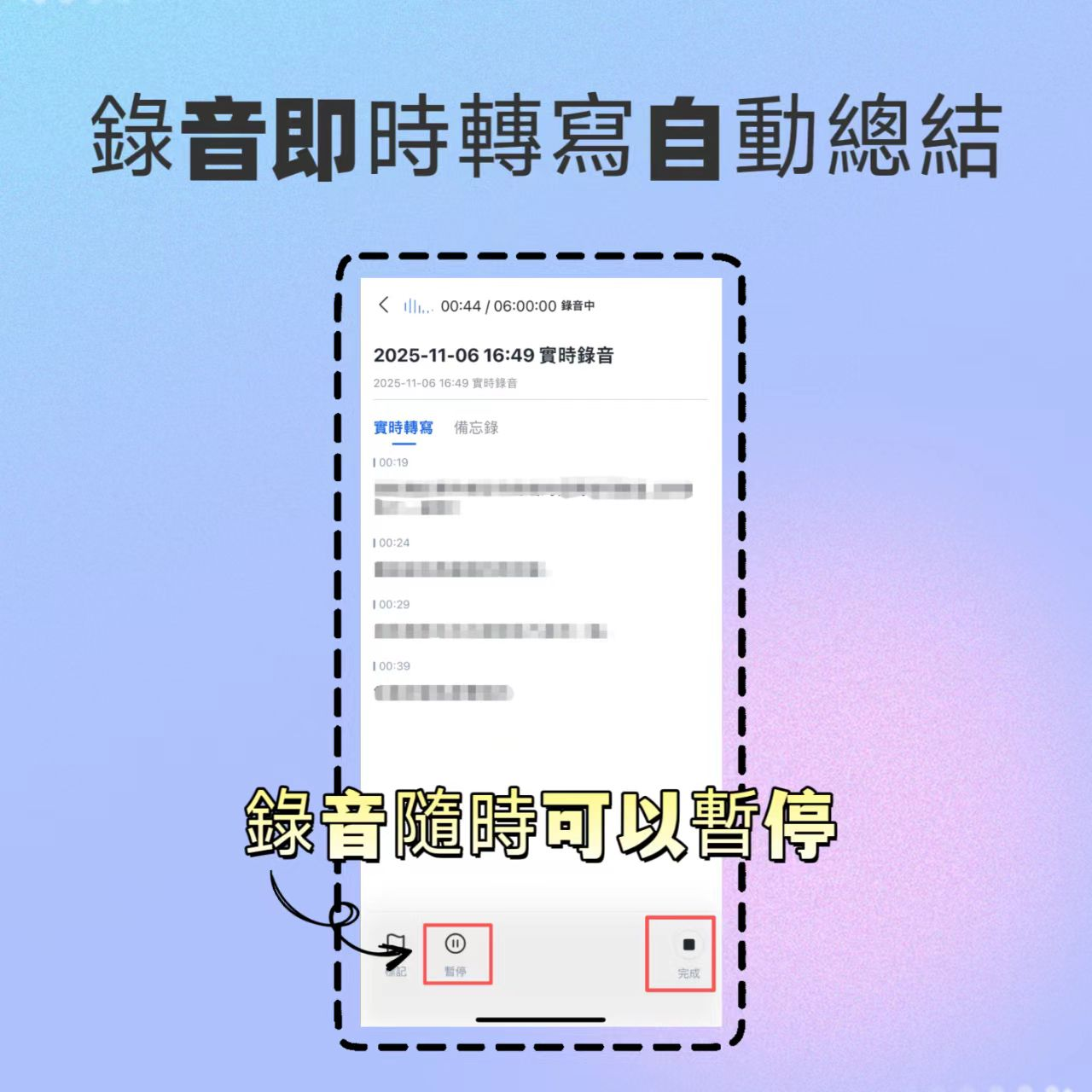
If you're in a meeting, use the mobile app to start "real-time transcription." Tinrec displays text instantly as you record, and you can mark highlights. If you have an existing audio file or YouTube link, log in to the web version and select "Import Audio/Video."
Step 2: Speaker Diarization and Transcript Review
After upload, the system automatically identifies different speakers (speaker diarization). This is crucial for distinguishing who said what, so you don't need to manually label "Manager said" or "Customer said."

Step 3: Get AI Summary and Action Items
This is a step traditional tools cannot do. Click the AI analysis feature, and the system will automatically generate "meeting minutes" and an "action to-do list." For example, "Submit financial report by next Wednesday" will be automatically extracted as a task.

Step 4: Use AI Conversational Query for Key Information
If you forget a detail, instead of re-listening or Ctrl+F searching keywords, you can simply type in the chat: "What was the conclusion about the budget in this meeting?" Tinrec will answer based on the recording content.

5. Frequently Asked Questions (FAQ)
Q1: Is the accuracy of free speech-to-text tools sufficient? In clear recording conditions (low noise, standard pronunciation), modern AI tools like Whisper or Tinrec typically achieve 90-95% accuracy or higher. While they cannot fully replace manual proofreading, they are more than adequate as a first draft, saving about 70% of processing time.
Q2: What are good free options for iPhone users? iOS's built-in "Dictation" is decent, but if you need recording with real-time transcription and file saving, Tinrec and Otter.ai iOS apps are great choices, especially the former with better Chinese support.
Q3: Free tools often have limits on long audio files? Yes. Most online tools have limits on single file length or total monthly hours. For example, Otter free plan limits each session to 30 minutes; Tinrec free plan offers 100 minutes per month. For heavy usage, consider a paid subscription or local open-source software.
Q4: Can I transcribe YouTube videos to text? Some tools support this. For example, cSubtitle or Tinrec's "Podcast/Online Video to Text" feature—just paste the URL to generate transcripts and summaries, ideal for content creators.
Q5: Is data privacy safe? If you handle highly confidential legal or medical data, we recommend fully offline tools (like Whisper Desktop). For online cloud services, choose providers with clear privacy policies. For instance, Tinrec does not use user data for public model training, ensuring data security.
Turn every recording into actionable outcomes
Get 60 free transcription minutes when you sign in. No credit card required.
Related Reading
You might also like
4 Computer Recording Tools Tested and Compared in 2026: Why Your Screen Recording Has No Sound (It's Probably Not Your Microphone)
When your computer recording has no sound, it's usually not a broken microphone—it's that system audio wasn't captured. This article breaks down 5 common causes, 4 key factors for choosing a tool, and compares Tinrec, Granola, TurboScribe, and PLAUD for computer recording, so you can figure out whether to fix your settings or switch tools.

2026 AI Meeting Recorder Comparison: Why Tinrec Beats Notta for Students
A senior information management student tests AI meeting note tools including Tinrec and Notta across lectures, group discussions, and finals prep. This student-focused review breaks down free tiers, bot-free recording, post-meeting AI processing, and export options to find the best fit for students on a budget.

4 Best Cantonese Speech-to-Text Tools in 2026: Free Version Comparison
We tested 4 Cantonese speech-to-text tools in 2026, comparing free tiers, Cantonese and mixed Chinese-English recognition, post-meeting organization, and team collaboration. Tinrec stands out as our top pick for Chinese-language meetings, bot-free online meeting recording, AI Q&A, and team spaces.
2 Recording Tools Compared in 2026: Understand 'Can You Record Anyone?' Before Choosing
Students often want to record classes, group discussions, or phone calls for self-protection, but 'can you record anyone?' depends on whether you're part of the conversation, your purpose, and how you use the recording. This article explains key Taiwan recording laws from a student's perspective, then compares Tinrec and PLAUD Note across entry cost, recording scenarios, post-meeting organization, old file search, and team sharing, with final recommendations for students.

2026 Comparison of 3 Recording Meeting Note Tools: Which Saves the Most Time with Bot-Free Recording, AI Q&A, and Team Knowledge Retention?
2026 real-world comparison of recording meeting note tools, covering bot-free meeting capture, Chinese and mixed Chinese-English experience, post-meeting organization, team knowledge retention, and pricing quotas. Compares Tinrec and Otter.ai, and explains the positioning of similar tools like Notta, helping you choose the right meeting notes workflow for your needs.
2026 Comparison of 4 Meeting Transcription Tools: Chinese Meetings and Team Knowledge, Which Free Version Is Enough?
How to choose a meeting transcription tool? This article starts from the decision point of "who will use this record later," first outlining 4 key selection criteria, then comparing Tinrec, Otter.ai, Notta, and Granola on Chinese transcription, bot-free online meeting recording, AI Q&A, team knowledge retention, and free quotas, and finally provides selection advice based on use cases.

Free Audio-to-Text AI Options in 2026: 5 Tools Compared
Audio-to-text AI is more than just converting sound into words. This article reviews free options in 2026 and the differences among five types of tools, covering core capabilities like real-time transcription, bot-free meeting recording, AI summaries, action item extraction, and AI Q&A. It uses Tinrec as a hands-on example for meetings, interviews, and team knowledge retention, with five key buying considerations and FAQs.
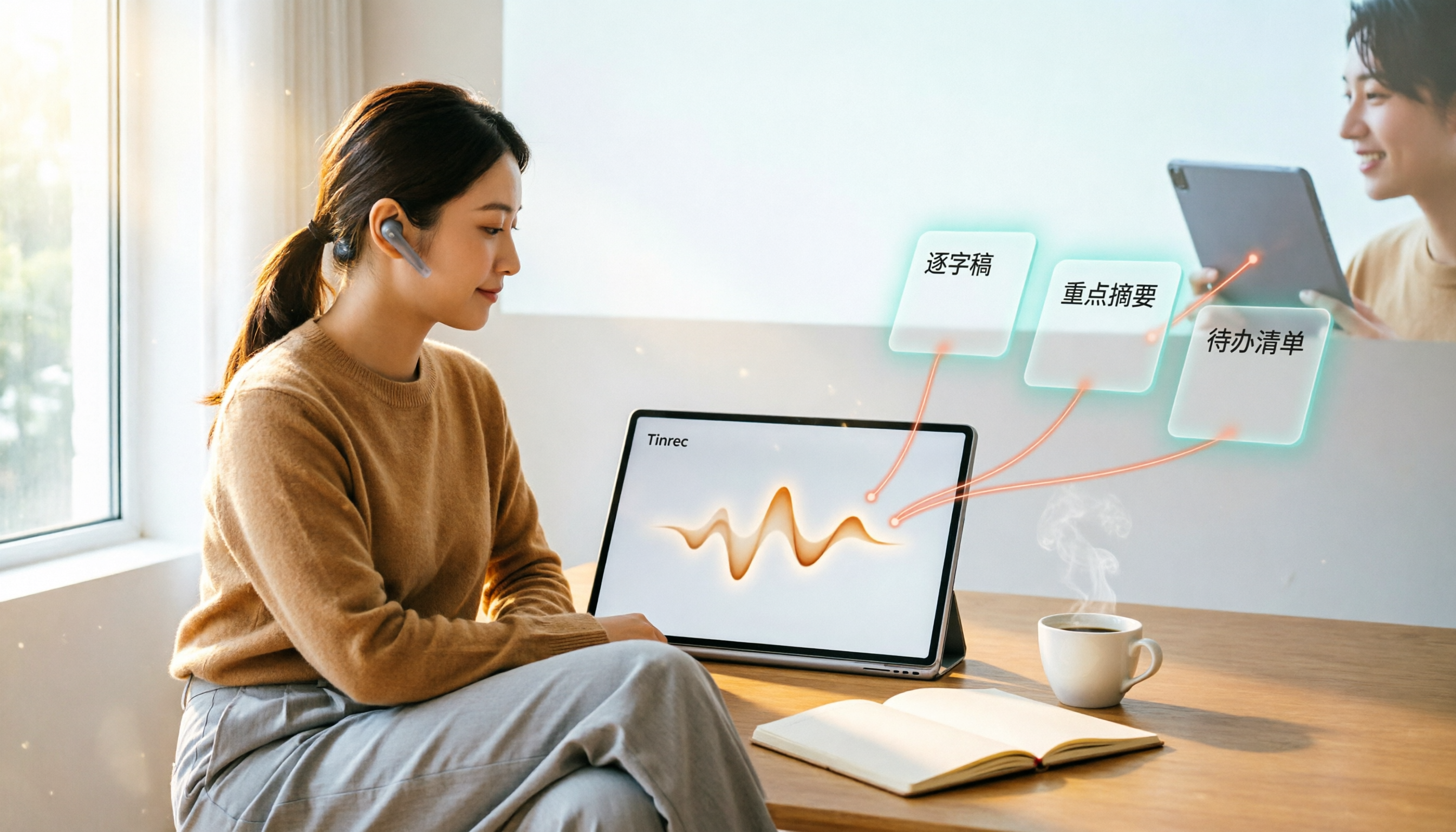
4 Web Audio Capture Tools Tested and Compared in 2026: Which One Can Fully Save and Organize Web Audio?
Can't find a download button when you want to capture web audio? We tested 4 common web audio capture tools, from browser extensions to desktop recorders to AI-powered organization, explaining their limitations and best use cases, and sharing a time-saving method that turns captured audio directly into transcripts and summaries.

Tinrec vs PLAUD Note 2026: 5-Dimension Comparison — Which Free AI Meeting Notes Solution Is Worth It?
How do you choose a free AI meeting notes tool? This article compares Tinrec and PLAUD Note across 5 dimensions: free quota, meeting capture method, post-meeting organization, Chinese language performance, and team collaboration. It also breaks down practical uses of AI transcription, summaries, action item extraction, and AI Q&A, plus the differences between personal and team plans.