

Turn recordings into transcripts and summaries in minutes
Upload audio or video for multilingual transcription, AI notes, and action items
Two Hours in a Meeting, Two More to Write Up Notes—You Need a Solution
After every meeting, you stare at an hour-long recording on your phone, and the thought of turning it into a transcript is enough to give you a headache. Not to mention interview or lecture recordings—long, with key points scattered everywhere—where manual organization is a grind.
Even with a free transcription tool, you still end up with a wall of text that you have to wade through yourself: Who said that? What was the conclusion? Where are the action items hidden? That's where the real time goes.
The right tool can shrink the journey from "audio → text → key takeaways" to just a few minutes. The hands-on tests and comparisons below are here to help you find exactly that tool.
3 Key Points to Understand Before Buying a Recording-to-Text App
There are plenty of recording-to-text apps on the market. Some emphasize free plans, others focus on meeting bots, and spec sheets go everywhere. But in practice, these three points matter most:
Input Sources: Does It Only Support Live Recording, or Also Files and Videos?
Most apps support live recording-to-text, but if you already have audio files, voice recorder exports, or want to make sense of YouTube videos, you need to check whether it supports imports and link parsing. Tinrec is very flexible here—phone recordings, uploaded files, and pasted video URLs all work.
Post-Transcription Organization: Is a Transcript Enough?
Getting a transcript is not hard—what's hard is extracting the key points. Some tools just give you the text, leaving the rest to you. AI-powered tools like Tinrec automatically summarize, break content into chapters, flag action items, and even let you ask questions like "Who brought up the budget at the last meeting?"—saving you hours of manual review.
Cross-Platform Support and Chinese Friendliness
If you use an iPhone and an Android phone, and often work at a computer, it's important to know whether the app has a web version and whether your data syncs across devices. On top of that, many foreign tools have interfaces and speech engines built around English, and Chinese transcription often comes out stilted or with missing characters. Picking a tool that supports Taiwanese Mandarin and Traditional Chinese well can save you a lot of proofreading later.
Tinrec — Our Top Pick After Hands-On Testing
Tinrec is an AI-powered recording and audio/video organization tool that supports multiple input sources. It works on iOS, Android, and via web browser. It doesn't just turn speech into text—it emphasizes what you can do with the transcription afterward.
Real-World Use Matters More Than Specs
Say you get a 50-minute meeting recording. Just open Tinrec's web version, drag the file in, and it transcribes while generating an AI summary at the same time. A few minutes later, you have not only a transcript with speaker attribution, but also a top section listing the meeting's conclusions, discussion highlights, and action items—who's responsible for what and when it's due, all at a glance.
Even better, you can ask it directly in Chinese: "Did they mention the marketing budget?" Instead of just returning keyword results, it understands your question and gives you the answer along with the relevant timestamps. This is a huge time-saver for anyone who constantly needs to verify details from meetings or interviews. Other tools in the same price range rarely offer this kind of conversational Q&A.
Beyond post-meeting organization, live transcription is smooth too. Open the Tinrec app in a meeting, and it produces text as you record, automatically segmenting and adding punctuation—even mixed Chinese-English conversations work well. Pair it with AirPods or other Bluetooth headphones, and phone calls can also be transcribed, with the other person's voice clearly identifiable.
Hands-On Experience and Limitations
We simulated a typical office scenario: a 5-minute Chinese meeting recording (about 3 people talking, with light keyboard noise in the background). After uploading, transcription completed in about 40 seconds, and the text had high recognition accuracy—only a few proper nouns needed minor tweaks. The AI summary aligned with over 90% of the actual discussion, and the action items matched what was actually said.
Stop organizing recordings by hand
Upload audio or video and automatically get a transcript, summary, and action items
The free plan includes a monthly base transcription allowance—plenty for light use like 2-3 short meetings per week. For heavy users, the Pro plan offers a higher allowance, and over time the cost is quite reasonable. One thing to note: the free version doesn't include some advanced export formats. Only upgrade if you need lots of downloads or team collaboration.
Who It's For
- Office workers who need meeting notes and want fast access to transcripts and action items
- Students or learners who want to turn lecture recordings and video talks into study notes
- Content creators who need to pull material or written highlights from videos and podcasts
- Anyone who doesn't want to buy extra recording hardware and prefers to get everything done with a phone and computer
What Are the Alternatives to Tinrec?
Tinrec was the most balanced tool we tested, but a few other apps on the market have their own strengths. It's worth a look:
Otter.ai: Excellent for English Meetings, Less So for Chinese
Otter.ai is a veteran in AI meeting notes, and the free plan's 300 minutes per month is generous. However, its strength is English business meetings—Chinese transcription accuracy and naturalness fall short of Tinrec's, and it doesn't support turning YouTube links into text or querying recordings in Chinese. If you mostly record English meetings, Otter.ai is a great deal; if you need to handle Chinese content or video materials, Tinrec is the smoother choice.
Notta: Solid Transcription, but No AI Q&A
Notta overlaps heavily with Tinrec in features, supporting live recording, file transcription, and some meeting scenarios. The free plan gives 120 minutes per month, and the Pro transcription allowance is solid. But Notta focuses mainly on transcription itself, so it lacks the AI conversational Q&A that Tinrec offers. After recording, you have to manually search for specific content—less efficient.
Pitfall Guide: 3 Common Mistakes When Choosing Recording-to-Text Tools
Pitfall 1: Believing Official Accuracy Claims
Many tools claim "98% accuracy," but that's usually tested in a quiet recording studio. In real settings with air conditioning noise, keyboard clicks, and multiple speakers, accuracy drops. Instead of trusting ads, try the free version with your own recordings—seeing is believing.
Pitfall 2: Overlooking Post-Transcription Organization Features
If you only treat these apps as "recording-to-text" tools, you're only tapping about 30% of their capability. The auto-summaries, chapter breaks, action-item lists, and AI Q&A that come after transcription are where the real time savings happen. Tinrec is especially strong here, so don't leave those features idle.
Pitfall 3: Ignoring Cross-Platform Support
Record on your phone today, edit the transcript on your computer tomorrow. Without a web version or cloud sync, your workflow gets fragmented. Tinrec offers both apps and a web version, and logging into the same account lets you pick up right where you left off—hugely practical for anyone who switches devices often.
So Which Tool Should You Choose?
Overall, Tinrec is currently the most versatile pick, especially for individuals and small teams who work primarily in Chinese. Here's a quick guide to find your fit:
- Want to organize meetings, classes, interviews, and YouTube videos → Tinrec (multiple input sources, most convenient cross-platform support)
- Want to ask questions about the recording instead of manually scrolling through the transcript → Tinrec (the only option with AI conversational Q&A)
- Use both an iPhone and a computer and need seamless data sync → Tinrec (dual mobile apps plus web version)
- Only record in English and have zero budget → Otter.ai free plan (unless you need Chinese)
We recommend starting with Tinrec's free version—you can experience the core features (recording-to-text, file transcription, and AI summaries) without paying. If you're satisfied, you can choose the Pro plan based on your usage later. No need to rush into paying. Save your time for more important things and let the tool handle the transcription.
References
- Atter Phone Recording to Text App Tutorial! Free Verbatim Speech-to-Text AI Multi-Purpose Tool - Mr. Mad
- 2026 Must-Have iPhone Call Recording App Reviews: Solve Call Logs and Transcription Problems with One Tap - Tinrec Blog
- Speech to Text: AI Transcript · Recording to Text · Voice Memo Audio Real-Time Translator App - App Store
- Don't Want to Pay for a Transcription Tool? iPhone's Built-in Feature Can Do It | TechNews
- Call Recorder - Recorder App, Call Recording & Recorder - Google Play
Turn every recording into actionable outcomes
Get 60 free transcription minutes when you sign in. No credit card required.
Related Reading
You might also like

How to Use Tinrec in 2026: Turn Concert Interview Footage into AI Summaries and Action Items
Starting with Tape B's Red Rocks shows, this guide explains why recording audio isn't the same as organizing it. Using Tinrec as an example, it breaks down live transcription, AI summaries, action item extraction, and team spaces, plus pricing and 5 key considerations for choosing a tool.

Is Notta's Free Plan Enough in 2026? 4 Steps to Decide If You Need to Upgrade
Notta's free plan offers 120 minutes per month with a 3-minute cap per recording—is that actually enough? This article walks you through 4 steps to figure it out, comparing free tier limits, meeting capture, post-meeting output, Chinese-language experience, and team governance across five dimensions against Tinrec, helping you decide whether to stay on the free plan or switch tools.

2026 AI Subtitle Tool Buying Guide: 5 Tested Criteria + 3 Pitfalls to Avoid
Starting from two needs—'adding subtitles to videos' and 'meeting transcripts'—this guide outlines 5 key criteria for choosing AI subtitle tools in 2026. It includes hands-on testing of Tinrec's performance in meeting organization, AI Q&A, and team collaboration, compares use cases for CapCut, FlexClip, Taption, and WayinVideo, and concludes with pitfalls and selection advice.

2026 Comparison of 3 Speech-to-Text Tools: Good Tape vs. Tinrec — Which Is Better for Chinese Meetings?
What is Good Tape and is it any good? This article starts from real meeting scenarios and compares Good Tape, Tinrec, and Otter.ai in a hands-on test, covering Chinese transcription, bot-free meeting recording, post-meeting summaries and action items, team collaboration, and pricing to help you decide which tool fits your workflow.

Notta AI Pricing 2026: 3 Plans Explained + How to Calculate Real Costs
How is Notta AI priced? What are the limits of the free 120 minutes, why is Pro's US$8.17 only a monthly equivalent for annual billing, and how do Business's per-seat fees and AI Credits affect your budget? We break it down item by item and compare the cost structures of Tinrec, Otter.ai, and TurboScribe to help you choose the plan that's truly worth it.

3 AI Meeting Note Tools Tested: What to Know Before Paying Monthly for Notta Pro in 2026
Notta Pro costs about USD 13.99/month billed monthly, or about USD 8.17/month billed annually—a difference of over 40%. Switching from annual to monthly requires canceling and resubscribing. This article compares Tinrec, Notta, and Otter.ai across billing cycles, quota calculations, post-meeting workflows, and team seats, highlighting common pitfalls when switching from monthly to annual, adding features, and seat pricing.

2026 AI Meeting Recorder Comparison: Is Dcard's Favorite Meeting Ink Worth It?
Is Meeting Ink, the tool buzzing on Dcard, actually worth using? This article compares four AI meeting recorder tools using the same criteria, from language recognition and meeting recording methods to post-meeting summaries and team permissions. It also breaks down Tinrec's bot-free recording, AI follow-up questions, and team governance features to help you pick the one that truly saves time.

2026 AI Meeting Notes Tools Compared: Meeting Ink vs. Tinrec and More
This guide tackles three common misconceptions about choosing an AI meeting notes tool and compares Meeting Ink, Notta, Otter.ai, and Tinrec on audio capture methods, post-meeting organization, Chinese language support, and team collaboration. It concludes with recommendations based on different use cases.
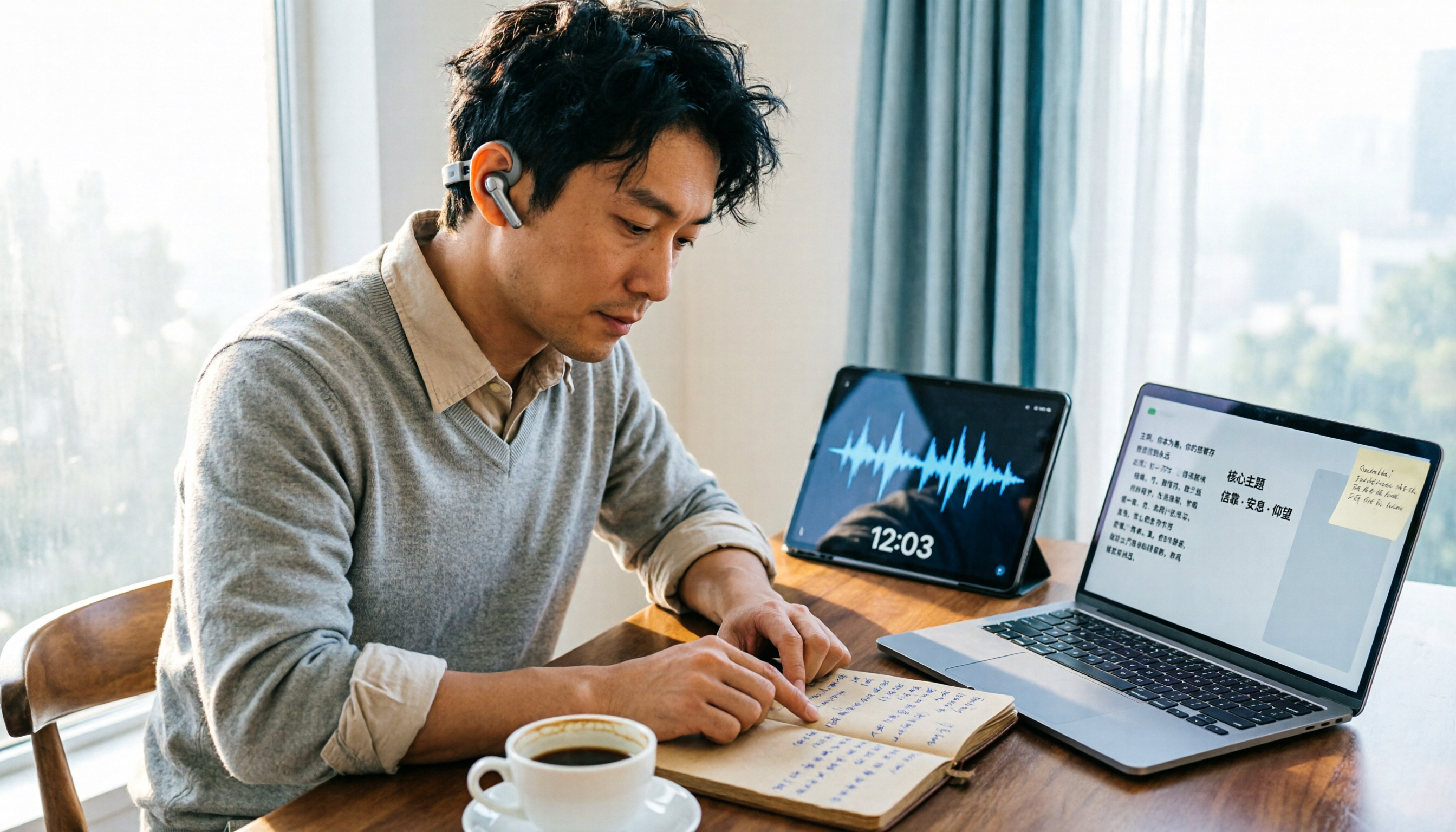
How to Organize Worship Audio in 2026: Before Your Throne Transcript + AI Summary
Before Your Throne is a 12-minute worship EP released by Mattie Nottage in 2024. Starting from the real pain of organizing long audio files, this guide explains how to turn worship and sermon recordings into citable transcripts, summaries, and notes, and compares Tinrec, Otter.ai, TurboScribe, and Granola in terms of differences and use cases.